

6 useful photo and video editing apps for your iPad
Saturday 13 May 2017, 15:51 by Lars Paymans | 9,857 views | 5 commentsThis article was translated from Dutch with the help of AI. Read the original.
In 2017, you no longer need a computer to edit a photo or video. With an iPad and these apps, you can edit everything on the go. Also handy for the iPhone 7 (Plus) or other smartphones with a large screen.
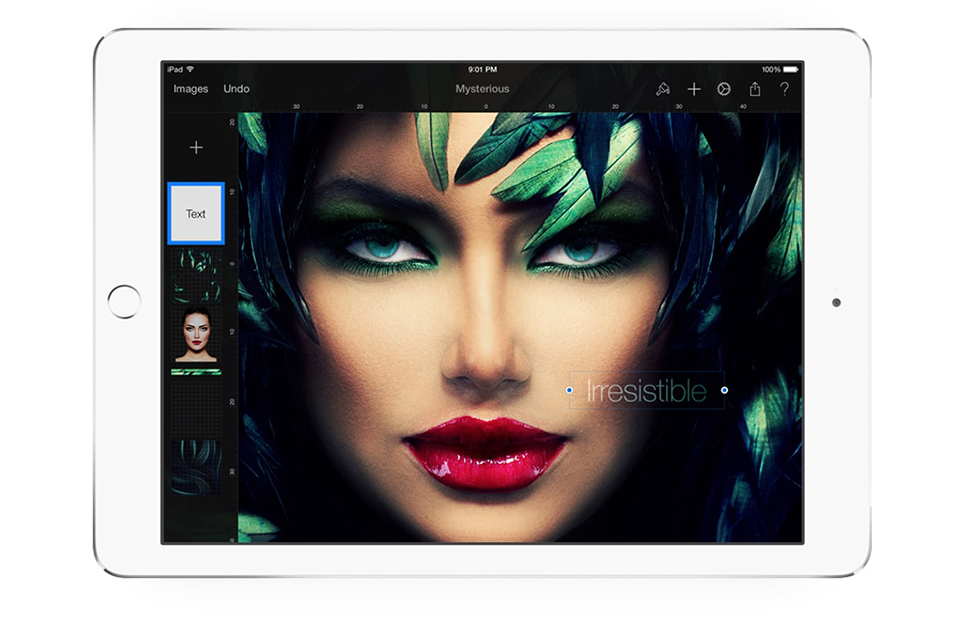
1. Pixelmator: great all-rounder for your iPad
If you are looking for comprehensive photo editing software, Pixelmator has everything you need. This compact alternative to Photoshop is packed with features. You can quickly crop photos, adjust colours, work with different layers and much more.
It is also ideal if you want to add a few lines to your creation by hand, for example with an Apple Pencil. Pixelmator also has an extensive Mac app. If you are already familiar with that, it is very easy to get off to a flying start with the iPad version.
» Download Pixelmator from the App Store.
2. Adobe Photoshop Fix: for quick adjustments
If you want to touch up a photo or video while you are out and about, but do not want to spend too much time on it, Adobe Photoshop Fix comes in handy. This simple app lets you crop photos, remove red eyes or remove an object that ruins your composition with just a few swipes of your finger.
That way, only what you want to draw attention to remains. You can then share the photo straight away on social networks or send it by email. Although the app is free, you do need to create a free Adobe account to use Photoshop Fix.
» Download Adobe Photoshop Fix from the App Store.
3. VSCO: minimalist photo editor
Because of its minimalist design, VSCO does not look like a professional photo editing app at first glance. Dig a little deeper, though, and you will find all kinds of interesting and practical tools for touching up your snaps.
The app also makes it very easy to save your photos in a collection, so you can, for example, group all your nature or holiday photos together in the app. You can then share them in the social section of the app, a place where countless photography enthusiasts gather and exchange creative ideas.
» VSCO is also available in the App Store.
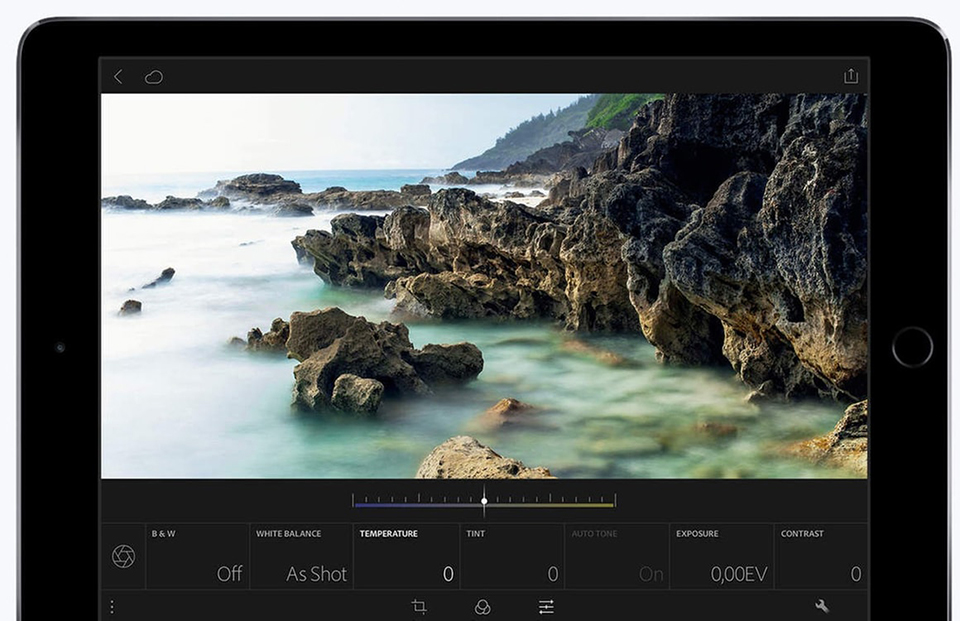
4. Adobe Lightroom: improve HDR and RAW photos
If you plan to edit the photos you took with a DSLR on your iPad, Lightroom should not be missing from your Apple tablet. This app is designed for improving HDR and RAW photos.
You can adjust every colour down to the smallest detail using sliders. To use Lightroom's extensive features, you need an Adobe Creative Cloud subscription. If you already use Photoshop on your desktop, you can use these features at no extra cost.
» You can download Adobe Lightroom here.
5. iMovie: video editing in no time
Apple installs iMovie as standard on every new iPad. Very handy, because this programme will be comprehensive enough for many users to edit videos.
Thanks to the app's accessible layout, it is very easy to combine different clips and make them flow smoothly into one another.
Drag videos onto your timeline, add music or a voice-over and you can then export the result quickly and easily.
» Download iMovie from the App Store.
6. Adobe Photoshop Express: the little brother
Photoshop Express is the little brother of Photoshop on Mac and Windows. A number of smart adjustments have made its extensive features accessible on a touchscreen, with clear examples and well-organised icons.
Speed is the priority here, so you can quickly brighten a dark photo or remove red eyes, for example. The built-in collage feature makes it easy to put several photos together.
» Download Adobe Photoshop Express from the App Store.
About the author
Lars Paymans is redacteur bij BigSpark uit Nijmegen, uitgever van onder meer iPhoned.nl en AndroidPlanet.nl. Iedere dag test hij de nieuwste apps, smartphones, gadgets en alles wat nog meer met de telecomwereld te maken heeft. Volg Lars via Twitter of LinkedIn.
You might also like
-
 Affinity Photo now also available for iPad
by Michelle Peeters
-
 Photoshop coming to the iPad soon
by Elja Trum
-
 Luminar now also available for iPad
by Elja Trum
-
 The imgmi app, Luminar for your smartphone
by Nando Harmsen
-
 Adobe launches beta for Photoshop CC on iPad
by Michelle Peeters
-
 Review: Amaran app for controlling lights
by Nando Harmsen
5 comments
-
 Dan wrote on Tuesday 16 May 2017 at 14:22 | reply
I am a big van of Snapseed (free)
Translated from Dutch. -
 Marian wrote on Tuesday 16 May 2017 at 18:08 | reply
I’m also a big fan of Snapseed. And you can load and edit photos in RAW on your iPad. An extra little tool is even added then. Also handy on the iPhone.
Translated from Dutch. -
 Charon wrote on Tuesday 16 May 2017 at 21:59 | reply
Number 1 for me is Snapseed.
Translated from Dutch. -
 Paul Marcelis wrote on Wednesday 17 May 2017 at 13:42 | reply
How can I load my files (RAW and JPEG) from SD memory cards in my camera onto my iPhone and iPad? And also the question of which app I can use on the go to resize my photos so they are easier to send. Now I do this in what I consider a rather cumbersome way by first carrying out these edits in Photoshop on a Windows laptop and then transferring them via "LeefiBridge" to iPhone or iPad.
Translated from Dutch. -
 guest wrote on Thursday 18 May 2017 at 17:49 | reply
Snapseed is a great program for me!
Translated from Dutch.
Have your say
Please note: Articles older than a week can only be commented on by signed-in visitors.Would you still like to comment? sign in or create a free account.
Become a better photographer every week
A practical photography tip in your inbox every week.
38,764 photography enthusiasts already receive the tips! More about the weekly mail. Or keep up to date via  Facebook.

Elja Trum
Photofacts; everything to do with photography!
Would you like to take better photos and keep up with what is happening in photography? Photofacts publishes articles that teach you something about photography — from a product announcement to a practical shooting tip or a look at a website. Photofacts covers photography every day and is a hobby project of Elja Trum's that got out of hand. The articles are written by a team of volunteer authors. If you would enjoy writing one or more articles for Photofacts, do get in touch.More about PhotofactsPhotofacts is made possible in part by
