

Kill your darlings - making selections
Monday 25 June 2018, 20:10 by Erik van Rosmalen | 12,941 views | 9 commentsThis article was translated from Dutch with the help of AI. Read the original.
The hardest aspect of photography. Is it the composition? The editing? The lighting? For me, and I'm sure for many others, the problem lies at another level. Making choices. Because what is ultimately the best photo?
Whether it's a week-long holiday, photographing a wedding all day or a 'quick' portrait job, you almost always come home with more images than you strictly need. In the digital age, you could call that an understatement.
The challenge is limiting the final selection. I regularly see (mostly beginner) photographers or models posting the result of a shoot. Twenty or more photos of the 'same' setting or pose. A shame, because the image loses its strength through the sheer number of them. Less is more!
But how do you arrive at the best selection? I'll share some tips that stand on their own, which help me at least and might help you too:
Hold back (1)
Okay, the most obvious advice first: if you're more critical during the shoot, you'll come home with fewer images and your selection will be easier too. Much easier said than done, absolutely.
In my case, my analogue photography is a kind of therapy: on a city break, for example, I always take only an analogue camera and one roll of film (36 photos) per day. You train yourself to look more carefully (and you'll enjoy the trip more too, by the way), instead of clicking away without thinking!
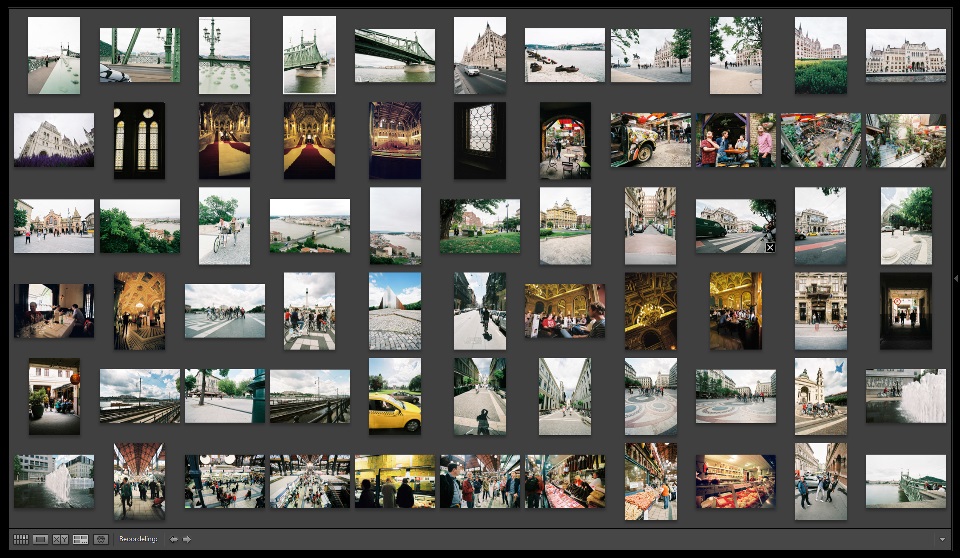
Two full days in Budapest means 72 images. Nice and manageable. You can see the final selection I made from them on my blog.
Hold back (2)
While the 600 photos from the shoot are importing into Lightroom, you already see some nice ones coming through. Move a slider a little. Add some vignetting. Adjust the white balance... Stop.
You lose yourself in editing individual photos that you might not even use later.
However tempting it may be, wait until everything has loaded, choose one image per setting/lighting to edit and copy those settings to the series. That way, they will all have consistent colour and contrast, and you can start making your selection.
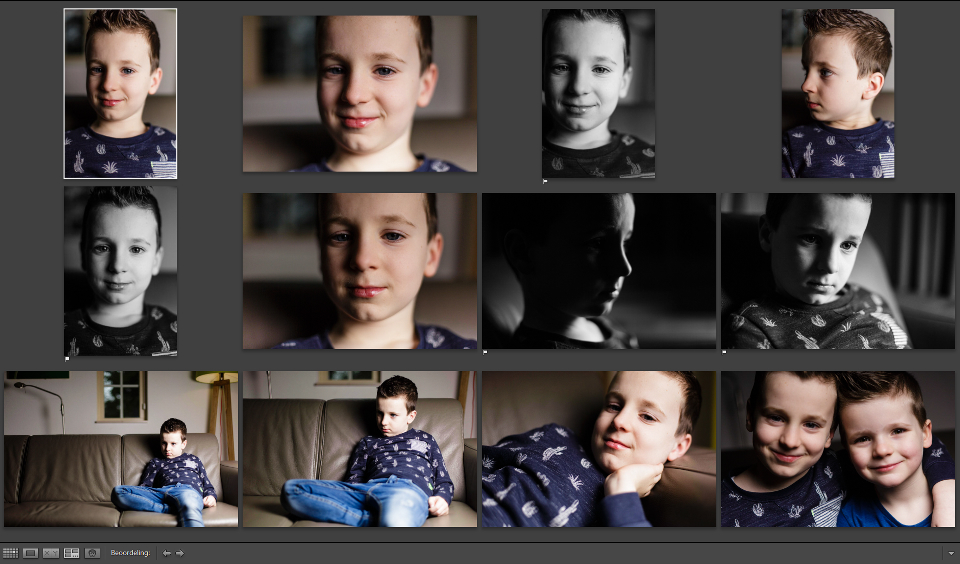
The theory is always simple, but I still catch myself doing this from time to time. I experimented with a black-and-white conversion on several photos from a short shoot with my oldest son Teun.
In the end, I only really used one or two photos from this series, so when you look at it that way, I did work for nothing...
Take a step back (1)
The scenario will probably sound familiar: you come home from a great photo shoot, import your photos straight away and get to work. You proudly look back at (most of) the results. You've outdone yourself.
How tempting is it then to immediately create a blog post on your website with twenty, thirty or even more photos from that one shoot?
Don't. Take a step back first. And you can take that quite literally. Turn off your computer and go for a walk or read a book, or better still, wait a few days. If time and the deadline allow, preferably do your next shoot first...
That way, you also take a step back from your work in a figurative sense. Your adrenaline levels drop and you can look at it a little more objectively.
Take a step back (2)
Taking a step back can also be done on another level: don't look at the photos one by one on a large screen, but place them next to each other as a series. The smaller, the better, I would almost say. If you use Lightroom, you can select a number of photos in the library. Then press 'N' and you will see the photos neatly next to each other.
When you view similar photos in this way, you may notice things you otherwise wouldn't see: an arm or leg in an awkward position in one of the photos, or a distracting element in the background.
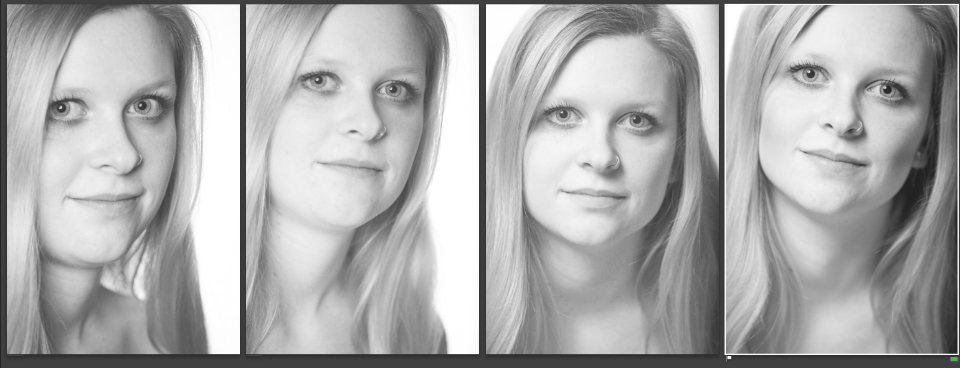
A small series of portraits of Jessie. Individually, they might all be okay, but when placed next to each other, one portrait stood out to me personally.
Say goodbye
I work in Lightroom myself. At first, I always worked in the folder containing all the photos from an import. Photos I liked got a flag or star. But what about that one photo next to it... and perhaps that one too...?
Since I started working with collections (an absolute plus point of Lightroom, but that's a blog topic in itself!), I do things differently: I create a collection called 'preselection'. First, I select the 'rejects' as quickly (and perhaps impulsively) as possible. Out of focus, eyes closed, a strange expression, an odd pose: if I see even the slightest thing I don't like, they get an X.
And I remove those photos from the collection straight away. Out of sight, out of mind. Photos also disappear from the collection immediately during the next selection rounds.

A few images from a recent pregnancy shoot on the Mookerheide. A few photos stood out to me immediately: one photo got a flag straight away because of the beautiful light. Two photos immediately got a cross because a flash had not fired yet or the timing was just slightly off.
These were then also deleted from the drive straight away. Photo 1 will suffer the same fate, because during a second selection round it turned out that Mandy's feet were not completely in the frame.
TIP
Want to flag or 'cross out' photos quickly in Lightroom? The keyboard shortcuts are P (for a flag) and X (for a cross). With U, you can undo that choice ('Undo').
To select even more quickly, I have enabled the auto-advance function: via the menu at the top (Photo > Auto Advance), you can set it to automatically move to the next photo when you have made a choice!
Treasure the layperson
What beautiful depth of field. Exactly sharp enough. A nice rule-of-thirds composition too. And a lovely Rembrandt triangle. Perfect histogram... Is there someone in your circle who has no idea what 'aperture', 'bokeh' or the 'golden ratio' means? Good.
They are not hindered by technical photography baggage and therefore look at your photo in a completely different way, just like your 'average' viewer will later!
Don't immediately dismiss them if they choose the slightly less sharp image. The action may be better, or the emotion more special. And what makes a photo good, technical perfection or something that makes it special?
Be 'strict' (with yourself)
If, like me, you photograph people, you will also take the subject's opinion into account. That does carry risks: if they reject the ultimate image for your portfolio, that's usually the end of it. Logically.
But don't forget the opposite can happen too: if you're unlucky, your model may adore a photo that, on closer inspection, just doesn't quite work... So be extra strict in the (pre)selection you share with your subject: choose only images you truly stand behind.
Go back in time
Although it also depends on the type of shoot, you will often find that you take the better photos in the second half of the session. So when selecting, start at the back for a change: you will come across the 'best' photos first and find it easier to throw away photos from the beginning of the shoot!
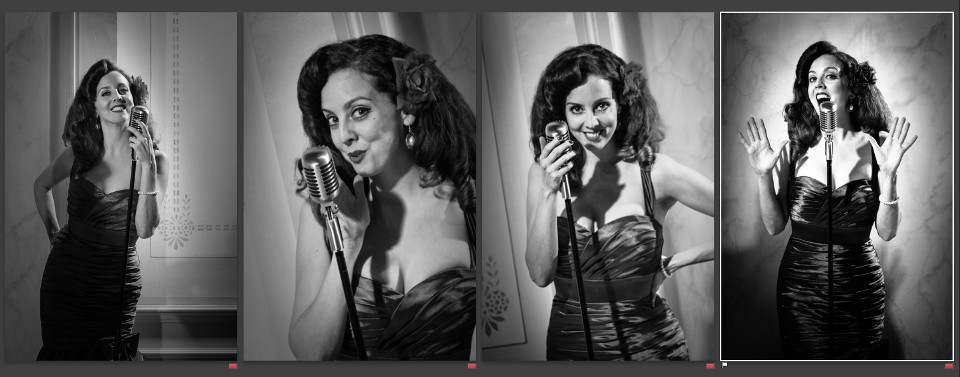
Once you know you have the photo, like the one on the right that I took of burlesque performer and singer Miss Valentina Rose, it becomes much easier to say goodbye to the earlier images!
Finally
These are just some suggestions that sometimes help me simplify the choice. Do you have any other tips? Share them in the comments below!
About the author
Erik werkt als content specialist. Daarnaast is hij freelance tekstschrijver en fotograaf. Mensen vormen daarbij het hoofdonderwerp: portret- en reportage-fotografie. Volg Erik ook op Instagram!
You might also like
-
 Tip: Kill your darlings
by Elvira Smit
-
 Aspect Ratio, Very Important!
by Michelle Peeters
-
 Photographing children: Shoot at eye level
by Elja Trum
-
 I'm Going on a Trip and I'm Taking
by Nando Harmsen
-
 Models for your photoshoot: what level are you at?
by Frank Doorhof
-
 Benro Theta: a tripod that levels itself
by Elja Trum
9 comments
-
 Betty wrote on Tuesday 26 June 2018 at 12:38 | reply
Great tips. What also always helps me is using a selected photo large as my desktop background for a while. Sometimes after two days I don't like it anymore, sometimes it keeps me "Engaged" for weeks and is therefore really good. Of course, it does depend on the kind of photography you do.
Translated from Dutch. -

 ErikvanRosmalen
wrote on Tuesday 26 June 2018 at 16:53
| reply
Hi Betty,
Translated from Dutch.
Thanks for your response! Definitely a good addition, which is indeed related to your genre, but it can certainly be valuable to see whether something also sticks around a bit longer! -

-
 Ruurd wrote on Tuesday 26 June 2018 at 21:32 | reply
So terribly true and recognizable...!!
Translated from Dutch. -
 Johan Depoortere wrote on Wednesday 27 June 2018 at 09:44 | reply
Strange that you don't refer to the N key in LR: comparing photos. Seems to me like the ultimate tool for making choices. Gets even cooler when you disable the side panels with the tab key.
Translated from Dutch. -
ErikvanRosmalen
wrote on Wednesday 27 June 2018 at 14:31
| reply
Thanks everyone!
Translated from Dutch.
@Ruurd: Luckily, it's recognizable. At least I'm not the only one who has trouble with it...
@Johan: That's right! I did refer to it, but I hadn't mentioned the key. That's indeed how I work too: I use two monitors. The full collection is on one, and on the other screen I can compare the photos. I've now also added the N key to the article! -
 Harm wrote on Thursday 28 June 2018 at 08:31 | reply
I can completely relate to this. I also always take some distance first, sometimes not importing photos until several days later. The shoot always disappoints me, but a day or a few days later I usually see it very differently. During importing, not sliders but the X is my best friend.
Translated from Dutch.
Nice article! -
 Mac wrote on Thursday 28 June 2018 at 10:38 | reply
You can also easily restrain yourself digitally on a city trip.
Translated from Dutch.
Simply bring a very small memory card. Most of us still have a few lying around.
If I put a 1gig card in my camera, it will hold maybe 40-50 photos. Yes, you can delete. But then set a rule, don't look back until you're home. -
ErikvanRosmalen
wrote on Friday 29 June 2018 at 07:51
| reply
@Mac:
Translated from Dutch.
That is indeed also a good solution (provided you have enough self-discipline)
Have your say
Please note: Articles older than a week can only be commented on by signed-in visitors.Would you still like to comment? sign in or create a free account.
Become a better photographer every week
A practical photography tip in your inbox every week.
38,885 photography enthusiasts already receive the tips! More about the weekly mail. Or keep up to date via  Facebook.

Elja Trum
Photofacts; everything to do with photography!
Would you like to take better photos and keep up with what is happening in photography? Photofacts publishes articles that teach you something about photography — from a product announcement to a practical shooting tip or a look at a website. Photofacts covers photography every day and is a hobby project of Elja Trum's that got out of hand. The articles are written by a team of volunteer authors. If you would enjoy writing one or more articles for Photofacts, do get in touch.More about PhotofactsPhotofacts is made possible in part by
