

Technical Camera: an advanced iPhone camera app
Wednesday 1 August 2018, 22:44 by Michelle Peeters | 6,039 views | 2 commentsThis article was translated from Dutch with the help of AI. Read the original.
Dire Studio launched Technical Camera in June this year. An iPhone app aimed at smartphone photographers who prefer manual control over automatic modes. It also offers a range of interesting features.
After the huge success of their ShutterCount app, they are now also busy turning the iPhone camera app market upside down.
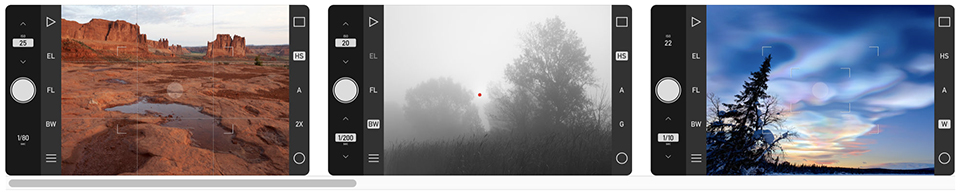
Professional level of control
The app offers a highly customisable interface, with manual exposure, focus, compensation and locks, focus peaking and fully configurable automatic ISO values. But this is only the beginning.
With the Smart Function Keys, you can bring up your most frequently used functions with a single press of a button. You can even set the direction of the shutter button and choose which side of the screen to use for exposure compensation and manual focus control.
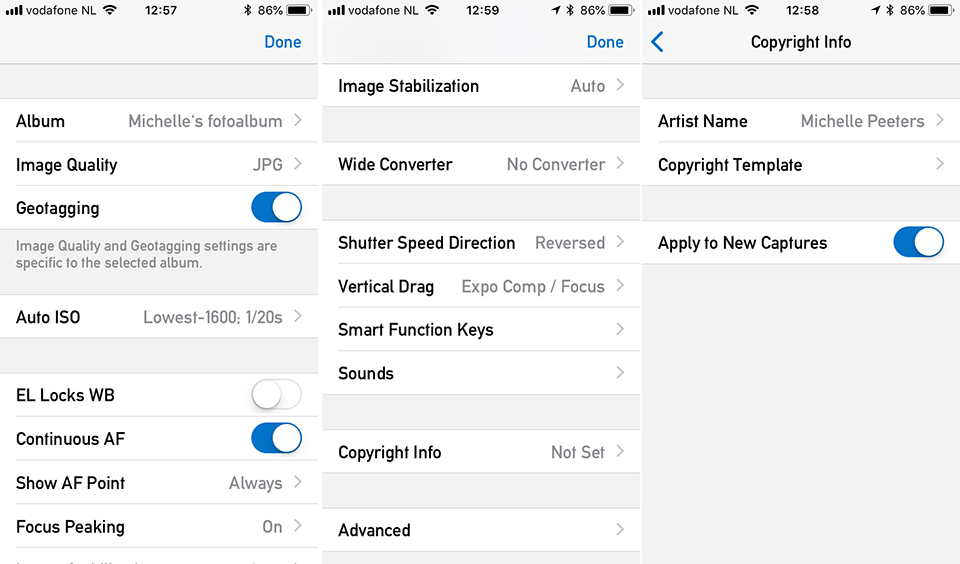
The Technical Camera app is packed with features that you will not find in any other app. Think of special album processing, Framing Previsor, distortion correction for architecture and property photographers, so you can go extremely wide while keeping all the lines straight, Smart Function Keys, and so on.
You can use the Adobe RGB colour space, define image settings for different albums and take photos that go straight into these albums.
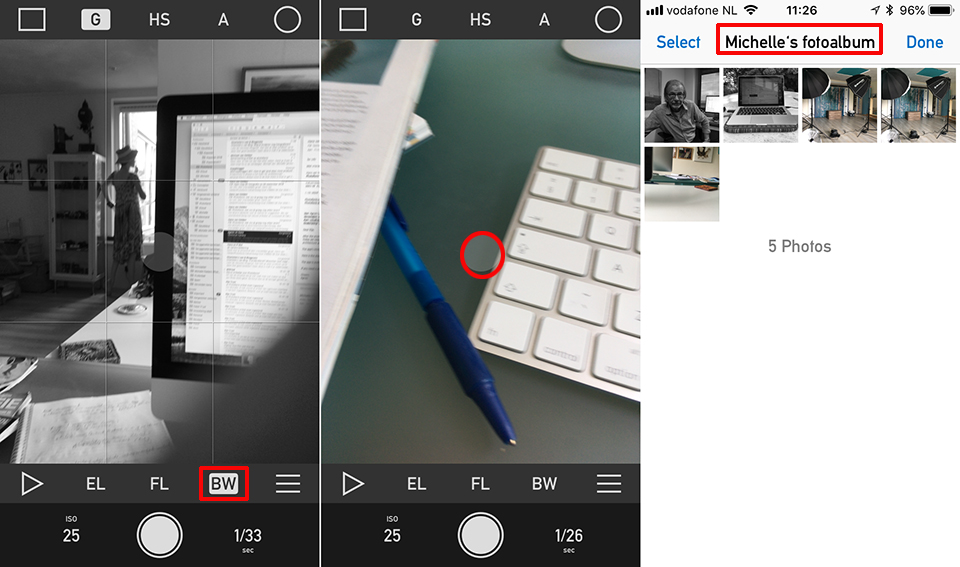
You can also set a small image size and disable geotagging for images saved in a "Notes" folder. You can also set Raw shots with maximum image quality for, for example, your "Prints" folder.
If you use an iPhone with two cameras, the Framing Previsor feature is also useful. It shows on the wide-angle camera's live view what the telephoto camera would see. This lets you make a direct comparison between the two lens options.
There are also warnings for clipping or blocked-up shadows, as well as a range of grids to choose from.
Focus modes
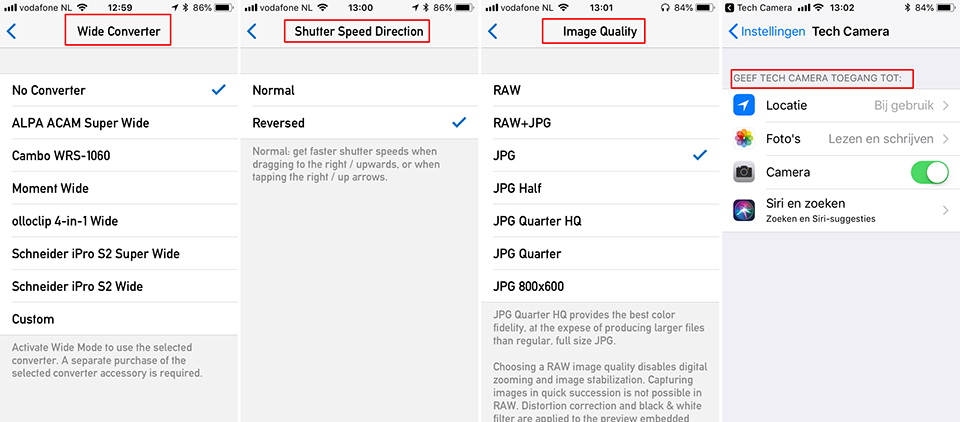
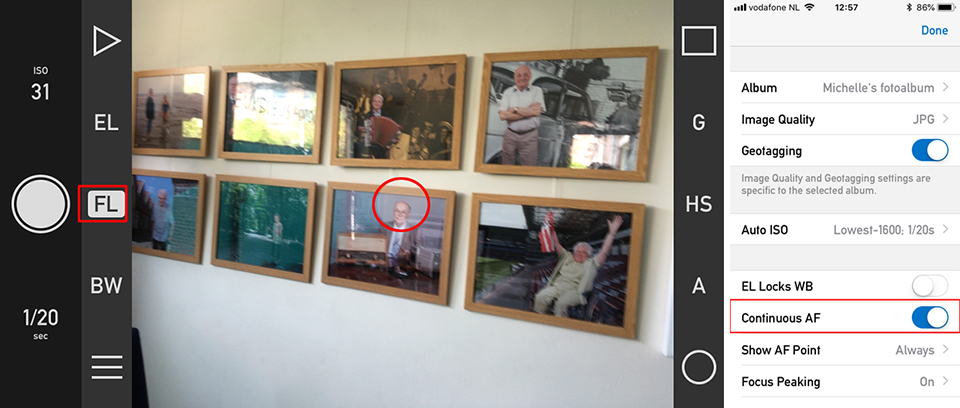
Technical Camera offers the following focus modes: Continuous AF (the default), Single AF and Manual focus. In automatic modes, focus is calculated for the AF point, the whitish circle on the screen, which you can move by tapping the desired position on the screen.
In Continuous AF, the app continually updates the focus. The focus and focus lock button, marked FL in the screenshot, displays FL in this case, as in Focus Lock.
Tapping the function key locks the focus. It is enabled again when the lock is disabled by tapping the button again.
In Single AF mode, which you activate by disabling the Continuous AF option in the menu, focusing is only activated when you tap the screen to move the AF point, or tap the focus and focus lock button, which changes its label to AF in this focus mode.
Wide-angle
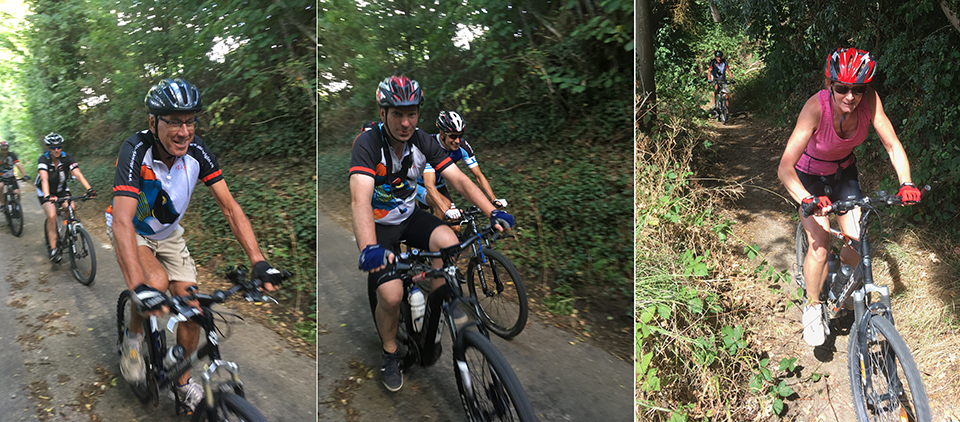
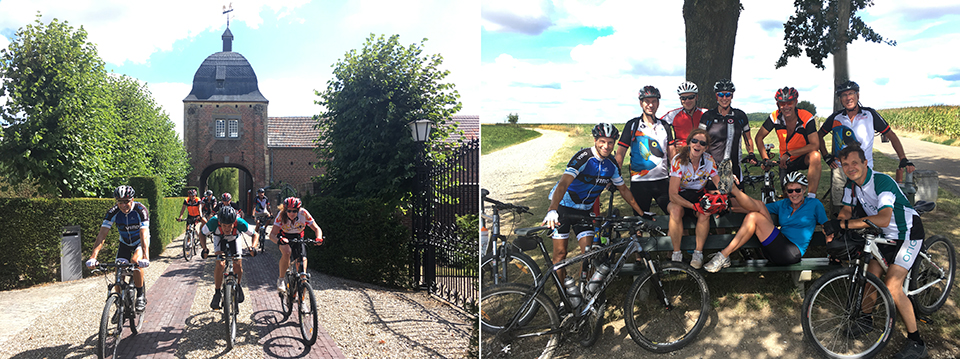
Finally, Technical Camera also seems to be an interesting app for users of ultra-wide-angle accessories. The app can correct the distortion of a number of popular lenses and also offers basic corrections for unsupported lenses.
You can find more information and a list of all supported lenses on the Technical Camera website.
App Store
The app is compatible with the newer Apple devices running iOS 10.3 or higher and can now be downloaded from the App Store for 11 euros.
About the author
Michelle Peeters is fotografe en oprichter van DeuxBleus Fotografie. Michelle herkent het bijzondere in het gewone en het gewone in het bijzondere. Ze heeft zich nooit willen specialiseren en is daardoor van alle markten thuis.
You might also like
-
 Review: Amaran app for controlling lights
by Nando Harmsen
-
 7 tips for photographing with a smartphone
by Nando Harmsen
-
 Review: Photographing with the iPhone by Scott Kelby
by Elja Trum
-
 Capturing the Blue Hour with Your Phone
by Elja Trum
-
 The imgmi app, Luminar for your smartphone
by Nando Harmsen
2 comments
-
 SvS wrote on Tuesday 7 August 2018 at 13:05 | reply
From which iPhone onwards does it become really interesting to take indoor photos without too much of the familiar noise? (with older smartphones, this is always the case)
Translated from Dutch. -

 Michelle Peeters wrote on Tuesday 7 August 2018 at 14:10
| reply
@SvS: I read something about an amazing app: Hydra for iOS, which lets you take low-noise photos in the evening and at night. I haven't looked into it yet, but it sounds promising!
Translated from Dutch.
Have your say
Please note: Articles older than a week can only be commented on by signed-in visitors.Would you still like to comment? sign in or create a free account.
Become a better photographer every week
A practical photography tip in your inbox every week.
38,886 photography enthusiasts already receive the tips! More about the weekly mail. Or keep up to date via  Facebook.

Elja Trum
Photofacts; everything to do with photography!
Would you like to take better photos and keep up with what is happening in photography? Photofacts publishes articles that teach you something about photography — from a product announcement to a practical shooting tip or a look at a website. Photofacts covers photography every day and is a hobby project of Elja Trum's that got out of hand. The articles are written by a team of volunteer authors. If you would enjoy writing one or more articles for Photofacts, do get in touch.More about PhotofactsPhotofacts is made possible in part by
