

7 tips for photographing with a smartphone
Monday 15 June 2020, 22:44 by Nando Harmsen | 12,148 views | 7 commentsThis article was translated from Dutch with the help of AI. Read the original.
Almost everyone has a smartphone these days. The word 'phone' in smartphone may be somewhat inaccurate, because making calls is just one of the many functions of this portable computer and camera. Making calls is no longer its most important function.
As well as games, the internet and social media, it is a library, weather forecaster, navigation system, music player and, of course, a camera. It increasingly looks as though the smartphone is slowly pushing the compact camera out of the market.
The quality of smartphone cameras has improved by leaps and bounds in recent years. It has become a selling point, and is now indispensable for the Instagram and Facebook generation.
Manufacturers are responding to this too, with Profoto and Godox as examples. They have introduced professional flashes designed specifically for smartphones.
Although it probably will not replace the professional camera, the smartphone is already widely used as a tool by professional photographers. It is very easy to use it to check compositions or take test shots.
With the built-in GPS functions, it is also very easy to record a list of new locations, complete with a good example photo.
Are you interested in smartphone photography, or do you want to use it alongside your camera? Then I have put seven tips together for you.
Prefer watching to reading?
Then watch the video below, in which I also share the seven tips.
1. Know your limitations
However good smartphone cameras become, there are still physical limitations. The small sensor performs less well at high ISO values, and using a shallow depth of field is virtually impossible. Zooming in on subjects is also only possible to a limited extent.

There are software tricks that can simulate a shallow depth of field, or useful options that can filter out noise at high ISO values surprisingly well. There are also accessories available that make it possible to zoom in particularly far. Even so, this does not always benefit the quality.
If you take these limitations into account, it is perfectly possible to use a smartphone very successfully. It is particularly suitable for social media. But you can also have those holiday snapshots, thanks to the high resolutions, printed perfectly well in a real holiday album.
2. Use the right camera app
The standard app on a smartphone is very limited in many cases. You can turn on the built-in flash, adjust the exposure a little and use a filter. That is usually about it. For the rest, you are dependent on the settings the manufacturer has chosen for you.
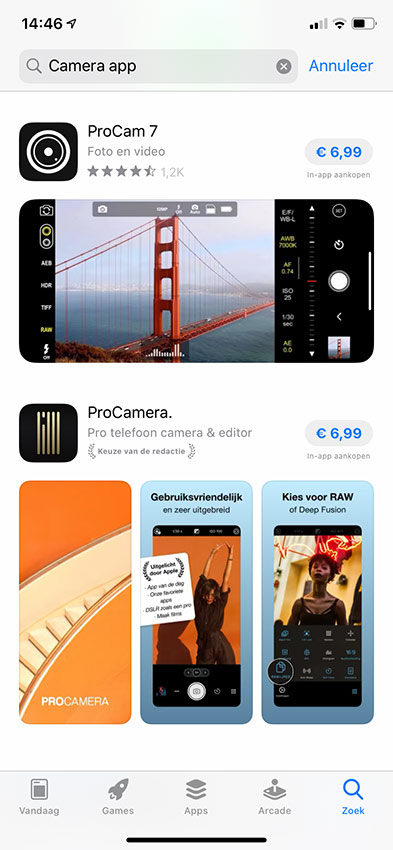
There are special camera apps available that allow you to adjust more settings yourself. This can go a long way, from simulating long shutter speeds to setting your camera fully manually.
You can even focus manually if you want. Examples include ProCamera and ProCam 7, while Lightroom Mobile also has a built-in camera function that gives you more setting options than the standard camera app.
Do bear in mind that these may be paid apps, for which you have to pay a one-off fee.
3. Photograph in raw file format
Even a smartphone can photograph in raw file format. This gives you the advantage of making maximum use of your camera's capabilities. Unfortunately, photographing in raw is not always possible with the standard camera app.
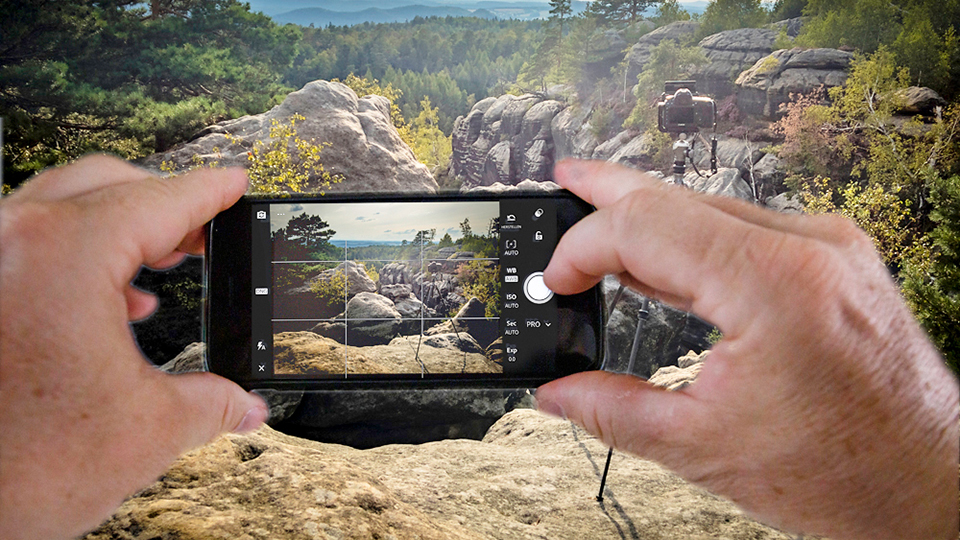
The raw files are often in DNG format. Do bear in mind that you first have to create a JPEG photo before using them. There is also the newer HEIC format, also known as HEIF or HEVC. This is not a RAW format, however, but an alternative to JPEG.
4. Edit your photos
The same applies here: optimise your photos and do not simply accept what the smartphone produces. There are free apps for this, such as Snapseed and VSCO Cam. Naturally, there are also paid apps such as Lightroom Mobile.
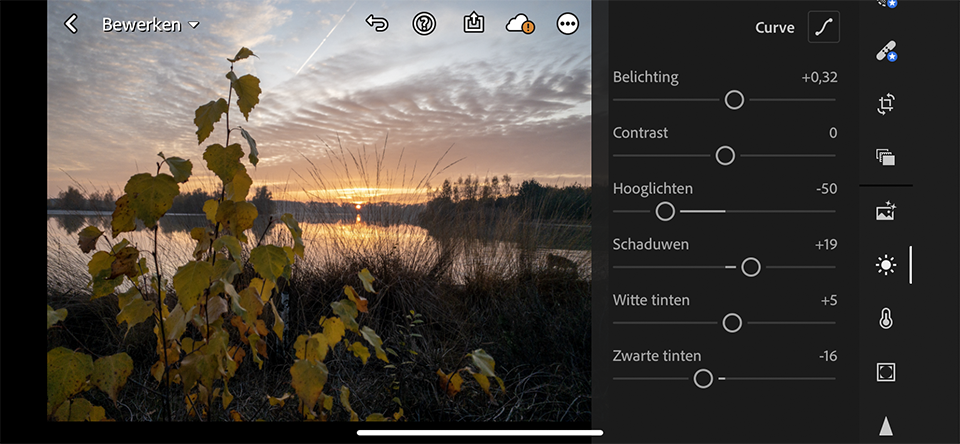
You can also import your raw images from your phone into Lightroom or Luminar on your laptop or PC. In that case, you can edit the photos just as you would with your large, expensive dSLR.
5. Use your smartphone's smart functions
Smartphones have very clever camera software. I already mentioned the option of reducing noise by automatically stacking several exposures, but your camera's HDR function is also certainly an option. The results are often surprisingly good, if not better than those from an ordinary camera.

There may therefore be situations in which you would rather use your smartphone's built-in smart functions than photograph in RAW and edit in software. Always give it a try.
6. Try to avoid using the flash
A smartphone's flash is a tiny spot of bright LED light, over which you have little or no control. You quickly get ugly flash-photo effects such as harsh shadows, bright spots on the skin and a background that is too dark. Try to use as much extra available light as possible.
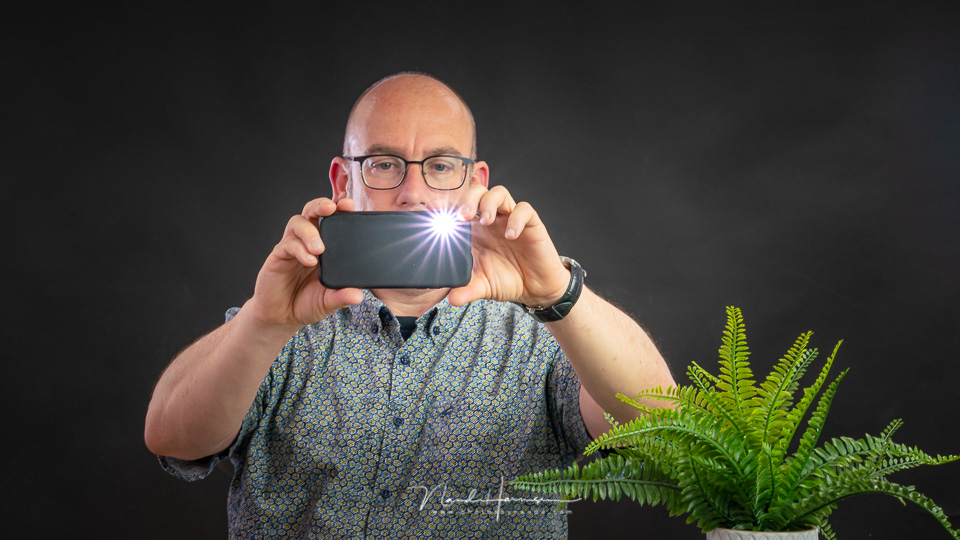
If it is too dark, however, you often have no other option if you want to use flash. The old saying still applies: a bad photo of a nice memory is better than no photo at all.
7. Use accessories
You can get useful accessories for smartphone photography. This could be a handy tripod, the familiar selfie stick, or wide-angle or telephoto attachment lenses. Filter systems are even available for longer shutter speeds, polarisation and night filters for filtering out light pollution.
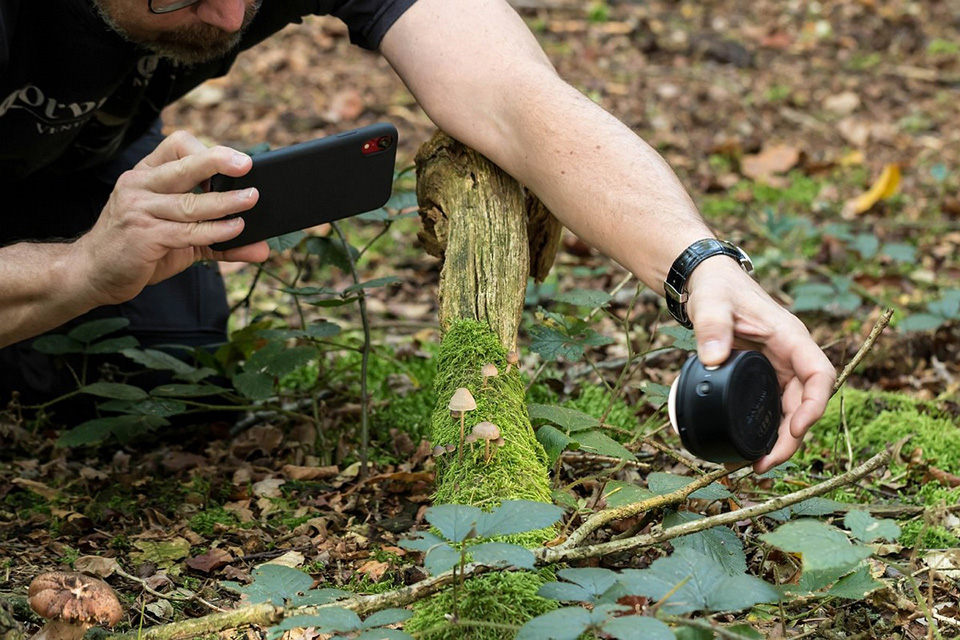
The more accessories you buy, the more you have to carry. Until you reach the point where you might be better off choosing a larger camera, with those options or accessories built in. After all, the smartphone is so convenient because you always carry it with you. An extra bag with accessories soon cancels out the convenience of the smartphone.
A compact camera is cheaper and has better image quality
A bonus tip that might give you something to think about. The latest smartphones are expensive. A thousand euros is no longer unusual. For that money, you can also get a very comprehensive, high-end compact camera with a superzoom lens. You not only have more options than with a smartphone, you usually also get better-quality photos.
The only thing you cannot do with it is make or receive calls. But then again, that is just an option on your smartphone these days.
About the author
Nando Harmsen has been photographing for more than 40 years. He specialises in wedding photography and landscape photography. Nando also gives talks, workshops, masterclasses and photo trips, and regularly reviews new and interesting equipment.
You might also like
-
 Is my smartphone replacing my system camera?
by Laura van der Burgt
-
 iPhone X vs Galaxy S9: smartphone cameras compared
by Lars Paymans
-
 Smartphone photography and travel
by Nando Harmsen
-
 Apple announces iPhone 11 Pro
by Elja Trum
-
 Is Yongnuo about to launch an Android camera?
by Nando Harmsen
7 comments
-
 Hans wrote on Tuesday 16 June 2020 at 12:29 | reply
Nice to read! Thanks.
Translated from Dutch.
One more question: what app do I need to also be able to shoot RAW with my iPhone 7s?
Thanks in advance,
Hans Hoenselaars -
 Huub Sanders wrote on Tuesday 16 June 2020 at 14:28 | reply
@Hans: there are several apps that can do that. I myself have been using an app called "Technical Camera" (by DIRE Studio) for quite some time. In it you can set the image quality, the Color Space, ISO value, shutter speed and some other things. Works nicely.
Translated from Dutch. -

-
 diane wrote on Tuesday 16 June 2020 at 18:54 | reply
Dear,
Translated from Dutch.
Nice article my experiences with my smartphone are very good I do use different apps. The result is sometimes better than with a compact camera. Whether it is far away or close by. I wouldn't want to be without it anymore especially when travelling.
Videos also work excellently. -
-

-

Have your say
Please note: Articles older than a week can only be commented on by signed-in visitors.Would you still like to comment? sign in or create a free account.
Become a better photographer every week
A practical photography tip in your inbox every week.
38,886 photography enthusiasts already receive the tips! More about the weekly mail. Or keep up to date via  Facebook.

Elja Trum
Photofacts; everything to do with photography!
Would you like to take better photos and keep up with what is happening in photography? Photofacts publishes articles that teach you something about photography — from a product announcement to a practical shooting tip or a look at a website. Photofacts covers photography every day and is a hobby project of Elja Trum's that got out of hand. The articles are written by a team of volunteer authors. If you would enjoy writing one or more articles for Photofacts, do get in touch.More about PhotofactsPhotofacts is made possible in part by
