

Use the crop tool to learn about composition
Friday 25 March 2022, 16:08 by Nando Harmsen | 4,114 views | 0 commentsThis article was translated from Dutch with the help of AI. Read the original.
You can crop a photo. This allows you to remove unwanted parts of the photo. But the crop tool in Lightroom and Photoshop also gives you a chance to learn more about composition.
I explain how this works, and it is very simple. The beginning, at least.
Composition is always the most difficult part of photography. The division of areas is important, as are framing your subject, lines, and the ever-annoying set of composition rules, or guidelines.
There are so many rules or guidelines in the field of composition that it is difficult to apply them in practice. Which rule or guideline should you use, and when? And then there is another problem: do you know them by heart?
In Photoshop and Lightroom, it is possible to crop a photo. In principle, you can do this in any photo-editing programme. I don't know how it works with other software, but Photoshop and Lightroom offer the option of guides in the crop tool.
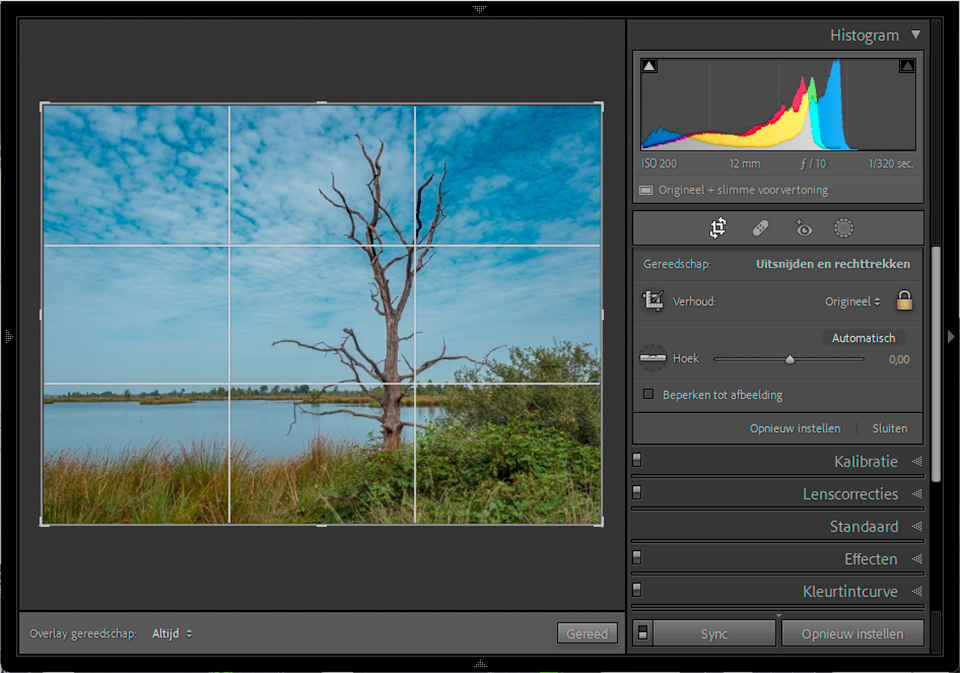
The guides used by Photoshop and Lightroom are based on several commonly used composition rules, or guidelines. I find the word rules sounds so restrictive, as if you have to follow them. You can use these guides to take a critical look at your photos.
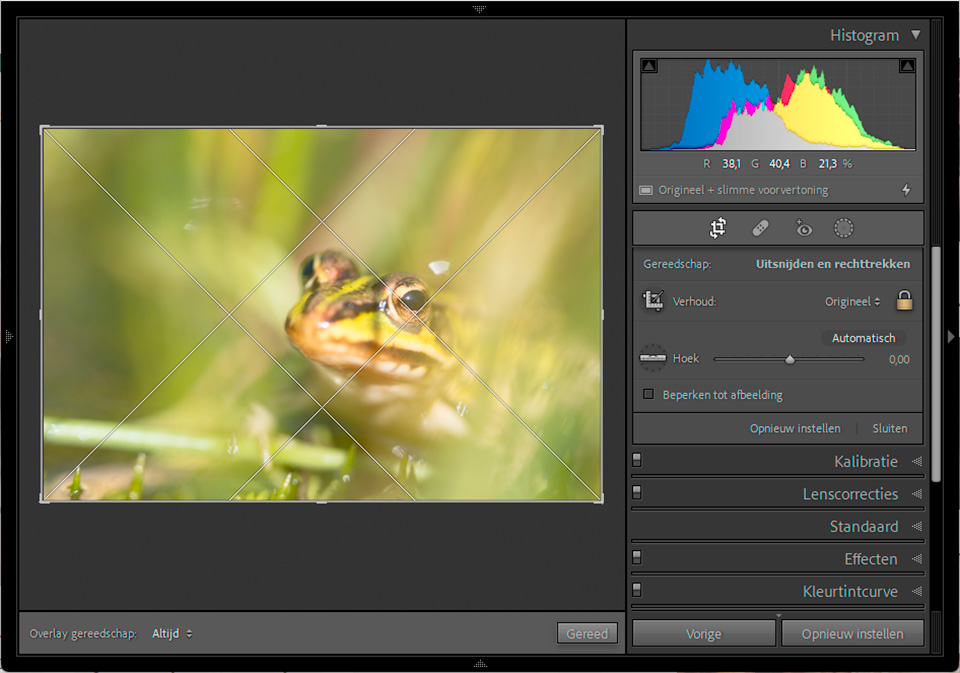
You can switch between the different guides by repeatedly pressing the letter 'o'. If you have a guide that depends on the angle, such as the Fibonacci spiral or the Golden Triangle, hold down the shift key while pressing the letter 'o'.
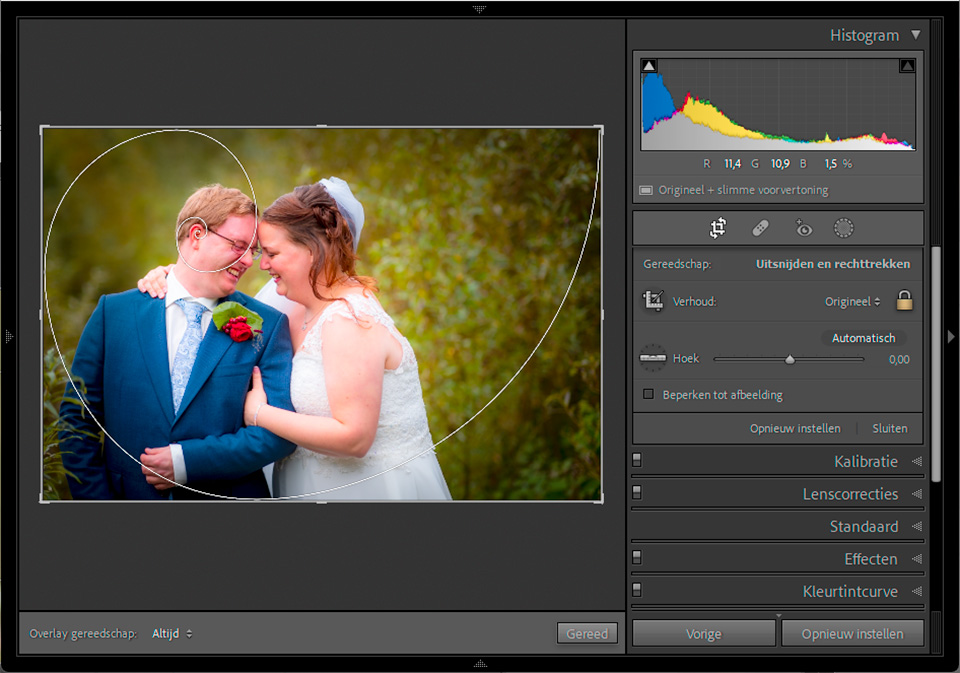
If your photo has a completely wrong composition, it is not possible to correct it in this way. You can only do that in the field, while taking the photo. But it can give you a clear idea of why a particular division of areas does not work, or works less well.
Of course, it is perfectly possible to use the composition guides when actually cropping a photo. They allow you to choose a good aspect ratio, or to correct the placement of the elements in your frame.
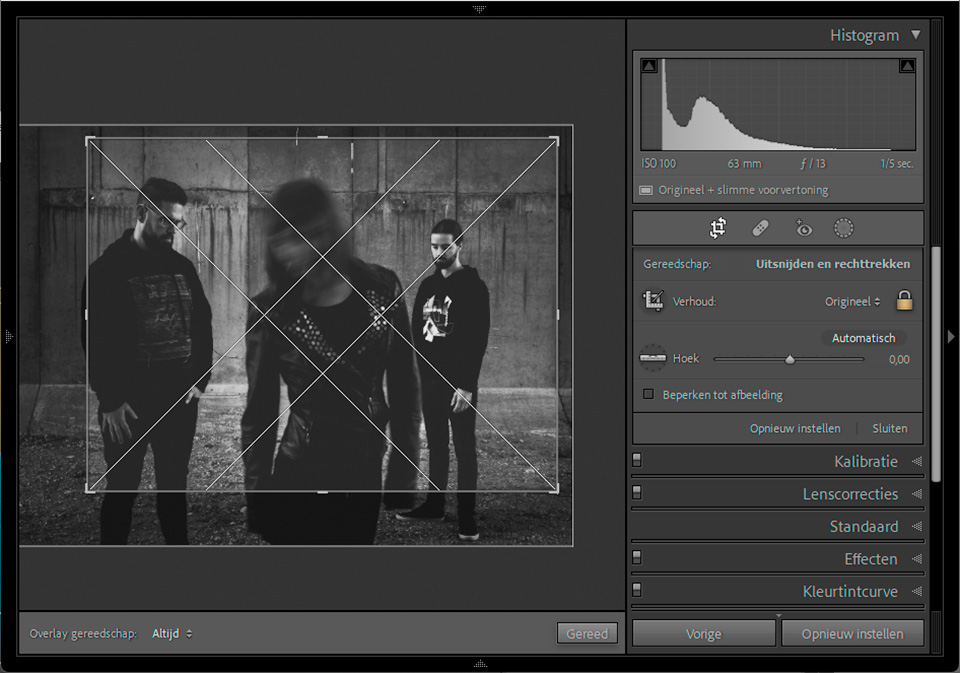
The crop tool is not a solution for a wrong composition. But it is a tool for learning about composition, and in some cases also for actually improving it. Take a look at your old photos, and try these guides on them. See what works, what doesn't, and why it does or doesn't.
Do you ever look at your old photos and ask yourself why a composition works or why it doesn't? Have you used this method before? Tell us in a comment below this post.
About the author
Nando Harmsen has been photographing for more than 40 years. He specialises in wedding photography and landscape photography. Nando also gives talks, workshops, masterclasses and photo trips, and regularly reviews new and interesting equipment.
You might also like
-
 The Golden Ratio rule of thumb
by Michelle Peeters
-
Rule of thumb: Central composition
by Michelle Peeters
-
The Rule of Thirds Rule of Thumb
by Michelle Peeters
-
 Photography rules are not meant to be followed strictly
by Nando Harmsen
-
 Learn the Rule of Thirds So You Don't Have to Use It
by Nando Harmsen
-
 Street photography tip: Use leading lines to guide the viewer
by Michiel Heijmans
0 comments
Be the first to share what you think!
Have your say
Please note: Articles older than a week can only be commented on by signed-in visitors.Would you still like to comment? sign in or create a free account.
Become a better photographer every week
A practical photography tip in your inbox every week.
38,890 photography enthusiasts already receive the tips! More about the weekly mail. Or keep up to date via  Facebook.

Elja Trum
Photofacts; everything to do with photography!
Would you like to take better photos and keep up with what is happening in photography? Photofacts publishes articles that teach you something about photography — from a product announcement to a practical shooting tip or a look at a website. Photofacts covers photography every day and is a hobby project of Elja Trum's that got out of hand. The articles are written by a team of volunteer authors. If you would enjoy writing one or more articles for Photofacts, do get in touch.More about PhotofactsPhotofacts is made possible in part by
