

A Laptop in Your Camera Bag, or Not?
Friday 19 June 2026, 22:22 by Nando Harmsen | 1,297 views | 5 commentsThis article was translated from Dutch with the help of AI. Read the original.
Almost every modern camera bag has a compartment for a laptop. Sometimes for a laptop and a tablet. That's useful, but is it a good idea to use it? I thought about it again before my upcoming trip to Iceland.
A special compartment for a laptop offers reasonably good protection. It's also convenient, because using it saves you from carrying an extra laptop bag. But then the question arises: why would you take a laptop in your camera bag?
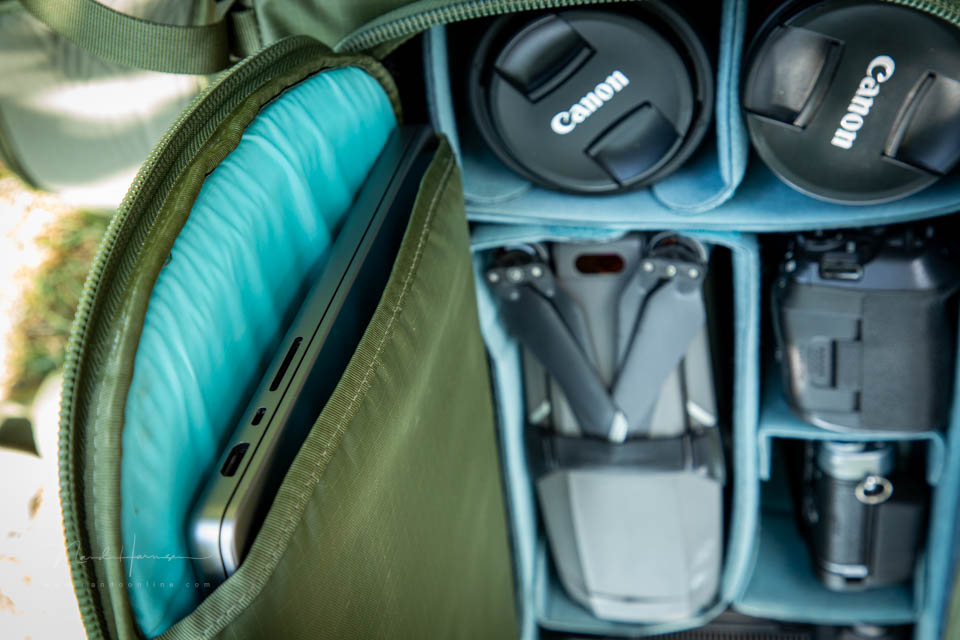
Imagine travelling around Iceland for ten days. You go out every day, and often stay in the same hotel for only one or at most two nights. That means you have to take all your luggage with you every day.
Every day, you carry your camera backpack with your laptop inside. You stand with it on the beach, by a ravine, near waterfalls, or in geothermal areas. It rains, it's damp, or dry. It's chilly or unexpectedly warm.
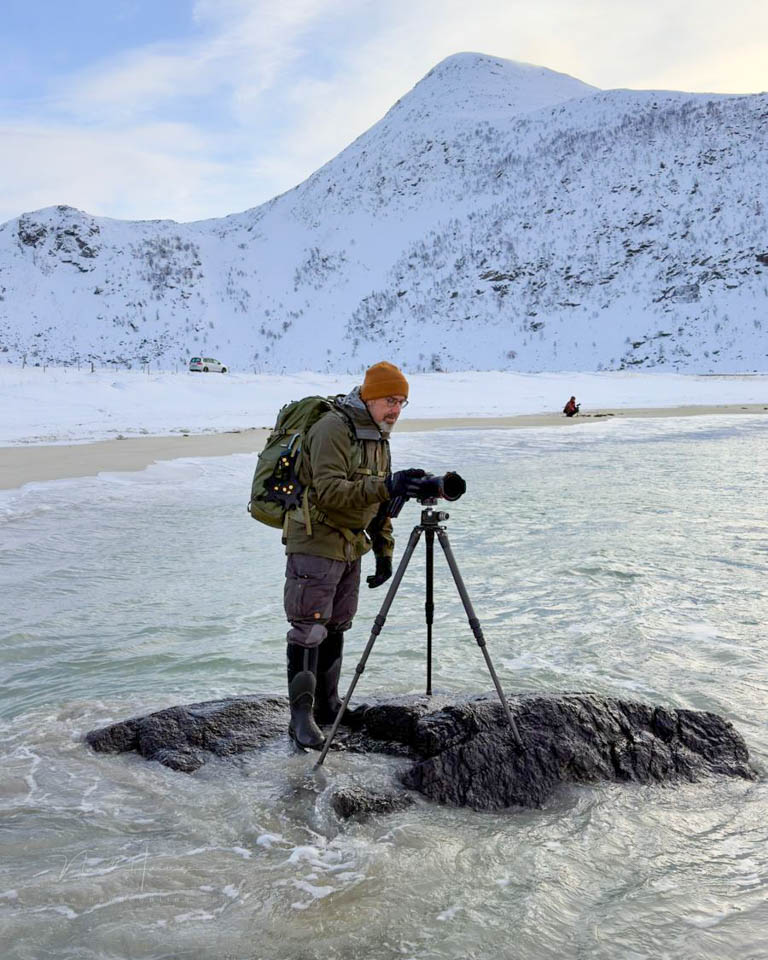
You open your bag to get some filters or put a jacket inside. You change lenses. The camera backpack is put down here, then there. And all that time, your valuable laptop is inside it.
This isn't practical, and all these conditions create some degree of 'danger' for your laptop. Your camera bag also weighs two kilograms more with the laptop inside. You still have to carry that when you walk back up that mountain or hill.
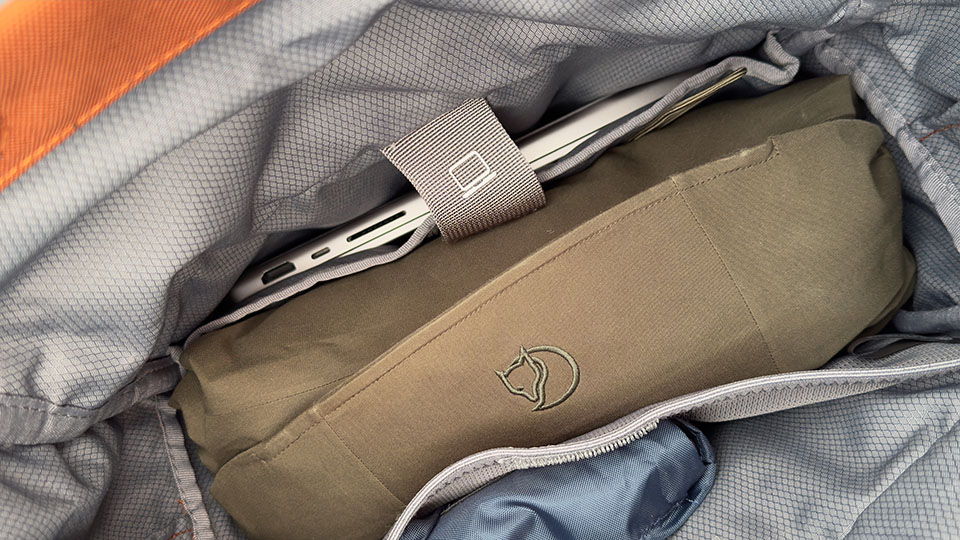
If you stay in one location for the entire trip, it's less of a problem. You can leave the laptop in your hotel room, or in the apartment where you're staying.
The laptop will always be out in the open on the table, though, because you can't put it away. After all, you've taken the bag that held the laptop with you. That doesn't have to be a problem, but it's something to bear in mind.
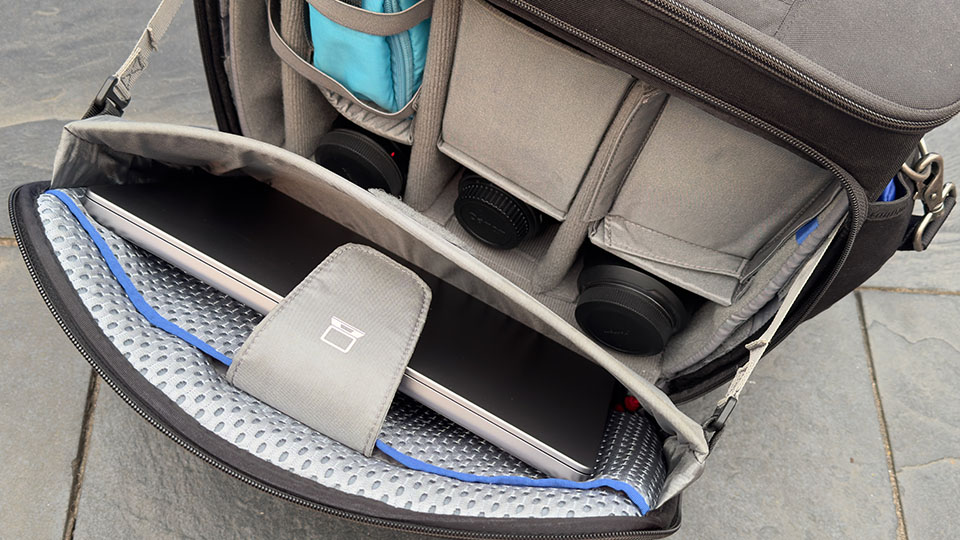
I can imagine a laptop compartment in a camera bag being useful when you're going to a photo studio. You don't have to carry it around any further. And even then, only when you also need the laptop.
If you're out all day, you don't need a laptop. Leave it at home. If you take your laptop on a trip, choose a separate laptop bag. That's more practical than carrying it as extra weight in your camera bag every day.
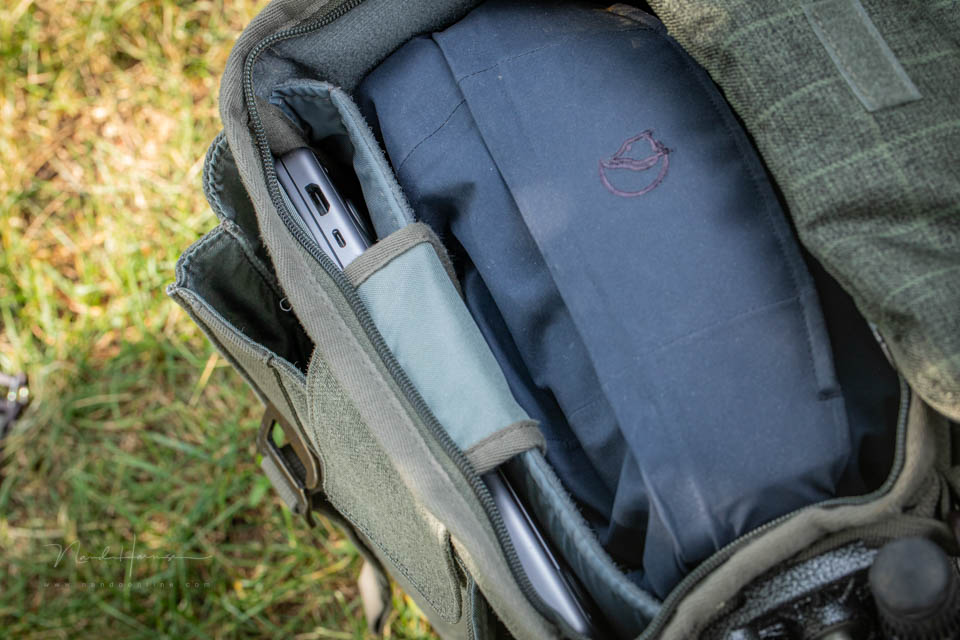
It's good that a camera bag has a laptop compartment. It offers possibilities. But it's better to avoid having to take your laptop with you everywhere, all the time. Including places where you don't need it.
What do you think? Do you take a laptop in your camera backpack? Or would you rather not? Let us know in a comment below this post.
About the author
Nando Harmsen has been photographing for more than 40 years. He specialises in wedding photography and landscape photography. Nando also gives talks, workshops, masterclasses and photo trips, and regularly reviews new and interesting equipment.
You might also like
-
 Camera Bags and Inserts
by Nando Harmsen
-
 I'm Going on a Trip and I'm Taking
by Nando Harmsen
-
 Editing photos on location, or simply waiting until you're home
by Nando Harmsen
-
 5 tips to turn your holiday photos into great travel photos
by Nando Harmsen
-
 Smartphone photography and travel
by Nando Harmsen

5 comments
-
 guest wrote on Friday 19 June 2026 at 23:26 | reply
A laptop is not allowed in the checked baggage on a plane. At such a time, I would put the laptop in the camera backpack. On the way (Iceland, for example), the laptop can go in the checked baggage, if necessary in a sturdy case.
Translated from Dutch.
The advantage on the plane is that you are still allowed to take one piece of baggage with you to go under the seat. In my case, that means water, bread, medication and more of those things that I really need to keep with me on the way. -

-
 Arie Monster wrote on Tuesday 23 June 2026 at 12:28 | reply
In my opinion, a 14-inch laptop weighs about 1.4 kg on average. I have a recent gaming laptop from ASUs and it weighs 1.57 kg.
Translated from Dutch.
I often take it with me on my flying holiday but not while photographing. I put it in the safe in the hotel. In the evening immediately download/backup the photos to a portable SSD drive. And with my laptop I can do everything necessary in LrC and PS for Raw editing. In short, no lugging it around while photographing itself. Why would you. So just take it with you. -
 Gert wrote on Wednesday 24 June 2026 at 15:24 | reply
Laptops are very nice devices for working on the go. If it comes along in the backpack, try to find a locker at the location to leave it behind safely in the holiday accommodation.
Translated from Dutch.
In and around the Wadden, just like in Iceland, there are plenty of wet locations to be found. Laptops and water do not go together, unfortunately I can speak from experience.
To still be able to make backups for one or more days, I bought a Lexar Professional Workflow Go Docking Station, together with a card reader and some 20 Centimeter USB-C cables. In combination with an SSD drive from Samsung that I already have and my iPhone 16 Pro, I can quickly make backups in the field without any problems, at a dry location, of my memory cards when they are full.
You can also choose to buy a 2 or 4 TB drive from Lexar, but they cost 600 and 1200 Euro respectively. The Samsung T7 (Apple formatted) works perfectly and quickly.
And if I wanted to go completely safe, I could choose to bring a second SSD drive. One in the bag and one in the trouser pocket. Both packed waterproof to prevent losing images. SSD drives are, after all, not waterproof. My SD cards are resistant to water.
Once back at the accommodation, I can 'get to work' with the contents on the SSD drive.
p.s. I did have to laugh at the photo where you are standing with the entire backpack on your back, wearing rubber boots, on top of a smooth rock in the surf. Challenging, but I hope it is an AI-generated image. -
 Nando
wrote on Saturday 27 June 2026 at 14:24
| reply
Nando
wrote on Saturday 27 June 2026 at 14:24
| reply
I don't do AI-generated images; I categorically refuse to. The photo of myself, on the rock, is real. That's how I photograph. The fact that it's smooth is an assumption.
Translated from Dutch.
I do have a question about backing up memory cards via a reader, SSD and a smartphone: how quickly does transferring photos that way go?
Have your say
Please note: Articles older than a week can only be commented on by signed-in visitors.Would you still like to comment? sign in or create a free account.
Become a better photographer every week
A practical photography tip in your inbox every week.
38,937 photography enthusiasts already receive the tips! More about the weekly mail. Or keep up to date via  Facebook.

Elja Trum
Photofacts; everything to do with photography!
Would you like to take better photos and keep up with what is happening in photography? Photofacts publishes articles that teach you something about photography — from a product announcement to a practical shooting tip or a look at a website. Photofacts covers photography every day and is a hobby project of Elja Trum's that got out of hand. The articles are written by a team of volunteer authors. If you would enjoy writing one or more articles for Photofacts, do get in touch.More about PhotofactsPhotofacts is made possible in part by
