

What should you look for in a computer for a photographer in 2023?
Monday 6 February 2023, 20:40 by Elja Trum | 19,846 views | 28 commentsThis article was translated from Dutch with the help of AI. Read the original.
As a photographer, you can benefit greatly from a fast computer. Editing your photos will be much smoother. But what should you look for when putting together your new computer?
Of course, it also depends on your budget and your requirements. That is why I will give you several options to consider in this article.
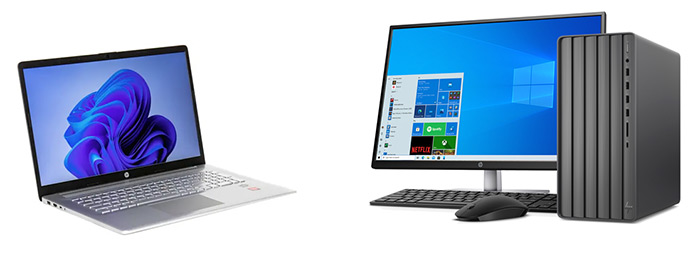
Laptop or desktop?
Your first choice may well be whether you want to buy a laptop or a desktop computer. A laptop is flexible. You can easily take it with you and work on your photos anywhere.
You can also simply use a laptop as your home computer. Connect a keyboard, mouse (or graphics tablet) and monitor to it and you will barely notice the difference from a desktop anymore.
The disadvantage is that you have fewer options and fewer possibilities for upgrades later on. A desktop computer gives you much more room in this respect.
Do you need a laptop anyway? Then it may be smarter to buy a powerful laptop rather than two devices, a laptop and a desktop. If you do not need to work on the move, I would go for the desktop.
Which Apple system?
Apple or Windows makes little difference in practice. It simply comes down to your preference. Both have their advantages and disadvantages. I work with both systems myself, and both work perfectly well.
Apple does not skimp on the components used. They are often the better ones available on the market at that time, and you see that reflected in a long lifespan with good performance. You also see it reflected in the price.
Apple computers are expensive. The new MacBook Pro starts at 2,449 euros, for example. With a MacBook Air you will fortunately spend quite a bit less, but even then the starting price is already 1,219 euros. Add extra options and it soon becomes much more expensive.
The desktop version from Apple, an all-in-one computer, is the iMac. Unfortunately, it is now only available in a 24-inch version. It still has the slightly older M1 chip and starts at 1,569 euros.
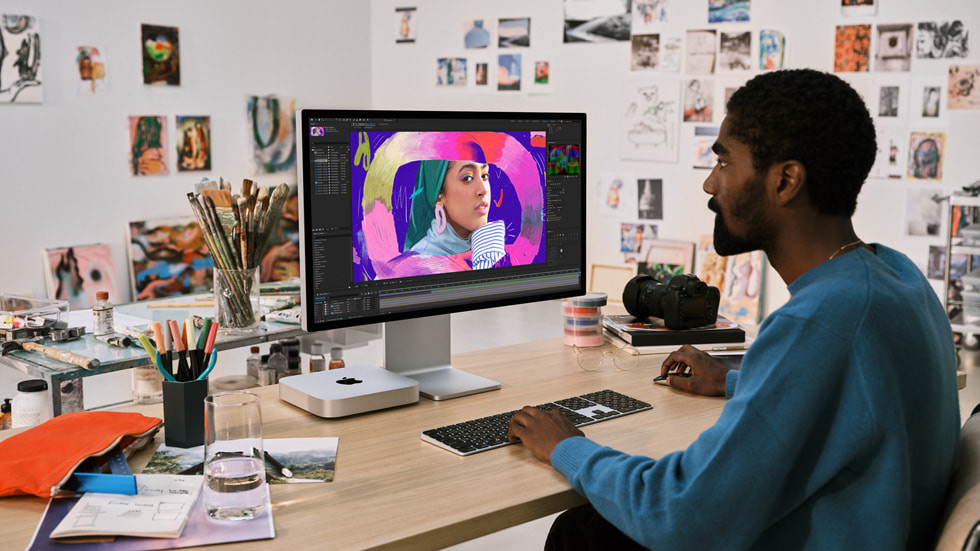
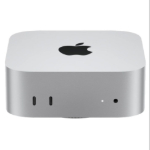
A relatively affordable and more interesting option from Apple at the moment is, in my view, the brand-new Mac Mini. From 719 euros, you can get one that is already a fairly powerful machine.
If you have a little more budget, I would go for the M2 Pro version, from 1,569 euros. I expect this to be powerful enough for most photographers.
If you want even more, the Mac Studio is an even more expensive option. It starts at 2,328 euros.
You will still need a monitor, which means the Mac Mini or Studio can be a particularly good choice if you already have a nice monitor.
Ultimately, your choice at Apple mainly depends on your budget. All the systems will work perfectly well for you as a photographer.
Do take a look at the section on 'storage' further down in this article. One disadvantage of Apple is that extra storage is extremely expensive. As a photographer, you happen to need plenty of it.
Which Windows computer?
With a Windows computer, you have more options for choosing exactly the system you are looking for. Ready-made systems are available, but you can also put together and have a computer built entirely yourself.
This means you can also save money on certain components if you want. You may then see that reflected in the quality. One mediocre component in your system can cause you to lose a lot of performance.
I personally prefer Windows for programming and gaming. For photography, I do not really care which system I use. So mainly look at your personal preference.
Your budget is another important factor with a Windows computer. For a decent system for a photographer, I think you should count on around 1,200 euros. For 2,000 euros, you can build a high-end system.
So what should such a system contain, for example? There is a lot of choice, but I would personally go for an Intel Core i5-13600K processor, or the i7-13700K if you have a slightly larger budget.
At least 32 gigabytes of DDR4 memory. DDR5 is also available, but in practice it is not much faster yet. Do you often work with large, complex files in Photoshop? Then consider going for 64 gigabytes.
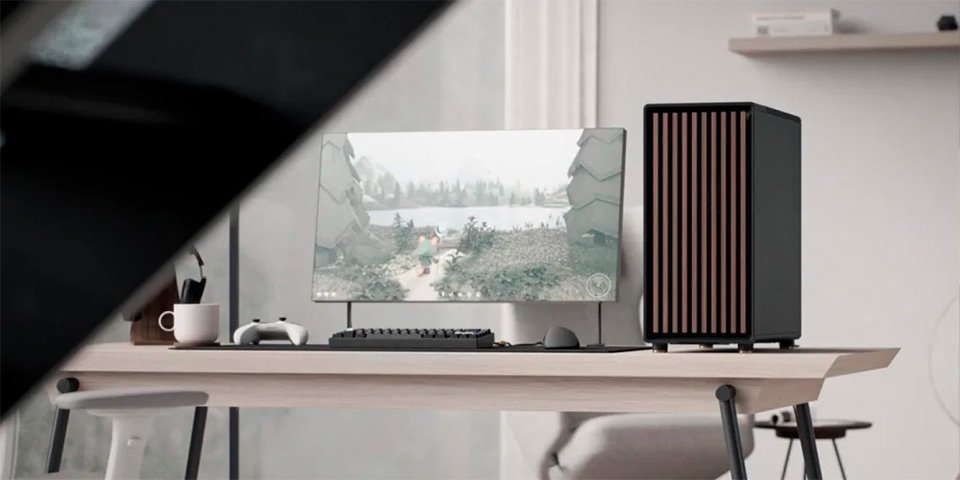
For basic storage, I would choose a two-terabyte M2 NVMe drive (PCI Express 4.0 x4). Pay attention to the speed. You want to choose a fast one here. For example, 7,300 MB/s.
As for the graphics card, it can certainly make a difference. Lightroom and Photoshop are making increasing use of the extra speed a graphics card can offer. So it is worth spending money on this as well, even if you do not play games.
Unfortunately, graphics cards have become relatively expensive in recent years.
Adobe recommends a graphics card that scores more than 2,000 in this overview. They also recommend 8 gigabytes of memory on the graphics card.
An NVIDIA RTX 3060 seems like a good choice to me, for example. You pay around 350 euros for it. It has a score of 9,000 in the overview.
If you have a bit more budget, and also want to game, an RTX 3070 or a Radeon 6900 XT is interesting. You will already pay around 700 euros for the graphics card alone, though. Hopefully these prices will fall further over the coming year.
Monitor
I could write a completely different article about choosing a monitor. I probably will do that at some point. I like having a large monitor for editing my photos. These days, I would recommend a monitor of at least 27 inches.
Personally, I am a fan of the Quad HD format at 27 to 32 inches, 2560 by 1440 pixels. The advantage of this pixel format, compared with 4K, is that you do not have to scale the image to work comfortably. Otherwise everything becomes very fiddly and small.
For image editing, I would skip the 'curved' models. A curved screen makes it more difficult to see properly whether your horizon is straight.
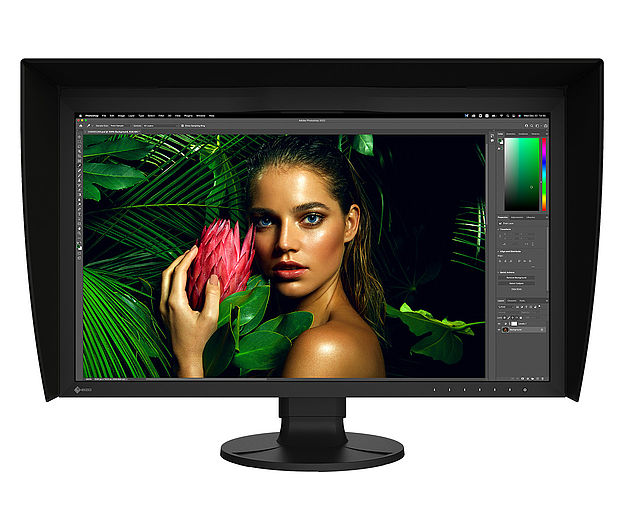
If budget is no problem and you want maximum quality, the Eizo ColorEdge CG 2700S is worth considering. But I also understand that not everyone wants to spend 2,200 euros on a monitor.
A more budget-friendly option is the Dell UltraSharp U2722D, for example. I have always been very enthusiastic about Dell's UltraSharp series. At 360 euros, this 27-inch model is very affordable.
I am secretly already looking at upgrading my current 30-inch monitor. This Dell UltraSharp 43-inch 4K monitor looks like it could be just the thing. I think this is a size at which the 4K resolution can work nicely, without having to scale it.
When choosing a monitor, look at the size, resolution, display technology, IPS is still my preference, OLED still needs further development, and the colour space it can display.
As far as colour space is concerned, it should preferably be able to display the full sRGB range. If it can also display all of AdobeRGB, you are even better off, and with DCI-P3 support you are completely set.
Storage
As photographers, we need a lot of storage. You quickly build up terabytes of photos. Many terabytes are not expensive, but they are slow.
For example, you can put a 10-terabyte hard disk in your computer. You can get such a drive for around 250 euros, but it barely manages 200 MB per second. It can be useful for your archive, but it is not something to get excited about.
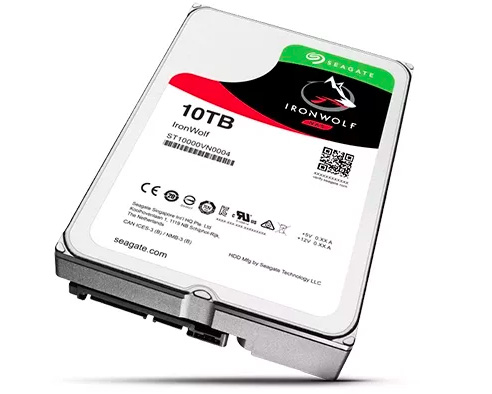
I do not yet have an ideal solution in this area. Does your photo collection fit comfortably on 2 terabytes? Then I would put an additional 2-terabyte M2 drive in your computer for your archive. It will be incredibly fast!
Otherwise, it is probably sensible to put recent photos on your M2 drive. You can then occasionally move older files to a slower, but larger, drive.
Unfortunately, I still do not have the ideal solution for this in mind. Suggestions are welcome!
Back-up
Backing up your photos is very important. You should always have 3 versions of your photos:
1. The original version on the drive in or connected to your computer
2. Your local back-up, for example on a network drive (NAS)
3. Your external back-up, in another location. For example in the cloud with Backblaze
Those copies should be made automatically, otherwise this is something you will eventually forget, just when it matters to you.
What is your ideal computer?
The choice is enormous. Different people, different requirements.
What is your ideal computer for editing your photos?
And how do you store your archive?
Share it below in the comments!
About the author
Elja Trum is the founder of Photofacts and online photography course website Photofacts Academy. He has been writing about photography since 2006. Elja is also the author of (Dutch) books on composition, black-and-white photography, flash photography and portrait photography.
You might also like
-
 A Laptop in Your Camera Bag, or Not?
by Nando Harmsen
-
 Switching to the Mac Studio or not? Part 2
by Nando Harmsen
-
Switching to the Mac Studio or not? Part 3 - the decision
by Nando Harmsen
-
 Apple announces iPhone 11 Pro
by Elja Trum
-
 Editing photos with the Apple Vision Pro
by Elja Trum
28 comments
-
 RAWShooter wrote on Tuesday 7 February 2023 at 10:12 | reply
A Mac Mini with an M1 or M2 processor is perfectly fine for almost any photographer. Strangely enough, 8GB of system memory is already enough to work comfortably with. That's because of the unique properties of the M processors.
Translated from Dutch.
And as for storage: just choose the smallest internal SSD and connect an external SSD via USB-C. Much cheaper and so fast that you don't notice the difference. So that base version of the Mini for 719 euros is very suitable. -

-
 Elja Trum
wrote on Tuesday 7 February 2023 at 11:06
| reply
Elja Trum
wrote on Tuesday 7 February 2023 at 11:06
| reply
Had another look, but it is becoming more and more affordable. For 260 euros you can buy a fast 4 terabyte M2 drive. An (slower) 8 terabyte SSD drive costs 490 euros, but could work perfectly well as a still quite fast archive.
Translated from Dutch.
8 terabytes of M2 drive is still somewhat more expensive at 1,100 euros, unfortunately. An option could then be to use M2 drives in Raid (in an external case for this, for example). -
 Jax wrote on Tuesday 7 February 2023 at 10:39 | reply
Apple may be a little more expensive than a Windows machine but they are, as already mentioned, equipped with better hardware. Moreover, an Apple comes with a load of free, and usable, software as standard (Windows doesn't). As far as I know, you can edit your photos with the photo tool "Photos", and they are stored in the cloud. Maybe this tool offers too few options for professional photographers but it is more than sufficient for the, advanced, hobby photographer.
Translated from Dutch. -

-
 Hugo wrote on Tuesday 7 February 2023 at 10:50 | reply
I see on Apple's website that you can also get a new Mac Book Pro ( 13 inch ) for a little over 1600 euros ( as of today, 7/02/'23 ).
Translated from Dutch.
My 2014 Mac mini with 8 GB of system memory ( 2.8 GHz Intel Core i5 processor) is still more than enough for me. It's just a shame that you can't use the very latest software updates ( including Lightroom or Photoshop ) ( due to the outdated version ), but other than that it remains an excellent powerful device! -
 dirk wrote on Tuesday 7 February 2023 at 11:45 | reply
but also no affordable internal SSDs, how do you then store these 7 terabytes and does this limit your workflow compared to systems with SSD (current internal storage in your computer)
Translated from Dutch. -
Elja Trum
wrote on Tuesday 7 February 2023 at 13:42
| reply
I’m currently using a Lacie 5Big external drive on my Mac. It contains 5 (slow) hard disks (10 TB in total) that run in RAID 0. As a result, the Lacie reaches a speed of around 600 MB/s.
Translated from Dutch.
About 3x as fast as a single traditional hard disk, then. But still 5x as slow as the average M2 drive achieves nowadays.
This setup has served me well for the past 9 years. I still use it, but I would find an even faster solution interesting.
And with RAID 0, backups are of course very important. One failing disk (out of the 5) and all the data is gone. -
 Donald Willemsen wrote on Tuesday 7 February 2023 at 11:53 | reply
An interesting article a lot of information. Especially the considerations make it interesting to read. I myself use a Windows desktop (Apple is too expensive for me) with an AMD Ryzen 7 processor and 16GB of internal memory. I noticed that AMD was not mentioned in the article even though they are considerably cheaper than those from Intel. Moreover, depending on the type, they are not inferior to Intel.
Translated from Dutch.
The system software such as Windows and also Photoshop, Lightroom, Luminar and, among others, Office 365 are on an internal 500GB SSD. That is the so-called C drive. On a second 2TB SSD are the Lightroom catalogue, the Luminar catalogue, the photo files and other data such as email, Office documents, etc.
In addition, I have 2 external 5TB HDDs as backup media that are exact copies of each other. On them you will find a backup of all photo files, catalogues and personal data.
I consciously choose a desktop, because in the past I experienced that laptops became much too hot when packages such as Ps and Lr had to run.
I have noticed that, for example, Luminar Neo processes my current desktop rather slowly in areas where a lot of use is made of AI. Ps and Lr make much less use of AI and therefore work considerably faster. -
-
 Paul wrote on Tuesday 7 February 2023 at 12:13 | reply
Usually I find your articles quite good, but this time it feels more like: "look what I can afford"
Translated from Dutch.
I myself only have a Ryzen 3 3600 with 16 Gb of RAM, and I can still edit my photos smoothly, it's just the Topaz filters that take a lot of time.
And why would it be a problem if finished photos have to be moved to an HDD or retrieved from it again? You really don't need a lightning-fast M.2 SSD for that.
No, this reasoning is seriously over the top, sorry. -
Elja Trum
wrote on Tuesday 7 February 2023 at 13:58
| reply
My approach was to give options for different budgets. I thought it would also be useful to include some of my own choices.
Translated from Dutch.
I personally often spend 8 hours a day behind a computer. Then it's nice if it's a fast system and also worth the money.
Many photographers also spend thousands of euros on camera equipment. So it's not strange to also have a decent budget for editing and storing your photos.
A blazing-fast M2 SSD may not be necessary, but if your system runs more smoothly because of it, it may well be worth it. -
Donald Willemsen wrote on Tuesday 7 February 2023 at 14:04 | reply
@Jax, maybe Apple is actually quite a bit more expensive because of the software that is NOT free. Companies like Apple and Microsoft don't give anything away for free. You pay for all of that yourself.
Translated from Dutch. -
 Stefanie wrote on Tuesday 7 February 2023 at 14:23 | reply
I also use Windows and AMD, not an Apple fan. Apple may have a load of free software, but there is many times more freeware available for Windows and I like having something to choose from in that regard. For backups I have 2 external 5 TB drives and there are also 2 (almost full by now) and 3 TB drives permanently connected to the PC. I do make my backups manually, a matter of discipline, I once had a drive break because of a power surge on the grid, and if you also have a backup connected to it, then that one is toast too. I have the rule for myself that memory cards are only reused once the backups have been made, so if I happen to be a bit late and something goes wrong I always have the original files on the card anyway
Translated from Dutch. -
-
 Peter van Dinther wrote on Tuesday 7 February 2023 at 14:38 | reply
Thank you for opening this topic. It did get me thinking about my own computer setup. I have quite a lot of software installed on it, which makes me think that my computer (Imac 2017, 4.2 Ghz Quad Core i7, Radeon Pro 8 Gb graphics card and 32 GB 2400 Mhz) should actually run quite smoothly. However, that is not the case. Editing images in LR with excursions to, for example, Luminar Neo or others such as Topaz I Photo, is particularly slow in many cases. Especially with large files. I also regularly clean everything up with CleanMyMac,
Translated from Dutch.
Suggestions? -
 Ben van Veelen wrote on Tuesday 7 February 2023 at 15:19 | reply
Is an M2 also an SSD? Or is that souped-up old technology?
Translated from Dutch. -
Elja Trum
wrote on Tuesday 7 February 2023 at 20:10
| reply
An M2 is also a Solid State Drive, but an SSD isn't necessarily an M2 drive.
Translated from Dutch.
M2 NVMe drives are those flat strips. They look a bit like memory cards. Speeds of 3,500 MB/s are fairly common with these drives.
When I talk about an SSD drive, I mean the larger drives that were common about 5 years ago. These reach speeds of around 550 MB/s. -
 Ado wrote on Tuesday 7 February 2023 at 15:25 | reply
Nice and informative article (unlike the last comment, I don't see it as more flashy, but that might just be me). What I'm missing is the possibility of a NAS. My photo archive is stored on a Synology DS213+. With a fast wired network and 2 fast hard drives, there's hardly any noticeable lag when editing photos. In addition, the NAS offers many other advantages.
Translated from Dutch. -
Elja Trum
wrote on Tuesday 7 February 2023 at 20:14
| reply
I use a NAS as a backup myself. Usually, traditional hard disks still go in there, which generally don't reach 200 MB/s. In my view, you're therefore lacking some speed here, but it can work just fine in itself.
Translated from Dutch.
I think you'll gain a lot in terms of speed if you first put photos that you still need to edit on the main drive of your computer.
Definitely don't use a NAS as the only place to store your photos. Always make sure you also have an (external) backup. -
dirk wrote on Tuesday 7 February 2023 at 16:00 | reply
Apple Mac mini M2 is an upgrade to the chip that delivers higher speed and good performance.
Translated from Dutch.
The problem is that the upgrade of the Apple Mac Mini, the Apple Mac Studio, still works with the " outdated " M1 chip and that an upgrade to M2 will be coming soon.
Even experts cannot determine at this point which of the two systems is now the best (see youtube) -
guest wrote on Tuesday 7 February 2023 at 16:27 | reply
I think that if you add up everything of value, software-wise, that's on a Mac, you're always more expensive with a comparable Windows machine.
Translated from Dutch. -
Elja Trum
wrote on Tuesday 7 February 2023 at 20:16
| reply
What do you consider so valuable about a Mac then?
Translated from Dutch.
I also have a Mac running here and it's nice that Mac OS is free, but otherwise I really wouldn't know which free software included with it is useful for photographers (and which you do have to pay for with Windows). -
 outlaw99 wrote on Tuesday 7 February 2023 at 17:28 | reply
Generally good advice. I only disagree with the advice about (gaming) graphics cards. These cards affect color reproduction. It would be better to advise on specific cards for photo editing unless you also like to play a game besides photo editing.
Translated from Dutch. -
Elja Trum
wrote on Tuesday 7 February 2023 at 20:20
| reply
This is the first time I've heard of this here. As far as I know, this is not the case and at most there may be software settings that play a role in a different image quality.
Translated from Dutch.
Perhaps you can provide some more information? -
 herman wrote on Tuesday 7 February 2023 at 19:56
| reply
herman wrote on Tuesday 7 February 2023 at 19:56
| reply
My PC has 16 GB of RAM with an Intel Pentium Gold G6400 CPU but without Windows, instead with Ubuntu (Linux), and that is sufficient for me, partly thanks to the software from GIMP and Darktable, which are almost exact copies of Photoshop, but free (also a nice bonus)
Translated from Dutch.
(oh yes: I am never BEHIND my computer, there is not much to see there LOL) -
Elja Trum
wrote on Tuesday 7 February 2023 at 20:23
| reply
In front of, behind, at, on, according to Taaladvies.net, it's all correct.
Translated from Dutch.
Ubuntu is fun for the (computer) hobbyist, but I wouldn't recommend it for a photographer. If it works well for you, that's totally fine of course! -
dirk wrote on Tuesday 7 February 2023 at 21:44 | reply
For a comparison of Adobe Lightroom (paid) vs Darktable (free), see Pixovert (YouTube). Both systems are equivalent (though also see recent Lightroom updates in the direction of Adobe Photoshop), each with its advantages (e.g. snapshot in Darkroom) and disadvantages.
Translated from Dutch.
Both are recommended for professional photographers (or enthusiastic amateurs).
The use of Dartable is also explained very well in other videos, in my opinion, and is therefore a (free) alternative to LR.
Have your say
Please note: Articles older than a week can only be commented on by signed-in visitors.Would you still like to comment? sign in or create a free account.
Become a better photographer every week
A practical photography tip in your inbox every week.
38,938 photography enthusiasts already receive the tips! More about the weekly mail. Or keep up to date via  Facebook.

Elja Trum
Photofacts; everything to do with photography!
Would you like to take better photos and keep up with what is happening in photography? Photofacts publishes articles that teach you something about photography — from a product announcement to a practical shooting tip or a look at a website. Photofacts covers photography every day and is a hobby project of Elja Trum's that got out of hand. The articles are written by a team of volunteer authors. If you would enjoy writing one or more articles for Photofacts, do get in touch.More about PhotofactsPhotofacts is made possible in part by
