

Taking Product Photos in the Living Room
Friday 2 October 2026, 13:31 by Rob Zwart | 718 views | 3 commentsThis article was translated from Dutch with the help of AI. Read the original.
It all started this afternoon with two perfume bottles, a camera and a simple idea. Taking professional product photos, right there in the living room and with just one simple flash.
But to be honest, the first shots were far from perfect.
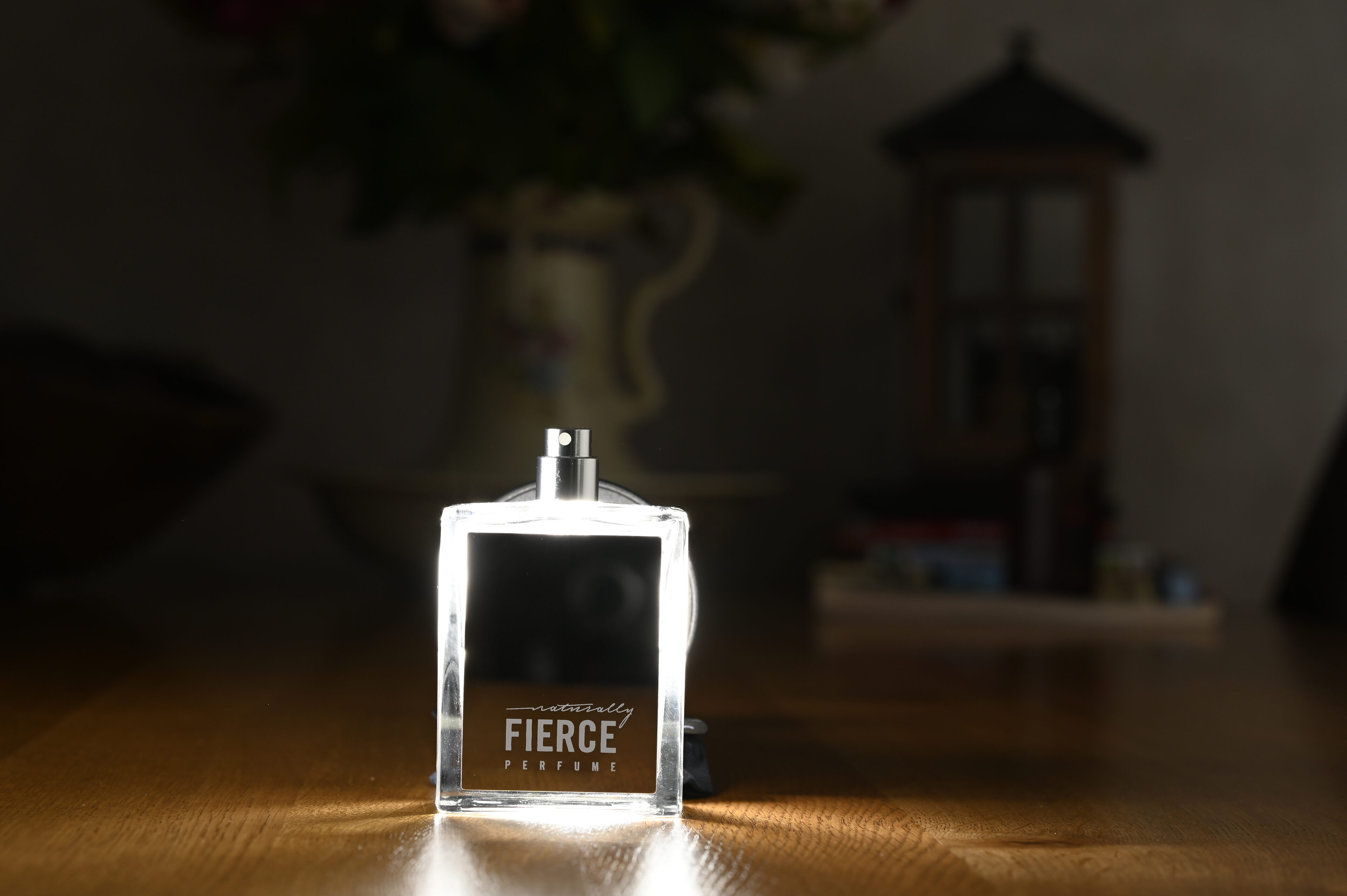
Fierce - f/7.1, 1/160s, 200 ISO @ 85mm
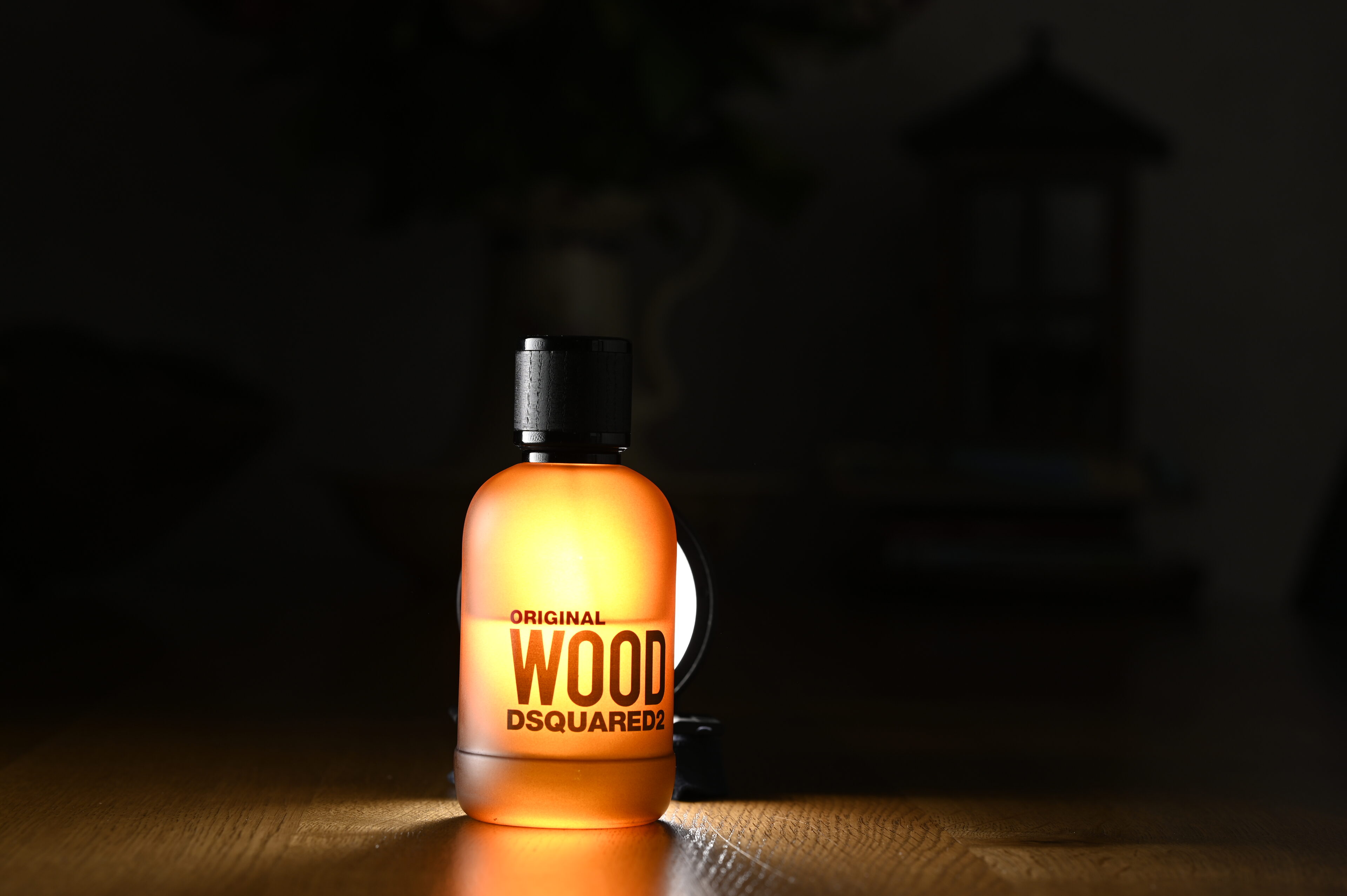
Wood - f/7.1, 1/200s, 100 ISO @ 85mm
Because of the strong backlight, the photos were initially too dark and the bottles disappeared into the shadows. Sound familiar?
Don't throw away that 'failed' photo straight away! With a good dose of creativity and a few clever Photoshop steps, I turned them into what might well be professional advertising images.
The Transformation in 3 Steps
This is what I did with the photos above. In 3 steps.
Step 1: Dare to manipulate
Instead of fighting the harsh backlight, I embraced it. The dark photo of the Naturally Fierce bottle got a sparkling bokeh background and gold coins.
For Original Wood, I chose a rugged wilderness as the background and placed the bottle on a real wooden beam.
Step 2: Pay attention to the depth of field (Depth of Field)
Elements you add afterwards, such as the running woman or the eagle, are often too sharp. By applying a subtle Gaussian Blur to the edges, they blend in with the blurred background.
Step 3: Shadow is key
A product standing on a surface must cast a shadow. By painting a soft contact shadow beneath the Wood bottle, the product no longer 'floats', but stands firmly anchored in the scene.
The result?
Two high-end visuals that, if you ask me, could go straight into a magazine. Proof that you don't need an expensive studio to shoot great images. Do you also have a 'failed' photo sitting on your hard drive? Open Photoshop and bring it to life!
So the question is: what did it become?
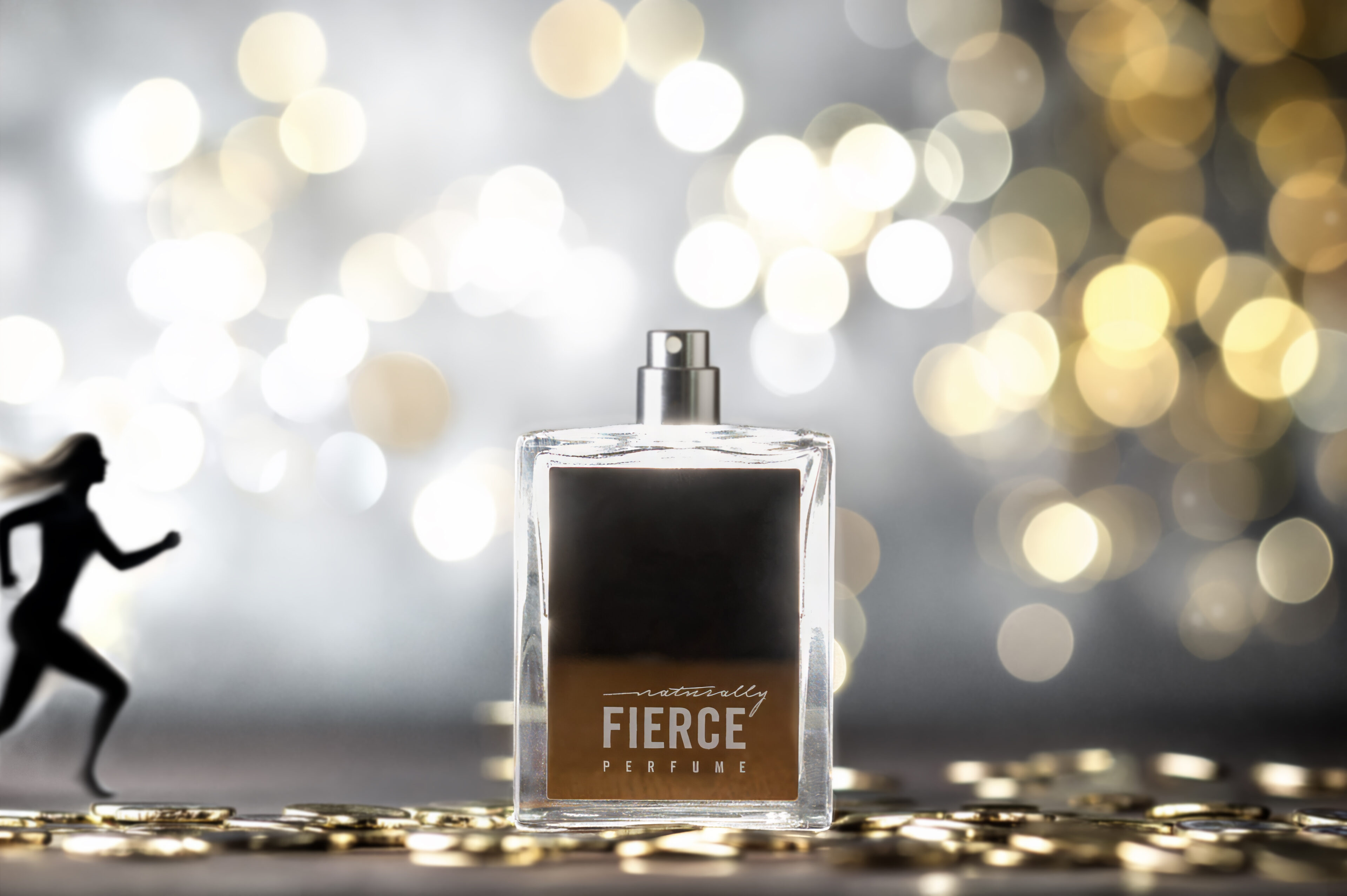
Fierce (result) - f/7.1, 1/160s, 200 ISO @ 85mm
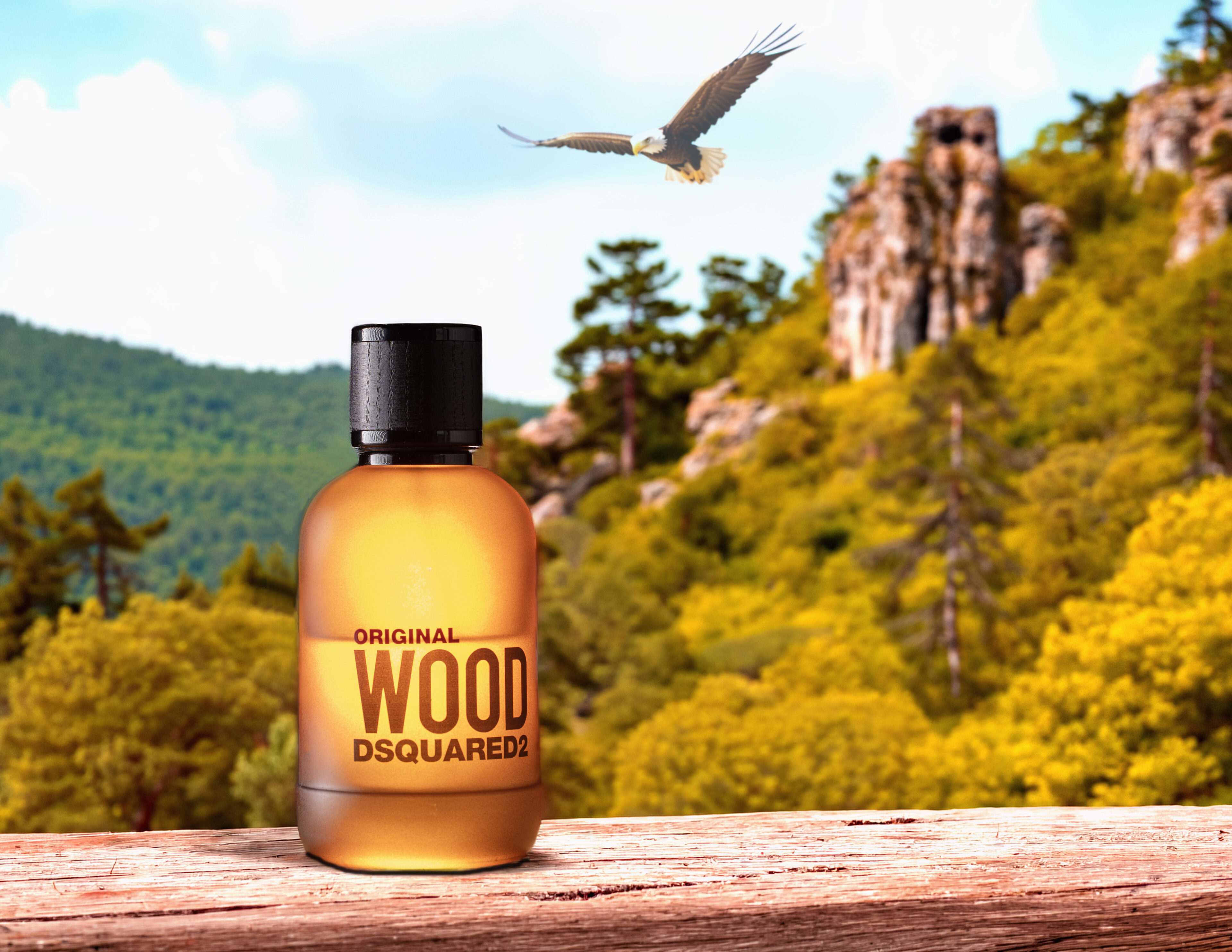
Wood (result) - f/7.1, 1/200s, 100 ISO @ 85mm
About the author
My motto is: being a bit good is not good enough. I try to learn something new every day so I can do it better next time.
You might also like
-
 Mushrooms with bokeh
by Erik Nevels
-
 Street photography tip: Embrace the shadow
by Michiel Heijmans
-
 The New Photoshop 2020 Updates
by Nando Harmsen
-
 Removing shadows from faces with AI
by Elja Trum
-
 New in Photoshop Beta: Generative Fill
by Nando Harmsen
-
 Who is Photoshop Beta for?
by Nando Harmsen
3 comments
-
 Donald Willemsen wrote on Wednesday 7 October 2026 at 23:33 | reply
The idea is good in itself. The only question is whether everything is correct in terms of perspective and DoF. In both end results, it is noticeable that they are manipulations. Nothing wrong with that, but then the perspective does need to be somewhat correct. The Bold Eagle feels a bit too large to me and rendered too sharply.
Translated from Dutch.
I do find the creativity very appealing. Nice idea.
By the way, I have also done something like this with rum, but the problem was that with a partially filled glass, the background remained visible through the glass when I used another photo as the background. I couldn't solve it. -

 Rob Zwart wrote on Thursday 8 October 2026 at 09:50
| reply
Rob Zwart wrote on Thursday 8 October 2026 at 09:50
| reply
Thanks for the compliment. And you are right it is a manipulation. It can't be any other way if you photograph it from a dining nook table.
Translated from Dutch.
For me it was mainly about how you can already make a beautiful presentation with just 1 flash. And everything isn't perfect no and the Bold Eagle could indeed have been a bit smaller.
Call and idea was from the start to just do it and try. To have fun with the fact that the end product is still nice to look at
-
Donald Willemsen wrote on Friday 9 October 2026 at 13:09 | reply
Rob, with just 1 flash you can already do really cool things d do. I’m going to get back to work with it too. You can call it studio photography. I call it 'bad weather photography' 😀
Translated from Dutch.
Have your say
Please note: Articles older than a week can only be commented on by signed-in visitors.Would you still like to comment? sign in or create a free account.
Become a better photographer every week
A practical photography tip in your inbox every week.
38,982 photography enthusiasts already receive the tips! More about the weekly mail. Or keep up to date via  Facebook.

Elja Trum
Photofacts; everything to do with photography!
Would you like to take better photos and keep up with what is happening in photography? Photofacts publishes articles that teach you something about photography — from a product announcement to a practical shooting tip or a look at a website. Photofacts covers photography every day and is a hobby project of Elja Trum's that got out of hand. The articles are written by a team of volunteer authors. If you would enjoy writing one or more articles for Photofacts, do get in touch.More about PhotofactsPhotofacts is made possible in part by
