

5 tips for creative portrait photos (without Photoshop)
Friday 13 December 2019, 14:14 by Elja Trum | 10,174 views | 2 commentsThis article was translated from Dutch with the help of AI. Read the original.
Do you want your portrait photos to really stand out? Then you need to add a little extra creativity. You can of course do this afterwards in Photoshop, but it is more fun to do something extra while taking the photos to create unusual portraits.
In this article, five tips to help you add a touch of extra creativity to your portraits.
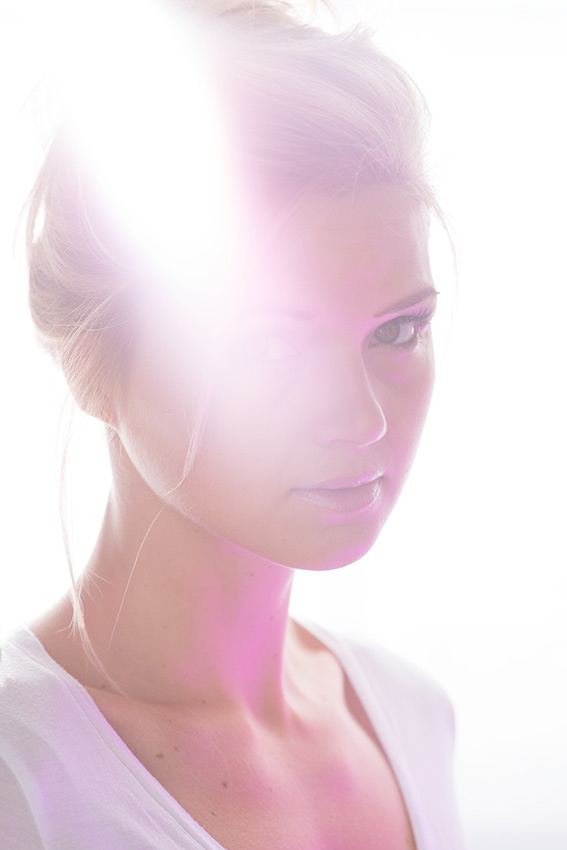
1. Play with lens flare
Lens flare is normally something you try to avoid in your photos. However, it can also create a fun creative effect.
The good thing is that you do not need anything special for it. Make sure there is a bright light source, a flash or simply sunlight, behind your model in the frame, or just outside it, and you are already well on your way.
Lenses are actually too good these days. They often have coatings that prevent lens flare. It can therefore help if your lens is a little dusty. You could also put a dirty filter on your lens. This gives you lens flare quickly.
You can also deliberately use an old lens. For example, one you pick up on Marktplaats. You will often need an adapter to use such a lens on your modern camera.
2. Hold something in front of your lens
Placing something in front of your image is always a fun way to get an unusual effect. You can 'shoot through' something, so that whatever is in front of your image becomes a blur in your photo.
You can also use, for example, a piece of glass, a mirror or your phone to add a reflection to your image.
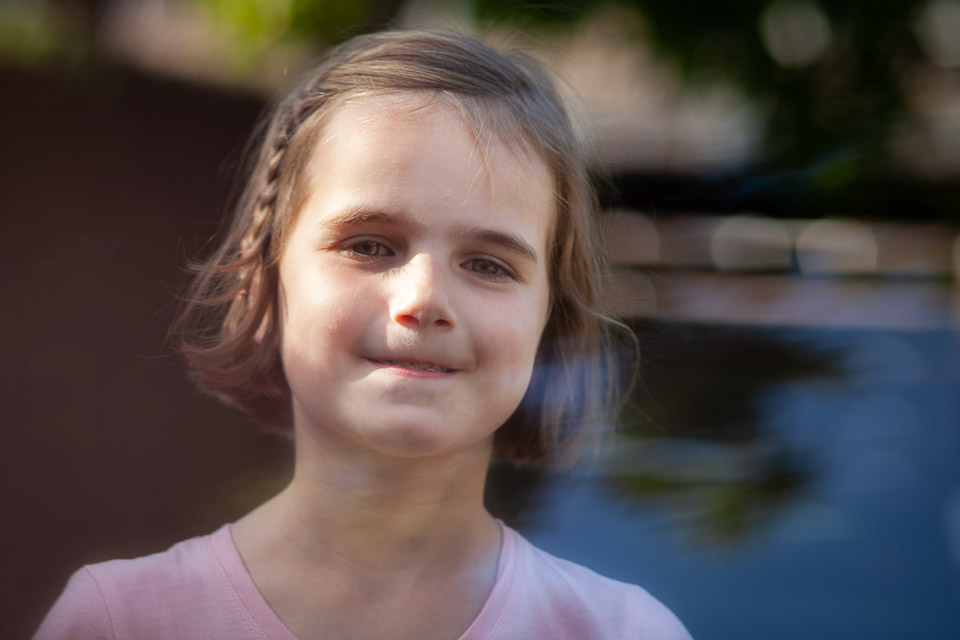
In the photo above, I used my iPhone at the bottom of the frame to add a touch of reflection. This can fill an otherwise dull empty space. The reflection also falls partly over her shirt, hair and face. That makes it more than just a blurred background.
3. Use creative lenses
At Lensbaby, they specialise in lenses that create a special effect in your photo. With most Lensbabies, for example, you can shift the plane of focus in your image.
The photo below was taken with the Velvet 85. This lens creates a kind of glow across your image and gives it a slightly vintage look.
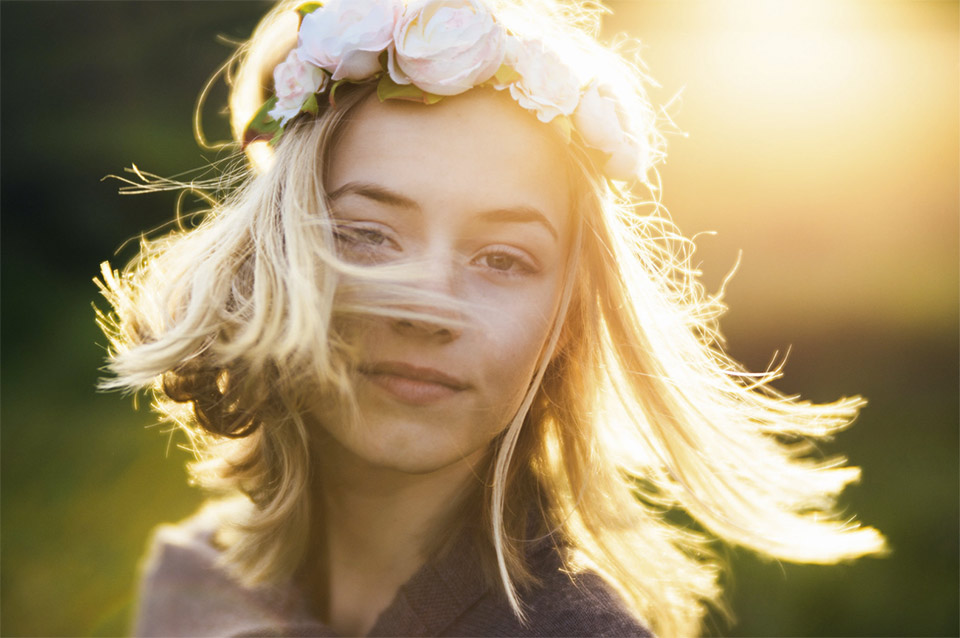
Lensbaby also has the Omni. This is a filter system that lets you easily place pieces of glass in front of your lens. It is a little like the tip above, but this system was specifically made for this purpose.
Course about Lensbabies
Would you like to know which Lensbabies are available and how to use them to take creative and unusual photos? Then take a look at the Working with Lensbabies course at Photofacts Academy.
» View now: Working with Lensbabies course
Other options include tilt-shift lenses or special soft-focus lenses.
4. Add colour to your image
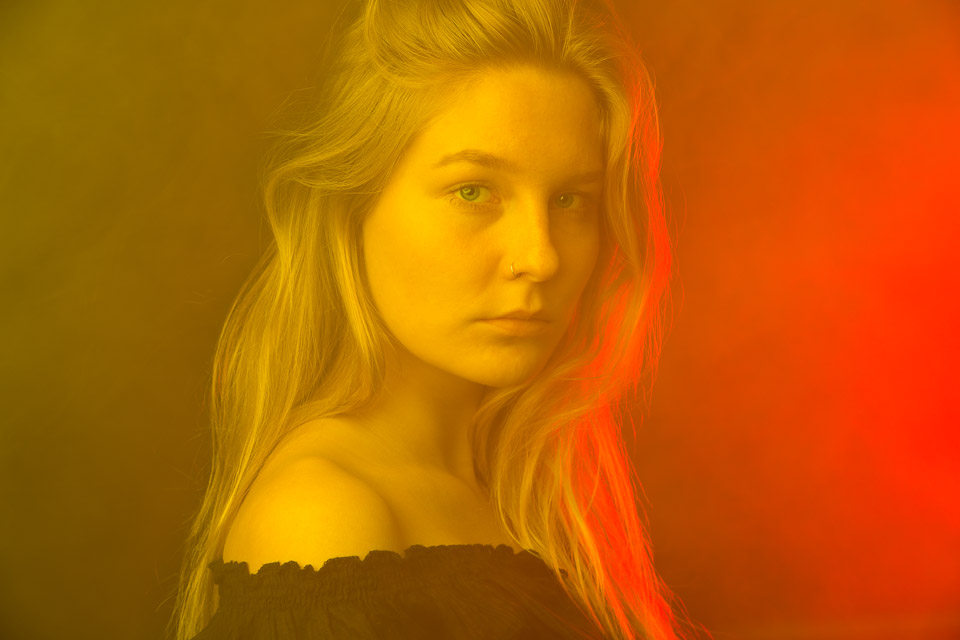
A fun way to make a portrait stand out is to work with colour gels. These are colour filters, essentially pieces of coloured plastic, that let you give light a particular colour.
You place the colour gel in front of your light source, giving the light the colour of the gel. Colour gels also work very well with smoke. The smoke then takes on the colour of the gel you used.
5. Add water
Taking photos on a hot day? That is a good time to play with water during a shoot. On a hot day like that, you can actually get your model wet, or even take photos underwater.
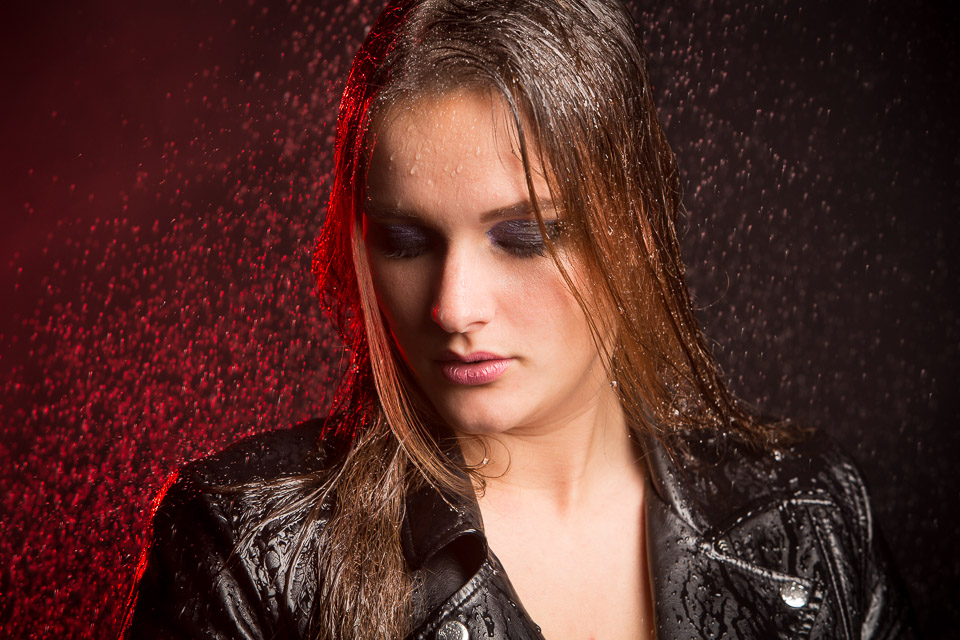
If it is a little less warm, you can also take photos through a window covered in raindrops.
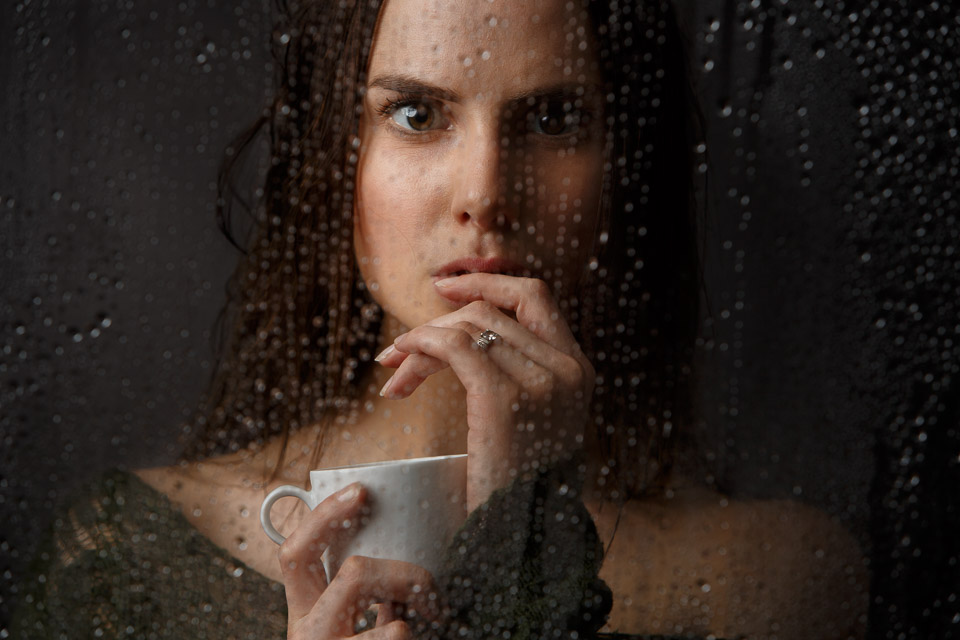
In the photo above, model Danien is behind a piece of Plexiglas in my studio. I sprayed the Plexiglas with water using a plant sprayer.
Instead of water, you can of course also use paint, powder or smoke. And do not forget that you can combine the effects too.
Take extra care of your equipment during shoots like this. Moisture and electronic equipment usually do not mix very well, although most cameras can handle a little.
Your creative tips?
Do you have any other fun ways to create creative portraits?
Share them in the comments!
Dit artikel is voor het laatst bijgewerkt op 13 december 2019.
De eerste publicatiedatum is maandag 16 september 2019, 16:32.
About the author
Elja Trum is the founder of Photofacts and online photography course website Photofacts Academy. He has been writing about photography since 2006. Elja is also the author of (Dutch) books on composition, black-and-white photography, flash photography and portrait photography.
You might also like
-
 Creative photography with a Lensbaby
by Laura van der Burgt
-
 Colour manipulation, working with colour and gels
by Frank Doorhof
-
 Dreamy, creative nature photography with a Lensbaby
by Laura van der Burgt
-
 Colour manipulation; Creating unusual skies with a colour gel
by Frank Doorhof
-
 Lensbaby Double Glass II Optic announced
by Elja Trum
2 comments
-
 Laurent wrote on Wednesday 18 September 2019 at 09:22 | reply
Glad that things like this are suddenly all allowed now, so my failed photos from back then suddenly become cool trendy photos
Translated from Dutch.
-
 georges osten wrote on Wednesday 18 September 2019 at 10:57 | reply
It was interesting
Translated from Dutch.
Regards,Osten
Have your say
Please note: Articles older than a week can only be commented on by signed-in visitors.Would you still like to comment? sign in or create a free account.
Become a better photographer every week
A practical photography tip in your inbox every week.
38,982 photography enthusiasts already receive the tips! More about the weekly mail. Or keep up to date via  Facebook.

Elja Trum
Photofacts; everything to do with photography!
Would you like to take better photos and keep up with what is happening in photography? Photofacts publishes articles that teach you something about photography — from a product announcement to a practical shooting tip or a look at a website. Photofacts covers photography every day and is a hobby project of Elja Trum's that got out of hand. The articles are written by a team of volunteer authors. If you would enjoy writing one or more articles for Photofacts, do get in touch.More about PhotofactsPhotofacts is made possible in part by
