

Review: Fujifilm X-T50
Friday 4 October 2024, 10:01 by Nando Harmsen | 5,954 views | 2 commentsThis article was translated from Dutch with the help of AI. Read the original.
The Fujifilm X-T50 is the more compact version of the Fujifilm X-T5. This small powerhouse has enough to compete with the latter. I was given a camera for this review.
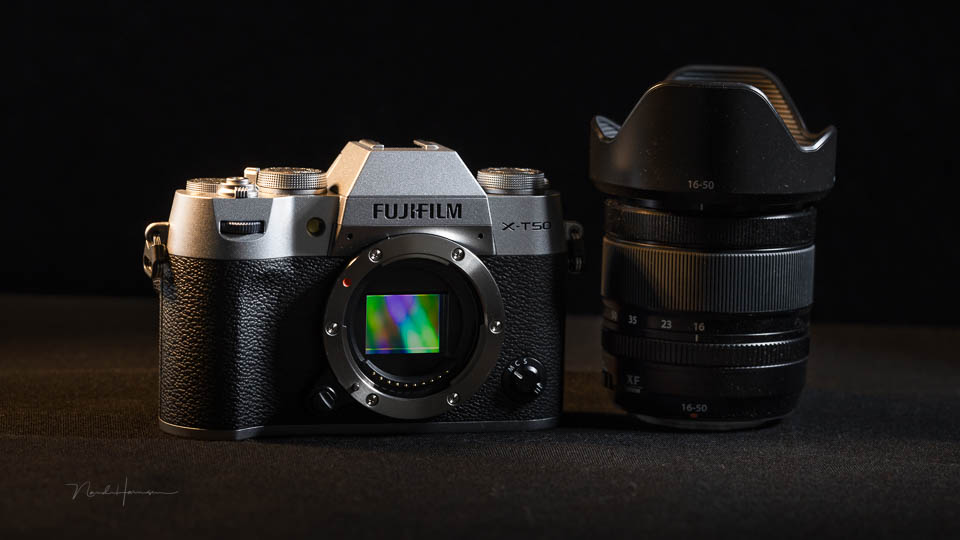
During the launch of, among others, the Fujifilm X-T50, I had the opportunity to take a few photos with this camera. My first impression was very positive, as you can read in that article. Now I have had the opportunity to use the camera for longer.
Some specifications
- Back-side illuminated 40.2-megapixel X-Trans CMOS 5 HR APS-C sensor
- Improved pixel structure for the most efficient signal-to-noise ratio
- Electronic shutter up to an impressive 1/180,000 second
- 8 frames per second (mechanical) and 13 frames per second (electronic)
- Up to 20 frames per second with an additional 1.29x crop
- AI image recognition for animals, birds, cars, insects and aeroplanes
- 20 film simulations, including the new REALA-ACE
- Film simulation dial
- Grain effect and colour chrome effects
- Built-in 1.4x and 2.0x teleconverter
- 5-axis IBIS up to 7 stops
- 6.2K 30p video with full autofocus
- Up to 60 minutes of video
- Optimised ergonomics with improved buttons
- Built-in pop-up flash
- Tilting 3-inch LCD screen with 1.84 million pixels and touchscreen functionality
- OLED EVF with 2.46 million pixels
- CIPA battery rating of up to 390 photos in economy modes
- Single UHS-II SD card slot
- Body weighs 438 grams, including battery and memory card
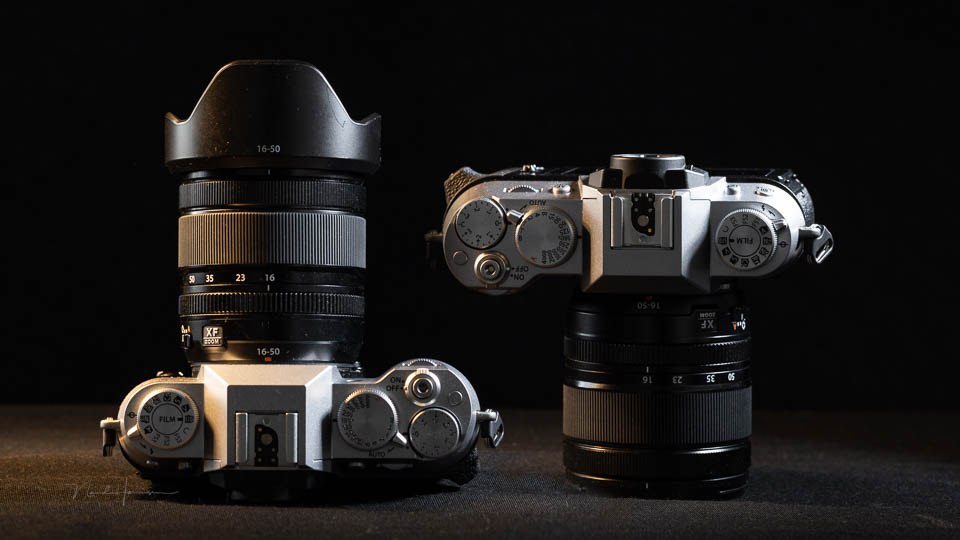
For this review, I am concentrating on the camera rather than the new lens. I used the camera in different conditions and for different subjects.

What does the camera look like?
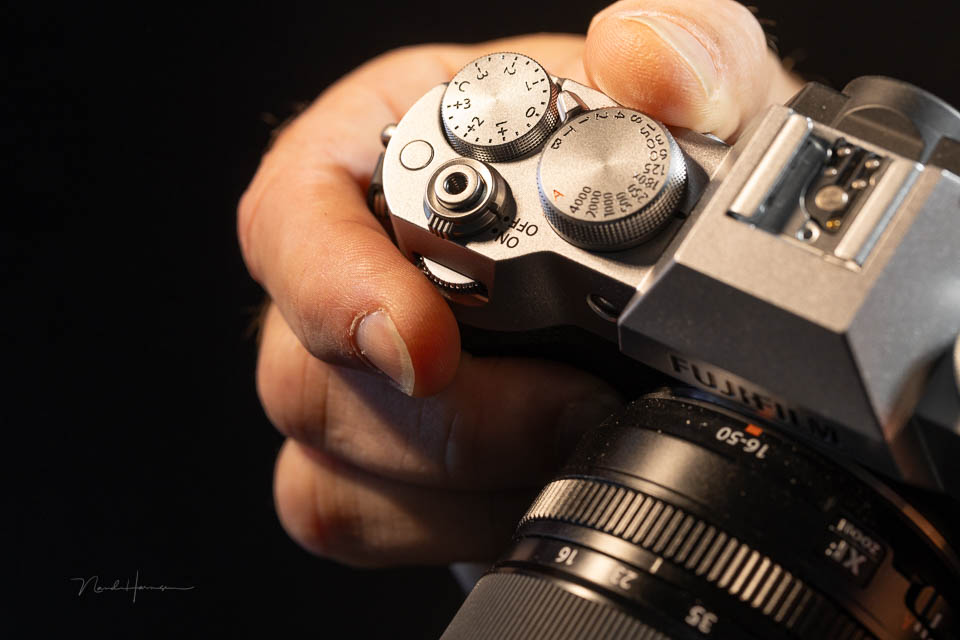
The camera is small and compact. Despite this, it has all the dials and buttons that are characteristic of Fujifilm cameras. There is a dial for shutter speed, exposure compensation, and programmable dials in the grip and on the back.
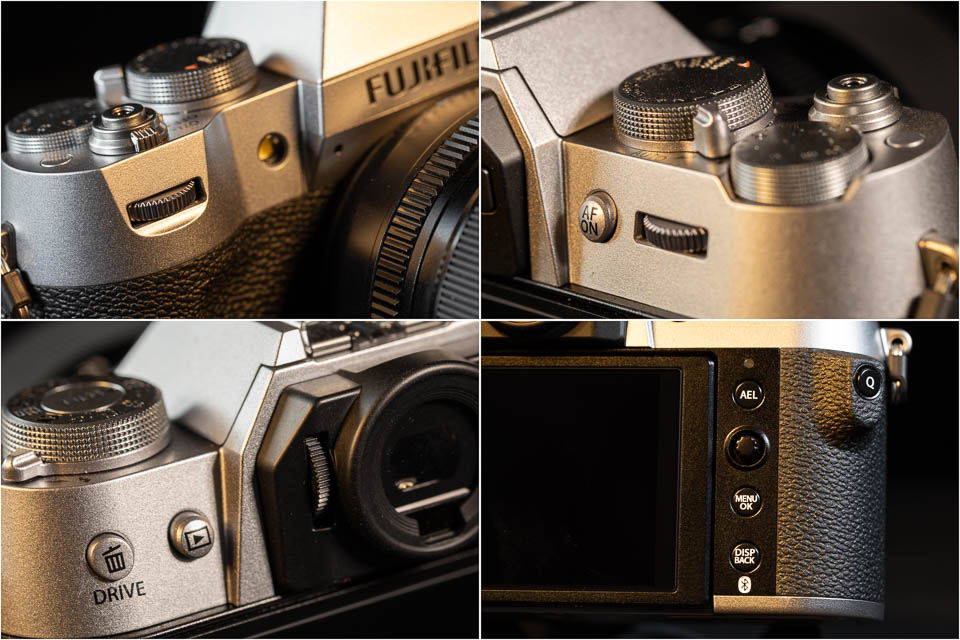
The only thing you will not find is an ISO dial. This has made way for the film simulations, which are the camera's primary focus. There are levers for the auto mode and built-in flash, and you also get a joystick.
Because of its small size, the buttons themselves are small and sometimes deeply recessed. The same applies to the dials on the grip and rear. The focus switch is on the front. The X-T50 has a tilting LCD screen with touchscreen functionality.
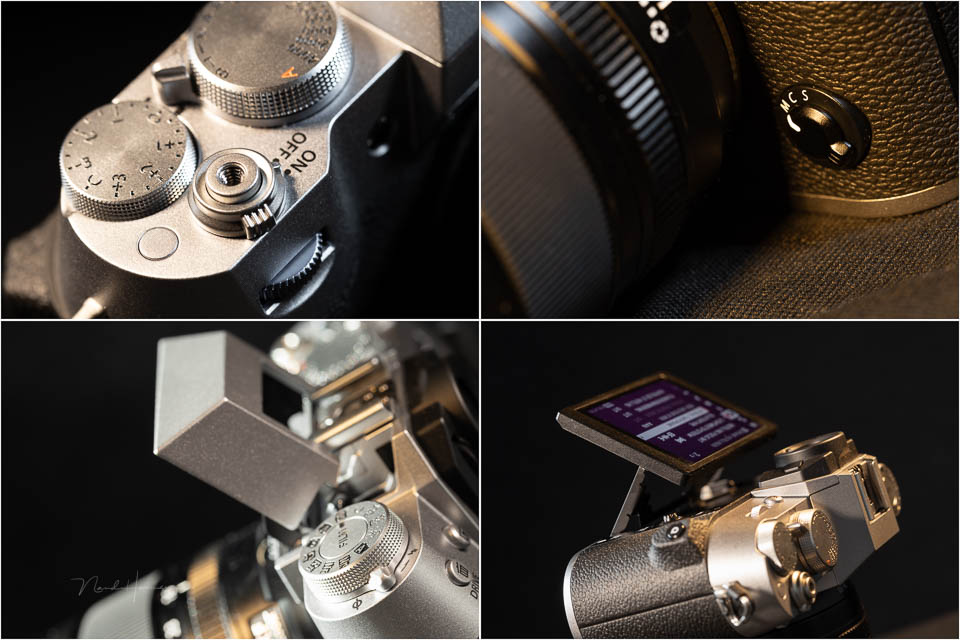
The connections are simple and neatly hidden behind a hinged flap. You get a USB-C-PD port, which must also be used to charge the camera. There is a micro-HDMI connection and a 3.5mm connection that can be used for both a microphone and a remote control.
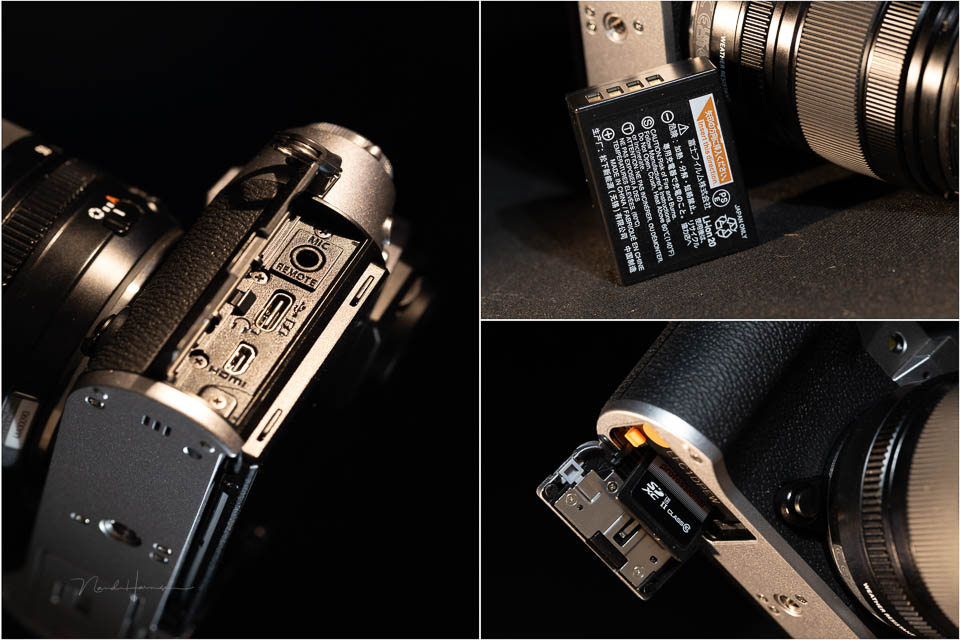
Image quality
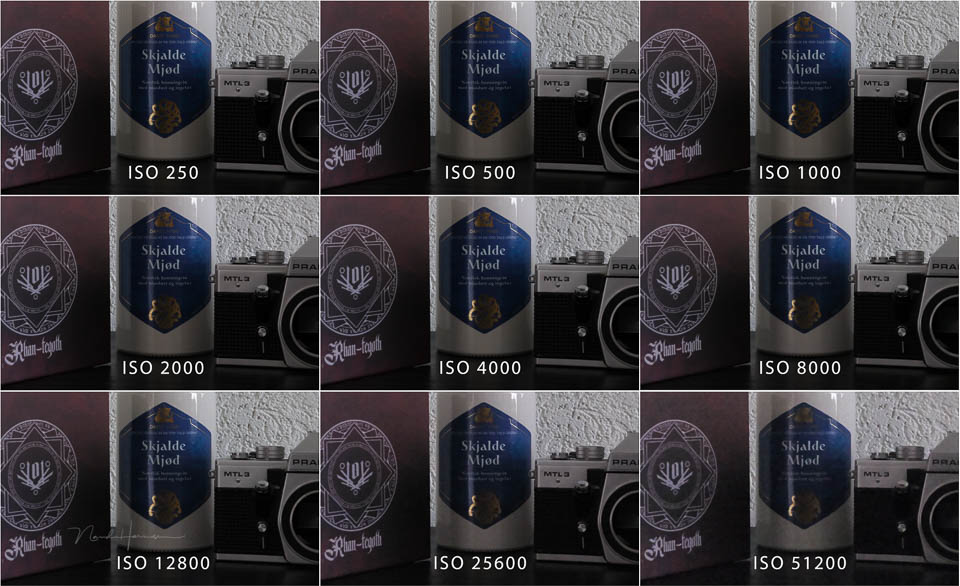
The back-side illuminated 40.2-megapixel X-Trans CMOS 5 HR sensor performs well. ISO 125 is the lowest value, but it can be reduced to ISO 64. In the other direction, the range goes up to ISO 12800. You can extend this to an impressive ISO 51200.
It is best to avoid these extended ISO values, however. The camera produces good results up to ISO 6400. You might be able to go one stop higher if a little noise is not a problem.
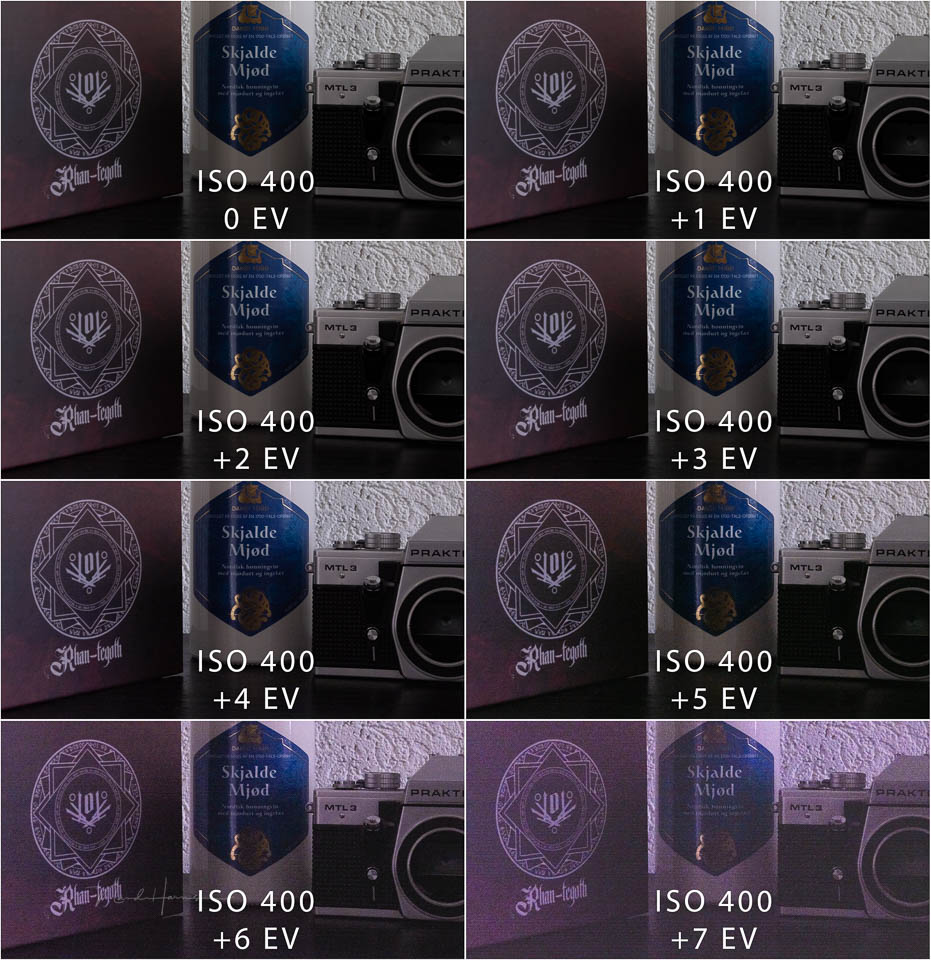
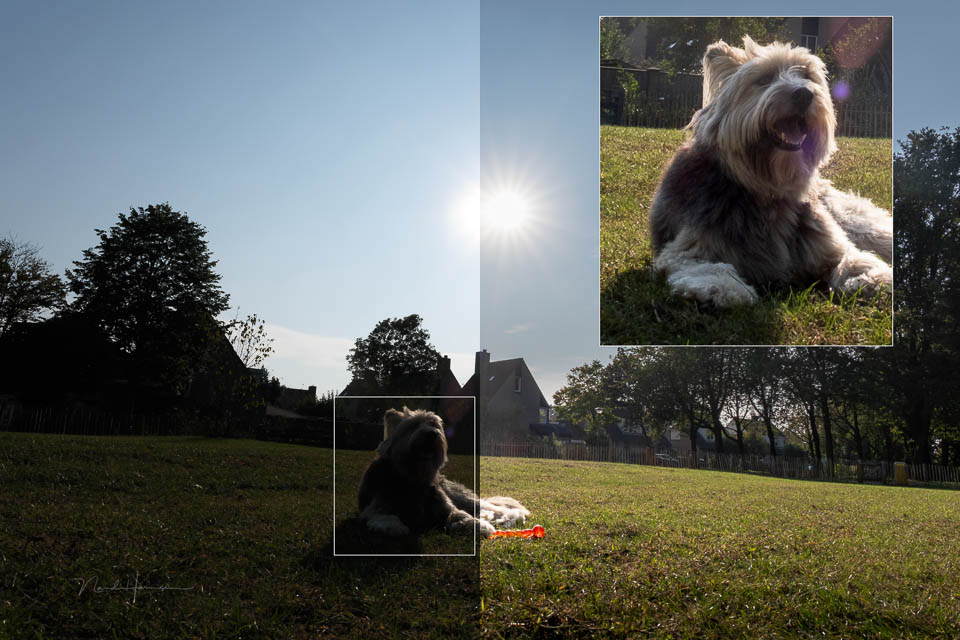
Lifting the dark areas in a photo is possible by around three stops without noise becoming a problem. Here too, if you accept a little noise, four stops is certainly usable.
If you deliberately underexpose the photo, it is possible to brighten it. The noise produced is comparable to a corresponding ISO value up to around four stops. In the example below, bear in mind that the photo at ISO 8000 is an in-camera JPEG. The photo corrected by four stops is a raw file.
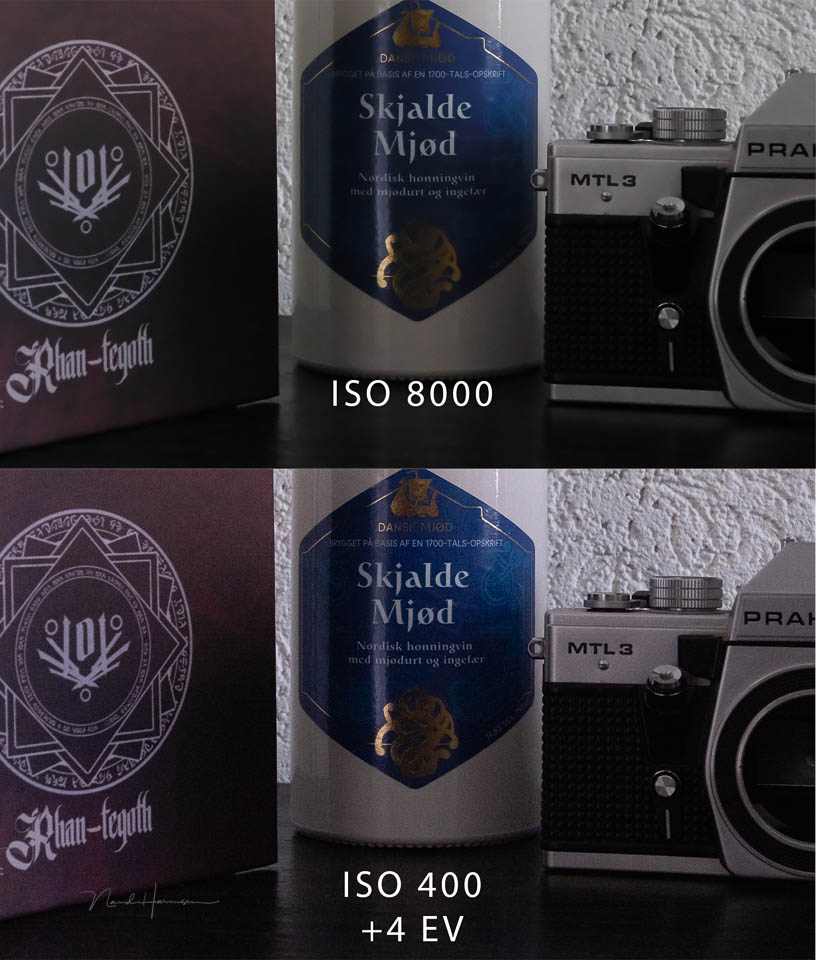
In practice, the camera gives you enough scope to expose for the brightest areas and then lift the dark areas. Especially in situations where exposure bracketing is not possible, the camera will not let you down.
The film simulation options
Film simulations are central to this camera. They have their own physical dial, allowing you to choose the desired film simulation in an instant. Turning this dial is shown visually on the LCD screen and in the EVF.
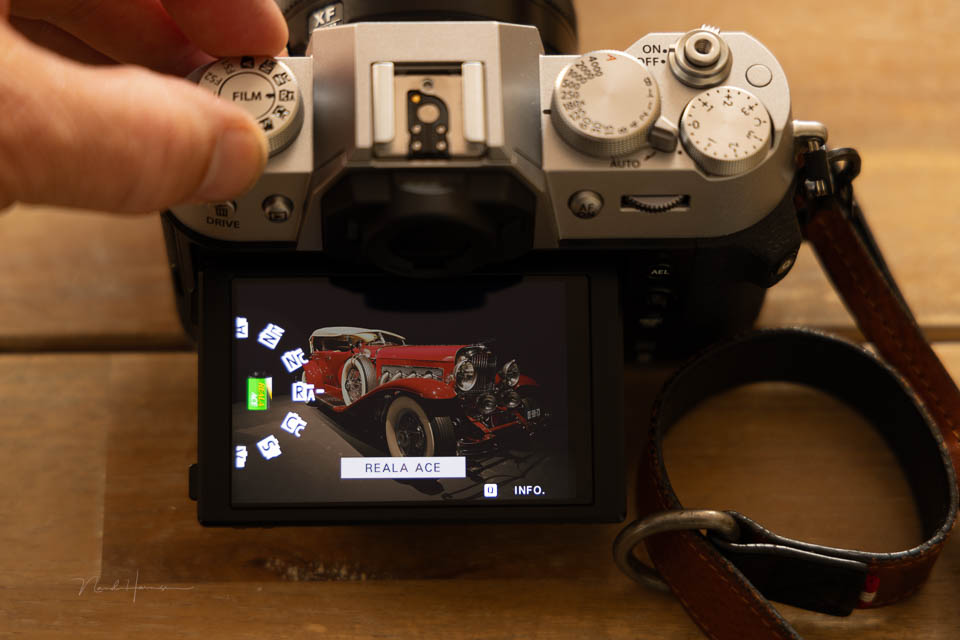
There are more film simulations than will fit on the dial. Fujifilm has made a selection for you and provides three custom settings. If there is another one you like to use, you can programme it there.
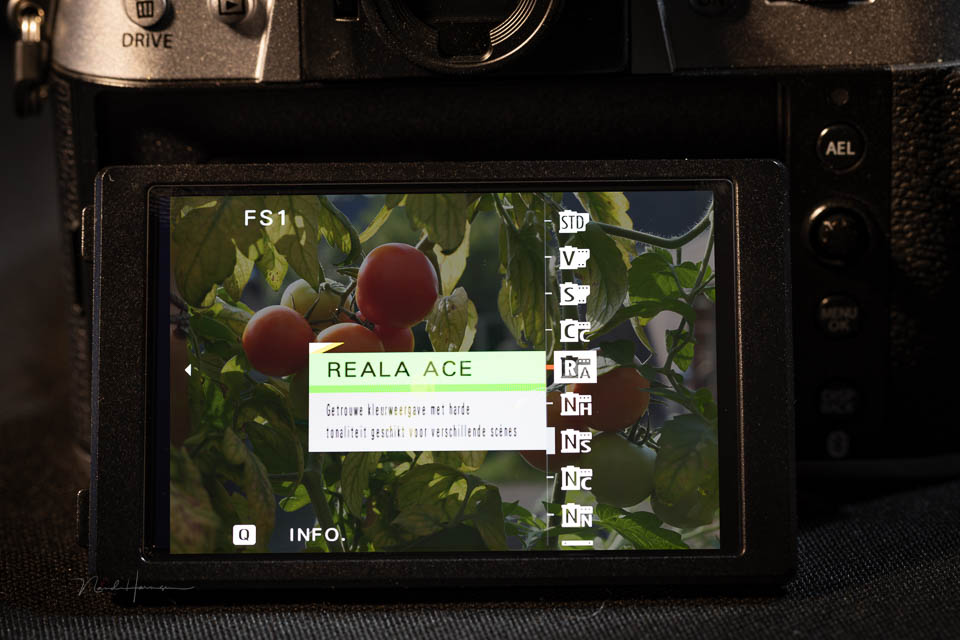
REALA-ACE is the newest film simulation, made possible by the powerful processor in the camera. The processor also makes it possible to offer a grain effect, colour chrome effect and Colour FX Blue.
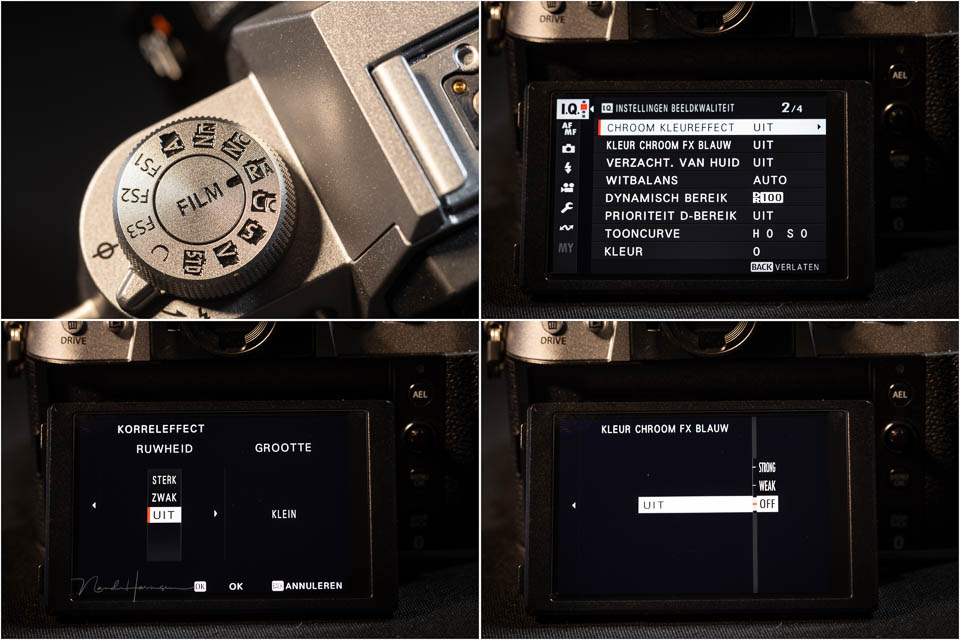
The film simulation settings are only suitable for shooting JPEGs. If you only use raw images, the film simulation dial is of no use to you.

Autofocus and frame rate
Fujifilm has given the X-T50 a very complete set of autofocus options. You have a set of presets that can adjust its behaviour to the type of action. These presets can be customised as required.
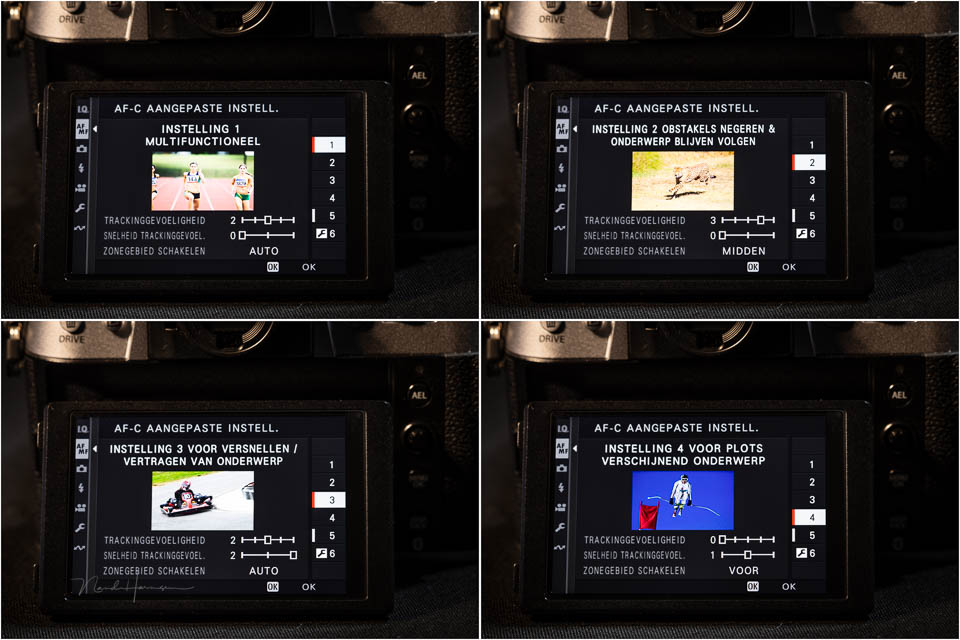
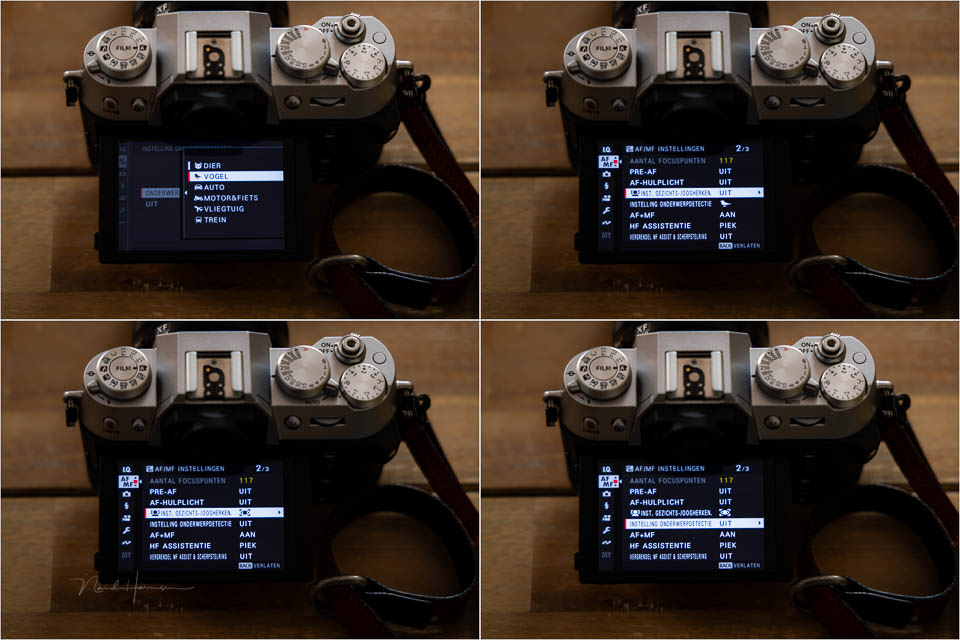
There are six subject-recognition settings, or seven if you count people. The six are animal, bird, car, motorbike and bicycle, aeroplane and train. Strangely, people are not included, so you have to enable eye AF. Tracking can be used in different zones, with three custom zone sizes available.
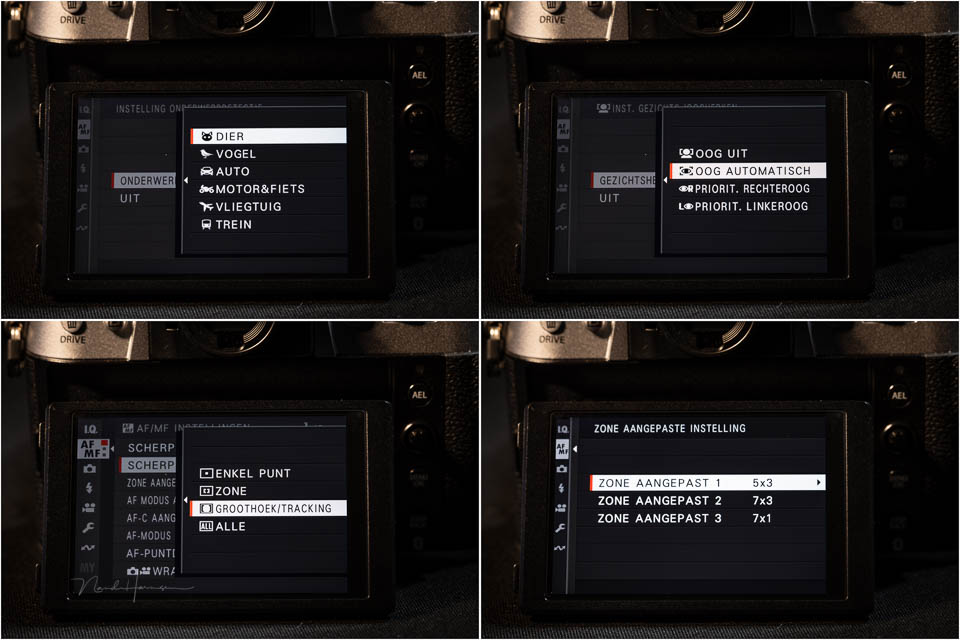
If you enable face detection, subject detection is disabled. If you choose subject detection, face detection, and therefore eye detection, is disabled. This is very confusing and not entirely logical.
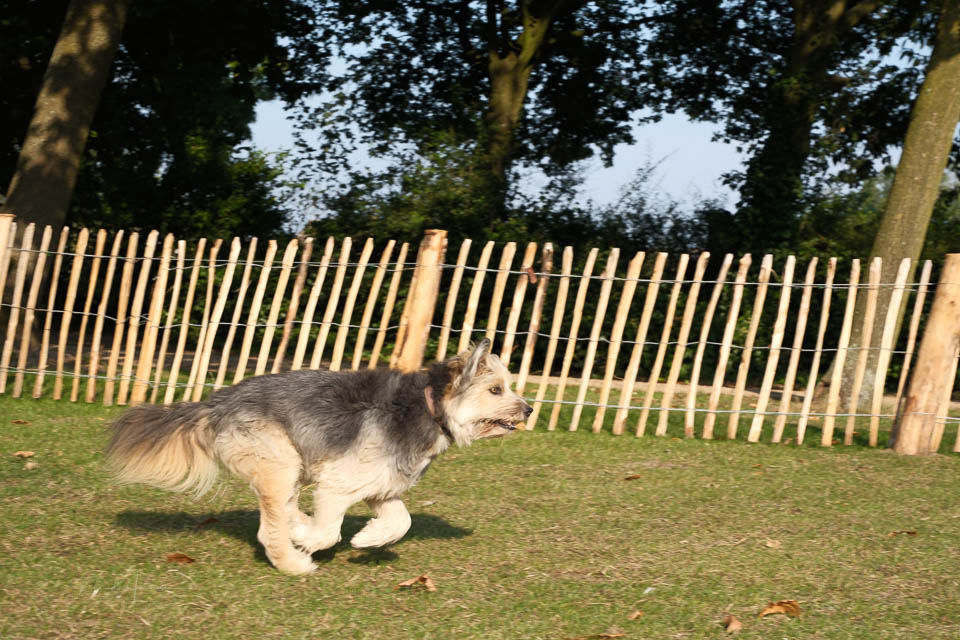
The camera offers different frame rates, including pre-recording when shooting with the electronic shutter. You can then shoot at thirteen frames per second, or 20 with an additional 1.29x crop. Bear in mind that using the electronic shutter causes a rolling shutter effect.
Using the camera
The camera offers a large number of options for creative photography. This applies not only to the settings for JPEG photography, but also to raw. Multiple exposures, focus bracketing and timelapse are all available.
The autofocus is also so advanced that it delivers a perfect result in almost all conditions. It is fast and accurate and can track a moving subject very well.
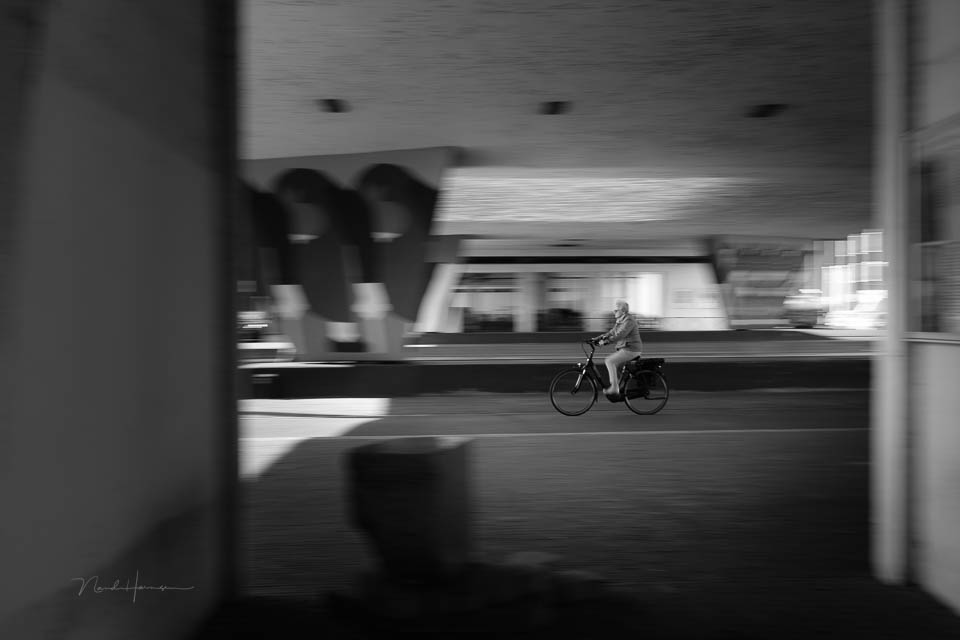
It takes some getting used to finding all the functions. There are many of them, and the number of available buttons means a somewhat longer learning curve. That is not a problem, because it is a pleasant camera to use.

It is important to realise that the X-T50 is a small camera. You notice this immediately when holding it. This has consequences for using the buttons, especially if you have large hands.
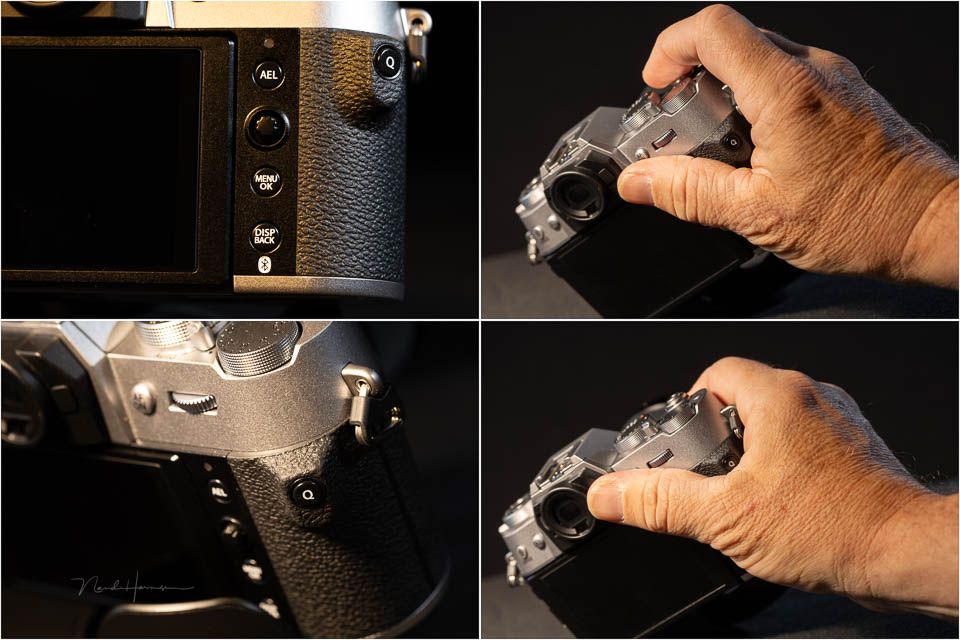
The Q button for the quick menu is positioned, as usual, on a protrusion that sits between your thumb and index finger when holding the camera. This protrusion has an improved shape, but its position makes it easy to press the button accidentally and change settings.
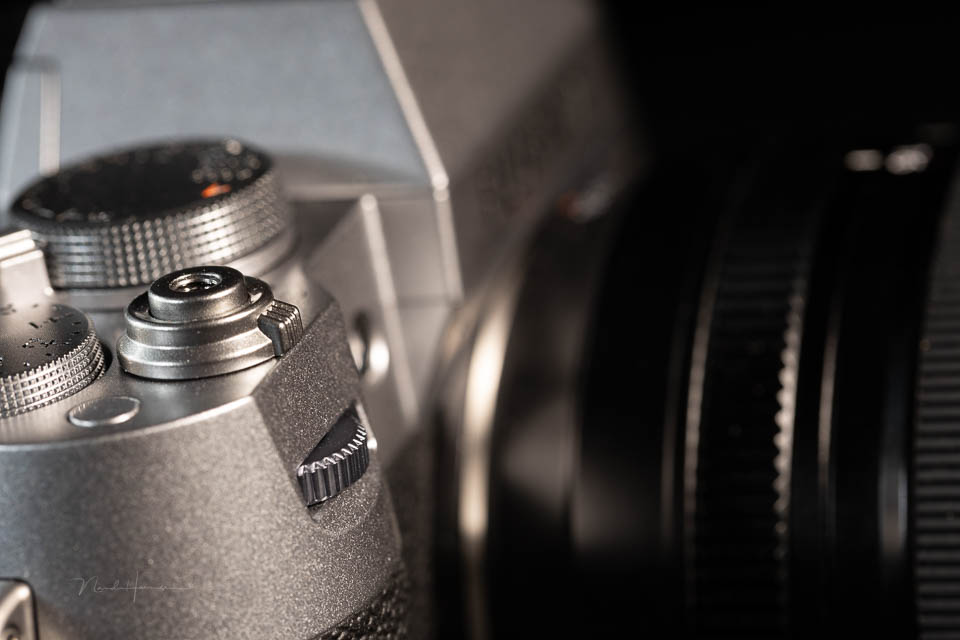
The X-T50 also has a set of dials with a dual function. They also work as buttons. The small size of these dials and the minimal feedback when turning them are not very pleasant. It is easy to press the button accidentally while turning the dial.
There is an auto switch below the shutter speed dial. This sets the camera to pre-programmed settings for different scenes. Think of landscape, portrait, night, party and similar settings.
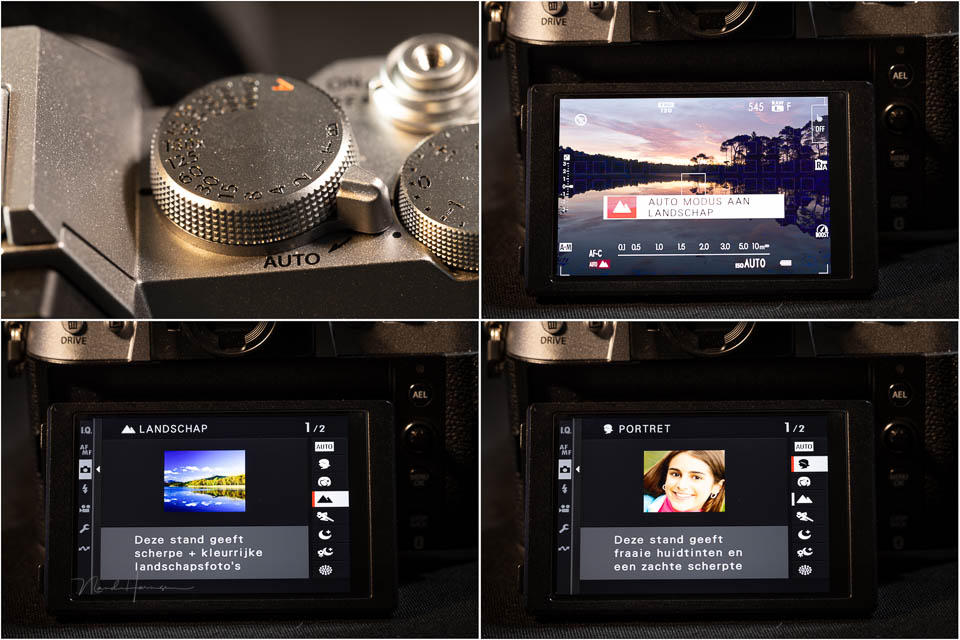
With the auto setting, you shoot in JPEG. You can then combine this with the film simulations. The X-T50 offers no fewer than 15 presets, which can be selected directly with the front dial.
Conclusion
The Fujifilm X-T50 is a very complete camera with enough options to call it a mini X-T5. It has the complete set of physical controls that Fujifilm is known for. New is the film simulation dial for JPEG photographers.
The camera is very small, which can be a problem for photographers with large hands. The buttons are small out of necessity, and the Q button is still in a position that often leads to accidental presses.
The dials in the grip and on the back are fairly deeply recessed and turn without much resistance. The most annoying thing is pressing these dials accidentally, changing their function while you are changing something else.
The film simulations and physical dial show that the camera is primarily aimed at users of this feature. If you only shoot in raw format, you cannot use part of the functionality.
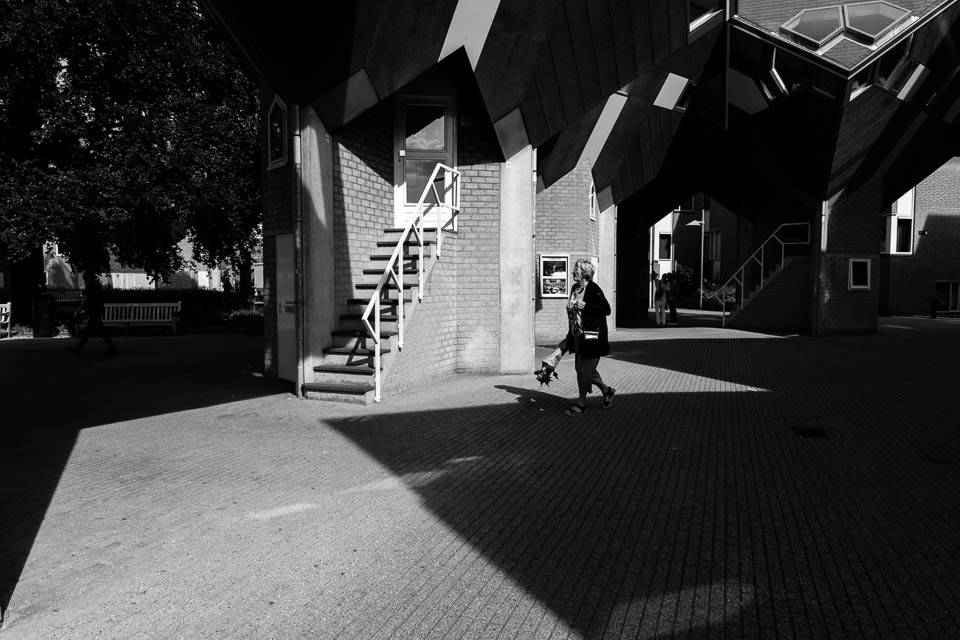
The autofocus works fantastically. It is fast and accurate, and many settings can be adjusted for specific uses. Subject recognition is available, but people are missing from the list. To recognise people, face detection must be enabled.
Who is this camera for?
The Fujifilm X-T50 is clearly aimed at photographers who shoot in JPEG. Although a raw photographer certainly will not be left wanting, the physical film simulation dial is a useless button if you do not use it.

The camera is compact and small, lightweight, and does not sacrifice options. If you are looking for a camera that is easy to take with you, for example when travelling, the Fujifilm X-T50 is an excellent choice.
If you are a raw photographer, you will have to decide for yourself how annoying you find the film simulation dial. Despite that, I can certainly recommend the Fujifilm X-T50. The price of 1,899 euros with the new lens is attractive, especially when you see what you get for it.
What I like about the Fujifilm X-T50
- High resolution
- Physical dials
- Fast and accurate autofocus
- Image stabilisation
- Subject recognition and eye AF
- Good ISO performance
- Joystick included
- AF-ON button
- Multiple exposures, timelapse and focus bracketing available
- Up to 13 frames per second, or 20 with an additional 1.29x crop
- Pre-recording for continuous shooting
- Shutter speeds up to 1/180,000 second
- Compact and lightweight
What I like less about the Fujifilm X-T50
- The dials in the grip and on the back are not pleasant to use
- The Q button is in an awkward position that encourages accidental presses
- The film simulation dial is useless for raw photographers
- The button between the shutter release and exposure compensation dial does not feel like a button
- The subject recognition and face detection settings are illogical and confusing
Gallery
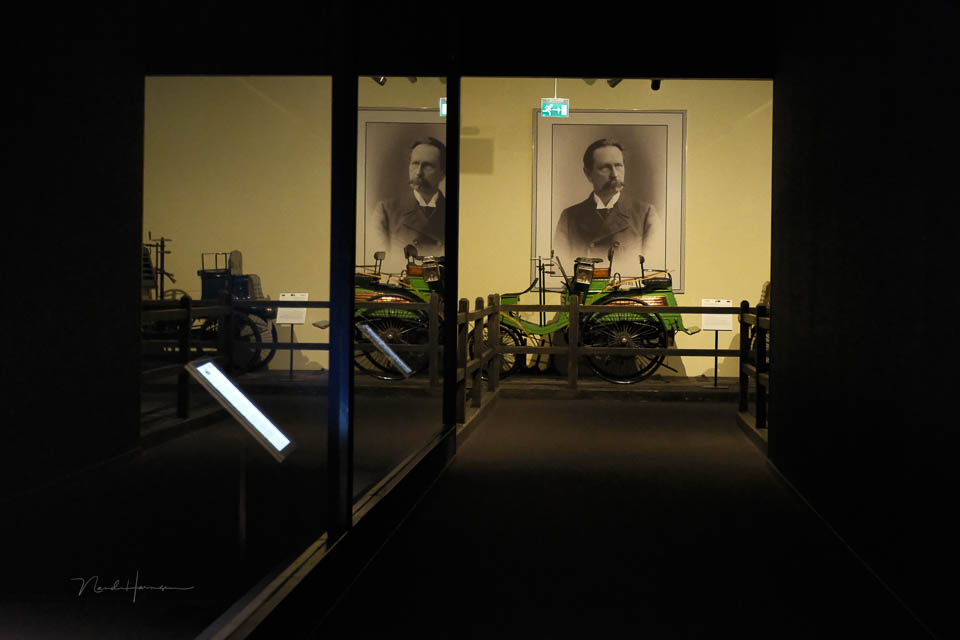

32.3mm - ISO640 - f/6.4 - 1/8s handheld - in-camera JPEG









About the author
Nando Harmsen has been photographing for more than 40 years. He specialises in wedding photography and landscape photography. Nando also gives talks, workshops, masterclasses and photo trips, and regularly reviews new and interesting equipment.
You might also like
-
 First impressions of the Fujifilm X-T50
by Nando Harmsen
-
 Review: Sony A6700 APS-C mirrorless camera
by Nando Harmsen
-
 Fujifilm X-T5 announced with 40 megapixels
by Elja Trum
-
 Preview: Fujifilm X-H2s
by Elja Trum
-
 Review: Canon EOS R10 mirrorless camera
by Nando Harmsen
-
 Preview: Fujifilm X-S20
by Elja Trum
2 comments
-
 Hans Kooijmans wrote on Monday 7 October 2024 at 21:30 | reply
I have a Fuji X-S10 and that one also has, had, a control wheel for the film simulations. So it is not true that this is new and for the 1st time on a Fuji camera.
Translated from Dutch. -


Have your say
Please note: Articles older than a week can only be commented on by signed-in visitors.Would you still like to comment? sign in or create a free account.
Become a better photographer every week
A practical photography tip in your inbox every week.
39,024 photography enthusiasts already receive the tips! More about the weekly mail. Or keep up to date via  Facebook.

Elja Trum
Photofacts; everything to do with photography!
Would you like to take better photos and keep up with what is happening in photography? Photofacts publishes articles that teach you something about photography — from a product announcement to a practical shooting tip or a look at a website. Photofacts covers photography every day and is a hobby project of Elja Trum's that got out of hand. The articles are written by a team of volunteer authors. If you would enjoy writing one or more articles for Photofacts, do get in touch.More about PhotofactsPhotofacts is made possible in part by
