

Review: CeWe photobook
Friday 16 March 2018, 14:41 by Michelle Peeters | 19,677 views | 14 commentsThis article was translated from Dutch with the help of AI. Read the original.
Earlier, you could read the reviews of the photobooks from Saal Digital, Profotonet and Albelli. So far, I have been quite pleased with the results. CeWe also gave me the opportunity to test one of their albums.
In this article, my review of CeWe's 30x30cm Photobook on glossy photo paper with gold lettering.
Free online workshops
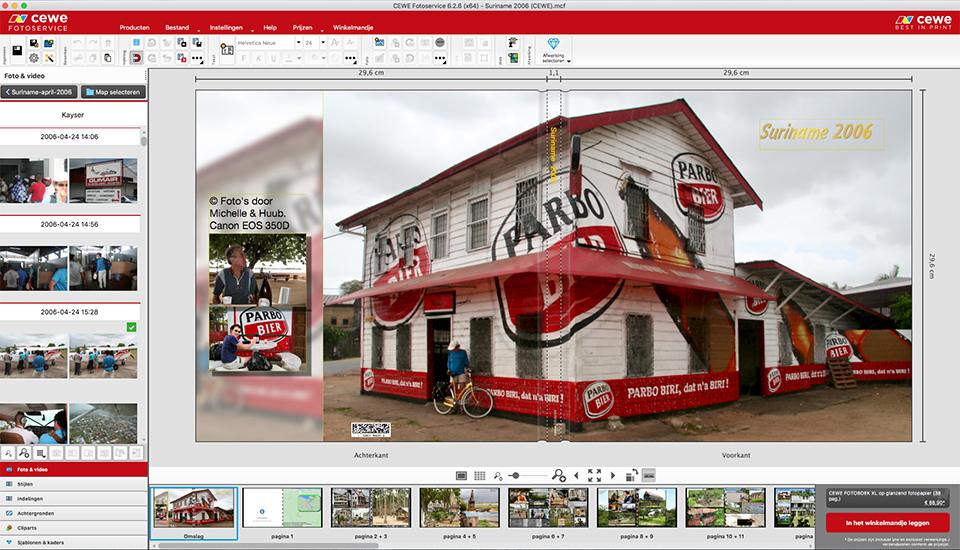
If you have questions about the software, you can contact CeWe customer service. It took a little while to find my way around at first, but the software turned out to be very extensive, and you can do anything with it.
CEWE also offers free web workshops that you can join at three levels:
1. How do I make a photobook
2. How do I make my photobook even better
3. The creative photobook.
You register and then receive an email with a link that lets you log in at the set time and date for the workshop. Once logged in, you can see and hear the trainer through his webcam, while you can also follow exactly what he is doing.
You can also ask questions live through the online chat, and they will be answered immediately. Each workshop lasts about an hour.
In addition to the workshop about photobooks, you can also attend a seminar about photography, such as how to create beautiful compositions, and PowerPoint, which you can also use when putting together your photobook.
The software
First, you can download the company's free software. Keep in mind that your computer must have at least 512 MB of RAM. You can also choose to create a photo album online, but that offers fewer options and creative possibilities.
Choice of photobooks
With a CeWe photobook, you can choose from 9 different formats. You can choose a portrait or landscape version. Within those, there are also different options in terms of dimensions.
It is even possible to make a mini photo album. Great if you want to give someone a small gift. You can choose between a hard or soft cover, and a notebook cover is also possible. The photos are not printed, but actually exposed onto photo paper.
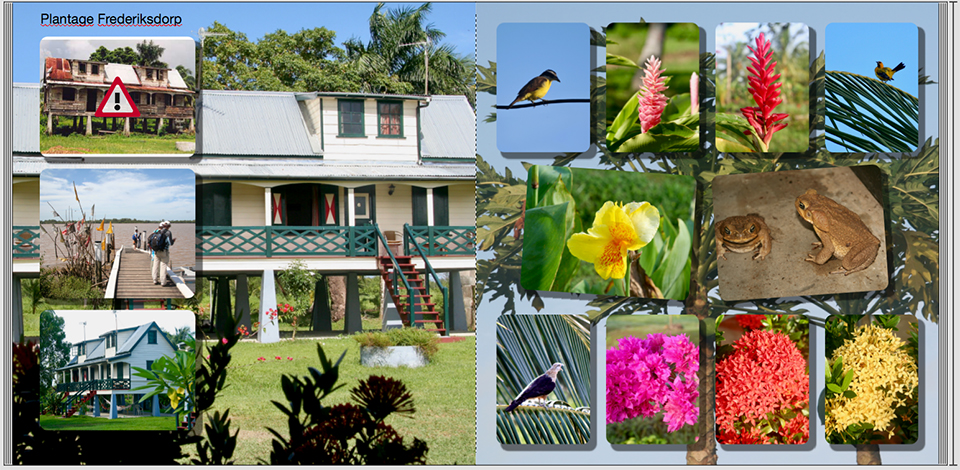
In the software, you choose the format, the number of pages, the type of paper and the type of cover. I chose the CeWe PHOTOBOOK XL, square at 30x30cm, on glossy photo paper (26 pages, which is the standard, but can be increased to a maximum of 114) with a hardcover cover.
Cost: 64.95 euros. Cost for 3x the next 4 extra pages, 6 euros each, with 26 pages as standard: 18 euros in total. Gold or silver lettering on the cover: 5.95 euros.
Not every provider offers real photo paper, but CEWE does, as does Profotonet. Photos are developed through exposure, and the same applies to the photo paper.
As a second distinguishing feature, they offer gold, silver or varnish lettering that you can add to the cover. Finally, CEWE charges no delivery costs.
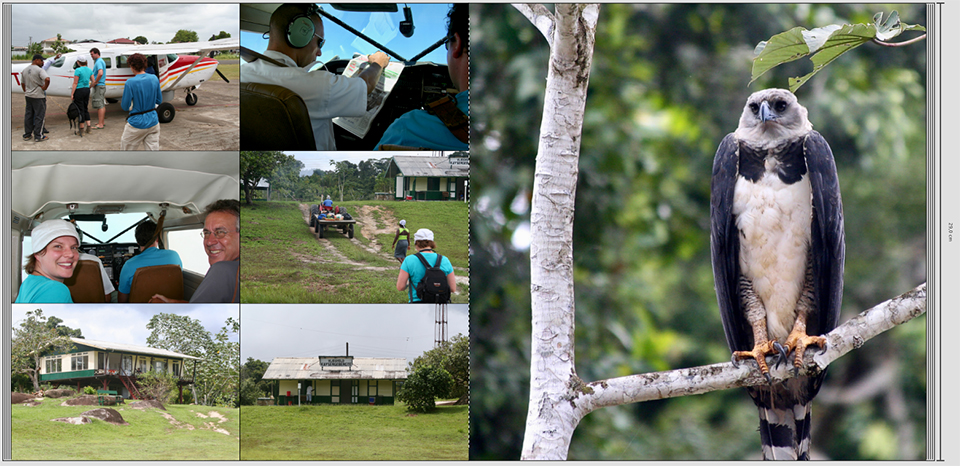
Using the software
The software is certainly not difficult to use, although it does take some time to find out exactly where all the settings are. You cannot do it quite as instinctively as with Profotonet or Albelli, for example.
But the possibilities seem endless. You can enter the title of your photo album straight away and get started.
The software is both user-friendly and versatile. Many options appear via the right mouse button. A lot still appears in German, particularly in the menus.
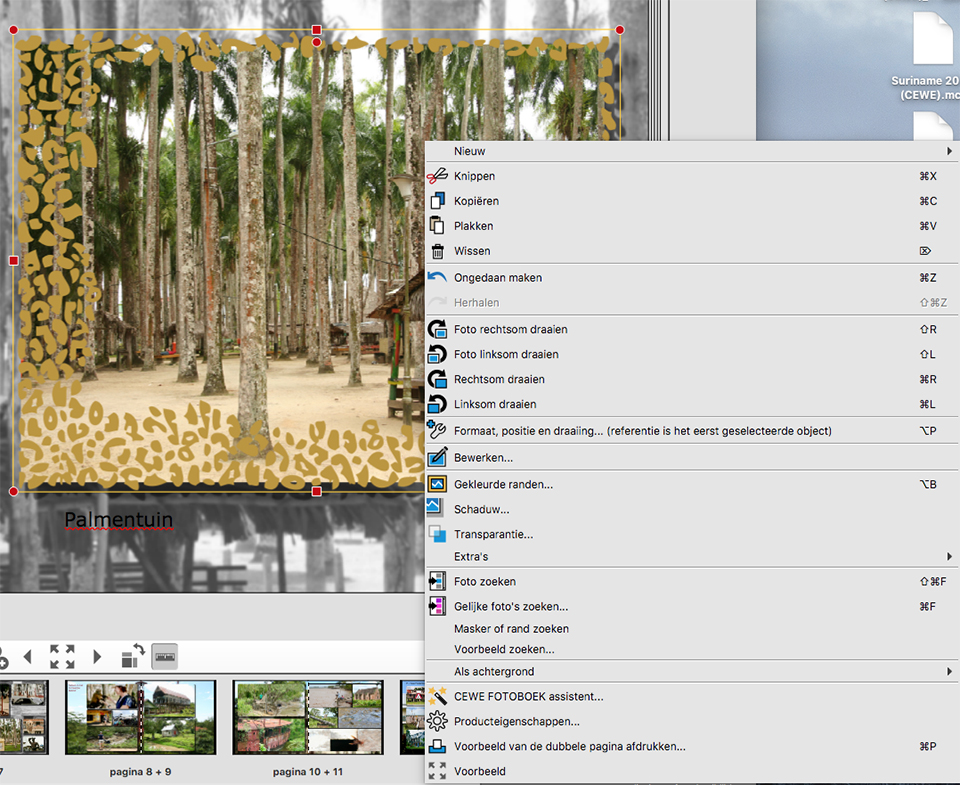
You can choose to have the photobook assistant place your photos in the book at the press of a button, and then adjust them yourself if necessary. Alternatively, you can start with an empty book and create all the formatting and layout yourself.
There is a wide range of options. For example, you can choose a full-page photo or several photos on one page. You can adjust the sizes, as well as the photo itself, very simply within the programme.
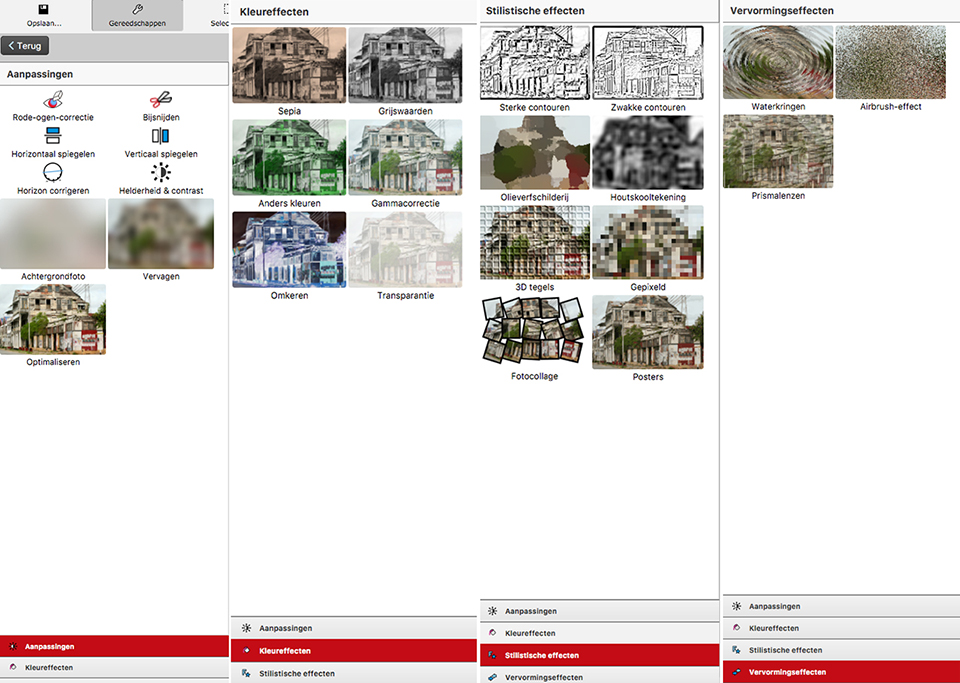
If you wish, you can add borders and shadows around your photos and use photo backgrounds, which you can blur and make less opaque if desired. As a 'style', you can also choose gold, silver or varnish lettering.
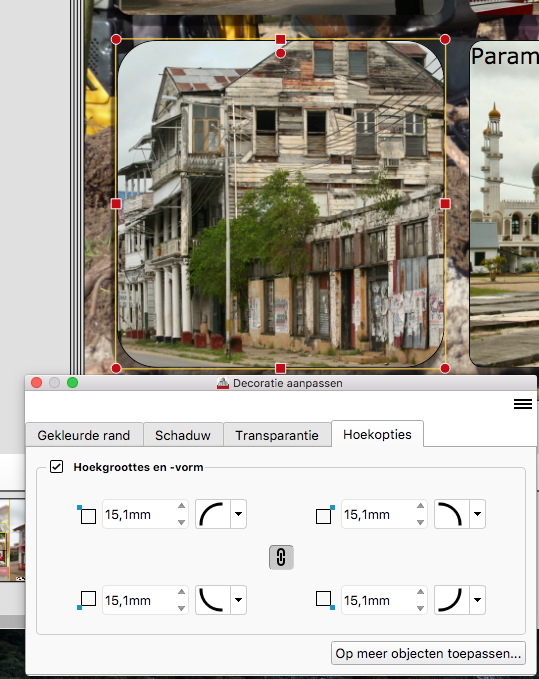
You can also use standard page layouts, passe-partouts, gradients, styles, templates, frames, text in all kinds of fonts, borders, clip art and backgrounds. And if you cannot find anything to your liking among the endless amount of available material, you can download even more of it.
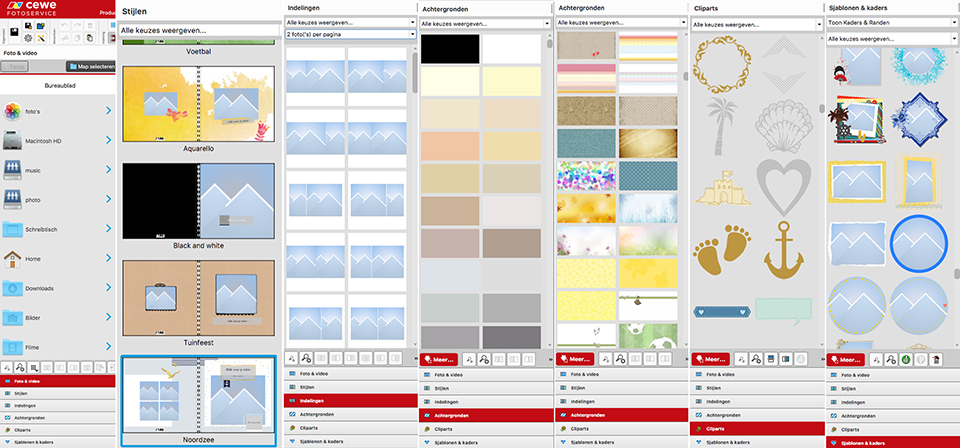
You can really express your creativity here, and make it as easy or difficult as you like.
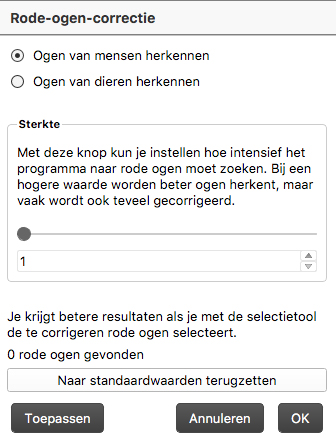
You can edit all the pages and photos in the album digitally. Making a photo larger or smaller is no problem. Red eyes can easily be edited in photos. The software can even recognise animal eyes as well as people's eyes. You can also add text boxes to your photos.
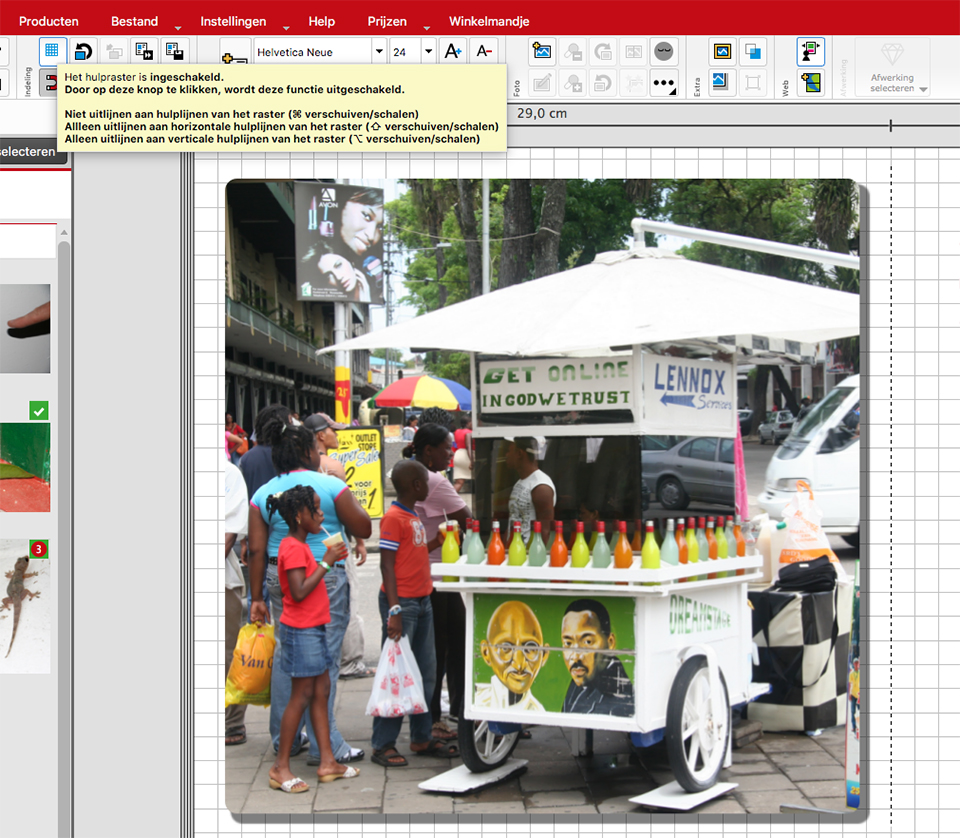
You can easily move photos by picking them up at the edge. A special 'move' icon then appears, similar to Photoshop.
Guides appear automatically as soon as you start dragging, and it is also possible to turn a grid on and off. This allows you to work very precisely.
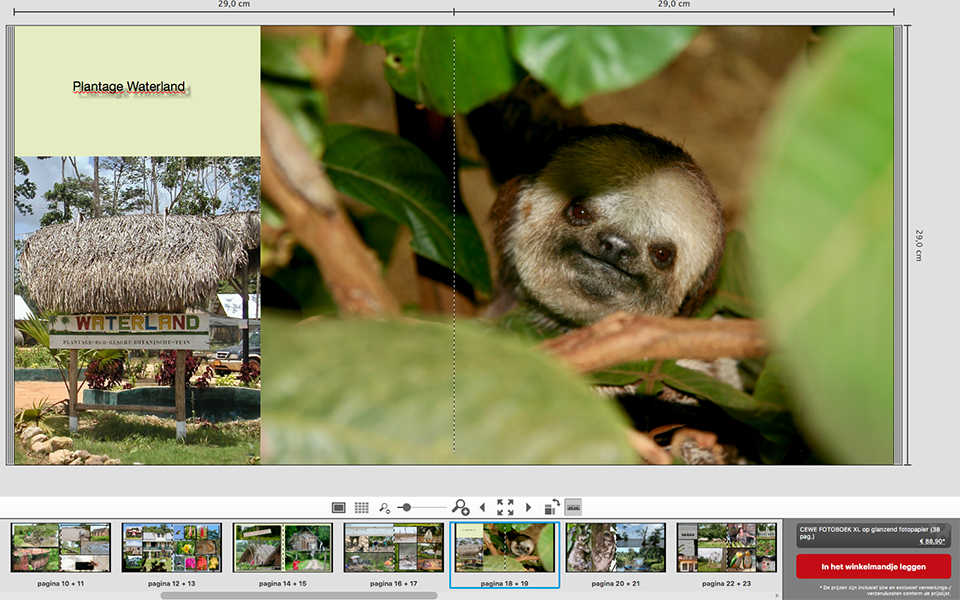
The dimensions, in my case 29 x 29 cm on the inside, appear on your screen so that you have a good idea of the overall layout.
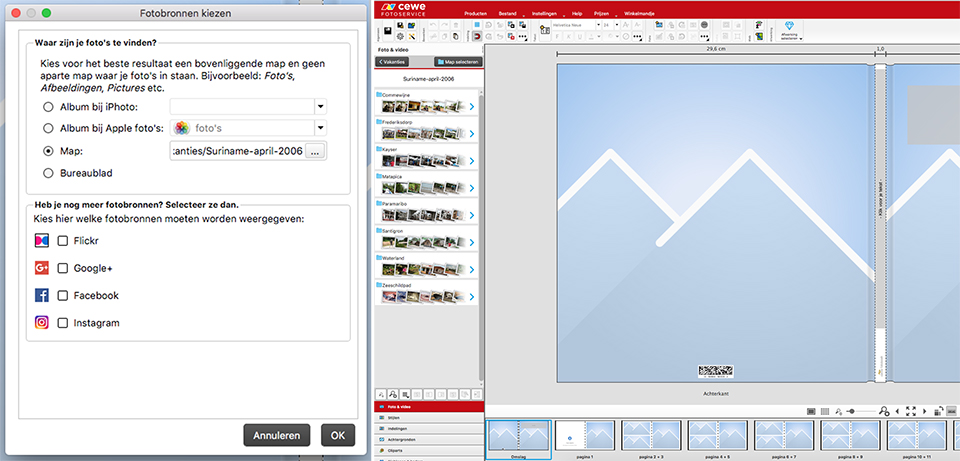
You can choose a photo source yourself, such as a folder on a disk or network drive. But you can also choose Flickr, Google+, Facebook or Instagram as the photo source. The 'Photos' application on the Mac can also be used. You can also simply drag the photos from Finder or Explorer into your album.
If you choose 'Photos', the Mac photo app, as your photo source, it is difficult to make further edits to a photo outside CeWe, in 'Photos'. You do not see that immediately in CeWe.
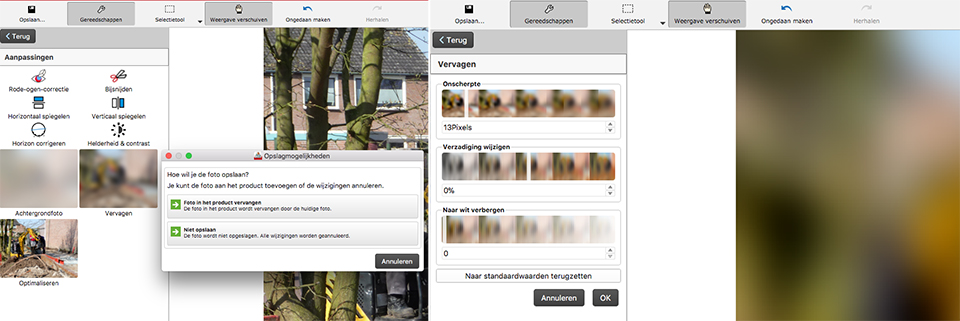
While creating the album, you save intermediate results in an .mcf file plus a folder containing 'Dateien'.
If you then click the .mcf file to open the album again and continue, only the CeWe software is started. You then have to open the .mcf file again to actually edit your album. Unfortunately, this cannot be done in one operation.

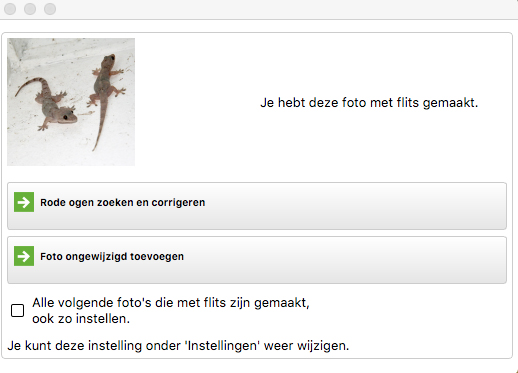
The CeWe software recognises photos that were taken with flash and asks whether it should look for red eyes and correct them. You can set this for 'all following photos taken with flash'. Very handy!
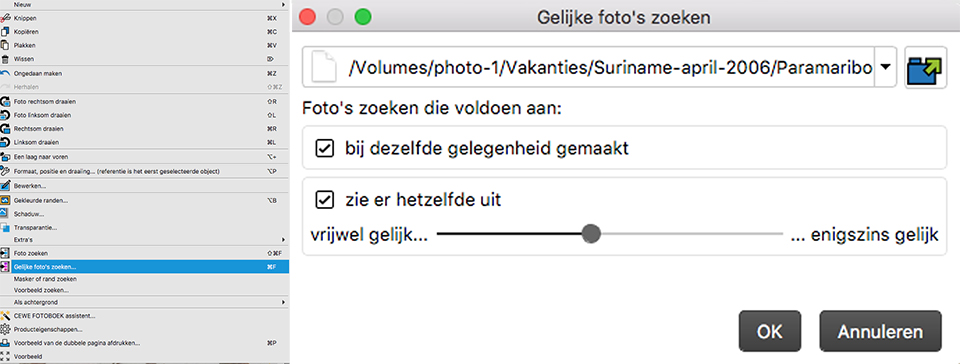
There is an option to search for similar photos. Photos taken on the same occasion, probably based on the date and time, or photos that look the same. I tested this option and it works well. It can be a useful tool when selecting from large numbers of photos.
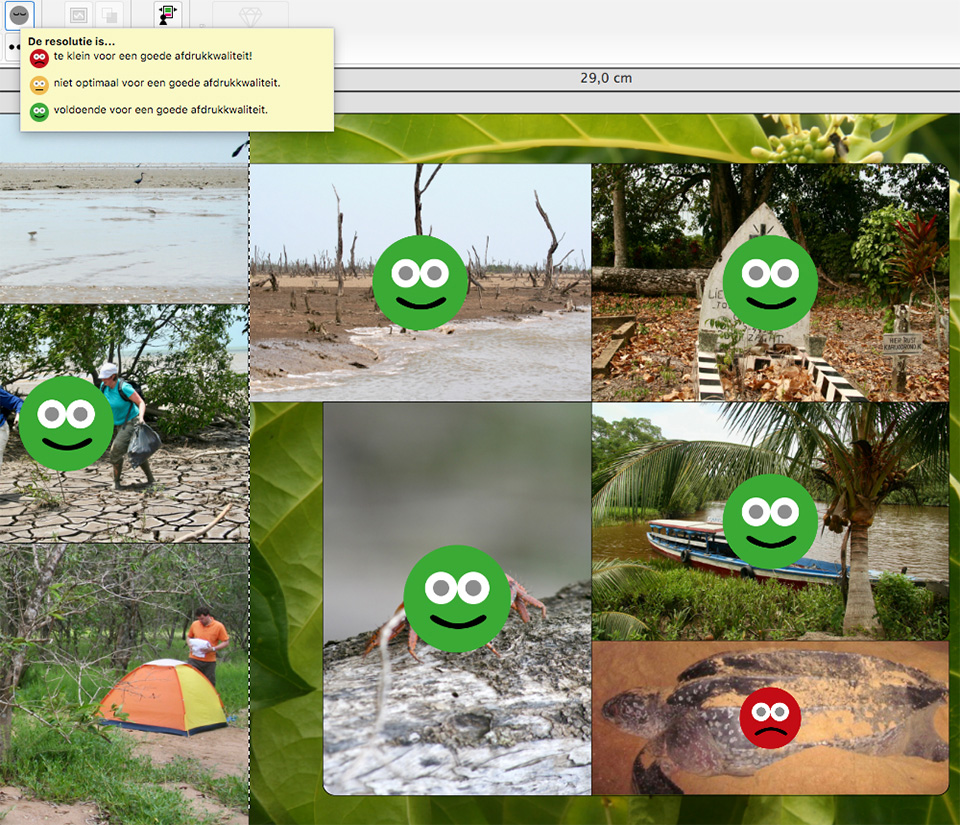
You can turn automatic warnings on and off for photos that are too small or not optimal for good print quality. When switched on, green smiley-like figures appear over your photos in the album when the quality is sufficient. Yellow means not optimal and red means too small.
Adding extra pages is no problem. Removing them, however, is. Four pages are immediately removed, by default.

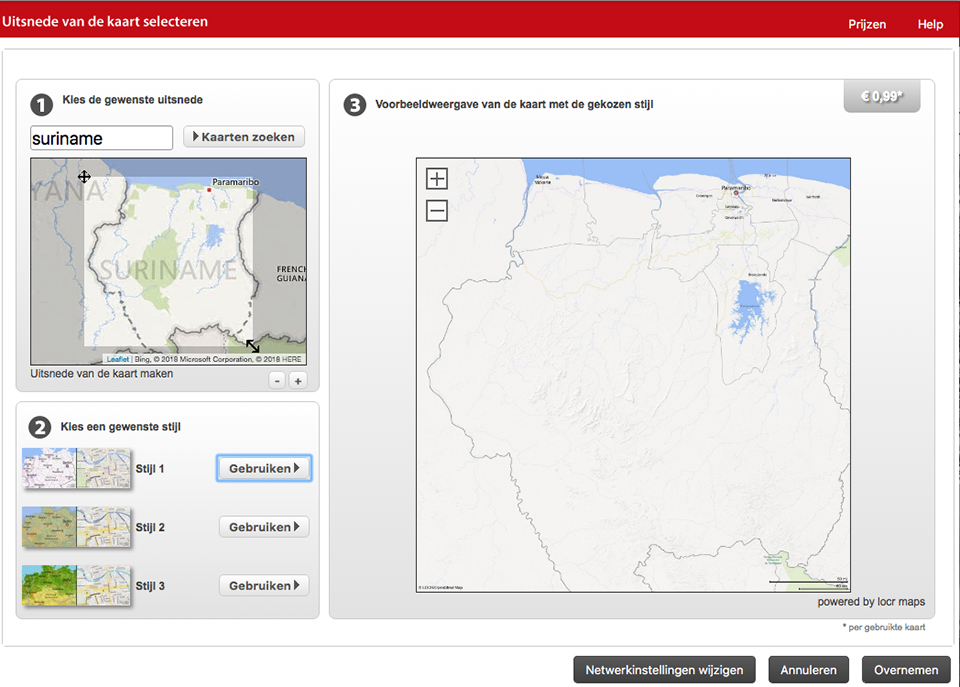
CeWe gives you the option to import a map of the area or country, in my case Suriname, from Locr Maps. I normally add maps to travel albums and draw the route taken on them as well, using Google Maps. I did not quickly find this option in Locr Maps, but it is a nice addition!
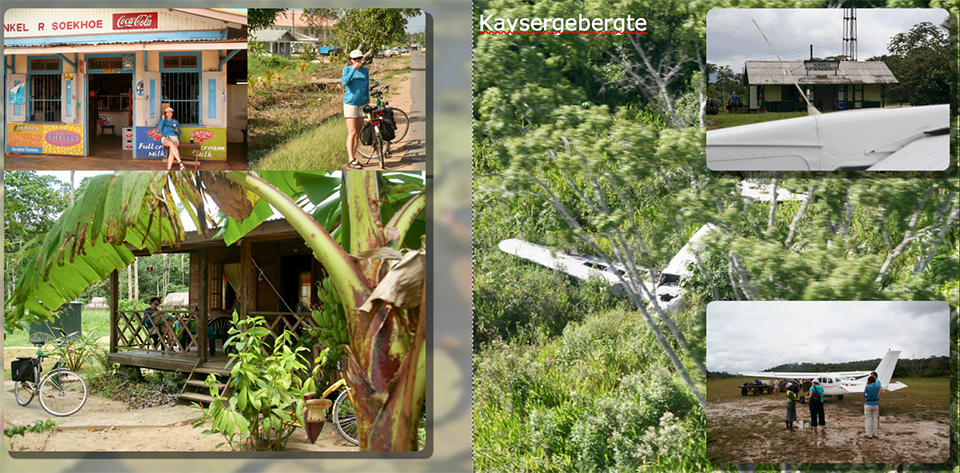
If you have no inspiration and do not want an album that you will lose interest in after a while, you can get inspiration from customer examples that CeWe has put online. And there are some real gems among them!
If you decide to put your own album online, visible to everyone, you will receive a discount code worth 10 euros for your next CeWe photobook order. Here is my own online photo album.
Conclusion
CEWE delivers a beautiful photobook, printed on real exposed photo paper. The difference lies in printing and exposing a photo. Photos are developed through exposure. The same applies to their photo paper. Profotonet also uses real exposed photo paper.
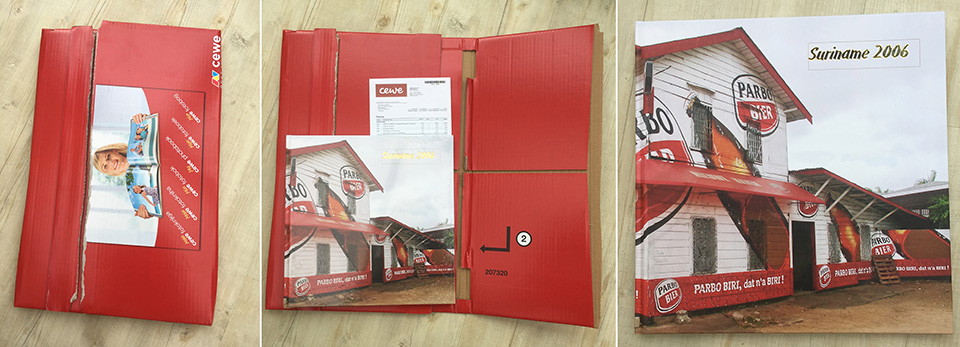
With CEWE, you can add gold, silver or varnish lettering to the cover, which other providers do not offer. You also pay no delivery costs with them. It takes 6 working days for your book to arrive, which is somewhat longer than average.
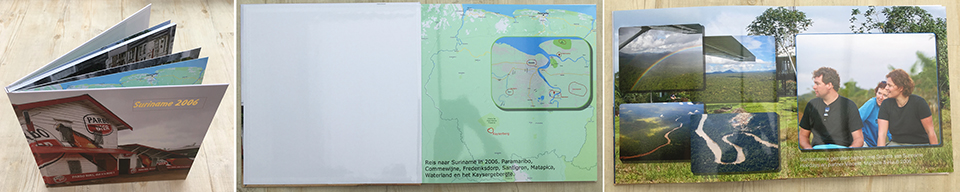
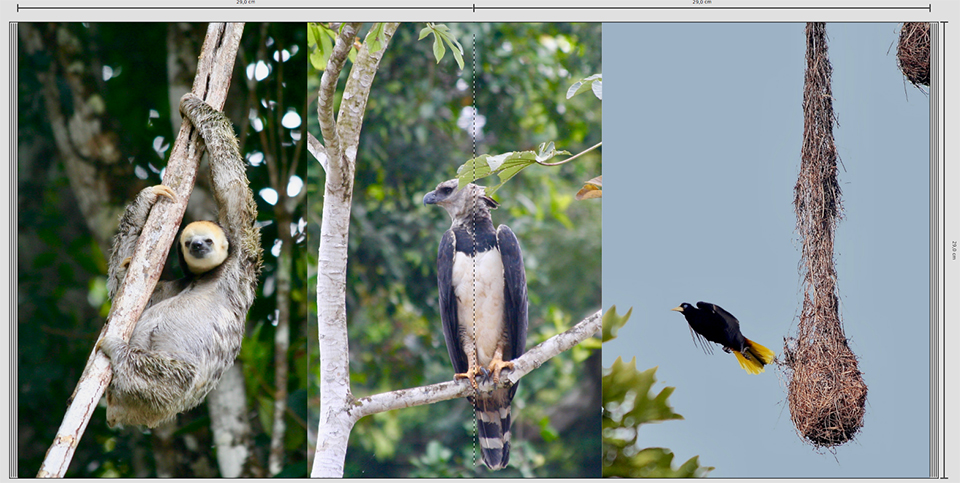
The photobook looks very good. The cover has a lovely matt finish and feels very solid. It does not show fingerprints. The gold lettering is beautiful too. The book opens nicely, with no creaking, a real quality product!
I was very curious to see whether you could tell the difference between printed paper, which other suppliers use, CeWe is the only one that does it differently, and pages exposed on real photo paper.
I compared photos in different albums that were shot in JPG, with very high contrasts, where the shadow areas became quite blocked up after printing. In this CeWe album, and also in the Profotonet album, you can still see some detail in these black shadow areas, so this seems to be a considerable advantage.
The photos also have very good colour and are razor-sharp. There is really nothing to criticise!
The price is somewhat higher than with other suppliers, 2.50 euros per page, but you absolutely get a lot of quality in return!
Your CeWe Photobook remains available for 6 weeks after ordering. During that period, you can easily reorder it through the website via "My Projects" in your account. As a thank you, you receive 10% off your repeat order.
About the author
Michelle Peeters is fotografe en oprichter van DeuxBleus Fotografie. Michelle herkent het bijzondere in het gewone en het gewone in het bijzondere. Ze heeft zich nooit willen specialiseren en is daardoor van alle markten thuis.
You might also like
-
 Review: Pro Line photobook by Saal Digital
by Erik van Rosmalen
-
 The challenges of publishing your own photobook
by Elja Trum
-
 Tip: A doable photobook idea for your holiday
by Elvira Smit
-
 Review: Photo Blocks from Profotonet
by Michelle Peeters
-
 Review: Canon EOS R50 mirrorless camera
by Nando Harmsen
-
 Review of the Canon EOS M50 mark II
by Nando Harmsen
14 comments
-
 Martha wrote on Tuesday 20 March 2018 at 13:00 | reply
Voor mij is dit de mooiste afdrukcentrale, ik ben al enkele jaren fan van CeWe. Bij albelli had ik steeds het gevoel dat mijn foto,s niet meer scherp waren.
This comment was written in another language and has not been translated yet.
Ik laat nu afdrukken via het Kruidvat die deze afdrukcentrale ook gebruiken -
 Robert Vogels wrote on Tuesday 20 March 2018 at 16:42 | reply
Michelle,....de onderlingen verschillen van de leveranciers ....waren dat met dezelfde serie foto's?
This comment was written in another language and has not been translated yet.
Mooi artikel , fotoschietgroeten Robert. -

 Michelle Peeters wrote on Tuesday 20 March 2018 at 16:44
| reply
@Robert: nee, dat niet helaas. Maar wel met eenzelfde spiegelreflex in .jpg geschoten onder ongeveer dezelfde omstandigheden.
This comment was written in another language and has not been translated yet. -
 guest wrote on Tuesday 20 March 2018 at 18:03 | reply
Prachtige foto's . Voor mij heel herkenbaar omdat ik weer in Suriname woon. In de review had ik door dat het om oa de afdrukcentrale ging. Die sla ik zeker op want mijn hobby is fotograferen. Ik was echt gefocust op de foto's.
This comment was written in another language and has not been translated yet. -
 Pim de Moor wrote on Tuesday 20 March 2018 at 18:07 | reply
Ik gebruik al jaren CEWE voor mijn fotoboeken, tot volle tevredenheid, en als er soms een klacht is, lossen ze dat snel op, door te corrigeren en een nieuw boek te sturen. Voor de goede orde, ik gebruik de Duitse software, nu de versie 06.03.03. Bij aanklikken van *.mfc bestand opent het juiste boek, maar het duurt wat langer, na het opstarten van de software, zonder voortgangsbalkje, en ik betaal wel per bestelling verzendkosten van 3,99 €. Op internet zijn wel kortingcodes (bij CEWE) te vinden voor 5, 10, 15 of 20 €, afhankelijk van het totaal bestelde bedrag.
This comment was written in another language and has not been translated yet. -
 Gast wrote on Wednesday 21 March 2018 at 08:38 | reply
Bij Saal zijn de fotoboeken op fotopapier ook belicht.
This comment was written in another language and has not been translated yet. -
 CJR wrote on Wednesday 21 March 2018 at 10:30 | reply
Is de software ook op een andere partitie te installeren dan alleen op C:?
This comment was written in another language and has not been translated yet. -
guest wrote on Wednesday 21 March 2018 at 13:18 | reply
Bij Saal kan je ook een gouden/zilveren kaft kiezen.
This comment was written in another language and has not been translated yet. -
Michelle Peeters wrote on Wednesday 21 March 2018 at 14:49
| reply
@gast: ik zie inderdaad dat de cover bij Saal op echt fotopapier wordt belicht. Dat staat tenminste op de website. Ik zie verder niets over een gouden/zilveren kaft.
This comment was written in another language and has not been translated yet.
@CJR: ik ben geen Windows-gebruiker, dus ik kan op je vraag geen antwoord geven helaas. -
Pim de Moor wrote on Wednesday 21 March 2018 at 14:52 | reply
CJR: de CEWE software staat bij mij op C:, ik kan je vraag niet beantwoorden, terwijl de fotoboeken, net als de foto's ergens op de netwerkschijven staan. Even gekeken naar de "Kruidvat" CEWE versie, maar die lijkt geen mogelijkheid voor keuze van de harde schijf te bieden. Wilde deze installeren voor de Nederlandse spellingscontrole in de tekst, maar blijkt versie 6.02.03 te zijn, ouder dan mijn Duitse versie, en dus kunnen mijn boeken niet geladen worden in de oudere versie.
This comment was written in another language and has not been translated yet. -
 Franciska wrote on Saturday 31 March 2018 at 10:48
| reply
Moeilijk hoor, om een keuze te maken voor een fotoboek. Mijn vraag is: is het boek bij CEWE ook lay-flat?
This comment was written in another language and has not been translated yet.
Groetjes
Franciska -
Michelle Peeters wrote on Saturday 31 March 2018 at 11:02
| reply
@Francisca: ja, daar kun je voor kiezen, tegen bijbetaling. Ik zou gewoon de aanbiedingen in de gaten houden, bij geen van de aanbieders zul je echt een miskoop doen.
This comment was written in another language and has not been translated yet. -
Franciska wrote on Friday 6 April 2018 at 09:31
| reply
Dank je wel, Michelle.
This comment was written in another language and has not been translated yet.
Helaas lukte het niet om de software van CEWE te installeren. Toen ik belde met de vraag wat daarvan de oorzaak kon zijn, kreeg ik iemand aan de telefoon die zei dat het aan mijn internetverbinding zou liggen en verder niet veel tijd had om mee te kijken/denken. Dat vond ik erg jammer.
Toen ben ik bij andere aanbieders gaan kijken en werd het Profotonet. Ook naar aanleiding van de review van Photofacts.
De software was gemakkelijk te installeren. Geen internetprobleem, dus
-
Michelle Peeters wrote on Friday 6 April 2018 at 09:41
| reply
@Franciska: wat vervelend! Kan een lokaal probleem zijn, op je computer. Heb het zelf ook weleens gehad en ben zelf tot een oplossing kunnen komen. De Profotonet software heeft op dit moment wel mijn voorkeur vanwege de ontzettend uitgebreide creatieve mogelijkheden en de geweldige service die ze bieden (ook online). Maar daar komt nog een uitgebreid overkoepelend artikel over!
This comment was written in another language and has not been translated yet.
Have your say
Please note: Articles older than a week can only be commented on by signed-in visitors.Would you still like to comment? sign in or create a free account.
Become a better photographer every week
A practical photography tip in your inbox every week.
38,886 photography enthusiasts already receive the tips! More about the weekly mail. Or keep up to date via  Facebook.

Elja Trum
Photofacts; everything to do with photography!
Would you like to take better photos and keep up with what is happening in photography? Photofacts publishes articles that teach you something about photography — from a product announcement to a practical shooting tip or a look at a website. Photofacts covers photography every day and is a hobby project of Elja Trum's that got out of hand. The articles are written by a team of volunteer authors. If you would enjoy writing one or more articles for Photofacts, do get in touch.More about PhotofactsPhotofacts is made possible in part by
