

The new Lightroom update now offers super-resolution
Wednesday 16 June 2021, 20:02 by Nando Harmsen | 4,929 views | 0 commentsThis article was translated from Dutch with the help of AI. Read the original.
Adobe has released another update for both Lightroom and Lightroom Classic. Both versions now offer the option to use super-resolution. This turns your 12-megapixel photo into a 48-megapixel photo, or your 24-megapixel photo into a 96-megapixel photo.
Some time ago, Adobe introduced the super-resolution option when using Adobe Camera Raw. When you opened a photo in this programme, you could make the image four times larger without any noticeable loss of quality.
You can watch my video tutorial about this option in the article I wrote about it.
When super-resolution was introduced in Adobe Camera Raw, Adobe also said that this feature would eventually be added to Lightroom and Lightroom Classic. That has now happened with the latest update.
With this update, Lightroom has been updated to version 4.3. Lightroom Classic has been updated to version 10.3. If you have not installed this version yet, update it through the Creative Cloud app. Only then can you start using super-resolution.
Super-resolution in Lightroom
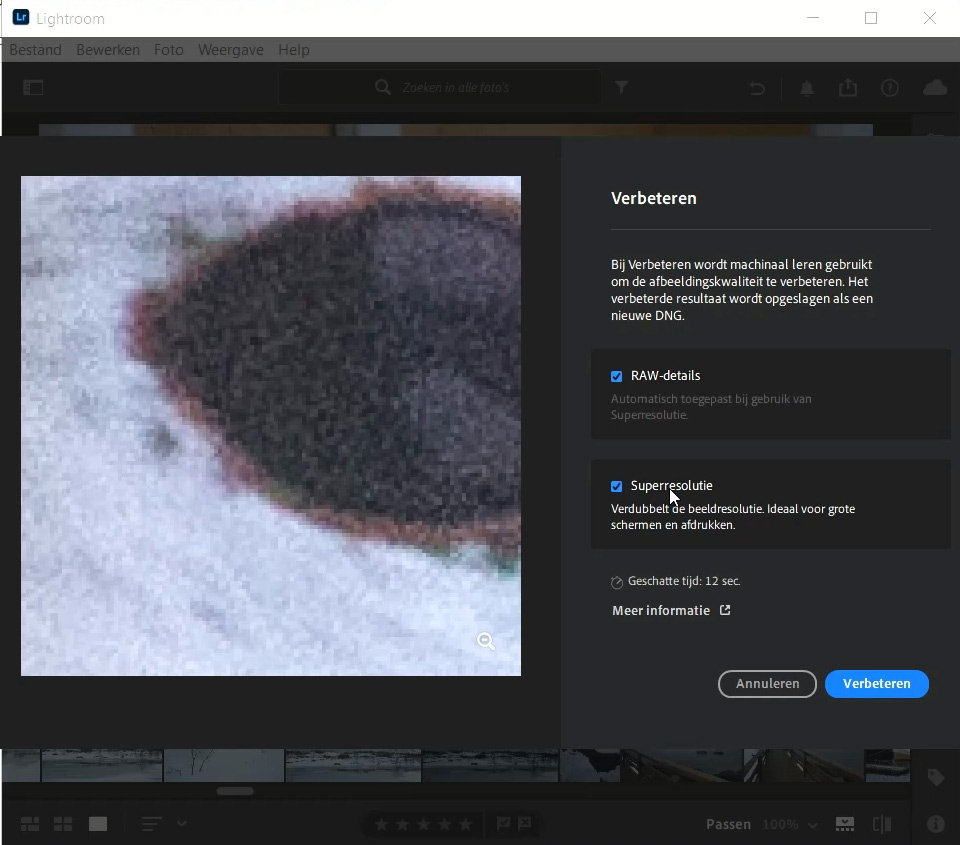
In Lightroom, the version that used to be called Lightroom CC, you get the super-resolution option by right-clicking a photo. Select the 'Enhance' option and tick 'Super Resolution' in the window that opens.
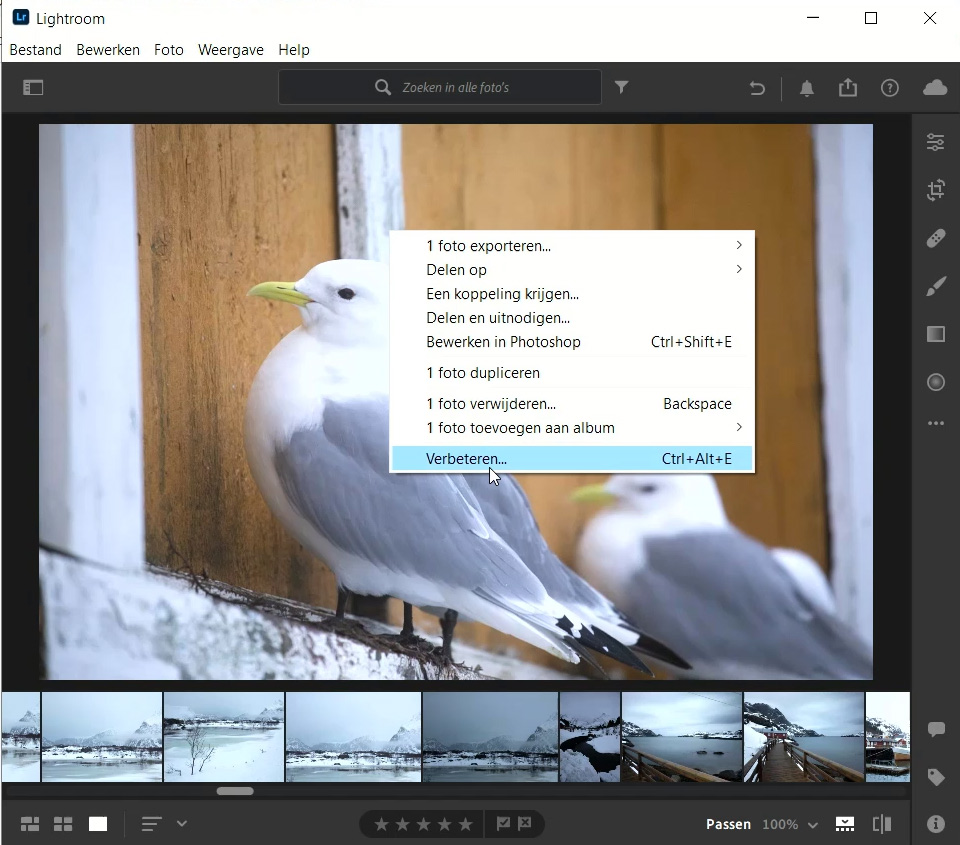
Pay attention to the time the programme needs to enlarge the photo. This gives you a good indication of how long you have to wait before Lightroom has enlarged the photo. The larger the original file, the longer it takes. The speed of your computer also has a major influence.
Super-resolution in Lightroom Classic
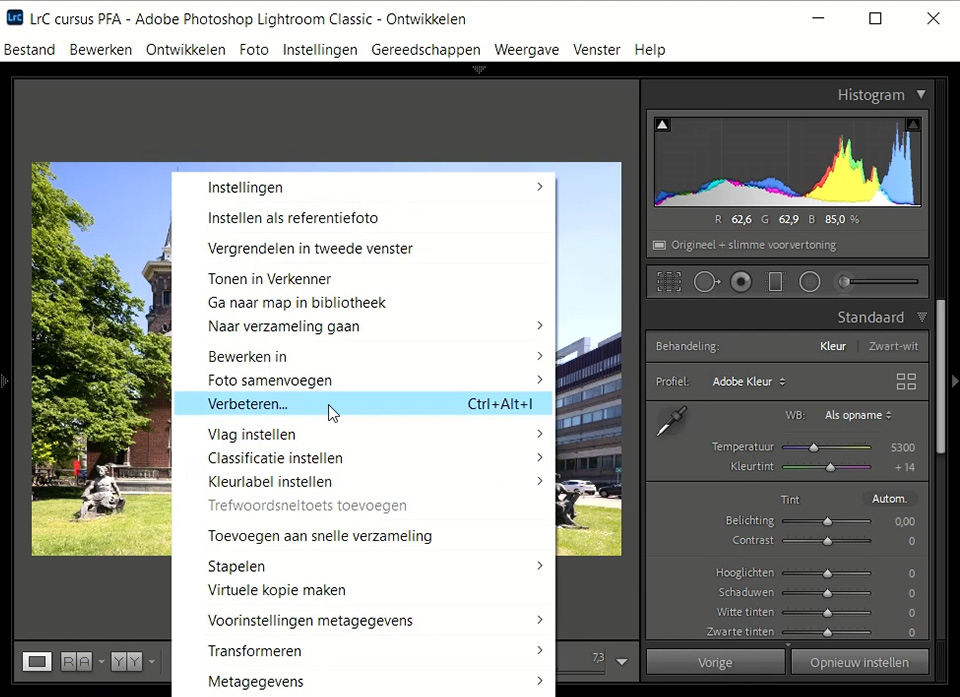
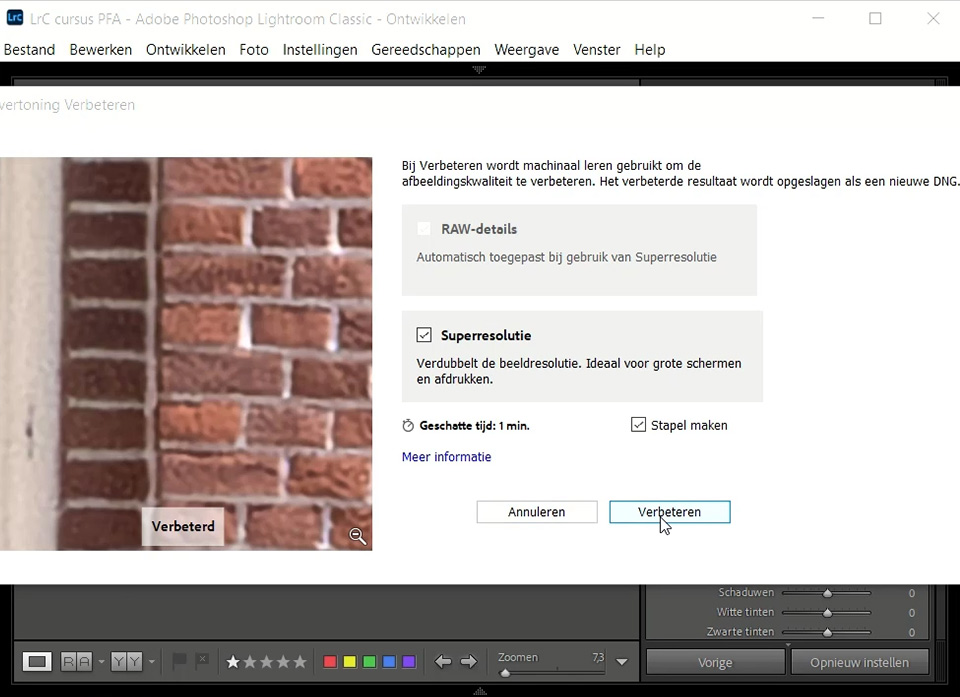
In Lightroom Classic, the version you run on your own computer rather than online, activating super-resolution works in a similar way.
In the Develop module, right-click the photo and choose the 'Enhance' option. Here too, tick the 'Super Resolution' option.
Easier and faster
With these updates, enlarging a photo has become much easier. The tricks you previously had to use to open, for example, a JPEG in Adobe Camera Raw are no longer needed. You can now make any photo four times larger in Lightroom and Lightroom Classic.
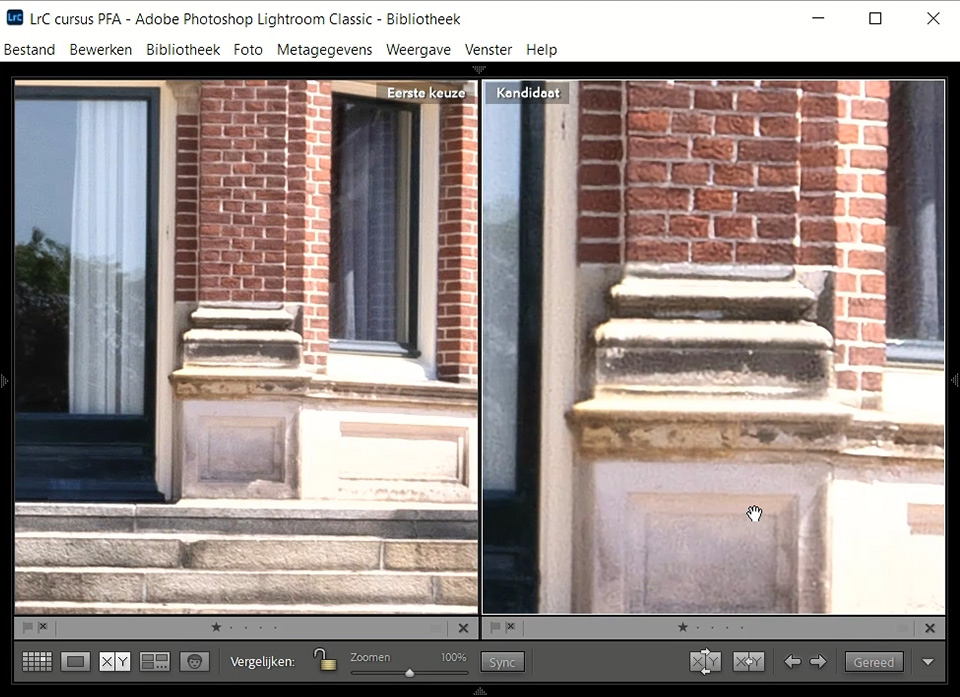
In addition to this super-resolution feature, these updates bring several other new features and improvements. After the update, these are shown in an information window. Read through them to find out which ones may apply to you.
Possible problem for Mac users
A small addition for Mac users. Lightroom Classic may freeze while carrying out super-resolution. This is related to the permission the programme has been given by Apple.
Go to Permissions in your System Preferences and give Lightroom Classic Full Disk Access so that the programme can actually write the enlarged photo to the hard drive.
While you are there, give Photoshop this permission as well, so you do not run into the same problem there later.
About the author
Nando Harmsen has been photographing for more than 40 years. He specialises in wedding photography and landscape photography. Nando also gives talks, workshops, masterclasses and photo trips, and regularly reviews new and interesting equipment.
You might also like
-
 Adobe updates Lightroom (Classic) with new AI masks
by Elja Trum
-
 What's new in the Lightroom Classic 13 update?
by Nando Harmsen
-
 Lightroom updates 2025, with more useful AI features
by Nando Harmsen
-
 New update for Lightroom Classic enables AI noise reduction
by Nando Harmsen
-
 New updates in Adobe Lightroom
by Nando Harmsen

0 comments
Be the first to share what you think!
Have your say
Please note: Articles older than a week can only be commented on by signed-in visitors.Would you still like to comment? sign in or create a free account.
Become a better photographer every week
A practical photography tip in your inbox every week.
38,982 photography enthusiasts already receive the tips! More about the weekly mail. Or keep up to date via  Facebook.

Elja Trum
Photofacts; everything to do with photography!
Would you like to take better photos and keep up with what is happening in photography? Photofacts publishes articles that teach you something about photography — from a product announcement to a practical shooting tip or a look at a website. Photofacts covers photography every day and is a hobby project of Elja Trum's that got out of hand. The articles are written by a team of volunteer authors. If you would enjoy writing one or more articles for Photofacts, do get in touch.More about PhotofactsPhotofacts is made possible in part by
