

The custom settings shortcut on the Canon EOS R5 and R3
Saturday 24 June 2023, 23:46 by Nando Harmsen | 4,884 views | 1 commentThis article was translated from Dutch with the help of AI. Read the original.
Do you use the C1-C3 modes on your Canon EOS R5 or R3? Then you know it can be difficult to set your camera to them quickly. After all, the EOS R5 and R3 do not have a PSAM dial like the EOS R6, R7 or R8. But there is another way to do this quickly and easily.
The Canon EOS R5 and R3 are fantastic cameras. However, it is a shame that they do not have a PSAM dial. You have to change the PASM modes by pressing the Mode button first. This is more cumbersome than a simple round dial.
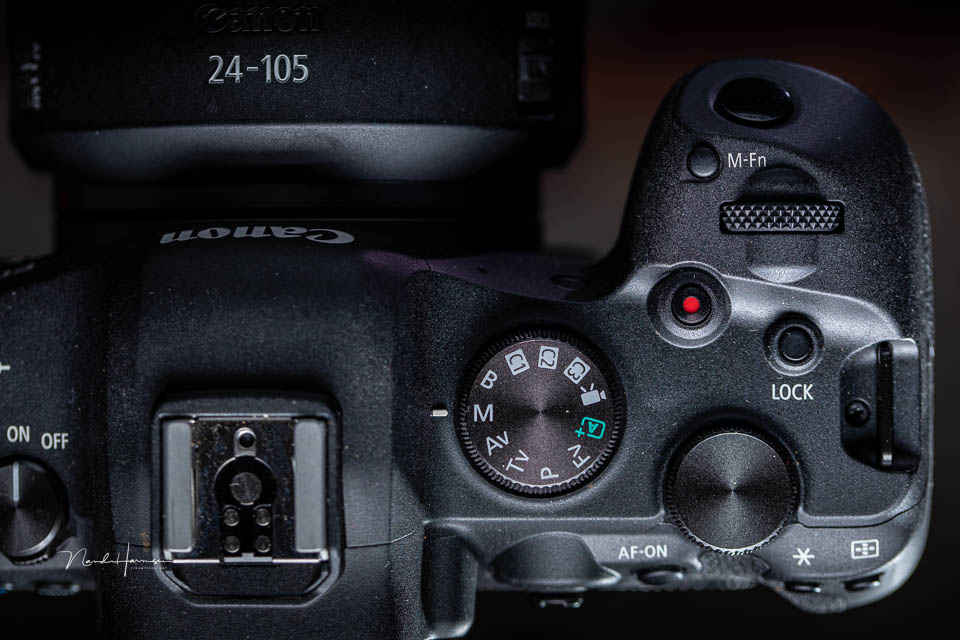
For choosing S, M or A mode, this is not really a problem. You usually keep shooting in this mode for a while. But if you use the C1-C3 modes, you want to be able to select them quickly.
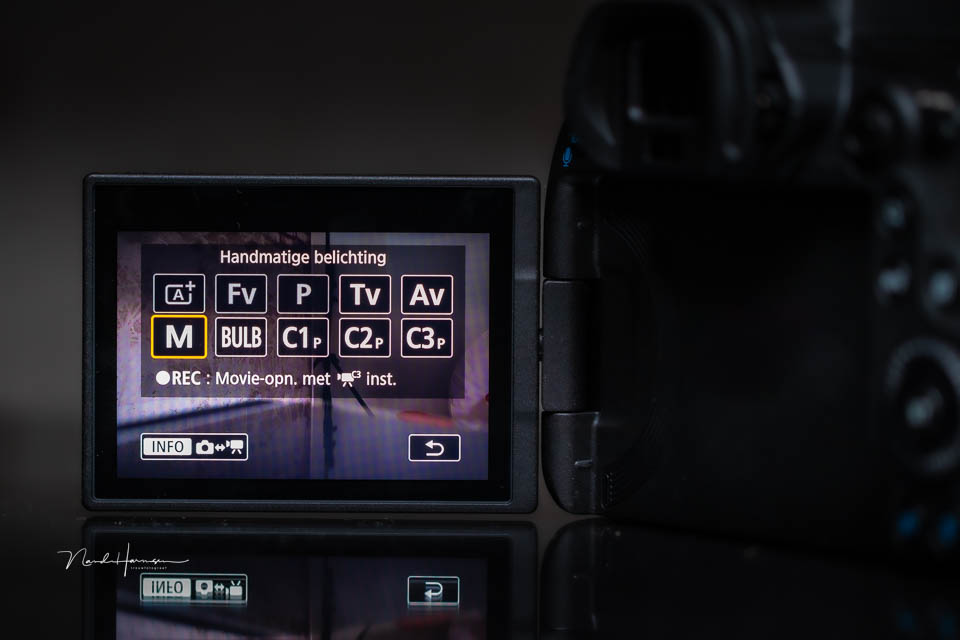
Because the EOS R5 and R3 do not have a real PSAM dial, it can be more difficult to do this quickly. Although the choices also appear in the viewfinder after pressing Mode, it is less intuitive. A real physical dial would be nicer.
Fortunately, there is a way to do this differently. You can assign switching between C1-C3 to the M-Fn button. In the menu, look for the option to assign a function to buttons. On the Canon EOS R5, this is in the orange menu, page 3.
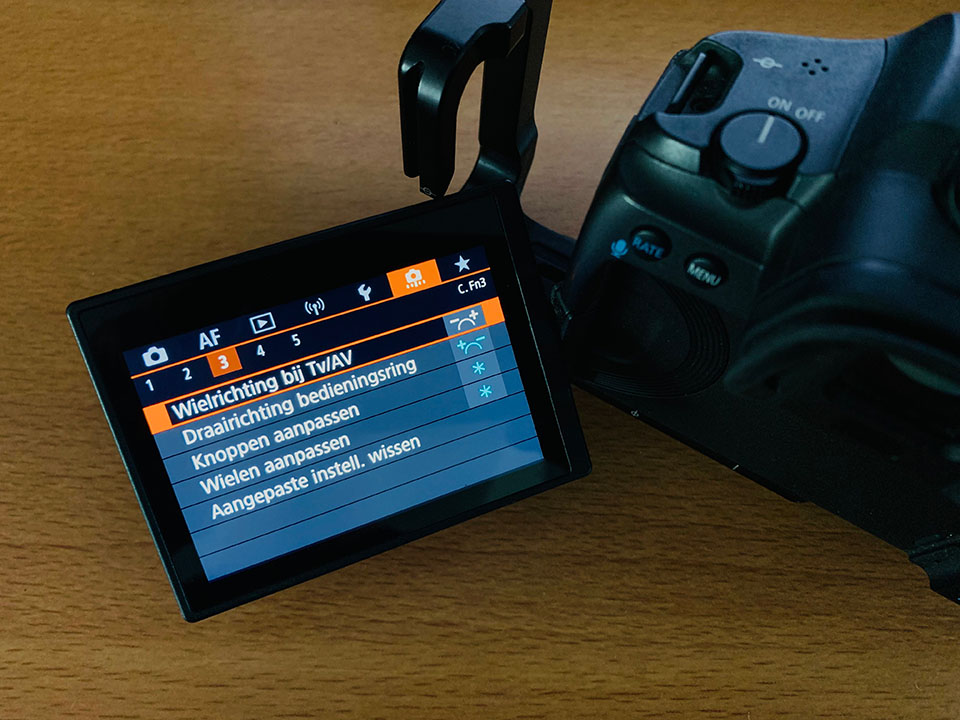
You can then assign a different function to the buttons. For the M-Fn button, choose the C option.
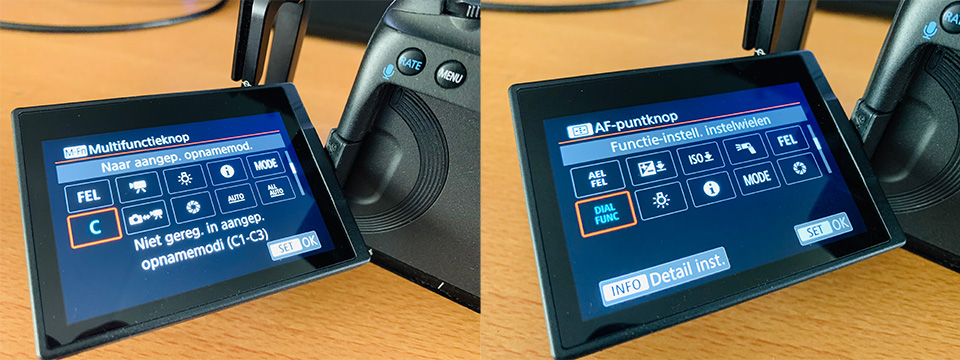
With this setting, you do lose the five choices that you normally have under this button, the dial function. But you can assign those to the AF point button. Unfortunately, it is not possible to assign the C option to the AF point button.
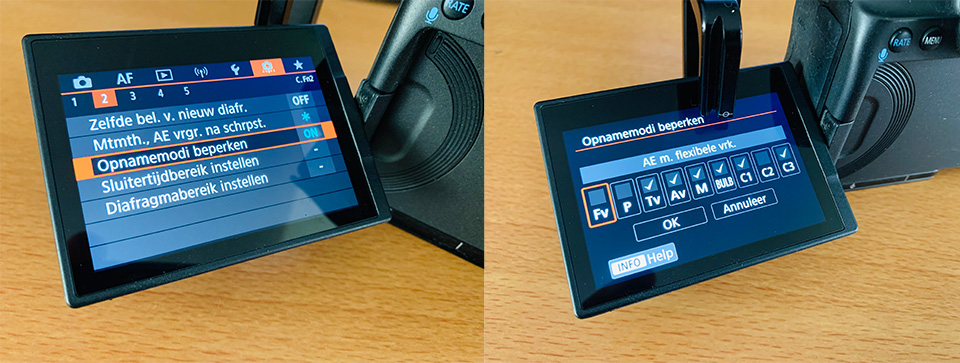
Have you made this setting? You can now switch from C1 to C2, to C3 and back to the setting you normally use by repeatedly pressing the M-Fn button. If you only use one or two custom settings, you can limit the shooting modes. You do this in the orange menu, second tab.
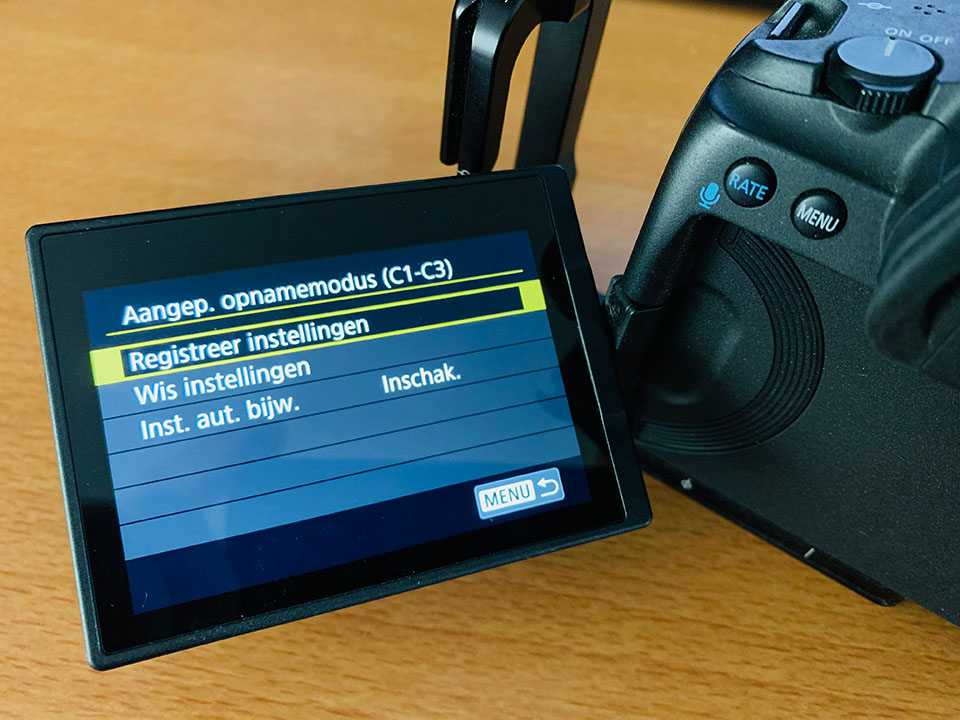
This is a major change to the button assignments on the Canon EOS R5 and R3. In other words, it takes some getting used to. But it is worth trying if you use the custom buttons. If you do not use the custom buttons yet, it is worth looking into them.
About the author
Nando Harmsen has been photographing for more than 40 years. He specialises in wedding photography and landscape photography. Nando also gives talks, workshops, masterclasses and photo trips, and regularly reviews new and interesting equipment.
You might also like
-
 Review: Canon EOS R3
by Nando Harmsen
-
 New Canon firmware for the EOS R3 and EOS R5
by Nando Harmsen
-
 Review: Canon EOS R5
by Nando Harmsen
-
 Will the Canon EOS R5 Mark II Arrive in Mid-2023?
by Elja Trum
-
 Eye autofocus is a joy for portrait photographers
by Elja Trum
-
 Preview: Canon EOS R5 Mark II
by Elja Trum
1 comment
-
 Paul wrote on Tuesday 27 June 2023 at 12:08 | reply
I couldn't have thought of this one. Thanks for the tip!
Translated from Dutch.
Have your say
Please note: Articles older than a week can only be commented on by signed-in visitors.Would you still like to comment? sign in or create a free account.
Become a better photographer every week
A practical photography tip in your inbox every week.
38,982 photography enthusiasts already receive the tips! More about the weekly mail. Or keep up to date via  Facebook.

Elja Trum
Photofacts; everything to do with photography!
Would you like to take better photos and keep up with what is happening in photography? Photofacts publishes articles that teach you something about photography — from a product announcement to a practical shooting tip or a look at a website. Photofacts covers photography every day and is a hobby project of Elja Trum's that got out of hand. The articles are written by a team of volunteer authors. If you would enjoy writing one or more articles for Photofacts, do get in touch.More about PhotofactsPhotofacts is made possible in part by
