

A Histogram Says Nothing Without a Photo
Saturday 9 April 2022, 14:07 by Nando Harmsen | 4,252 views | 1 commentThis article was translated from Dutch with the help of AI. Read the original.
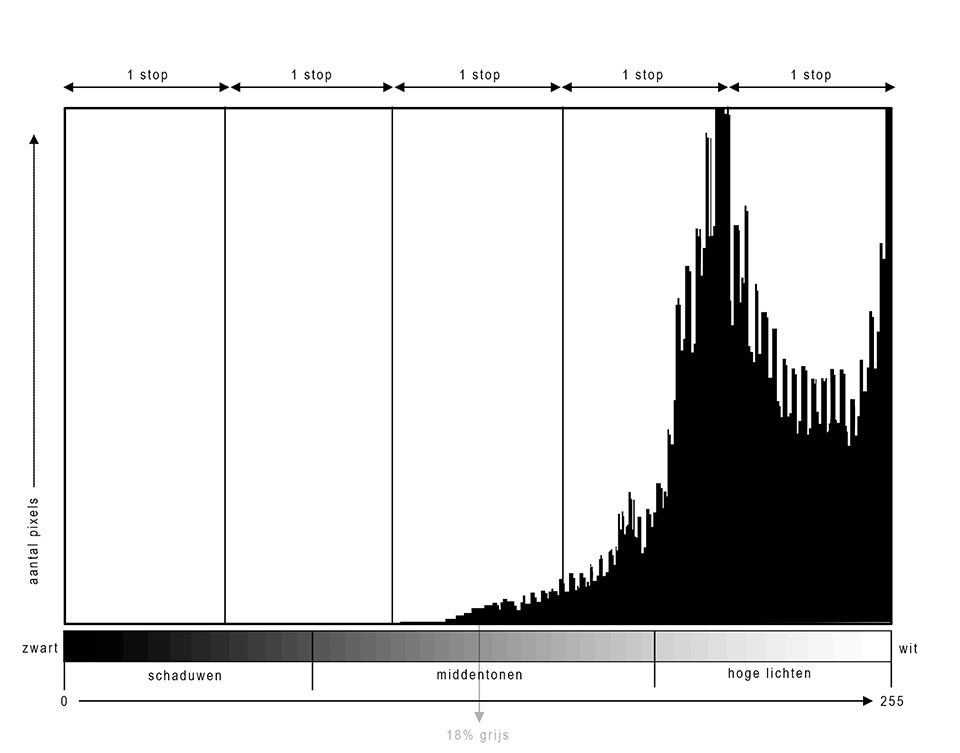
A histogram is a valuable tool for checking your exposure. It provides information about the distribution of the 256 brightness levels that a photo can contain.
However, it is important to realise that a histogram says nothing without a photo. What is good for one photo can be completely wrong for another.
After taking the photo, we can view its histogram on the camera's screen. If you have a mirrorless camera, or use live view on a DSLR, you can even view it before taking the photo. It provides a graphical representation of the distribution of light and dark in the photo.
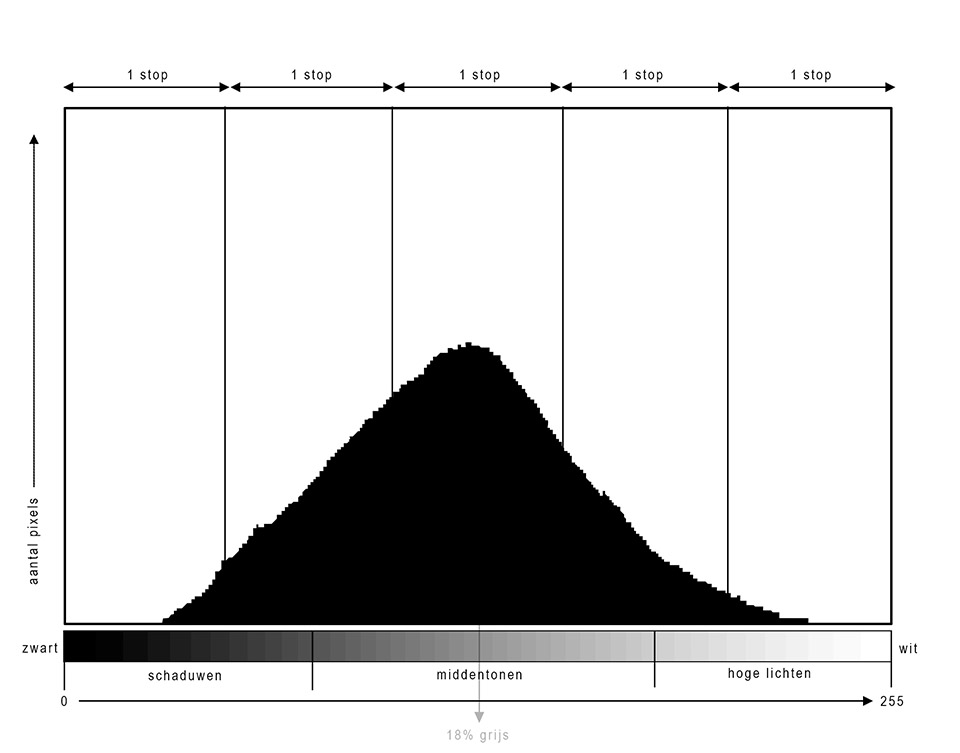
Don't be mistaken, a histogram says nothing about the exposure in principle. It tells you how many pixels there are at a particular brightness level. The more pixels there are at one of the 256 brightness levels, the higher the peak.
Any shape of graph in the histogram can be good. There is no shape that is right or wrong. The traditional Gaussian curve, or normal distribution, is rarely seen.
If you do see one, the photo often has little contrast. More often, a histogram shows extreme peaks and troughs.
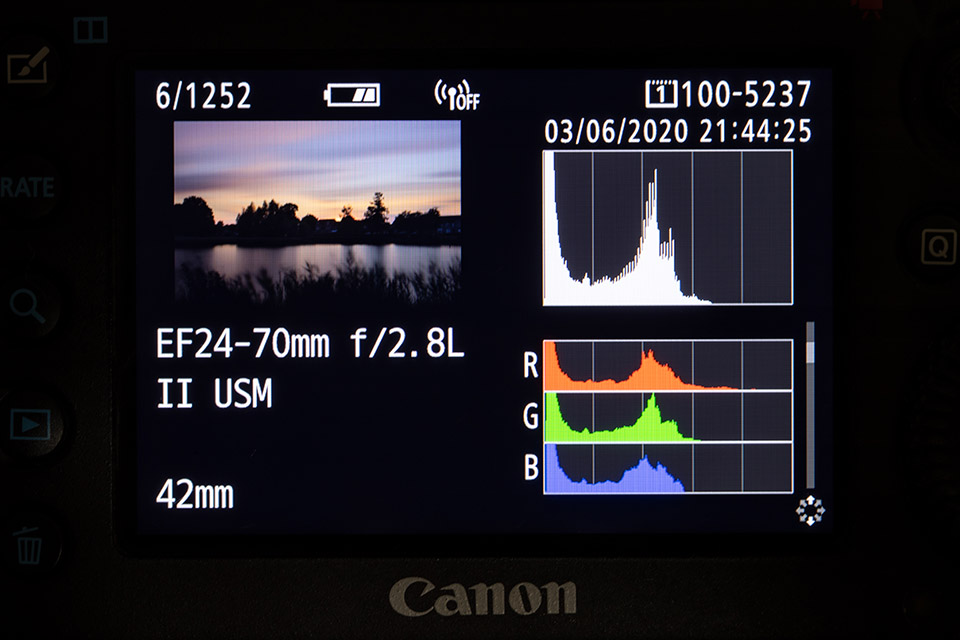
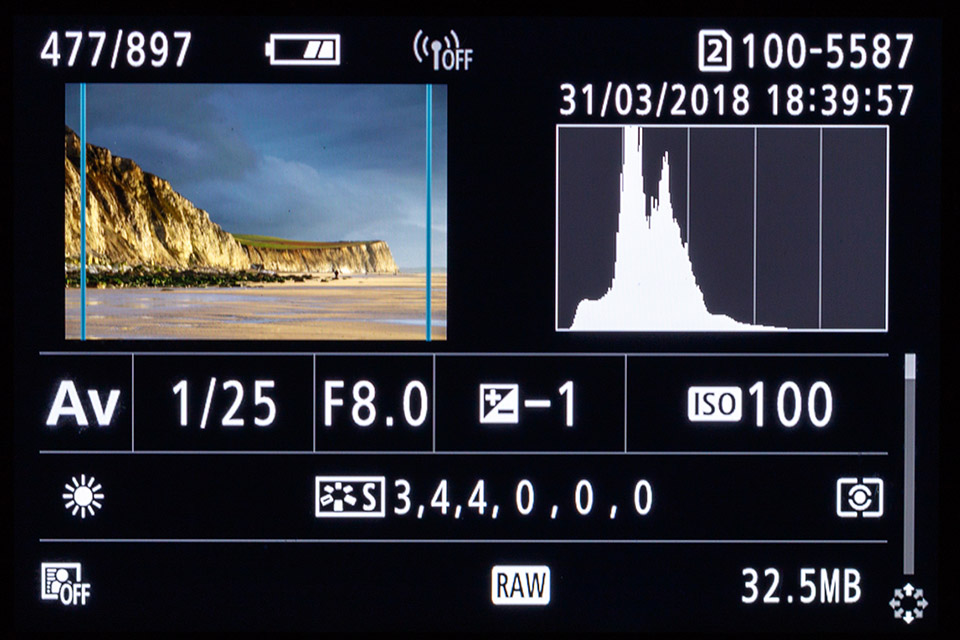
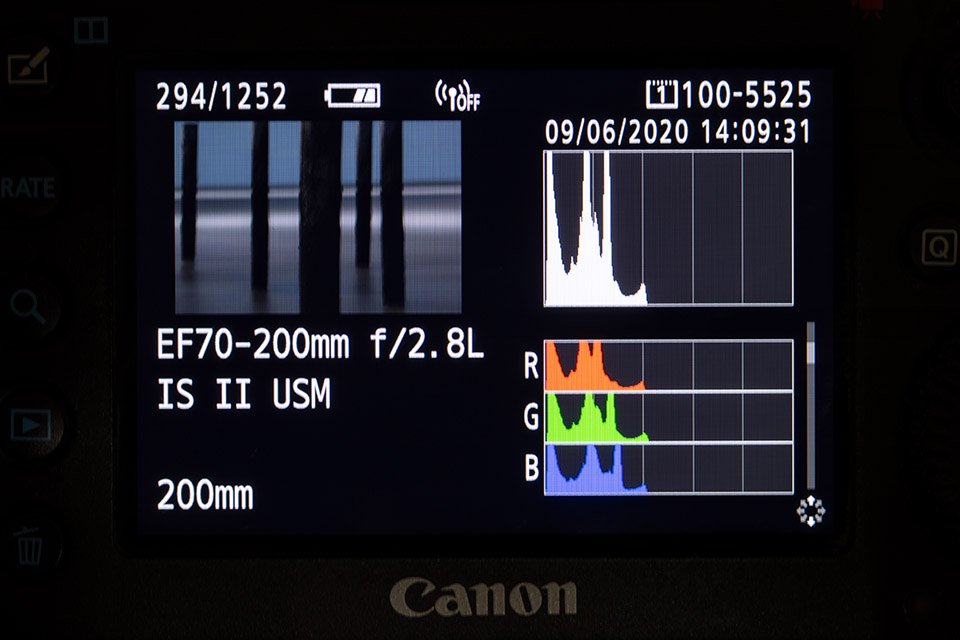
Take a look at the following histogram images. They are from actual photos, so these are not made-up graphs. Can you tell whether the histograms are from a successful or unsuccessful photo?
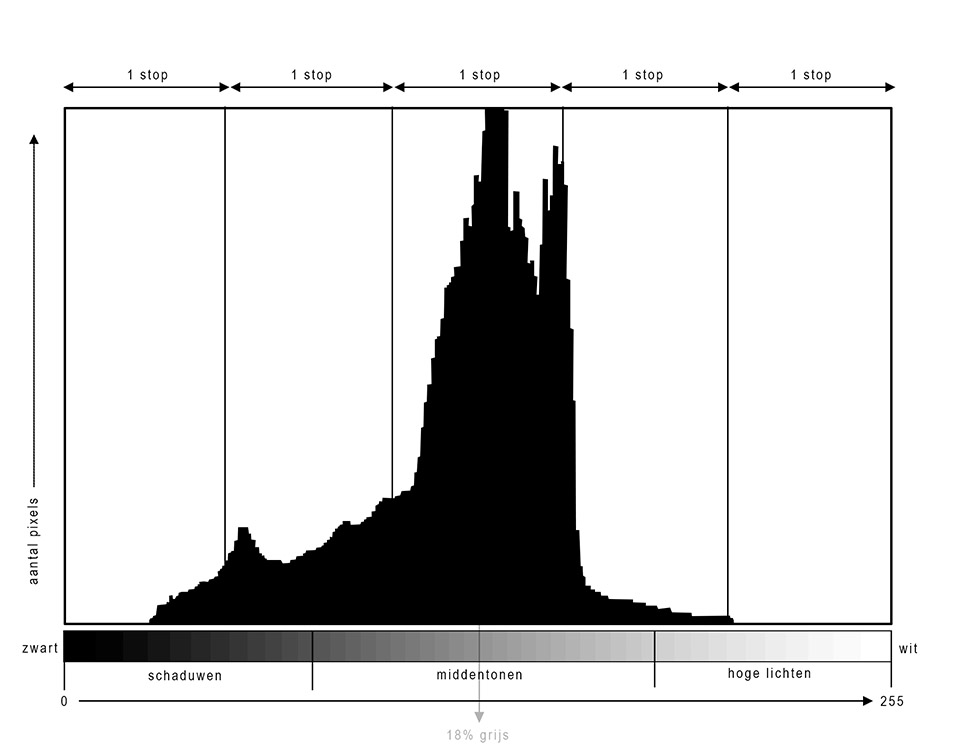
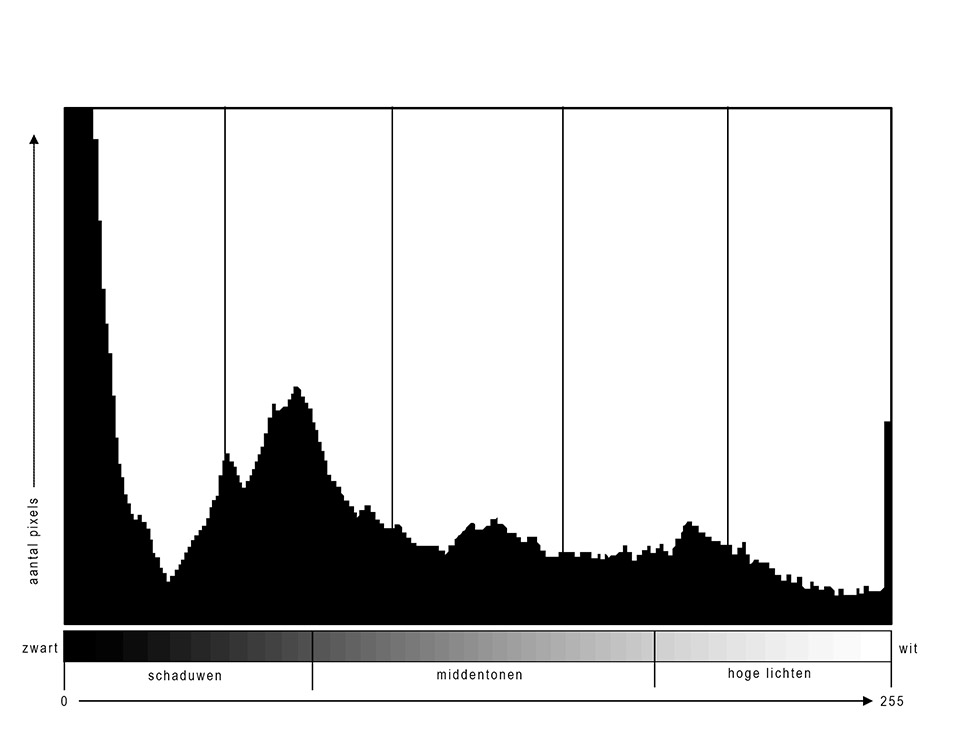
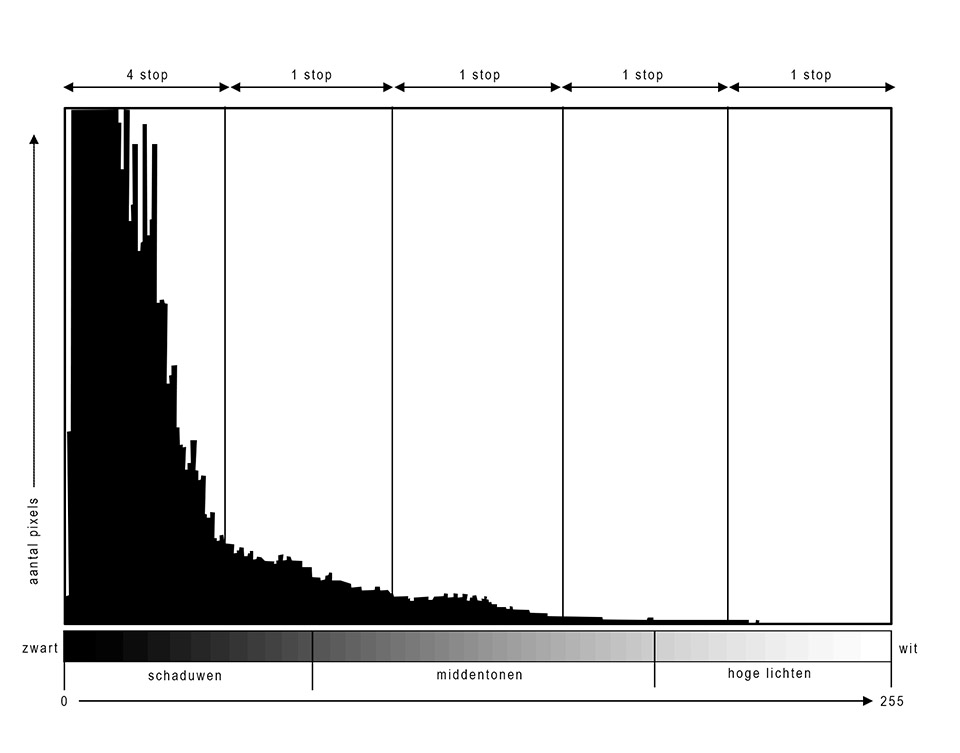
You can see that, without the corresponding photo, a histogram does not really tell you much. It shows that there are many dark areas in a photo, or many light areas. It can indicate whether there is contrast, or whether the photo is pure white or pure black.
A photo with only a peak against the left side could be a night photo, for example. A photo that appears to indicate overexposure could be a high-key image. A histogram showing only a narrow peak in the middle might be a photo of a misty landscape.
You need to look at a histogram together with the photo. Only then does a histogram become useful, and even then only to a limited extent. After all, a histogram is nothing more than a graphical representation of the distribution of light and dark pixels in the photo.
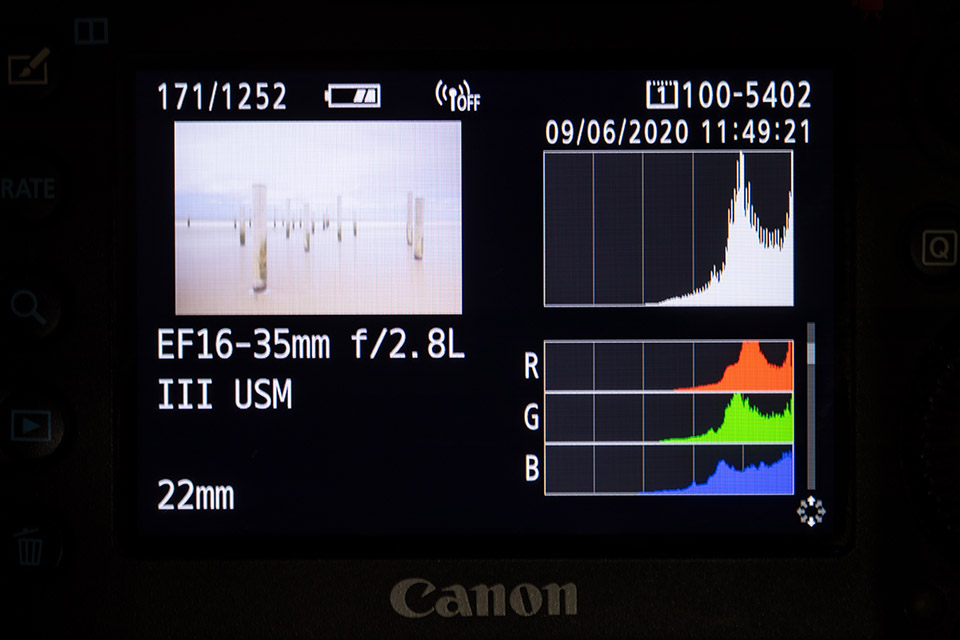
You can usually tell from the photo whether the exposure is good. An underexposed photo is simply dark, so you usually do not need a histogram for that.
Nor do you need one to see that a photo is too light. What the histogram can indicate is what you can do to correct an incorrect exposure.
If a photo is too dark, the histogram indicates how much room you still have to make the photo lighter. It also indicates when the photo is genuinely too light, when there is pure white. You usually cannot see that in the photo itself, but you can see it in the histogram. The histogram shows clipping.
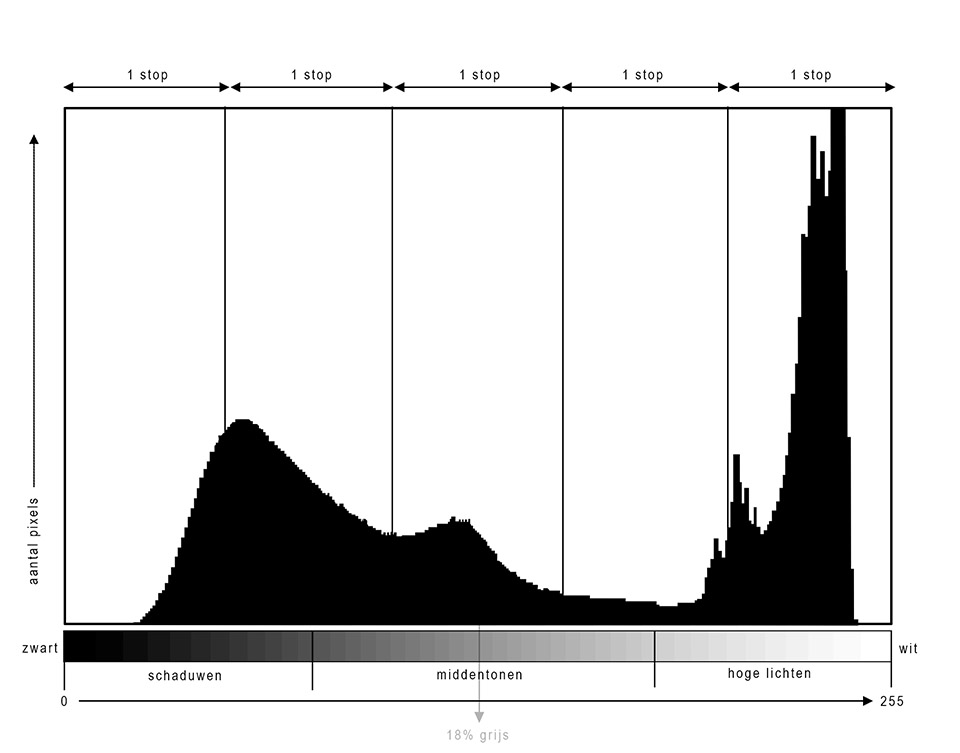
Using the histogram definitely has added value. I use it continuously, but always in combination with the photo. If the exposure is not what I want, which I can see from the photo, the histogram indicates how much room I have to correct it.
However, never assume that you can tell from the histogram alone whether an exposure is correct.
Do you ever use a histogram when taking photos? Do you also look at the photo itself, or only at the graph? Do you use the histogram to steer an incorrect exposure in the right direction, or do you not read the histogram that way? Tell us in a comment below this post.
About the author
Nando Harmsen has been photographing for more than 40 years. He specialises in wedding photography and landscape photography. Nando also gives talks, workshops, masterclasses and photo trips, and regularly reviews new and interesting equipment.
You might also like
-
 7 myths about the histogram
by Nando Harmsen
-
 Smarter exposure when photographing in snow
by Nando Harmsen
-
 How necessary is a flash meter?
by Elja Trum
-
 5 Tips for Studio Portrait Photography
by Elja Trum

1 comment
-
 Rashmideva wrote on Tuesday 12 April 2022 at 12:37 | reply
A wonderful explanation of the Histogram. The examples also make everything understandable / clearer.
Translated from Dutch.
Have your say
Please note: Articles older than a week can only be commented on by signed-in visitors.Would you still like to comment? sign in or create a free account.
Become a better photographer every week
A practical photography tip in your inbox every week.
39,024 photography enthusiasts already receive the tips! More about the weekly mail. Or keep up to date via  Facebook.

Elja Trum
Photofacts; everything to do with photography!
Would you like to take better photos and keep up with what is happening in photography? Photofacts publishes articles that teach you something about photography — from a product announcement to a practical shooting tip or a look at a website. Photofacts covers photography every day and is a hobby project of Elja Trum's that got out of hand. The articles are written by a team of volunteer authors. If you would enjoy writing one or more articles for Photofacts, do get in touch.More about PhotofactsPhotofacts is made possible in part by
