

The search for a digital version of Agfa Record Rapid photographic paper
Tuesday 2 January 2024, 16:32 by Anno Huidekoper | 3,167 views | 3 commentsThis article was translated from Dutch with the help of AI. Read the original.
Agfa Record Rapid photographic paper was loved by many black-and-white photographers in the darkroom days. Can it be matched digitally? A short account of my search for something like the holy grail.
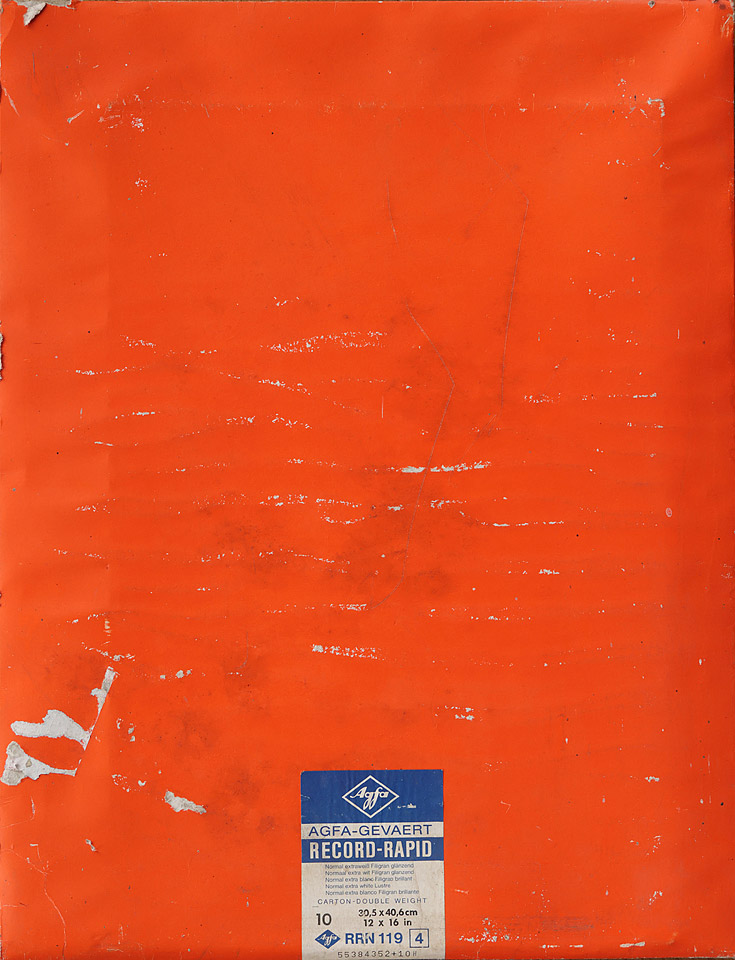
My own old prints on this photographic paper, which I recently looked at, are now almost half a century old. Fortunately, they have been kept in the dark between glass all this time. What a beautiful warm-toned print I see! And the surface has character.
Analysis of old prints
Agfa paper was known for its beautiful tonal range and deep blacks. You could influence the colour by using either a neutral or a warm-toned developer. The surface has a slight sheen and a subtle texture.
This is the quality I am looking for, but in a digital version! Using an X-Rite i1 measuring instrument, I measured the various grey tones of a few Record Rapid photos and also determined the maximum black density. I also viewed the old prints under various light sources.
.jpg "Innova photographic paper (3)")
What next? There is a wide range of photographic paper
When you look at the range of (digital) photographic paper, you see that it is extensive. This is due to factors such as the format, the base, the presence or absence of optical brighteners and the texture of the surface.
The company Arca in Moerdijk, a supplier of printers, ink and photographic paper, among other things, gave me no fewer than thirty types of paper with the message: 'Find the Digital Agfa Record Rapid'.
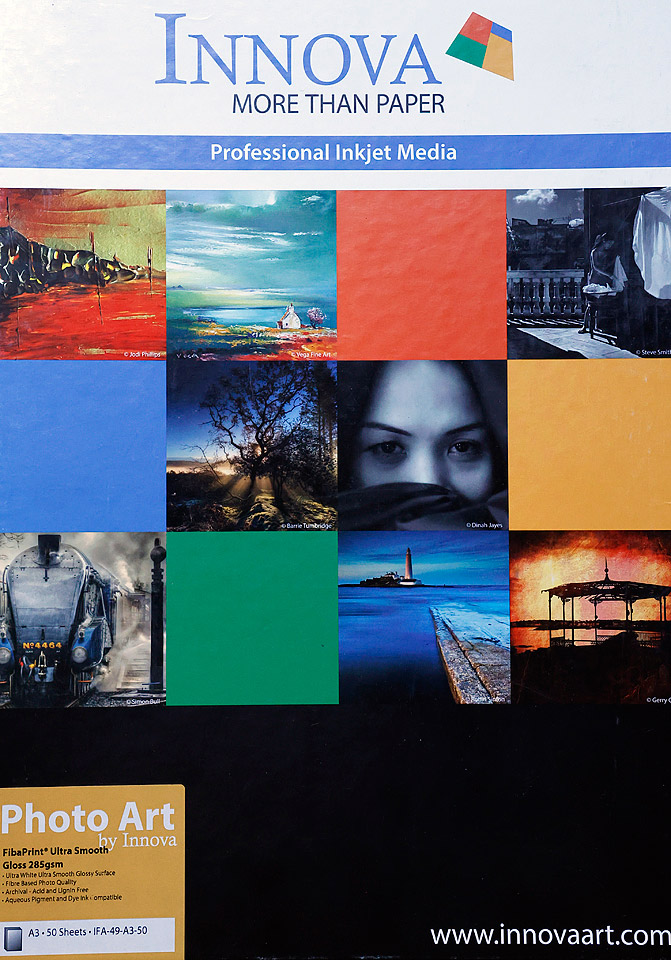
In that large pile of photographic papers, I see familiar names such as Epson, Hahnemühle and Innova. I got to work with an Epson SureColor SC-P700 A3+ printer.
This printer uses pigment-based ink and has two grey cartridges. At least as important is the fact that ICC profiles are available for many types of paper for this printer.
Put simply, an ICC profile tells the printer how to print a particular colour or grey tone on a specific printer paper. Arca has made these ICC profiles available on its website for a great many types of paper and printers.
The same website also explains which folder you should put such a profile in on your PC, namely: Windows>System32>Spool>Drivers>Kleur. Anyone who can cut and paste can do this.
Selection criteria for making a choice
I made a print on many types of paper using the black-and-white test file I developed myself. It provides information about the maximum black density, blocked-up dark areas and the rendering of grey tones.
This is not just about density, but also about whether the grey tones, and black of course, are rendered neutrally or, for example, with a cool or warm tone.
I like many of the photographic papers supplied by Arca, but that is not what this is about, because that is a matter of taste. What matters here is whether I can find a type of paper that resembles the famous Agfa Record Rapid of old, loved by so many.
Many fine-art papers feel like real paper, but are immediately ruled out because of the low maximum black density you can achieve with them.
Another selection criterion is the surface. Gloss, matt and lustre papers have completely different surface textures, so they are ruled out too. Some papers are pure white, while others have a warm tone. The pure white papers are also ruled out in my search for a replacement for Agfa Record Rapid.
'Bronzing', what is that all about?
When I view the original Record Rapid black-and-white prints from an angle, the grey tones, white and black remain the same.
With some digital baryta papers, a kind of brown or silvery glow, 'bronzing', appears on certain parts of a print when you view it from an angle.
Hahnemühle Photo Rag Satin, a fine-art paper, feels very natural and the colour of the base has a warm tone. However, this paper does not score as well when it comes to bronzing.
Printer settings, very important
The Agfa print has a warm tone. With the Epson printer mentioned above, this is easy to achieve. You print in 'Advanced Black and White' mode, where you can set how warm, or how cool, you want the print to be.
In this case, I choose +5 both horizontally and vertically. I established this through trial and error. All the grey tones become slightly warmer, but the black does not change. That is where you see a difference from the Agfa paper. The Agfa black is just a little warmer, although the difference is not great.
.jpg "ABW")
The final choice of paper
The range of digital baryta paper is extensive. If you look at maximum black density, paper surface and bronzing, very few types of paper resemble the original Agfa Record Rapid. And that was what I was looking for.
The Innova Fibaprint Ultra Smooth Gloss IFA49 285 gram/m2 comes very close to the Agfa photographic paper. The Innova paper is warm white and feels sturdy.
Important for the black-and-white photographers among us: the maximum black density of the Innova paper is actually a little higher than the original! It is important to use the correct ICC profile and make a small tint adjustment in 'Advanced Black and White' mode.
About the author
Anno Huidekoper fotografeert al bijna een halve eeuw. Hij houdt zich bezig met (klassiek) concertfotografie, straatfotografie en portretfotografie. Hij schrijft veel over zwart-wit en hij bekleedt bestuurlijke functies bij fotoclub Heerenveen en afdeling Friesland van de Fotobond. Geregeld geeft hij workshops portretfotografie.
You might also like
-
 Review: Analogue Photography
by Erik van Rosmalen
-
 My Struggle with Analogue Photography
by Michiel Heijmans
-
 Dokaboek 2.0, all the basics of analogue photography in one book
by Erik van Rosmalen
-
 Mobile darkroom for analogue photographers
by Elja Trum
-
 Printing Colour Film in the Black-and-White Darkroom
by Erik van Rosmalen
-
 Review: Pro Line photobook by Saal Digital
by Erik van Rosmalen
3 comments
-
 guest wrote on Tuesday 2 January 2024 at 17:30 | reply
Why no film simulation for e.g. Fujifilm cameras? These can be posted on Fuji x weekly! It is an enrichment.
Translated from Dutch. -

 anno
wrote on Tuesday 2 January 2024 at 19:40
| reply
anno
wrote on Tuesday 2 January 2024 at 19:40
| reply
The advantage of ABW mode is that you can use any black and white file. I have even scanned (analogue) negatives and digitally printed them on the paper mentioned. Many people thought that print came from the wet darkroom.
Translated from Dutch.
Additionally, I write in my article about the paper surface. A film simulation does nothing with that. And the surface partly determines the impression you get when viewing a photo.
In the workshops I give about printing, I let people experience these kinds of things. You have to see, feel and smell paper. -
 Ynze Braaksma wrote on Thursday 18 January 2024 at 00:25
| reply
Ynze Braaksma wrote on Thursday 18 January 2024 at 00:25
| reply
Agfa Record Rapid, it was also my favorite baryta paper, beautiful surface and warm tone (I hardly ever used RC). Prints that lent themselves to it would then go through the Kodak rapid selenium toner for me to strengthen the warm tone. Then the prints in a formaldehyde bath, followed by drying on a glazing drum, which meant all the windows had to be opened for a while
Translated from Dutch. . A beautiful (but time-consuming) time, sometimes I still miss it.
Have your say
Please note: Articles older than a week can only be commented on by signed-in visitors.Would you still like to comment? sign in or create a free account.
Become a better photographer every week
A practical photography tip in your inbox every week.
39,024 photography enthusiasts already receive the tips! More about the weekly mail. Or keep up to date via  Facebook.

Elja Trum
Photofacts; everything to do with photography!
Would you like to take better photos and keep up with what is happening in photography? Photofacts publishes articles that teach you something about photography — from a product announcement to a practical shooting tip or a look at a website. Photofacts covers photography every day and is a hobby project of Elja Trum's that got out of hand. The articles are written by a team of volunteer authors. If you would enjoy writing one or more articles for Photofacts, do get in touch.More about PhotofactsPhotofacts is made possible in part by
