

Book: Scott Kelby, how do you do that in Photoshop?
Friday 12 April 2019, 15:51 by Michelle Peeters | 8,214 views | 4 commentsThis article was translated from Dutch with the help of AI. Read the original.
Van Duuren Media sent us a copy of Scott Kelby's book, How Do I Do That in Photoshop? I bought the book myself some time ago and was quite enthusiastic about it, just as I was about Scott Kelby's other books on Photoshop.
He is one of the world's best-selling authors of books about digital photography for a reason. His explanations are always clear and practical, and you always achieve the desired end result.
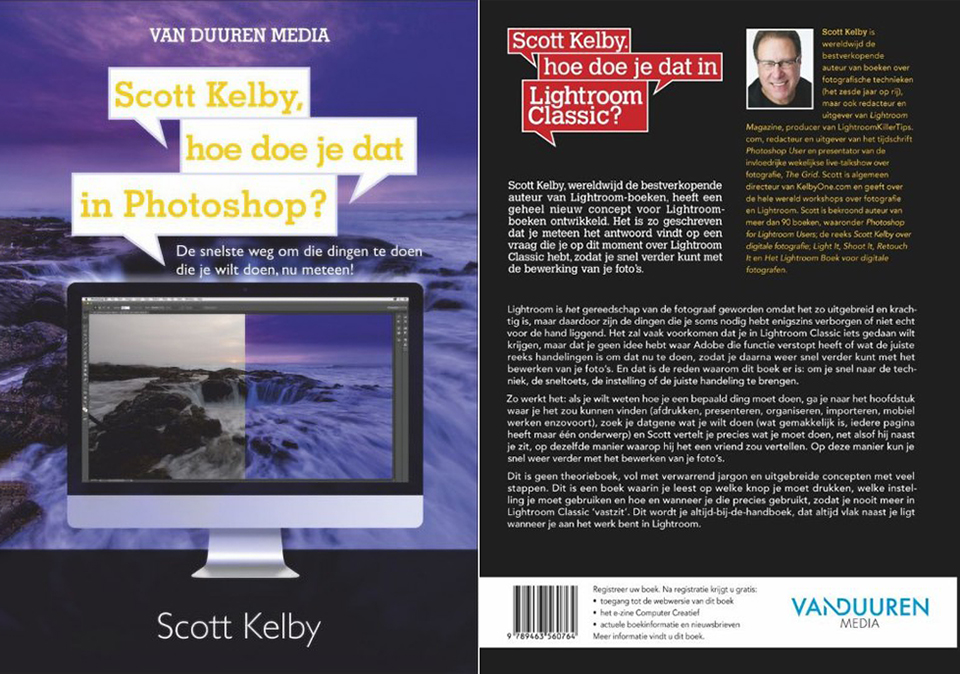
Even if you do not fully understand how certain tools work yet, success is guaranteed if you follow his step-by-step instructions.
About the author
Scott Kelby is chairman of the National Association of Photoshop Professionals, training manager for the Adobe Photoshop Seminar Tour, editor-in-chief of Photoshop User magazine and a sought-after speaker.
He has written award-winning books about photo editing, including the Photoshop CS3 book for digital photographers, the Lightroom book for digital photographers, the Digital Photography series, the Photoshop Portraits book and How Do I Do That In Lightroom. Finally, he is also a co-host of the well-known programme The Grid.
His clear, humorous style, if you like that sort of thing, and relaxed way of presenting and writing make his seminars, training sessions and books a great success.
Starting with the basics
Thanks to Adobe's popular Creative Cloud photography membership, which gives you access to both Photoshop and Lightroom, you can expand Lightroom's power by moving over to Photoshop, where you can do things that are not possible in Lightroom, or that are faster, easier or better in Photoshop.
Because Photoshop is so powerful, it is often difficult to find the right function. You will often want or need to do something in Photoshop, but because the function you are looking for is hidden somewhere deep in the menus, it is almost impossible to work out how to do it, even though you know that Photoshop can do it!
And in the end, you want to get back to working on your images quickly. That is exactly what this book was written for: to guide you quickly to the right technique, setting, menu command or information you need right now.
The book starts with the basics: how the interface is put together, how to make selections, how to work with layers, the basic knowledge you need to get started with Photoshop.
With this book, you learn very well how the basics of Photoshop fit together, and in the chapters after those basics you also learn tricks for working with Photoshop. There are two extensive chapters on working with Adobe Camera Raw and making a good print from Photoshop.
As a reference book
This is how it works: if you want to know how to do something specific, go to the chapter where you might find it, such as Layers, Printing, Troubleshooting or Special Effects.
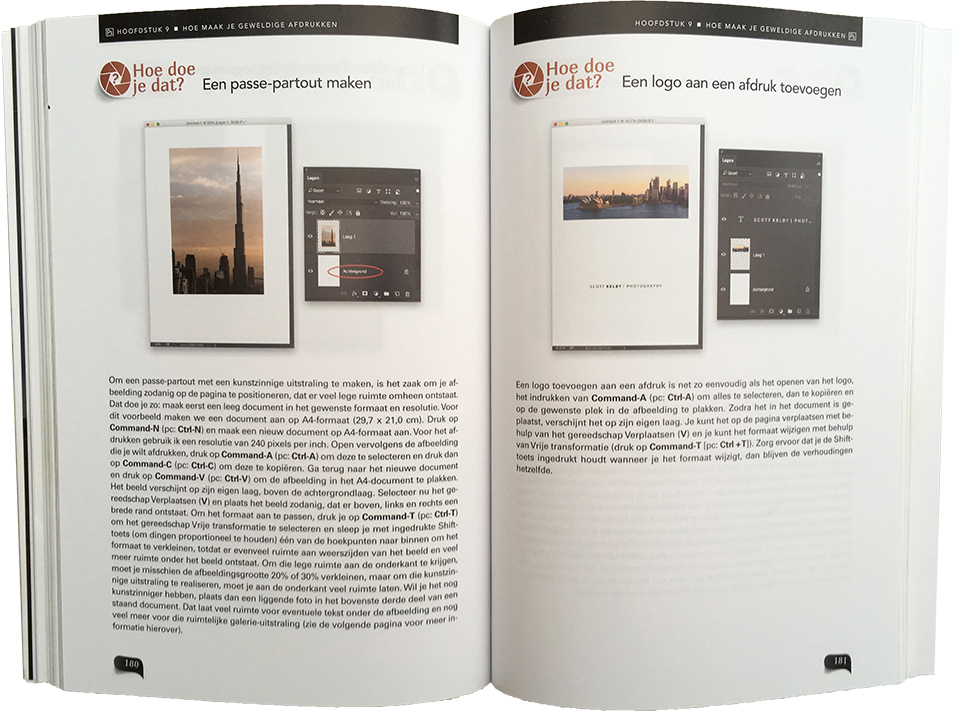
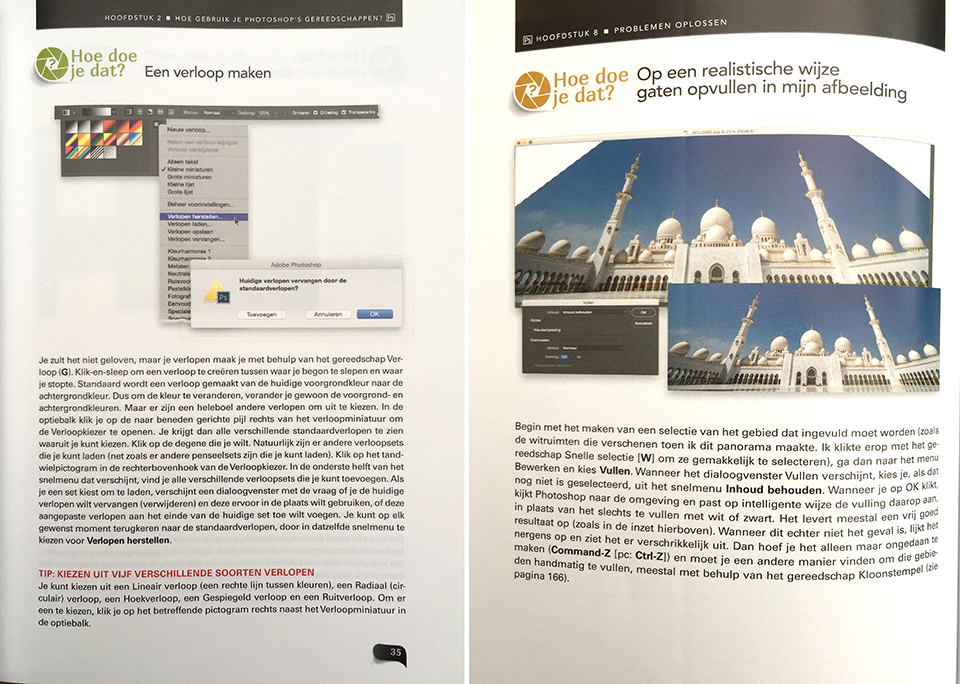
Look up what you want to do, which is easy because each page covers just one subject, and Scott Kelby explains exactly what you need to do, as if he were sitting next to you, in the same way he would explain it to a friend. That way, you can quickly get back to editing your photos.
The extensive index at the back of the book is also very useful. Want to quickly find out something about the clone stamp? It is covered under three subjects. Sharpening, one of the more difficult subjects, is covered extensively.
Working with layers? Look in the index for a subject about layers and you will get dozens of references to layers. The book ends with a sort of Frequently Asked Questions section: How do you convert a file to CMYK? How do you make a contact sheet? How do you save a selection so you can use it again later?
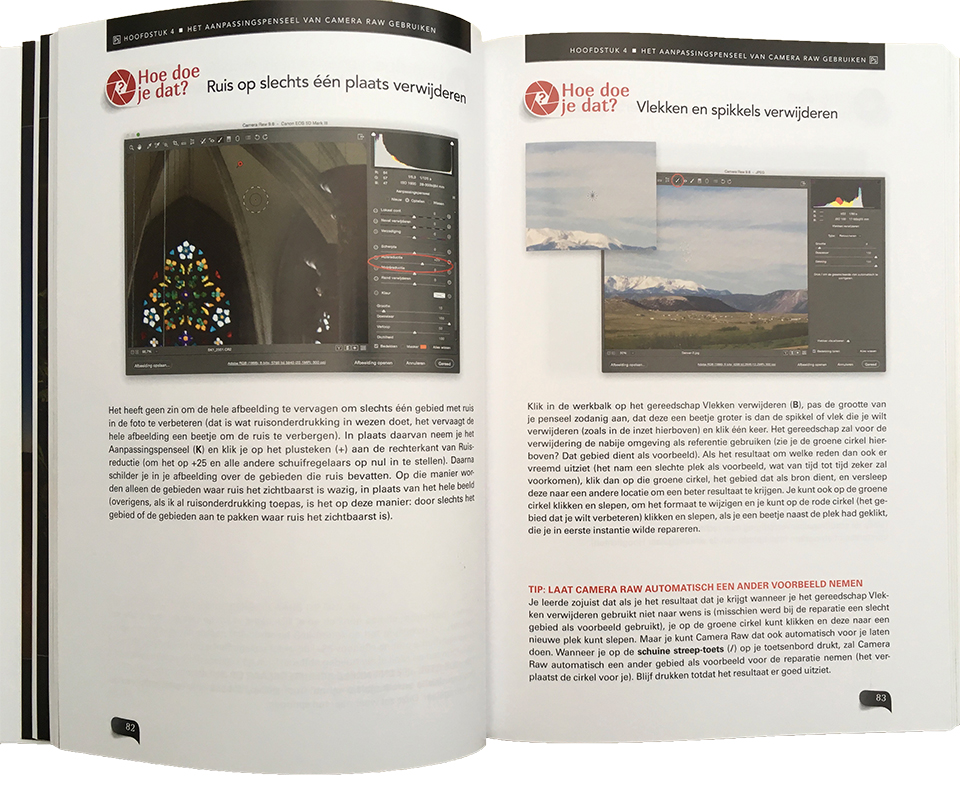
Contents
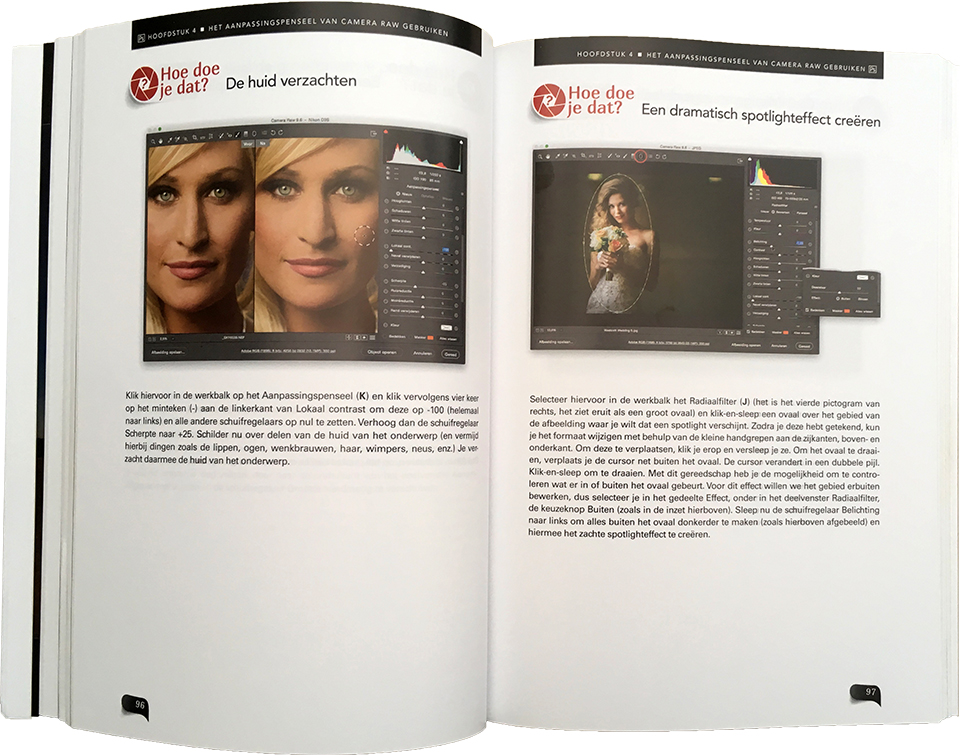
The 280-page book contains 13 chapters. There are chapters on the user interface, tools, Camera RAW, crops and sizes, layers, adjusting images, printing, troubleshooting, video editing, special effects and sharpening.
And finally, a chapter with various things you would like to know. Each chapter covers 10 to 20 specific subjects, each on a single page.
Below is an overview of the chapters. It gives you a good insight into the rest of the book straight away. And if you are familiar with the jokes, you will also immediately recognise his typical humour...
- Chapter 1: How to behave like a professional (the Photoshop interface)
- Chapter 2: How do you use Photoshop's tools? (toolbar tips)
- Chapter 3: How do I become the master of Camera Raw? (part one)
- Chapter 4: Using the Camera Raw adjustment brush (there is more than one)
- Chapter 5: Making crops and resizing and so on (things you do often)
- Chapter 6: How do you work with layers? (now it starts getting fun)
- Chapter 7: How do you adjust an image? (improving your image)
- Chapter 8: Troubleshooting (and there will be problems...)
- Chapter 9: How do you make great prints? (this is how you do it)
- Chapter 10: How do you edit video? (and it is easier than expected)
- Chapter 11: How do you apply the most popular special effects? (and make things look cool)
- Chapter 12: How do you sharpen images? (if it is not sharp, it is blurry)
- Chapter 13: Other things you would like to know (all those other things? You will find them in this chapter)
If you want to do something, open the book at the relevant chapter, look up what you want to do and Scott Kelby explains in clear language on a single page how it works. That way, you can quickly get started again.
So this is not a book full of theory, confusing jargon or complex lists of steps. Scott clearly shows you which button to click and which setting to use. That way, you will never get stuck in Photoshop again.
What do I think of it?
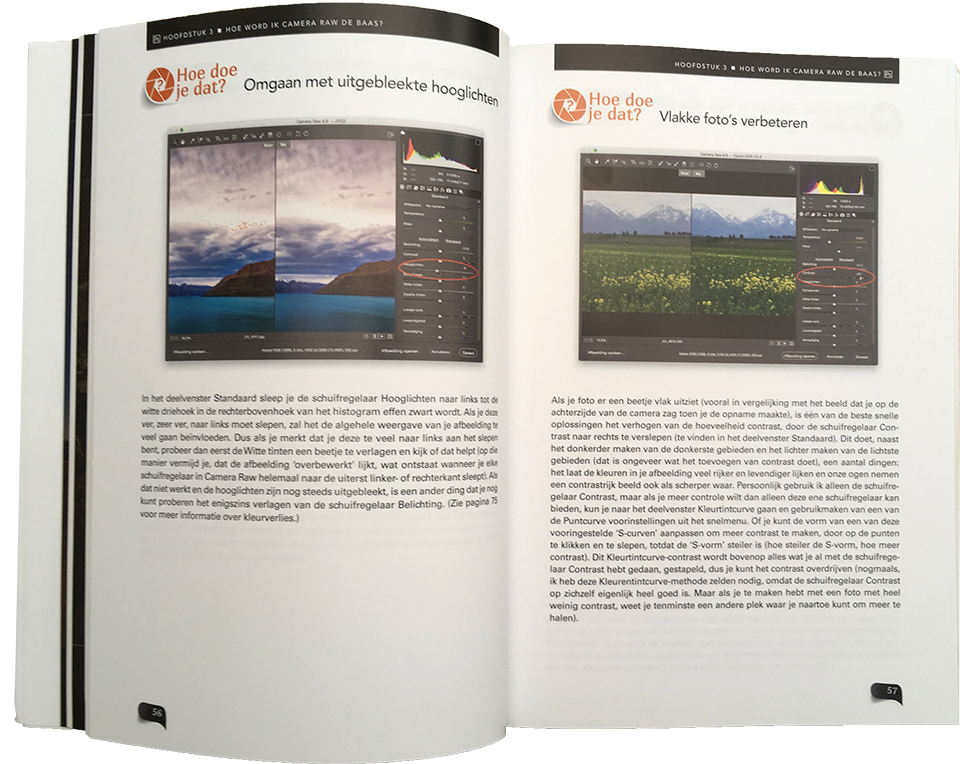
Like all Kelby's other books, this one is pleasantly handy, not too thin and not too thick, easy to leaf through and printed on good paper. The book is a 266-page paperback edition, printed in colour.
This book also contains, just like his other books I own, a foreword and several introductions that sometimes have little to do with the subject. Familiar stuff, and he is known for it here too. Skip them if you cannot stand it, because you will not miss much. Sometimes the English-language humour has been translated too literally, which does not always work very well.
For me, it is definitely not a book to read from cover to cover. I have never done that with any of Kelby's other books either. I used the book more as a reference work, covering a great many subjects.
Whenever I needed something, I found it and could apply it straight away. In this way, I gradually learned more and more about Photoshop.
What is useful about this book is that the problems and their solutions always fit on a single page. You are guided directly in the right direction and towards the solution, with very precise instructions. Enter this number here, this value there, now press that button, and you are guaranteed to get the promised result.
The book 'Scott Kelby, how do you do that in Photoshop?' is a very useful textbook for beginners using Photoshop and a good reference book for more experienced Photoshop users. There are plenty of Photoshop tutorials on YouTube, but they are usually in English, which sometimes makes them more difficult to follow.
This book is very focused on Photoshop and gets straight to the point by providing a specific solution to a specific problem. And it is in Dutch, with success guaranteed when it comes to achieving the desired result. Highly recommended!
Price and where to order
The book is available from Van Duuren Media, among others, and normally costs 29.95 euros, but until the end of this month it costs just 20 euros.
About the author
Michelle Peeters is fotografe en oprichter van DeuxBleus Fotografie. Michelle herkent het bijzondere in het gewone en het gewone in het bijzondere. Ze heeft zich nooit willen specialiseren en is daardoor van alle markten thuis.
You might also like
-
 Review: Portrait Photography with Natural Light by Scott Kelby
by Michelle Peeters
-
 Review: The Great Landscape Photography Book by Scott Kelby
by Michelle Peeters
-
 Review: Photoshop for Lightroom Users by Scott Kelby
by Michelle Peeters
-
 20 photography books you should read!
by Michelle Peeters
-
 Review: Photographing with the iPhone by Scott Kelby
by Elja Trum
4 comments
-
 Noor wrote on Tuesday 16 April 2019 at 12:41 | reply
Is the book based on PS in the cloud? Or can I also use it with my PS 6 program?
Translated from Dutch.
Sometimes there are subtle references in it that are not correct after all.
I found that out when I thought my old PS3 book could be used for PS6.
Greetings.
Noor
-

 Michelle Peeters wrote on Tuesday 16 April 2019 at 15:51
| reply
Michelle Peeters wrote on Tuesday 16 April 2019 at 15:51
| reply
@Noor: actually, most of it is simply usable, also in CS6. Sometimes there are some differences, for example where you can find a particular tool. But you'll easily figure that out yourself!
Translated from Dutch. -
Noor wrote on Tuesday 16 April 2019 at 19:19 | reply
Thanks Elja, partly also a lack of knowledge on my part I think😉, but it made me think: never mind.
Translated from Dutch.
But then I’ll give it another try. -
Michelle Peeters wrote on Tuesday 16 April 2019 at 19:34
| reply
@Noor: It's Michelle... Good luck!
Translated from Dutch.
Have your say
Please note: Articles older than a week can only be commented on by signed-in visitors.Would you still like to comment? sign in or create a free account.
Become a better photographer every week
A practical photography tip in your inbox every week.
38,982 photography enthusiasts already receive the tips! More about the weekly mail. Or keep up to date via  Facebook.

Elja Trum
Photofacts; everything to do with photography!
Would you like to take better photos and keep up with what is happening in photography? Photofacts publishes articles that teach you something about photography — from a product announcement to a practical shooting tip or a look at a website. Photofacts covers photography every day and is a hobby project of Elja Trum's that got out of hand. The articles are written by a team of volunteer authors. If you would enjoy writing one or more articles for Photofacts, do get in touch.More about PhotofactsPhotofacts is made possible in part by
