

Review: Photoshop for Lightroom Users by Scott Kelby
Friday 15 March 2019, 15:51 by Michelle Peeters | 8,531 views | 10 commentsThis article was translated from Dutch with the help of AI. Read the original.
We received a copy of Scott Kelby's book Photoshop for Lightroom Users from publisher Van Duuren Media. I have bought several of Scott Kelby's books in the past and got a lot out of them. My expectations were therefore high this time too.
He is not one of the world's best-selling authors of books about digital photography for nothing. His explanations are always clear and practical, and you always achieve the desired result.
Anyone who uses Lightroom for photo management, editing and workflow knows that it is great software. But there comes a moment in the life of every Lightroom user when they want to do something... and it simply cannot be done in Lightroom.
Although Lightroom covers most of a photographer's needs, around 80% of a professional photography workflow, it simply cannot do everything a photographer wants when putting the finishing touches to a good photo.
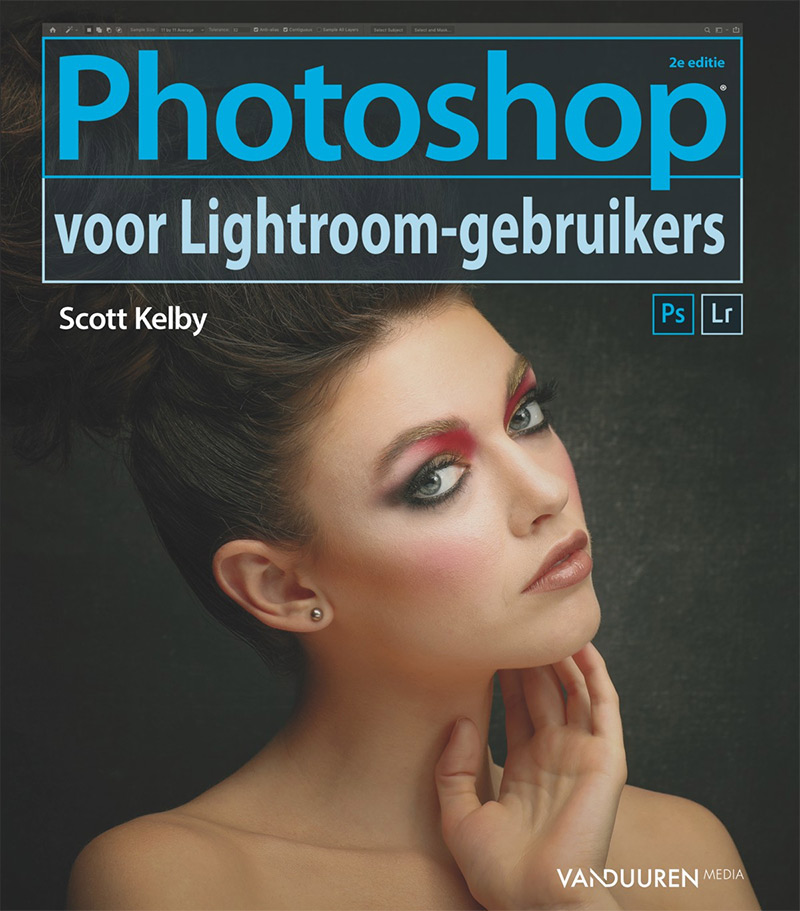
Scott Kelby, the world's best-selling author of photography books, wrote Photoshop for Lightroom Users specifically for those Lightroom users who have realised that they need Photoshop for the other 20% of their workflow, allowing them to take their photos to an even higher level.
All you need to know are the key edits, techniques, retouching steps and tweaks that you cannot perform in Lightroom, but which give your photos that little bit extra.
Scott covers everything from composition to adding text to a photo, from retouching to creating a book cover and advanced sharpening techniques. With Photoshop for Lightroom Users, you learn everything you need to know to include Photoshop in your Lightroom photo workflow.
Chapter layout
Chapter 1: Essential techniques (things you need to know first) covers the five important things Photoshop is about: layers, removing unwanted things, filters, brushes and tools.
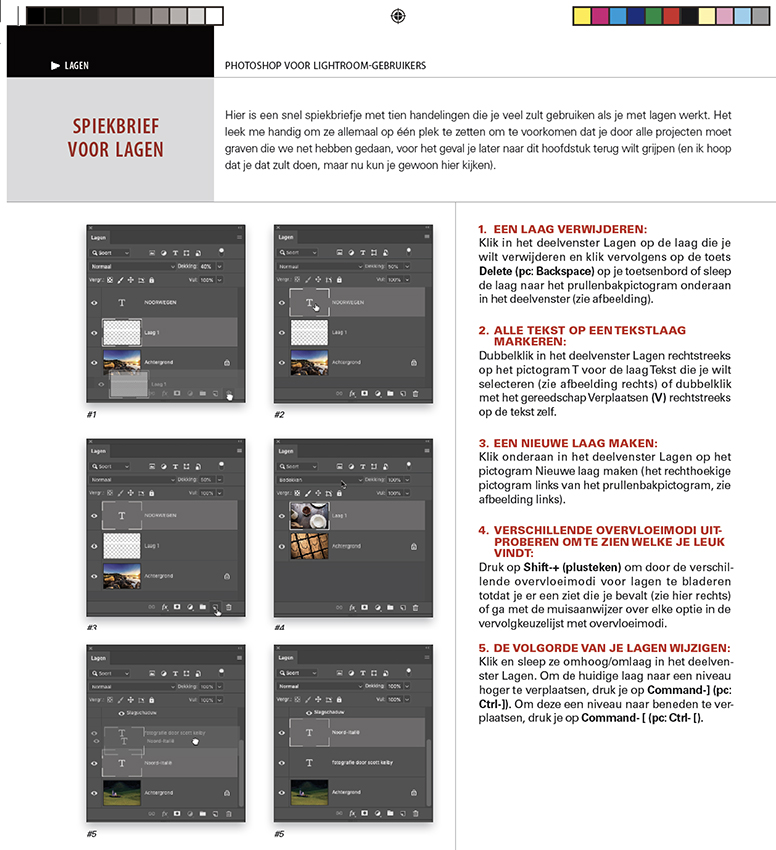
This chapter covers how layers work, including a cheat sheet, blending modes, empty layers and using opacity, changing the size of things on a layer, editing just part of your photo, et cetera.

Chapter 2: Jump. From Lightroom to Photoshop (and back) covers how to switch between Lightroom and Photoshop.
Chapter 3: The smart (Smart Objects and HDR) covers how to keep your raw photo editable with Smart Objects, how to create an HDR photo with a tonemapped look and a technique for HDR photos that are 'sharper than Lightroom'.
Chapter 4: Re-Touch (Retouching portraits) provides a number of techniques for perfecting facial features, eyebrows, skin and the colour of teeth. It also shows some methods for removing blemishes, reducing double chins and hiding studio mistakes, and demonstrates what else the Liquify filter can do.
Chapter 5: Composition (Creating composite photos) shows some methods for masking hair, how to combine multiple photos, how to add texture to your background and how to make one person appear multiple times in the frame.
Chapter 6: Side Effects (Photographic special effects) covers a number of fun techniques. For example, how to replace a boring sky, how to create autumn colours using LAB Color mode, how to add light rays and how to turn a photo into an oil painting with one click.
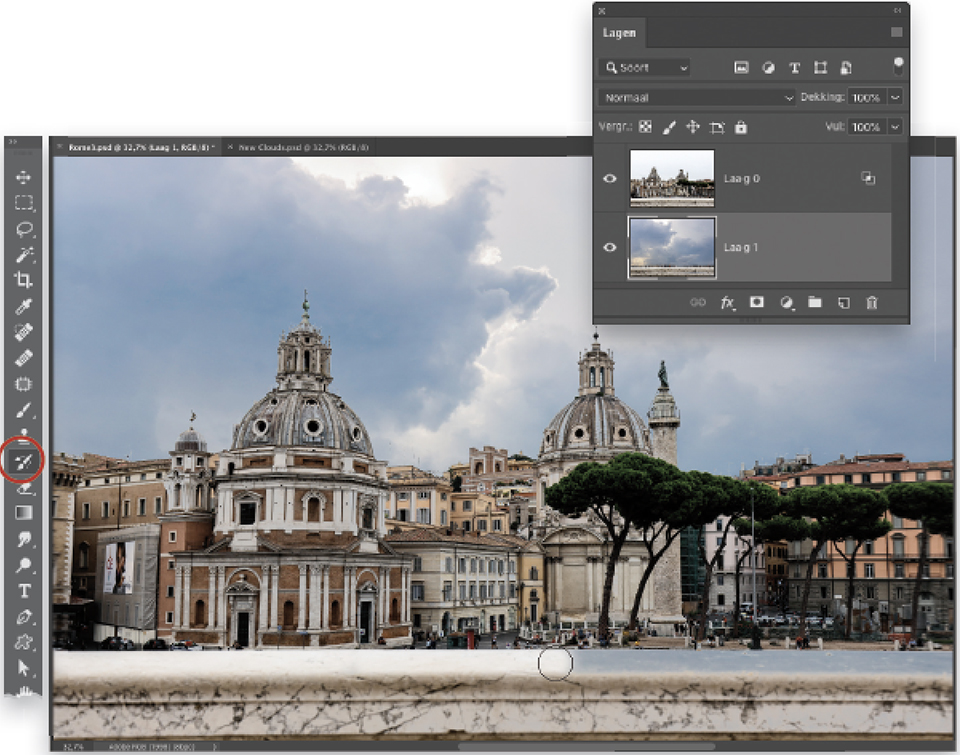
It also explains how to add lens flare, how to create an art collage using blending and how to achieve the architectural-at-night look.
Chapter 7: Sharpen (Sharpening techniques) covers various sharpening techniques using Unsharp Mask and Smart Sharpen, and how to fix blurry photos caused by camera movement. Finally, it explains how to sharpen creatively with the Sharpen tool.
Chapter 8: Don't move (Removing distracting things) provides a number of useful techniques for removing unwanted objects. For example, using the clone stamp and 'Content-Aware Fill'.
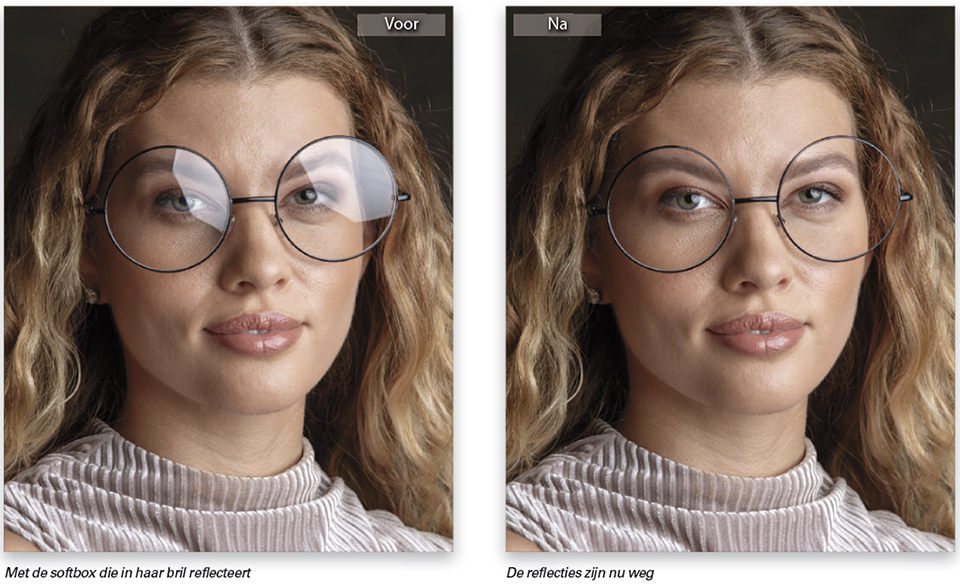
Chapter 9: Problemski (Solving common problems provides a number of useful techniques for scaling parts of your photo without damaging them, removing 'halos' along edges, fixing reflections in glasses and restoring group photos.
Acknowledgements and introductions
The book starts with a huge acknowledgement section of no fewer than two pages! A bit much for my taste... But you can simply skip it and you will not miss anything!
The same applies to the introductions to the other chapters, which often contain lots of (lame) jokes. After the contents, there are another three full pages with 'Six things you had better know before reading this book'.
Scott wants to make sure that you get as much as possible out of this book and promises that if you take two minutes to read this long introduction, it will make a big difference to how successful you will be with Photoshop and with this book.
He repeatedly emphasises that you should also read the introduction at the top of the page for each project because it contains important information. I always skip them myself... But if you concentrate purely on the content of the projects, you cannot help but become enthusiastic about this book!
I think he would have been better off switching chapters 1 and 2 around. Chapter 1 immediately covers layers and how to switch between Lightroom and Photoshop. It is only in chapter 2, Jump, that he explains how to actually do this.
What did I think of it?
I still learnt a lot from it, although I have not been able to read the entire book. For example, the option to retain the ability to edit a RAW photo in Photoshop by sending your RAW photo to Photoshop as a Smart Object was completely new to me.
Edit, Paste Special, Paste in Place to swap the head of the person who happened to have their eyes closed in a group photo was also an eye-opener!
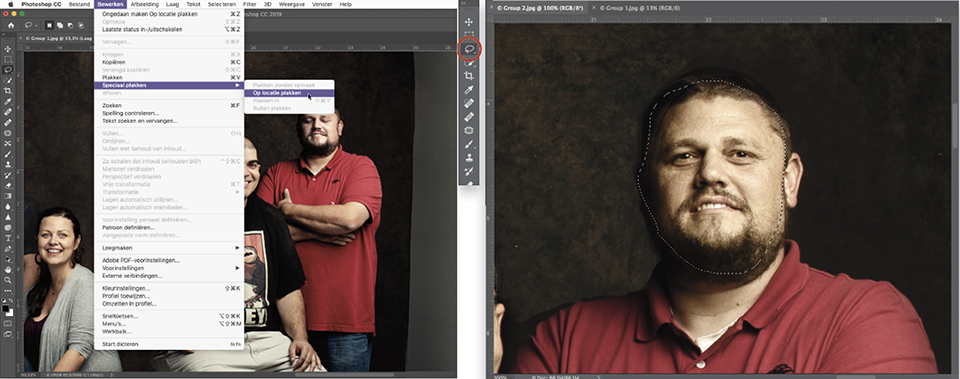
The steps for achieving a particular result are explained very well, with screenshots in which the actions to be taken are sometimes circled in red. You always achieve the desired result. The difference from the other books of his that I have is that this is more of a textbook that you can work through from front to back.
You now really understand what you are doing. In the other books of his that I know, the introductions are much shorter and the step-by-step plan is very well explained. However, you get more of a feeling that you are learning tricks.
You follow the steps and reach the result, but if you have to come up with something yourself to arrive at a particular solution, you are unable to use the right tools for it. It is only after years that 'the penny drops'.
I think this book is a real asset. It contains very surprising solutions to problems that I often encounter in practice. Over the years I have come up with all sorts of solutions myself, but with the methods from this book you achieve a much better result, and in a fraction of the time too. Highly recommended!
Price and where to buy it
Adobe Photoshop for Lightroom Users, 2nd edition was released on 27 March 2019. The book costs 34.99 euros.
» Order directly
About the author
Michelle Peeters is fotografe en oprichter van DeuxBleus Fotografie. Michelle herkent het bijzondere in het gewone en het gewone in het bijzondere. Ze heeft zich nooit willen specialiseren en is daardoor van alle markten thuis.
You might also like
-
 Review: Portrait Photography with Natural Light by Scott Kelby
by Michelle Peeters
-
 Book: Scott Kelby, how do you do that in Photoshop?
by Michelle Peeters
-
 Review: Photographing with the iPhone by Scott Kelby
by Elja Trum
-
 Review: The Great Landscape Photography Book by Scott Kelby
by Michelle Peeters
-
 Review: Blurb photo books via Lightroom Classic
by Nando Harmsen
10 comments
-
 Ghis Jannis wrote on Tuesday 19 March 2019 at 11:54 | reply
Is het boek dan ook al meteen in het Nederlands verkrijgbaar?
This comment was written in another language and has not been translated yet. -

 Michelle Peeters wrote on Tuesday 19 March 2019 at 11:56
| reply
Michelle Peeters wrote on Tuesday 19 March 2019 at 11:56
| reply
@Ghis: jazeker!
This comment was written in another language and has not been translated yet. -

-
 Ton de Vrind wrote on Tuesday 19 March 2019 at 14:13 | reply
Ik heb het genoegen gehad Scott Kelby weleens ontmoet te hebben tijdens een Adobe seminar. Een uiterst vriendelijke maar voor deskundige man. Iemand die het "fotosjoppen" bij wijze van spreken uitgevonden zou kunnen hebben. Er is altijd wel wat kritiek te bedenken, maar een boek van Kelby blijft altijd een mooi document die je beslist in je verzameling moet hebben.
This comment was written in another language and has not been translated yet. -
 José wrote on Tuesday 19 March 2019 at 19:37 | reply
hallo Michelle,
This comment was written in another language and has not been translated yet.
Ik heb eens gegoogeld en zag dat hij eerder ook al eens een dergelijk boek heeft uitgebracht "Hoe doe je dat in Photoshop"
Wat is het verschil tussen beide boeken? Worden er verschillende technieken in uitgelegd? Moet je eerst het eerste hebben om met het tweede verder te kunnen? Weet jij dat?
groetjes
José -
 Marianne wrote on Tuesday 19 March 2019 at 20:53 | reply
Hallo Michelle,
This comment was written in another language and has not been translated yet.
Ik werk nooit met Lightroom maar wel met PS.
Wil nog zoveel leren in PS is dit boek mij dan aan te raden og heb je een beter alternatief?
Alvast bedankt voor je reactie. -
Michelle Peeters wrote on Tuesday 19 March 2019 at 21:58
| reply
@José: dat boek is er ook en dat wordt binnenkort ook gereviewed! Tipje van de sluier: als je al meer weet over Photoshop is dat boek een aanrader, omdat je het als naslagwerk kunt gebruiken. Dit boek kun je ook van voor naar achter doorwerken als je nog maar weinig over Photoshop weet.
This comment was written in another language and has not been translated yet.
@Marianne: Ik weet niet wat je niveau is op Photoshop-gebied. Ik ben zelf al een jaartje of 15 met Photoshop aan de slag en dacht dat ik er aardig wat vanaf wist. Toch heb ik veel geleerd uit dit boek. En het andere boek waar José het over had eveneens! Ik ben zelf meer van het gericht opzoeken zodra ik iets nodig heb. Ook dat gaat met dit boek, maar wellicht iets beter in het andere boek (wat dus nog gereviewed gaat worden). 'Hoe doe je dat in Photoshop' is wat korter en bondiger om snel tot een resultaat te komen. Alleen begrijp je daarbij minder wat je 'echt' aan het doen bent. -
 Chris Broeckhoven wrote on Wednesday 20 March 2019 at 10:50 | reply
Tof! Mijn favoriete schrijver. Ik hou wel van zijn grapjes.
This comment was written in another language and has not been translated yet.
Chris -
 martin007 wrote on Wednesday 3 April 2019 at 13:41
| reply
martin007 wrote on Wednesday 3 April 2019 at 13:41
| reply
Voor welke versie van PS is dit boek? Ik zou zelf t liefst de kleine stap naar PS Elements willen maken vanuit LR. Of is daar evt ander boek voor beschikbaar?
This comment was written in another language and has not been translated yet. -
Michelle Peeters wrote on Wednesday 3 April 2019 at 15:23
| reply
@martin007: de Creative Cloud versie. Maar in principe ook oudere versies van Photoshop aangezien veel van de functies nog hetzelfde zijn. Alleen de plek waar je ze kunt vinden is soms aangepast.
This comment was written in another language and has not been translated yet.
Have your say
Please note: Articles older than a week can only be commented on by signed-in visitors.Would you still like to comment? sign in or create a free account.
Become a better photographer every week
A practical photography tip in your inbox every week.
38,982 photography enthusiasts already receive the tips! More about the weekly mail. Or keep up to date via  Facebook.

Elja Trum
Photofacts; everything to do with photography!
Would you like to take better photos and keep up with what is happening in photography? Photofacts publishes articles that teach you something about photography — from a product announcement to a practical shooting tip or a look at a website. Photofacts covers photography every day and is a hobby project of Elja Trum's that got out of hand. The articles are written by a team of volunteer authors. If you would enjoy writing one or more articles for Photofacts, do get in touch.More about PhotofactsPhotofacts is made possible in part by
