

Flash photography tip: Use a channel that isn't obvious
Saturday 1 March 2025, 22:11 by Elja Trum | 1,848 views | 0 commentsThis article was translated from Dutch with the help of AI. Read the original.
You can set your wireless flashes to a channel. They will probably be set to channel 1 by default. If you're taking photos somewhere where several photographers are working, your flashes might fire when another photographer takes a photo.
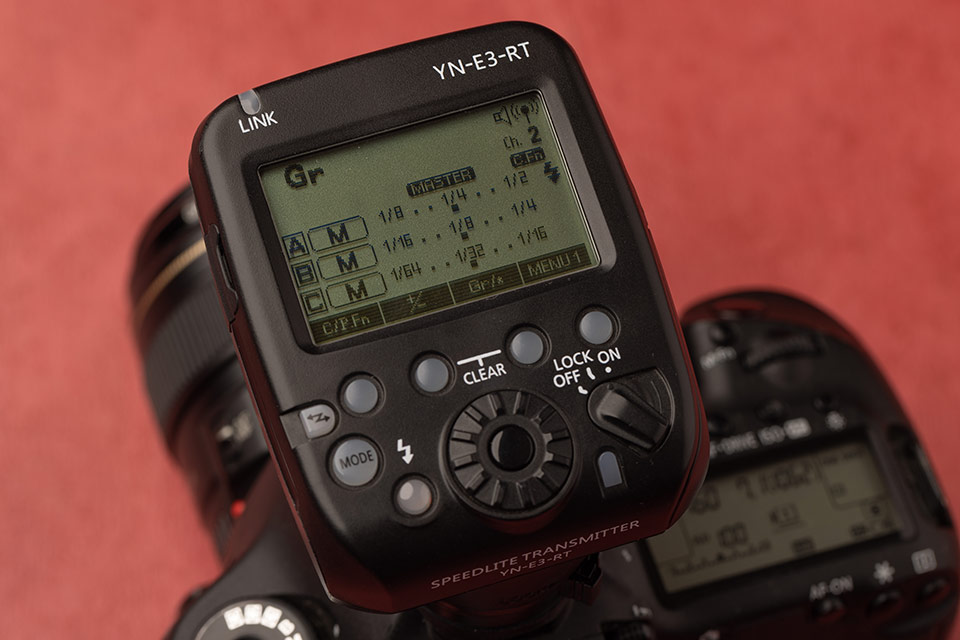
Inconvenient, because there's a good chance that the flash will still be recharging when you want to take your photo. It's also inconvenient if your flashes go off 'just like that'.
It's therefore a good idea to set your flashes to a channel that not everyone uses as standard. For example, channel 9 or any other random channel. Now let's just hope those other photographers haven't read this tip.
About the author
Elja Trum is the founder of Photofacts and online photography course website Photofacts Academy. He has been writing about photography since 2006. Elja is also the author of (Dutch) books on composition, black-and-white photography, flash photography and portrait photography.
You might also like
-
 Godox introduces a new radio trigger, the X3 TTL
by Nando Harmsen
-
 What are groups and channels on your flash for?
by Liesbeth van Asselt
-
 Godox X3Pro announced
by Elja Trum
-
 Which Strobist kit would you recommend?
by Elja Trum
-
 Review: Tether Tools Air Direct for wireless tethered photography
by Nando Harmsen
-
 Anyone who says the camera isn't important is wrong
by Nando Harmsen
0 comments
Be the first to share what you think!
Have your say
Please note: Articles older than a week can only be commented on by signed-in visitors.Would you still like to comment? sign in or create a free account.
Become a better photographer every week
A practical photography tip in your inbox every week.
38,937 photography enthusiasts already receive the tips! More about the weekly mail. Or keep up to date via  Facebook.

Elja Trum
Photofacts; everything to do with photography!
Would you like to take better photos and keep up with what is happening in photography? Photofacts publishes articles that teach you something about photography — from a product announcement to a practical shooting tip or a look at a website. Photofacts covers photography every day and is a hobby project of Elja Trum's that got out of hand. The articles are written by a team of volunteer authors. If you would enjoy writing one or more articles for Photofacts, do get in touch.More about PhotofactsPhotofacts is made possible in part by
