

Fill gaps in your photo realistically
Saturday 7 September 2019, 15:30 by Michelle Peeters | 8,554 views | 3 commentsThis article was translated from Dutch with the help of AI. Read the original.
Sometimes you need to straighten an image to stop the sea from running out... Then gaps appear in your image after straightening the horizon. With Content-Aware Fill in Photoshop, you can achieve great results when filling these gaps.
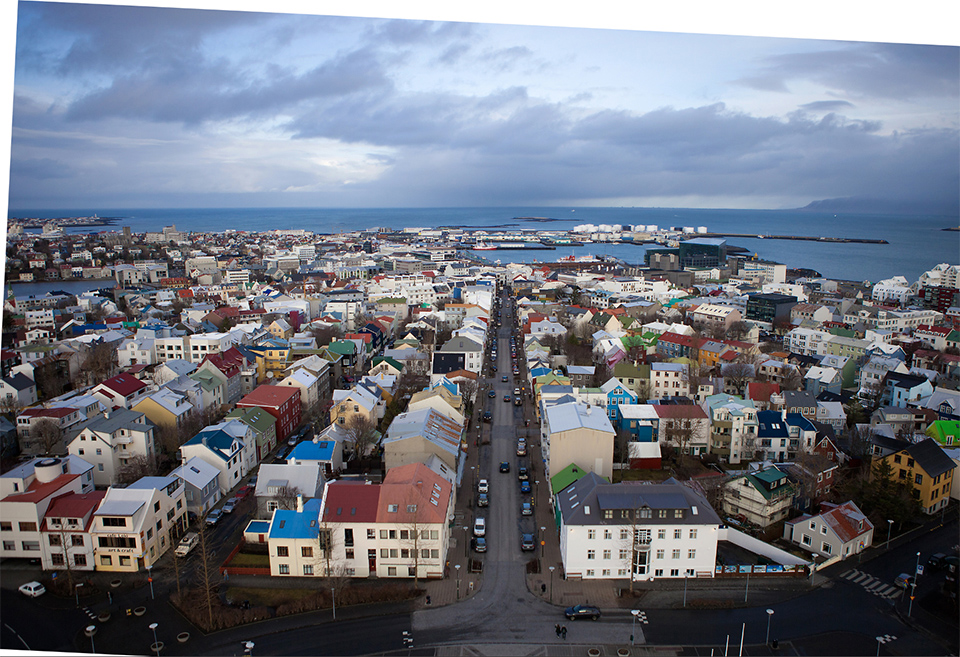
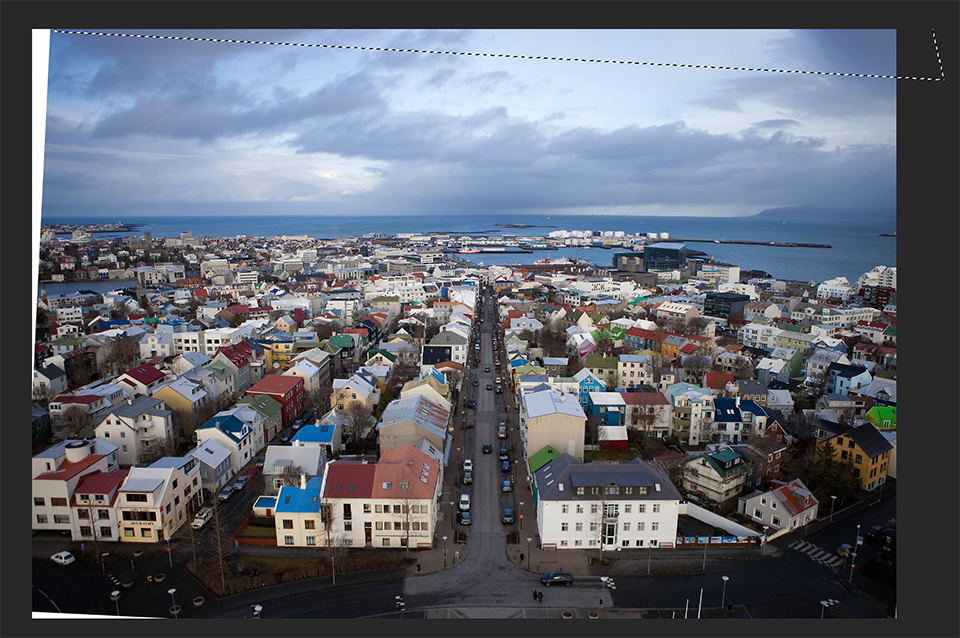
Start by making a selection of the area that needs to be filled (such as the white spaces that appeared when I straightened this photo. White areas also appear when creating a panorama. I clicked on them with the Quick Selection (W) tool to select them easily), then go to the Edit menu and choose Fill.
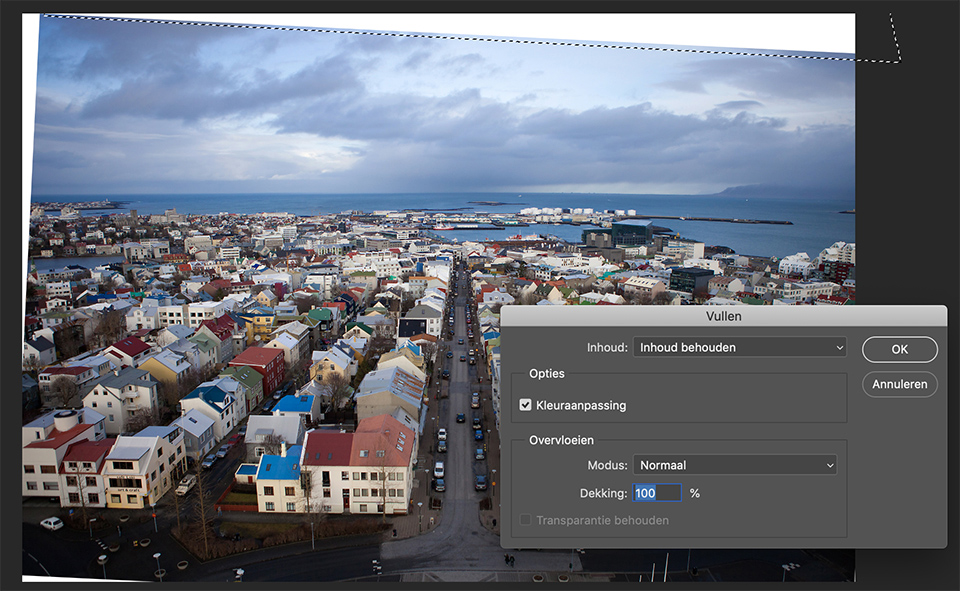
When the Fill dialogue box appears, choose Content-Aware from the pop-up menu if it is not already selected. When you click OK, rather than simply filling it with white or black. It usually produces a fairly good result (as in the inset above).
About the author
Michelle Peeters is fotografe en oprichter van DeuxBleus Fotografie. Michelle herkent het bijzondere in het gewone en het gewone in het bijzondere. Ze heeft zich nooit willen specialiseren en is daardoor van alle markten thuis.
You might also like
-
 Adobe's improved Content-Aware Fill coming soon to Photoshop
by Michelle Peeters
-
 New in Photoshop Beta: Generative Fill
by Nando Harmsen
-
 Everything about Generative Fill in Photoshop Beta
by Nando Harmsen
-
 Adobe and the cost of AI generative fill
by Nando Harmsen
-
 The Joy of Photographing by the Sea
by Nando Harmsen
-
 'Color Adaptation' gebruiken om Content-Aware Fill te verbeteren
by Michelle Peeters
3 comments
-
 Bert van Herk wrote on Wednesday 11 September 2019 at 14:39 | reply
that can be done faster in Lightroom, once you have placed a photo go to the right side and click on transform, in the dropdown you will see upright press one of the 4 buttons and you can rotate the photo to your heart's content. check the box for preserve cropping, and you have a perfect photo. if you own a photo editing keyboard loupedeck then you have even more possibilities. Michelle I would say try loopdeck sometime then you can fine-tune the colors even better, I can't do without it anymore.
Translated from Dutch. -
 Chris schults wrote on Thursday 12 September 2019 at 11:12 | reply
PaintShop Pro also has an easier way.
Translated from Dutch. -
 guest wrote on Thursday 12 September 2019 at 14:31 | reply
Photoshop clone stamp, it's done within a few seconds.
Translated from Dutch.
Have your say
Please note: Articles older than a week can only be commented on by signed-in visitors.Would you still like to comment? sign in or create a free account.
Become a better photographer every week
A practical photography tip in your inbox every week.
38,982 photography enthusiasts already receive the tips! More about the weekly mail. Or keep up to date via  Facebook.

Elja Trum
Photofacts; everything to do with photography!
Would you like to take better photos and keep up with what is happening in photography? Photofacts publishes articles that teach you something about photography — from a product announcement to a practical shooting tip or a look at a website. Photofacts covers photography every day and is a hobby project of Elja Trum's that got out of hand. The articles are written by a team of volunteer authors. If you would enjoy writing one or more articles for Photofacts, do get in touch.More about PhotofactsPhotofacts is made possible in part by
