

Everything about Generative Fill in Photoshop Beta
Thursday 1 June 2023, 16:32 by Nando Harmsen | 5,510 views | 4 commentsThis article was translated from Dutch with the help of AI. Read the original.
The arrival of Generative Fill has caused quite a stir in the photography world. That is remarkable, because it is not really anything new. People are already questioning photos in advance. Is it real, or is it fake? Is Generative Fill a good development? Or not?
It is funny that people forget that manipulating a photo is not new. It happened in the darkroom too, and digital photography has only made it easier. We use clone brushes and Content-Aware Fill. Generative Fill is simply the next step.
Anyone who watches films knows that entire worlds are generated from nothing. Sometimes they are barely distinguishable from reality. The same can be done with photos, and it has been done for decades. This process used to be time-consuming and precise work that required a lot of Photoshop expertise.
Generative Fill has made it easier. Using selections and keywords, we can instruct so-called artificial intelligence to build an image that never existed and never will exist. It is digital painting that looks photorealistic.
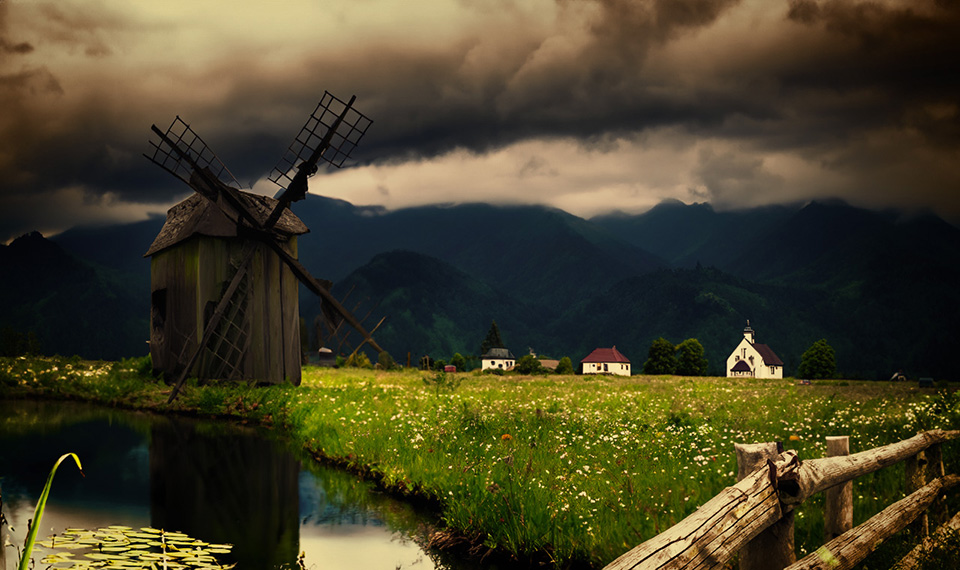
Generative Fill is more than that. Building an image is just one aspect. Adding image elements is another. Perhaps you have already replaced the sky in a photo yourself. Generative Fill simply takes this one step further.
Adding image elements is not the only thing that is possible. The real power for photography is not adding or changing image elements, but removing distracting elements.
You undoubtedly have photos from which you removed distracting elements with great difficulty. It can take hours of work with a clone brush tool. How pleased were we when Content-Aware Fill arrived, with the software's clever algorithms creating replacement content. Generative Fill is simply the next useful step.

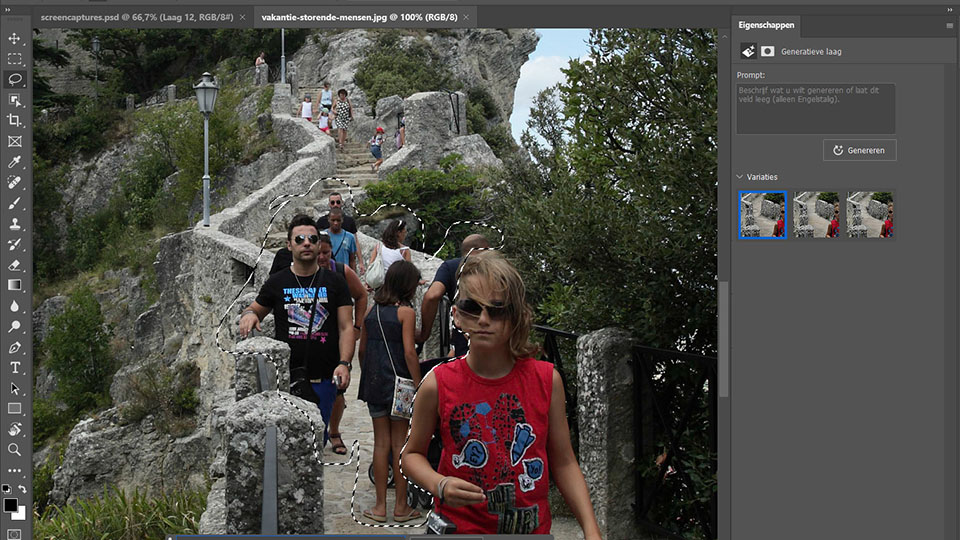
Use Generative Fill to remove distracting elements from your photo. Other tourists in a holiday photo, a lamp post or bin, or a electricity pylon on the horizon. That used to be a lot of work, but now it can be done in an instant. That is fantastic, isn't it?

You can easily remove a lamp stand with a flash from your strobist photo, or an emergency exit sign from a wedding photo. If necessary, you can fill in the white edges created because you had to rotate the photo for a straight horizon.

Do you have a landscape photo that you would rather have in portrait format? That is possible too. Generative Fill can fill in the missing pixels. You can also turn a portrait photo into a landscape photo this way. Of course, it would have been better to make the right compositional choice on location.
You can merge photos if necessary. If they do not fit together well, Generative Fill can help by joining them seamlessly. You do have to choose the right photos and match the exposure in advance. Otherwise, it will not look convincing.

The content that is generated is never real. It is not based on a single existing photo. So you do not have to worry about parts of an existing copyrighted photo appearing in your image.
Generative Fill creates completely new content from all the image information available. You can guide the process by making the right selection, with the correct size and shape. You can provide keywords to determine what should appear.
The current version of Generative Fill has limitations. For now, you cannot generate content larger than 1080 x 1080 pixels, something that is easily overlooked. If the area you want to fill is larger, those 1080x1080 pixels are stretched.
Faces and limbs also often go wrong. Proportions are incorrect, or fingers and faces do not look realistic. Animals can also be misshapen, or end up with strange poses and colours.

Are you looking for a truly photorealistic result? Then you still have to adjust the content yourself. It looks good at thumbnail size, but not at high resolutions. This will probably improve over the coming years, but we are not there yet.
As photographers, we do not need to fear that Generative Fill will threaten our existence. For now, it is a novelty that everyone is playing with and having fun with.
But once the novelty has worn off, it will simply be an editing option like all the others. Anyone who already made so-called fake photos will continue to do so, with a little more convenience.
As photographers, we should certainly welcome functions such as Generative Fill. We can remove distracting elements even more easily and quickly, or fill empty space when you have to rotate a photo. We already did this, but it takes less time now.
Do you still want to change the reality of the photo as a photographer, or make the whole thing more beautiful than it was? Then you can do that more easily than ever. As long as you pay attention to the details.

If you change the photo, be honest about it too. That will do you credit. It certainly does not make you a bad photographer. It makes you an image-maker with your own style and vision. As long as you do not pretend it is all real.
Generative Fill is a useful option that will certainly lead to many practical applications. It first has to come out of Photoshop Beta, though. Only then will we see how functional it becomes. I have made an extensive video explaining Generative Fill in almost every aspect.
About the author
Nando Harmsen has been photographing for more than 40 years. He specialises in wedding photography and landscape photography. Nando also gives talks, workshops, masterclasses and photo trips, and regularly reviews new and interesting equipment.
You might also like
-
 New in Photoshop Beta: Generative Fill
by Nando Harmsen
-
 Adobe and the cost of AI generative fill
by Nando Harmsen
-
 Generative Expand added to Photoshop Beta
by Elja Trum
-
 Does AI generative removal make you a lazy photographer?
by Nando Harmsen
-
 Photoshop beta update April 2024
by Nando Harmsen
-
Lightroom update with generative AI
by Nando Harmsen
4 comments
-

 kok.f@ziggo.nl wrote on Saturday 3 June 2023 at 11:31
| reply
kok.f@ziggo.nl wrote on Saturday 3 June 2023 at 11:31
| reply
100% agree with this story. Actually, there is nothing new under the sun. The biggest difference is that this kind of manipulation used to be specialised work, especially in the darkroom days. Now, so to speak, anyone can pull it off. In the beginning, it's fun to do all sorts of playful things with it, such as putting a camel in the living room, for example. However, these kinds of playful things are not the main point, the fun wears off. It does help to get the technique into your fingers. Much more important is that you can now apply all sorts of improvements and subtle changes quickly, easily and also convincingly. And yes, honesty is the best policy, so don't make a secret of it when you do this kind of thing and don't give the impression that you took the photo that way originally. In journalism or documentary photography, that is completely out of the question. In creative photography, honesty also does credit to the creator of the image.
Translated from Dutch. -
 Fons Bitter wrote on Tuesday 6 June 2023 at 13:08 | reply
Soon you won't need an expensive camera at all to take photos. You type in a few keywords and terms and your photo just rolls out of your AI system...Right?
Translated from Dutch. -
FonsBitter wrote on Tuesday 6 June 2023 at 13:11
| reply
Soon you won't need an expensive camera at all to take photos. You type in a few keywords and terms and your photo just rolls out of your AI system...Right?
Translated from Dutch. -
 Chris wrote on Tuesday 6 June 2023 at 15:05 | reply
Fun to play along. I like tinkering, but then it always says so, or it's so fantastic that it really stands out.
Translated from Dutch.
Have your say
Please note: Articles older than a week can only be commented on by signed-in visitors.Would you still like to comment? sign in or create a free account.
Become a better photographer every week
A practical photography tip in your inbox every week.
38,982 photography enthusiasts already receive the tips! More about the weekly mail. Or keep up to date via  Facebook.

Elja Trum
Photofacts; everything to do with photography!
Would you like to take better photos and keep up with what is happening in photography? Photofacts publishes articles that teach you something about photography — from a product announcement to a practical shooting tip or a look at a website. Photofacts covers photography every day and is a hobby project of Elja Trum's that got out of hand. The articles are written by a team of volunteer authors. If you would enjoy writing one or more articles for Photofacts, do get in touch.More about PhotofactsPhotofacts is made possible in part by
