

Review: Lume Cube, miniature video light and flash
Friday 24 March 2017, 14:41 by Michelle Peeters | 9,554 views | 8 commentsThis article was translated from Dutch with the help of AI. Read the original.
The Lume Cube is a sturdy metal block measuring just a few centimetres (4 by 4 by 4 centimetres) that provides extra light for photos or video. It is a video light and slave flash with an impressive output of 1500 lumens.
You can use it with action cameras, drones, video and stills cameras, and of course handheld.
It is small, waterproof (provided the screw on the back is tightened and the micro-USB connection is sealed) and puts out an astonishing amount of light: the small Lume Cube has it all.
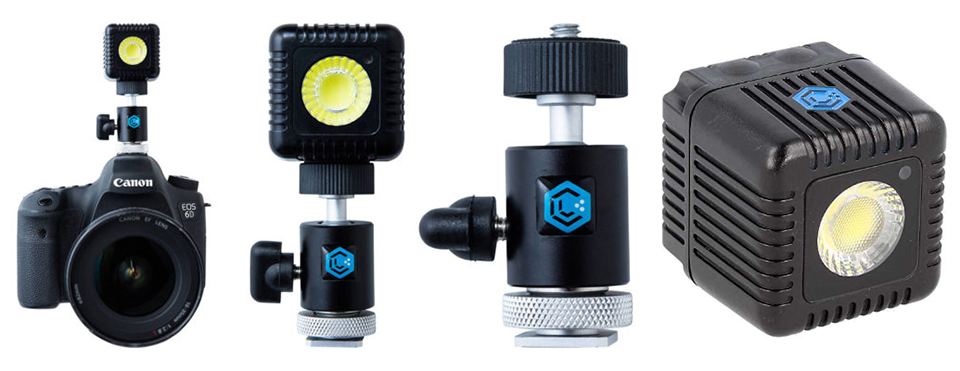
With both manual and Bluetooth control, this 1.5-inch cube produces an impressive 1500 lumens of light and is also fully waterproof down to 30 metres. Just think of the creative possibilities that offers, without having to carry large equipment around.
Easy to use
The small Cube is easy to use. There are two buttons on top for switching it on and adjusting the amount of light.
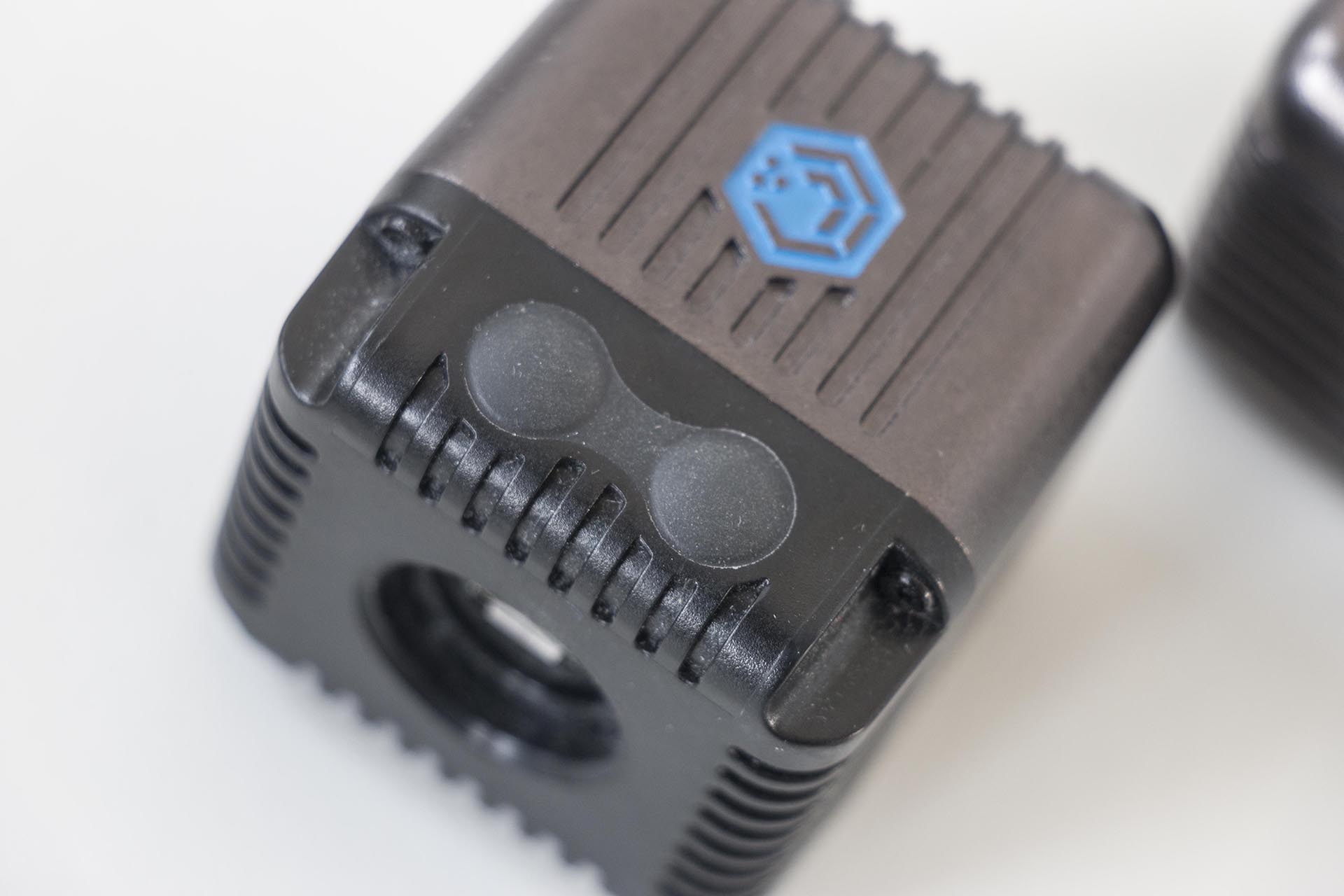
Using the buttons: continuous or flash light
Press the left button on top of the light to switch on the continuous light. Each time you press this button, you increase the light intensity in steps, with ten levels available.
You activate the flash sensor by holding down the right button for five seconds. A red light comes on briefly and it flashes once. If you move your finger in front of the sensor, it flashes again.
You can also control the Lume Cube remotely via Bluetooth using the Lume Cube Pro app on your phone. This app lets you control up to five separate Cubes, in all kinds of different modes.
For example, choose video mode for continuous light, or flash mode to use it as a flash.

How do you control the Lume Cube with your smartphone?
The Lume Cube offers two lighting options, namely flash light and continuous light. You should compare the flash light with the LED flash on your phone.
It is a relatively long exposure rather than a flash like the one you know from a normal flashgun. This mode is therefore best suited to taking photos with a smartphone.
To use it with your smartphone, use the handy Lume Cube app, which you can download from the Play Store or App Store.
The flash can be paired with your phone via Bluetooth, allowing you to control the Lume Cube with your smartphone, either to flash or to use the video light. It switches between continuous and flash light automatically when you film or take photos.
The app gives you various options for setting up the Lume Cube, and pairing it is easy. Just press the right button on the Cube and the app will find the light automatically. You do not need to fiddle around in your phone's Bluetooth menu.
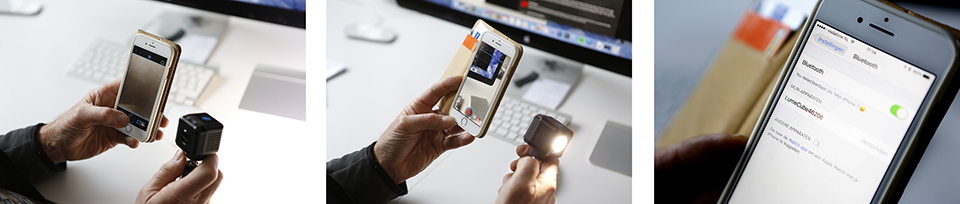
I can already see a whole range of possible uses for this. Just think of the convenience. If you are heading out to take photos with only a smartphone, the small Cube is of course a handy accessory that even fits in your jacket pocket.
It can also be useful when taking photos with your smartphone to have extra light for macro photography (which is possible with an add-on lens for smartphones), portraits with flash light, or continuous light in dark conditions.
When filming and taking photos with your smartphone, you can of course use the built-in light on your smartphone. Depending on your phone, these range from moderately useful to completely useless.
They often do not have enough power to provide effective additional light and they also heat up quickly, causing the light to switch off to prevent overheating. So their usefulness is limited, especially for longer video recordings.
The Lume Cube provides the answer. It produces much more light and can provide two hours of continuous light on a single charge (at half power). Ideal for smartphone video, and with the quality of the video function on newer smartphones, you can get very good results.
Adjustable light intensity up to 1500 lumens
Speaking of light output, this small lamp produces up to 1500 lumens of light. That is about as much light as a 150-watt incandescent bulb. So it is clear that this little light is capable of a lot.
Fortunately, the intensity can be adjusted in ten steps, because at maximum power the light is simply too bright for some applications.
Underwater photography
One feature I particularly like about this light is that it is waterproof down to a depth of 30 metres. This means you could also use it for underwater photography.
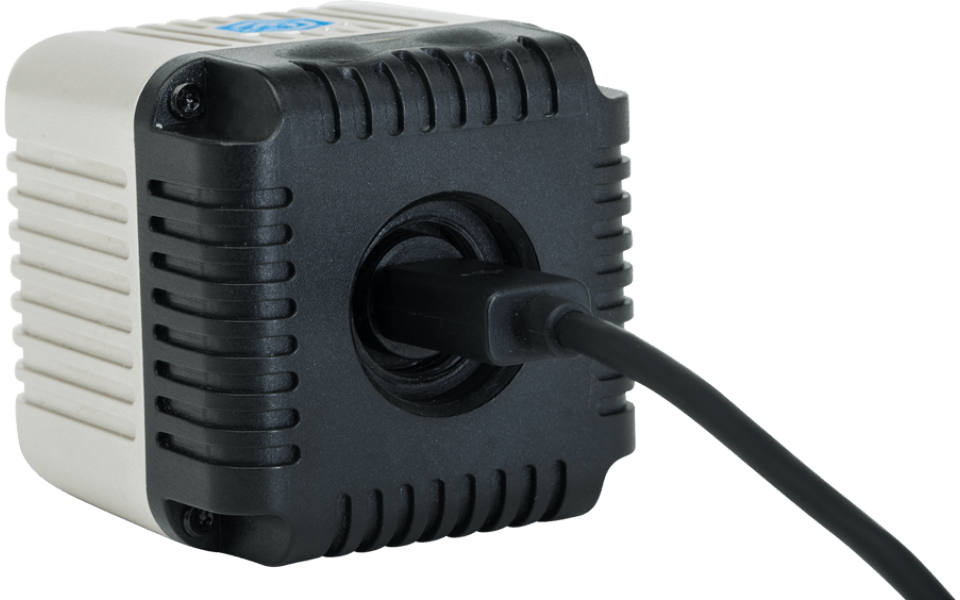
The cube itself is completely sealed, and the USB port used to charge the light is located on the back under a small cap that you tighten with a coin to ensure it remains waterproof.
Action cameras
The 1/4"-20 screw connection on the underside allows you to attach the Lume Cube to any mount or tripod. Its size makes this light source particularly suitable for action.
The manufacturer of the Lume Cube therefore focuses mainly on people who use action cameras and offers the GoPro Bar in its range, to which both a GoPro and two Cubes can be attached.
Ideal if you head out in the evening or at night to capture some action!
Video recordings
When used with a normal stills camera, it is a mixed story. For filming, the Lume Cube is very useful and provides an incredible amount of light for such a small lamp.
For larger groups, larger spaces and critical recordings, you may still need to fall back on a larger video light such as an LED panel.
The Lume Cube certainly has enough power to light a large room fully, but because all the light comes from a single point, it is very harsh, especially if people have to look at it, and it creates hard shadows.
However, the Lume Cube works very well in smaller environments and as a back-up option.
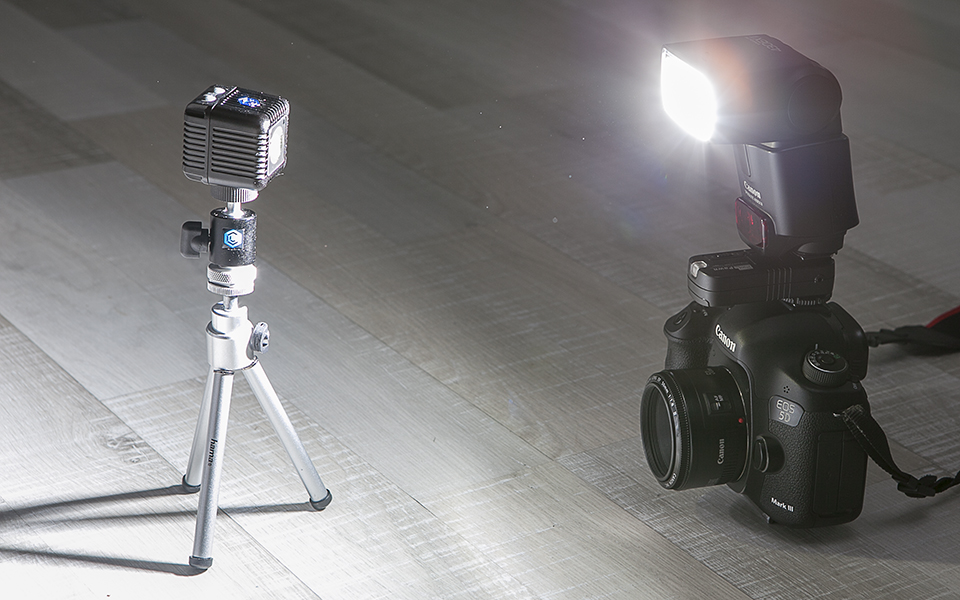
The Lume Cube is also very useful for taking photos. However, it is not a complete replacement for a normal flashgun. A flashgun works better with moving subjects, because its short, intense flash can really freeze movement.
With a normal stills camera, the Lume Cube can generally only provide continuous additional light. The LED light does have an optical slave function, which allows the Lume Cube to flash along with your camera's flash. This lets you use the Cube as a second flash for extra light or creative effects.
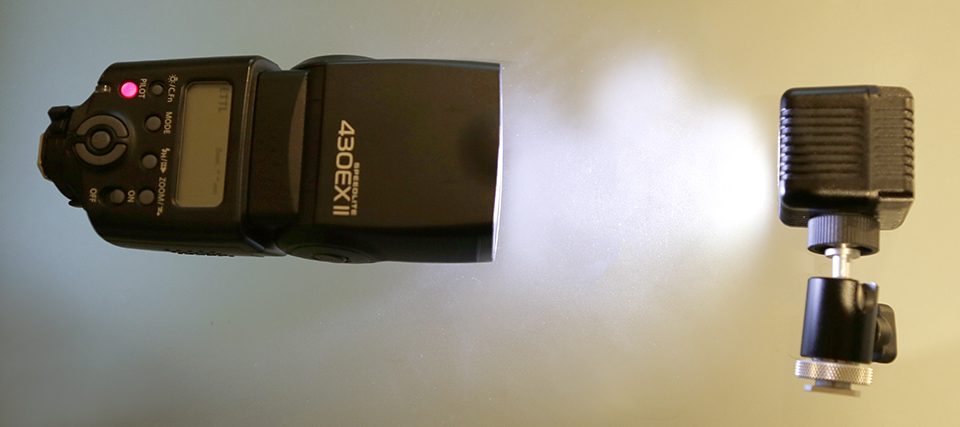
The continuous lighting function works very well for stationary subjects, making the Lume Cube perfect for product photography, for example. The light is already quite diffuse by default and the beam is wide, especially when you consider that it is just one LED.
If you use a softbox, shine the light through another object, or even get creative with something such as a frosted glass jar, you can spread the light over your subject even more attractively.
White balance
With a colour temperature of 6000 Kelvin, the Lume Cube is slightly blue or purple, comparable to the xenon lamps in luxury cars. You may therefore need to adjust your camera's white balance slightly to maintain natural-looking colours.
Specifications
Here are some more specifications: the Lume Cube has a light temperature of 6000K, which is approximately equivalent to daylight.
The light can be dimmed between 0 and 1500 lumens and has a built-in optical sensor for working together with other light sources or flashes.
Conclusion: Powerful LED in a compact block
The Lume Cube is a very fun new product. Its particularly compact shape and waterproof construction mean that this small light can be used in a great many situations.
It is impressive that a powerful LED with reflector, a good battery and Bluetooth functionality have been fitted into such a small block.
The Lume Cube can be combined with various clever accessories, making it very flexible to use. The handy app and Bluetooth connection make it very easy to use with a smartphone.
As the Lume Cube also has a tripod connection, you can simply combine it with your favourite accessories.
Price and availability
The Lume Cube is available for 99 euros. The extensive Lume Cube Pro app is now available free of charge from the App Store and Google Play.
The official Lumecube distributor in the Benelux is Degreef & Partner.
About the author
Michelle Peeters is fotografe en oprichter van DeuxBleus Fotografie. Michelle herkent het bijzondere in het gewone en het gewone in het bijzondere. Ze heeft zich nooit willen specialiseren en is daardoor van alle markten thuis.
You might also like
-
 Review: SmallRig RM 40C mini LED video light
by Nando Harmsen
-
 Review: SmallRig RM-03 Macro Photography LED lights
by Nando Harmsen
-
 Review: SmallRig RC 60B COB LED video light
by Nando Harmsen
-
 Review: Canon EOS R50 mirrorless camera
by Nando Harmsen
-
 Review: Sirui Bi-Colour LED CS100B lighting
by Anno Huidekoper
-
 Review: The Canon RF 85mm macro lens
by Nando Harmsen
8 comments
-
 Rick wrote on Sunday 26 March 2017 at 01:19 | reply
Clear explanation Michelle, I decided not to buy them myself because I already have 'enough', but reading it like this again, it really is a nice piece of technology!
Translated from Dutch.
As a tip, I would like to point out that the only thing I myself miss is a bit about the quality of the light, cri, tcli, etc. This is quite important for the serious photographer.
(By the way, it says USB-C cable/connection, I think the Lumecube just uses micro-USB but I could be wrong) -

 Michelle Peeters wrote on Sunday 26 March 2017 at 11:36
| reply
@Rick: you're right about that micro-USB cable. I corrected it in the text.
Translated from Dutch.
Furthermore, I looked up the CRI of the Lume Cube; it is supposedly 80. I understood that this should be at least 90 if you don't want to get poorer color reproduction... -
 Paul Oosterlaak wrote on Sunday 26 March 2017 at 12:11
| reply
Michelle: the efficiency of an incandescent bulb increases with its wattage, which means you don't need a 150W incandescent bulb for 1500 lumens. A 100W incandescent bulb produces a luminous flux of 1300 lumens.
Translated from Dutch.
6000K is a shame, though, because that is higher than that of a flash. So you need a color correction filter if you want to use both a flash and the Lume Cube. The CRI is also somewhat low (although that doesn't always say everything about the color rendering).
The fact that the lamp gives off light at an angle of 60degrees doesn't make it diffuse. It is only diffuse when the light source is larger and the light comes from multiple directions. Now it is simply a point source, so just with a cast shadow. -
Michelle Peeters wrote on Sunday 26 March 2017 at 12:17
| reply
@Paul: that's indeed correct! It's definitely not the same quality of light that you get with a larger (more diffuse) light source. I would use it myself as additional fill light to brighten up some shadows here and there. The fact that the color temperature is slightly different from flash light is indeed a shame, especially in mixed-light situations. A filter does seem like the solution then, yes.
Translated from Dutch. -
Rick wrote on Sunday 26 March 2017 at 21:14 | reply
Fortunately, they are busy working on filters!
Translated from Dutch. -
 wim wilmers wrote on Tuesday 28 March 2017 at 10:53 | reply
so color correction filters and grids and diffusers are coming onto the market, I heard via the importer. They are supposed to come onto the market sometime in April. They have been on the Lume Cube site for a while now
Translated from Dutch. -
Have your say
Please note: Articles older than a week can only be commented on by signed-in visitors.Would you still like to comment? sign in or create a free account.
Become a better photographer every week
A practical photography tip in your inbox every week.
38,768 photography enthusiasts already receive the tips! More about the weekly mail. Or keep up to date via  Facebook.

Elja Trum
Photofacts; everything to do with photography!
Would you like to take better photos and keep up with what is happening in photography? Photofacts publishes articles that teach you something about photography — from a product announcement to a practical shooting tip or a look at a website. Photofacts covers photography every day and is a hobby project of Elja Trum's that got out of hand. The articles are written by a team of volunteer authors. If you would enjoy writing one or more articles for Photofacts, do get in touch.More about PhotofactsPhotofacts is made possible in part by
