

Review: Canon EOS R50 mirrorless camera
Friday 9 June 2023, 13:31 by Nando Harmsen | 8,790 views | 0 commentsThis article was translated from Dutch with the help of AI. Read the original.
Canon Nederland sent me the compact Canon EOS R50 for review. This small white camera is aimed at photographers who simply want good photos without spending too much time on image editing. But you can, if you want to. Read more in this review.
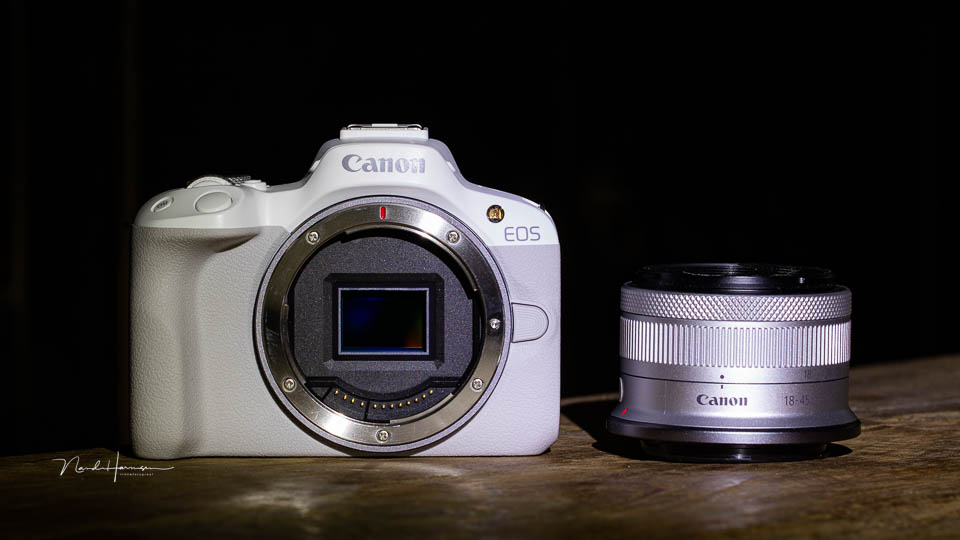
The Canon EOS R50 is the next camera in the EOS R mirrorless range. This model targets a new group, namely the enthusiastic photography enthusiast. Vloggers can also use this camera perfectly well.
The EOS R50 naturally comes with a suitable price. You can own the camera for 959 euros, including an RF-S 18-45mm F4.5-6.3 IS STM lens. That is still quite a lot of money, even though it is considerably less than most other EOS R models. So the question is, is this camera worth the money?
Some specifications
To give you an idea of what the EOS R50 can do, I have listed some of its specifications. Although it is a relatively inexpensive camera, you get many features and excellent autofocus.
- 24-megapixel APS-C CMOS sensor
- 4,503 AF points across 100% of the image area
- AF tracking for people, animals and vehicles
- Eye AF, face AF, head AF and body AF tracking
- 2.39-million-dot OLED EVF with refresh rates up to 120 fps
- 2.95-inch fully articulating LCD touchscreen with 1.62 million pixels
- Up to 12 fps with the mechanical shutter and 15 fps with the electronic shutter
- 14-bit RAW and C-RAW, 8-bit JPEG or 10-bit HEIF
- 4K 30p video oversampled from 6K resolution
- HDR PQ 4:2:2 10-bit
- Video output to an external monitor
- Extensive WiFi and Bluetooth connectivity
- Built-in flash
- Only 375 grams with battery and memory card, 376 grams for the white version
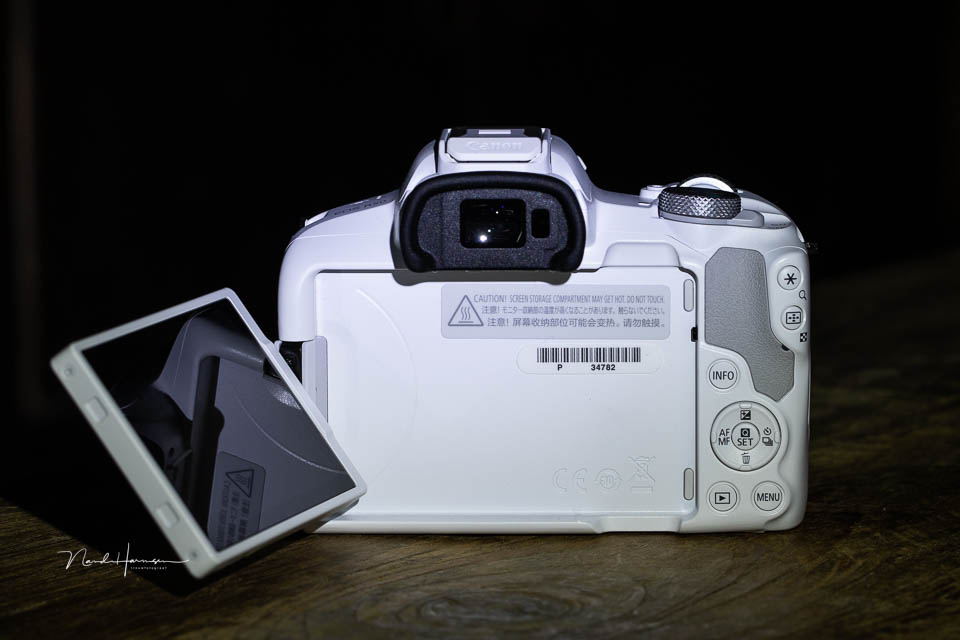
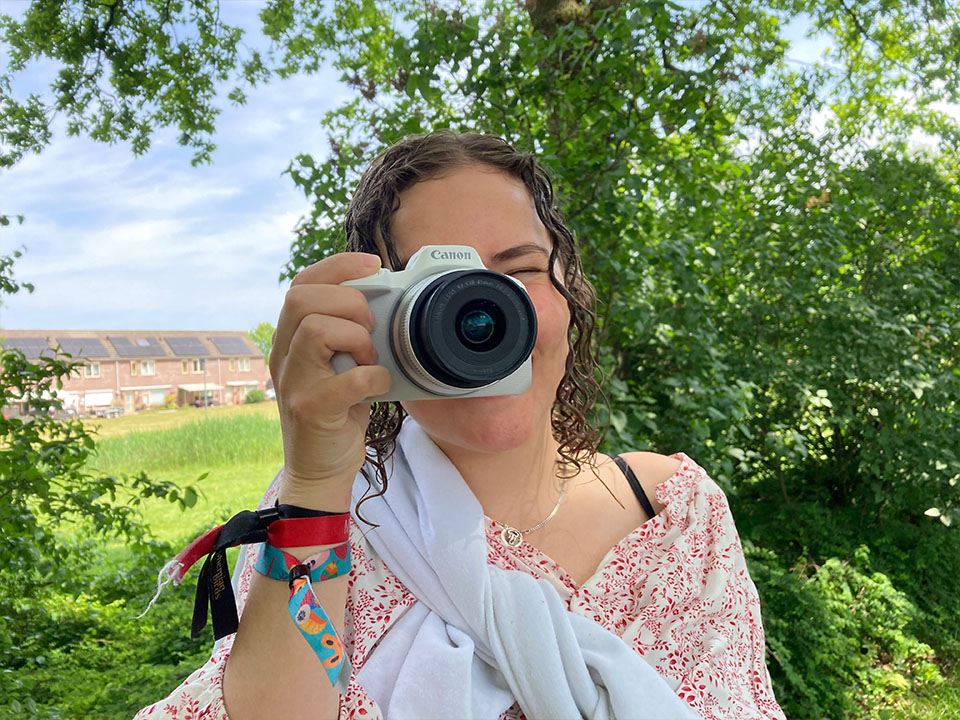
The camera is small. It measures just 11.6 x 8.6 x 6.9 centimetres. You notice this when you hold the camera in your hand. If you have large hands, using it may feel less comfortable.
A closer look at the camera
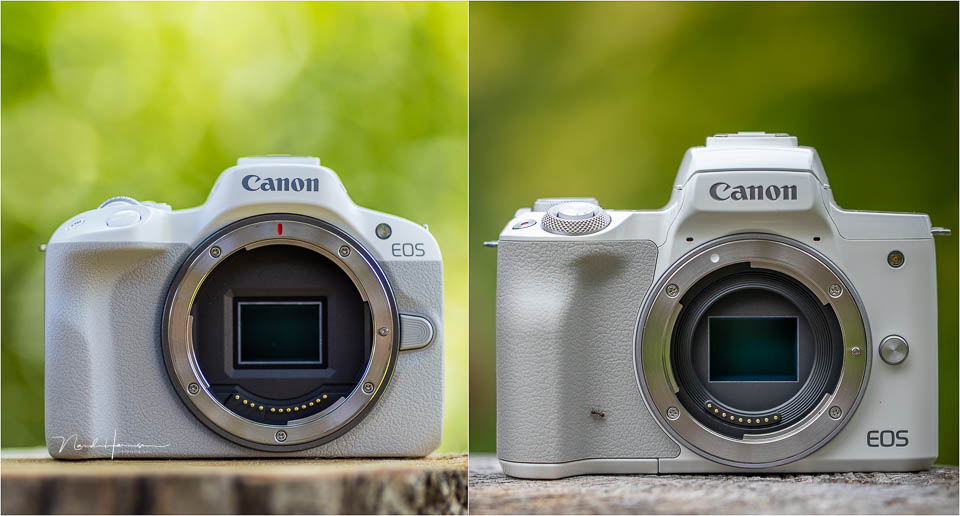
My first impression of the Canon EOS R50 was how similar it was to the old familiar Canon EOS M50. This may also be because of the colour. When you put them next to each other, there are similarities as well as differences.
The button layout is typical of an EOS R mirrorless camera. Next to the shutter button are the control dial and a recessed ISO button. There is also the video recording button. These are the only buttons on top of the camera.
The PSAM dial contains all the important shooting modes. Around it you will find the main switch. The rear provides space for the remaining buttons. These are very small, partly because of the camera's limited size. They are also positioned close together for that reason, leaving little room for your thumb.
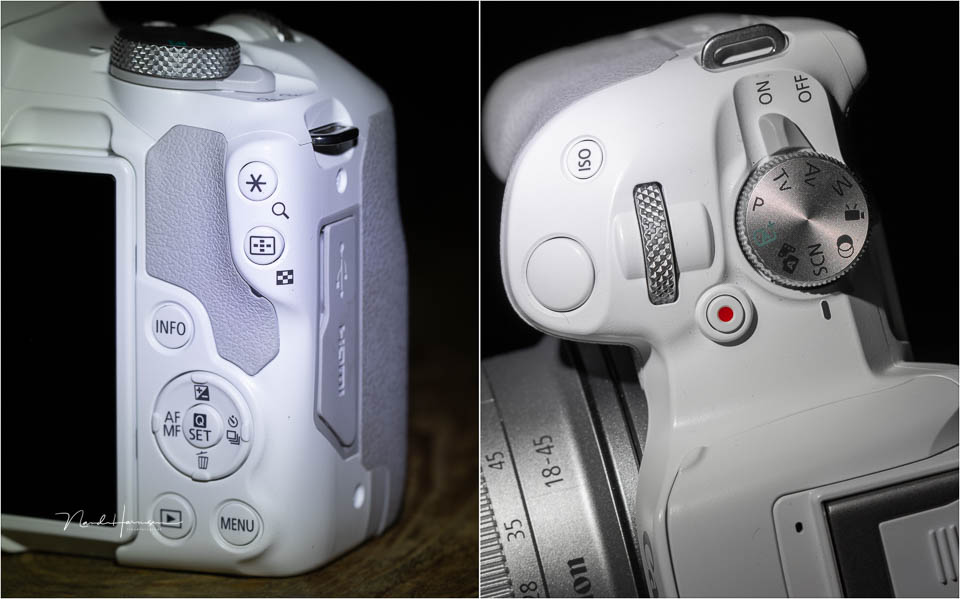
There is no AF-ON button, nor a joystick. There is a four-way button with the Q/Set button in the middle. On the shoulder you will find the AEL button and the focus point position button. Although you can use these buttons to operate the camera, the touchscreen offers that option too.
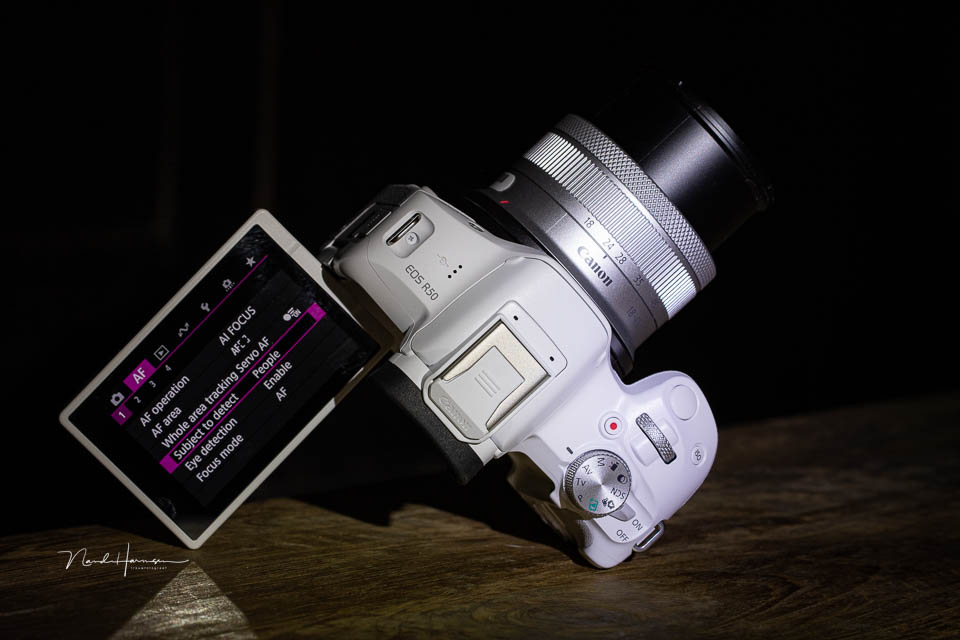
The EOS R50's touchscreen is almost 3 inches in size. It can fully rotate and tilt, making it easy to use for selfies and vlogging. The microphone socket is on the hinge side.
The micro HDMI and USB-C sockets are on the other side of the camera. This means the screen is not completely blocked when you turn it around. The hot shoe has extra contacts for a select number of accessories.
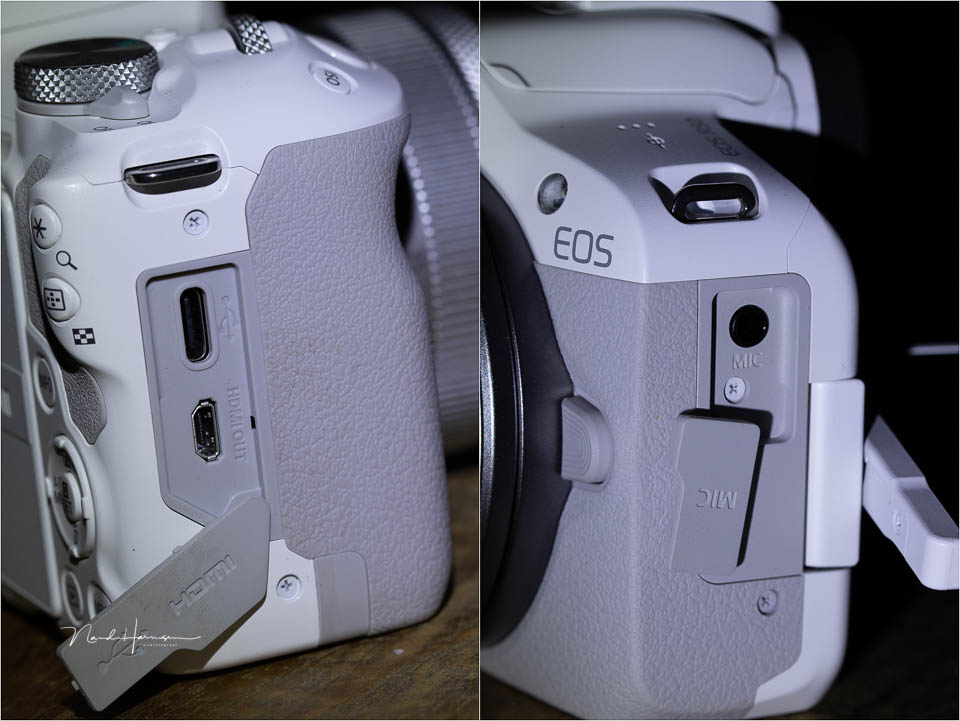
The EOS R50 also has a small flash. You have to activate it manually by popping it up.
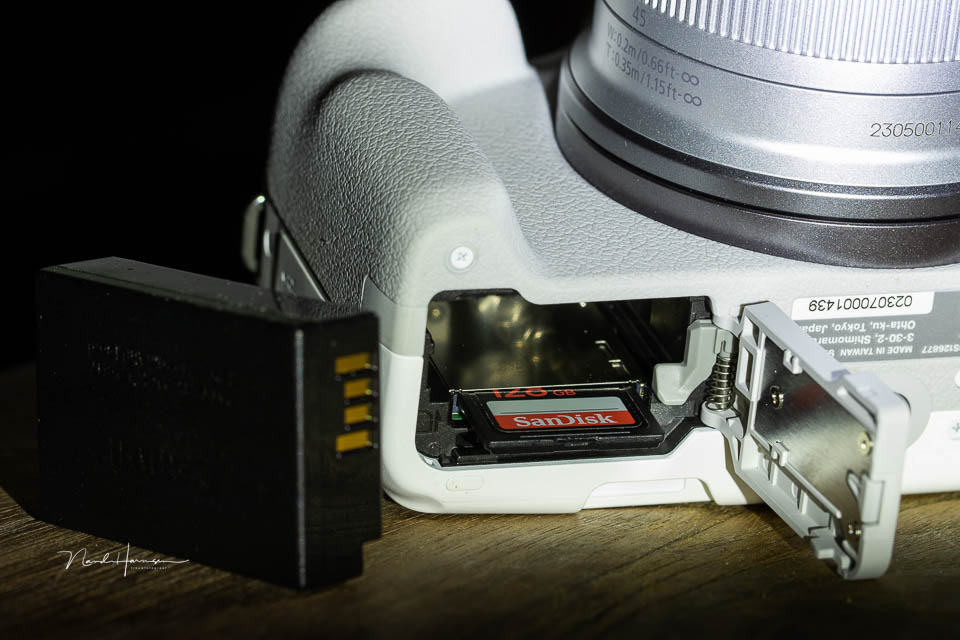
The camera is powered by the small, compact LP-E17 battery. This means the number of shots per charge is not very high. You can take 440 shots with the LCD and 310 shots with the EVF. In practice, this number will be slightly higher. You can also power the camera via USB-PD. Next to the battery is the slot for a USH-II SD card.
Using the camera
The camera operates as you would expect. Set the desired mode on the PSAM dial and start shooting. The menu is simple and the settings are easy to find. You can assign new functions to the buttons.
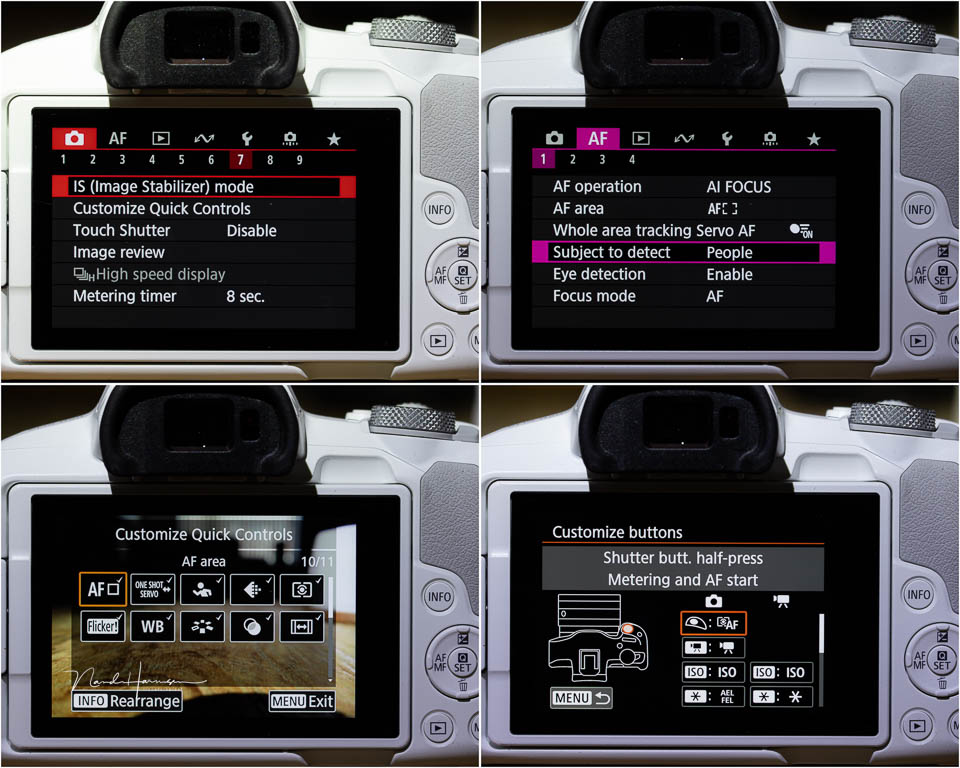
The idea behind this camera is clear. The EOS R50 is intended for taking photos without worrying about settings. Although you can shoot in RAW and C-RAW, the camera seems mainly aimed at JPEG photographers.
Many functions are only available when the camera is set to JPEG. Think of HDR, special scene selections and creative settings. The built-in digital teleconverter is also only available in JPEG mode.
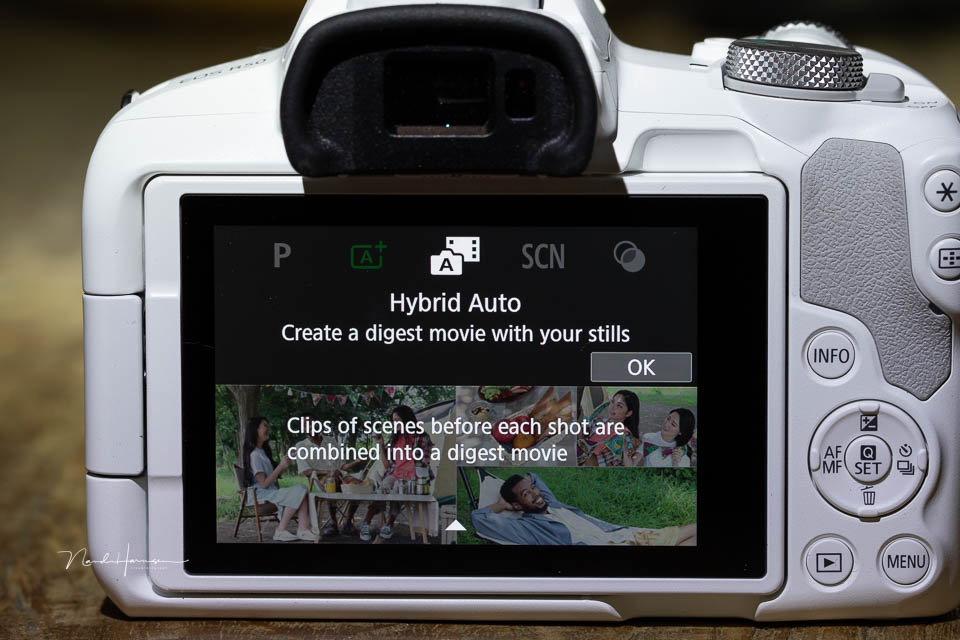
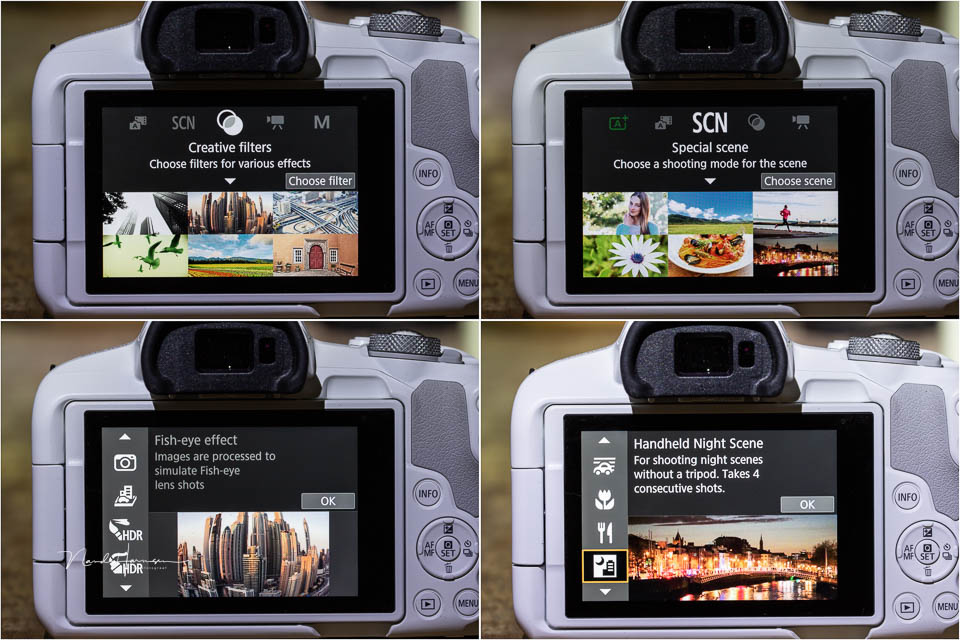
If you want to get the most out of the camera in terms of features, choose JPEG. That does not mean you are limited to JPEG. Shooting in RAW or C-RAW gives you access to the full dynamic range of the 24-megapixel sensor.
The EOS R50 has no physical image stabilisation, only digital image stabilisation. In general, you have to use the image stabilisation in the lenses you use. Almost all lenses designed specifically for this type of camera have image stabilisation built in.
Dynamic range
The EOS R50 has an ISO range from ISO 100 to ISO 25,600. You can use Hi, which gives you one stop higher ISO. It is better not to use this last stop, as the noise becomes very distracting.
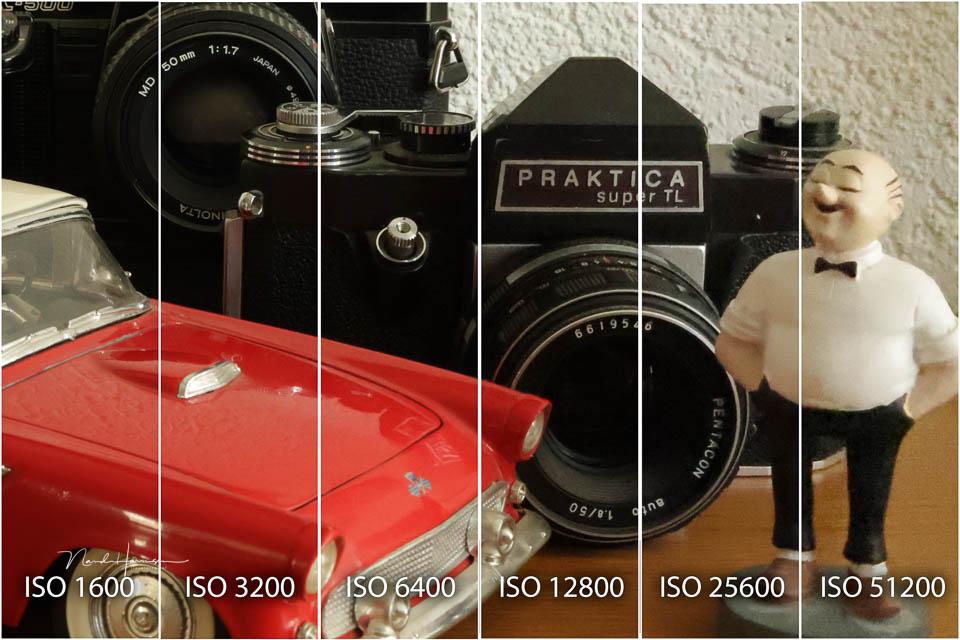
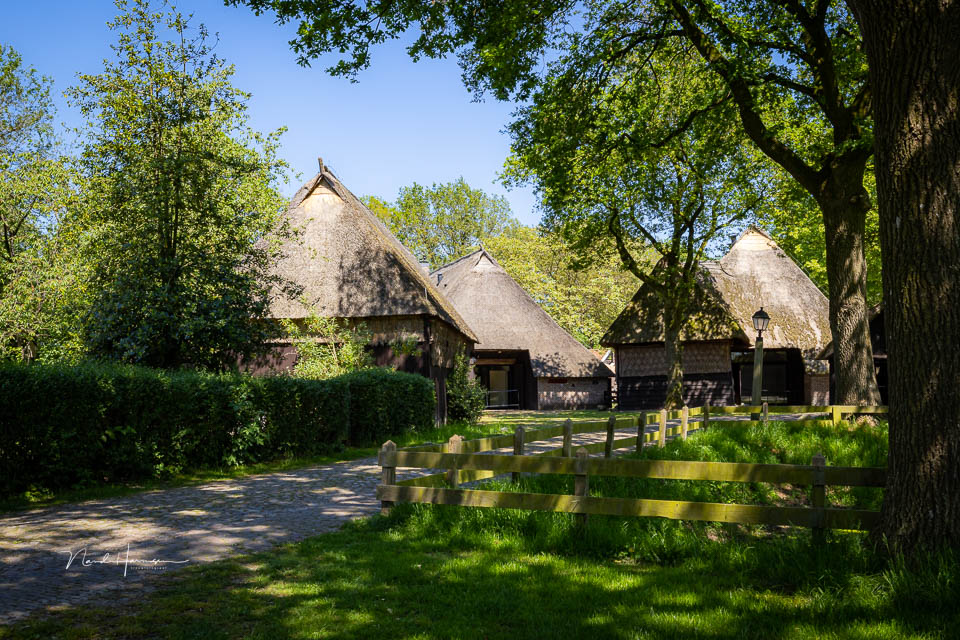
Performance at higher ISO values is good, provided you avoid the extremes. How good the dynamic range is becomes clear when a photo is deliberately underexposed. Correcting the underexposure shows how well you can still recover the dark areas. I used ISO400 in the example.
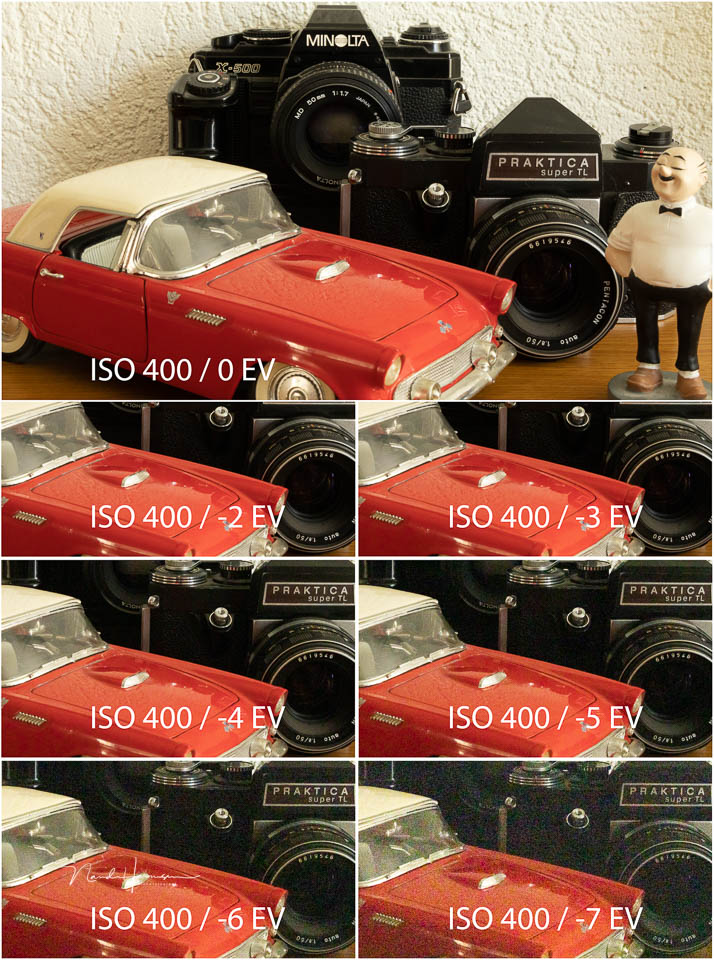
To make maximum use of the dynamic range, you need to shoot in RAW or C-RAW. The EOS R50 can be brightened by up to 4 or 5 stops without the noise becoming distracting.
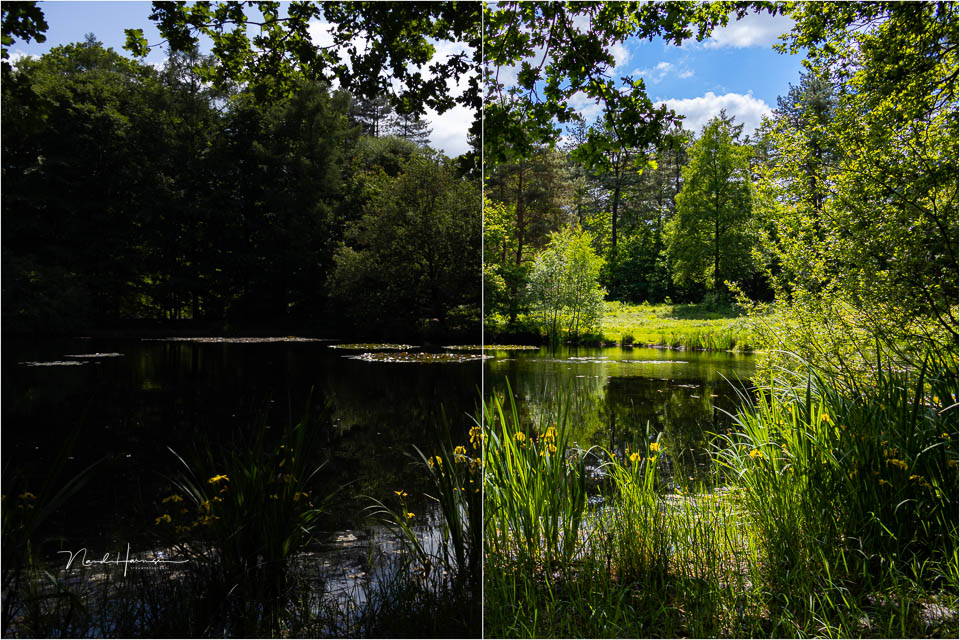
Do you prefer shooting JPEG, but still want as much dynamic range as possible in your photo? Then you can use one of the HDR functions in the camera.
Filming with the EOS R50
The camera is in principle suitable for video and vlogging. Yet most of the camera's functions are mainly aimed at photography. The video functions seem secondary. That does not mean you cannot use the camera for filming.
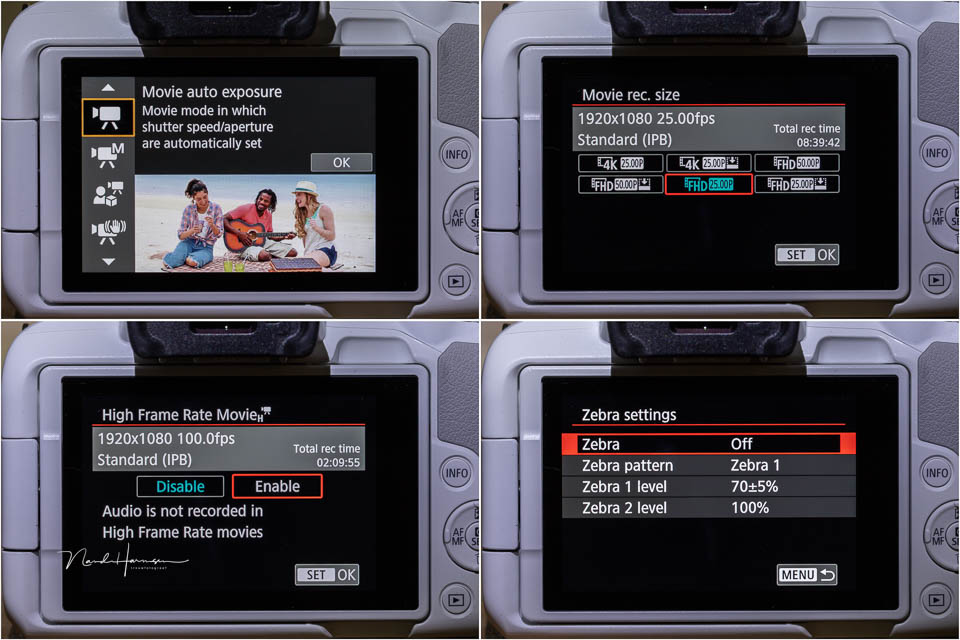
The EOS R50 can film at up to 4K 30p, using the entire sensor. In Full HD, you can use up to 120 fps.
The camera can record in 10-bit 4:2:0 and 4:2:2 in Rec.709 or Rec.2020. However, there is no option for Canon Log. The maximum recording time is limited to 1 hour, except at high frame rates.
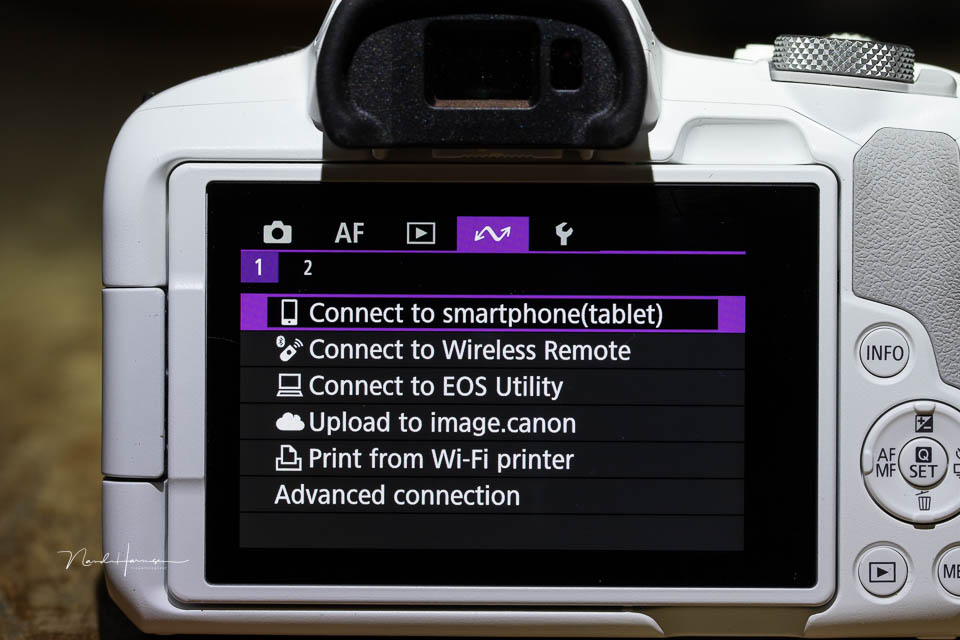
Vertical video and USB live streaming are supported. Focus breathing correction is available, although not with every lens. Only newer RF lenses will support this function.
I hardly used the camera for video. But from what I have seen, the image quality is excellent, with little rolling shutter effect.
My findings
Taking photos with the Canon EOS R50 was less pleasant than I expected. This is not due to the image quality or the autofocus and tracking capabilities. They are all perfectly fine. It is entirely down to the ergonomics.
When using the camera, I repeatedly pressed buttons by accident. This changed settings without me noticing. Until I took the photo. This is due to the limited space for my thumb on the back of the camera.
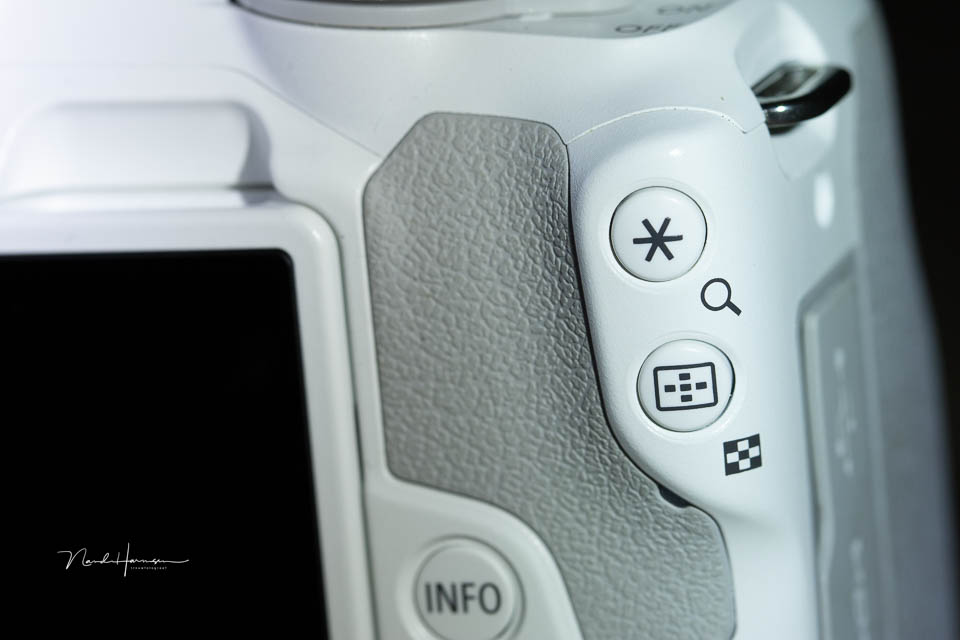
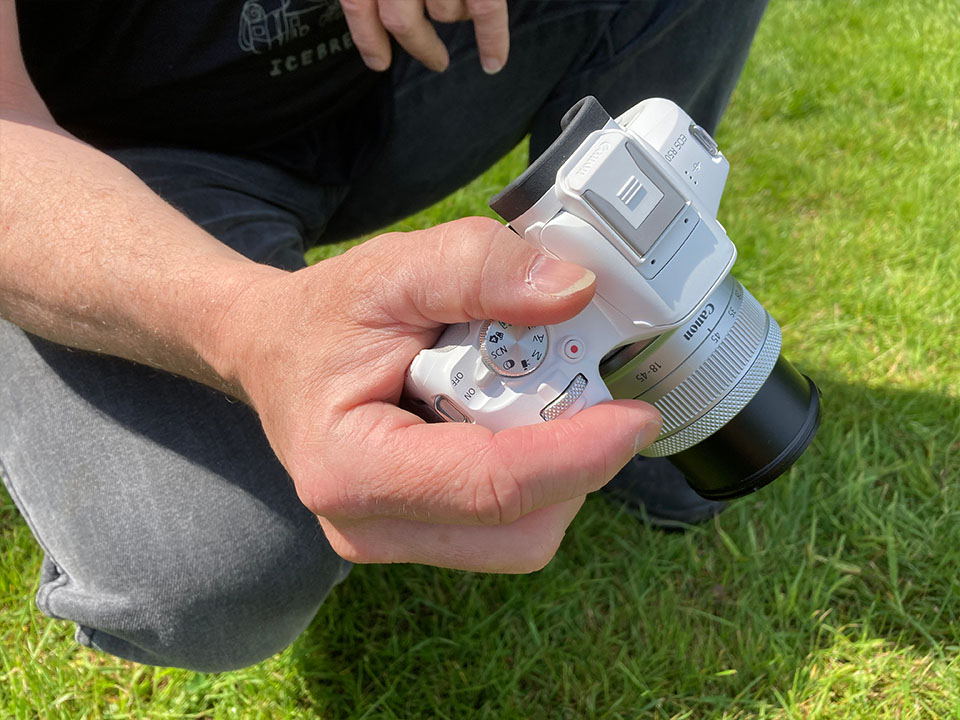
I pressed the four-way button far too often with my thumb when bringing the camera to my eye. The buttons on the shoulder were also often pressed because they sit exactly in the hollow between thumb and index finger.
The buttons stick out far enough to cause this problem again and again. The ISO button, on the other hand, is recessed enough not to be pressed accidentally. It would be good if the other buttons had the same profile.
The PSAM button also turns too easily, which can surprise you with the wrong mode. This happened to me several times. A lock would have solved this problem easily. Now you need to keep checking the settings.
You can in principle operate the camera easily with the touchscreen. This is more comfortable, although not always faster. You have to use the screen when setting creative and scene selections anyway.
The autofocus works excellently. The tracking is fantastic too. It is fast and accurate, allowing you to use the camera perfectly for fast action. Keep in mind that the buffer is limited, especially when shooting RAW and C-RAW. There is barely any visible rolling shutter effect when following movement.
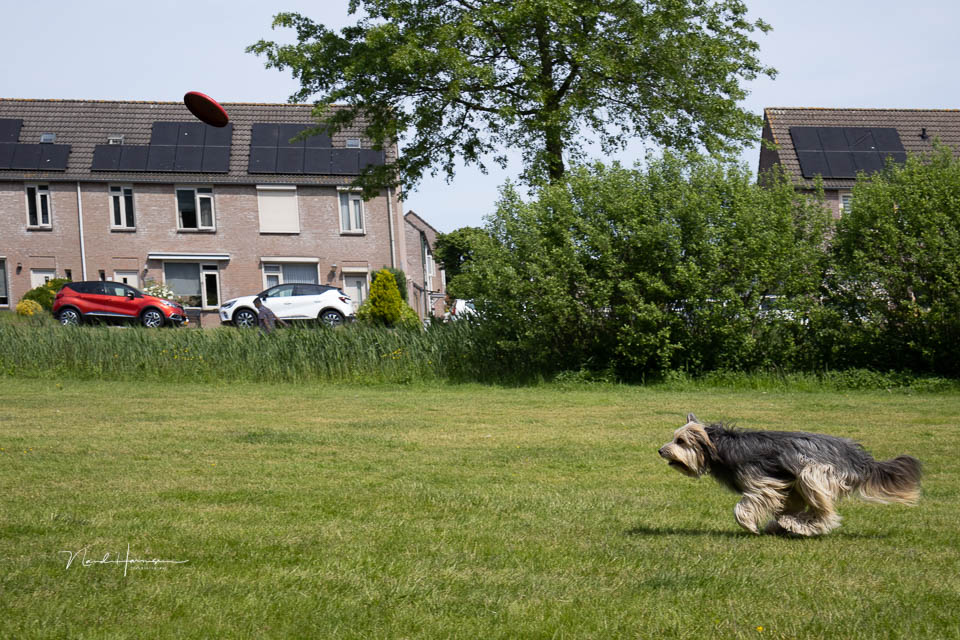
Although the camera is small, light and easy to carry, this is also where its disadvantage lies. For a demanding photographer, choosing the EOS R50 may be less suitable. It is a camera for enthusiasts who want to be creative and get a direct result from the camera.
As mentioned earlier, I did not use the camera for video or livestreaming. Although the options are there, I still think the camera is aimed more at photographers than videographers.
What I like
- Good sensor performance
- Reliable autofocus and AF tracking
- Interval shooting and focus stacking available
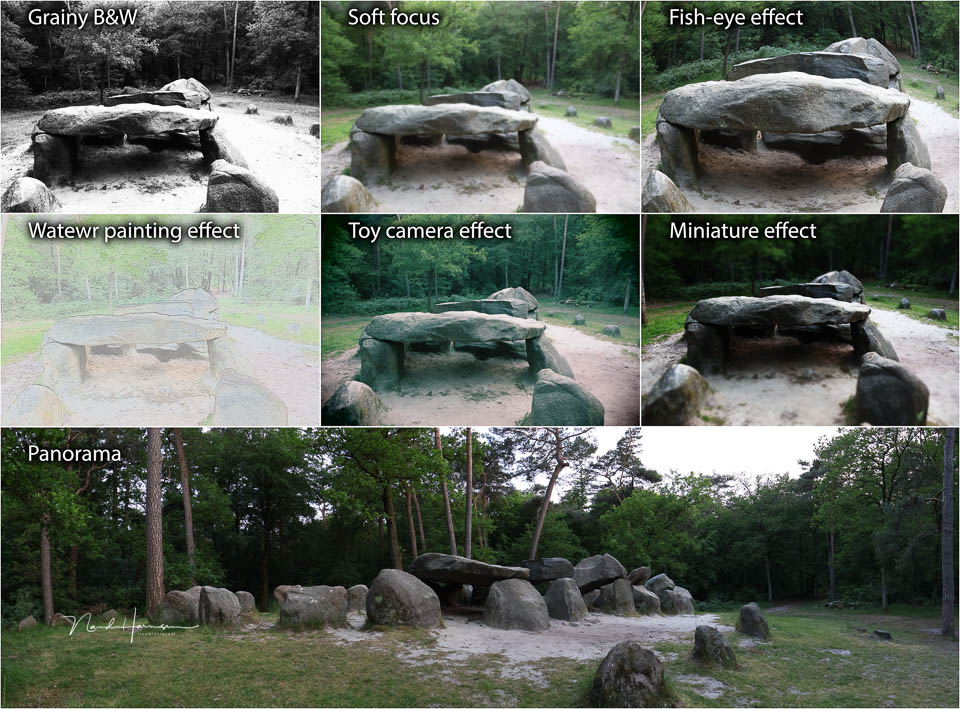
- Many creative options for JPEG photographers
- Can be used as a webcam, including for vertical video recording
- Good ISO performance
- Negligible rolling shutter effects
- Lightweight camera
- The USB-C and micro-HDMI connections do not get in the way of the tilting LCD screen
- Suitable for all RF and RF-S lenses, and EF, EF-S, TS-E and MP-E with an adapter
- Accessible camera to use
What I do not like
- Too small for my hands
- Buttons are pressed unintentionally too often
- Video functions are too limited for a vlogger or filmmaker
- No lock on the PASM button, which turns too easily
- No remote control socket, this is only possible via a smartphone
- Small viewfinder
- Larger lenses, such as many of the L lenses, make the camera difficult to handle

My conclusion
Of all the EOS R models, I found the EOS R50 the least pleasant to use, perhaps with the exception of the EOS R itself. In this case, it is entirely due to the size and the unintentional pressing of buttons during normal use.
This small camera also makes things difficult if you want to use larger, more professional lenses, for example if you want to use the EOS R50 as a second camera. The camera is too small and light for that, making everything unbalanced.
Why would you want to use this as a second camera with professional lenses, you may ask yourself? Simply because it is a small, relatively inexpensive camera that produces excellent images. It does not fall short of its larger, more expensive siblings.

The autofocus works brilliantly, and the camera is fast. Rolling shutter is almost absent and, all things considered, the EOS R50 performs very well. The major difference from its more expensive siblings is ergonomics. The EOS R50 is aimed at photography enthusiasts, not professionals.
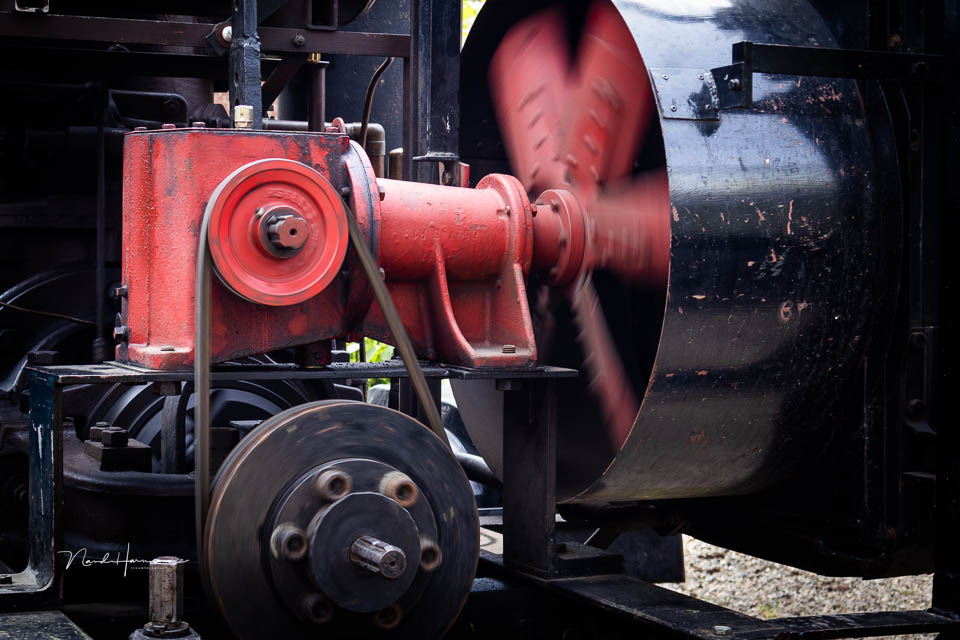
Although video is certainly one of the important features of this camera, I find the options too limited. The camera is more focused on photography than filming. But perhaps I am expecting too much from a simple vlog camera. Maybe the EOS R50 is intended for quick, ready-to-use content. The connectivity options point in that direction.
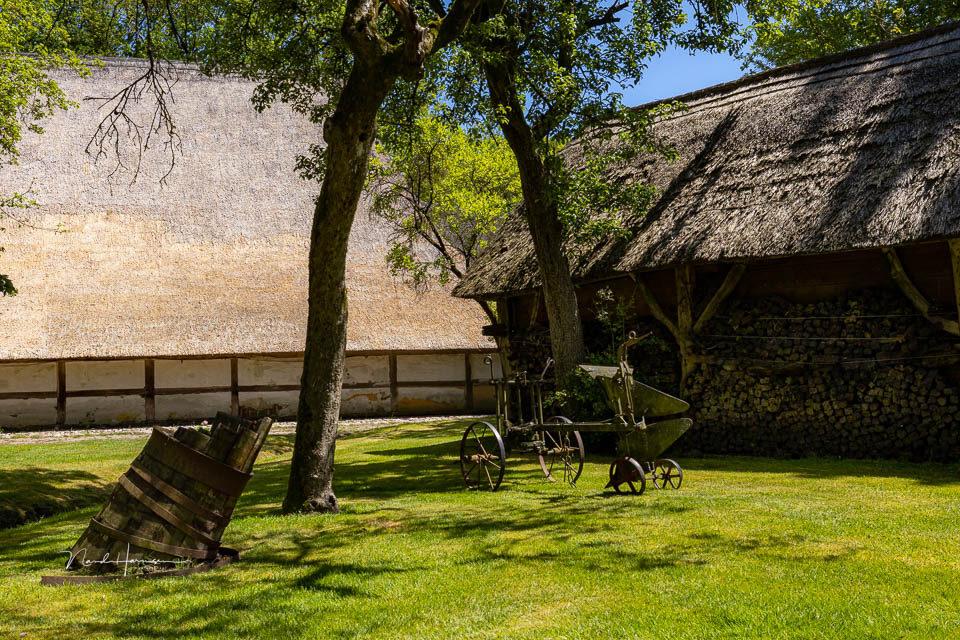
The EOS R50 left me with mixed feelings. I am not particularly enthusiastic about using the camera, but I have nothing to complain about when it comes to the results. They look excellent. That is why it is good to consider the camera in light of its target audience.
So let us return to the question, is the camera worth the money? Yes, I think it is. But only if you find the camera comfortable to use. Try it out in a shop and then decide whether it is a pleasant camera or not. If your hands are too large for it, you will notice immediately.

About the author
Nando Harmsen has been photographing for more than 40 years. He specialises in wedding photography and landscape photography. Nando also gives talks, workshops, masterclasses and photo trips, and regularly reviews new and interesting equipment.
You might also like
-
 Review: Canon EOS R50 V vlog camera
by Nando Harmsen
-
 Review of the Canon EOS M50 mark II
by Nando Harmsen
-
 Review: Canon EOS R6
by Nando Harmsen
-
 Review: Canon EOS R7
by Nando Harmsen
-
 Review: Canon EOS R5
by Nando Harmsen
-
 Review of the fantastic Canon EOS R6 Mark II
by Nando Harmsen
0 comments
Be the first to share what you think!
Have your say
Please note: Articles older than a week can only be commented on by signed-in visitors.Would you still like to comment? sign in or create a free account.
Become a better photographer every week
A practical photography tip in your inbox every week.
38,981 photography enthusiasts already receive the tips! More about the weekly mail. Or keep up to date via  Facebook.

Elja Trum
Photofacts; everything to do with photography!
Would you like to take better photos and keep up with what is happening in photography? Photofacts publishes articles that teach you something about photography — from a product announcement to a practical shooting tip or a look at a website. Photofacts covers photography every day and is a hobby project of Elja Trum's that got out of hand. The articles are written by a team of volunteer authors. If you would enjoy writing one or more articles for Photofacts, do get in touch.More about PhotofactsPhotofacts is made possible in part by
