

Review: OWC USB-C dock for MacBook Pro
Friday 28 April 2017, 21:12 by Frank Doorhof | 8,166 views | 0 commentsThis article was translated from Dutch with the help of AI. Read the original.
When I got an iPad, followed by an iMac and finally a MacBook Air as well, I was hooked and said goodbye to Windows for good.
I soon started editing videos on the MacBook Air, and filming and editing became my passion. I (Annewiek) filmed and edited much of what you see on Frank Doorhof's YouTube channel. Luckily, I still learn something new every day.
New MacBook PRO
But now that a few years have passed and we are recording more and more 4K and multicam footage, even Frank's old MacBook was no longer fast enough. So in November I bought the new MacBook Pro with touch bar and only USB-C connections.
It is nice and fast, lightweight and the screen is fantastic. The iMac was sold so that I always had my work with me, wherever I went. The only problem was the messing around with all those dongles...
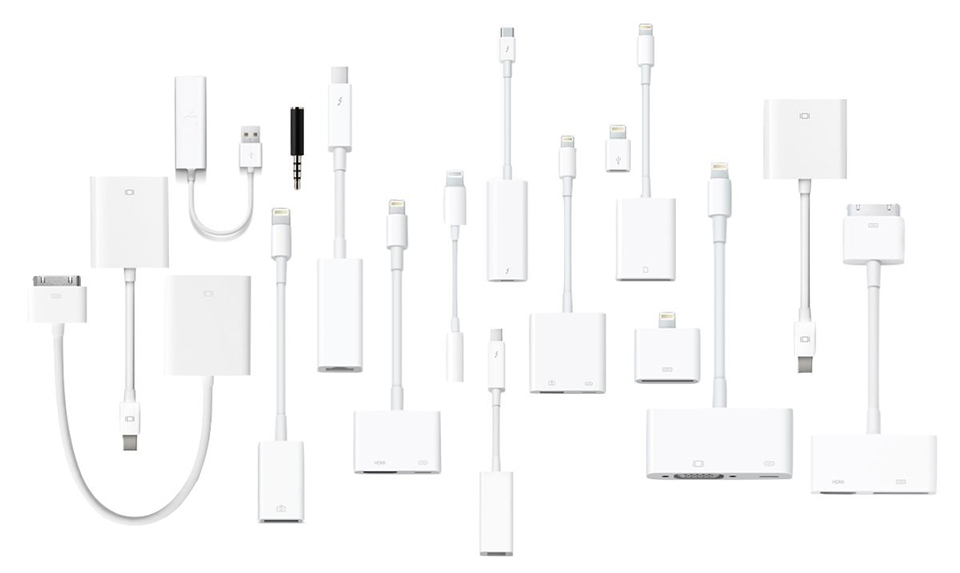
I used a USB hub with my keyboard and iPhone connected to it, as well as my printer/scanner (the scanner does not work wirelessly), label printer and backup. For the monitor I used a USB-C to HDMI adapter. For the Thunderbolt hard drive I have a Thunderbolt to USB-C adapter, and of course I still need to connect the power.
When I wanted to use the memory card, I had to unplug one of the cables so that I could use my USB-C card reader. Not my hard drive, because that is where I store everything. And not the USB hub either, because then the keyboard no longer works. Luckily, the mouse is Bluetooth.
Because the supplied power adapter does not have a magnetic connection, I bought a Griffin cable to replace the Apple USB-C cable. But unfortunately, it was so wide that I could no longer use the USB-C port next to it.
The same applied to the USB-C card reader. By now, I have spent a small fortune on dongles.
Arc Hub, is this Kickstarter the solution?
I also often noticed that when I opened my laptop, I did not immediately have USB and a display, and had to pull the plug out and put it back in. An Arc Hub has now been ordered.
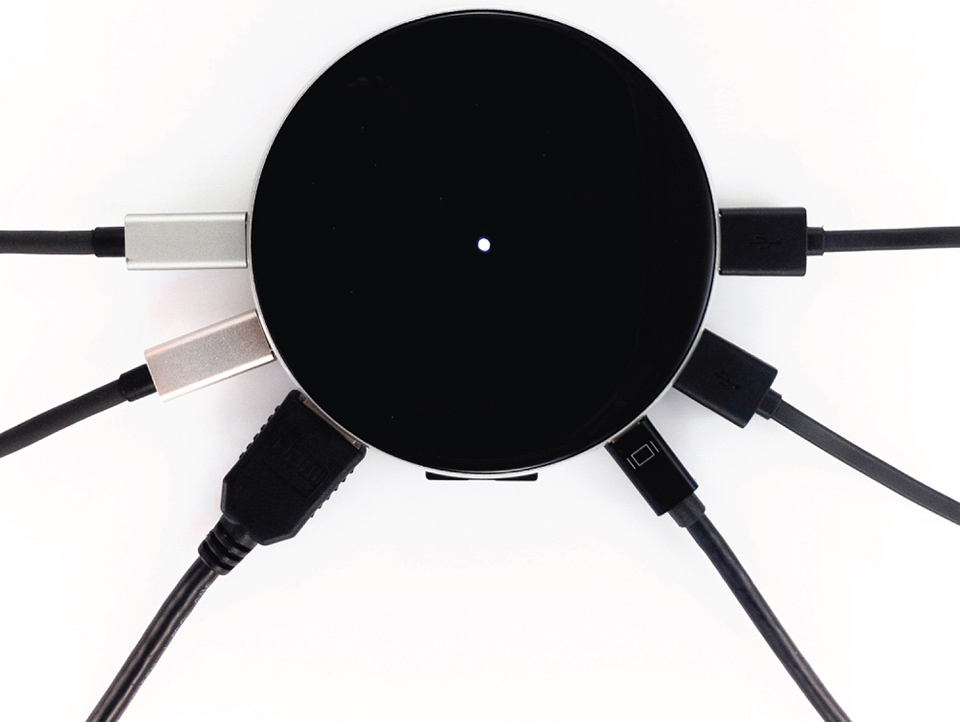
The Arc Hub is a 7-in-1 USB-C solution with all the connections I need: USB C, USB3, HDMI, SD card reader and mini-display port.
But as always with a Kickstarter project, it will be a while before I have one at home, just like a decent hard case. Both Specks and Moshi promise to have one available at the end of February, but in December they said it would really arrive in January...
OWC Dock
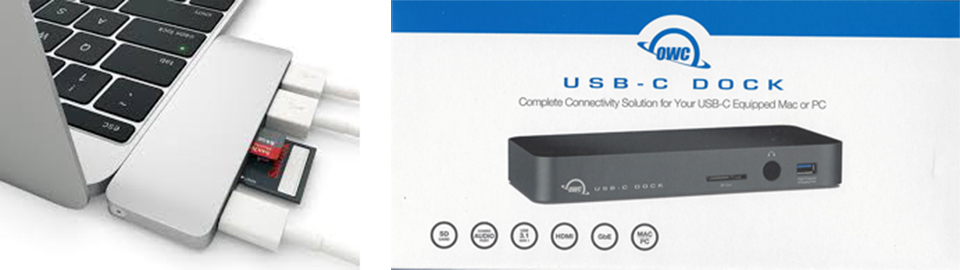
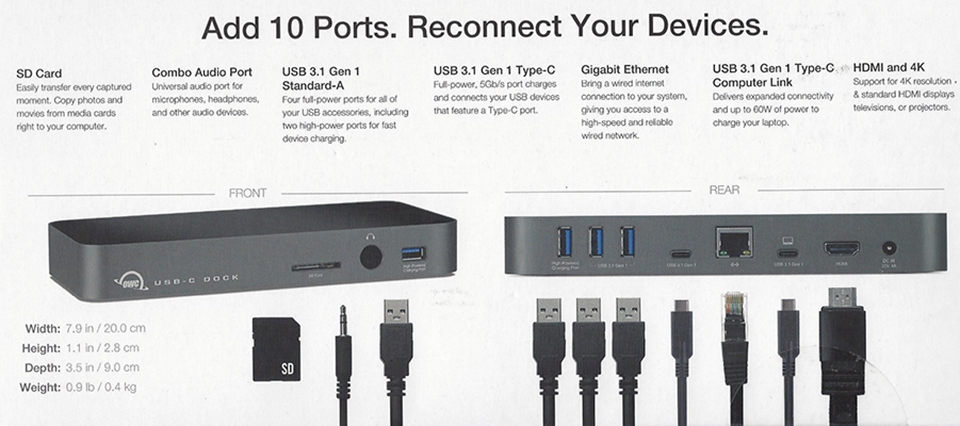
In my search for a better solution, I came across the OWC USB-C Dock, the perfect USB-C desk solution for MacBook users, with all the connections I need and even a network connection.
Thanks to onlinemacwinkel I was able to test it. You can choose from different Mac colours and, thanks to the USB-C cable, it is not attached to your MacBook (like other hyperdrive solutions, which is not convenient when using a hard case), but simply sits on your desk.
It has the card reader and a powered USB connection on the front. Ideal for charging your iPhone or iPad. Thanks to its own power supply (a large brick), the charger can stay in the bag, or, in my case, stay at home for when I am editing there.
The OWC USB-C Dock also works perfectly with the Wacom Mobilestudio-Pro, a Windows machine with only USB-C connections as well.
We made a video of it, in which you can see me struggling with all the dongles. “End the dongle circus, OWC USB-C dock”
Available from onlinemacwinkel. They also have many more handy gadgets and extensions for your Mac.
About the author
Frank Doorhof blogt dagelijks in het Engels op zijn website en geeft wekelijks workshops model fotografie in zijn studio in Emmeloord, maar ook op locatie in binnen en buitenland. Van beginners tot gevorderde, iedereen kan bij Frank terecht. Ook voor specifieke 1 op 1 workshops, of maatwerk voor groepen.
You might also like
-
 Review: Canon EOS R5 C for video
by Nando Harmsen
-
 Review: Sony A6700 APS-C mirrorless camera
by Nando Harmsen
-
 Editing photos with the Apple Vision Pro
by Elja Trum
-
 Switching to the Mac Studio or not? Part 1
by Nando Harmsen
-
 Review: Fujifilm X-T50
by Nando Harmsen
0 comments
Be the first to share what you think!
Have your say
Please note: Articles older than a week can only be commented on by signed-in visitors.Would you still like to comment? sign in or create a free account.
Become a better photographer every week
A practical photography tip in your inbox every week.
38,763 photography enthusiasts already receive the tips! More about the weekly mail. Or keep up to date via  Facebook.

Elja Trum
Photofacts; everything to do with photography!
Would you like to take better photos and keep up with what is happening in photography? Photofacts publishes articles that teach you something about photography — from a product announcement to a practical shooting tip or a look at a website. Photofacts covers photography every day and is a hobby project of Elja Trum's that got out of hand. The articles are written by a team of volunteer authors. If you would enjoy writing one or more articles for Photofacts, do get in touch.More about PhotofactsPhotofacts is made possible in part by
