

Review: Canon EOS R5 C for video
Friday 5 August 2022, 14:41 by Nando Harmsen | 5,377 views | 0 commentsThis article was translated from Dutch with the help of AI. Read the original.
The Canon EOS R5 lets you make beautiful videos. If you shoot a lot of video, you could also consider the Canon EOS R5 C. It is the EOS R5, but primarily aimed at video. Canon sent me a sample for this review.
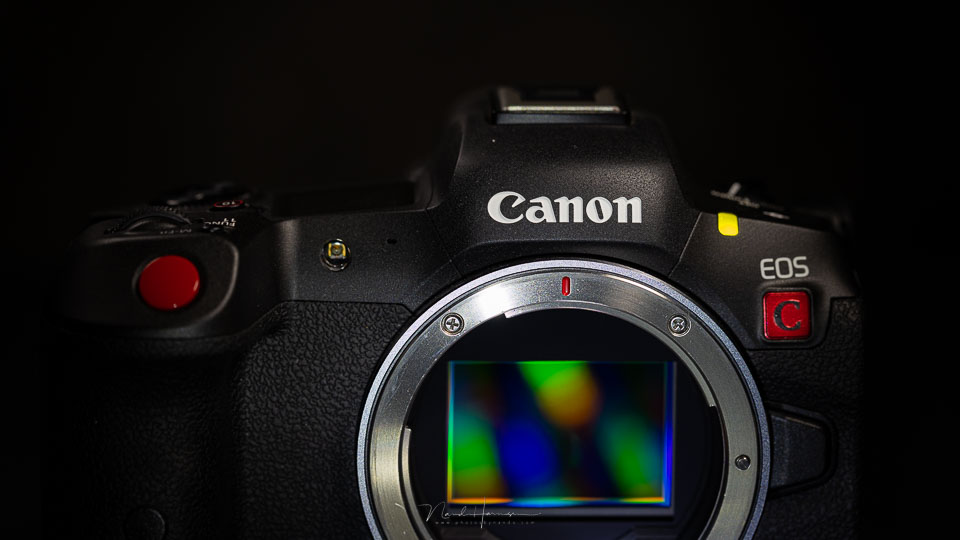
The EOS R5 was a camera Canon brought to market that could, among other things, record 8K raw. There was also a wide range of other resolutions, frame rates and image quality settings.
There was one drawback, however, something the manufacturer had mentioned from the very start of its introduction. The camera would get hot with certain video settings.
Naturally, this led to many discussions and accusations directed at Canon. Firmware updates were released to partly solve the problem, most recently with the latest update, which made it possible to prevent the camera from shutting down.
For the serious filmmaker, however, the Canon EOS R5 has some limitations compared with a camera specifically aimed at filming. Canon now has the EOS R5 C for that purpose, which is largely focused on video. It is a cross between the EOS R5 and a cinema camera, combining the best of both worlds.
The Canon EOS R5 C
At first glance, the EOS R5 and EOS R5 C look very similar, apart from the red C below the nameplate and the striking red shutter button.
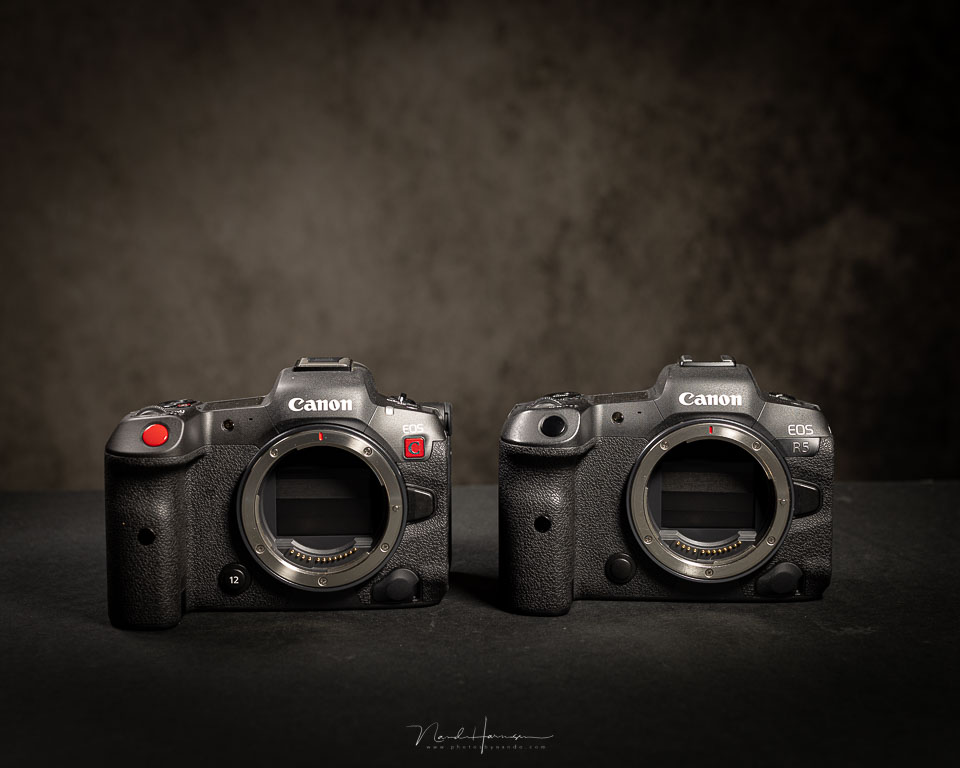
But appearances can be deceptive, because on closer inspection the cooling block behind the LCD screen is particularly noticeable. A fan is hidden here, with an air intake and outlet.

The fan prevents the dreaded overheating that affects the EOS R5. And indeed, the EOS R5 C has no problems with heat at all. It keeps recording calmly, regardless of the resolution and frame rate settings.
Although the camera is considerably thicker, the weight has surprisingly increased by only a few grams. There is only a large fan in that protrusion, which removes heat from the camera very effectively.
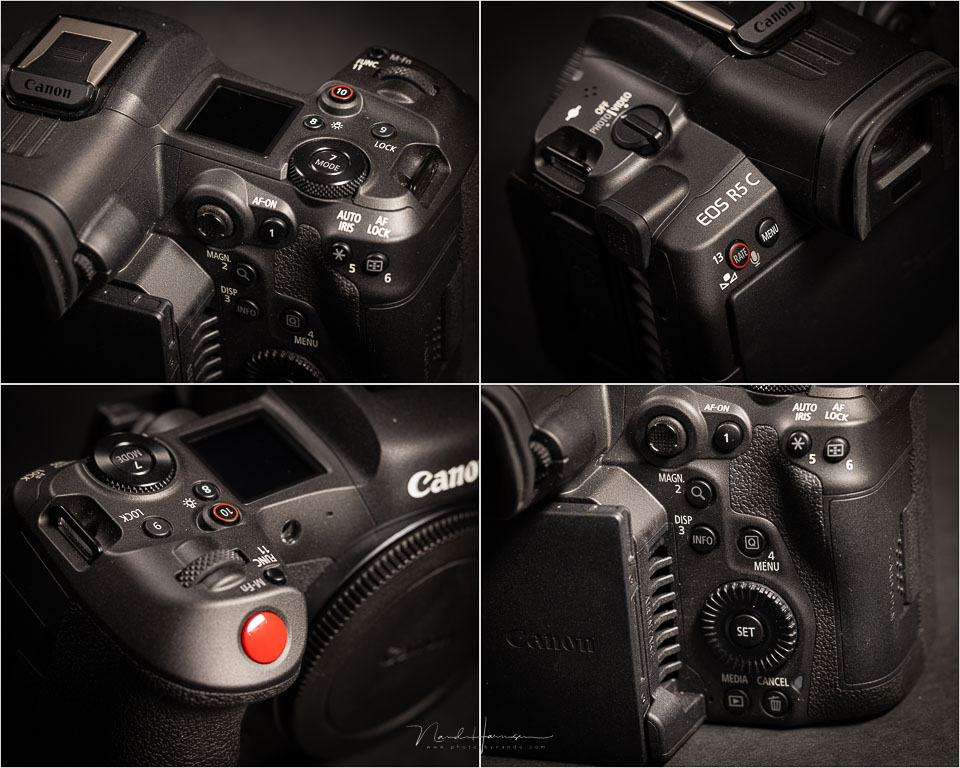
Despite the fan protrusion, handling the camera is unchanged compared with the EOS R5. It feels good in the hand and all the buttons are perfectly accessible.
Connections and power supply
The EOS R5 C is powered by the standard LP-E6NH battery, which is used in almost every Canon DSLR and mirrorless camera. It is fantastic that you can use this camera with such a small and standardised battery. But there is a caveat.
The amount of power used by the EOS R5 C is considerable. This means that, with the LP_E6NH battery, you may be able to film for half an hour if you are lucky. In practice, it is much less. Even if you only switch the camera on, you can see the battery capacity slowly dropping.
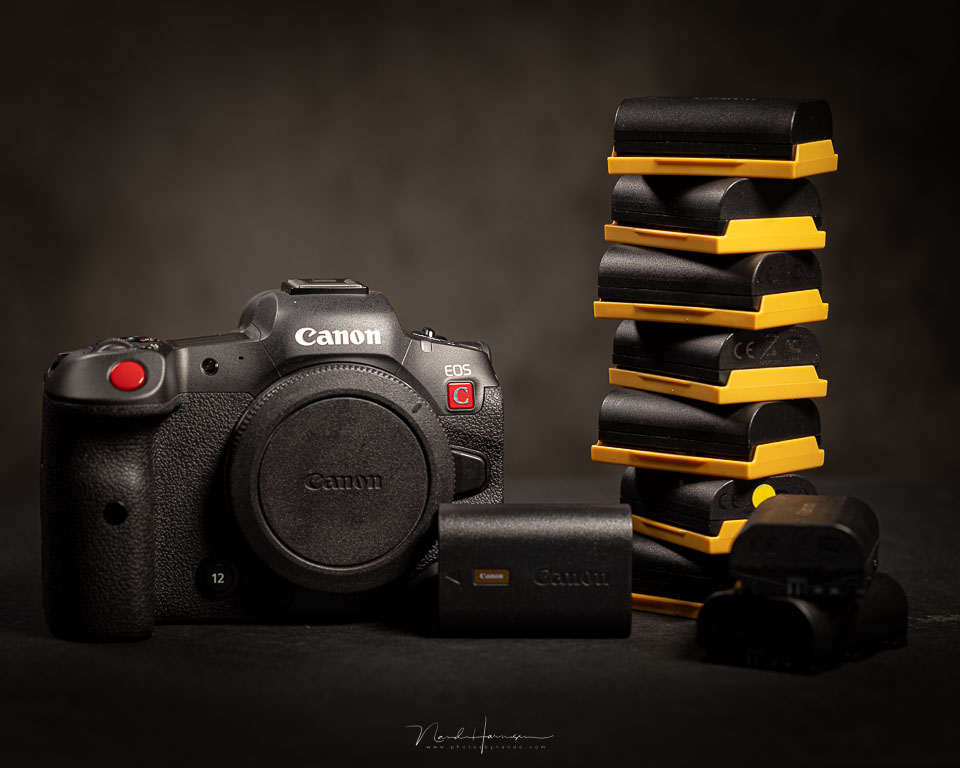
With some resolutions and frame rates, the LP-E6NH does not even provide enough power to activate autofocus while filming. If you are going to film for a whole day and only have LP-E6NH batteries, it is wise to take a whole load of them with you.
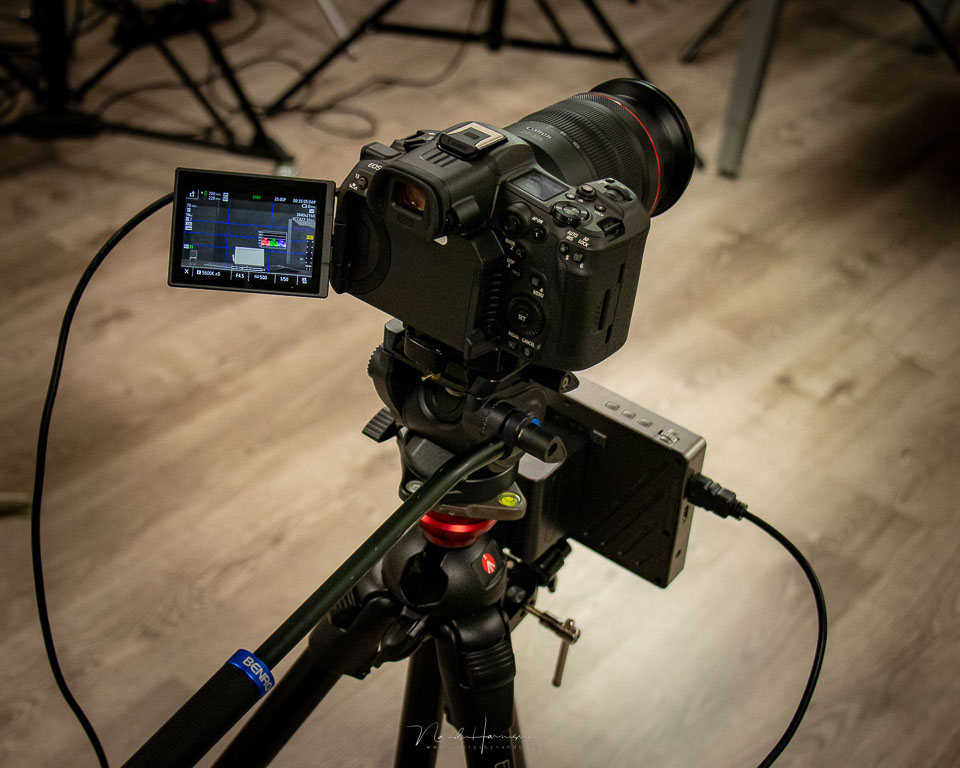
If you are really going to work seriously with the EOS R5 C, an external battery is the best choice. An external battery also often gives you the option of powering an external monitor, should you use one. You can also power the camera directly via the USB-C port.
Besides the USB-C connection, the Canon EOS R5 C has the other standard connections, such as microphone and headphone sockets. And an HDMI connection. A micro HDMI, that is, unfortunately. It is well known how unreliable these are, so why Canon chose this is a great mystery.
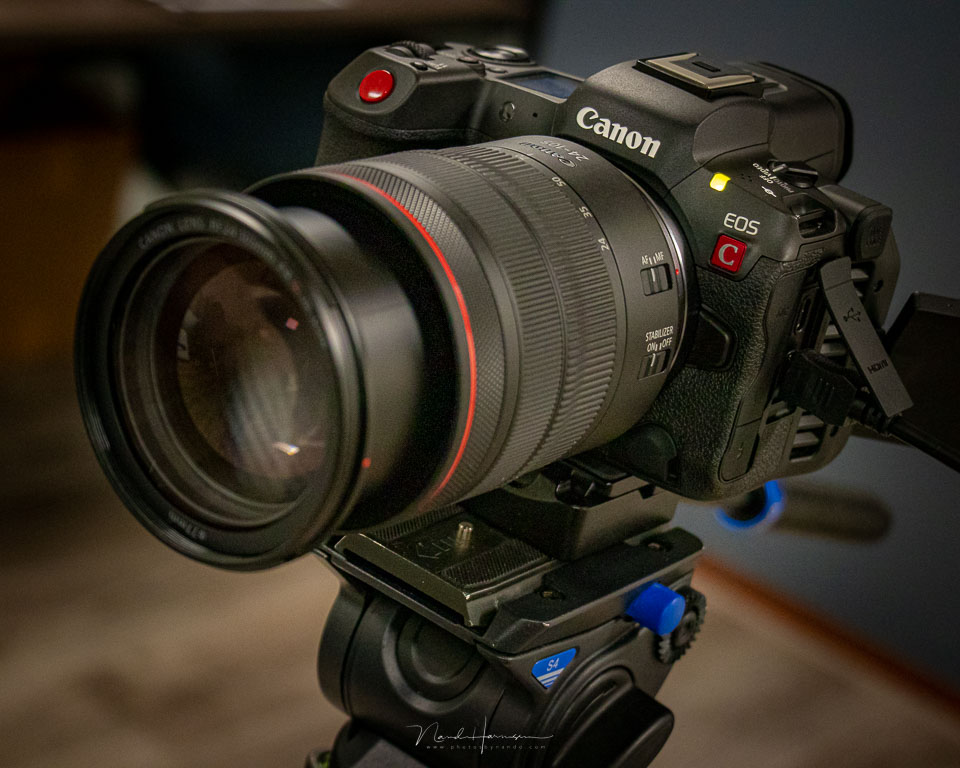
What has found a place on the camera is a timecode port. This allows you to synchronise time with other equipment.
Advantages of the EOS R5 C compared with the EOS R5
Besides the cooling and the camera's video-focused layout, the EOS R5 C has other advantages over the EOS R5.
A switch allows you to choose between photography and video. Choose the latter and the camera becomes a true cinema camera, complete with the corresponding menu.
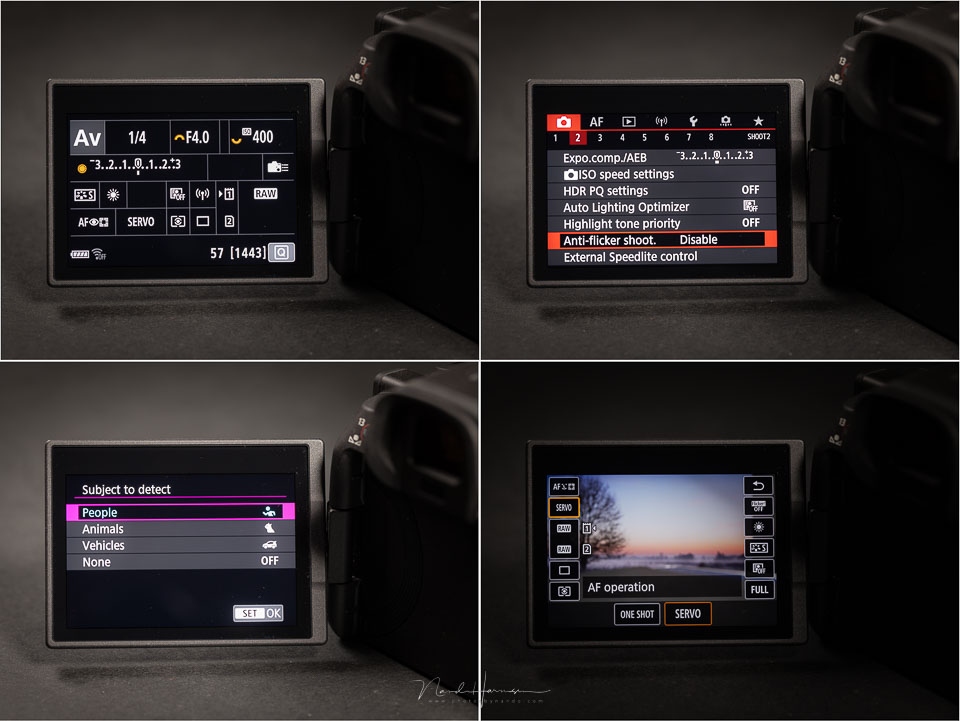
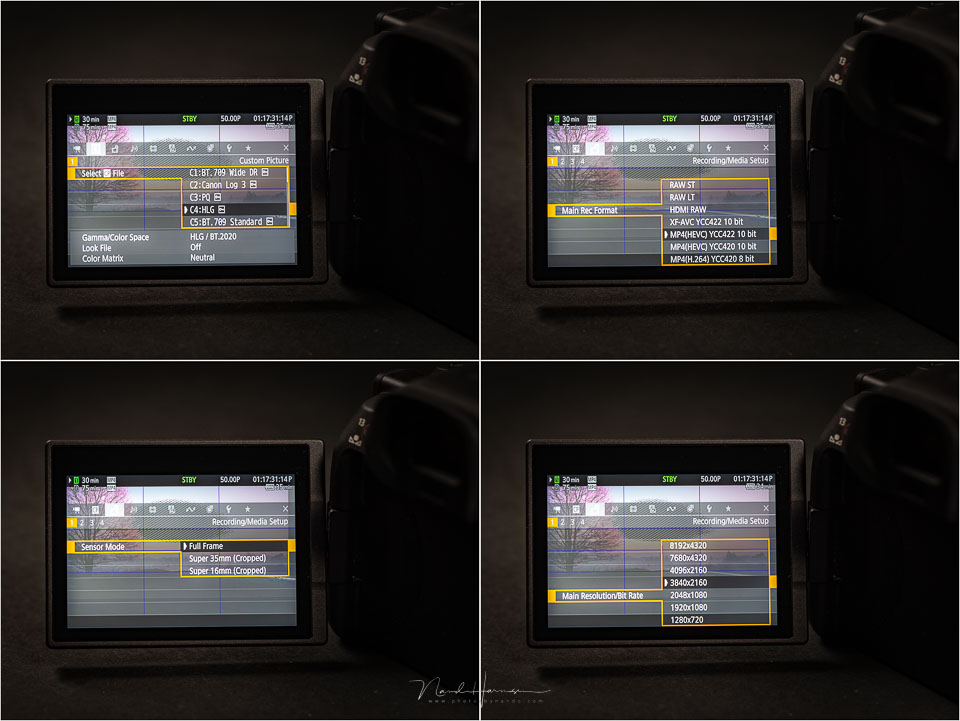
The EOS R5 C works completely differently for photography and video, with functions and settings specifically aimed at filming. You can choose between shutter speed and shutter angle, and there is no aperture setting but an iris setting. If you have not worked with a cinema camera before, you will need to get used to this.
Extensive video settings
It would go too far to go into the cinema mode menu of the EOS R5 C in detail. Still, I want to mention a number of important differences, to make the added value of the EOS R5 C over the EOS R5 clear.
First of all, there are of course the resolutions, which include not only 8K, 4K, FHD and HD, but also the formats in which they are stored. You have MP4 (HEVC), as with the EOS R5, and the popular XF-AVC format. Both can record in YCC 4.2.2 10-bit. MP4 (H.264) records in YCC 4.2.0 8-bit.
Besides these formats, the EOS R5 C also has standard raw and raw light. Best of all, regardless of the resolution selected, the entire sensor is always used for recording. You also have the option of cropping to Super35 or Super16 format.
The EOS R5 C of course has C-Log3, as well as PQ, HLG and BT.709 Wide DR. Other options include the Slow&Fast modes, in which the frame rate can be set from 1 fps to 120 fps, as well as a number of other recording options.
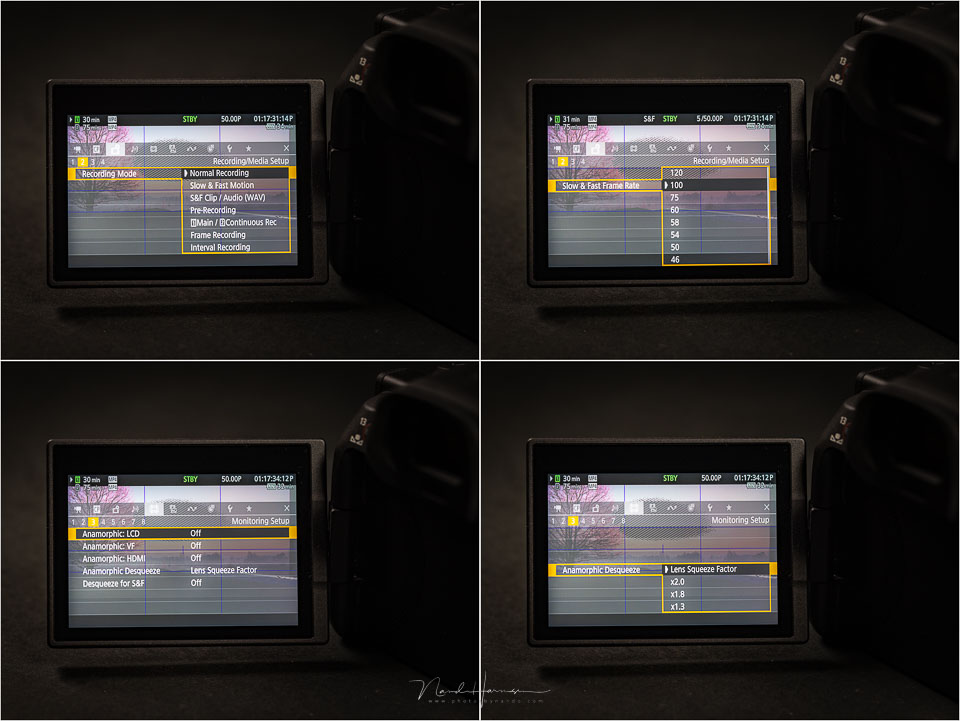
The EOS R5 C has 13 customisable buttons that can be programmed as you wish, allowing you to set up and use the camera entirely according to your own preferences. The LCD screen also provides a wide range of information, such as peaking and a waveform display.
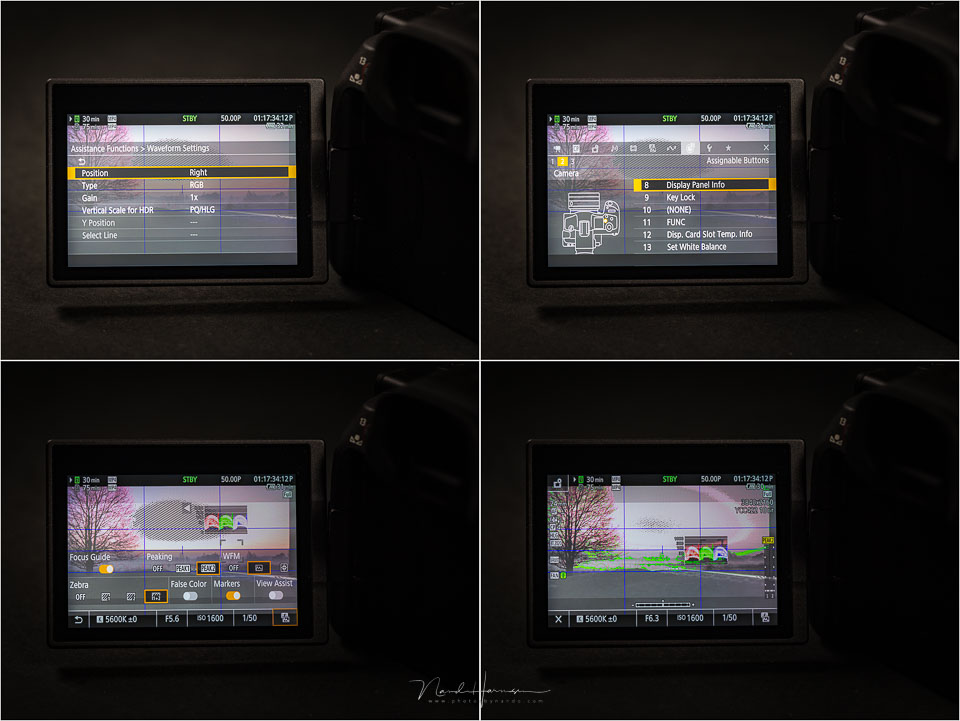
This is only a small selection of the possibilities offered by the Canon EOS R5 C as a cinema camera. However, this camera also has a few drawbacks that may mean it is not quite the ideal video camera.
Disadvantages of the EOS R5 C
The Canon EOS R5 C comes fairly close to being the ideal video camera, were it not for a few drawbacks. One of them is the micro-HDMI connection. With a camera aimed at video, a full-size HDMI connection would have been the better choice.
Another drawback is the lack of a built-in variable ND filter. Anyone who films knows that twice the frame rate is the best shutter speed. An ND filter is therefore essential in sunny conditions. Every good cinema camera should have at least a built-in ND filter.
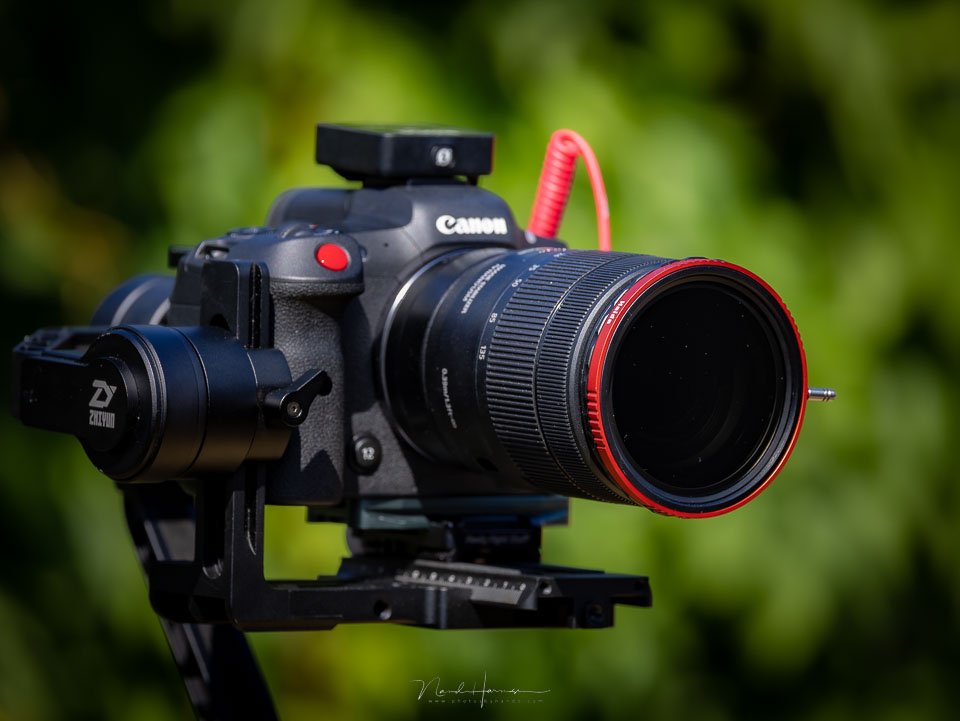
With the EOS R5 C, you are now reliant on an external ND filter such as the Haida CPL-VND Pro II, a variable ND filter with a built-in circular polarising filter. Although an external filter works perfectly well, the lack of a built-in filter remains a real missed opportunity.
It may be worth mentioning here that the EOS R5 C does not have IBIS (In Body Image Stabilisation). This system could reduce the need for a gimbal. The EOS R5 C does have digital stabilisation, which gives a 1.1x crop and works with any image stabilisation in the lens, but this is of course not as effective as an IBIS system.
Whether the lack of IBIS is a disadvantage is debatable. A gimbal, glidecam or tripod will usually be used for video. But when you switch to photography mode, an IBIS system, as in the regular EOS R5, would be a nice addition.
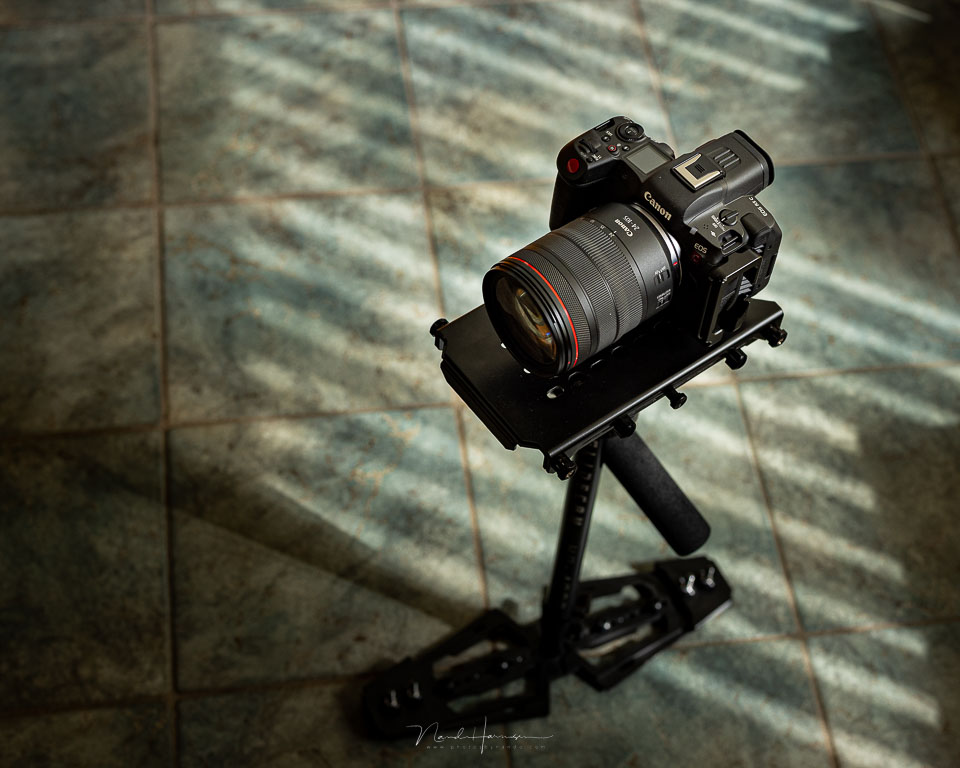
Is the power consumption of the EOS R5 C with the LP-E6NH battery also a disadvantage? I do not think so. A separate battery pack is necessary for intensive use. But the ability to film with that small battery, however briefly, is more of an advantage.
Conclusion
Although the Canon EOS R5 has very capable video features, it is still primarily a stills camera. If you are seriously looking for a camera for filming, it is always better to choose a camera aimed at that purpose.
With the EOS R5 C, Canon has brought an almost perfect hybrid camera to market. It is the middle ground between the EOS R5 and a camera such as the C70. Unfortunately, I could not place these two side by side to compare them with each other.
The great advantage of the EOS R5 C is switching between video and photography. You literally have two completely different cameras, each with its own unique menu aimed at what you are going to do. Do bear in mind that switching between photo and video takes almost 10 seconds.
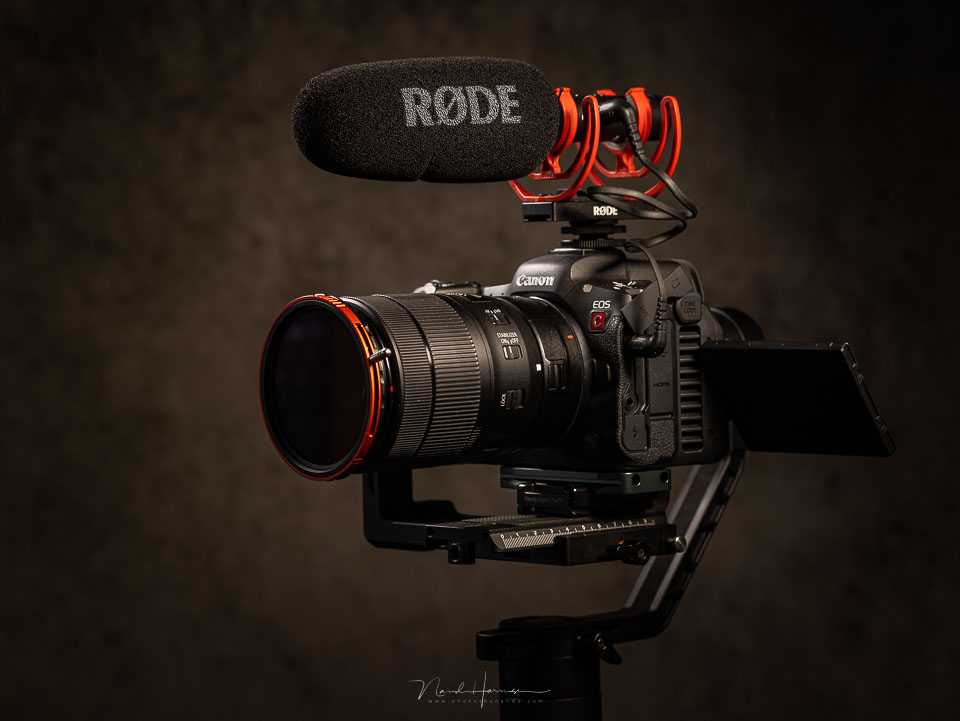
There are a few disadvantages to the Canon EOS R5 C when it comes to video. These are the aforementioned HDMI port and the lack of a built-in ND filter. But you get a lot in return. As a disadvantage for stills photography, the lack of IBIS can be mentioned.
It is fantastic that Canon allows you to film with just one LP-E6NH battery. It allows you to go out with a very lightweight setup, albeit with a few spare batteries. If you are going to work intensively with video, which is what you choose an EOS R5 C for, an external battery is recommended.
What I like
- Compact and lightweight despite the extra fan block
- Photo mode is a completely different camera from video mode, with dedicated menus
- Wide choice of video codecs, frame rates and bit rates
- S&F option with frame rates between 2 and 120 frames per second
- Timelapse and hyperlapse options
- Waveform on the screen
- Extensive customisation options
- Fan provides good cooling while remaining silent
- Timecode port included
- Good autofocus with eye AF and tracking
- Multifunctional hot shoe
- Super35 and Super16 crop function
- Entire sensor is used for all video formats
- Can be used with a compact LP-E6NH battery, though with limitations
- Power supply via USB-C port possible
- Button layout identical to the EOS R5
What I like less
- No IBIS
- Micro HDMI connection
- No built-in variable ND filter
- Maximum 20 to 30 minutes of filming with an LP-E6NH battery
- AF is disabled for some video settings when using the LP-E6NH battery
What is the better choice? A Canon EOS R5 or EOS R5 C?
Because both the EOS R5 and EOS R5 C are in the same price range, the question is which is the better choice. Especially if you both photograph and film. The choice is of course personal, but it is important to weigh up the options you have, gain or lose.

I attach great importance to the image stabilisation of my EOS R5. Photography is still my main use for the camera. Although filming is also important, many of the EOS R5 C's extra features are not needed by me, at least not yet.
In other words, although the EOS R5 C certainly has advantages over the EOS R5 when it comes to filming, the EOS R5 currently offers more than enough options to handle the small amount of filming I do well. However, anyone who films more than they photograph may experience this very differently.
Canon alternatives to the EOS R5 C
Of course, you can continue filming with the EOS R5, and overheating will certainly be less of a problem with the new firmware 1.60. The advantage is of course the IBIS. As a disadvantage, the limited video settings compared with a cinema camera can be mentioned.
If you want a camera specifically for filming, the Canon C70 is still a very good choice. With a built-in ND filter and all the cinema settings, it is a fantastic camera for video. You do have to bear in mind that you do not have access to the fantastic AF that distinguishes the EOS R5 C.
If you want to focus even more on video, you enter the domain of the Canon C200, C300 and C500 cameras. However, these are hardly a real alternative, as the costs rise considerably.
About the author
Nando Harmsen has been photographing for more than 40 years. He specialises in wedding photography and landscape photography. Nando also gives talks, workshops, masterclasses and photo trips, and regularly reviews new and interesting equipment.
You might also like
-
 Review: Canon EOS R5
by Nando Harmsen
-
 Review: Canon EOS R6
by Nando Harmsen
-
 Review: Canon EOS R7
by Nando Harmsen
-
 Review: Canon EOS R5 Mark II
by Nando Harmsen
-
 Review: Canon EOS R50 V vlog camera
by Nando Harmsen
-
 Review: Canon EOS R3
by Nando Harmsen
0 comments
Be the first to share what you think!
Have your say
Please note: Articles older than a week can only be commented on by signed-in visitors.Would you still like to comment? sign in or create a free account.
Become a better photographer every week
A practical photography tip in your inbox every week.
38,937 photography enthusiasts already receive the tips! More about the weekly mail. Or keep up to date via  Facebook.

Elja Trum
Photofacts; everything to do with photography!
Would you like to take better photos and keep up with what is happening in photography? Photofacts publishes articles that teach you something about photography — from a product announcement to a practical shooting tip or a look at a website. Photofacts covers photography every day and is a hobby project of Elja Trum's that got out of hand. The articles are written by a team of volunteer authors. If you would enjoy writing one or more articles for Photofacts, do get in touch.More about PhotofactsPhotofacts is made possible in part by
