

Review: Sony A1 mirrorless camera
Friday 4 June 2021, 16:32 by Nando Harmsen | 6,381 views | 0 commentsThis article was translated from Dutch with the help of AI. Read the original.
It was big news when Sony announced the Alpha 1. This powerhouse can film in 8K, has 50MP on board, and can capture 30 photos per second. Sony lent me an A1 for an extensive review.
My first impression: the camera works brilliantly, and the handling is many times better than all the predecessors I have used.
Looking back at the Sony Alpha series
Although Sony cameras are hugely popular, I was never convinced that these cameras were personally right for me. There are a few things I do not particularly like.
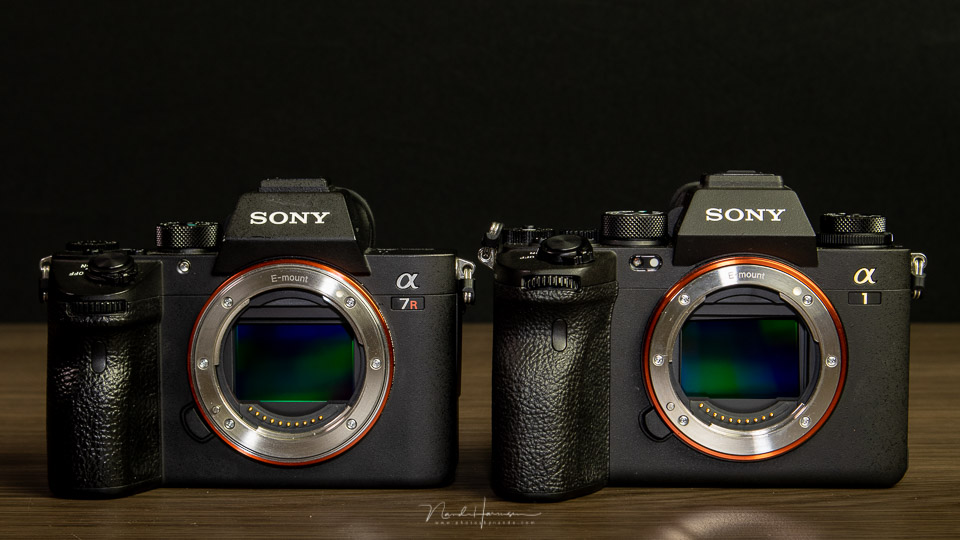
First of all, the size of the camera, together with the ergonomics. It is not comfortable to hold, there is too little space between the handgrip and the lens, and the buttons and joystick simply did not feel right.
Another point is the menu, which is very unclear and difficult to operate. Often this is a matter of getting used to it, but I noticed that even photographers who had been shooting with Sony for years had trouble finding options in the menu.
On the other hand, the autofocus could rightly be called phenomenal. Body, face and eye AF work very well and accurately. I think this was also the main reason for many people to switch.
A small improvement with every new model
Over the years, Sony made adjustments here and there. Each camera had slightly improved ergonomics, or better-quality buttons and dials. However, they never took a drastic step to improve everything at once.
One thing remained unchanged all those years, despite the criticism it received. That was the menu layout. Now, finally after many years, Sony has given in and drastically improved the entire menu.
All this has come together in the Sony A1. This camera has received all the latest features, options, and, above all, the improvements. The Sony A1 has therefore become Sony's top model.
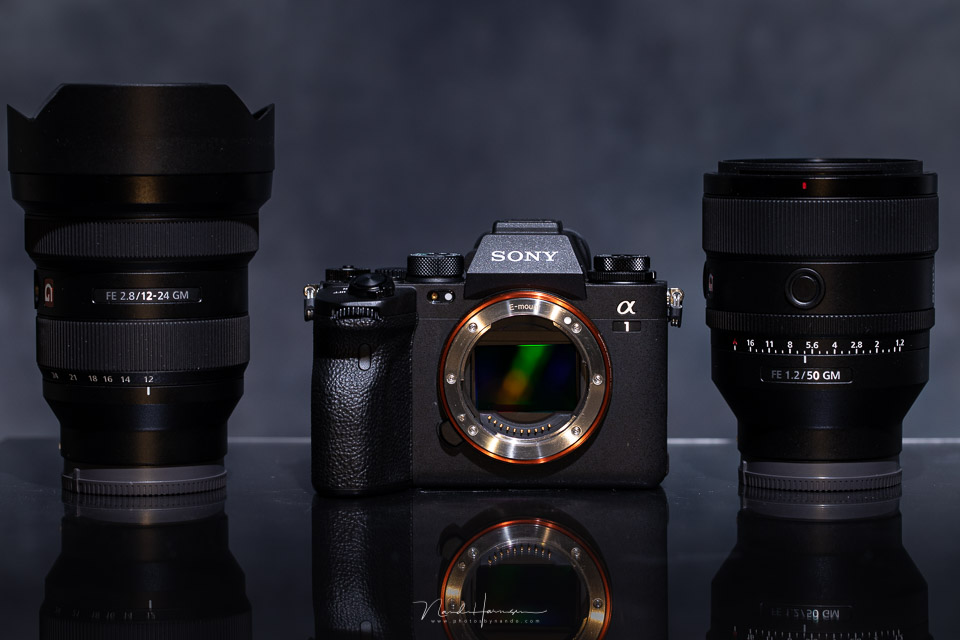
I was allowed to photograph with this camera for two weeks. I had the new FE 50mm f/1.2 G-master and the FE 12-24mm f/2.8 G-master available for this. The first is a fantastic lens for portraits, while the second is very suitable for wide landscapes.
The main specifications at a glance
Let me start with a list of the main specifications of the Sony A1. You can find them all over the internet, often in much more detail than this. But it gives you a good idea of what to expect.
- 50MP 'stacked' full-frame CMOS sensor
- 30 fps with electronic shutter (lossy compressed Raw or JPEG only)
- 8K/30p video with Log and 4K Raw video via the HDMI output
- 1/400 sec flash sync speed with mechanical shutter (1/200 sec with electronic shutter)
- 9.44-megapixel OLED electronic viewfinder with 0.9x magnification
- Dynamic range of up to 15 stops
- Improved real-time eye AF for people, animals and birds
- Five-axis in-body image stabilisation of up to 5.5 stops
- Full-size HDMI, headphone and microphone connections
- USB-C port with 10 Gb/s transfer speed and an Ethernet connection
- Dual UHS-II / CFexpress Type A card slots
- Battery capacity for 530 shots with the LCD screen and 430 with the viewfinder
- Weather-sealed camera body
- Featuring the new improved menu structure
- Fully functional touchscreen
- Weight is 737 grams
The camera in your hand
The Sony A1 is no longer the small Sony camera body many people are used to. Over the years, they have become a little larger and more substantial each time. In terms of size, the Sony A1 is almost the same as its major competitor, the Canon EOS R5.
The body still has the typically angular shape of the Alpha series, but the size is more comfortable and the ergonomics have improved with the larger handgrip. There is a little more space between the lens and the handgrip. Not much, but enough to avoid the risk of trapping your fingers.
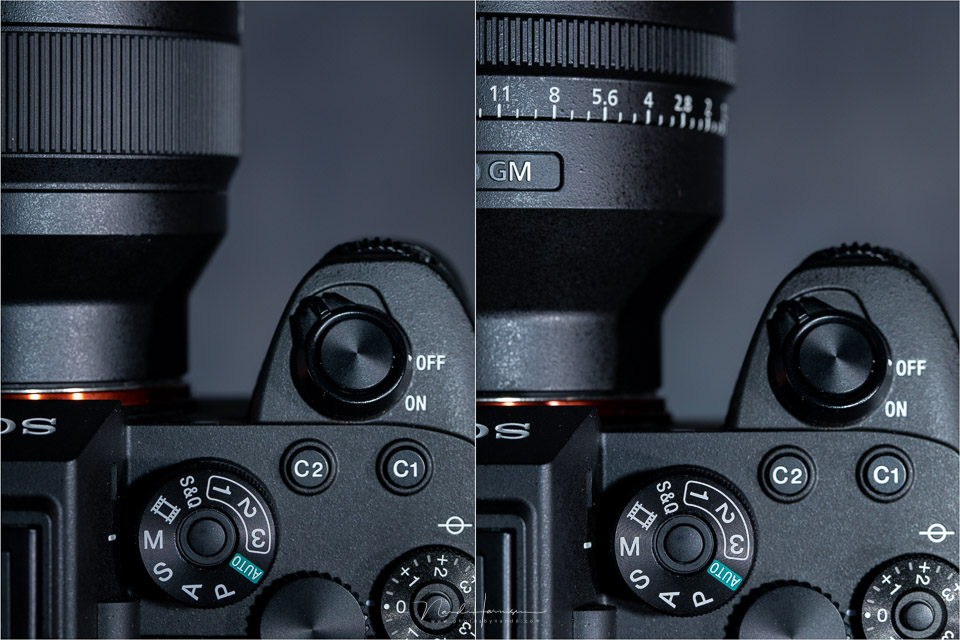
In appearance, the Sony A1 looks a lot like the Sony A9, with the control dials on the right shoulder of the camera. This gives you quick access to the continuous shooting and autofocus functions. Apart from a few small cosmetic changes, the buttons and dials will feel very familiar to Sony users.
What stands out is the locking mechanism on the control dials. You have to hold down a release to use them. The only exception is the exposure compensation dial, where you can switch the lock on or off with that button.
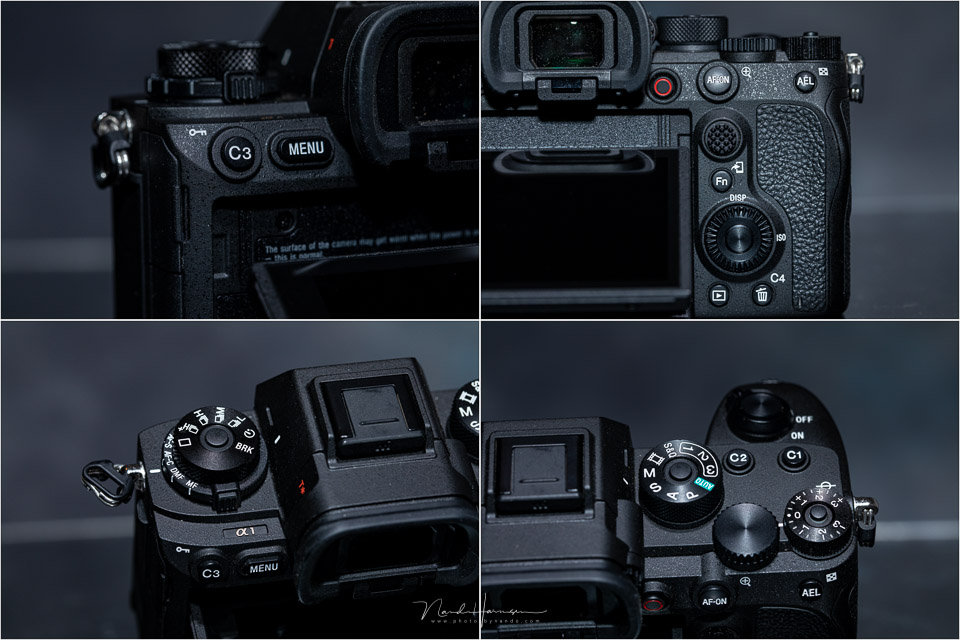
As far as the buttons are concerned, I see a major improvement in quality. They have a clear pressure point and generally feel less spongy. The rear control wheel is an exception, which I will come back to later.
The LCD screen and the menu
The Sony A1 has been given a tilting screen. Unfortunately, it does not have a fully articulating screen like the one found on the Sony A7S III. Of course, whether you prefer a tilting screen or a fully articulating screen is a personal choice.
The LCD screen now has full touchscreen functionality. Previously, this was largely limited to selecting an AF point or reviewing your photos. Fortunately, Sony now lets you operate everything via the touchscreen.
The menu can be operated via the touchscreen, as can the Fn menu. You can also move the AF point by swiping. Even when you have your eye to the viewfinder.
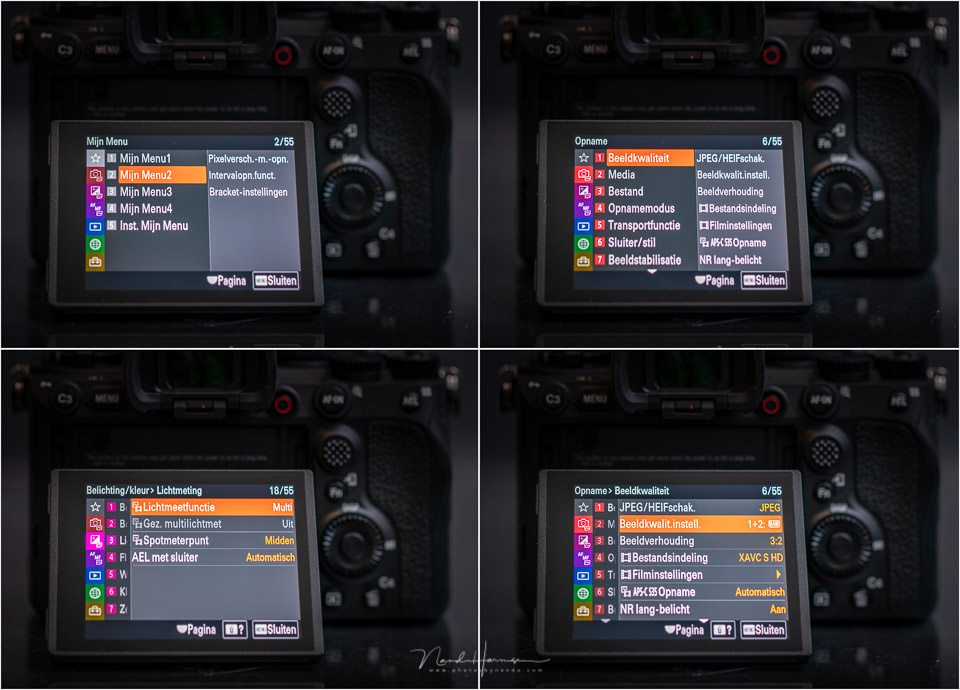
Another major improvement is, of course, the redesigned menu. It has a vertical layout with horizontal orientation for the deeper menu functions. Colour coding for the different options has been handled better, and many menu functions have a help feature.
Although a help feature is a useful addition, the information you get from it is not always helpful. In many cases it is rather brief and, at worst, still cryptic.
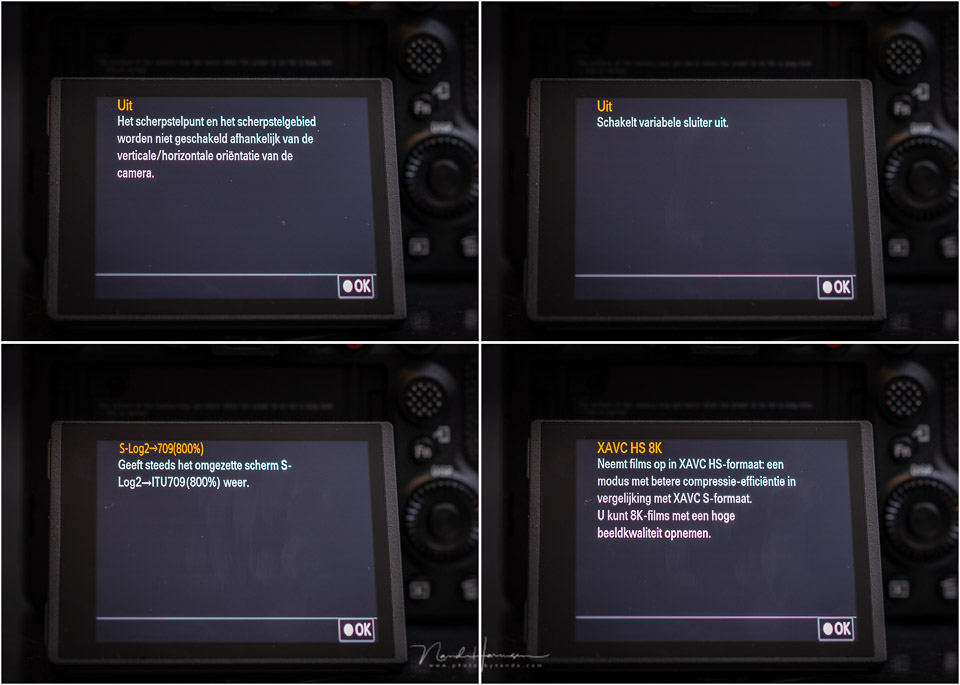
Despite the improved menu, there are still many functions whose purpose is not immediately clear. The camera can be customised so extensively that I wonder how much practical value this really has.
Of course, I am speaking from my own experience. It will be different for everyone. Nevertheless, it takes some study to fully understand all the functions and set them up as you want. Still, I expect that many of these in-depth settings will probably never, or hardly ever, be changed.
The autofocus
The autofocus works brilliantly. Eye AF works like a magnet and keeps the focus exactly where it needs to be. I did get the impression that it often focuses on eyelashes rather than the eye itself. But I am not certain about that.

Sony has not fixed one problem with the A1. The autofocus no longer works well when you focus in dark conditions with a small aperture. Not only is it difficult to find an eye, the autofocus even starts hunting. Sometimes the camera cannot find a focus point at all.
This problem only occurs when using small apertures in dark conditions. The aperture changes immediately when you stop down, rather than only when the photo is taken. This means that less, or too little, light reaches the autofocus. After some research, I discovered that this happens with all Sony Alpha models.

I do not expect the situation described above to occur very often. After all, you use a larger aperture in dark surroundings. The autofocus then works well and the camera focuses perfectly.
I am very impressed by the eye autofocus of the Canon EOS R5, which is in line with the previous Sony models. The Sony A1 seems to be just that little bit better.
The face recognition option on the Sony A1 is a useful feature. You can set a preferred face, giving the camera priority to that face when there are several people in the frame.
What I do consider a major omission is the option to let the eye autofocus choose automatically. You have to choose between people, animals and birds.
It is important to select the right option for eye autofocus to work successfully. I also missed a clear indication on the screen showing which option you had selected.
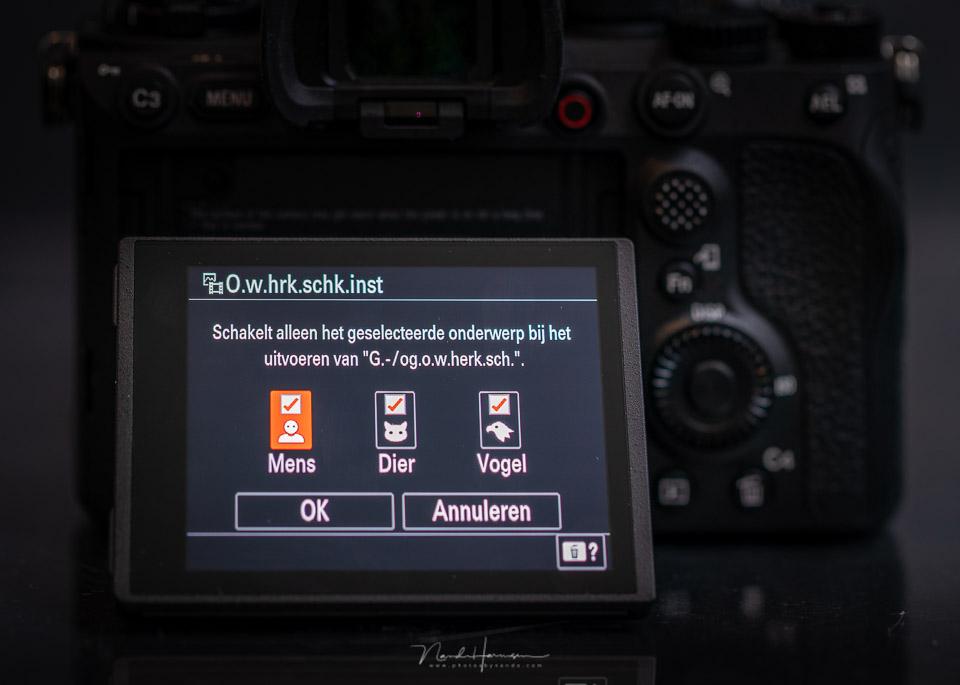
It took me a while to find the option for disabling AF under the shutter button. I expected to find it when customising the buttons and dials in the menu, but it was hidden somewhere completely different.
In practice
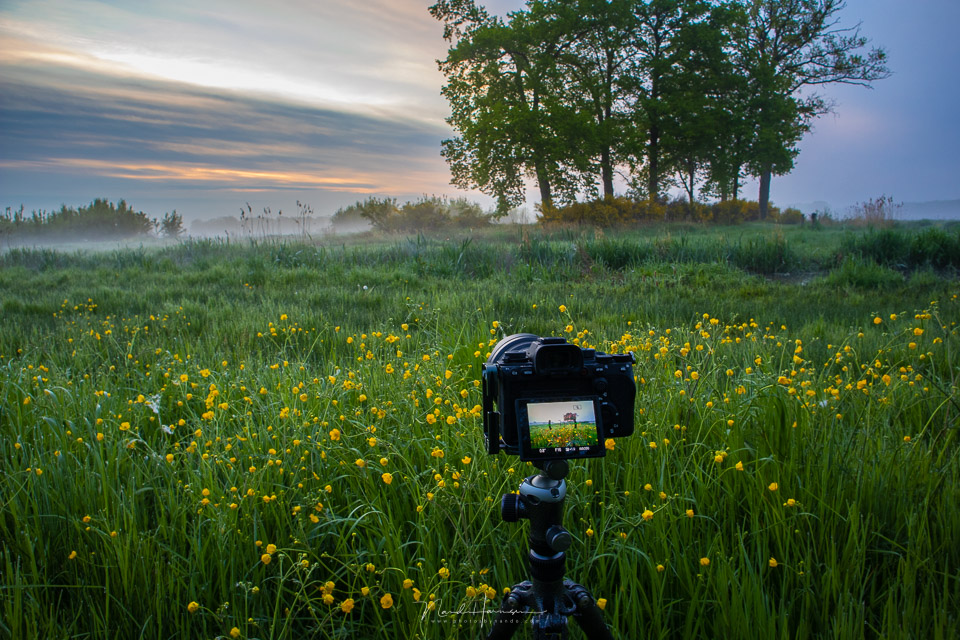
There is actually little to say about using the camera in practice. Everything works as you would expect from any modern camera. With all the improvements in ease of use, such as the touchscreen functionality and improved menu structure, photographing with the Sony A1 is simply a pleasure.
Switching between the various options, such as continuous shooting and autofocus, is very pleasant using the control dials. I particularly like that auto bracketing has been placed under the continuous shooting dial.
Choosing the exposure increments and number of shots, on the other hand, is less user-friendly. The small icons and text on the LCD screen make this less clear in the field. The last selected setting is saved for the next time you choose auto bracketing.

Unfortunately, the control wheel on the back is easy to press accidentally. This can activate the functions programmed underneath it unintentionally. The wheel does not provide enough grip to prevent this. It is something to keep in mind.
The Sony A1 takes photos at a resolution of 50 million pixels. That is a lot, but it can be increased further when you activate the pixel shift function. This lets you take a series of 4 or 16 shots. The sensor shifts slightly between the photos.
You can increase the resolution by a factor of 4 this way, to almost 200 megapixels. You do need to use the special Sony software to combine these photos at that resolution. This does not happen in the camera.

My personal opinion of the Sony A1
This is the first Sony camera I have used with great pleasure. For the first time, the ergonomics, size, touchscreen and menu do not feel limited. The camera handles brilliantly, and the operation is many times better than that of the predecessors I have used.
The menu has become easier to understand, although it is certainly still far from perfect. There are still unclear names in the menu. The help pages for the various functions also do not provide enough information, so their usefulness is limited.
The control dials on top of the camera work well and prevent you from having to dive into the menu to adjust settings. Do you have menu functions that you use often? There is a comprehensive My Menu available.
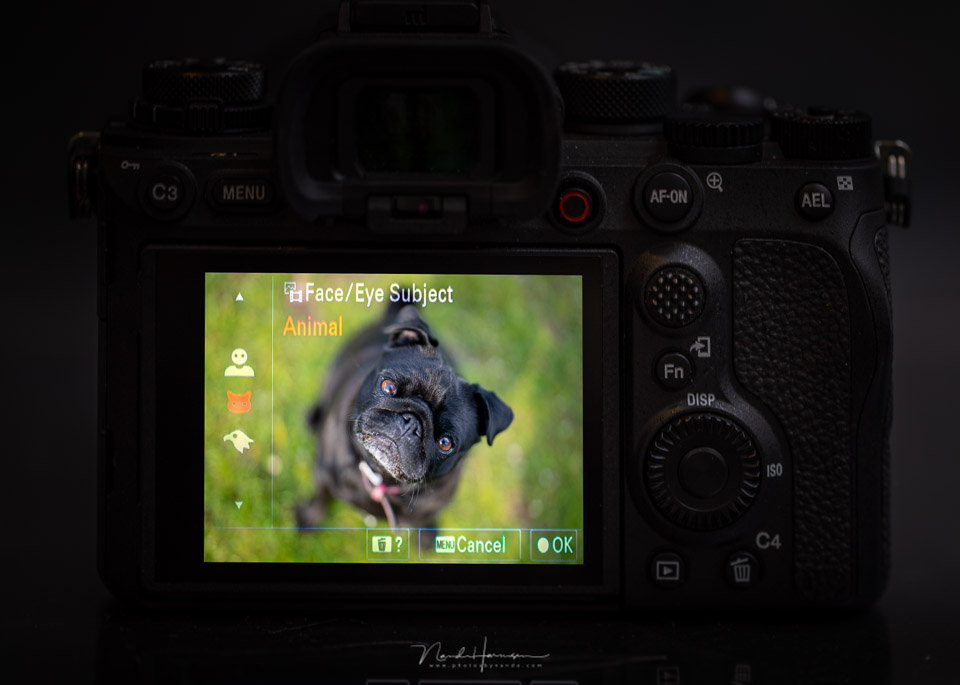
You can also adjust settings via the Fn button, the C1 to C4 buttons or the touchscreen. The options you activate are projected over the image. Depending on what you have in the frame, this display can be a little harder to recognise.
I think Sony has taken a huge step forward with the A1. Handling and ergonomics have improved considerably and, taken together, Sony has introduced a more mature camera.
Like all its predecessors, the image quality is simply good, as are the autofocus capabilities. There is nothing bad to say about that. The dynamic range of the Sony A1 is fantastic and lets you easily brighten dark areas.

The resolution provides fantastic detail. It also gives you the option to crop without losing too much resolution. The autofocus is one of the best I have tested. It is just a shame that you cannot choose a general eye autofocus option.
That leaves only the price. At almost 7,300 euros, it is a very expensive camera that is out of reach for most people. Although the camera is again better than its predecessors, I do not think this is enough to justify the high price.
What I like
- Improved ergonomics and size
- Improved menu structure
- Many adjustment options and control dials for quick settings
- Wide dynamic range
- Fantastic autofocus
- Functional touchscreen
- Auto bracketing is easy to activate, but more difficult to set up
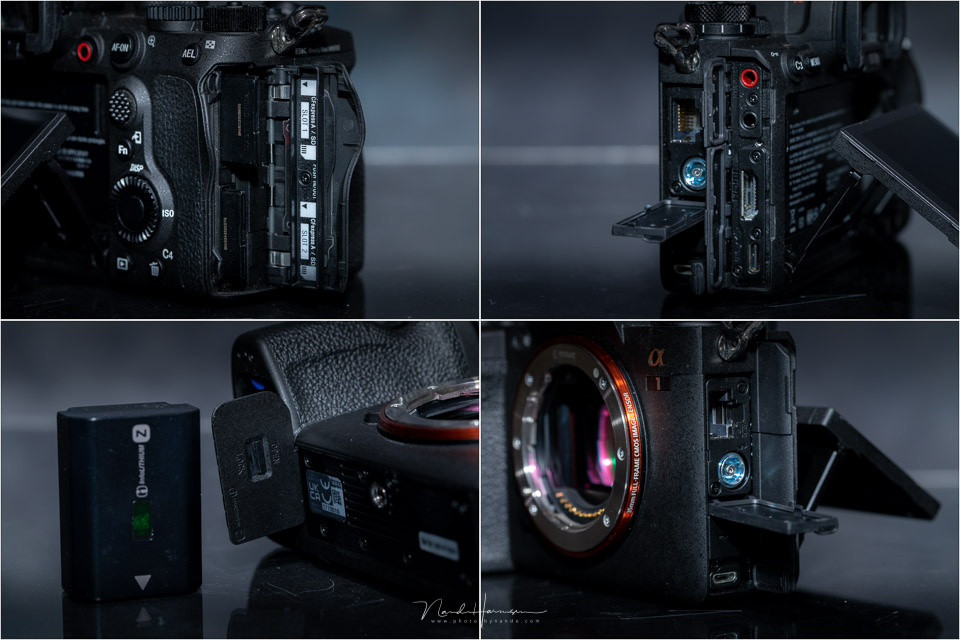
- As well as CF Express Type A, UHS-II SD can be used
- Up to 20 fps in lossless raw format
- Hinged covers for the connections
- High resolution of the electronic viewfinder
What I like less
- Help function in the menu is not always useful
- No spring-loaded battery compartment release
- No automatic eye AF selection, you have to choose between person, animal or bird
- Tilting screen only
- With an SD card (UHS-I type), writing a full buffer takes at least 60 seconds
- Not all menu functions are available while the buffer is being cleared
- Clarity of the projected setting options on the LCD screen could be better
- Pixel shift does not combine the images in the camera, this has to be done with Sony software
- The menu could still be improved, as could the help functions, which offer little or no help
- 30 fps is limited to selected file formats and lens selections
- Autofocus performance is considerably worse in dark conditions combined with small apertures
- Price is too high for what is offered
Alternatives
It is inevitable that the Sony A1 will be compared with the Canon EOS R5. When you place them next to each other, the similarities are very striking. The size and weight are comparable, as are the camera's capabilities.
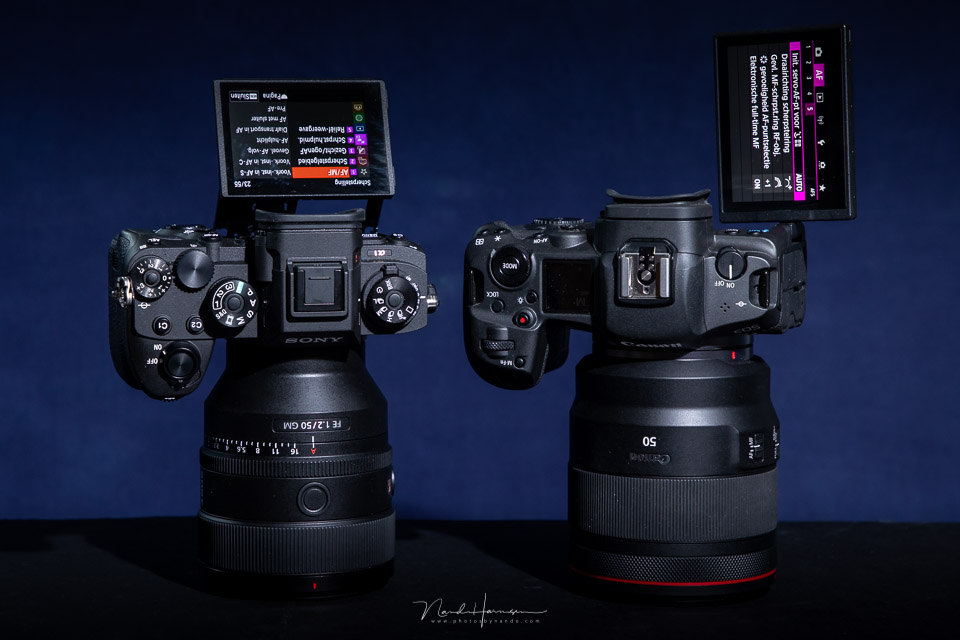
Of course there are differences, but to me personally they feel marginal. Sony offers more options for customising the camera completely to your liking, and there are more buttons and control dials available.
In the end it comes down to personal preference, and I cannot decide whether one camera can be considered better than the other. I therefore see them as comparable cameras. However, the Sony A1 is considerably more expensive, and in my opinion the price is not in proportion to the extra options you get.
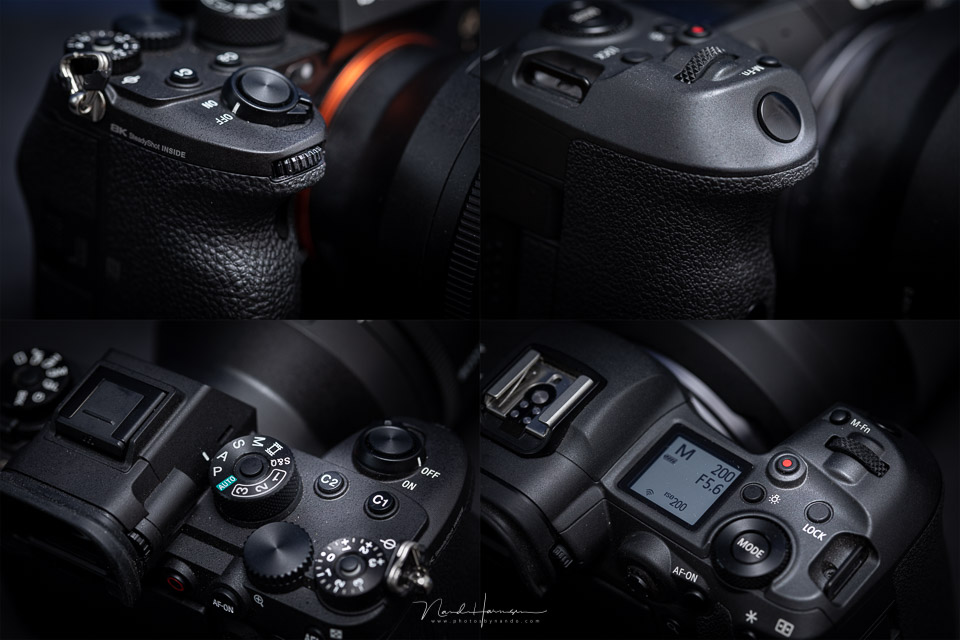
Ultimately, both cameras offer fantastic capabilities and perform almost identically under the same conditions. That was also my experience when using these fantastic cameras side by side.
What about other brands such as Nikon and Panasonic? Those brands also have fantastic full-frame cameras. Although I was not able to use them side by side, as I did not have all the cameras available to me, there are reports that these two brands' current top models still lag far behind this Sony A1.
About the author
Nando Harmsen has been photographing for more than 40 years. He specialises in wedding photography and landscape photography. Nando also gives talks, workshops, masterclasses and photo trips, and regularly reviews new and interesting equipment.
You might also like
-
 Sony announces the 50-megapixel Alpha 1 camera
by Nando Harmsen
-
 Review: Sony A7R V mirrorless camera
by Nando Harmsen
-
 Sony announces the A1 Mark II, a new flagship camera
by Nando Harmsen
-
 Review: Sony A7 IV
by Nando Harmsen
-
 Preview: Sony Alpha 7R IV
by Aäron Nasarany
-
 Sony Alpha 7C compact mirrorless camera announced
by Elja Trum
0 comments
Be the first to share what you think!
Have your say
Please note: Articles older than a week can only be commented on by signed-in visitors.Would you still like to comment? sign in or create a free account.
Become a better photographer every week
A practical photography tip in your inbox every week.
38,982 photography enthusiasts already receive the tips! More about the weekly mail. Or keep up to date via  Facebook.

Elja Trum
Photofacts; everything to do with photography!
Would you like to take better photos and keep up with what is happening in photography? Photofacts publishes articles that teach you something about photography — from a product announcement to a practical shooting tip or a look at a website. Photofacts covers photography every day and is a hobby project of Elja Trum's that got out of hand. The articles are written by a team of volunteer authors. If you would enjoy writing one or more articles for Photofacts, do get in touch.More about PhotofactsPhotofacts is made possible in part by
