

Complete Adobe software recreated with AI and made available for free
Tuesday 13 October 2026, 12:12 by Elja Trum | 2,234 views | 6 commentsThis article was translated from Dutch with the help of AI. Read the original.
What if you could use Photoshop and Lightroom for free, without a subscription? Using AI, a software developer has created an impressive project: ArtCraft. A collection of free, open-source programmes that mimic well-known Adobe applications.
The remarkable thing is that this software was largely programmed with the help of AI. With this way of developing software, also known as vibe coding, you can have AI carry out large parts of the programming work.
The result is a collection of programmes that strongly resemble the well-known Adobe software in terms of appearance and features.
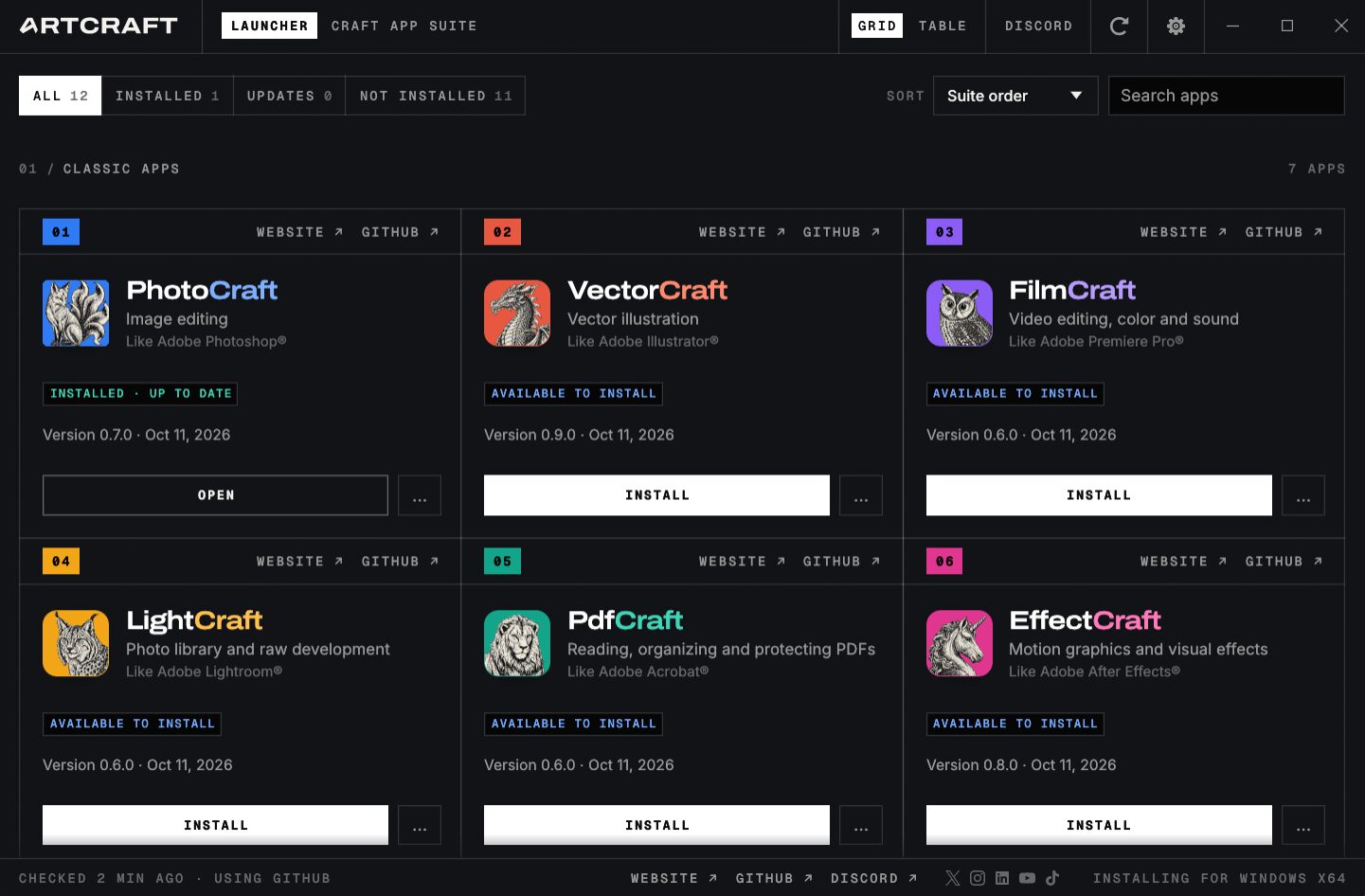
ArtCraft launcher
The collection now consists of no fewer than twelve applications. Alongside alternatives to Photoshop and Lightroom, there are programmes for video editing, vector illustrations, PDF files, animations and desktop publishing. Alternatives to Microsoft Word, Excel and PowerPoint have even been added.
PhotoCraft: the free alternative to Photoshop
For photographers, PhotoCraft is particularly interesting. This programme is clearly inspired by Photoshop. The interface will therefore feel immediately familiar if you are used to working with Adobe Photoshop.
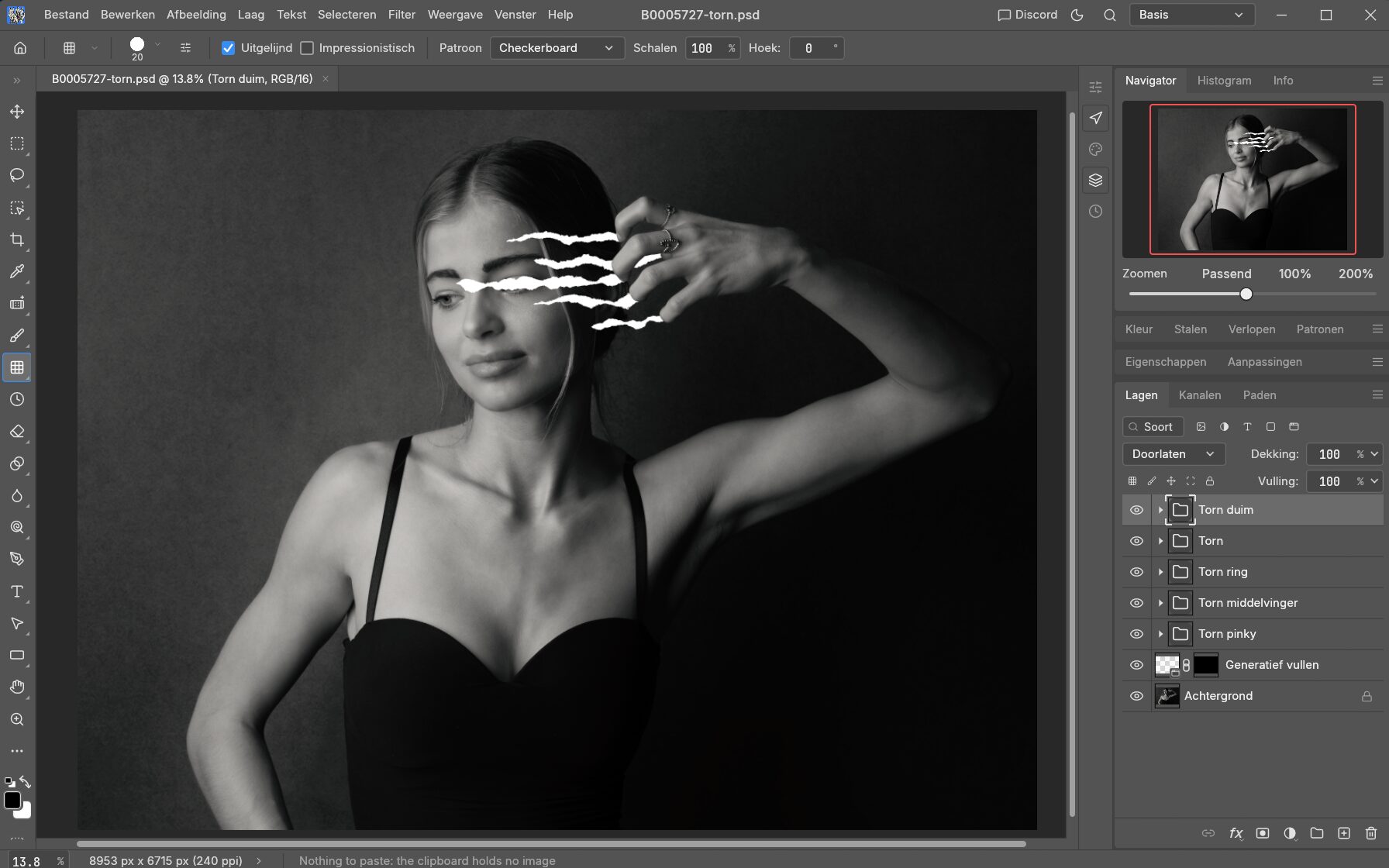
PhotoCraft, an existing PSD opened
PhotoCraft supports layers, masks, adjustment layers, brushes, text and various selection tools, among other things. You can also open and save PSD files, so in principle you can work with existing Photoshop documents.
The programme also supports different colour depths and colour profiles. So you can do more with it than just crop a photo or add a bit of text.
PhotoCraft is available for Windows, macOS and Linux. There is also a version that runs directly in your browser.
LightCraft: an alternative to Lightroom
At least as interesting is LightCraft. This programme focuses on managing and developing photos, similar to Lightroom Classic.
LightCraft offers options for adjusting exposure, contrast, highlights and shadows, among other things. It also includes extensive colour adjustments, a curves tool, presets and local masking.
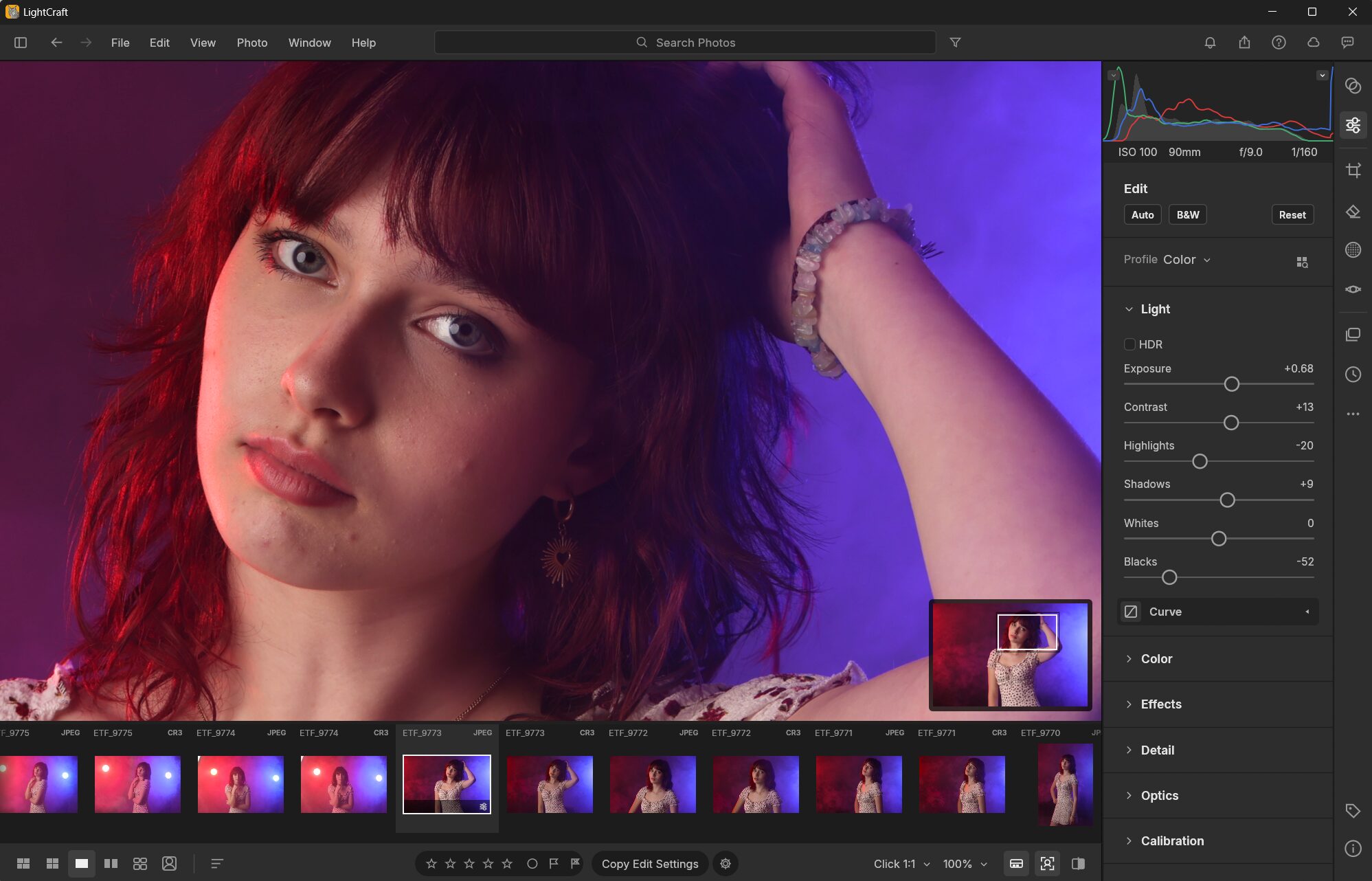
LightCraft
RAW files are also supported, including formats from Canon, Nikon, Sony and Fujifilm. The edits are non-destructive, so your original photo files are preserved.
Like PhotoCraft, LightCraft runs locally on your computer. You therefore don't need a cloud environment or an Adobe account to edit your photos.
Is it really an alternative to Adobe?
It sounds fantastic, of course: free programmes that can do almost the same as the expensive Adobe software. Still, I wouldn't cancel my Adobe subscription just yet.
The programmes are still at an early stage of development. This means that not all features work equally well and that you may encounter errors and limitations.
There are also, of course, still quite a few missing features. Although there is probably already enough here for many beginners. As a professional, I wouldn't rely on this software yet.
It won't be easy to match Adobe's decades of further development in a short time.
What does vibe coding mean for the future?
Perhaps the most interesting thing about this project isn't even the software itself, but the way it was created.
The developer, Brandon Thomas, built an extensive collection of programmes in a short time with the help of Claude AI. The software was written in Rust, a programming language that can be used to develop fast, standalone applications.
Where developing this kind of software would normally take years of work by large teams, AI makes it possible to create something useful on your own in a much shorter time.
That doesn't mean AI automatically writes flawless software. Complex programmes such as Photoshop and Lightroom involve much more than just a nice interface and a collection of tools.
An interesting detail is that the ArtCraft programmes can also be controlled by AI agents. In the future, this could allow complete edits to be carried out automatically.
Free and open source
A major advantage of the ArtCraft programmes is that they are not only free, but also open source.
The source code is publicly available via GitHub. This allows other developers to look at it, make improvements and continue building on the programmes themselves.
That offers possibilities for the future. Even if the original developer stops working on it, the community could in principle continue developing the software. Whether that actually happens remains to be seen, of course.
For now, I see PhotoCraft and LightCraft mainly as interesting projects to experiment with. In my view, they are not yet fully fledged replacements for Photoshop and Lightroom.
But the fact that someone can get this far in such a short time with the help of AI is quite impressive in itself. It shows how quickly software development is changing.
Want to try them yourself? You can find all the programmes at getartcraft.com/apps. They are free to download for Windows, Mac OS and Linux.
Other alternatives
PhotoCraft and LightCraft are currently receiving a lot of attention, precisely because they look so much like Adobe's software. That's useful, as they feel immediately familiar to experienced users.
There have of course been many good and complete free, open-source alternatives available for years. They have often been lovingly developed further over many years and may be better free replacements.
About the author
Elja Trum is the founder of Photofacts and online photography course website Photofacts Academy. He has been writing about photography since 2006. Elja is also the author of (Dutch) books on composition, black-and-white photography, flash photography and portrait photography.
You might also like
-
 Adobe and the cost of AI generative fill
by Nando Harmsen
-
 Adobe's AI credit system
by Nando Harmsen
-
 Price comparison of software with and without a subscription
by Nando Harmsen
-
 How much do Lightroom and Photoshop subscriptions really cost?
by Nando Harmsen
-
What to consider when switching photo editing software
by Nando Harmsen
-
 New AI feature for Lightroom and Lightroom Classic
by Nando Harmsen
6 comments
-
 Kees wrote on Tuesday 13 October 2026 at 21:04 | reply
I don't read a single critical word about the fact that here - in my opinion - this is a case of theft of Adobe software using AI.
Translated from Dutch. -

 Elja Trum
wrote on Tuesday 13 October 2026 at 23:23
| reply
Elja Trum
wrote on Tuesday 13 October 2026 at 23:23
| reply
Ah yes, I didn't specifically mention that in the article, but I am actually curious to see how Adobe is going to respond to this. I think there's a good chance that a whole bunch of lawyers will be at Brandon's doorstep soon.
Translated from Dutch.
I don't know to what extent the look of programs like Photoshop is protected (I think quite a bit). Purely based on the code, it is of course a completely 'self'-built system. But it is precisely the similarity to Adobe's programs that makes this software noteworthy. -
 Hoo Gan Tan wrote on Wednesday 14 October 2026 at 09:01 | reply
Reverse engineering is not automatically illegal. According to reports about ArtCraft, the creators actually state that the project is a "clean-room reimplementation." That means they claim NOT to use any Adobe code, but to have rebuilt the functionality from scratch. But we will surely hear how things stand in the future. I assume that Adobe's legal team will not just sit back and do nothing.
Translated from Dutch. -
 Mc5 wrote on Wednesday 14 October 2026 at 16:27
| reply
Mc5 wrote on Wednesday 14 October 2026 at 16:27
| reply
And question is (I have played around a bit myself with all the apps that are available - Office alternative for example) whether this really is a replacement....
Translated from Dutch.
I do miss quite a lot of functions....nevertheless quite impressed by what Claude can produce....
On Pixls.us someone did a very extensive test of Lightroom/Darktable vs all the vibe coded alternatives that are coming out at the moment. There are some very good ones among them but often LR/Darktable still comes out as the best.
(https://discuss.pixls.us/t/the-whole-host-of-photo-editors-that-have-just-landed/61124/18) -
 Fred wrote on Thursday 15 October 2026 at 09:21 | reply
Of course this will lead to a legal tug-of-war and we'll have to wait and see what the outcome is. The software will undoubtedly improve with updates, but I have my doubts. To some extent I see the same ‘problem’ as with the free Canva. In Photoshop, AI is an integrated part of more and more tools, think selections, removing and more. A small part of that is already included in your subscription, but usually it costs you additional credits. With the supposedly free programs, AI - as far as it is available - isn't free. You have to pay extra for using AI. So if you want to work in a (semi-)professional way, you will also pay for these alternatives. In the short term you may gain something, but in the long term I have my doubts.
Translated from Dutch. -
 rik wrote on Friday 16 October 2026 at 19:58 | reply
Interesting!
Translated from Dutch.
Especially because it's also available for Linux. I see a fun 'little project' emerging: a Lightroom-like app, made in Europe / Netherlands 😉
Have your say
Please note: Articles older than a week can only be commented on by signed-in visitors.Would you still like to comment? sign in or create a free account.
Become a better photographer every week
A practical photography tip in your inbox every week.
38,886 photography enthusiasts already receive the tips! More about the weekly mail. Or keep up to date via  Facebook.

Elja Trum
Photofacts; everything to do with photography!
Would you like to take better photos and keep up with what is happening in photography? Photofacts publishes articles that teach you something about photography — from a product announcement to a practical shooting tip or a look at a website. Photofacts covers photography every day and is a hobby project of Elja Trum's that got out of hand. The articles are written by a team of volunteer authors. If you would enjoy writing one or more articles for Photofacts, do get in touch.More about PhotofactsPhotofacts is made possible in part by
