

Price comparison of software with and without a subscription
Monday 8 June 2026, 22:22 by Nando Harmsen | 4,600 views | 59 commentsThis article was translated from Dutch with the help of AI. Read the original.
The subscription you need to take out with Adobe to use its software is a thorn in the side of many people. A one-off purchase is seen as better and cheaper. But is it really that much better and cheaper? I have listed everything.
You can buy software, or 'lease' it. The latter is the often-hated subscription. It means monthly costs and 'not owning' the software. On the other hand, you always have up-to-date software.
The fact that you do not own the software means that you can no longer use it after stopping a subscription. On the other hand, do you still have CD-ROMs or DVDs lying around with software that is old and outdated..?
Apart from that, it does indeed seem that monthly costs can make a software package expensive, or make it seem expensive. But what does it really cost compared with buying a software package?
For this, I compare three similar professional software packages: Adobe Lightroom, DxO PhotoLab and Capture One.
I calculate the costs over three years so that an upgrade is included for software bought with a one-off purchase. Three years, because you might not want to update every year. Upgrades are always included with a subscription.
Adobe Lightroom subscription
I use Adobe as the starting point. For a fair comparison, it is useful to list what this software offers you. Apart from updates, you get, among other things, the following software and options:
- Lightroom Classic
- Lightroom Desktop
- Lightroom Mobile
- 1 TB cloud storage
- Extensive masking options, including AI-generated masks
- Clone brushes and AI removal
- AI noise reduction and super resolution
- panorama
- HDR
- Perspective correction
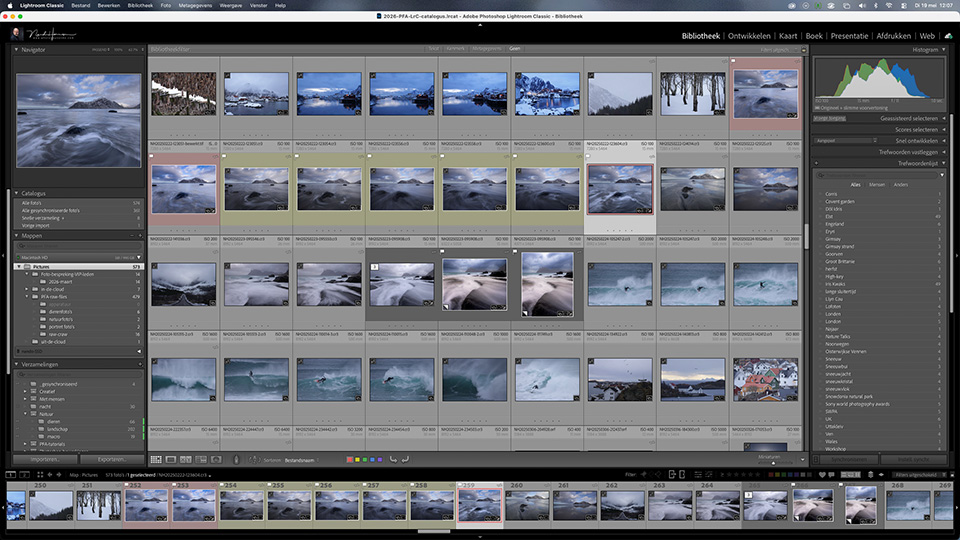
You pay 144.33 euros per year for this. You get all updates, possibly with new features. Over three years, that is 432.99 euros. Bear in mind that this is the Lightroom subscription (14.74 euros/month), without Photoshop.
DxO PhotoLab
For DxO PhotoLab, you pay a one-off purchase price of 239.99 euros. A future upgrade to a new version costs 119.99 euros. In total, that is 359.98 euros. This is cheaper than a subscription with Adobe.
To have the same functionality, you do need to add extra pieces of software with DxO. DxO PhotoLab does not include panorama, HDR, perspective correction or cloud storage. These features are not built into the programme as standard.
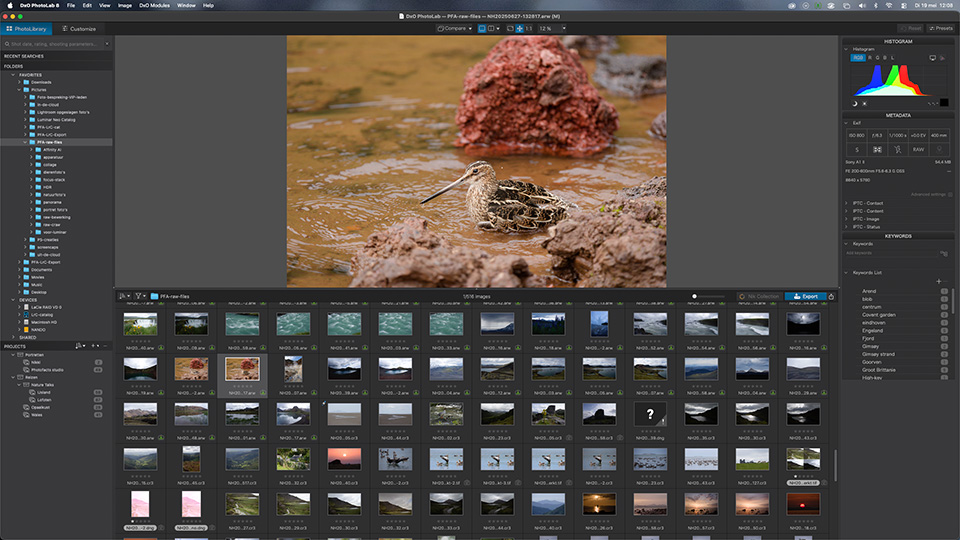
To have all the functionality, you need to buy NIK collection, DxO FilmPack and DxO ViewPoint as well. The only thing still missing then is the panorama option. DxO does not have this, so you will need other software for it.
As a bundle, all this costs 389.99 euros. Upgrades are separate, 119.99 euros for PhotoLab, 79.99 euros for FilmPack and 69.99 euros for ViewPoint. DxO costs 659.96 euros in total.
This is without NIK collection or a cloud subscription, by the way. If you add NIK collection, the total for DxO with almost the same functionality as Adobe comes to 918.95 euros.
For external cloud storage, you need to allow for 10 euros per month for 2 TB of storage. Over three years, this is 360 euros. To be fair, we divide this by two to arrive at 1 TB (180 euros).
Capture One
For Capture One, everything is a little more complicated, as both a subscription and a one-off purchase are available. A subscription costs 19.33 euros per month without cloud storage and 26.42 euros with cloud storage and software for tablet and smartphone.
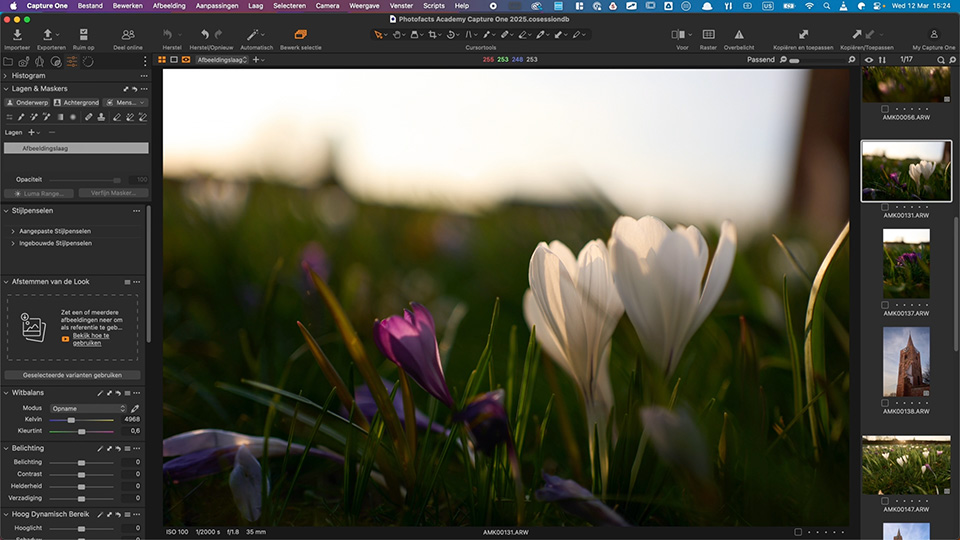
With cloud storage, a Capture One subscription costs 951.12 euros for three years. However, a licence without a subscription costs 369.00 euros. This is without cloud storage or software for tablet or smartphone. You get an upgrade with a 20% discount (295.20 euros).
Unfortunately, I do not know what functionality Capture One has. If features such as HDR and panorama, for example, are not included, you will need additional software for them. The price may therefore be different if you want comparable functionality.
Everything listed
I list everything for three years of software costs with largely comparable functionality and cloud storage, and one update during these three years.
The amounts include 1 TB of cloud storage and any extra modules needed to have as much of the same functionality as possible. Only with Capture One is it uncertain whether you have everything for this amount.
- For Adobe: 439.99 euros
- For DxO: 1098.95 euros
- For Capture One (licence): 844.20 euros
- For Capture One (subscription): 951.12 euros
Of course, with DxO and Capture One, you are never obliged to buy upgrades. Nor do you have to add the 180 euros for cloud storage or DxO's extra modules. But to make the comparison fair, you do have to include them.
You could say that after an upgrade, you can continue using the licensed software for another three years. And that is true. In that case, you would have to count the Adobe subscription for six years, which comes to 879.98 euros. I will ignore the Capture One subscription for convenience...
This is not intended to persuade you to choose one software package rather than another. It is to make you aware of the costs involved in using professional photography software.
About the author
Nando Harmsen has been photographing for more than 40 years. He specialises in wedding photography and landscape photography. Nando also gives talks, workshops, masterclasses and photo trips, and regularly reviews new and interesting equipment.
You might also like
-
 DxO PhotoLab as an alternative to Lightroom
by Nando Harmsen
-
 An honest comparison between DxO PhotoLab and Lightroom Classic
by Nando Harmsen
-
 An impression of the DxO PureRAW4 plugin for Lightroom
by Nando Harmsen
-
 How much do Lightroom and Photoshop subscriptions really cost?
by Nando Harmsen
-
 The new DXO PhotoLab version 10
by Nando Harmsen
-
 What to consider when switching photo editing software
by Nando Harmsen
59 comments
-
 Mac wrote on Tuesday 9 June 2026 at 08:07 | reply
I use DXO myself (bought). And I did the latest upgrade, so I now have DXOlab 9. Before this I had 7. So I skipped 8.
Translated from Dutch.
But with DXO it is handy to do it during Black Friday when you buy it or upgrade, then you get a substantial discount (I got Lab9 50% off a year ago during Black Friday) -

-
 Martin wrote on Tuesday 9 June 2026 at 10:12 | reply
Difficult comparison: I’ve had a subscription to adobe for Lightroom with Photoshop for 144 per year for a very long time.
Translated from Dutch.
You can take the comparison even further by adding Affinity. Although that program is still rough around the edges, there is promise there. With AI just as expensive as Photoshop Lightroom. -
 Nando
wrote on Tuesday 9 June 2026 at 10:28
| reply
Nando
wrote on Tuesday 9 June 2026 at 10:28
| reply
It is indeed difficult. I deliberately didn’t include Affinity because it is a Photoshop alternative, and not Lightroom, DxO or Capture One.
Translated from Dutch.
(edit: I accidentally had Luminar’s rattling in mind when I wrote this. Affinity doesn’t rattle) -

-
Nando
wrote on Tuesday 9 June 2026 at 10:27
| reply
The prices are current, obviously. They were looked up and checked while writing the article.
Translated from Dutch.
But you do have to read carefully: the I took the Lightroom/Lightroom Classic subscription... WITHOUT Photoshop. Otherwise the comparison is completely skewed, because none of those other providers has a Photoshop alternative included either. -
 Maarten Karnekamp wrote on Tuesday 9 June 2026 at 10:38 | reply
I actually miss Affinity with and without AI in the comparison
Translated from Dutch. -
-
Maarten Karnekamp wrote on Tuesday 9 June 2026 at 10:40 | reply
The latest version would functionally stand up well to a comparison with Photoshop. I don't know what you mean by “rammelen”, but Photoshop also has its weak points in some areas.
Translated from Dutch. -
Nando
wrote on Tuesday 9 June 2026 at 11:33
| reply
I am not talking about Photoshop and alternatives to Photoshop in this article.
Translated from Dutch.
Lightroom, Capture One, DxO Photolab are something entirely different from Photoshop. I am talking about organization and photo editing programs.
(edit: I accidentally had Luminar's rattling in mind when I wrote that. Affinity doesn't rattle) -
 Bart Telling wrote on Tuesday 9 June 2026 at 11:01 | reply
It's a fair comparison Nando. Dutch at its narrowest, you might say. We buy thousands of euros' worth of photographic equipment and some people get worked up about Adobe's subscription costs. Yes, it costs money and depending on how long you've been a customer there are price variations. But you have a good package, up to date, and forced by the competition, Adobe keeps developing its products. I'm perfectly fine with it.
Translated from Dutch. -
Nando
wrote on Tuesday 9 June 2026 at 11:28
| reply
Well, a monthly cost of 25 euros for a sports channel is never a problem, or 12 euros for Netflix, or for Spotify. But when it comes to professional software for photography, it mustn't cost anything.
Translated from Dutch.
It's a good thing, then, that there are no more rolls of film and developing/printing costs.
-
 George wrote on Tuesday 9 June 2026 at 11:18 | reply
I neatly pay 144 euros per year (just paid again) for the use of my Adobe Lightroom CC/Classic and Photoshop. Years ago I also bought the purchased version of Luminar, but I never use it, another update every time....
Translated from Dutch.
I assume that 144 euros (12 euros per month) is still affordable for a hobby. In my early days I did indeed use copied CDs or DVDs. I prefer to pay for something that is and remains up to date -
-
 Erik Oosthoek wrote on Tuesday 9 June 2026 at 11:24 | reply
I use Luminar Neo myself, considerably cheaper and without a subscription.
Translated from Dutch.
Why wasn't this one included in the comparison? -
Nando
wrote on Tuesday 9 June 2026 at 11:35
| reply
That was done deliberately because this can hardly be called professional software.
Translated from Dutch.
Of course, a great many things are possible that are also available in the software mentioned.
However, I think Luminar may well be sufficient for many hobbyists, provided it works properly. I don't know what the situation is now, but that wasn't always the case in the past. -
guest wrote on Tuesday 9 June 2026 at 11:33 | reply
I pay 138.27 euros per year for LR and PS. But if you continued paying monthly after that price increase, it is indeed much more expensive now. At the time, I opted for a one-year subscription, which means the price remains quite reasonable. Plus 20GB of storage in Adobe Cloud.
Translated from Dutch. -
 paul wrote on Tuesday 9 June 2026 at 11:38 | reply
I have been using Affinity for years, to my complete satisfaction. Of course, I am not a professional user, but it works perfectly fine for me! I have noticed very little of that "clunking". So certainly for amateurs, far preferable to those expensive programs!
Translated from Dutch.
What do you think of this photo:
https://www.mindat.org/photo-1447451.html
The result of stacking 80 photos, post-processing and cropping, all with Affinity. -
Nando
wrote on Tuesday 9 June 2026 at 11:46
| reply
I had Luminar's clunkiness in mind by mistake when I wrote that. Affinity isn't clunky.
Translated from Dutch.
But once again... I keep saying it. You shouldn't compare apples and oranges.
Affinity is NOT an alternative to Lightroom, C1 or DxO. It's an alternative to Photoshop and that's not what I'm talking about in this article. -
guest wrote on Tuesday 9 June 2026 at 11:40 | reply
Since I no longer use Microsoft Windows at all and all my systems (NAS, server and desktops) run on Linux, the Adobe packages aren't an option for me.
Translated from Dutch.
It does take some getting used to at first, but by now I can manage Darktable perfectly well as a non-destructive photo manager/editor, and for more extensive editing GIMP also offers everything I need as a hobby photographer. -
-
 Kees Boekestijn wrote on Tuesday 9 June 2026 at 12:10 | reply
Sorry Nando but with your commentary you are doing all the people who use Luminar Neo a great disservice. I certainly don't consider myself a professional but neither a struggler with crappy software. I once saw you present a video in which you use Luminar and have to wait minutes for an edit to be completed, while I could perform the same edit in seconds. Does this perhaps say something about your PC? I know you're not a fan of Luminar Nando and maybe this program then doesn't belong in your little box of your comparison, but don't just dismiss it like that as in the answers above to various questions.
Translated from Dutch. -
-
 Hans wrote on Tuesday 9 June 2026 at 12:23 | reply
Affinity is completely free. And has sufficient capabilities.
Translated from Dutch. -
-
 Donald Willemsen wrote on Tuesday 9 June 2026 at 12:52 | reply
Nando, the subscription version Luminar Neo Pro contains much more functionality than the stand-alone (one-time paid) version. Moreover, you get all the updates included. That makes it just as good as Lightroom, after all.
Translated from Dutch.
I think it's a shame that you didn't include Luminar in the price comparison. -
Nando
wrote on Tuesday 9 June 2026 at 13:25
| reply
An subscription again, then? That's what everyone is so opposed to, isn't it?
Translated from Dutch.
I have my doubts as to whether it's just as good. I remember that especially the masks and library could be called rudimentary..
But that may be a prejudice now.
Maybe I should take another look at it. -
 Raphaël De Vos wrote on Tuesday 9 June 2026 at 13:22 | reply
I completely agree with you. I myself have also been working with Photoshop for 20 years already, and with Lightroom for about 10 years now as well. I don't like changing because I realize that having good knowledge of your program helps you much more, instead of trying something new every time. It should also be said: indeed €144/year -or even a bit more - for a hobby is really not staggering in my opinion (where is the time when we paid 500/600 BF for a roll of film!!!) Which hobby is still cheaper, that is, if we don't pursue the latest technical gadget every year. I do use the very latest novelties such as AI less, however, because in quite a lot of cases -in my opinion- I don't find them accurate enough at all. I can easily spend an hour working out a photo to my liking. Those who don't have time might perhaps be better off not choosing photography as a hobby
Translated from Dutch. -
Raphaël De Vos wrote on Tuesday 9 June 2026 at 13:31 | reply
Indeed. I suspect that the prices for people who have been subscribed for a long time (like me, for 20 years already) may have risen less than for new subscribers. Now in any case even €300/year seems reasonable to me for a nice hobby (every hobby costs money, many even much more?), in which you can work with 2 very capable programs.
Translated from Dutch. -
 Teka wrote on Tuesday 9 June 2026 at 13:36 | reply
For several decades, I have been using the English-language ACDSee Photo Studio Professional, which unfortunately is never mentioned as a replacement for Lightroom. My experience with Lightroom goes too far back for me to be able to compare the two programs. But I switched to ACDSee at the time for various reasons: I found the photo management more pleasant to work with, I considered the photo editing comparable and it was cheaper. HDR, Panorama and Stacking are possible.
Translated from Dutch.
An ACDSee Photo Studio Professional subscription costs 89 dollars per year, a one-time purchase/license costs 100 dollars. Cloud storage is limited, but many people already have that arranged elsewhere. A few months before a new version is released, there are always attractive discounts on the license price (currently 40%). I buy a new license approximately every three years and I am very happy with it. -
-
Raphaël De Vos wrote on Tuesday 9 June 2026 at 13:37 | reply
Totally agree with you. How difficult can it sometimes be for people to put things into perspective. A fellow photographer complained about the price of Photoshop/Lightroom, around +/- €150/year. He was walking around with a Nikon D800 camera on his belly worth around €4,000. I gave him a useful tip: Leave your camera at home, then it can't be stolen. I don't think he understood me.
Translated from Dutch. -
Donald Willemsen wrote on Tuesday 9 June 2026 at 13:47 | reply
Nando, it's still in beta, but it's possible to import the Lightroom library with everything that comes with it into Luminar Neo Pro. So Luminar is becoming an increasingly attractive alternative. It will be officially released this year.
Translated from Dutch. -
-
Donald Willemsen wrote on Tuesday 9 June 2026 at 13:54 | reply
Nando, just as an addition: the masks have improved enormously in Luminar Neo Pro, both in the version without and with a subscription. The downside of not having a subscription is that you have to buy a lot of functionality separately. Then you end up paying quite a bit more.
Translated from Dutch. -
Donald Willemsen wrote on Tuesday 9 June 2026 at 14:05 | reply
Nando I just did a copy/paste:
Translated from Dutch.
What’s new in beta 1.27.1:
Lightroom Classic Migration Tool: You can now create a Luminar Neo catalog directly from your Lightroom Classic (.lrcat) catalog. The tool transfers folders, albums, metadata, virtual copies, and basic edits (states), making it easier to move your workflow from Lightroom to Luminar Neo. -
 Henk Klooster wrote on Tuesday 9 June 2026 at 15:24 | reply
What is the new Apple package like?
Translated from Dutch. -
Nando
wrote on Tuesday 9 June 2026 at 15:37
| reply
No idea. If anything, it's limited to Apple users. That's already a considerable disadvantage.
Translated from Dutch.
But yeah... there will undoubtedly be more software. I can't cover everything. The most important ones are included in the article, at least. -
 fredkok wrote on Tuesday 9 June 2026 at 17:15
| reply
fredkok wrote on Tuesday 9 June 2026 at 17:15
| reply
First, a tip: If you have a Chamber of Commerce registration, use it for your Adobe subscription, then you will be exempt from VAT. Saves you 21% on the price.
Translated from Dutch.
Furthermore, I am extremely surprised by people who think that everything should be free if it is digital or comes via the internet. Compare the current costs with how things were in the analogue era. No more costs for rolls of film and chemicals. As a photographer, you also don't want your photos to be taken from the internet for unsolicited commercial use. Then you want a fair price for your photographic work. Then surely others may also charge a price. And if you don't like it, you look for freeware, but it always has its limitations compared to serious and paid software. -
guest wrote on Tuesday 9 June 2026 at 17:43 | reply
Yes, comparing is not easy.
Translated from Dutch.
I also use the English-language ACDSee Photo Studio, but the version (Photo Studio Ultimate 2026) that allows you to work with layers.
This program may get more attention as far as I'm concerned.
For me as a hobbyist, this program has more than enough possibilities.
I wonder how many people use all the possibilities of a program.
It is also an extremely good archiving program.
I don't use the cloud but I do use a NAS and a separate drive for backups. (second-hand costs aren't much.)
For backups SyncBackFree V12. -
guest wrote on Tuesday 9 June 2026 at 18:58 | reply
For years now, I've been in the fortunate position of not having to pay anything for an Adobe subscription (Lightroom + Photoshop).
Translated from Dutch.
If you also sell stock photos through Adobe, you get the software 'for free' with a minimum number of sales.
So both earning money and getting the software for free.
Besides, I just think Lightroom is a great system! So I stopped seriously considering anything else a long time ago! -
 Wim Hendriks wrote on Tuesday 9 June 2026 at 19:19 | reply
The latest up-date of DaVincie Resilve includes a photo editing module that is linked to the video editing, an advantage is that you can use the nodes (kind of layer editing) and it is free. if you want the studio version then it costs money, but more possibilities worth a look.
Translated from Dutch. -
-
Gert wrote on Tuesday 9 June 2026 at 20:05 | reply
You're right, Nando. Because only Lightroom is listed with the package, I thought they only provided Lightroom CC in that subscription, but fortunately Lightroom Classic is included too. In the past, we also had the old plan that included Photoshop CC and 20 GB of cloud storage. They replaced that with a more expensive variant.
Translated from Dutch. -
-
 Peter Trouwen wrote on Tuesday 9 June 2026 at 21:30 | reply
I currently use Lightroom and Photoshop. Completely used to them and I can work with them well. Lately, I've been absolutely bombarded with advertisements for ON1. It claims to be a full-fledged Lightroom alternative for less than half the price. Does anyone here have any experience with it?
Translated from Dutch. -
Nando
wrote on Wednesday 10 June 2026 at 10:13
| reply
Ah yes, ON1 is still around too.
Translated from Dutch.
That makes too many software variants to compare in an article like this. Luminar, ACDsee, ON1, Lightroom, Capture One, DxO, Davinci Resolve, Darktable... and who knows what else.
I have no experience with it. Fortunately, searching on the internet can be helpful. Do ask for reviews, though, and don't trust AI-search-engine-generated slop. -
 Peter wrote on Wednesday 10 June 2026 at 07:08 | reply
I've had the same subscription for years and I also pay 144 euros per year for this package, and it's definitely worth it to me.
Translated from Dutch. -
Raphaël De Vos wrote on Wednesday 10 June 2026 at 12:26 | reply
While so many keep looking for something else, I completely agree with you, Peter. I have also had the Lightroom & Photoshop subscription for years, and am now also reasonably adept with it (I also attended quite a lot of Photoshop sessions and a few Lightroom ones back then). Many hobbies are also much more expensive than the subscription mentioned. By the way, every switch to another editing program causes delays, and unfortunately also a loss of the expertise acquired previously. For photography, 2 elements are important: some money is needed anyway, but what many are missing, however, are the most essential but cost-free tools: "time and preferably an abundance of patience".
Translated from Dutch. -
 Harry Van Bulck wrote on Wednesday 10 June 2026 at 21:50 | reply
Much also has to do with whether you are a professional or hobby photographer. I myself fall into the latter category (and money is important) I still work with a purchased Photoshop and Ligtroom and yes it has some disadvantages but that suits me and I haven't paid anything for 15 years already. I do subscribe to the idea 'you take a photo on location and not behind your PC'. Cropping, removing some (small) distracting elements, shifting things around a bit with colour and brightness, I don't do much more. I know that the current programs have much more up their sleeve.
Translated from Dutch.
Also that ai stuff is sometimes convenient but it is no longer your own photo.
ps: I work in advertising and nowadays everyone makes (themselves?) their designs with that shit gtp stuff and then expects us to carry out those unrealistic designs. -
-
Donald Willemsen wrote on Thursday 11 June 2026 at 16:46 | reply
Oh, that's why those workshops and photo trips are so expensive.
Translated from Dutch. -
 Angelo wrote on Thursday 11 June 2026 at 19:26 | reply
For me, it is important that big tech/Adobe does not snoop around in my data. And given the political developments on the other side of the ocean, I use European software wherever possible. Principles simply cost money. And as far as possibilities are concerned, I am really not limited. It gives me more satisfaction.
Translated from Dutch. -
-
 Jan Willem Hartmann wrote on Friday 12 June 2026 at 17:11 | reply
As mentioned earlier, the price comparison is absolutely not complete if you don't include Luminar Neo in this price comparison. Nando's comments about Luminar Neo are, in my opinion, highly subjective and it is a real shame that PFA has and conveys this opinion about Luminar Neo. In my opinion, PFA should be objective.
Translated from Dutch.
-
Raphaël De Vos wrote on Friday 12 June 2026 at 20:39 | reply
Dear Jan, I believe that Nando tries to be as objective as possible, but of course nobody, and perhaps Nando never either, can be aware of all the photo editing programs circulating on our planet. I see this section as a meeting place for photographers to learn something or start an interesting discussion, with all kinds of exchanges of information, but not as an incontrovertible, universally authoritative, unique source of truth.
Translated from Dutch. -
Donald Willemsen wrote on Sunday 14 June 2026 at 00:01 | reply
@Jan Willem Hartmann, I think you're right, especially because Luminar is slowly gaining an increasingly larger market share.
Translated from Dutch.
On the other hand, I also have to acknowledge that you can never be complete, because there are many more software packages. Just to name one, 'GIMP' isn't discussed either.
I also think that Nando is criticizing Luminar Neo in a sense without having looked at the latest version.
It's about a price comparison and what you get for it. It's not about whether a package is good or bad right now. -
Gert wrote on Sunday 14 June 2026 at 14:44 | reply
Na verschillende testen blijf ik nu en in de nabije toekomst werken met Adobe Lightroom. Mijn mening hiervoor is door onder andere het artikel van Nano veranderd. Ik maak nu nog gebruik van een jaar Creative Cloud en twijfelde door de prijzen of ik daarmee verder wilde gaan. Ik werk al sinds het prille begin (vanuit de eerste publieke beta versie) met Adobe Lightroom Classic.
This comment was written in another language and has not been translated yet.
Recent ben ik om meerdere redenen begonnen met het verkennen van meerdere software om mijn foto's te kunnen delen met onze dochters. Mijn archief bevat inmiddels ruim 400.000 beelden, die ik met sleutelwoorden, verzamelingen, GPS coördinaten en op tijden terug kan vinden.
Recent heb ik MacOS op mijn computer naar versie 27.0 gebracht. De reden: de nieuwe versie van Apple Photos (die beide dochters nu gebruiken) werkt vele malen sneller. In enkele dagen heb ik de beelden kunnen importeren. De foto's blijven wel op hun originele locatie staan en worden niet naar de iCloud verstuurd.
De bibliotheek kan ik nu op de disks van beide dochters zetten. Ze hebben beiden een kopie van het volledige archief gekregen. Zelf bewaar ik ook meerdere back-ups op verschillende locaties. Komend september kunnen we allen upgraden naar de officiële versie van MacOS en dan kan het archief door iedereen bekeken worden. Het voordeel is dat ze beiden Mac blijven gebruiken en er is ook geen abonnement geld aan Photos gekoppeld. (Photos is ook geen onderdeel van het nieuwe Apple 'huur' pakket). De software heeft alle basis functies om de beelden te bewerken, maar er ontbreken er ook een aantal. Hier zou een diepe duik in nodig zijn om dit allemaal met elkaar te kunnen vergelijken.
DaVinci Resolve zag ik ook in de reacties voorbij komen. Ik gebruik de Studio versie. De Lightroom catalogus kun je inderdaad importeren, maar met ruim 400.000 foto's is dat geen goed idee. Lightroom blijft echter wel werken als digital asset manager als je stopt met het abonnement. Je kunt dan een kleiner deel van je archief selecteren en daar een nieuw archief van laten maken. Die kun je dan in beide versies van Resolve (De Studio en Standaard versie) importeren. Kost minder tijd en je werkt alleen met de beelden die je nodig hebt. Bewerking van de beelden kun je vergelijken met het bewerken van video beelden, maar dit is niet hetzelfde als je terug vind in Lightroom en/of Photoshop.
Ik heb PeakTo getest als digital asset manager. Het is interessante software die geschikt is voor foto en video materiaal. Dit pakket kan ook met andere software samenwerken. Het pakket bied een uitgebreid pakket aan mogelijkheden om je beeld archief bij te houden. Het is in veel situaties razendsnel werken, maar helaas heeft het ook nog een aantal minpunten. Zo heb ik al meerdere malen meegemaakt dat ik na het opstarten geconfronteerd werd met een 'gebroken archief' wat hersteld moest worden. Dat duurde zo lang dat ik heb besloten om voorlopig niet verder te gaan met PeakTo.
ACDC is een mooi en betaalbaar alternatief om je foto archief bij te houden. Het werkt net als Lightroom en andere tot nu toe genoemde software met een eigen bibliotheek. Je kunt mappen selecteren en die laten scannen. Daarmee worden alle gegevens in de bibliotheek gezet. Voor het bijhouden van een archief werkt het goed, maar bepaalde functies die je (wel/niet) nodig hebt moet je zelf goed controleren. Voor basis correcties werkt het prima.
Exire is software wat gemaakt wordt bij onze Duitse buren. Ik wilde de software gaan testen, maar ik begreep van de producenten dat er binnenkort (eind Juni 2026) een nieuwe versie op de markt komt.
On1 Photo RAW 2026 heb ik op aanraden van een foto maatje ook getest. Prima software, vergelijkbaar met Lightroom. Maar de software produceert wel bij elke foto een sidecar bestand om alle informatie in op te slaan. In Lightroom kun je dat laten doen in .xml bestanden. On1 heeft gekozen voor een eigen vorm: .on1 bestanden. Ik ben daar zelf niet echt enthousiast van geworden.
DXO heeft het meest uitgebreide pakket software. Photolab 9 is de beste RAW foto software en met PureRAW 6 heb je de beste RAW converter te pakken. Wil je creatief aan het werk dan kun je ervoor kiezen om de NIK collectie erbij te nemen in combinatie met FilmPack 8 kun je beelden omzetten alsof ze gemaakt zijn op analoge film. Simulaties van bekende merken als de Kodak Tri-X, Fujifilm Velvia 100 of een van Ilford. Ik vond het een hele leuke ervaring toen ik een 'wow' terug kreeg nadat ik een beeld van onze kleindochter had opgestuurd naar haar ouders. DXO is voor mij nog heel nieuw, maar absoluut de moeite waard om te verkennen voor beeld bewerking. Digital asset management is ook mogelijk in Photolab 9, maar daar ontbreekt wel het een en ander als je het vergelijkt met Lightroom.
Vanuit Lightroom werken de verschillende DXO pakketten wel samen met deze software. Je kunt dus vanuit Lightroom een origineel naar een van deze software pakketten sturen om het beeld daar te bewerken.
Veel van de bovenstaande pakketten heb ik in een trial versie eerst goed uitgeprobeerd. Daarvoor heb ik vooraf een aantal punten op een lijst gezet om ze daarna in de software uit te proberen. Sommige pakketten heb ik met een of twee maanden kunnen verlengen naar gelang dat mogelijk is. Software kopen blijft een prijskaart houden en huren ook. Voor Adobe doe ik nu een stap terug. Ik wilde ermee stoppen, maar kom daar voorlopig van terug, met dank aan Nando. Ik had niet gezien dat je ook kunt kiezen voor Lightroom Classic en CC voor 144 Euro per jaar.
Gratis software bestaat. Wie goed zoekt zal vinden. Maar heel eerlijk: voor mijn doelen en eisen aan de software voldoen deze pakketten niet. Ik heb nog meer software getest, maar die vielen een voor een op de eerste dag af wegens crashes, ontbreken van mogelijkheden, snelheid enz. Een goede digital asset manager moet binnen een korte tijd alles kunnen vinden en daar vallen vele door de mand. Goede software kost geld en 144 Euro per jaar vind ik voor mijzelf acceptabel. Updates kosten immers ook geld en nieuwe software ook. Het is een rekensom die ieder voor zichzelf kan maken.
Het belangrijkste voor mij is het plezier dat ik ervan heb. Zonder plezier is geen enkele prijs gerechtvaardigd. Daarom is voor mij zo'n 'wow' terug krijgen bijzonder waardevol en absoluut voor herhaling vatbaar.
@Nando: dank voor het vergelijken en voor iedereen die erop reageerde: ik heb met veel belangstelling alle reacties gelezen. -
 Paulussie wrote on Monday 15 June 2026 at 10:20
| reply
Paulussie wrote on Monday 15 June 2026 at 10:20
| reply
Read the whole piece, and many of the comments, but for me it is still a mystery why le is so popular. Over the years (whenever a new version came out) I tried the trial versions, and never managed to make heads or tails of it. Absolutely unworkable for me.
Translated from Dutch.
My daughter does use it (professionally, she does weddings etc.) and I always hear her grumbling about lr.
I just use Nikon's own program, at least I understand what t does, and I can decide for myself where I save my files (always locally, no cloud in the sky)
Have your say
Please note: Articles older than a week can only be commented on by signed-in visitors.Would you still like to comment? sign in or create a free account.
Become a better photographer every week
A practical photography tip in your inbox every week.
38,937 photography enthusiasts already receive the tips! More about the weekly mail. Or keep up to date via  Facebook.

Elja Trum
Photofacts; everything to do with photography!
Would you like to take better photos and keep up with what is happening in photography? Photofacts publishes articles that teach you something about photography — from a product announcement to a practical shooting tip or a look at a website. Photofacts covers photography every day and is a hobby project of Elja Trum's that got out of hand. The articles are written by a team of volunteer authors. If you would enjoy writing one or more articles for Photofacts, do get in touch.More about PhotofactsPhotofacts is made possible in part by
