

What to consider when switching photo editing software
Saturday 1 August 2026, 22:44 by Nando Harmsen | 1,755 views | 11 commentsThis article was translated from Dutch with the help of AI. Read the original.
You have been using the same photo editing software for years. Then you decide to switch to different software. That never goes completely smoothly. There are things you need to consider. Think carefully before taking the step.
There can be various reasons for switching to a different photo editing programme. Whatever the reason, you would rather not start again with all the edits you have made to years' worth of images.
The tools available to you for photo editing are virtually the same in all photo editing software. The differences are often in the details and the appearance of the programme.
Using different software can require perseverance. You not only have to find the tools you need, you also have to develop a new workflow.
Give yourself time to learn how to work with the new software. Especially when you see that the results are to your liking, that can be very motivating. There is only one sticking point: what do you do with all the photos you edited in the past?
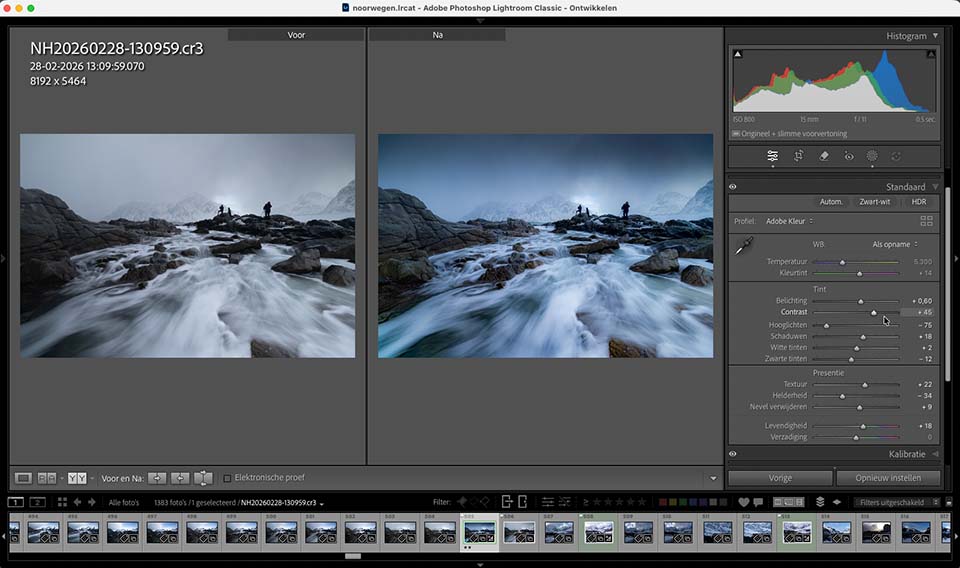
The problem is actually very simple to describe. You lose all your past edits. The edits you made to your raw files cannot be read by the new software.
There are, of course, the sidecar files. The XMP files, DOP files or other small files that contain editing information. Unfortunately, often only keywords and star ratings can be read by other software.
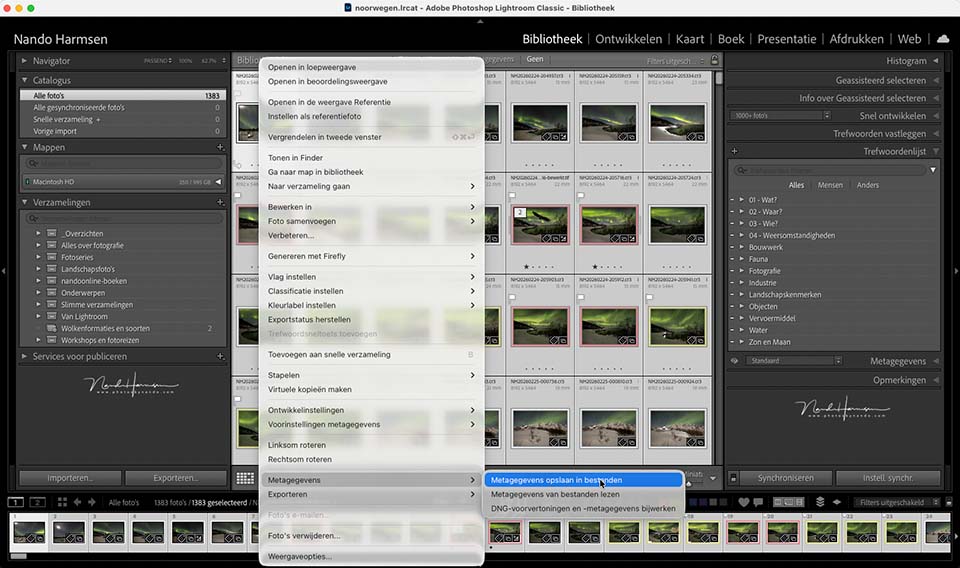
The only way to preserve your old edits is to export them to a jpeg or tiff file. Unfortunately, nothing can ever be adjusted again after that. The edit is final.
Of course, you can edit the original raw file again in the new software. That works perfectly for a hundred or so photos, but not for many thousands of photos. There is, however, another workaround.
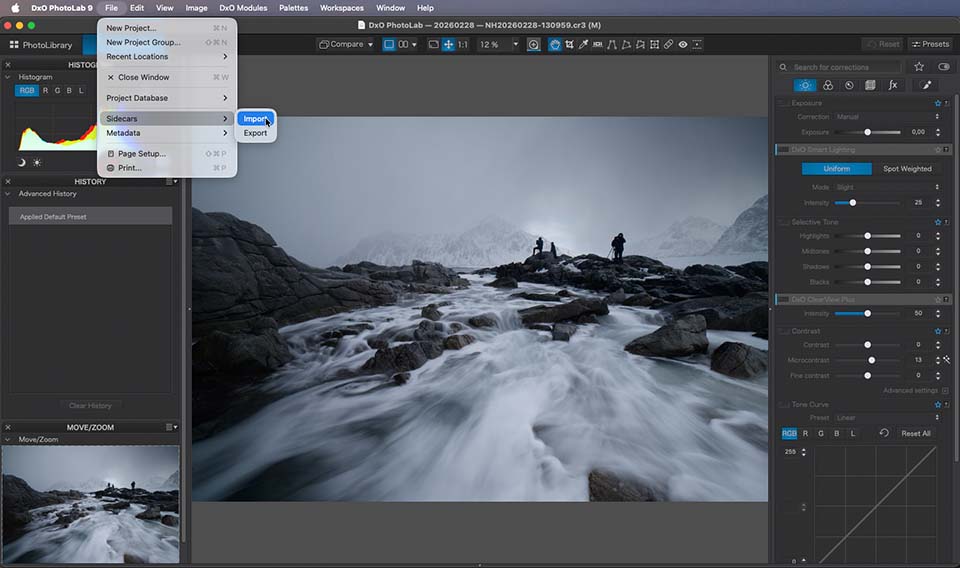
Make a fresh start when switching to new photo editing software. From that moment on, edit all new photos in the new software. Ignore all the 'old' photos and leave them to the old software.
This means that the old photos can still be viewed in the old software and exported from there. So do not throw away the old software, but continue using it to manage the old photos.
I have previously written about using Lightroom Classic without a subscription. Read about it in this article. Software you have purchased can be used indefinitely anyway.
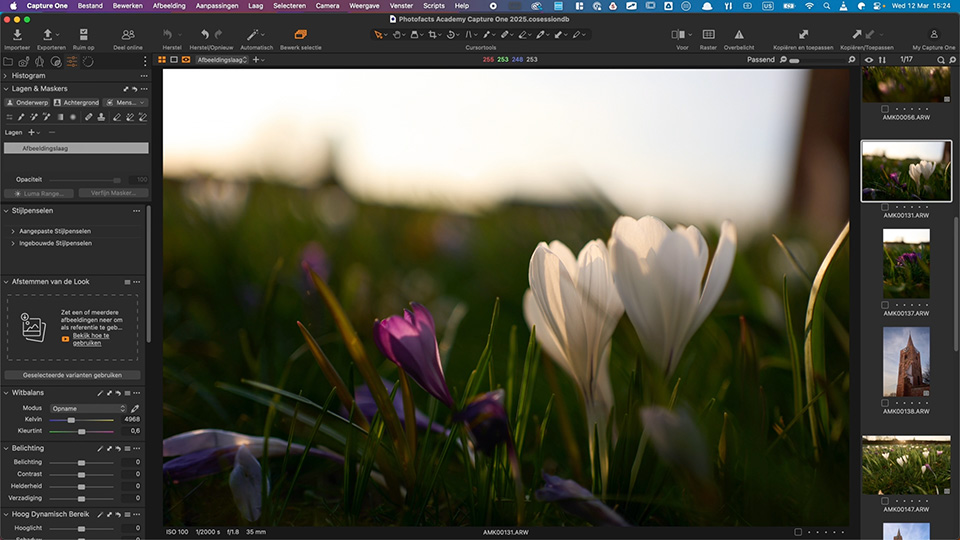
If you wish, you can always bring a select number of 'old photos' to the new software. You can then edit them again. If you do not want to do that, leave them in the old software.
Switching to new software is relatively simple. Do make sure you understand the consequences for your 'old photos' and edits. Then ask yourself whether switching is worth it. Only you can make that choice.
Also consider the cost of the software you use or want to use. You can find a price comparison of the professionally oriented software packages that also include photo management in this article.
Have you switched software? Or are you thinking about switching? I am very curious to hear how you are going to do this, or how you solved it. Share your experiences or ideas in a comment below. Perhaps you will bring new insights that we can all learn from.
About the author
Nando Harmsen has been photographing for more than 40 years. He specialises in wedding photography and landscape photography. Nando also gives talks, workshops, masterclasses and photo trips, and regularly reviews new and interesting equipment.
You might also like
-
 An impression of the DxO PureRAW4 plugin for Lightroom
by Nando Harmsen
-
 8 things to consider when switching to Affinity
by Nando Harmsen
-
 Price comparison of software with and without a subscription
by Nando Harmsen
-
 Apple launches Creator Studio software
by Elja Trum
-
 How much software do you need for your photos?
by Nando Harmsen

11 comments
-
 guest wrote on Monday 3 August 2026 at 17:13 | reply
Deleting XMP files, you get "clean" RAWs. Right?
Translated from Dutch. -

-
Hans wrote on Tuesday 4 August 2026 at 12:53 | reply
Affinity is a great photo editing program and free on top of that. It has everything Photoshop offers too. Except the AI features. But be honest: photographing and editing with the help of AI is a gimmick. Real photographers don't do that.
Translated from Dutch. -
-
 Trudy wrote on Tuesday 4 August 2026 at 17:34 | reply
At the end of this year I want to cancel Lightroom, because I have a lot of annoyances with regard to the library, such as when importing photos, where the program does not remember that photos from a previous import should not be imported again, despite the fact that ‘do not import suspected duplicates’ is checked. Exporting a raw photo to jpg only works once; a 2nd time, the same photo will not work. In Develop mode, the program is slow to display the next photo. So for me, LR Classic is no longer what it used to be.
Translated from Dutch.
I found an app for managing photos, specifically for Mac users, and I develop the photos in Affinity Photo 3 and possibly Pixelmator Pro. I am still planning to purchase PureRaw6 and the Nik Collection for Affinity from DxO. -
-
 Govaerts wrote on Tuesday 4 August 2026 at 18:20 | reply
I learned how to work with Photoshop in adult education in Antwerp and I really don't see the reason why I should change.
Translated from Dutch. -
-
Hans wrote on Tuesday 4 August 2026 at 20:37 | reply
I understand that Nando is a fan of Lightroom. That's okay. I suspect he doesn't fully master Affinity. Even DXO users are switching to Affinity.
Translated from Dutch. -
 Nando
wrote on Tuesday 4 August 2026 at 21:43
| reply
Nando
wrote on Tuesday 4 August 2026 at 21:43
| reply
This is nonsense. Affinity is not Lightroom. Affinity is like Photoshop. They work completely differently and cannot be compared.
Translated from Dutch.
Look into it, Hans. Then you'll understand what I mean.
The idea that I don't master the program... I have made an entire course about it on Photofacts Academy and follow-up courses are in the works. I recommend the program to everyone who doesn't have or doesn't want to have Adobe. -
 Victor wrote on Friday 7 August 2026 at 15:23 | reply
What a shame. This would have been a great article to also discuss open source photography tools. There is a lot going on. For example, the new version of Darktable, 5.6, was released in June, featuring, among other things, AI denoising and selections. Rawtherapy, which also just got a new version, 5.13, is also popular. RapidRaw and Safelight are new offshoots of the open source branch that are being developed very quickly (pun intended)
Translated from Dutch.
Personally, in 2024, after 16 years of Photoshop and Lightroom, I completely switched to Darktable and Krita/Gimp, not least because Darktable really offers almost everything Lightroom has and in some respects is even more versatile. Moreover, it runs on Linux, Mac and Windows. Not having to pay license fees is also very nice.
I would be happy to help with an article about open source tools sometime

Have your say
Please note: Articles older than a week can only be commented on by signed-in visitors.Would you still like to comment? sign in or create a free account.
Become a better photographer every week
A practical photography tip in your inbox every week.
38,982 photography enthusiasts already receive the tips! More about the weekly mail. Or keep up to date via  Facebook.

Elja Trum
Photofacts; everything to do with photography!
Would you like to take better photos and keep up with what is happening in photography? Photofacts publishes articles that teach you something about photography — from a product announcement to a practical shooting tip or a look at a website. Photofacts covers photography every day and is a hobby project of Elja Trum's that got out of hand. The articles are written by a team of volunteer authors. If you would enjoy writing one or more articles for Photofacts, do get in touch.More about PhotofactsPhotofacts is made possible in part by
