

10 Tips for Flawless Photo Editing in Photoshop
Friday 14 November 2025, 13:13 by Elja Trum | 1,829 views | 4 commentsThis article was translated from Dutch with the help of AI. Read the original.
Yesterday, we launched the Photoshopbijbel with a webinar. In this session, Nando and I gave you 10 tips for flawless photo editing in Photoshop. You can now watch the recording.
About the author
Elja Trum is the founder of Photofacts and online photography course website Photofacts Academy. He has been writing about photography since 2006. Elja is also the author of (Dutch) books on composition, black-and-white photography, flash photography and portrait photography.
You might also like
-
 New in Photoshop Beta: Generative Fill
by Nando Harmsen
-
 Adobe launches beta for Photoshop CC on iPad
by Michelle Peeters
-
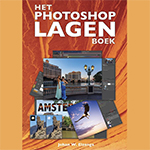 Review: The Photoshop Layers Book - Johan Elzenga
by Michelle Peeters
-
 Which is better to use? Lightroom or Photoshop?
by Nando Harmsen
-
 Photoshop tip: Using a clipping mask
by Nando Harmsen
-
 Photoshop tip: use the export function
by Nando Harmsen
4 comments
-
 Jacqueline wrote on Tuesday 18 November 2025 at 10:44 | reply
I have an ongoing membership, am I also eligible for the free Photoshop Bible, I plan to remain a member for a loooong time. I have already been a member since January 2019
Translated from Dutch. -

-
 Bibian Retera wrote on Wednesday 19 November 2025 at 22:50 | reply
I have a continuous membership and would like to receive the Photoshop Bible.
Translated from Dutch. -
 Elja Trum
wrote on Thursday 20 November 2025 at 08:28
| reply
Elja Trum
wrote on Thursday 20 November 2025 at 08:28
| reply
You can choose that when your subscription automatically renews next time. A few days before your renewal, you'll receive an email about this with a link to choose a little gift, such as the Photoshop Bible.
Translated from Dutch.
If you want it now, you can renew now. We'll then move your next automatic payment 12 months into the future and send the book right away.
Have your say
Please note: Articles older than a week can only be commented on by signed-in visitors.Would you still like to comment? sign in or create a free account.
Become a better photographer every week
A practical photography tip in your inbox every week.
38,938 photography enthusiasts already receive the tips! More about the weekly mail. Or keep up to date via  Facebook.

Elja Trum
Photofacts; everything to do with photography!
Would you like to take better photos and keep up with what is happening in photography? Photofacts publishes articles that teach you something about photography — from a product announcement to a practical shooting tip or a look at a website. Photofacts covers photography every day and is a hobby project of Elja Trum's that got out of hand. The articles are written by a team of volunteer authors. If you would enjoy writing one or more articles for Photofacts, do get in touch.More about PhotofactsPhotofacts is made possible in part by
