

ON1 Photo RAW 2019.5 launched. Lightroom rival?
Saturday 18 May 2019, 13:13 by Michelle Peeters | 7,254 views | 3 commentsThis article was translated from Dutch with the help of AI. Read the original.
ON1 has just launched Photo RAW 2019.5, a free and major update to its Lightroom alternative. It includes new features, extra organisational benefits, improved features and performance, and camera support.

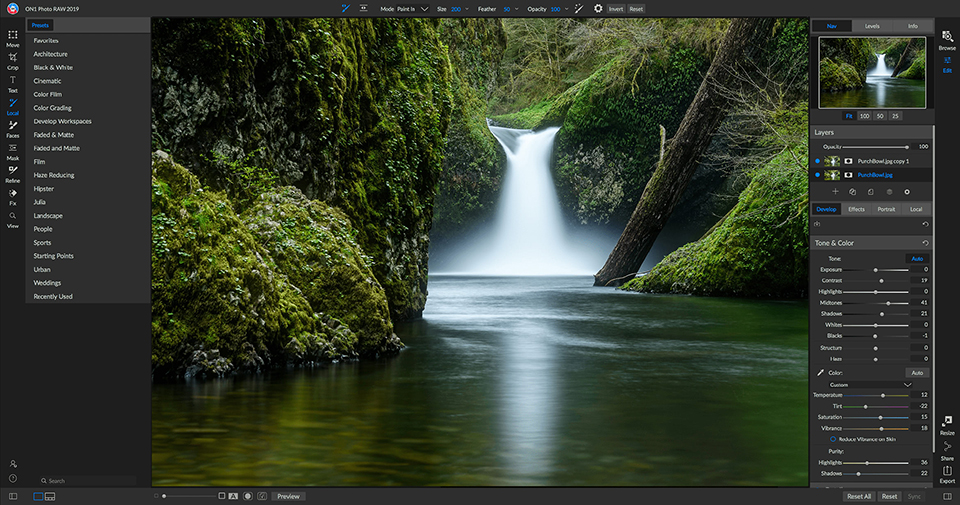
ON1 Photo RAW 2019
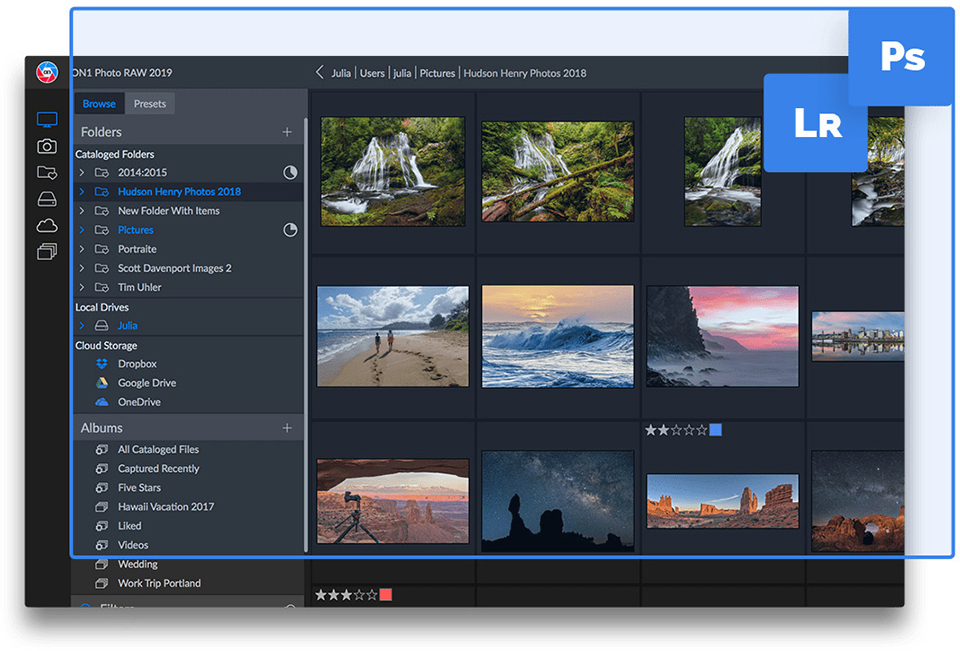
For anyone who does not know this RAW editor yet, here is some information about the current and previous 2019 version. In this programme, which is not available in Dutch, you browse through folders containing photos, so importing is not necessary. All edits are listed one below the other in a single tab. There are extra tabs for effects, portraits and local adjustments.
The whole thing looks clear, and camera profiles take care of the necessary corrections in advance. Using layers, you can combine photos, something you usually only find in photo editors. You can retouch 'content aware', clone objects and remove objects.
You can paint local edits into the photo easily with a brush. You can copy and invert these masks for other edits. This is useful, for example, when improving the sky and landscape without painting twice.
Portrait enhancements, HDR, panoramas and even focus stacking are all included. Geotagging is not. An interesting feature is that you can migrate an existing Lightroom catalogue. Intensive edits and switching between screens are sometimes a little slower than you may be used to from Lightroom, for example.
2019.5: new features
Dual mode: Easily detach the browsing module from the editing module, use a second screen or create sales or client presentations on a projector or TV. With dual mode, photographers can adjust how they want to work when browsing and editing photos.
Edit History: A complete editing history is added when working on photos. Every editing step is visible, together with the option to undo and compare adjustments. Photographers can also return to the start of the editing session.
Settings Applied info: Photographers can now quickly see which modules, tools and filters have been applied to a photo. This non-linear approach also allows photographers to double-click a setting and go straight to it for further adjustments.
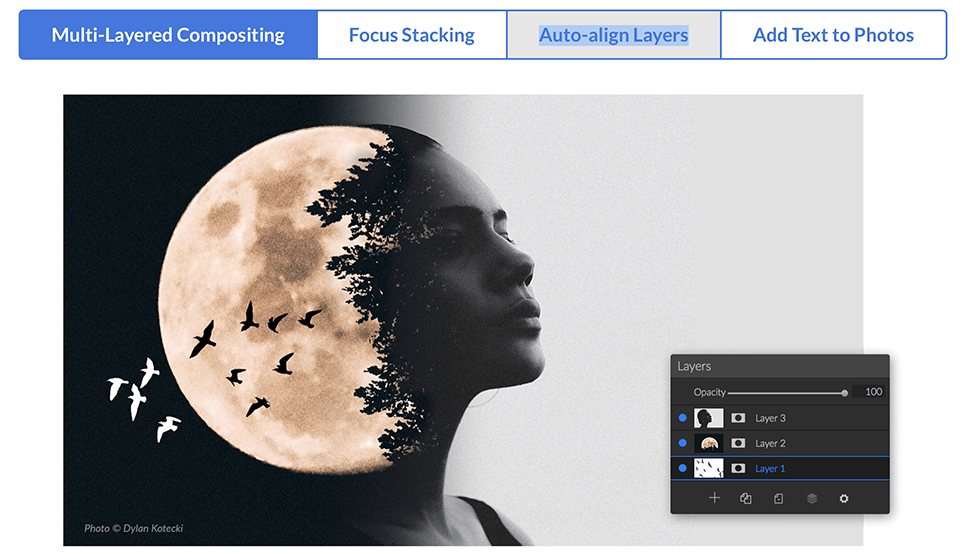
Selective Sync: Improved granularity has been added for choosing which settings should be applied when syncing your settings, or pasting and saving a preset.
For example, photographers can perform an analysis and adjust only the white balance. The ability to sync cropping, retouching and brush strokes between photos is also included.
Hierarchical Keywords: The main keyword list now also supports nesting keywords within other keywords. Nested keywords allow photographers to organise keywords as they see fit. Importing a list of nested keywords from other apps, such as Adobe Lightroom, is also supported.
Apple Photos Extension Enhancements: Integration with Apple Photos now supports the full raw data, improving adjustments to tone and colour. It also supports re-editable non-destructive editing and more native ON1 Photo RAW features such as layers, cropping and text.
First Launch Experience: If this is the first time you have used ON1 Photo RAW, there are new walkthroughs to help you learn the basics. This gives photographers a starting point and shows them where they can learn more.
Tooltips: Tooltip animations have been added to improve usability and shorten the learning curve for each tool.
In addition to the major additions listed above, a number of smaller improvements have also been made in 2019.5.
ON1 says it has also worked hard to improve the usability of basic functions such as zooming, panning and brushing, making the entire editing process smoother for photographers.
Price and availability
ON1 Photo RAW 2019.5 is available from today from the ON1 website, and it is a free update if you already own Photo RAW 2019. The app currently costs 64 dollars for new customers, down from the normal price of 80 dollars.
About the author
Michelle Peeters is fotografe en oprichter van DeuxBleus Fotografie. Michelle herkent het bijzondere in het gewone en het gewone in het bijzondere. Ze heeft zich nooit willen specialiseren en is daardoor van alle markten thuis.
You might also like
-
 17 ON1 Photo RAW tips
by Michelle Peeters
-
 Microsoft releases free RAW Image Viewer extension for Windows 10
by Michelle Peeters
-
 Lightroom update for GPU acceleration
by Michelle Peeters
-
 What's new in the Lightroom Classic 13 update?
by Nando Harmsen
-
 The new Lightroom update now offers super-resolution
by Nando Harmsen
-
 RAW output for the Nikon Z 7 and Z 6
by Michelle Peeters
3 comments
-
 Rudi Verhoeven wrote on Tuesday 21 May 2019 at 13:09 | reply
The price of $64 only applies to an upgrade, new customers do indeed pay $80.
Translated from Dutch. -
 Robert Muller wrote on Tuesday 21 May 2019 at 14:06 | reply
Great program and really to some extent an alternative to LR. For me, there is just one but: it still doesn't support Canon C3 RAW ( Eos R) yet( still ).. admittedly, there are workarounds to still edit in On1, but this remains a drawback for me!
Translated from Dutch. -
 Jan van Schie wrote on Friday 24 May 2019 at 12:03 | reply
I purchased On1 Photo RAW some time ago. Before that I used Lightroom V6 (also a purchased version). On1 Photo RAW is very user-friendly and I therefore work with it very regularly. Ligtroom switched to CC from version 6 onwards and that is not what I want. I mainly use On1 Photo RAW.
Translated from Dutch.
Have your say
Please note: Articles older than a week can only be commented on by signed-in visitors.Would you still like to comment? sign in or create a free account.
Become a better photographer every week
A practical photography tip in your inbox every week.
38,982 photography enthusiasts already receive the tips! More about the weekly mail. Or keep up to date via  Facebook.

Elja Trum
Photofacts; everything to do with photography!
Would you like to take better photos and keep up with what is happening in photography? Photofacts publishes articles that teach you something about photography — from a product announcement to a practical shooting tip or a look at a website. Photofacts covers photography every day and is a hobby project of Elja Trum's that got out of hand. The articles are written by a team of volunteer authors. If you would enjoy writing one or more articles for Photofacts, do get in touch.More about PhotofactsPhotofacts is made possible in part by
