

Review: Colour Management, Reliable Colours from Input to Output
Saturday 31 August 2019, 20:20 by Michelle Peeters | 7,513 views | 5 commentsThis article was translated from Dutch with the help of AI. Read the original.
For many photographers and designers, colour management is a form of black magic, a mystery that only the high priests of ICC profiles seem to understand. But with a little knowledge, anyone can master colour management.
You do not need to know every magic spell or incantation. No, it is about a few magic tricks that you need to apply in practice, and then that black magic suddenly offers colourful possibilities.
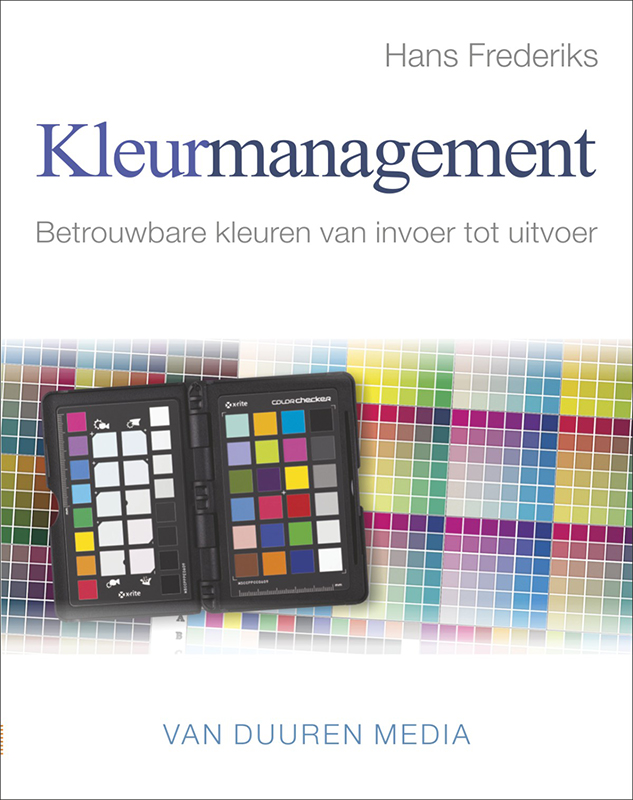
Without colour management, a lot goes wrong when creating and editing photos and designs for prints and printed matter. You can correct a photo beautifully, but if the monitor is not adjusted properly, the edited photo may look great on screen, but once printed, the image turns out grey and lifeless.
This book teaches you to recognise, understand and prevent most colour problems. As a photographer, you can now provide your clients with reliable images and produce better prints yourself. As a designer, you can provide reliable files to your printer and consult more effectively with the photographer and printer.
Author
Hans Frederiks is a journalist and photographer. He writes about developments in design on the web and in print. He has been taking photographs all his life, specialising in and on his weblog www.thefredlees.com. His panoramas are available from www.panoramawarehouse.com.
Colour management
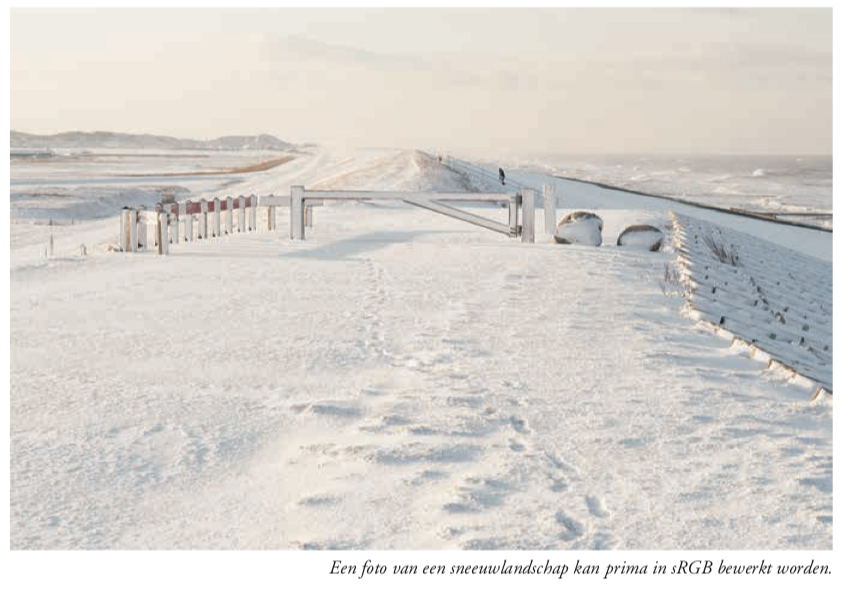
As a photographer, you deal with colour management every day. Often you are not aware of it, especially as a beginner, while sometimes you are very much involved with it. Especially when you have to carry out photographic assignments where the colours absolutely have to be right.
And it has to be said, many photographers think that colour management in this digital age is a kind of higher mathematics, something that the average photographer cannot understand by definition. Author Hans Frederiks proves with this book that understanding which variables play a role in the predictable reproduction of the colours in your photos really does not have to be rocket science.
Contents
- Colour... what is it?: the eye, colour models, colour space, the limitations of working spaces, device-dependent colour, colour gamut and dynamic range, colour temperature;
- Basic ingredients: the colour management system, practice;
- The monitor: buying a monitor, the condition of the device, monitor calibration, practice, but what should you buy?, monitors with built-in calibrators;
- The printer: standard printer profiles, creating printer profiles yourself, creating printer profiles with i1Photo Pro 2 and i1Profiler, working with profiles;
- Adobe Photoshop: colour settings, opening files in practice, viewing a colour proof on screen, printing from Photoshop, you want a CMYK file;
- Creative Cloud: what is ideal?, Adobe Illustrator, off to the printer!, PDF/X;
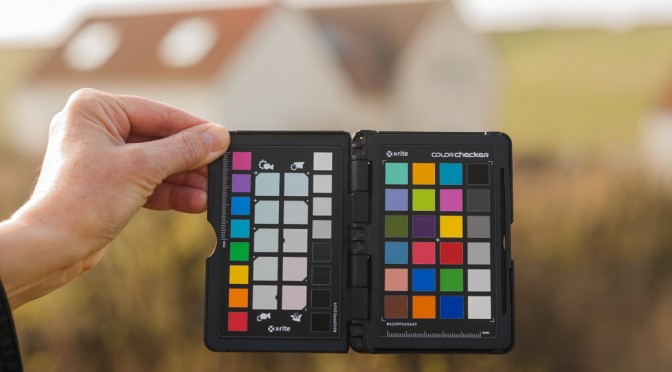
- Adobe Lightroom: RAW files, working in and outside Lightroom, DNG profiles and X-Rite ColorChecker Passport;
- Internet: sRGB, opening files in practice, exporting files as sRGB, message.
I have already read several books about colour management, but they were always very in-depth, sharing a lot of technical knowledge that was sometimes difficult to digest, without explaining its practical use. This book takes a practical approach to unravelling the 'black magic' that has always surrounded this subject.
The book has a clear structure and the level of knowledge is built up step by step. The author really starts at the beginning with an explanation of what colour actually is. How the human eye sees colour, how you can define colour using colour models, how each device has its own colour space and what colour temperature is.
It then explains what colour management is, how to carry out colour management on your computer and how to achieve reliable colours from input to output. The monitor is then covered as part of the workflow.
Next comes the printer: how to use standard printer profiles versus custom profiles, how to create a printer profile yourself and the tools for creating printer profiles. How to print yourself and how to supply files for printing.
It also explains how the internet and your monitor handle colours. Finally, essential skills for using Adobe Photoshop and Lightroom are explained.
What did I think of it?
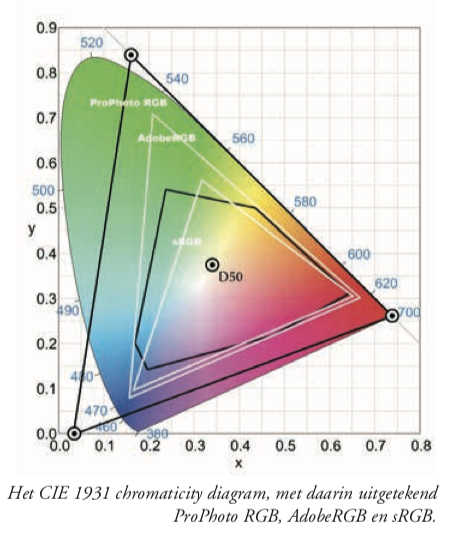
This book basically covers the complete colour process, from input to output. After reading it, you understand the difference between sRGB, AdobeRGB and ProfotoRGB, you know how to calibrate a monitor, how to create a print profile for a particular type of paper and how to set up Lightroom or Photoshop.
You now have about 95% of the knowledge you need, without having to study for it. The book contains useful illustrations and tips, which encourage you to read it all the way through.
I think the book is highly recommended! It offers a clear and refreshing view of a very complex subject that many photographers often avoid. Until they have no other choice and have to learn about it.
This book will definitely help you gain a better grasp of the predictable reproduction of reliable colours in all your photos. On the Van Duuren Media website, you can view a preview of the book.

Price and where to buy it
The book normally costs 32.99 euros at Bol.com, among others.
In August and September, the book can be ordered at a special discount! You can find the book at Van Duuren media and use the code: PF25 for 25% off!
About the author
Michelle Peeters is fotografe en oprichter van DeuxBleus Fotografie. Michelle herkent het bijzondere in het gewone en het gewone in het bijzondere. Ze heeft zich nooit willen specialiseren en is daardoor van alle markten thuis.
You might also like
-
 Review: Canon EOS R5
by Nando Harmsen
-
 Review: Canon EOS R50 mirrorless camera
by Nando Harmsen
-
 Review: Sony A6700 APS-C mirrorless camera
by Nando Harmsen
-
 Choose a Good Balance in Your Photo
by Nando Harmsen
-
 White balance and exposure in snow
by Nando Harmsen
-
 Review: Sony A7R V mirrorless camera
by Nando Harmsen
5 comments
-
 johan van den heuvel wrote on Tuesday 3 September 2019 at 17:29 | reply
Great book review, however I do think it is a shame that the images on these pages look as if the right color profiles were not used. The picture of the CIE-Lab model and the orange evening sky are very flat and washed out. That can actually be much better on an RGB monitor.
Translated from Dutch. -

 Michelle Peeters wrote on Tuesday 3 September 2019 at 17:38
| reply
Michelle Peeters wrote on Tuesday 3 September 2019 at 17:38
| reply
@Johan: yes, you do have a point there. I'll see if I can post a few other pictures from the book (photographed myself) that come across better..
Translated from Dutch. -
johan van den heuvel wrote on Tuesday 3 September 2019 at 17:47 | reply
The images posted here come from the book, if you view the proof copy as a PDF it is much more powerful. I don't have a ready-made solution, what I usually do is work in the largest possible color space but with an sRGB preview. That way you know what you're going to get in web browsers, for example. Then export with the sRGB profile that the internet does understand.
Translated from Dutch. -
 Ad Bervoets wrote on Tuesday 3 September 2019 at 18:26 | reply
Then you know everything about colors and sometimes it's still disappointing when you see the printed result. Or it looks better than expected! That can of course happen too. The material it is printed on is also highly influential. That's my experience as a graphic designer.
Translated from Dutch. -
Michelle Peeters wrote on Tuesday 3 September 2019 at 18:36
| reply
@Ad: that is also covered in the book. I haven't missed anything and learned a lot!
Translated from Dutch.
Have your say
Please note: Articles older than a week can only be commented on by signed-in visitors.Would you still like to comment? sign in or create a free account.
Become a better photographer every week
A practical photography tip in your inbox every week.
38,982 photography enthusiasts already receive the tips! More about the weekly mail. Or keep up to date via  Facebook.

Elja Trum
Photofacts; everything to do with photography!
Would you like to take better photos and keep up with what is happening in photography? Photofacts publishes articles that teach you something about photography — from a product announcement to a practical shooting tip or a look at a website. Photofacts covers photography every day and is a hobby project of Elja Trum's that got out of hand. The articles are written by a team of volunteer authors. If you would enjoy writing one or more articles for Photofacts, do get in touch.More about PhotofactsPhotofacts is made possible in part by
