

Een wit kader met afgeronde hoekjes maken in Lightroom
Monday 14 August 2023, 20:02 by Nando Harmsen | 4,067 views | 0 commentsThis article was translated from Dutch with the help of AI. Read the original.
Do you like a white mount, preferably with rounded corners? You can create one in Lightroom Classic. The options are limited, but it can be done quickly and easily. Would you rather have black? That works too.
For a digital mount around your photo, you usually need software such as Photoshop or Affinity Photo. Sometimes there are plugins that offer various options.
Do you like a simple white mount with rounded corners? You can easily create one in Lightroom Classic. It literally takes a few seconds. You do this with the vignetting tool.
To do this, open your photo in the Develop module and select the Effects panel. There you will find the Post-Crop Vignetting tool.
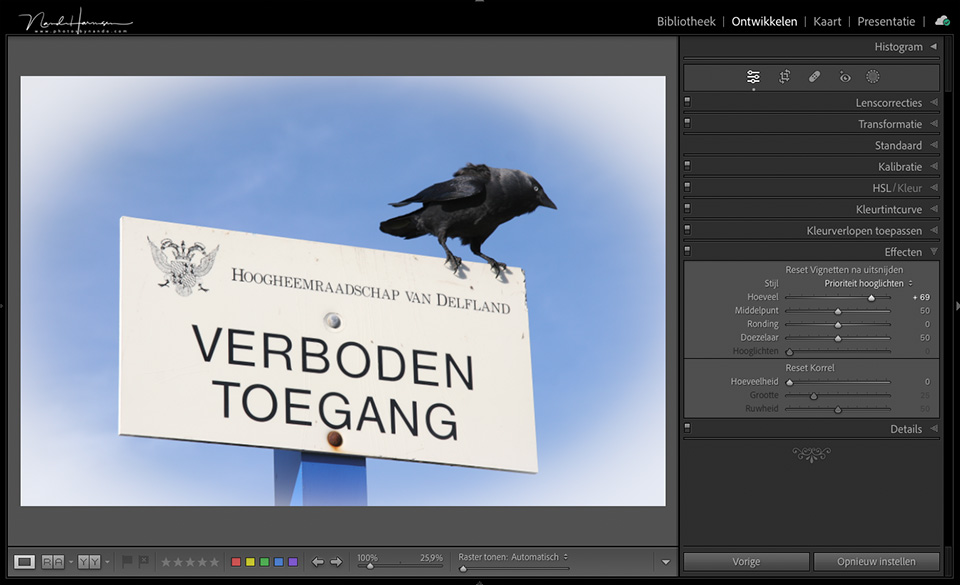
Then set the available sliders as follows:
- Amount = +100
- Midpoint = approximately 25
- Roundness = -100
- Feather = 0
You can adjust the midpoint and roundness a little more until you are happy with them. That is all you need to do. The result is a photo with a white border and rounded corners.
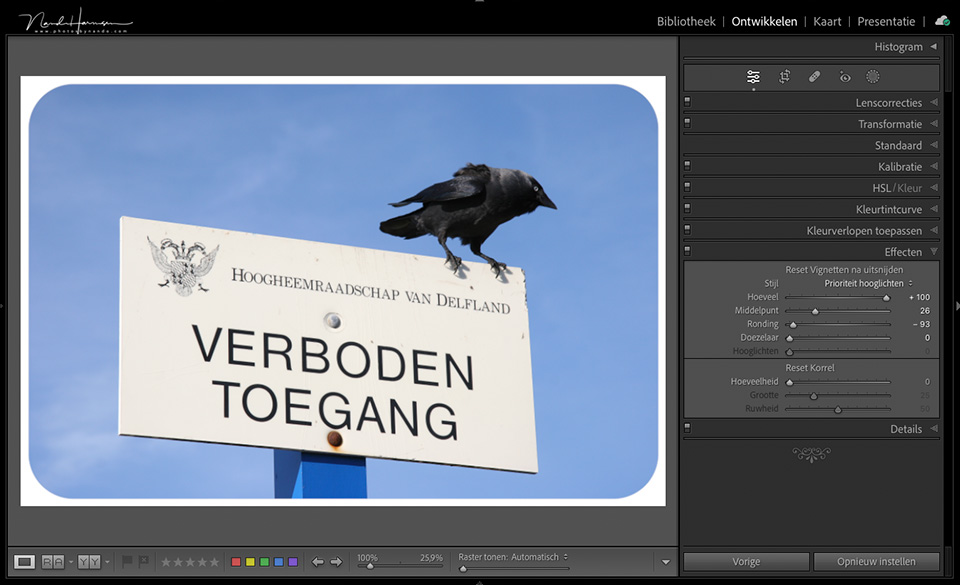
Do you not like white and would you rather have black? That works too. Set Amount to -100 and your border will be black.
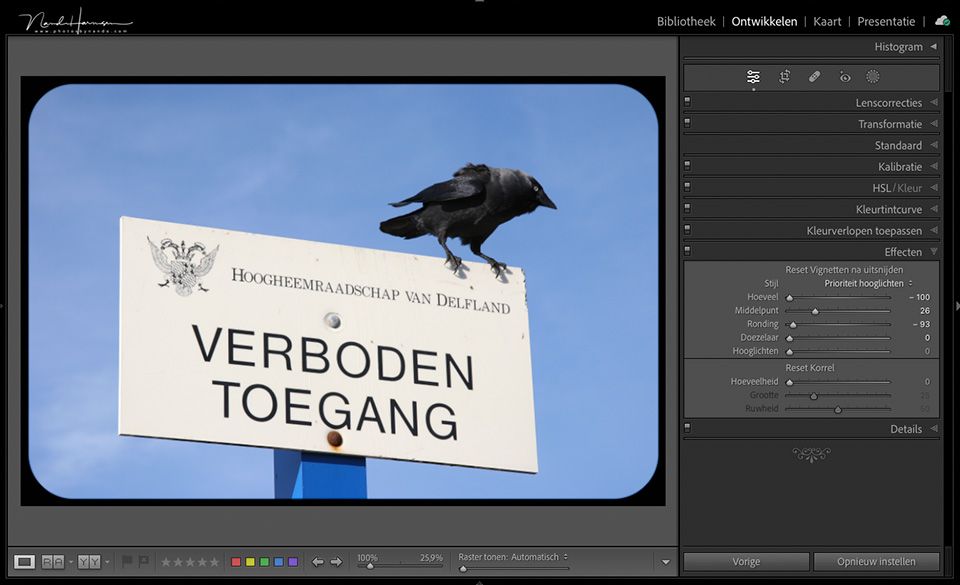
If you choose the Paint Overlay option instead of Highlight Priority, you can even set Amount to other values. Your border will then be partly transparent, with a dark or light edge.
Would you like to add more creativity to your vignette? It is best to move the photo to Photoshop or Affinity Photo. The possibilities are then virtually endless.
Do you also have a simple edit that leads to a quick, unexpected or unique result? Share it in the comments below.
About the author
Nando Harmsen has been photographing for more than 40 years. He specialises in wedding photography and landscape photography. Nando also gives talks, workshops, masterclasses and photo trips, and regularly reviews new and interesting equipment.
You might also like
-
 Corners are great for model photography!
by Frank Doorhof
-
 Komt Canon ook met een retrocamera?
by Elja Trum
-
 De K|Lens, een light field-lens met 3D-beeldinformatie
by Nando Harmsen
-
 Updates for LrC, LR and ACR
by Nando Harmsen
-
 5 tips to customise Lightroom Classic
by Nando Harmsen
-
 Sigma introduces a 50mm F1.2 DG DN Art for L and E-mount
by Nando Harmsen
0 comments
Be the first to share what you think!
Have your say
Please note: Articles older than a week can only be commented on by signed-in visitors.Would you still like to comment? sign in or create a free account.
Become a better photographer every week
A practical photography tip in your inbox every week.
38,901 photography enthusiasts already receive the tips! More about the weekly mail. Or keep up to date via  Facebook.

Elja Trum
Photofacts; everything to do with photography!
Would you like to take better photos and keep up with what is happening in photography? Photofacts publishes articles that teach you something about photography — from a product announcement to a practical shooting tip or a look at a website. Photofacts covers photography every day and is a hobby project of Elja Trum's that got out of hand. The articles are written by a team of volunteer authors. If you would enjoy writing one or more articles for Photofacts, do get in touch.More about PhotofactsPhotofacts is made possible in part by
