

Updates for LrC, LR and ACR
Friday 18 September 2026, 23:46 by Nando Harmsen | 1,273 views | 0 commentsThis article was translated from Dutch with the help of AI. Read the original.
In August 2026, Adobe released a number of updates for Lightroom, Lightroom Classic and Adobe Camera Raw. Not all features appeared in all three programmes.
With the new update for Lightroom (Lr), Lightroom Classic (LrC) and Adobe Camera Raw (ACR), a number of improvements and new features have been added. Have you installed the update yet?
Unfortunately, not all the new features are available in all three programmes. This is not unusual. ACR usually gets the latest features first. Lr and LrC follow later, so you may need to be patient.
The vectorscope display is particularly useful in ACR. It makes it easy to correct colours, for example. It is perfect for correcting skin tones. The vectorscope is only available in ACR.

Vectorscope display in Adobe Camera Raw
Another unique feature in ACR is the bi-directional mask. This lets you create a linear gradient in opposite directions. Previously, you needed an additional mask for this. This is only available in ACR.

Bi-directional mask in Adobe Camera Raw.
The bi-directional mask is not covered in the video. The new 'Glow' option is not covered either. I will discuss this in more detail in a future video. You will find both only in ACR.

Adding Glow in Adobe Camera Raw
Another feature ACR has received is Generative Expand. With the crop tool, you can have it generate new content. This can be done using Content Aware Fill or Firefly AI.
The advantage of expanding the canvas this way is that you can maintain a raw workflow. The new content is edited seamlessly along with the rest. This option is also available in Lr, but (for now) not in LrC.
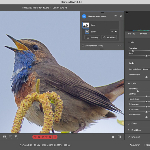
Improved AI masks are available in all three programmes. The selections are much more accurate. But the biggest improvements are the edge and feather sliders.

Moving the feather and edge of masks in Lightroom
These sliders give you greater control over the edges of (particularly) AI masks. Sharp, unnatural-looking transitions are now a thing of the past.
The updates are relatively small, but welcome. Now we just have to wait until all the new features are available in all three programmes. LrC users in particular will have to be patient.
About the author
Nando Harmsen has been photographing for more than 40 years. He specialises in wedding photography and landscape photography. Nando also gives talks, workshops, masterclasses and photo trips, and regularly reviews new and interesting equipment.
You might also like
-
 Adobe updates Lightroom (Classic) with new AI masks
by Elja Trum
-
 New update for Lightroom Classic enables AI noise reduction
by Nando Harmsen
-
 New updates in Adobe Lightroom
by Nando Harmsen
-
 The new Lightroom Classic updates
by Nando Harmsen
-
 Masks in Adobe Camera Raw get feathering
by Nando Harmsen
-
 Lightroom updates 2025, with more useful AI features
by Nando Harmsen
0 comments
Be the first to share what you think!
Have your say
Please note: Articles older than a week can only be commented on by signed-in visitors.Would you still like to comment? sign in or create a free account.
Become a better photographer every week
A practical photography tip in your inbox every week.
38,938 photography enthusiasts already receive the tips! More about the weekly mail. Or keep up to date via  Facebook.

Elja Trum
Photofacts; everything to do with photography!
Would you like to take better photos and keep up with what is happening in photography? Photofacts publishes articles that teach you something about photography — from a product announcement to a practical shooting tip or a look at a website. Photofacts covers photography every day and is a hobby project of Elja Trum's that got out of hand. The articles are written by a team of volunteer authors. If you would enjoy writing one or more articles for Photofacts, do get in touch.More about PhotofactsPhotofacts is made possible in part by
