

Make clouds soft and fluffy, not hard and harsh
Monday 11 August 2025, 20:20 by Nando Harmsen | 3,933 views | 4 commentsThis article was translated from Dutch with the help of AI. Read the original.
A landscape with a beautiful cloudy sky is appealing. Never edit clouds too heavily. Don't try to overdo them. Keep clouds soft and fluffy.
A beautiful cloudy sky in a landscape photo is a delight to look at. It could be a typical Dutch cloudscape, or dramatic clouds that don't bode well.
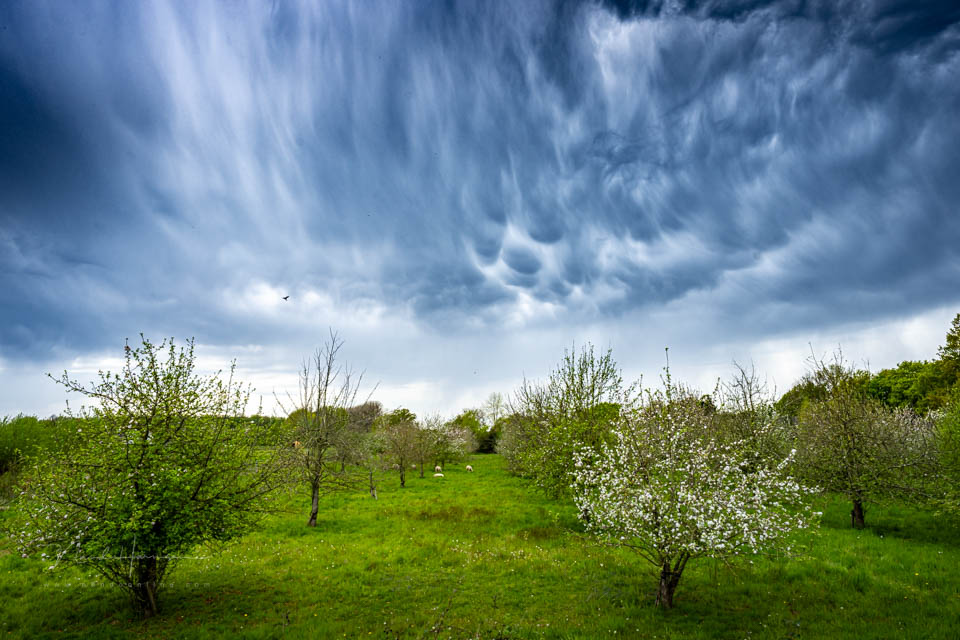
When editing a photo, you have plenty of tools at your disposal to get the most out of clouds. You often end up seeing details that weren't even there in reality. Avoid the temptation to do this.
Clarity and Dehaze in Lightroom, in particular, allow you to greatly increase the contrast in a photo in a simple way. You can use a mask to apply this exclusively to the sky.
By making the contrast so strong, the photo becomes harsh and coarse. There is also a risk of halos forming where the sky meets the foreground. But more importantly, the sky becomes so prominent that it starts demanding too much attention.
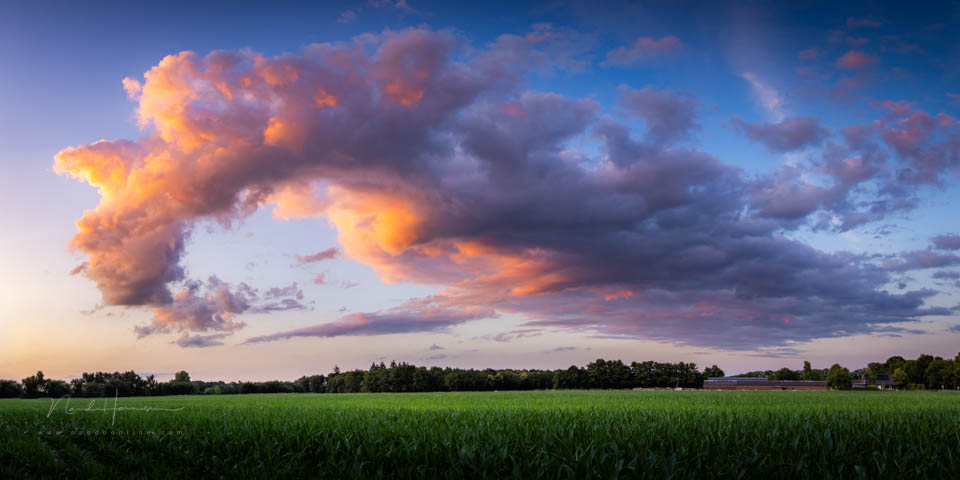
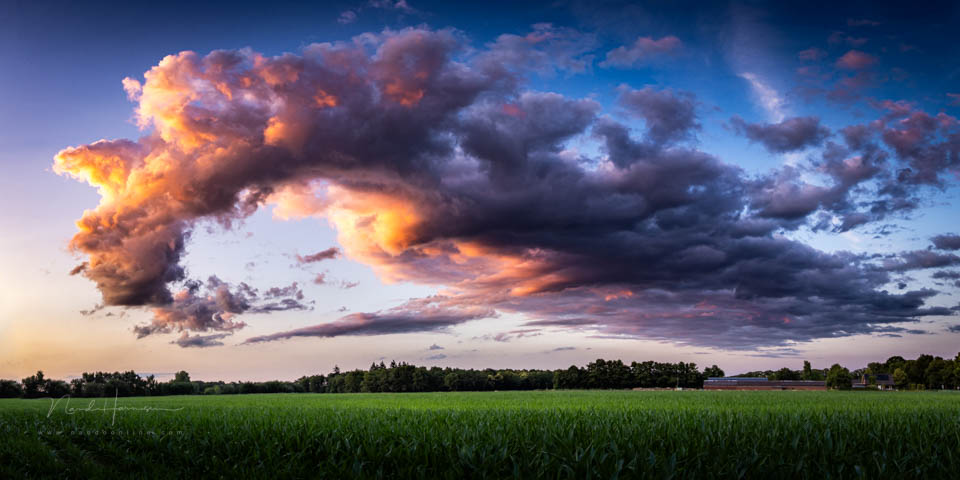
Making the sky and clouds less harsh gives the photo more balance. You can often even set Clarity to a negative value. The Texture slider can then be raised slightly to compensate for the loss of detail. The clouds will look much more realistic as a result.
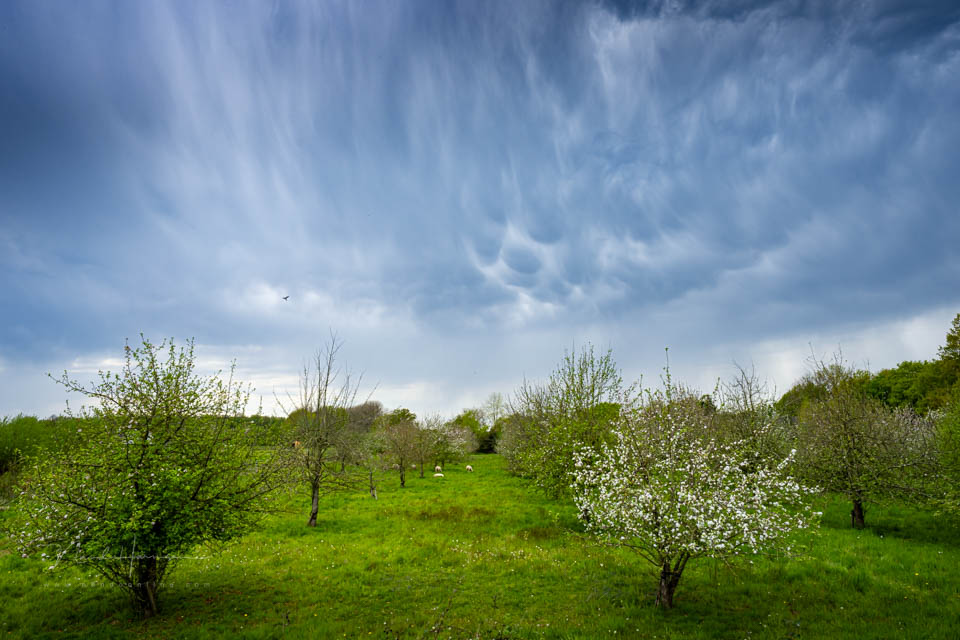
Avoid the temptation to give clouds a coarse and harsh appearance. Although it may look impressive at first, it makes the photo unrealistic and, above all, too busy. It often has a negative effect on the composition.
However, it can sometimes be useful to add extra contrast to the clouds. Do this subtly by working locally with a mask. This technique is called dodging and burning, and it gives you the chance to emphasise a little more detail in specific parts of the clouds.
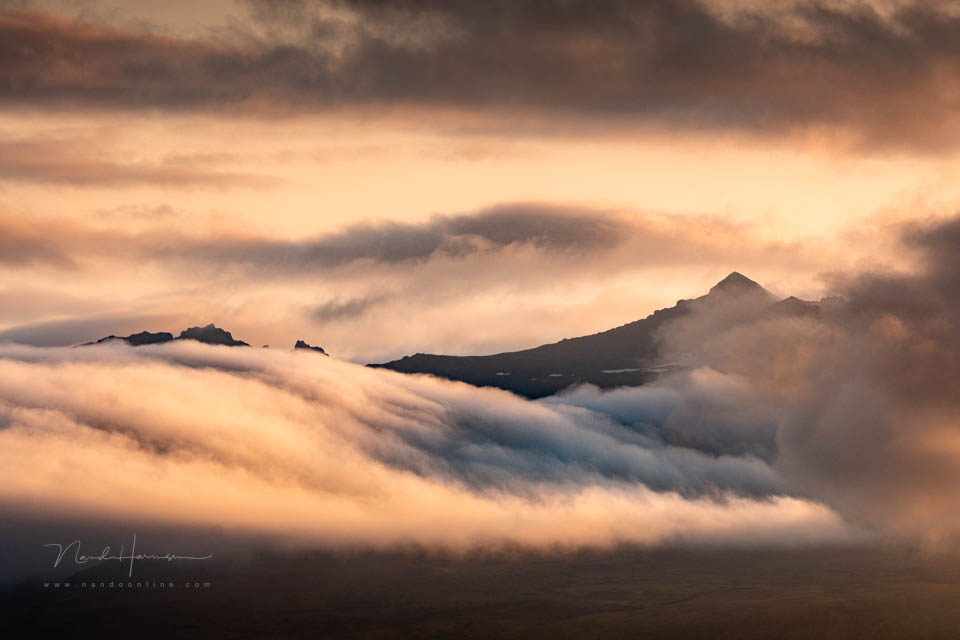
Always think carefully about editing a cloudy sky. Remember this rule of thumb: more detail and contrast is rarely better for the photo. Keep it subtle instead.
About the author
Nando Harmsen has been photographing for more than 40 years. He specialises in wedding photography and landscape photography. Nando also gives talks, workshops, masterclasses and photo trips, and regularly reviews new and interesting equipment.
You might also like
-
 Photographing noctilucent clouds
by Nando Harmsen
-
 Photographing noctilucent clouds
by Nando Harmsen
-
 Landscape photography with a boring sky
by Nando Harmsen
-
 The season for noctilucent clouds is here again
by Nando Harmsen
-
 What does Adobe ending its cloud services mean for Lightroom?
by Nando Harmsen

4 comments
-
 Martin van Vugt wrote on Wednesday 13 August 2025 at 17:28 | reply
In this, otherwise excellent explanation of photo editing, I miss the use of filters and applying a long shutter speed. That also offers many possibilities.
Translated from Dutch. -

 Nando
wrote on Thursday 14 August 2025 at 10:48
| reply
Nando
wrote on Thursday 14 August 2025 at 10:48
| reply
Filters allow you to equalize the brightness of the sky with the brightness of the land. Long shutter speeds show the movement of clouds, if you expose long enough, but not too long.
Translated from Dutch.
This is about editing a cloudy sky. The use of filters or long shutter speeds is unrelated to that. -
 Jacqueline wrote on Sunday 17 August 2025 at 10:41 | reply
In my opinion it also depends on the purpose of your photo. If this is supposed to be a beautiful nature picture, I agree with you. But if you want to create a spooky atmosphere, it can add value.
Translated from Dutch. -
Have your say
Please note: Articles older than a week can only be commented on by signed-in visitors.Would you still like to comment? sign in or create a free account.
Become a better photographer every week
A practical photography tip in your inbox every week.
39,024 photography enthusiasts already receive the tips! More about the weekly mail. Or keep up to date via  Facebook.

Elja Trum
Photofacts; everything to do with photography!
Would you like to take better photos and keep up with what is happening in photography? Photofacts publishes articles that teach you something about photography — from a product announcement to a practical shooting tip or a look at a website. Photofacts covers photography every day and is a hobby project of Elja Trum's that got out of hand. The articles are written by a team of volunteer authors. If you would enjoy writing one or more articles for Photofacts, do get in touch.More about PhotofactsPhotofacts is made possible in part by
