

Photograph your muse during the day and turn it into a night photo
Saturday 12 February 2022, 20:10 by Nando Harmsen | 4,403 views | 1 commentThis article was translated from Dutch with the help of AI. Read the original.
You can take a photo of someone during the day in a very simple way, yet still give it the look of a night photo. All you need is a flash that you can use away from your camera. I explain how to do this in a few simple steps.
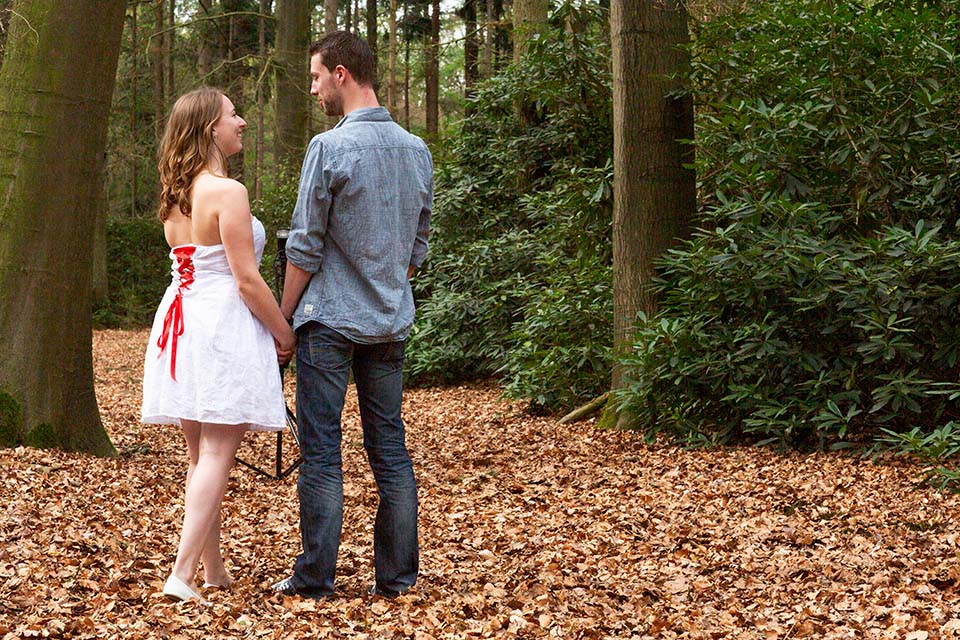
You do not always have to go out at night to take a night photo with your model. In fact, this can be a real challenge in the dark, because focusing can be a problem. If you have a flash that you can use away from your camera, that is all you need.
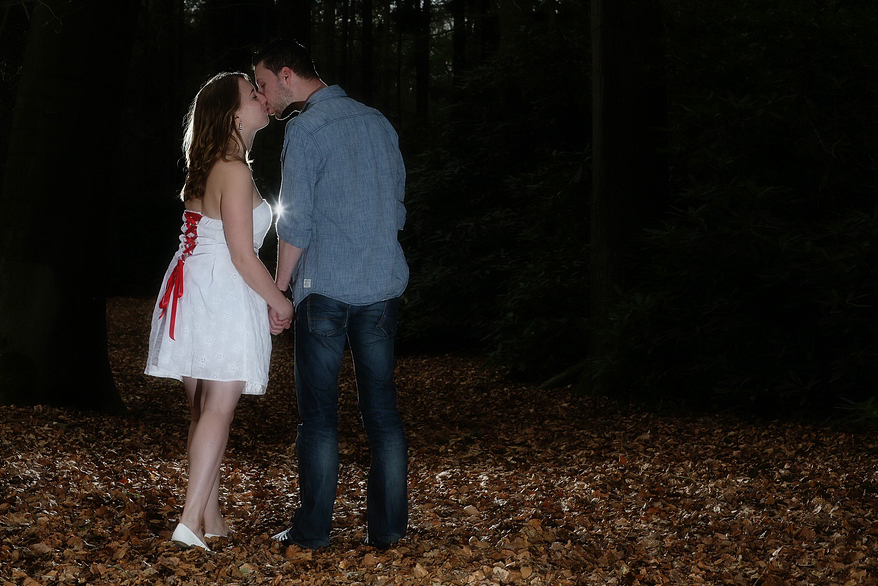
I chose a photo with a nighttime feel during the love shoot of Eric and Iris. For this, I placed a flash behind the couple and used a remote trigger to control it. A second flash from the front provided extra lighting. This is called strobist photography.
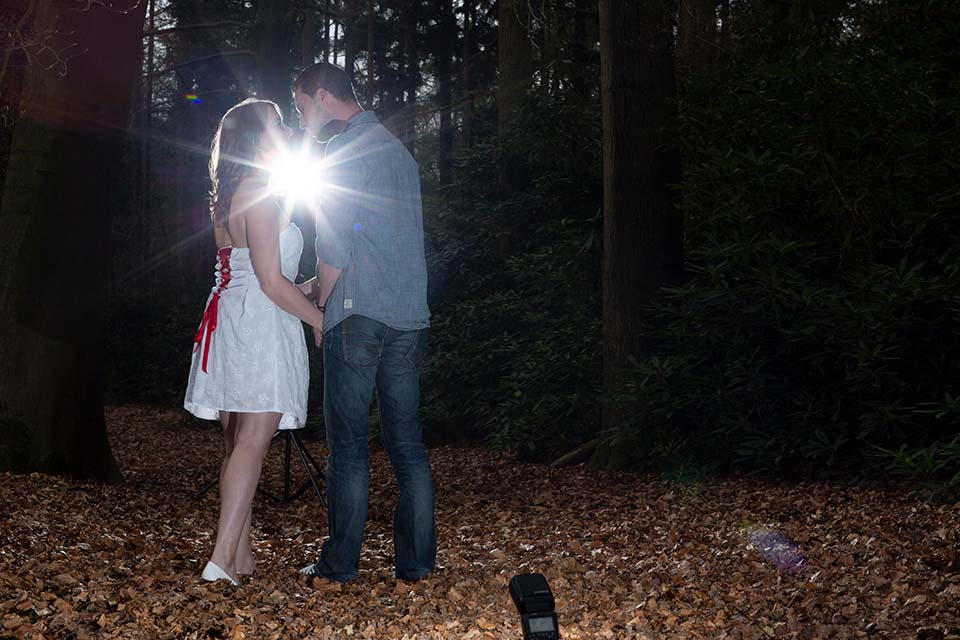
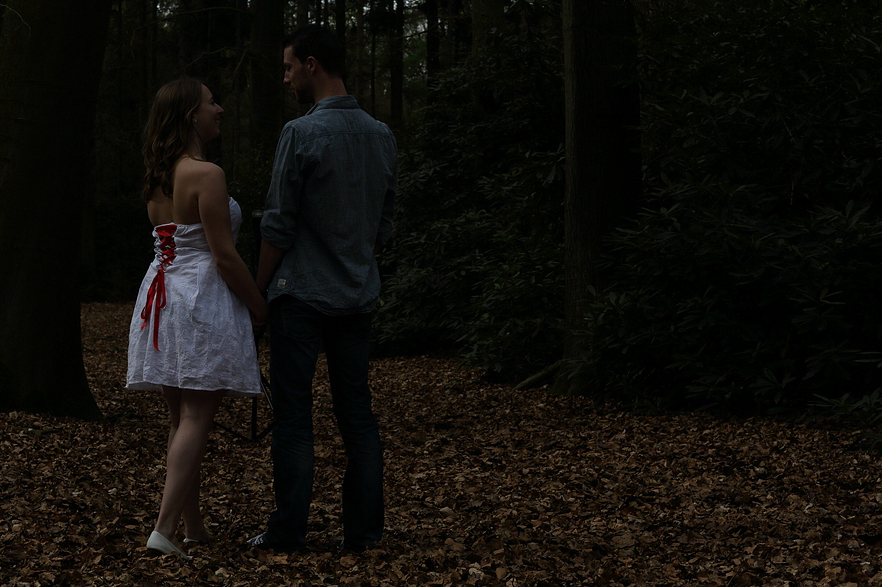
Before I explain this further, I first want to explain the basics of flash photography. There is a difference between the exposure from the flash and the exposure for the surroundings. You use shutter speed, ISO and aperture to set the exposure for the surroundings. You can use the flash intensity to expose your subject correctly.
I used this principle here. By lowering the exposure for the surroundings by as much as 3.3 stops, the forest became a dark forest with a nighttime feel. The flash I used as the main light was set so that enough light fell on Eric and Iris to get a good exposure.
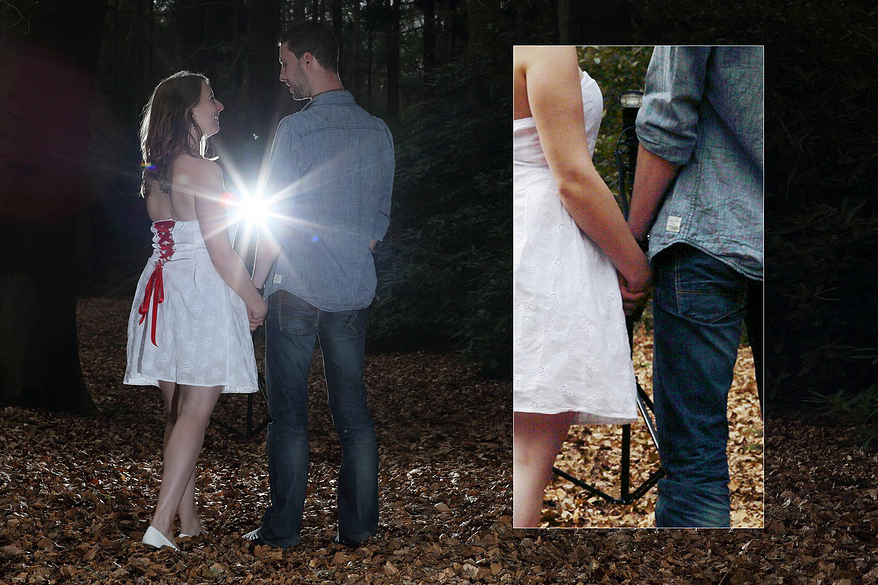
A second flash behind the couple provided an extra rim light, or hair light. This added another dimension to the photo, but it is not strictly necessary. Because the light stand came into the frame, I had to remove it in Photoshop.
About the author
Nando Harmsen has been photographing for more than 40 years. He specialises in wedding photography and landscape photography. Nando also gives talks, workshops, masterclasses and photo trips, and regularly reviews new and interesting equipment.
You might also like
-
 The annoying red light when taking night photographs
by Nando Harmsen
-
 Create a Night Photo of Your Model During the Day
by Nando Harmsen
-
 Night photography tip: the eye is drawn to the brightest point
by Nando Harmsen
-
 Night photography tip: keep bright lights bright
by Nando Harmsen
-
 Night photography tip: try black and white too
by Nando Harmsen
-
 Night photography tip: choose the blue hour
by Nando Harmsen
1 comment
-
 Donald Willemsen wrote on Monday 14 February 2022 at 10:08 | reply
Cool article. Thanks for the good explanation. I think it's a nice idea. Still, I notice something about the end result. You can see very clearly that a flash was used and that this makes the colors come across a bit cooler. I don't like that as much.
Translated from Dutch.
I regularly photograph portraits in my studio and of course use softboxes. In the end result, it's much less noticeable that it's flash light and that the colors are a bit warmer/more natural. Is there a way to make it look a bit more natural? Or do you have to adjust the white balance and such afterwards in Ps?
Have your say
Please note: Articles older than a week can only be commented on by signed-in visitors.Would you still like to comment? sign in or create a free account.
Become a better photographer every week
A practical photography tip in your inbox every week.
38,982 photography enthusiasts already receive the tips! More about the weekly mail. Or keep up to date via  Facebook.

Elja Trum
Photofacts; everything to do with photography!
Would you like to take better photos and keep up with what is happening in photography? Photofacts publishes articles that teach you something about photography — from a product announcement to a practical shooting tip or a look at a website. Photofacts covers photography every day and is a hobby project of Elja Trum's that got out of hand. The articles are written by a team of volunteer authors. If you would enjoy writing one or more articles for Photofacts, do get in touch.More about PhotofactsPhotofacts is made possible in part by
