

Review: Epson EcoTank ET 8500 photo printer
Friday 18 June 2021, 22:44 by Nando Harmsen | 14,096 views | 5 commentsThis article was translated from Dutch with the help of AI. Read the original.
Epson asked me to review the EcoTank ET 8500 photo printer. This printer has a unique ink system that makes printing more environmentally friendly. In this review, you can read about my experiences with this printer.
It costs 599 euros. That is a considerable amount for a printer, especially as there are also much cheaper printers available. You do get a very versatile printer for that price.
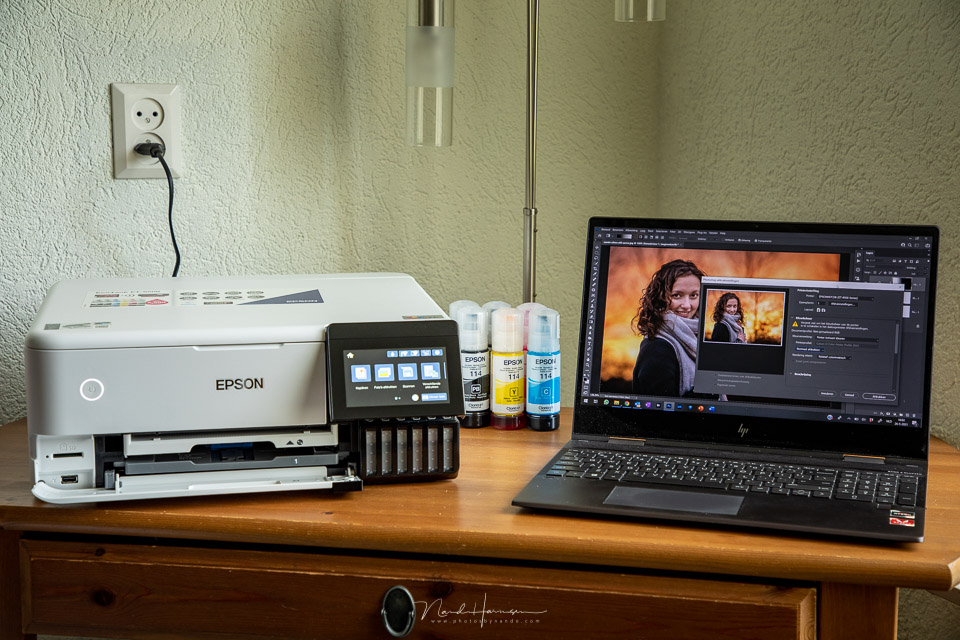
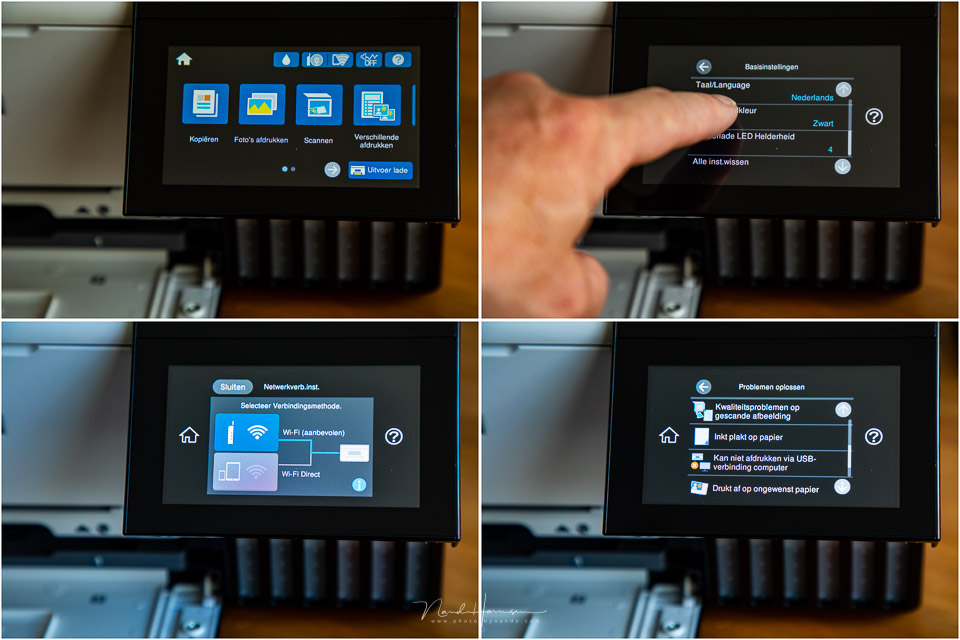
You can print wirelessly with the Ecotank ET-8500, via WiFi or through an app on your smartphone or tablet. You can scan and print your photos directly from an SD card. A versatile touchscreen makes it easy to operate.
No ink cartridges, but bottles
What stands out is how this printer gets its ink. You no longer need the (expensive) ink cartridges. The reservoirs are filled directly with ink from plastic bottles. This system is precisely why the printer was given the name EcoTank. After all, refilling your ink this way is much more environmentally friendly.
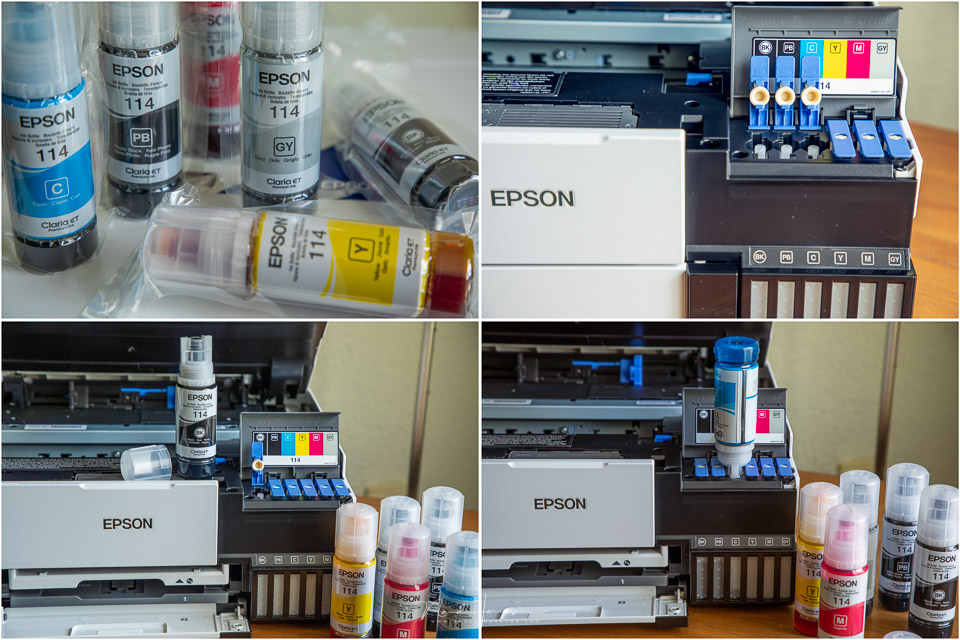
The EcoTank ET-8500 has no fewer than six different ink colours. Or rather, three different colours, cyan, yellow and magenta, two blacks and a grey. This grey ink enables the printer to print better greyscale images.
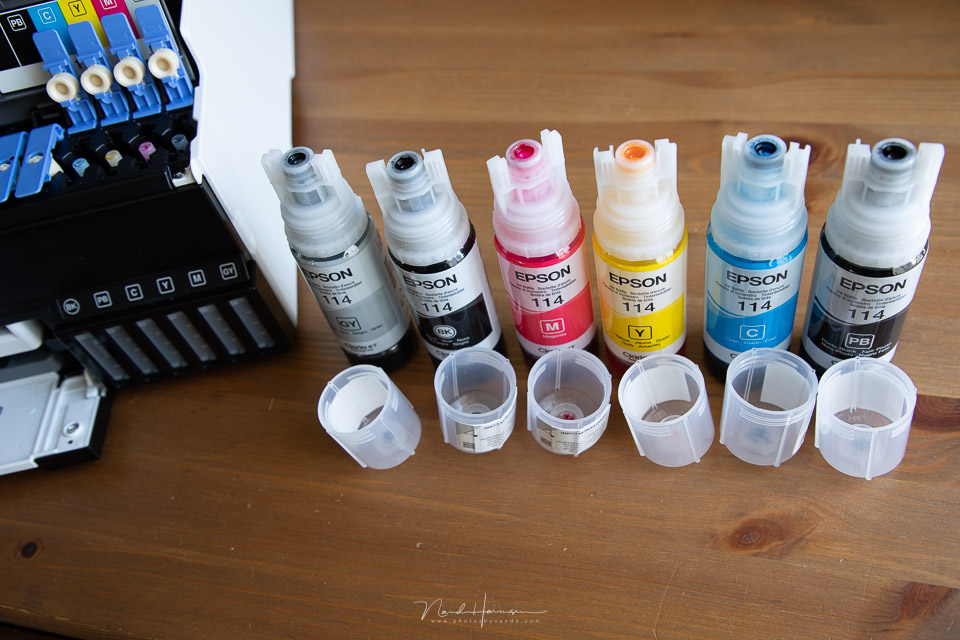
The filling openings on the ink bottles each have a different shape, so they only fit the correct reservoir. You must not squeeze them, you have to let the reservoirs fill slowly. Unfortunately, Epson has chosen to make plastic ink bottles, sealed in plastic. Imagine if they were made of glass, and refillable or reusable...
Since we are talking about environmental friendliness, the printer uses 17 watts of power when printing. In sleep mode, consumption is 0.8 watts, and after switching off it uses 0.3 watts, according to the manufacturer. If you want to keep the printer on standby so it is always ready to print, you need to allow for 0.16 kWh per week.
The appearance
The printer has a clean appearance without protruding paper trays. The touchscreen can be tilted so it is easy to read when you are standing in front of it. You can lift the top to access the scanner glass.
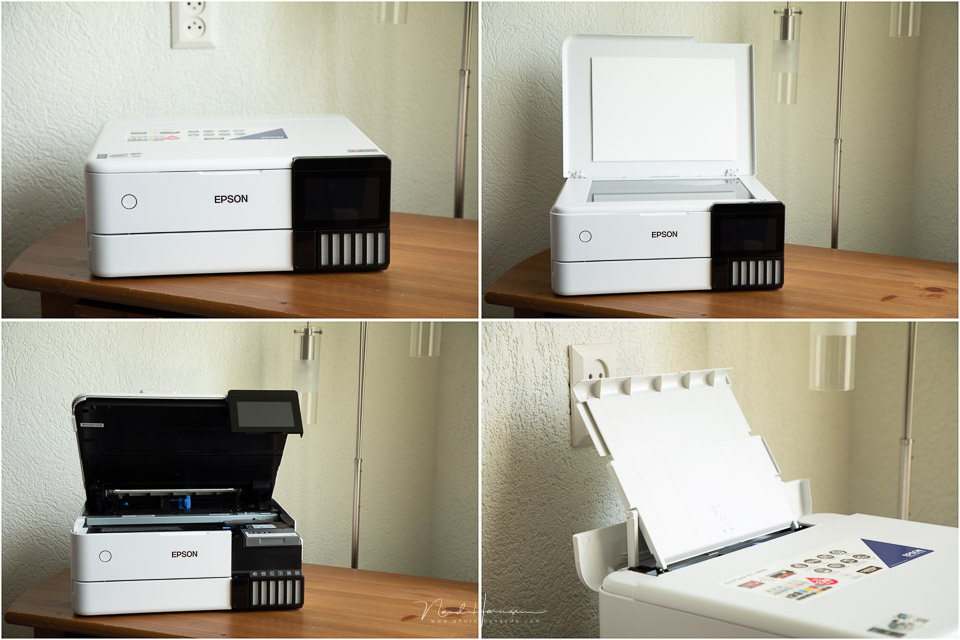
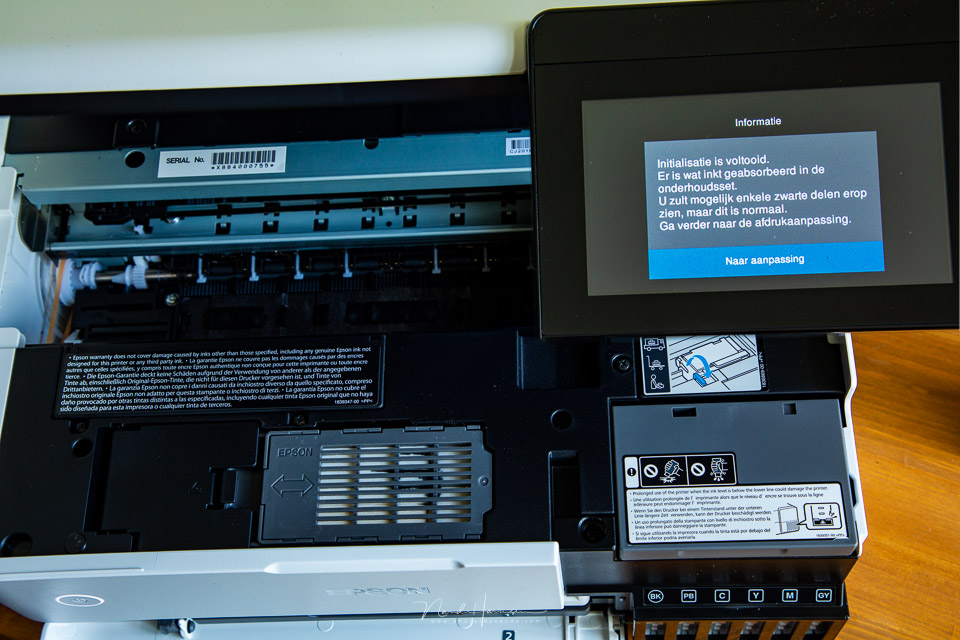
The entire top can be tilted for printer maintenance and refilling the ink. This relatively heavy top is spring-loaded so it stays open neatly. You need to apply some pressure to close the top again.
The printer measures 403 x 369 x 162 mm, width x depth x height, and weighs 8.4 kg, without paper. You need to leave some space at the back if you want to use the rear paper feed.
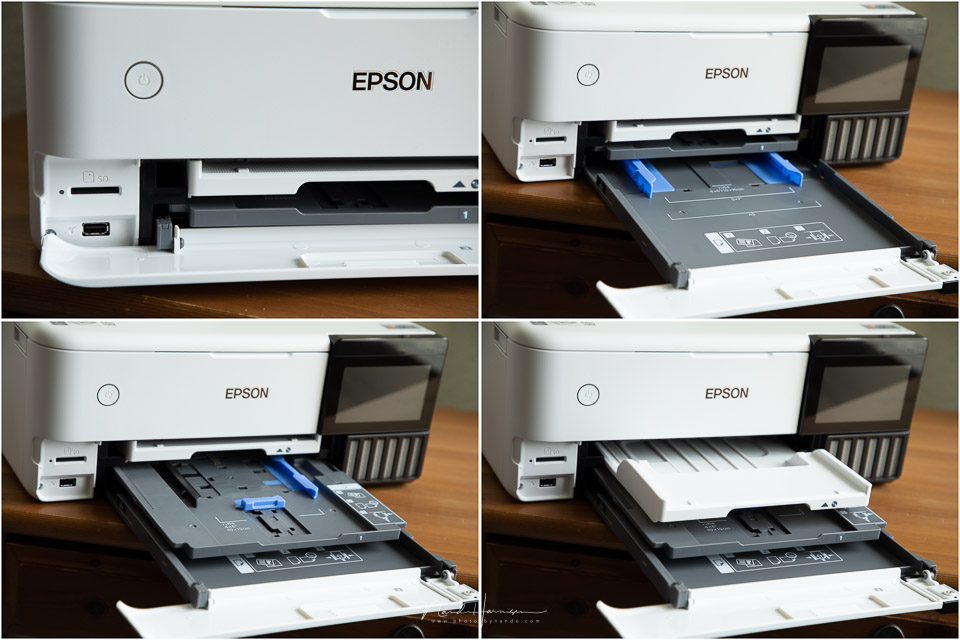
You access the other paper trays via the flap at the front. The bottom tray is intended for A4 paper, and the top tray for photo paper. Above the paper trays is the motorised tray where the print will land after printing.
Printing from the computer
I used the Epson EcoPrint ET-8500 from a Windows laptop. Connecting the printer to the WiFi network is fairly easy. You only need to follow the instructions on the printer's LCD screen. The computer then finds the printer automatically and installs the drivers.
I mainly printed through Photoshop. No special software is required for this. The printer settings are those of the Windows printer driver itself. I could not find any special printing software on the Epson website.
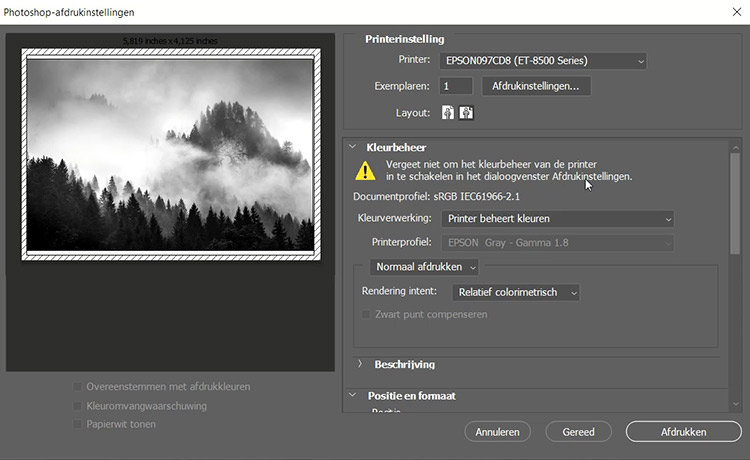
Printing from Photoshop lets you set the paper and quality. You can also select the desired paper tray if you want. In Photoshop, you can choose whether Photoshop manages the colours of your print, or leave it to the printer. The printer selects the ICC profile automatically, without allowing you to change it.
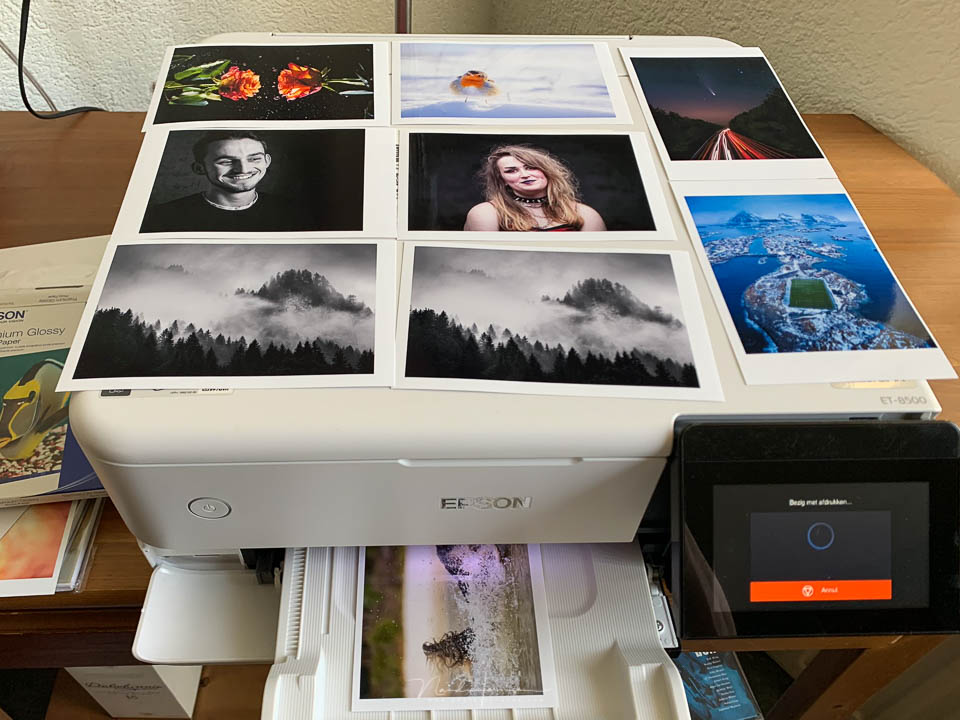
The prints you get look good. Printing is fairly quiet. You can select an even quieter mode in the printer's screen menu, though this does reduce the speed. Printing text on both sides of A4 paper takes some time, especially as changing the side of the paper is not particularly fast.
I noticed that I could not print a borderless postcard-sized print, A6, from Photoshop using the printer settings. Every 10x15 cm print therefore had a white border. That is a shame, especially as this is possible when printing directly from an SD card. More on that later.
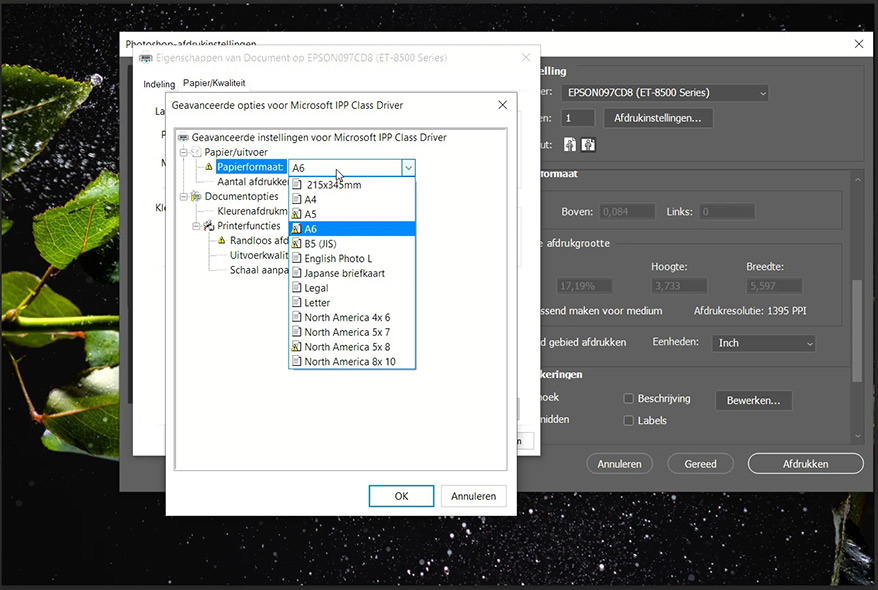
One of the options is printing in panorama format. This can be up to no less than 2 metres long. Unfortunately, I did not have this panorama paper available to try it out.
The printer can also print on suitable CDs and DVDs. However, this option is unlikely to be used very often, as this medium seems to be becoming increasingly rare.
Printing from an SD card
The printer is equipped with an SD card reader and a USB port. This makes it possible to print directly from your memory card or USB stick. You do need to shoot in JPEG.
The printer's touchscreen makes printing from an SD card incredibly simple. It displays a neat gallery of images to choose from. The printer also gives you a few basic options for adjusting the photo before printing it.
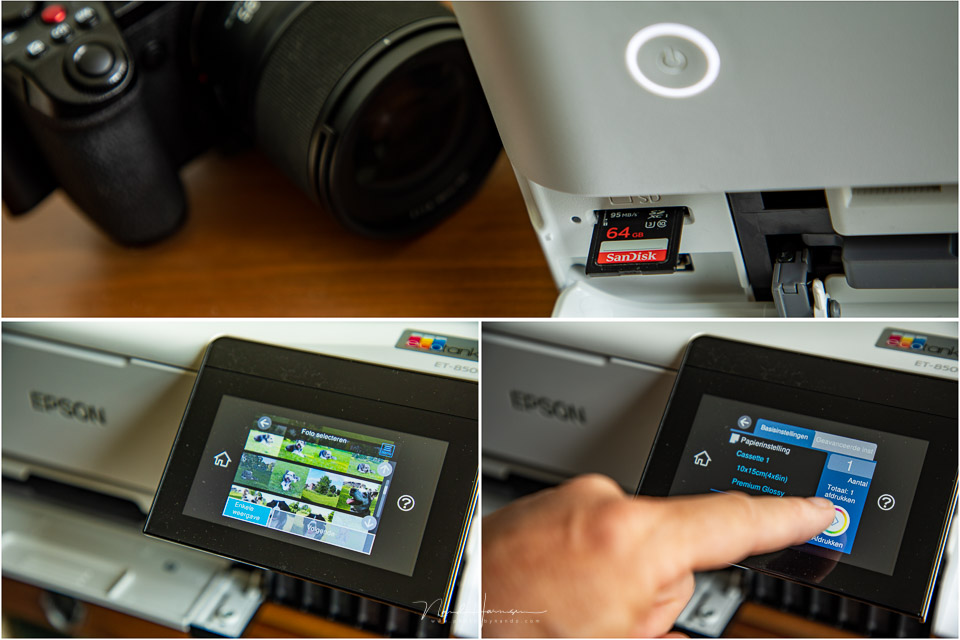
It immediately stood out that printing from an SD card made it possible to print a borderless 10x15 cm print. I could not get this to work from Photoshop at all, as repeated warnings appeared saying that borderless printing was not compatible.
There may be a hidden setting that I could not find. Special printing software for the printer might provide more flexibility when setting up the printer.
Unfortunately, I could not find it on the Epson website. Perhaps these options need to be set on the LCD touchscreen. If that is the case, it would not be logical.
Scanning with the Epson EcoTank ET-8500
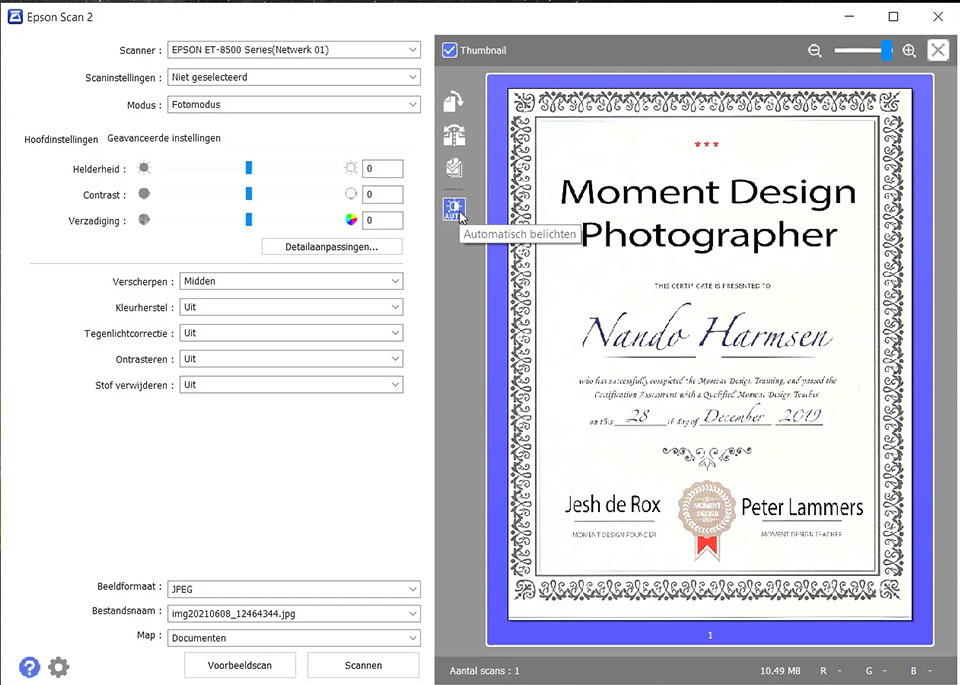
You can download the special scanning software from the website. It is not possible to scan without this software. Installation is easy, but finding the printer is more difficult. Once you have found it, scanning is a piece of cake.
The scan looks good and you have a few options for adjusting it. You can improve a photo and adjust the colours and brightness.
Conclusion
This is the first time I have been offered a printer to review. I have therefore assessed the printer from the perspective of a photographer, hobby photographer, who wants good-quality prints, wants to print a document double-sided, and wants to scan something now and then. Ease of use is the priority here.
I think the idea of tanks that you pour ink into is fantastic. It is simple, effective and, as Epson says, environmentally friendly compared with traditional ink cartridges. I welcome this, and it alone could be a reason to choose this printer.
This printer does not lack ease of use. Connecting it is almost plug-and-play. When things get a little more difficult, the printer helps with instructions on the LCD screen. Printing is therefore very easy.
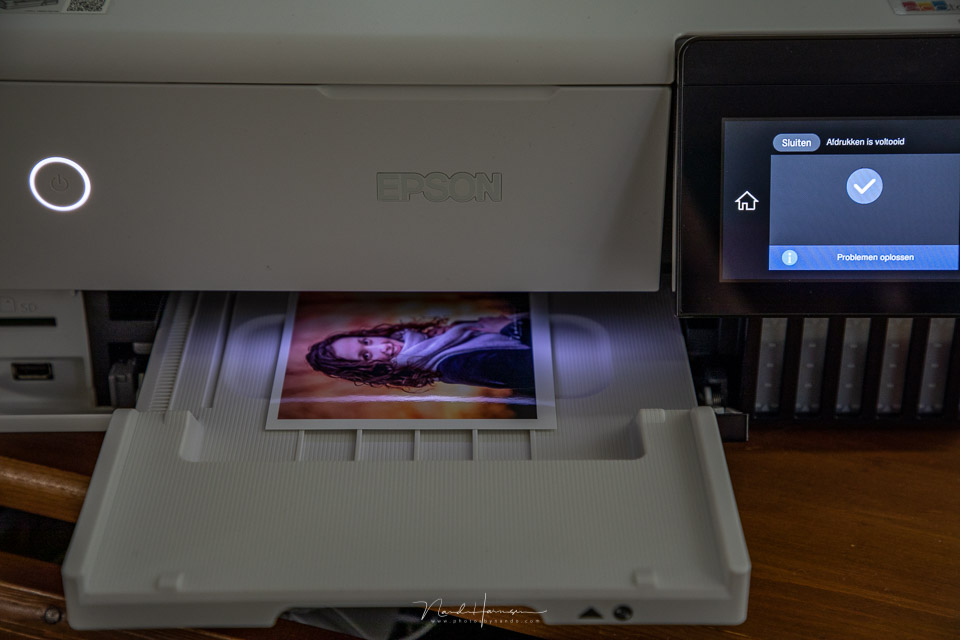
Although extensive printer settings are available from the LCD touchscreen, I miss a dedicated printing software package with many more options for setting quality and formats. It feels somewhat limited.
A good ICC print profile would certainly help with this, although there are of course several built in. You can choose between Photoshop's colour management and leaving it to the printer, as mentioned, I only printed from Photoshop, in which case you have to assume that the printer will select the correct ICC profile.
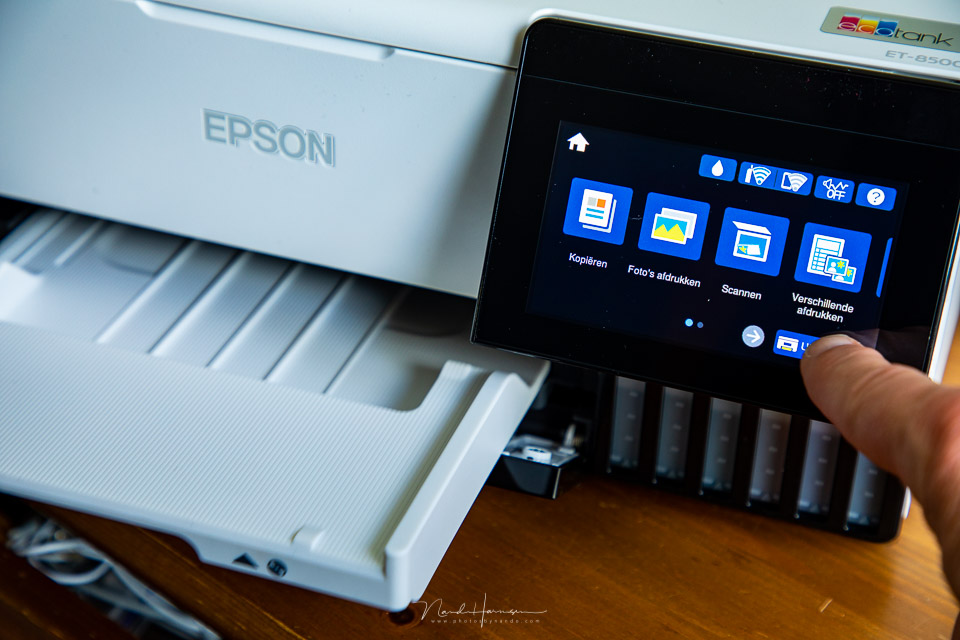
The Epson EcoTank ET-8500 is a printer that leaves me with mixed feelings. Its capabilities are extensive, and the settings on the printer offer plenty of flexibility.
You can create large prints, up to an impressive 2 metres long. At the same time, the setting options from the computer are limited by the lack of special printing software.
In other words, the printer is very expensive for an amateur and perhaps too limited for the more professional photographer. This leaves it somewhere in between.
Even so, I think that if you have 599 euros available for a printer, the Epson EcoTank ET-8500 is certainly a very suitable printer. From that point of view, I can certainly recommend it.
What I like
- Ink system and refilling are much better than old-fashioned ink cartridges
- Simple system prevents ink from going into the wrong reservoir
- Ink levels are easy to check at the front of the printer through windows
- Nice tilting LCD touchscreen
- Friendly operation on the printer with many help functions
- Many paper options
- WiFi and other wireless printing options via apps
- Easy to print directly from an SD card or USB stick
- Refillable ink is relatively cheap, 18.49 euros according to the Epson website
What I like less
- Setting options from the computer are fairly limited, with no special printer software
- No ICC printer profile available to download
- Borderless printing in A6 format is not compatible from the computer, but is from an SD card
- Duplex printing is quite slow
- No button for closing the output tray. This can only be done via the touchscreen
- The price is on the high side at 599 euros
Many thanks to Epson Nederland for making this excellent printer available.
About printing and colour management
Would you like to learn more about printing and colour management? Then I can recommend the Perfect Prints course on Photofacts Academy.
After taking the Perfect Prints course, you can be sure that your prints show exactly the right colours you want.
About the author
Nando Harmsen has been photographing for more than 40 years. He specialises in wedding photography and landscape photography. Nando also gives talks, workshops, masterclasses and photo trips, and regularly reviews new and interesting equipment.
You might also like
-
 Printing your photos? Which Canon printer should you choose?
by Nando Harmsen
-
 Polaroid Hi-Print 4x6 printer announced
by Elja Trum
-
 Canon introduces new large-format imagePROGRAF printers
by Nando Harmsen
-
 Canon introduces the imagePROGRAF PRO-1100
by Nando Harmsen
-
 Review: SmallRig 25L backpack
by Nando Harmsen
-
 Blown-out white and blocked-up black in your photo print
by Nando Harmsen
5 comments
-
 Rob wrote on Tuesday 22 June 2021 at 13:14 | reply
Nando thank you for the extensive technical review of this, in my view, "All in one" color printer. The possibilities, the user-friendliness and the ink system are apparently very good, which is nice. What I miss is a somewhat better assessment of the photo print quality, especially for high-resolution photos, on for example different types of paper, etc., what is the drying time, etc. The conclusion you draw, "good print quality", is a bit too meager! That addition would be worth much more to me because I am looking for a good, affordable, high-quality (real) photo printer with the possibility of also printing in A3 format, not so much an "All in one" color printer. Maybe an idea to occasionally do some reviews of the better photo printers, like the cameras.
Translated from Dutch. -

 Bernard wrote on Tuesday 22 June 2021 at 13:52
| reply
Bernard wrote on Tuesday 22 June 2021 at 13:52
| reply
Hello Nando, Epson's EcoTank printers have been on the market for a while now and are indeed very interesting because of their ink tanks instead of cartridges. I've been seriously considering a new printer as a successor to my HP and this one is definitely a candidate. Do you perhaps know if the printer can also be used with an iMac? And another important question is: how is the color quality of the photos? Have you printed photos in, for example, A4 format and what are your findings then? I'm talking about color accuracy and brightness. PS nice that Epson asks for a review!
Translated from Dutch. -
 Nando
wrote on Tuesday 22 June 2021 at 14:33
| reply
Nando
wrote on Tuesday 22 June 2021 at 14:33
| reply
@Rob;
Translated from Dutch.
I deliberately did not go into the quality of the print any further. I simply have no comparison material. Without it, I can't give an objective assessment of the result of the print.
Bear in mind that you have to work on a calibrated monitor, with the correct colour space. And although I work that way, the type of paper also comes into play. That too will affect the result.
You read it, too many variables that I don't have under control to give any other assessment than a good result.
The drying time is also something that can't really be said anything meaningful about. I had no trouble with the drying time with the paper I used. But if I had used different paper, it might have been different again.
But I read that you're looking for an A3 printer for photos? Then this one is definitely not suitable. It goes up to A4, and no further.
One last thing about the resolution. The printer achieves 5.760 x 1.440 dpi (manufacturer's specification). If the photo from your camera has a higher resolution, then no more than this can be printed anyway and the photo will be resampled. What the result of that is depends on the software you use. -
Nando
wrote on Tuesday 22 June 2021 at 14:40
| reply
@Bernard:
Translated from Dutch.
Good to know that they have been using these tanks for some time already. Thanks for the addition.
Why wouldn't this printer be able to be used with an Apple machine? As far as I know, all peripherals nowadays work seamlessly with the different operating systems, don't they? Unless you have an old operating system.
As I also wrote in my previous comment, the colour brightness and accuracy depend on too many variables to give a good judgement on that. The type of paper in particular will have a huge influence on this. But also the correct colour space and the correctly calibrated monitor on which you edit your photo.
What I have seen is that the photos correspond well with what I see on my calibrated monitor. But this is not a scientifically sound observation. -
 Roger Dejoncker wrote on Tuesday 22 June 2021 at 16:24 | reply
I had a previous model. Quite a mess to refill the ink. Now back to Canon.
Translated from Dutch.
Have your say
Please note: Articles older than a week can only be commented on by signed-in visitors.Would you still like to comment? sign in or create a free account.
Become a better photographer every week
A practical photography tip in your inbox every week.
38,981 photography enthusiasts already receive the tips! More about the weekly mail. Or keep up to date via  Facebook.

Elja Trum
Photofacts; everything to do with photography!
Would you like to take better photos and keep up with what is happening in photography? Photofacts publishes articles that teach you something about photography — from a product announcement to a practical shooting tip or a look at a website. Photofacts covers photography every day and is a hobby project of Elja Trum's that got out of hand. The articles are written by a team of volunteer authors. If you would enjoy writing one or more articles for Photofacts, do get in touch.More about PhotofactsPhotofacts is made possible in part by
