

Review: Sony ZV-E1
Friday 12 May 2023, 22:44 by Antonette de Groot | 5,359 views | 0 commentsThis article was translated from Dutch with the help of AI. Read the original.
At the end of March, Sony announced the ZV-E1. This camera is aimed at creating videos for social media and more. In this article, a user impression of the camera.
The camera contains a number of new developments and functions that make it easy to film professional-looking footage, even if you have less experience.
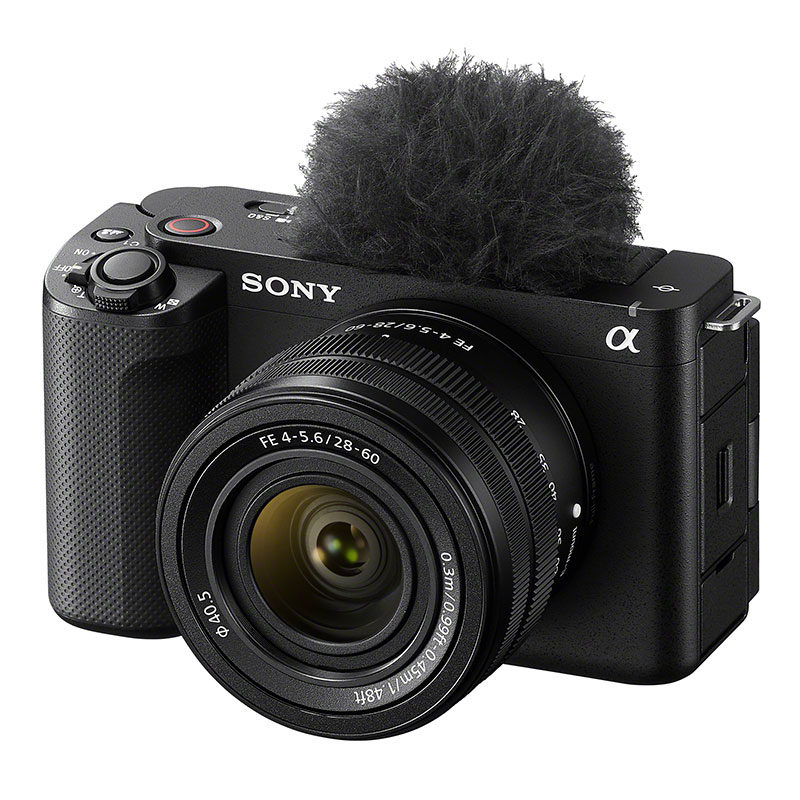
Sony ZV-E1 specifications
First of all, the specifications:
- 12.1-megapixel full-frame back-illuminated sensor with 15+ stops of dynamic range
- 4K60p camera with 4K120p capability (available from June 2023 or later via a software update)
- Full-frame 4K without pixel binning
- Standard ISO range from 80 to 102400 in video mode
- 10-bit 4:2:2 recording, S-Cinetone, S-Log 3
- Vlog functions: Bokeh Switch, Product Showcase Setting, Soft Skin Effect, Face Priority AE.
- AI capabilities for advanced AF, stabilisation and tracking
- Cinematic vlog settings for beautiful content at the press of a button
- Dynamic Active mode for stabilised handheld footage
- New-generation audio system with digital audio interface and microphone/headphone connection
- USB streaming capabilities to share content directly via USB-C
Recently, more and more people, including myself, I must admit, have been getting involved in making videos alongside photography. Then you discover that you can apply a number of principles directly, but that there are also some new skills you need to master.
If you press the record button and assume that it will result in a good video because you used the right settings for photography, it can be quite disappointing.
Slow & Quick
If you are not yet a very experienced filmmaker, footage often looks more impressive when you use slow motion. You can do this during editing, but besides photo and video mode, the ZV-E1 also has an “S&Q” mode.
This “Slow and Quick” mode has a number of presets that make it possible to create a timelapse, for example, so speeding up what is happening, as well as settings for recording slow-motion footage.
When you record slow-motion footage, the camera indicates how much it will be slowed down and also saves it in slow motion. There is no sound in these recordings.
Stabilisation
If you want to make a video that is pleasant to watch, shaky footage is not an option.
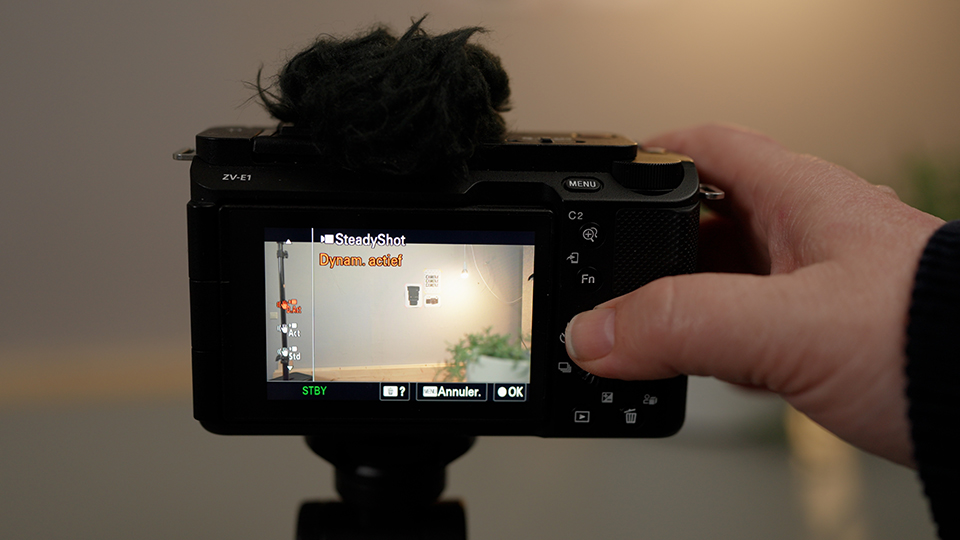
The Sony ZV-E1 has a number of stabilisation modes that help when you want to film handheld. On a tripod, you naturally have a more stable image anyway.
Besides the 'Off' setting, these modes are: 'On', 'Active stabilisation' and 'Dynamic Active stabilisation'. The latter is new for a Sony camera. The camera crops in to have enough room in the frame to compensate for your movements.
You do need to take this into account when choosing your lens. I like filming with 35mm, for example, but because of the crop I would use a 24mm on this camera instead.
Auto framing
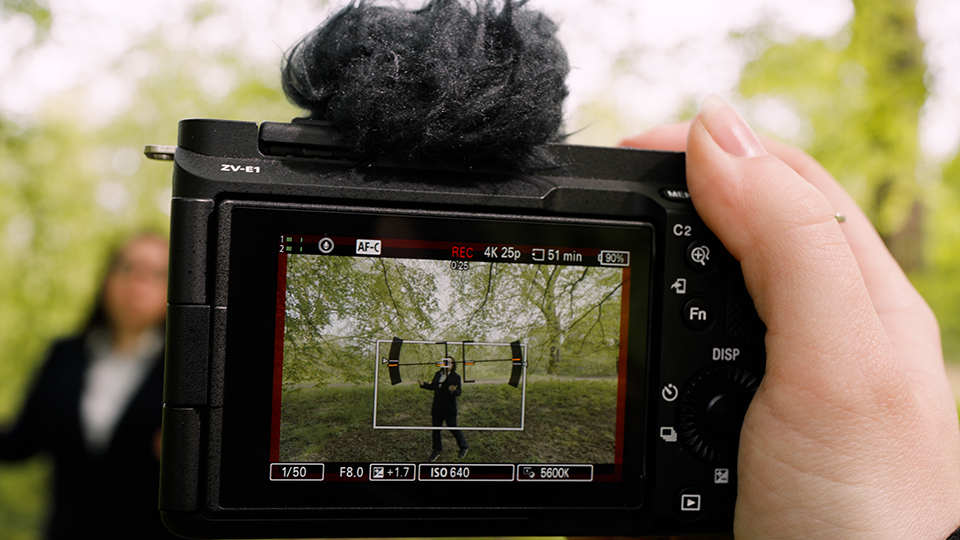
If you are making a video on your own, for example, it is difficult to make it a bit dynamic. Your camera is on a tripod and if you do not want to perform complicated tricks afterwards, such as shifting the image or zooming in, it can quickly start to look rather static.
Filming with two cameras can be a solution, but the ZV-E1 has the ability to keep you in the frame as the subject. You do not have to stay in one place, but can, for example, walk towards the camera. This function is called auto framing
Cinematic Vlog
Editing is another story altogether. With some practice, cutting and pasting can be done quite well, but to make it look professional you still need to do more, just as with photography. The colours in particular are important for a good end result.
For people who have little time, or would rather not spend any time on this, the ZV-E1 has a number of options:
The “Cinematic Vlog” setting gives the image an aspect ratio that resembles cinema footage, and you can also choose the colours here.
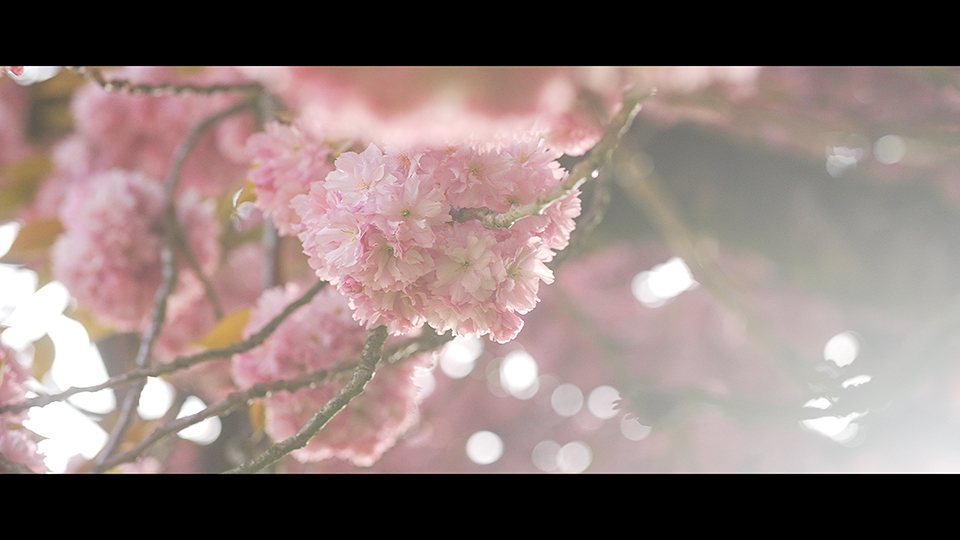
Another useful setting is filming in Cinetone, which makes skin tones look good straight away. You can find this among the picture profiles. You will also find the setting for filming in S-Log there.
If you do want to learn more about colour grading, you will usually choose to film in S-Log. The footage looks very flat, but gives you the most room for editing afterwards.
If you already have experience with colour grading and have a favourite conversion to the colours we are used to seeing, you can put that Look Up Table, or LUT, in the camera.
You can then use it just to show what the final result will be by turning on the gamma assist.
Or you can choose to record directly in this colour profile. You will have less room for adjustment afterwards, but the colours will immediately be as you want them.
Shot Marks
When reviewing footage, you can add shot marks. You can then see these in Catalyst Browse. This allows you to indicate which sections you want to use.
If you export from your camera to a mobile or tablet, you can indicate during export how many seconds you want from that shot mark.
Or the entire video, of course.
Autofocus
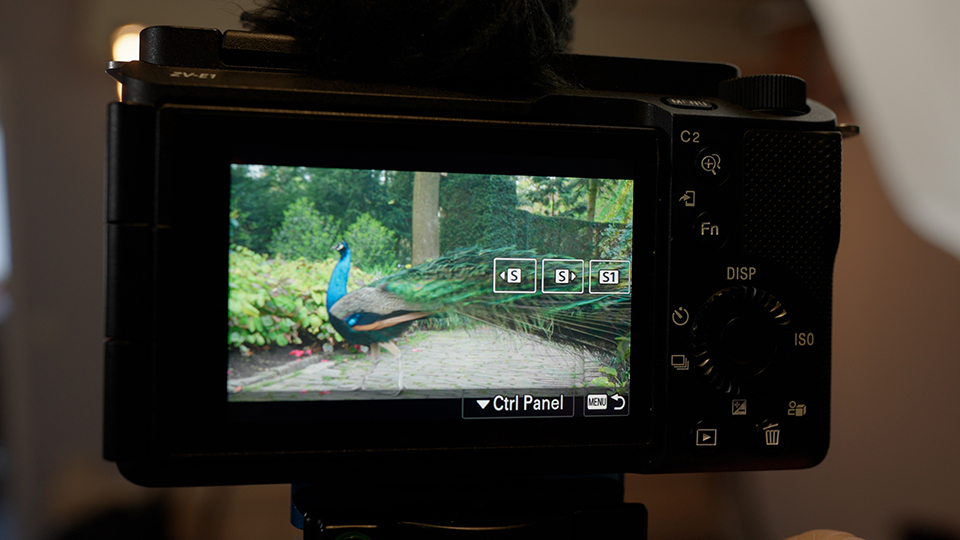
The autofocus on this camera is the same as on the Sony A7RV. The camera recognises many subjects, but is also very good at predicting where a person, animal or object will move. This makes it easy to track subjects.
Microphone
Good sound is also very important for a good video. The Sony ZV-E1 has a built-in microphone that is better than what you could normally record with your camera or phone.
You can indicate where the microphone should be directed: front, rear or automatic. If you have a Sony microphone that can record digitally, you can use it on this camera's hot shoe. You can connect another microphone to the port on the side.
Memory card
You can only use SD cards in the ZV-E1. There is one card slot, and unusually for a Sony camera, it is on the left side of the body, next to the microphone and headphone inputs.
And since photography was my first love, this is also important: you can of course use the ZV-E1 as a stills camera too. Do bear in mind that this camera has no shutter.
Conclusion
If you compare the Sony ZV-E1 with the Sony A7S Mark III, FX3 and FX30, which are also aimed at video, there are a number of advantages and disadvantages.
I mainly see disadvantages on the hardware side: a single card slot, a mini HDMI connection and no cooling in the body, making it better to shoot short clips with this camera.
The body is clearly designed to be light and easy to handle. If you are looking for something robust and prefer a little more grip, you will probably choose one of the other cameras.
The camera did not overheat during my test. I think this could mainly happen during prolonged streaming or continuous recording. In any case, as mentioned, I did not have any problems with this during my test.
There are certainly advantages for the beginning filmmaker too. Besides the more attractive price compared with the Sony A7SIII and FX3, these are mainly the more extensive automatic options.
The AI-trained autofocus, for example, makes it quite easy to keep whatever you want sharp in the frame.
The more intuitive controls, with more options for changing settings via the screen, make the camera easier to get started with than one of the models mentioned earlier. I found this very useful when testing the camera.
Although I just mentioned it as a disadvantage, the compact and lightweight body is an advantage in other situations. So it really depends on what you want.
For example, I like filming at events I attend, as a reminder for myself or to share with other people who were there.
And if you are used to a certain quality, a certain look such as you have in your photos, you want your videos to have that quality too. I do not find filming with my phone sufficient in that case.
Taking my 'normal' workhorses with me is not an option for me personally. Especially on a walk, they are too heavy for me. I could easily carry the small and lightweight Sony ZV-E1 for longer periods.
I also enjoy learning a new skill in this way, one that is increasingly being requested in my work as a photographer. The ZV-E1 makes that transition easy.
I mainly see myself using this camera to film short pieces for an impression video, for example, or when I am going to do a lot of handheld filming.
Using it as a second camera for a tutorial or webinar, for example, is certainly also an option, although I would need to take into account what this camera is and is not good at.
The stabilisation of this camera stands out to me as the biggest advantage for my situation. When I film while walking, such as during a walk or a day out, the difference is really huge.
Especially when you are out with other people, it is not practical to keep walking alongside the group with a ninja-like walk while filming, just to make the footage as smooth as possible.
The autofocus is also so good that filming is genuinely much easier than with other cameras I have.
Do you regularly make videos, or do you want to learn more about filming, but would you appreciate having a number of advanced functions that make it easier? Then the Sony ZV-E1 is certainly worth considering.
And because a review of a camera that films cannot always be captured in words and photos, below you can see it in moving form, with some extra tips for the beginning filmmaker!
About the author
Antonette vindt veel facetten van fotografie leuk. In haar eigen studio Amfion fotografie maakt ze vooral portretten en geeft ze ook workshops. Getrouwd met Johan en moeder van Ghislaine. Hier op photofacts schrijft ze graag doe-het-zelf artikelen en productreviews.
You might also like
-
 Review: Sony ZV-E10 vlog camera
by Nando Harmsen
-
 Sony introduces the new ZV-E10 vlogging camera
by Nando Harmsen
-
 Sony announces the full-frame ZV-E1 for content creators
by Nando Harmsen
-
 Review: Canon EOS R50 V vlog camera
by Nando Harmsen
-
 Review: Sony A1 mirrorless camera
by Nando Harmsen
-
 Sony announces the A6700, a first impression
by Nando Harmsen
0 comments
Be the first to share what you think!
Have your say
Please note: Articles older than a week can only be commented on by signed-in visitors.Would you still like to comment? sign in or create a free account.
Become a better photographer every week
A practical photography tip in your inbox every week.
38,938 photography enthusiasts already receive the tips! More about the weekly mail. Or keep up to date via  Facebook.

Elja Trum
Photofacts; everything to do with photography!
Would you like to take better photos and keep up with what is happening in photography? Photofacts publishes articles that teach you something about photography — from a product announcement to a practical shooting tip or a look at a website. Photofacts covers photography every day and is a hobby project of Elja Trum's that got out of hand. The articles are written by a team of volunteer authors. If you would enjoy writing one or more articles for Photofacts, do get in touch.More about PhotofactsPhotofacts is made possible in part by
