

Review: Canon EOS R50 V vlog camera
Friday 19 September 2025, 11:22 by Nando Harmsen | 4,478 views | 0 commentsThis article was translated from Dutch with the help of AI. Read the original.
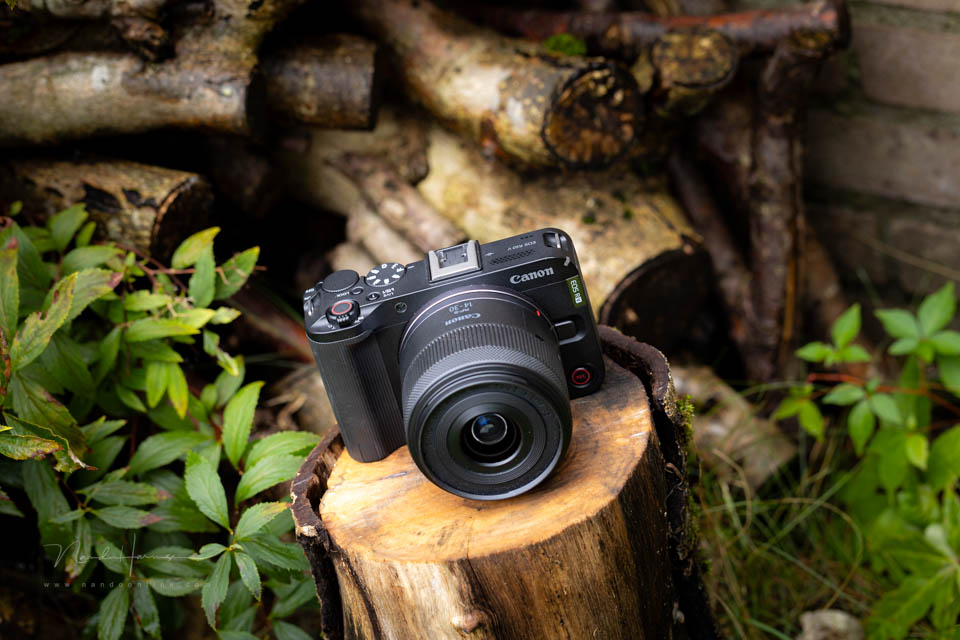
Canon has released a vlog camera based on the popular EOS R50 mirrorless camera. This APS-C camera is aimed at content creators, with an extensive set of video features. I was given the EOS R50 V for review.
The Canon EOS R50 is a fun camera for photography enthusiasts. Read the review here. The camera offers a wide range of options, including a simple video function.
Are you mainly a photographer? Then the EOS R50 is a good choice. Do you do more filming or vlogging? Then consider the new EOS R50 V. This camera is fully aimed at videographers.
This is why I focused entirely on the video capabilities for this review. Photography is not covered. As the camera is based on the EOS R50, you can read in that review what you can expect in terms of photography.
Some specifications
As the EOS R50 V is mainly aimed at video, I have listed the most important specifications in that area. For photography, it is good to know that you essentially have the same or comparable functions and options as the EOS R50.
- 25.5-megapixel APS-C CMOS sensor
- Single UHS-II SD card slot
- Dual Pixel CMOS AF II autofocus system with 651 zones for photos and 527 for video
- Autofocus sensitivity down to -5 EV
- Subject recognition for people, animals and vehicles
- ISO sensitivity from 100 to 32000 (expandable to 51200
- 3-inch LCD screen with 1.04 megapixels, no EVF.
- 4K UHD from 6K oversampling at 50 (crop) and 25 fps, Full HD at 100, 50 and 25 fps
- XF-HEVC S YCC422 10-bit H.265 and XF-AVC S YCC422 10-bit H.264
- HDR PQ and Log3 recording, supports BT.709, BT.2020 and Cinema Gamut
- Video mode for smooth skin, close-up demos and IS video mode
- Built-in stereo microphone, 48kHz and 16-bit, 2 channels
- USB-C for charging and communication
- WiFi and Bluetooth 5.1
- Micro HDMI, microphone and headphone connections
- Maximum 2 hours of continuous video recording (except at high frame rates)
- Dimensions 119.3 x 73.7 x 45.2 mm, 370 grams including card and battery
A closer look at the camera
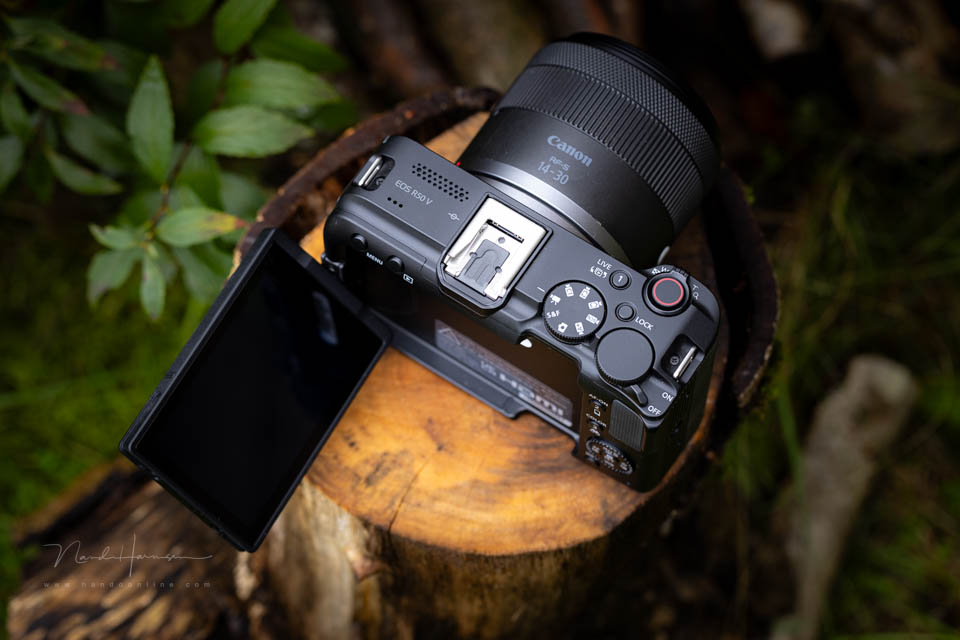
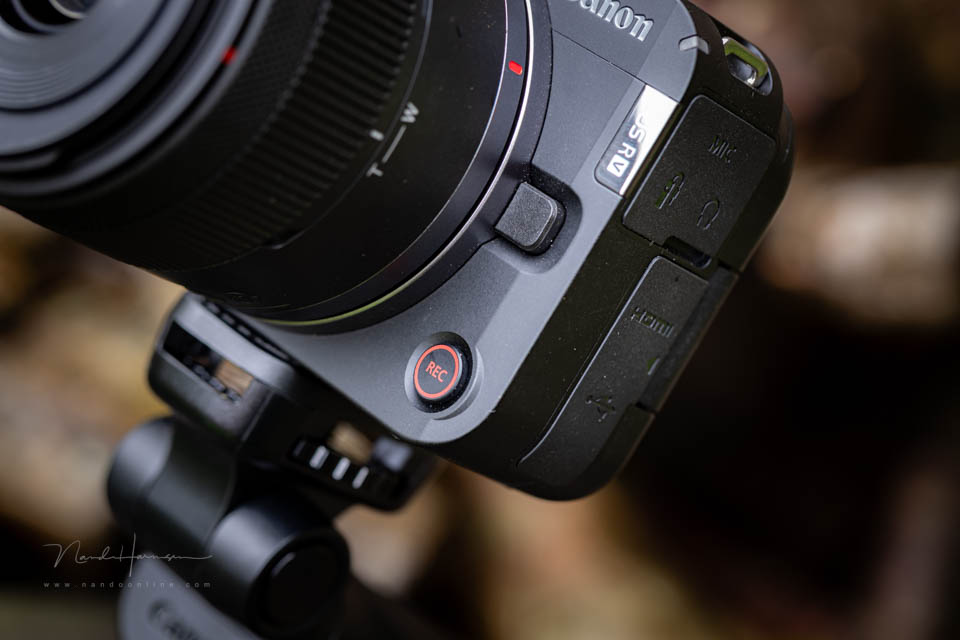
The EOS R50 V has a simple design, with the key functions directly within reach. There is no electronic or optical viewfinder. The camera has two video recording buttons, one on top as standard and one on the front.
What stands out is the lack of a control dial below the shutter button. You do get a control dial on top, under your thumb, used in combination with the four-way button on the back. There is a zoom lever next to the shutter button for power zoom lenses.
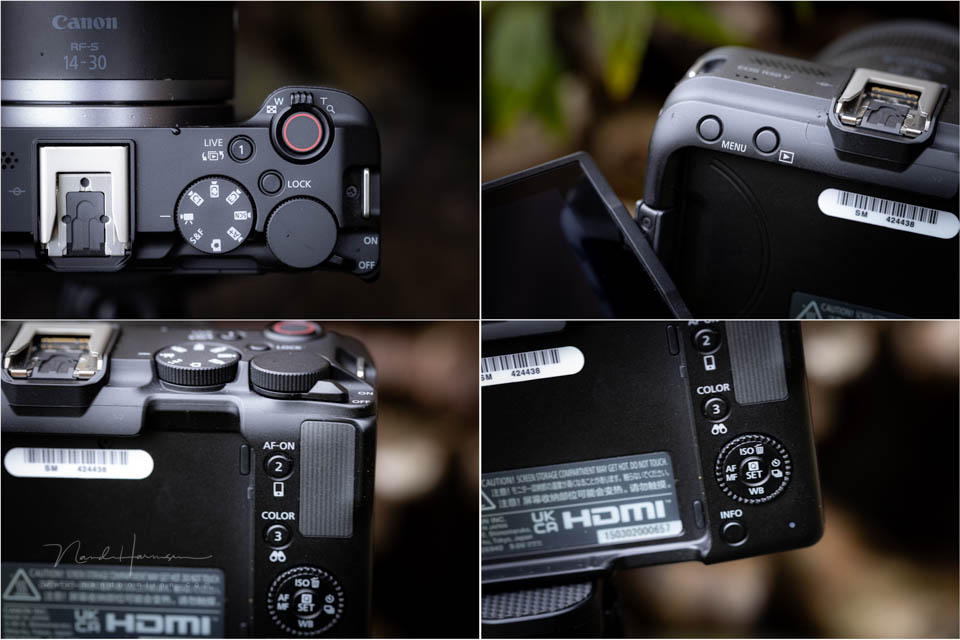
The buttons are quite small, which is understandable given the size of the camera. You can of course also operate it using the touchscreen. The PSAM dial is aimed at video, with just one setting for photography.
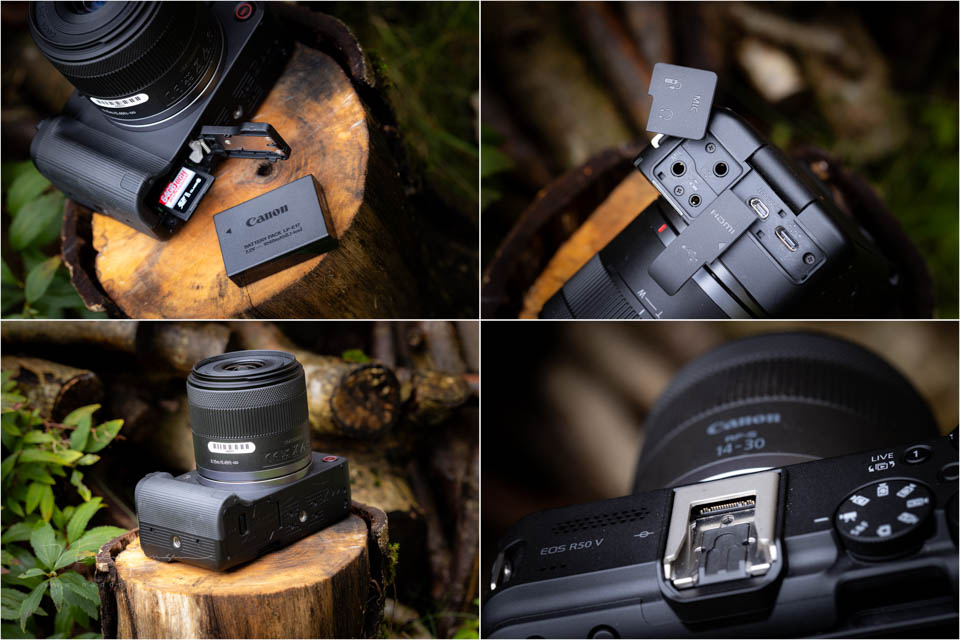
The connections on the EOS R50 V consist of a remote, microphone and headphone connection. There is a micro HDMI and a USB-C connection, which can be used both to charge the battery and to communicate with smart devices. The hot shoe also has connectors for accessories.
The camera is powered by a small LP-E17 battery, which is good for 480 shots (CIPA). In practice, it allows around 25 minutes of continuous video recording. The card slot for a UHS-II SD card is next to the battery.
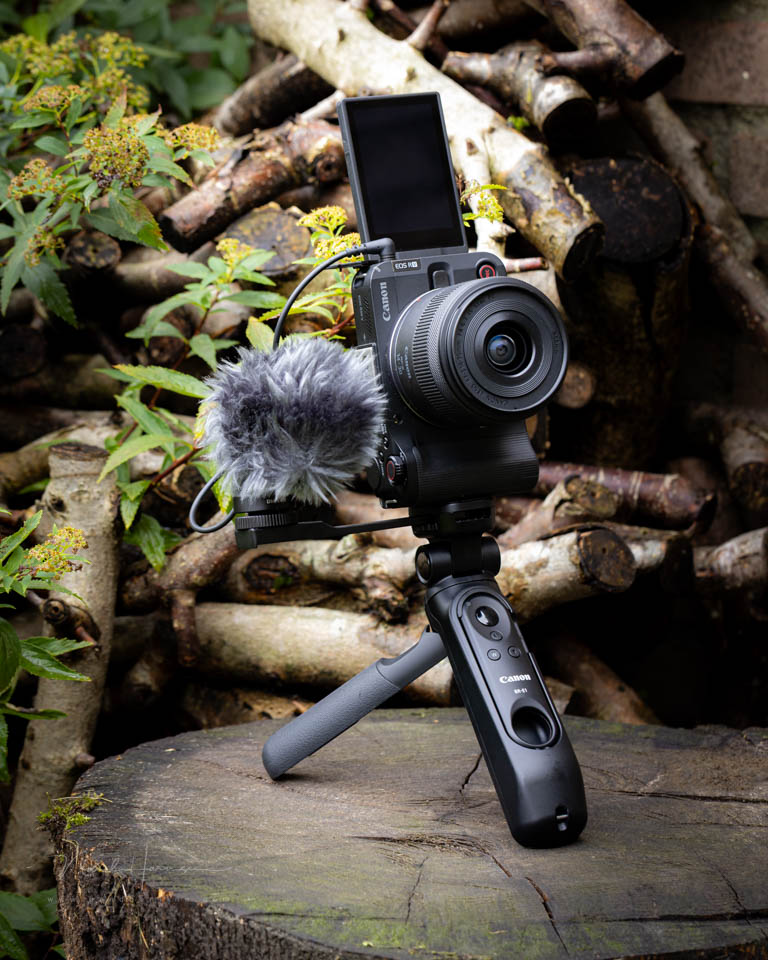
I received the camera together with the Canon HG-100TBR tripod grip, the BR-E1 remote control and the Canon DM-E100 stereo microphone. This creative set makes it inviting to use the camera in an accessible way
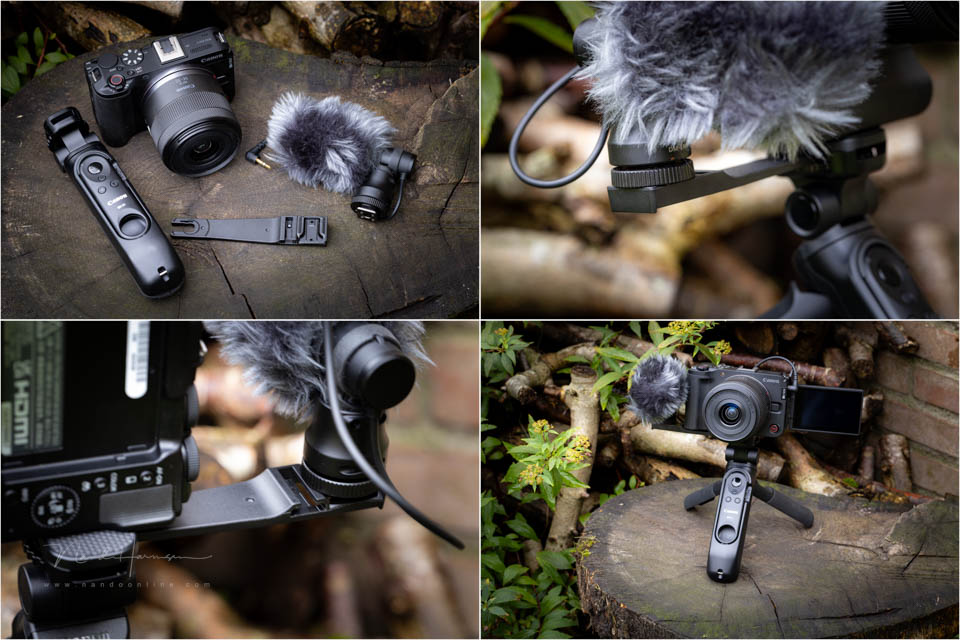
Unfortunately, the DM-E100 microphone does not use the special connections in the hot shoe. On the other hand, the special bracket makes it easy to position it next to the camera, in combination with the tripod grip
Video functions
The video capabilities are more than sufficient for the purpose for which the camera is intended. You can record at up to 4K25p. If you want 50 frames per second, there are limitations and an additional crop.
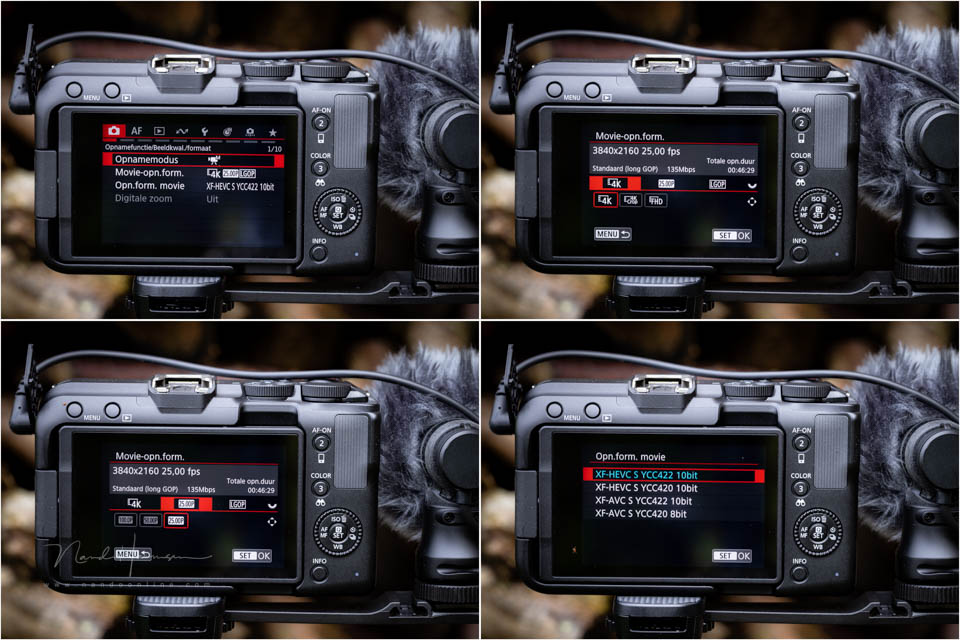
You can also record in Full HD, with 100 frames per second slow motion available. For many social media applications, Full HD is usually sufficient. There is also an S&Q setting, with several fixed frame rates.
Choose from the XF-HEVC S or XF-AVC S movie formats. Both can be set to YCC422 and YCC420 10-bit, except XF-AVC S with YCC420. That is only available in 8-bit.
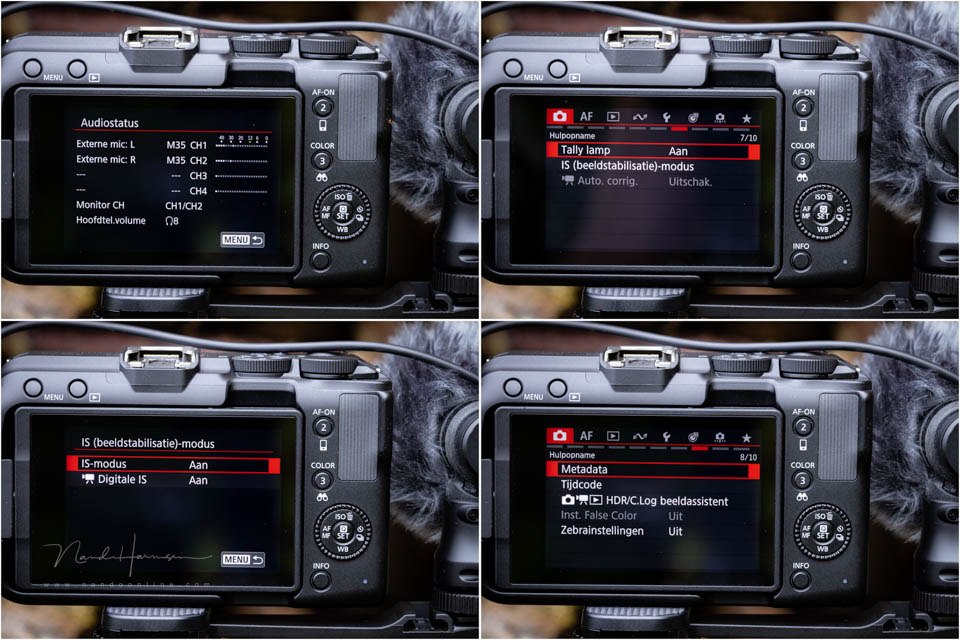
The EOS R50 V offers some other nice functions, such as 4 audio channels, a clear tally lamp and digital image stabilisation.
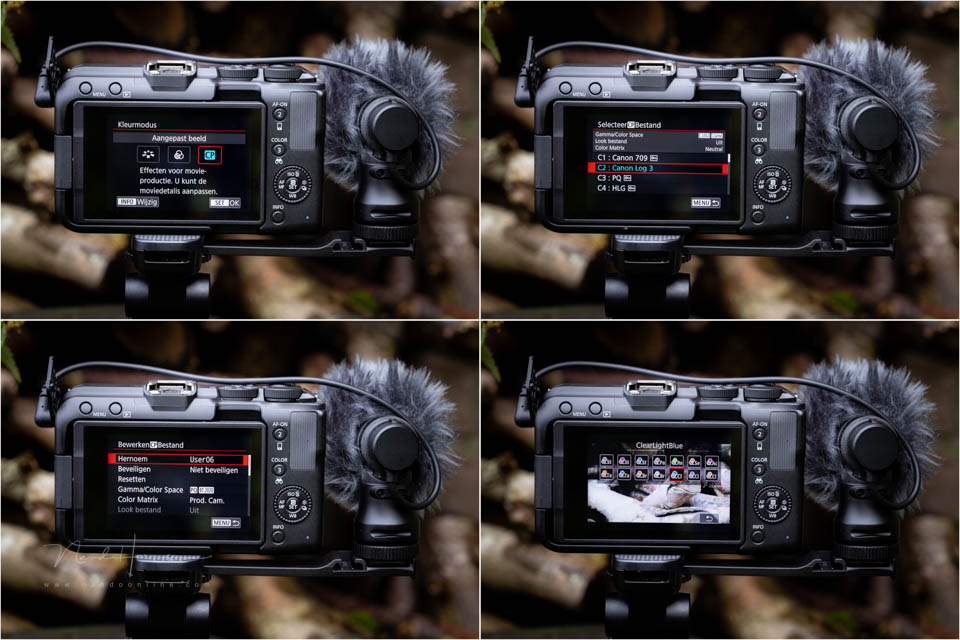
You have HDR PQ, LOG 3 and the familiar video colour modes such as BT.709, BT.2020 and Cinema Gamut available.
Autofocus and connectivity
The EOS R50 V has autofocus with image recognition for people, animals and vehicles, complete with tracking. This is available for both photos and video. For people, you can register faces to give them priority.
Autofocus works well, but is not flawless. It can struggle especially when the subject has little contrast or is small in the frame. There are enough settings available to refine the behaviour of the autofocus if necessary.
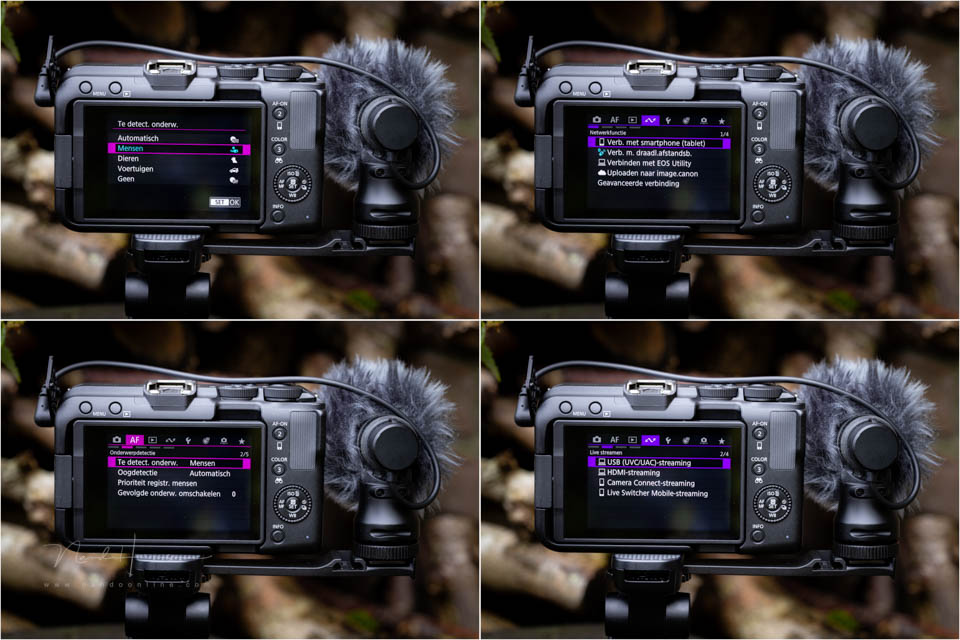
The camera can of course also connect to smart devices such as a tablet or smartphone. EOS Utility gives you additional options. The EOS R50 V can also be used as a webcam to stream video directly.
Using the EOS R50 V in practice
Using the EOS R50 V is simple. Set everything to automatic, connect the microphone and you can start filming. The tripod grip gives you plenty of control when holding the camera. You can mount the camera horizontally or vertically.
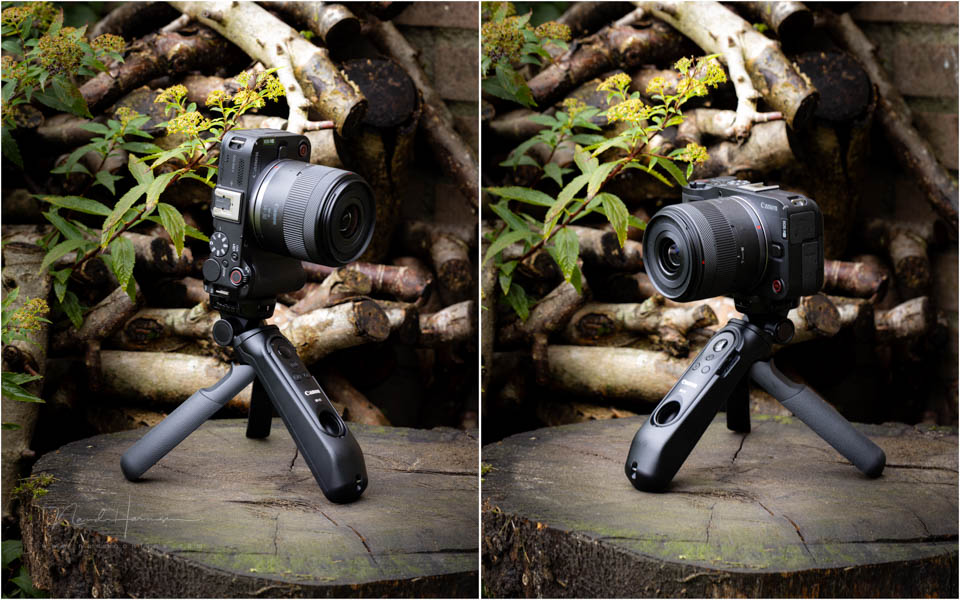
The camera recognises the orientation and saves the video in the same way. The autofocus ensures a sharp image and can switch on HDR-PQ if necessary, so you also get balanced exposure in backlit conditions.
There were a few things I ran into in practice. In particular, the choice of settings determines what is and is not available in the menu. Finding the reason why something is unavailable can be difficult.
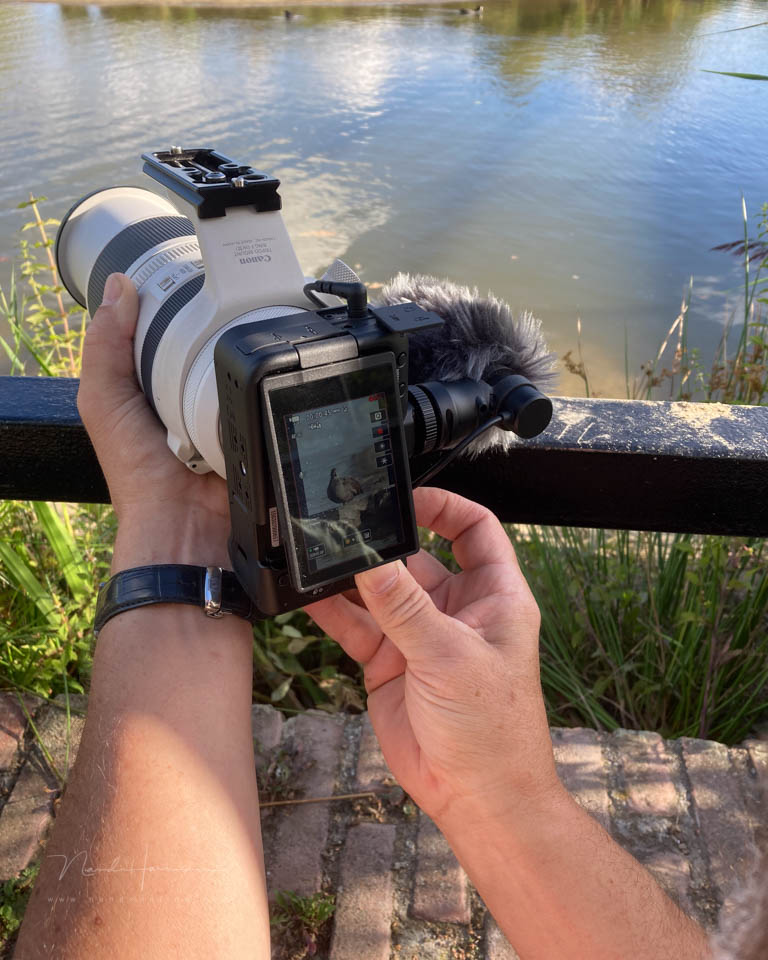
Another problem I ran into was the limited battery life. After half an hour of continuous recording, or a few hours of using the camera, the battery was already empty. An external power source such as a power bank limited the camera's functionality.
It is useful that the camera accepts all RF lenses and EF lenses with an adapter. If you already have one or more Canon lenses, they are perfect to use. That could be a telephoto lens for animals, or a wide-angle lens for vlogging.
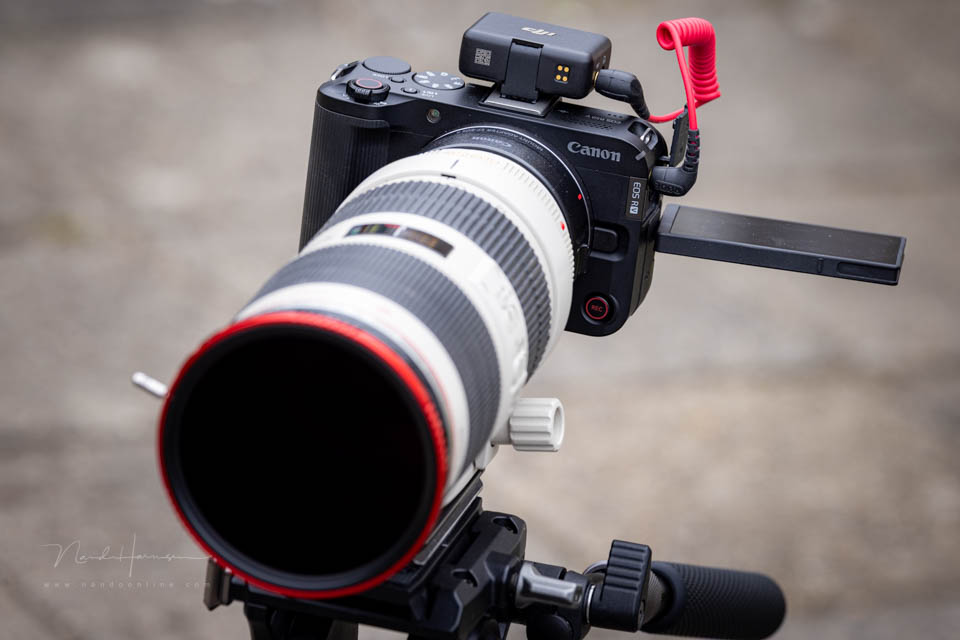
What I miss is a clear indication that you are recording. A simple red frame around the image makes this very clear. It is difficult to see on the EOS R50 V.
Conclusion
For a good conclusion, it is important to first consider who this camera is intended for. If you are looking for professional functions and capabilities, this is not the camera for you. In that case, you will soon end up in the more expensive segment.
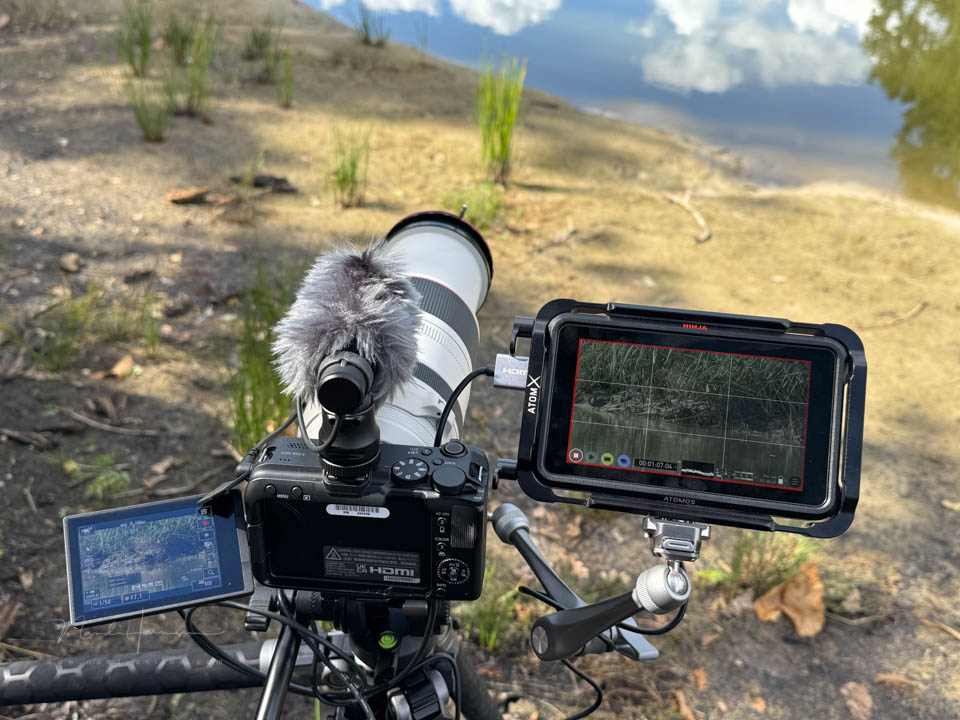
The EOS R50 V is meant to be an accessible camera. It is intended for videographers who want to record in a simple way without having to worry about settings.
The EOS R50 V meets these requirements. The camera is small, light and offers enough options to get started with video. That could be vertical video for social media, or standard widescreen recordings that can shine on a TV or monitor.
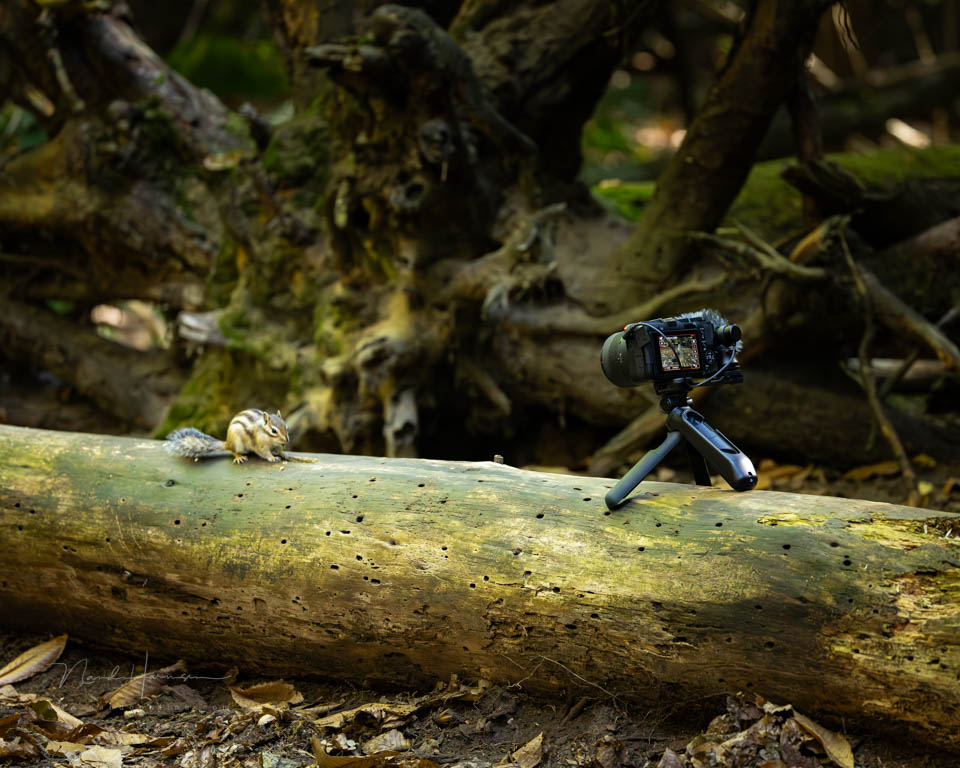
The camera is certainly not flawless when it comes to autofocus, and there are no extensive video formats available. It is important to continue considering its performance in light of the target audience. For that audience, the camera offers enough setting options.
Are you looking for a simple video camera that can also take photos? Does it need to be easy to use, while still offering the option of using more advanced settings? Then the Canon EOS R50 V is certainly worth recommending.
The price of the Canon EOS R50 V is 999 euros with the RF-S 14-30mm power zoom lens. You can also get the body only for 799 euros.
What I like
- Tripod mounts for vertical and horizontal use
- Small and compact size
- Several buttons for starting and stopping recording
- Extensive colour settings for video, including recording in YCC 422 10-bit
- PSAM dial aimed at video makes it easy to use
- Four audio channels
- Many connectivity options, such as streaming
- Autofocus subject recognition and tracking for both video and photos
- 6K oversampling for 4K video
- Option to save a frame as an 8.3-megapixel JPEG photo from 4K UHD video
- Battery charger included
- Hot shoe with electronic contacts
- Acceptable price
What I like less
- Camera cannot be used while charging the battery in the camera
- No red frame around the screen while recording
- Rubber covers on the connections sometimes get in the way
- Battery runs out quickly, one or two spare batteries are really needed
- No percentage display for battery capacity, not even in the menu
- Autofocus recognition and tracking are not always equally reliable
- Depending on the settings, many functions may be unavailable, and it is difficult to work out why
- Rear control wheel is difficult to use without pressing buttons
- Memory card next to the battery, making it difficult to change
Many thanks to Canon Nederland for making the Canon EOS R50 V available.
About the author
Nando Harmsen has been photographing for more than 40 years. He specialises in wedding photography and landscape photography. Nando also gives talks, workshops, masterclasses and photo trips, and regularly reviews new and interesting equipment.
You might also like
-
 Review: Canon EOS R50 mirrorless camera
by Nando Harmsen
-
 Review: Sony ZV-E10 vlog camera
by Nando Harmsen
-
 Review of the Canon EOS M50 mark II
by Nando Harmsen
-
 Review: Canon EOS R5 C for video
by Nando Harmsen
-
 Review: Canon EOS R7
by Nando Harmsen
-
 Review: Sony A6700 APS-C mirrorless camera
by Nando Harmsen
0 comments
Be the first to share what you think!
Have your say
Please note: Articles older than a week can only be commented on by signed-in visitors.Would you still like to comment? sign in or create a free account.
Become a better photographer every week
A practical photography tip in your inbox every week.
38,937 photography enthusiasts already receive the tips! More about the weekly mail. Or keep up to date via  Facebook.

Elja Trum
Photofacts; everything to do with photography!
Would you like to take better photos and keep up with what is happening in photography? Photofacts publishes articles that teach you something about photography — from a product announcement to a practical shooting tip or a look at a website. Photofacts covers photography every day and is a hobby project of Elja Trum's that got out of hand. The articles are written by a team of volunteer authors. If you would enjoy writing one or more articles for Photofacts, do get in touch.More about PhotofactsPhotofacts is made possible in part by
