

Review: StackLab for focus stacking
Friday 30 October 2026, 16:08 by Nando Harmsen | 122 views | 0 commentsThis article was translated from Dutch with the help of AI. Read the original.
Want a large depth of field? Choose a combination of a small aperture and a short focal length. If you get extremely close to your foreground, you still won't get everything sharp. The solution is focus stacking. Take a look at StackLab.
Are you a landscape photographer who wants everything in focus? Then you know that this is sometimes impossible. Even an extreme wide angle, an extremely small aperture and the hyperfocal distance aren't enough.
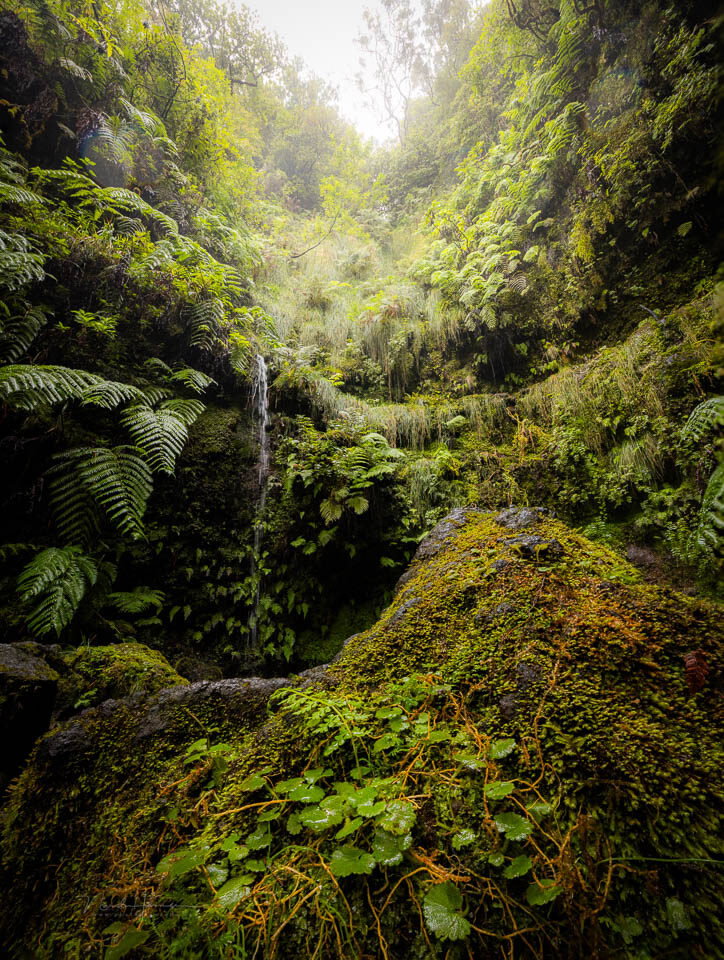
The jungle of Madeira. A focus stack of six images - f/10, 1/30s, 800 ISO @ 15mm
In those cases, you need to use focus bracketing. You take a series of photos in which the point of focus is slightly further away in each photo. You then have to merge that series of photos.

The number of images can rise considerably, especially with macro. 140 images were taken of these slime moulds, which have to be stacked into a single photo.
This process of merging is called focus stacking. You can use it for landscape photography. It is also widely used for macro photography, where depth of field can always be a problem.
Software for focus stacking
To merge a focus bracket into one photo, to focus stack it, you need software. This is possible in Photoshop, Affinity and Luminar. There is also specialist software available for it.
Well-known names are Zerene and Helicon. The Dutch photographer Martin Podt has created his own version, specifically for landscapes. It can also be used for macro.

StackLab, Martin Podt's programme, initially aimed at stacking focus-bracketed shots of a landscape..
Lightweight, no-nonsense
The problem with a lot of software is often the extra functions that are added to it. With specialist software intended for one purpose, this is unnecessary. It has to do one thing, and it has to do that perfectly.
So StackLab can only do one thing too: stack images. It works as a standalone programme in which you can load the images. Or you can use the optional plugin to work from Lightroom Classic.
There are four options for stacking. Contrast Pyramid, High-Contrast Pyramid, Depth Map and Adaptive Hybrid. A mouse-over text tells you in English what each option is suitable for.

StackLab works perfectly for macro shots. Stacking 140 photos takes just a few minutes. The interface is simple and clear, exactly as it should be.
I used Depth Map, but you can try one of the other options if it doesn't work. A number of extra options give you more control over the result. The simplicity prevents you from losing your way.
Adobe DNG Converter is used to turn the raw files into DNG files. This naturally takes some time. Fortunately, these files aren't added to the Lightroom Classic catalogue.

After stacking the photos, you can assess the result. There are always places that need retouching.
The programme is reasonably fast. A stack of 121 macro photos, each from 45-megapixel raw files, takes about 2.5 minutes once the images have been loaded into StackLab. This is with the Depth Map option.
Retouch to correct errors
If it goes right first time, that's great. But focus breathing in lenses can throw a spanner in the works. There is focus breathing correction, but in difficult situations you have to intervene manually.
An extra Retouch tab gives you the control to intervene manually. You zoom in and select the photo in the filmstrip to copy parts of it into the stack. A clone stamp is also available.

Where everything doesn't fit perfectly, a clone stamp is available. It takes some time and careful work.
It is precisely this simple way of removing imperfections that I really like. It gives you control without becoming very complex.
Exporting the result
It is one button: export. You then get the option to choose the file name and the location where the stack should be saved. You can choose between DNG and TIFF.

The export makes the result appear directly in Lightroom Classic. Handy if you are working from there. StackLab can also work without Lightroom.
If you opened the bracketing series from Lightroom Classic, the result automatically appears in the library. You then have the option to edit the photo into a final result.
Conclusion
I used the programme for several weeks. During that time, I made reasonably complex focus stacks of up to 140 images of tiny slime moulds. This works excellently.
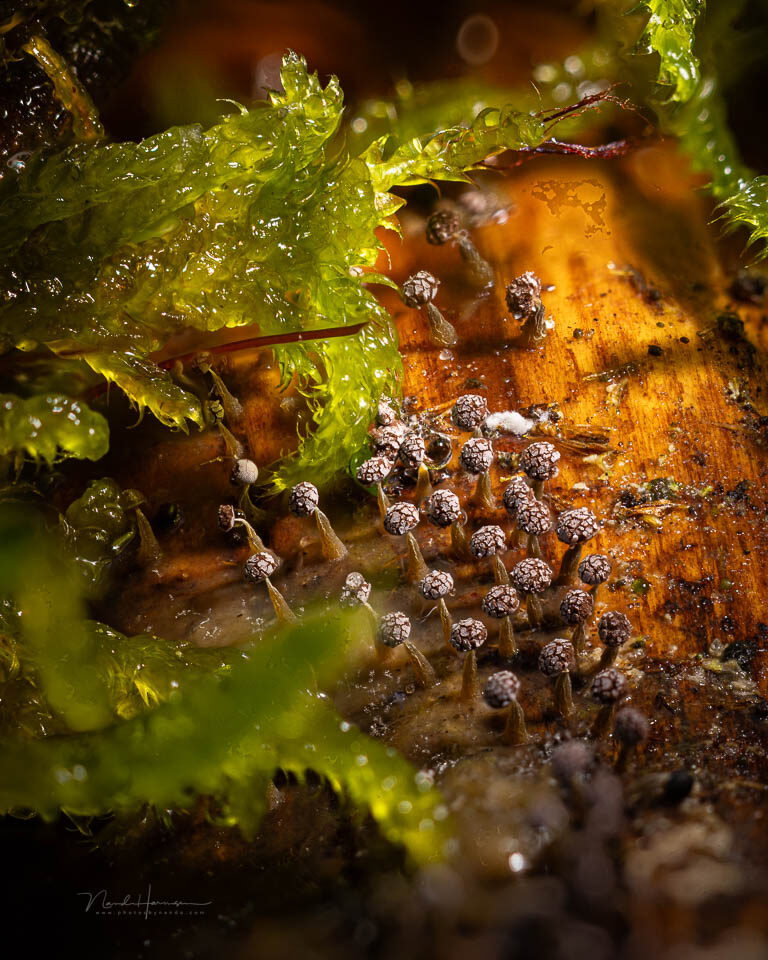
Slime moulds measuring a few millimetres. A focus stack with StackLab of 140 images - f/5.6, 1/125s, 400 ISO @ 100mm
Landscape photos with a bracketing series of no more than 15 images also work perfectly. This is what the programme was originally made for. It is where other software often performs less well.
What appeals to me most is the software's simple design. It does what it is intended to do, without any unnecessary extras. Exactly what I like to see. It is a big plus that it works directly from Lightroom Classic.
Compared with Photoshop, which can also be used successfully, StackLab offers very user-friendly and well-implemented retouching functionality. This makes the programme much more pleasant to use.
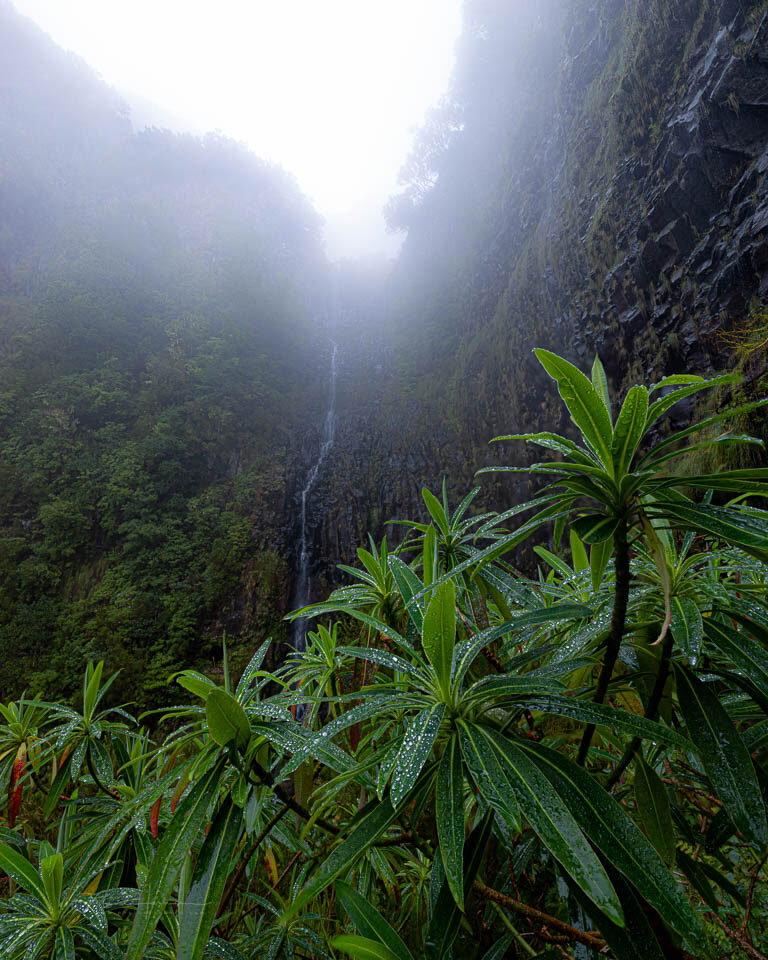
Risco waterfall on Madeira. A focus stack of seven images - f/6.3, 1/200s, 200 ISO @ 15mm
There are a few points that could be improved. This mainly concerns the use of keyboard shortcuts when retouching. That would make the work faster and easier to carry out.
After a large number of stacks in which I used the different options, I am very happy with the programme. I can definitely recommend StackLab.
Buying StackLab
The software is available for both Windows and iOS and also works with Lightroom Classic. This means you can stack photos directly from Lightroom. The result also comes back into Lightroom, which is handy.
Of course, you can also do this with Photoshop. StackLab does, however, offer many more adjustment options. It is also easier to correct errors in the stack. Photoshop lacks this function.
The software isn't free, but at 89.99 euros for a lifetime licence, it certainly isn't expensive either. When installing it, you can try it for 30 days to find out whether it suits you.
Do you find it difficult to get started with StackLab on your own? There is a comprehensive online manual available, so you can start making your first focus stacks step by step.
Installation is through the Apple App Store or the Microsoft Store.
About the author
Nando Harmsen has been photographing for more than 40 years. He specialises in wedding photography and landscape photography. Nando also gives talks, workshops, masterclasses and photo trips, and regularly reviews new and interesting equipment.
You might also like
-
 To stack or not to stack
by Erik Nevels
-
 Does Lightroom make Photoshop redundant?
by Nando Harmsen
-
 Which is better? Stacking or noise reduction?
by Nando Harmsen
-
 Retouching and cloning in Photoshop
by Johan Elzenga
-
How much do Lightroom and Photoshop subscriptions really cost?
by Nando Harmsen

0 comments
Be the first to share what you think!
Become a better photographer every week
A practical photography tip in your inbox every week.
38,937 photography enthusiasts already receive the tips! More about the weekly mail. Or keep up to date via  Facebook.

Elja Trum
Photofacts; everything to do with photography!
Would you like to take better photos and keep up with what is happening in photography? Photofacts publishes articles that teach you something about photography — from a product announcement to a practical shooting tip or a look at a website. Photofacts covers photography every day and is a hobby project of Elja Trum's that got out of hand. The articles are written by a team of volunteer authors. If you would enjoy writing one or more articles for Photofacts, do get in touch.More about PhotofactsPhotofacts is made possible in part by
