

Luminar NEO gets AI-generated content with GenSwap
Saturday 25 November 2023, 22:11 by Nando Harmsen | 2,821 views | 10 commentsThis article was translated from Dutch with the help of AI. Read the original.
Skylum has announced a new Extension for Luminar NEO. GenSwap is an AI-based tool that lets you remove or change things in your photos. You can buy this Extension from Skylum's website after 17 November 2023.
With the GenSwap tool, you can now manipulate your photos in Luminar NEO using Artificial Intelligence. Select an element in a photo and give it a completely different interpretation.
GenSwap is the logical successor to GenFill. This makes it easy to remove a large number of objects. GenFill seamlessly fills the space based on the surrounding image information.
This is an application that AI-generated content is very well suited to. Think of removing small distracting elements with greater accuracy.
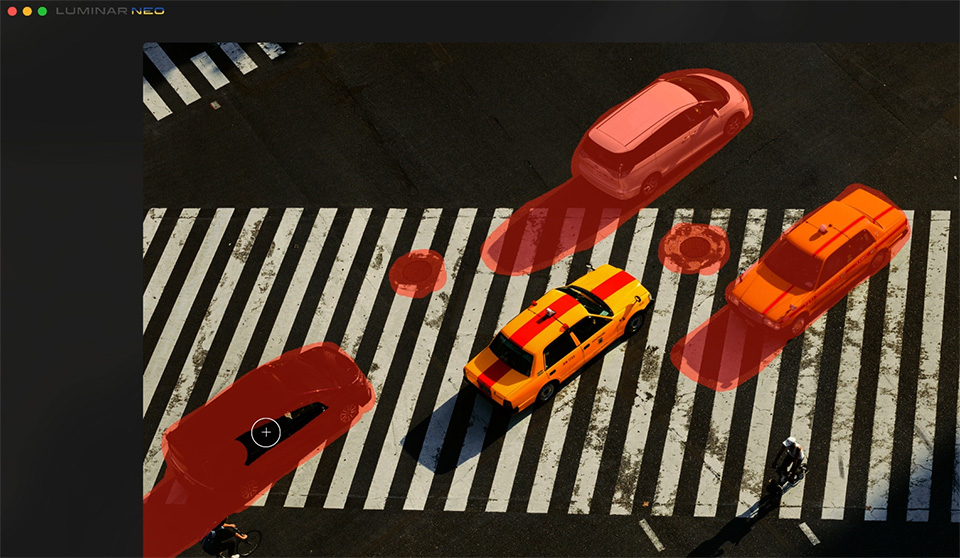
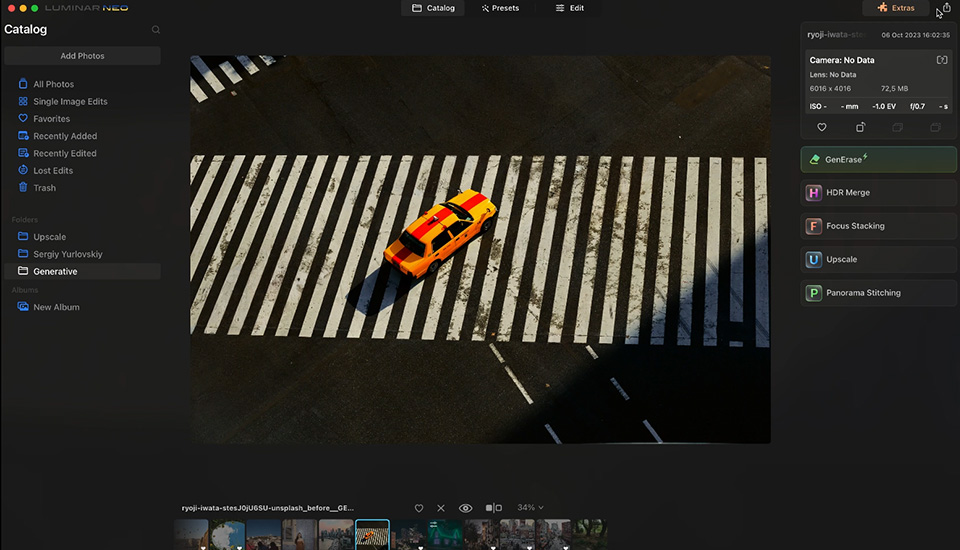
GenSwap is the next step in AI-generated content. This naturally takes you beyond small adjustments. This is no longer photography, but photo manipulation.
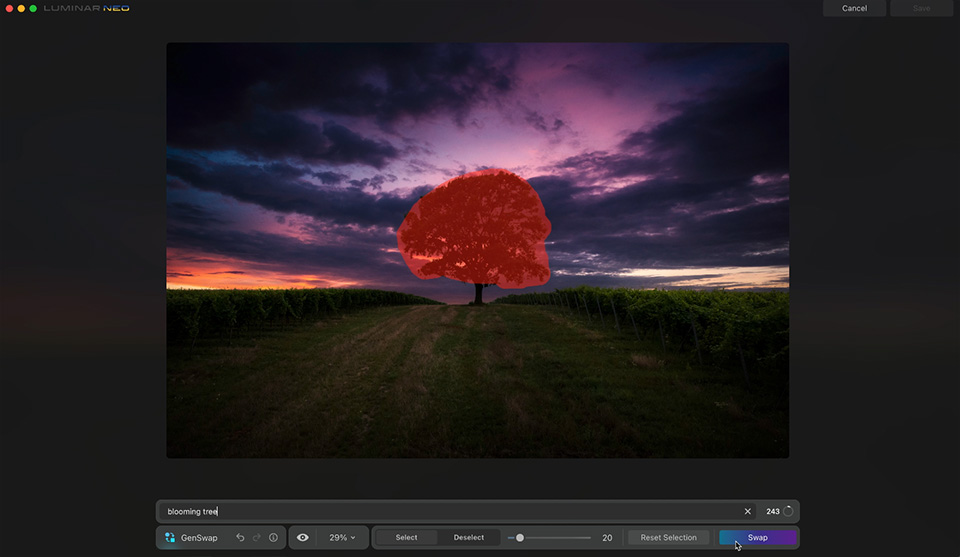
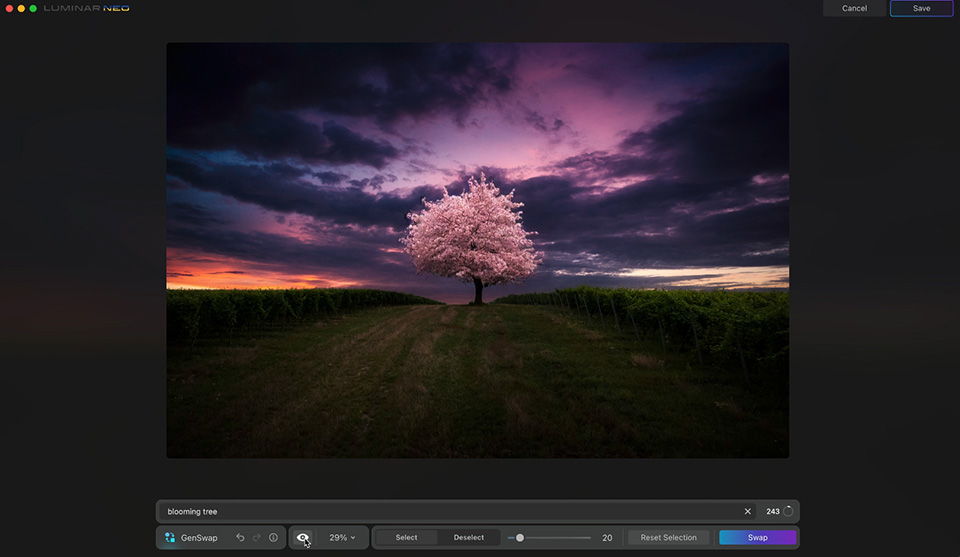
GenSwap lets you adjust image elements. You can also add objects that do not exist.
Luminar NEO's GenSwap lets you provide a description of what you want to add to or change in a photo. The more precise the description, the better the AI will work. An internet connection is required to use GenSwap.
At a later stage, generative expansion will also become available. This will let you enlarge the canvas and have the AI engine fill in those areas.
You can find more information, including the prices, on Skylum's website.
About the author
Nando Harmsen has been photographing for more than 40 years. He specialises in wedding photography and landscape photography. Nando also gives talks, workshops, masterclasses and photo trips, and regularly reviews new and interesting equipment.
You might also like
-
 Converting a Luminar AI catalogue to Luminar NEO
by Nando Harmsen
-
 Skylum launches Luminar NEO
by Nando Harmsen
-
 Luminar NEO gets a new update
by Nando Harmsen
-
 Luminar NEO gets a panorama feature
by Nando Harmsen
-
Luminar is changing in 2024
by Nando Harmsen
-
 The new Luminar AI is now available
by Nando Harmsen
10 comments
-
 Donald Willemsen wrote on Tuesday 28 November 2023 at 11:16 | reply
Nando, I tried out that Genswap, but I'm not very impressed with it. If you're going to replace a large subject in your photo with something else, you get a computer-generated subject in return that looks more like something you'd see in an animated film than a realistic image. Moreover, the proportions in the overall image often go wrong as well. In another response to one of your stories, I already said that AI can be useful in photography, provided you use it sensibly. AI can function very well, particularly for sharpening and removing noise. Regarding the latter, Skylum added 2 AI-powered tools to Luminar Neo over the past year, and they work well.
Translated from Dutch. -

-
 Ronnie wrote on Tuesday 28 November 2023 at 12:59 | reply
They try all sorts of things to keep up with the big Adobe but almost trip over their own feet.
Translated from Dutch. -
-
Donald Willemsen wrote on Tuesday 28 November 2023 at 13:33 | reply
@Ronnie , sorry but what you're claiming now is utter nonsense. Skylum has been working on the use of AI in photo editing software for much longer than Adobe. In fact, Adobe is trying to catch up on a major backlog and is still lagging behind.
Translated from Dutch. -
Ronnie wrote on Tuesday 28 November 2023 at 16:27 | reply
I think your opinion is fine, Donald. I don't really use it either, did so but quickly threw it back in the canal due to the lack of a decent library. Fun to tinker with.
Translated from Dutch. -
Donald Willemsen wrote on Tuesday 28 November 2023 at 17:07 | reply
Ronnie, as far as Luminar's library is concerned, I completely agree with you. It can't compare to Lightroom. And in many respects, Lightroom and Photoshop are simply better. Luminar is better at using AI, though, because they have been gaining more experience with it for years than Adobe has. I use both Photoshop and Luminar Neo. The latter to quickly finish off a photo and because Luminar is easier to work with. It's simple. I find Lightroom and Photoshop work more precisely. I mainly use Photoshop because I like working with layers. I do the basics with Adobe Camera Raw because it is essentially the same as Lightroom's Develop module. So it's more nuanced than you might think.
Translated from Dutch.
Of course you are also entitled to your own opinion, but I think it is incorrect to portray Luminar the way you initially did. -
Ronnie wrote on Wednesday 29 November 2023 at 16:15 | reply
Actually, that's also what I mean by stumbling, later I use the word tinkering in a comment to Donald because that's what it is too..tinkering. I myself am an ACE and that's also why I never work with software from Skylum. I also don't know if Trey Ratcliff still does the HDR modules for them. When he joined Macphun (now Skylum), that company started to grow. Had good contact with Marc Jacobs (sales) at Skylum for quite some time. Nice guys there.
Translated from Dutch. -
 wim wilmers wrote on Wednesday 29 November 2023 at 17:03 | reply
shall we just photograph again for once and show a bit more of reality instead of fiction?
Translated from Dutch.
-


Have your say
Please note: Articles older than a week can only be commented on by signed-in visitors.Would you still like to comment? sign in or create a free account.
Become a better photographer every week
A practical photography tip in your inbox every week.
39,024 photography enthusiasts already receive the tips! More about the weekly mail. Or keep up to date via  Facebook.

Elja Trum
Photofacts; everything to do with photography!
Would you like to take better photos and keep up with what is happening in photography? Photofacts publishes articles that teach you something about photography — from a product announcement to a practical shooting tip or a look at a website. Photofacts covers photography every day and is a hobby project of Elja Trum's that got out of hand. The articles are written by a team of volunteer authors. If you would enjoy writing one or more articles for Photofacts, do get in touch.More about PhotofactsPhotofacts is made possible in part by
