

Don't want AI editing? Turn it off in ACR
Sunday 20 September 2026, 20:20 by Nando Harmsen | 965 views | 0 commentsThis article was translated from Dutch with the help of AI. Read the original.
When editing photos, many programmes bombard you with AI options. Don't want or need AI editing? In Adobe Camera Raw, you can turn the option off.
Software companies are busy pushing AI editing on users. It hardly matters which software you use anymore. You can hardly avoid it. Almost.
Of course, you don't have to use it. You can simply ignore it. Unfortunately, it is always visible, often in an intrusive way. This can be annoying, and can sometimes even get in the way of your workflow.
Adobe has now added an option in the Camera Raw app (ACR) to disable AI completely. At that point, it will no longer bother you. This can be a real relief.

Disable AI in ACR
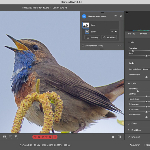
Click the cog in the top right and choose Generative AI. Untick the box and click OK. From that moment on, you will no longer be able to use AI.
There is a downside, though. Everything related to AI will be disabled. For example, you will also lose AI removal. You can still use content-aware removal.
I think this is a welcome option for anyone who absolutely does not want to use it. The choice is entirely yours. Will you turn it off? Just remember that it is never permanent.
About the author
Nando Harmsen has been photographing for more than 40 years. He specialises in wedding photography and landscape photography. Nando also gives talks, workshops, masterclasses and photo trips, and regularly reviews new and interesting equipment.
You might also like
-
 Adobe and the cost of AI generative fill
by Nando Harmsen
-
 Masks in Adobe Camera Raw get feathering
by Nando Harmsen
-
 Updates for LrC, LR and ACR
by Nando Harmsen
-
 What to consider when switching photo editing software
by Nando Harmsen


0 comments
Be the first to share what you think!
Have your say
Please note: Articles older than a week can only be commented on by signed-in visitors.Would you still like to comment? sign in or create a free account.
Become a better photographer every week
A practical photography tip in your inbox every week.
38,937 photography enthusiasts already receive the tips! More about the weekly mail. Or keep up to date via  Facebook.

Elja Trum
Photofacts; everything to do with photography!
Would you like to take better photos and keep up with what is happening in photography? Photofacts publishes articles that teach you something about photography — from a product announcement to a practical shooting tip or a look at a website. Photofacts covers photography every day and is a hobby project of Elja Trum's that got out of hand. The articles are written by a team of volunteer authors. If you would enjoy writing one or more articles for Photofacts, do get in touch.More about PhotofactsPhotofacts is made possible in part by
