

Should you set your camera to AdobeRGB or sRGB?
Thursday 29 July 2021, 20:02 by Nando Harmsen | 11,377 views | 8 commentsThis article was translated from Dutch with the help of AI. Read the original.
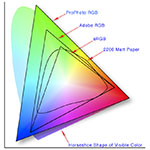
Almost all cameras let you choose between an AdobeRGB or sRGB setting. This determines the colour space for your photos. AdobeRGB can display more colours than sRGB. Which one is best to set on your camera?
The chosen colour space determines how many colours can be seen in your photo. Or rather, how many colours can be displayed. The AdobeRGB colour space can show more colours than an sRGB colour space.
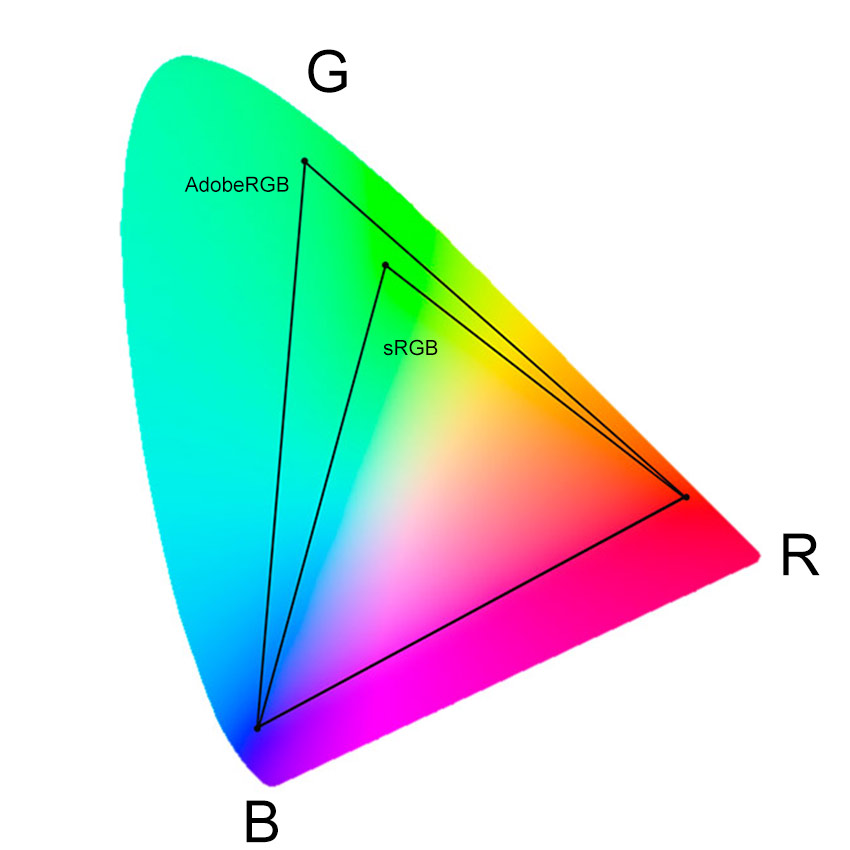
This should make things very simple. The more colours that can be used, the better. That would mean it makes sense to simply set the colour space in your camera to AdobeRGB. Or does it?
sRGB is the standard colour space
Most applications you need a photo for still use sRGB as the standard. Just look at what happens when you send a photo to a print lab or have a photobook made. sRGB is always required.
A photo that is not in sRGB can also show colour deviations on the internet. The colours then look duller and less vibrant. A monitor can also display the wrong colour if the photo is not in sRGB.
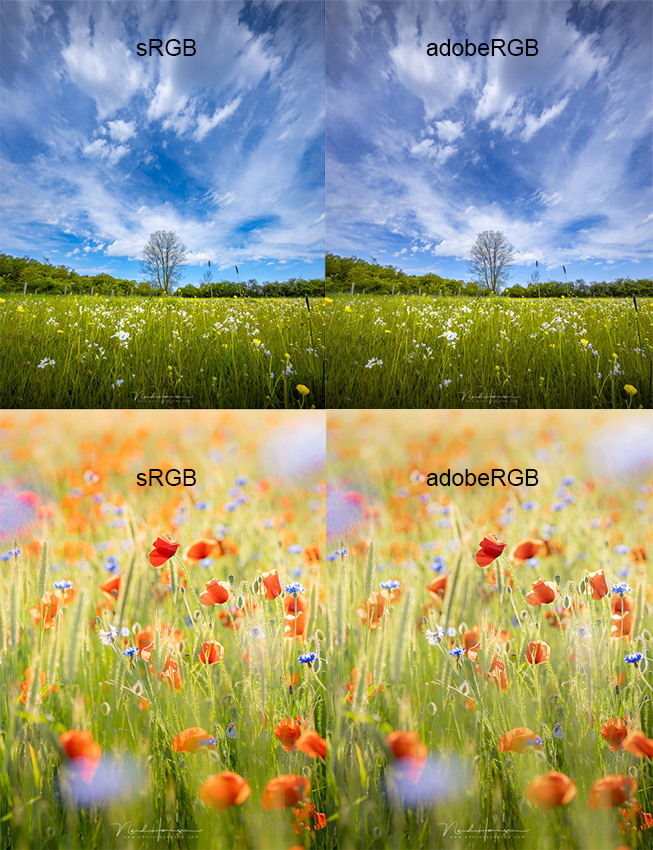
If your photo is set to AdobeRGB, it may look fine on your computer. But on someone else's computer, the photo may be displayed completely incorrectly. Or the photo prints may show the wrong colours.
For those who photograph in raw
Do you photograph in raw format? Then the chosen colour space on your camera makes no difference at all. The raw file is only raw sensor data. A colour space is assigned only when you view the raw file in a raw editor and export it.
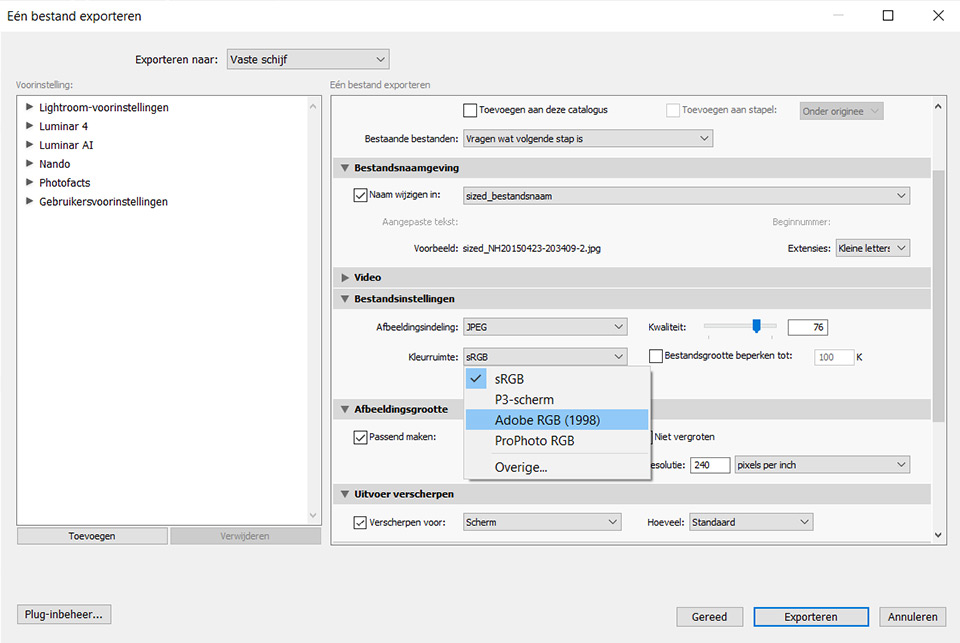
In fact, you can simply ignore the colour space set on your camera. Bear in mind that the chosen colour space can be saved as a 'setting' in your raw file. This is just like the white balance, which is saved as a 'setting'.
For those who photograph in JPEG
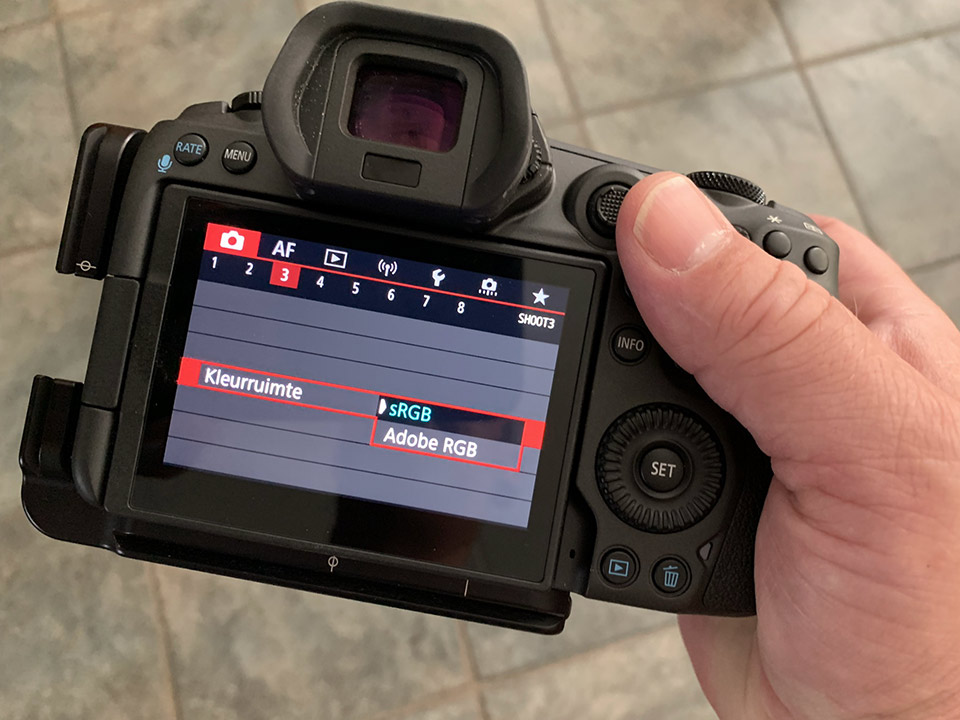
Do you not use raw and simply photograph in JPEG? Then it is sensible to set your camera's colour profile to sRGB. This ensures that the colours are displayed correctly everywhere and at all times.
Would you still rather use AdobeRGB? Then bear in mind that there are situations where you need to convert the colour space to sRGB to prevent the colours from showing deviations.
AdobeRGB or sRGB, which for whom?
If you photograph in raw, the chosen colour space on your camera makes no difference. A colour space is assigned in the raw editor only when you export.
If you photograph in JPEG, choose sRGB. This prevents colour shifts when viewing the photo on your computer, TV, on the internet or in prints.
So when do you use the AdobeRGB setting on your camera? That is not entirely clear to me. I have not yet found a sensible use for it. But perhaps you know a very good reason to choose AdobeRGB after all. If so, let us know in a comment below this article.
About the author
Nando Harmsen has been photographing for more than 40 years. He specialises in wedding photography and landscape photography. Nando also gives talks, workshops, masterclasses and photo trips, and regularly reviews new and interesting equipment.
You might also like
-
 Which Colour Profile Should You Use for Your Photos?
by Nando Harmsen
-
 Optimise the Distribution of Space
by Nando Harmsen
-
 Model shoots in small spaces
by Frank Doorhof
-
 Review of the Eizo ColorEdge CG3100X monitor
by Nando Harmsen
-
 Away from the Open Space
by Michiel Heijmans
-
 10 tips to save hard drive space
by Nando Harmsen
8 comments
-
 D de Leeuw wrote on Friday 30 July 2021 at 09:59 | reply
Dear Nando, no opinion but a question. I personally capture my images in RAW, but if you were to capture in JPEG, wouldn't it be better to choose AdobeRGB, assuming that during post-processing you have more color space when exporting to sRGB and that the result is better than exporting from sRGB to sRGB? This is especially noticeable in the transitions in color gradients in, for example, a blue sky and sometimes also in B&W conversion. Curious to hear your opinion.
Translated from Dutch. -

 Nando
wrote on Monday 2 August 2021 at 09:44
| reply
Nando
wrote on Monday 2 August 2021 at 09:44
| reply
@D de Leeuw:
Translated from Dutch.
First of all, if you photograph in jpeg, there is nothing left to export, right? The photo from your memory card is the end result.
Or do you mean that the jpeg photo is also imported into a program like Lightroom and then exported again from there? I would not recommend this, because this leads to a loss of quality. And if you were to edit the jpeg in Lightroom, why not photograph in raw?
The gradations in a blue sky, in my opinion, have nothing to do with color space. This has to do with bit depth and jpeg compression. A jpeg only has 8 bits available, after all, so 256 brightness values. -
 RAWshooter wrote on Tuesday 3 August 2021 at 10:56 | reply
The theory says that a larger color space during editing allows for more nuances and can therefore produce a better result.
Translated from Dutch.
So according to that theory, as a JPG photographer you would be better off choosing AdobeRGB and converting the photo to sRGB at the end of the editing process.
Just as a RAW shooter, according to that same theory, would be better off choosing ProphotoRGB for editing after the RAW conversion.
However, your monitor (and possibly the printer) are the limiting factors. During all my experiments with color spaces, I have never managed to make the differences visible. So there is no difference whatsoever between a photo that is in sRGB from the start and the same photo that is edited in ProphotoRGB and then converted to sRGB at the very end. Not visibly and not even when using the Difference mode in Ps.
Now, that could be due to my monitor (which does reach 99% AdobeRGB according to the specs). By the way, I always used 8-bit with sRGB and 16-bit depth with ProphotoRGB. And that also doesn't make a damn bit of difference to the end result.
It is one of those typical persistent myths that just keep going around. Editing with more bits and a larger space also costs extra memory and CPU time.
It will only make a difference for HDR photography. But an HDR photographer doesn't shoot in JPG anyway and can therefore always perform the conversion as desired.
For a JPG, just set the camera to sRGB and also convert your RAW file directly to sRGB and 8 bits. As long as there are no printers that achieve a much larger color gamut than CMYK or sRGB, it makes no difference. -
 Karin Claus wrote on Tuesday 3 August 2021 at 12:42 | reply
Finally someone who agrees with my vision on colour spaces.
Translated from Dutch.
At the various photography courses they only talk about AdodeRGB and that this is the best starting point etc.
I once showed some photos (sRGB vs AdobeRGB) and sRGB really did look fresher than AdobeRGB.
I do have to say that at some print labs that can convert from AdobeRGB to sRGB, it goes right 9 times out of 10. People should know that a printer has CMYK as its colour space, which is even smaller than sRGB. Most printers can, however, convert sRGB to CMYK very well. and indeed as long as printers/displays still cannot handle a larger colour gamut and you only want to have photos printed or place them on the internet, sRGB is the best choice.
The rest nicely keep your RAW file for the future. -
 Hans van Vreeswijk wrote on Tuesday 3 August 2021 at 16:38 | reply
Manufacturers do their best to convert a capture from the sensor to an sRGB as well as possible, which you can easily print and project with the projector.
Translated from Dutch.
With RAW, you have to do that yourself and then export as sRGB, or print on a calibrated printer, not to mention calibrating your monitor, which is difficult on a laptop.
This takes time that you sometimes don't have, but on the other hand, with RAW you do have more
exposure latitude.
Remedy: save as sRGB jpeg and Raw so you can choose per photo. -
D de Leeuw wrote on Wednesday 4 August 2021 at 09:42 | reply
Dear Nando, I immediately take your point about bit depth from you because you are, after all, a professional photographer. As a hobby photographer, I will look into it. As I already wrote, I myself photograph in RAW, my partner in Jpeg on automatic, an image in Jpeg straight out of the camera can still be improved quite a bit, even if it is only for the highlights and shadows, some contrast,noise and sharpening. I accept that loss of quality. The overall "look"of the photo does become more pleasant to look at. Hence importing, editing and exporting. Moreover, the original is preserved and one can always return to it.
Translated from Dutch. -
guest wrote on Wednesday 4 August 2021 at 21:19 | reply
Never thought about it. good to be made aware of this.
Translated from Dutch. -
 Lex
wrote on Wednesday 1 September 2021 at 11:38
| reply
Lex
wrote on Wednesday 1 September 2021 at 11:38
| reply
The more color nuances, the better...
Translated from Dutch.
That is in fact the case. So aRGB certainly has an advantage over sRGB, but only if you use them correctly.
So... If you have an aRGB monitor and can print your photos at an aRGB printing center, then you are able to show more color nuances.
If, on the other hand, somewhere in your workflow there is a device that cannot handle aRGB, then the whole thing goes wrong.
Then you won't see the correct colors.
And because most devices (most monitors, printers, phones etc. use sRGB), the output still has to be sRGB. So for us "normal" users, it is best to simply keep your entire workflow in sRGB.
If you work professionally (for your profession) and sell your photos printed in aRGB, you can consider switching your entire workflow to aRGB, but then don't forget to convert photos intended for the web or phone to sRGB in the final step.
Have your say
Please note: Articles older than a week can only be commented on by signed-in visitors.Would you still like to comment? sign in or create a free account.
Become a better photographer every week
A practical photography tip in your inbox every week.
38,983 photography enthusiasts already receive the tips! More about the weekly mail. Or keep up to date via  Facebook.

Elja Trum
Photofacts; everything to do with photography!
Would you like to take better photos and keep up with what is happening in photography? Photofacts publishes articles that teach you something about photography — from a product announcement to a practical shooting tip or a look at a website. Photofacts covers photography every day and is a hobby project of Elja Trum's that got out of hand. The articles are written by a team of volunteer authors. If you would enjoy writing one or more articles for Photofacts, do get in touch.More about PhotofactsPhotofacts is made possible in part by
