

The best photo sizes for social media
Sunday 13 July 2025, 14:07 by Nando Harmsen | 5,085 views | 8 commentsThis article was translated from Dutch with the help of AI. Read the original.
Do you regularly post photos on social media, or do you use social media to show your portfolio? Make sure the photos you post are the optimal size. If you don't, they will always be displayed at poor quality.
I still see photos on Facebook from time to time with a message saying that the photo is actually better quality. If you post a photo in the right format (pixels), that won't happen. If your photo is poor quality, you uploaded it in the wrong dimensions.
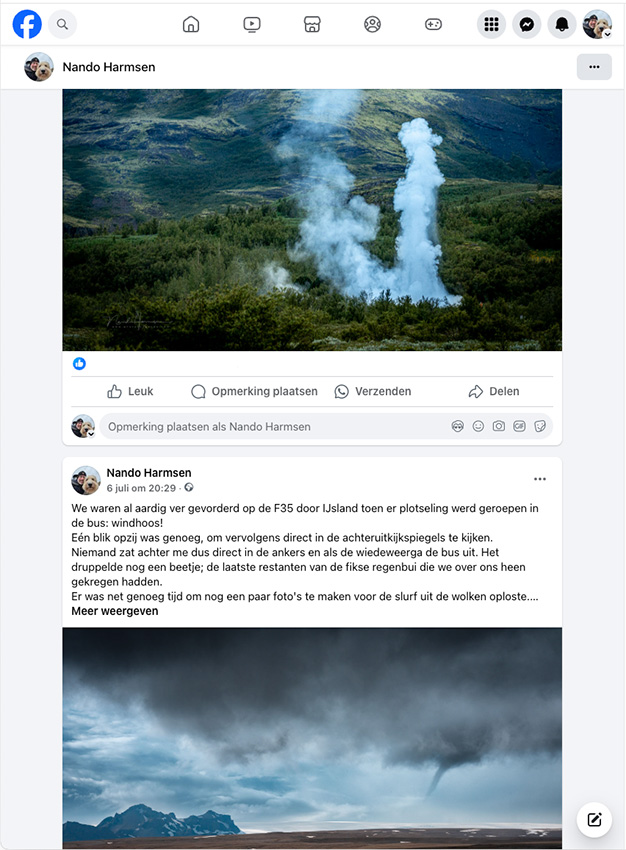
There are guidelines for image dimensions on social media. You do need to take the time to find those dimensions. For photography enthusiasts who want to show their photos as well as possible, this is extremely important.
Don't make your photos too small. If the dimensions in pixels aren't sufficient, the photo will be enlarged to the size shown on social media. The result is a lack of sharpness.
Don't make your photos too large. If the dimensions in pixels are too large, the photo will be reduced to the size shown on social media. That reduction is far from optimal, resulting in a lack of sharpness.
If you want the best possible display, follow the advice for uploading images. This is different for each type of image (profile, advertising, posts, etc.). If you follow that advice, your photo will be shown at the best possible quality.
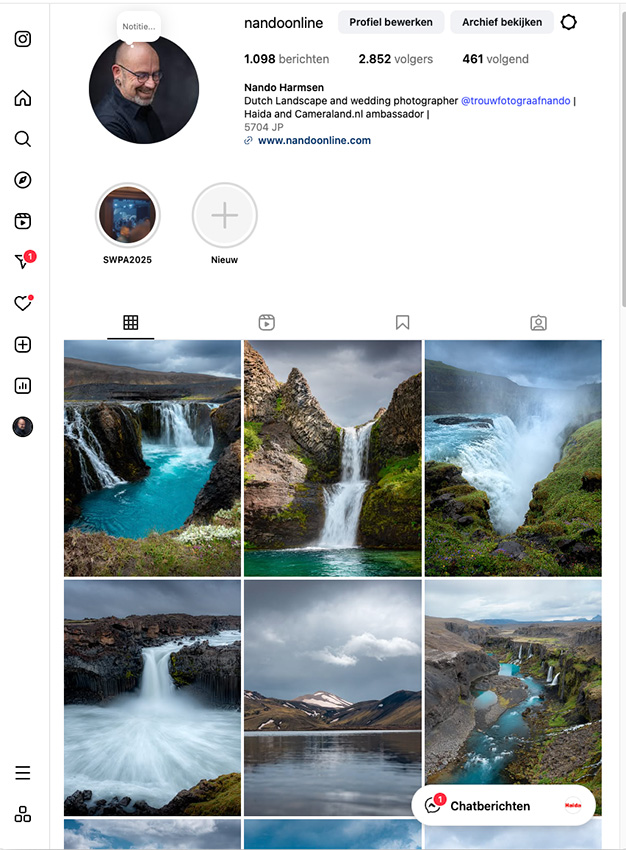
I won't list all the different photo sizes in this article. It's best to look up the specific purposes yourself. But for a number of social media platforms, these are the recommended dimensions as of July 2025.
Facebook
Portrait photo: minimum 500 x 750px, maximum 1080 x 1350px
Landscape photo: minimum 600 x 315px, maximum 1200 x 630px
Square photo: minimum 500 x 500px, maximum 1200 x 1200 px
Instagram
Portrait photo: minimum 600 x 750px, maximum 1080 x 1350px
Landscape photo: minimum 600 x 337px, maximum 1080 x 566px
Square photo: minimum 600 x 600px, maximum 1080 x 1080px
LinkedIn
Portrait photo: minimum 200 x 383px, maximum 627 x 1200px
Landscape photo: minimum 200 x 105px, maximum 1200 x 627px
Square photo: minimum 200 x 200px, maximum 1200 x 1200px
Bear in mind that quality also depends heavily on the way you reduce the size of your photo. Reducing the dimensions means throwing pixels away. Sometimes a great many.
Throwing pixels away causes a lack of sharpness. That's why it's important to always apply sharpening again after reducing the size. Sometimes the software does this for you, or the option is available. Sometimes you have to do it yourself. Always pay attention to this.
About the author
Nando Harmsen has been photographing for more than 40 years. He specialises in wedding photography and landscape photography. Nando also gives talks, workshops, masterclasses and photo trips, and regularly reviews new and interesting equipment.
You might also like
-
 Tip: How to Make Social Media Photos Stand Out More?
by Huub Keulers
-
 Review: Sony ZV-E1
by Antonette de Groot
-
 Word 'Leica' banned on Chinese social media after controversial 'Tank Man' video
by Michelle Peeters
-
 Modesty becomes the photographer
by Yljas Roeper
-
 Worth watching: 'social distancing photoshoot' on YouTube
by Michelle Peeters
-
 And 7 more tips to beat pandemic boredom
by Erik van Rosmalen
8 comments
-
 Donald Willemsen wrote on Sunday 13 July 2025 at 14:38 | reply
As far as I know, Facebook has always recommended 2048 pixels for the longest side. The shortest side is then automatically adjusted to the aspect ratio (for example 3:2).
Translated from Dutch. -

-
 Maurice wrote on Tuesday 15 July 2025 at 15:57 | reply
Clear explanation Nando, one more question. I always adjust the dimensions when exporting from Lightroom, is it then wise to also tick sharpening for screen? Regards, Maurice
Translated from Dutch. -
-
 Dick wrote on Tuesday 15 July 2025 at 18:27 | reply
Sounds nice, but why, if I for example post a photo 2048x.... on FB and later take a full-image screenshot of it there, I end up at, for example, 2050px, although I do measure fewer pixels than the photo actually had. So the photo has shrunk but not to the number of pixels recommended by FB.
Translated from Dutch. -
-
Donald Willemsen wrote on Wednesday 16 July 2025 at 10:21 | reply
Dick, I use the same dimensions as you and I share your experience.
Translated from Dutch. -
 r0bert. wrote on Thursday 17 July 2025 at 10:49 | reply
Dick + Donald: 2048px is generally seen as the safest option for sharing online. It’s not for nothing that Lightroom chooses (approximately) that size when exporting for, for example, Instagram. The lists that circulate are indeed about the “minimum” size, not the best one.
Translated from Dutch.
You also need to be careful with blindly checking the sharpening box. Sharing platforms such as Flickr, Tumblr and WordPress often already apply automatic sharpening themselves for optimal display - when you’ve already sharpened beforehand as well, that results in ugly oversharpened photos.


Have your say
Please note: Articles older than a week can only be commented on by signed-in visitors.Would you still like to comment? sign in or create a free account.
Become a better photographer every week
A practical photography tip in your inbox every week.
38,886 photography enthusiasts already receive the tips! More about the weekly mail. Or keep up to date via  Facebook.

Elja Trum
Photofacts; everything to do with photography!
Would you like to take better photos and keep up with what is happening in photography? Photofacts publishes articles that teach you something about photography — from a product announcement to a practical shooting tip or a look at a website. Photofacts covers photography every day and is a hobby project of Elja Trum's that got out of hand. The articles are written by a team of volunteer authors. If you would enjoy writing one or more articles for Photofacts, do get in touch.More about PhotofactsPhotofacts is made possible in part by
