

Review: Discover Photoshop Elements 2022
Saturday 11 December 2021, 15:30 by Elja Trum | 5,154 views | 0 commentsThis article was translated from Dutch with the help of AI. Read the original.
Every autumn, Adobe releases a new version of the photo-editing programme Photoshop Elements. Shortly afterwards, André van Woerkom always publishes a new book in which he explains all the new features in detail.
Photoshop Elements is the smaller sibling of Photoshop, with plenty of functionality for photographers. A great advantage is that you are not tied to a subscription with this programme. The latest version offers intelligent options for editing images, such as presets and filters.
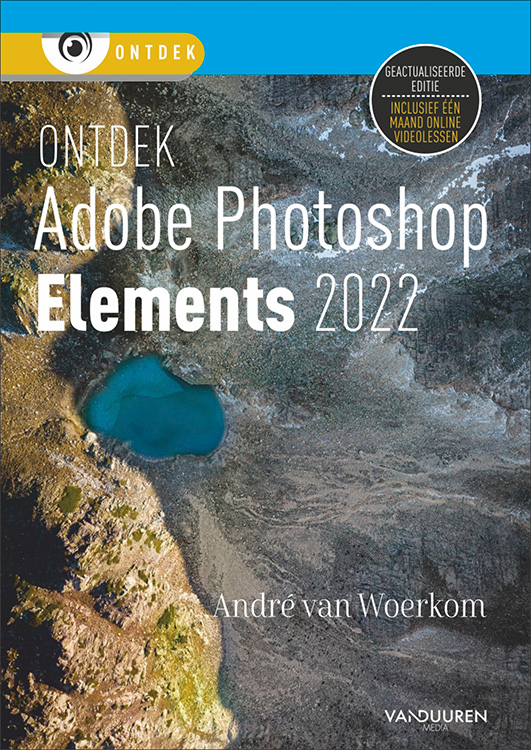
The book consists of 12 chapters:
1. Getting to know the Organizer
2. Working with the Editor, Quick mode
3. Guided mode
4. Correcting and retouching
5. Image size
6. Making selections
7. Working with layers
8. Transforming
9. Text, shapes, layer styles and backgrounds
10. Drawing, painting and erasing
11. Better management
12. Special projects and output
Photoshop Elements consists of two parts: the Editor and the Organizer. You can use the Organizer to manage your photo library. You actually edit your photos in the Editor. Both are of course discussed extensively in this book, with most of the explanation naturally focusing on the Editor.
Each explanation consists of a step-by-step description of what you need to do and a description of the various options.
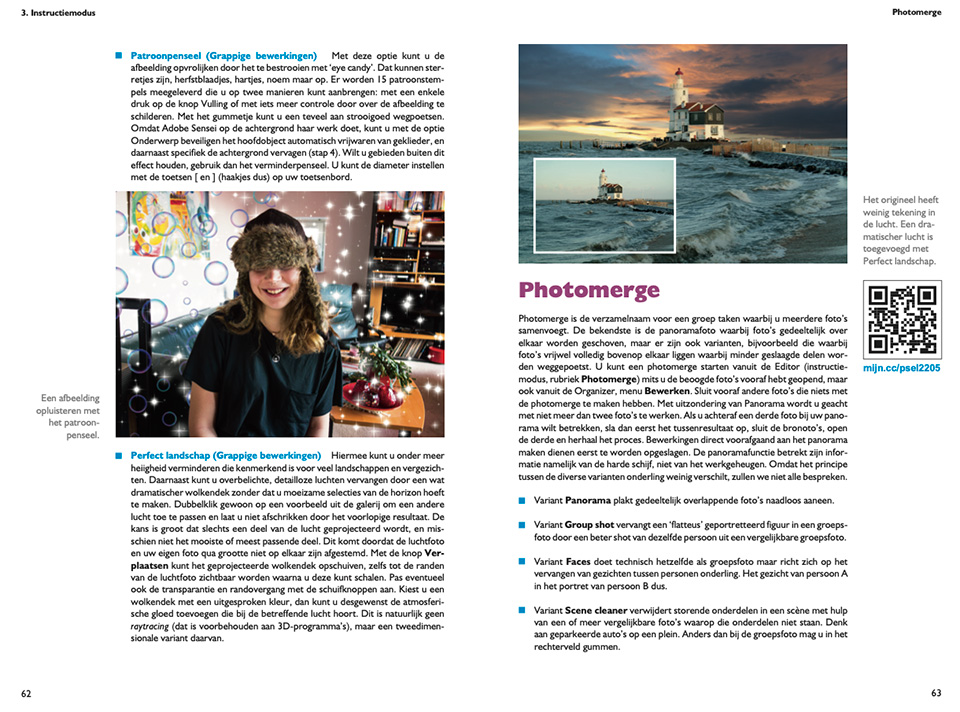
Includes practical demonstrations
André also updates his Photoshop Elements course at Photofacts Academy every year. This year's updates will also appear soon. The book also refers to the videos, which you can then watch for free.
When you buy the book, you also receive one month's free access to all the courses on Photofacts Academy, more than 85 in total, so you can pick up many more useful tips to improve your photography.
Conclusion
This book is ideal for anyone who wants to start editing their photos with Photoshop Elements. Anyone who finds 'the real' Photoshop a step too complex will certainly find their way around this programme with the help of this book.
The videos are a useful addition. They show André actually carrying out the edits, so you can copy him exactly.
Price and availability
Photoshop Elements 2022 contains 256 pages. It will cost 29.99 euros, but it can currently be pre-ordered until 20 December 2021 for 24.99 euros. The book will become available on 20 December.
» Order Discover Photoshop Elements 2022
About the author
Elja Trum is the founder of Photofacts and online photography course website Photofacts Academy. He has been writing about photography since 2006. Elja is also the author of (Dutch) books on composition, black-and-white photography, flash photography and portrait photography.
You might also like
-
 Review: Discover Photoshop Elements 2021
by Elja Trum
-
 The New Photoshop 2020 Updates
by Nando Harmsen
-
 Replacing skies in Photoshop is getting easier
by Johan Elzenga
-
 How much do Lightroom and Photoshop subscriptions really cost?
by Nando Harmsen
-
 Review: Canon EOS R7
by Nando Harmsen
-
 Review: The Photoshop Layers Book - Johan Elzenga
by Michelle Peeters
0 comments
Be the first to share what you think!
Have your say
Please note: Articles older than a week can only be commented on by signed-in visitors.Would you still like to comment? sign in or create a free account.
Become a better photographer every week
A practical photography tip in your inbox every week.
39,024 photography enthusiasts already receive the tips! More about the weekly mail. Or keep up to date via  Facebook.

Elja Trum
Photofacts; everything to do with photography!
Would you like to take better photos and keep up with what is happening in photography? Photofacts publishes articles that teach you something about photography — from a product announcement to a practical shooting tip or a look at a website. Photofacts covers photography every day and is a hobby project of Elja Trum's that got out of hand. The articles are written by a team of volunteer authors. If you would enjoy writing one or more articles for Photofacts, do get in touch.More about PhotofactsPhotofacts is made possible in part by
