

Review of the fantastic Canon EOS R6 Mark II
Friday 13 January 2023, 15:51 by Nando Harmsen | 12,740 views | 12 commentsThis article was translated from Dutch with the help of AI. Read the original.
Canon Nederland sent me the EOS R6 Mark II for a review. Thanks to the Christmas holidays, I was allowed to keep the camera a little longer than intended.
Unfortunately, I had to send the camera back afterwards, because it is a fantastic tool for photographers. These are my findings.
The Canon EOS R6 Mark II is the second version of what was already a superb camera. Read my review of the Canon EOS R6 and discover why.
With the Mark II, Canon has still managed to introduce quite a few improvements, turning the EOS R6 Mark II into a mini EOS R3. Not without reason.
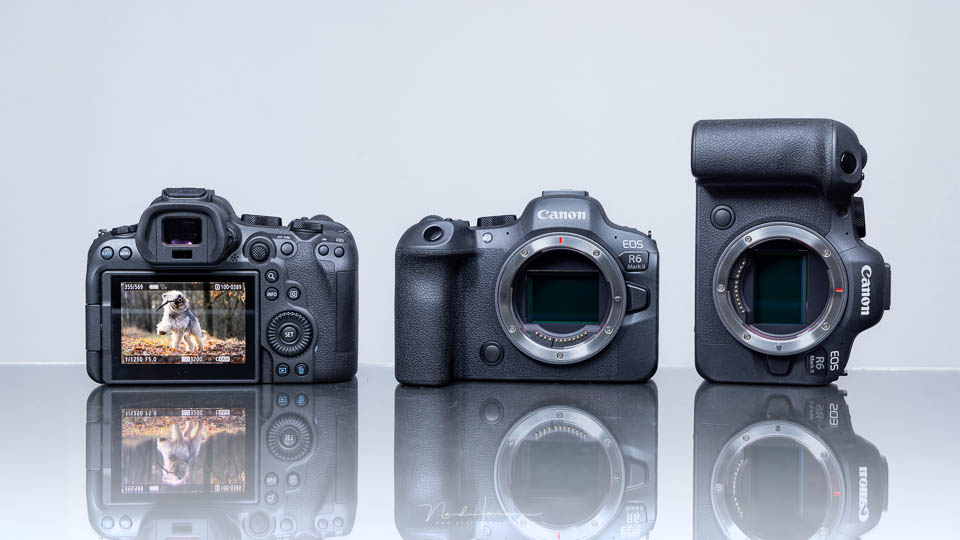
Specifications and appearance
At first glance, the Canon EOS R6 Mark II looks almost identical to the first version. There are a few subtle differences that you only notice when you have the camera in your hands.
The biggest change is the change to the main switch. It is now used to switch between video and stills.
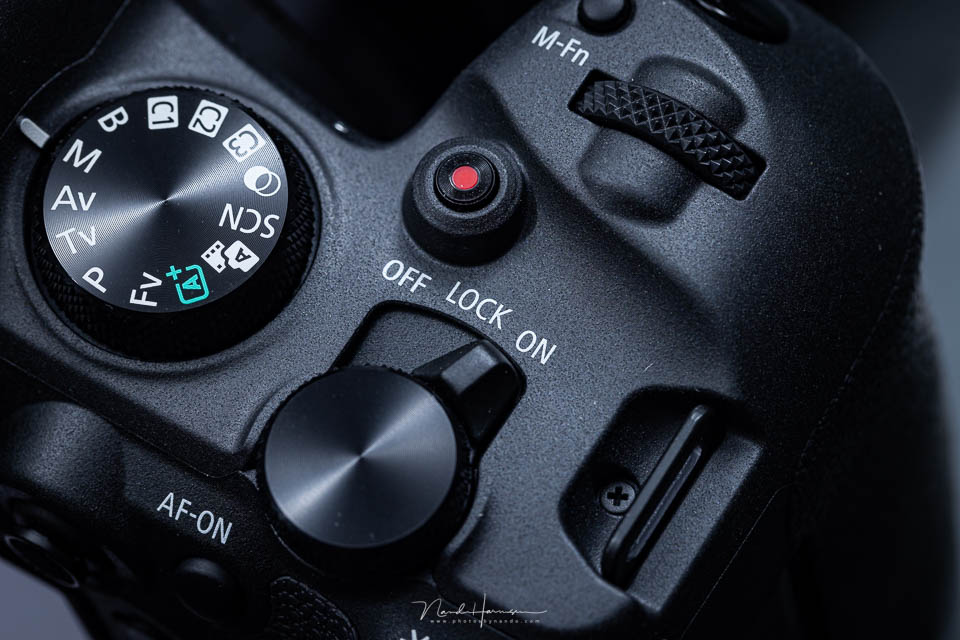
The main switch has been given a new position, around the control dial on the top plate. This makes it easier to operate the camera with one hand.
More importantly, there is now a switch for video. Since switching to video is no longer part of the PASM dial, you can use all exposure settings for video.
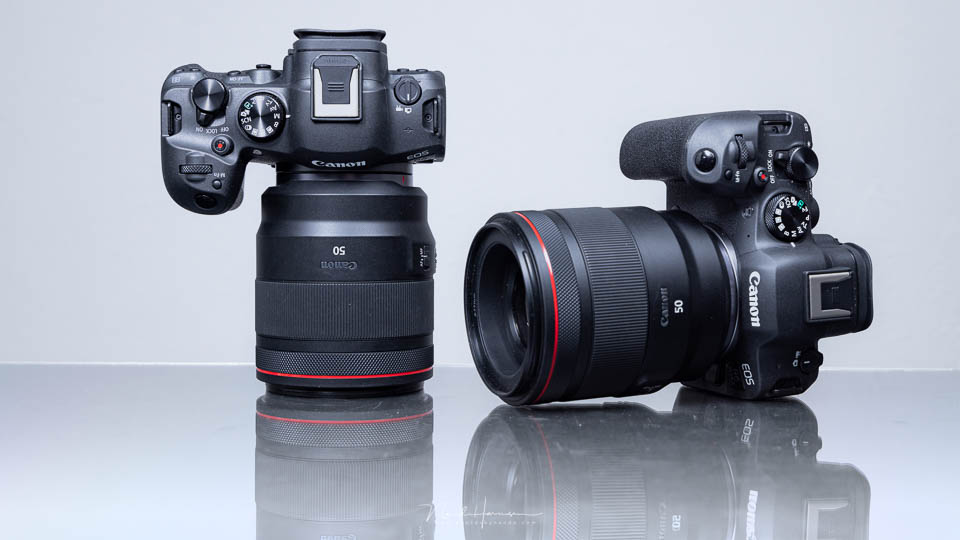
All the other changes are under the bonnet. These are also the most important changes, making this a genuinely improved version of the camera. I will list some specifications that I consider the most important.
- 24-megapixel CMOS sensor
- AF tracking for people, animals and vehicles
- Left and right eye selection in eye AF
- Customisable AF zone selections
- 12 frames per second mechanically, 40 frames per second electronically
- Raw burst modes at 30 frames per second and up to 0.5 seconds of pre-shooting
- Image stabilisation up to a maximum of 8 stops
- Focus stacking, including stacking in the camera
- Moving subject HDR (JPG)
- 3.68-million-dot OLED electronic viewfinder with a 120-frame-per-second refresh rate
- 1.62-million-pixel LCD touchscreen, 3 inches and fully articulating
- Two UHS-II SD card slots
- New position for the main switch and movie switch
I did not use the camera for filming, as I did not have enough time. The Canon EOS R6 Mark II is better suited to it than its predecessor, with 4K 50p video oversampled from 6K, or 6K ProRes RAW video when combined with an Atomos Ninja recorder.
There is no 30-minute limit for video, although at the highest frame rate the camera will record for 40 to 50 minutes before temperature becomes a problem.
C-Log3 is available, as is a false colour overlay for judging exposure settings more accurately. Proxies are also possible.
The sensor in the EOS R6 Mark II has a very short readout time, which means rolling shutter is minimal. More on that when I discuss the camera's speed for stills photography.
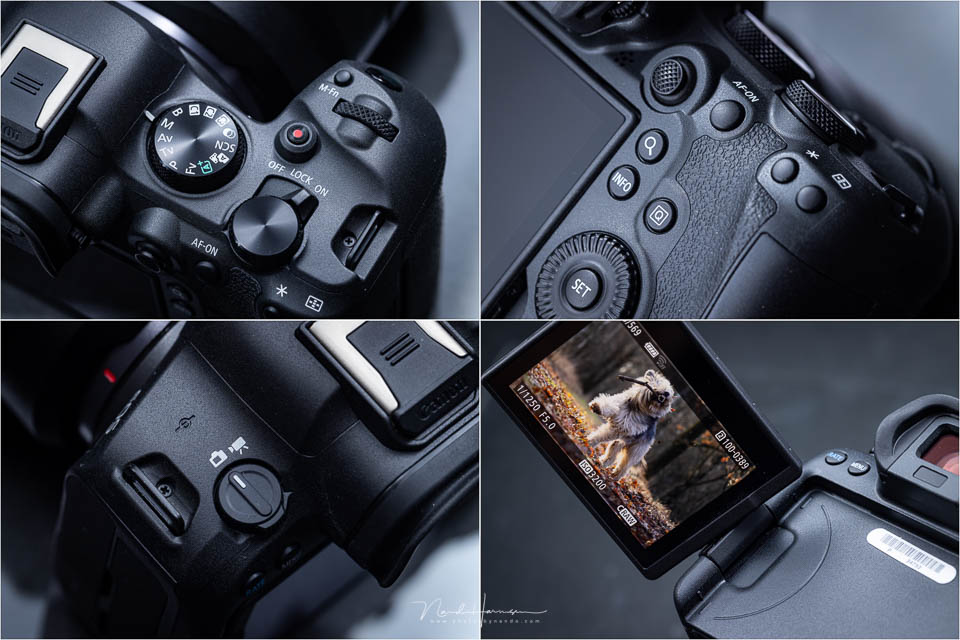
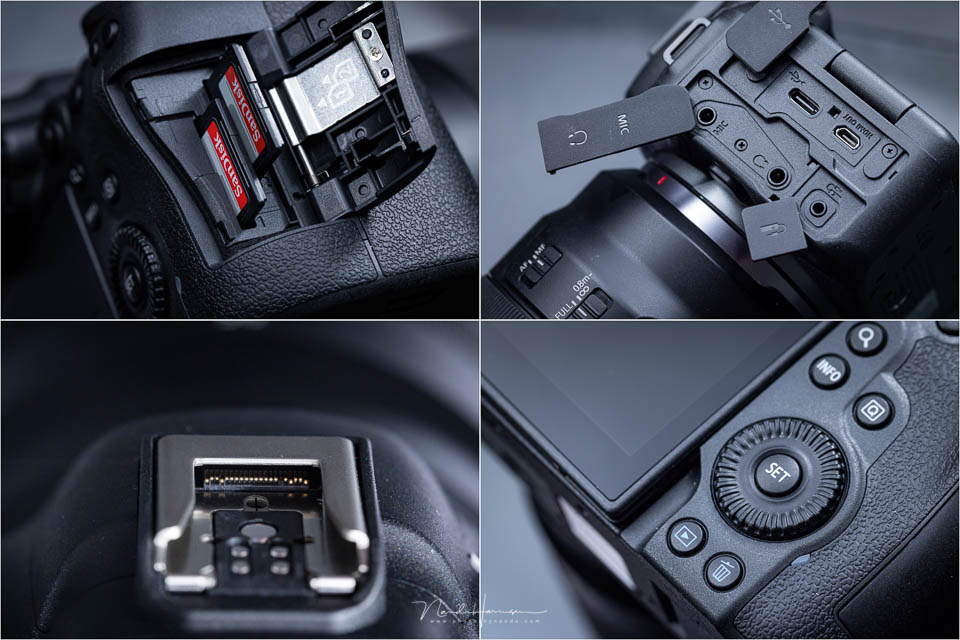
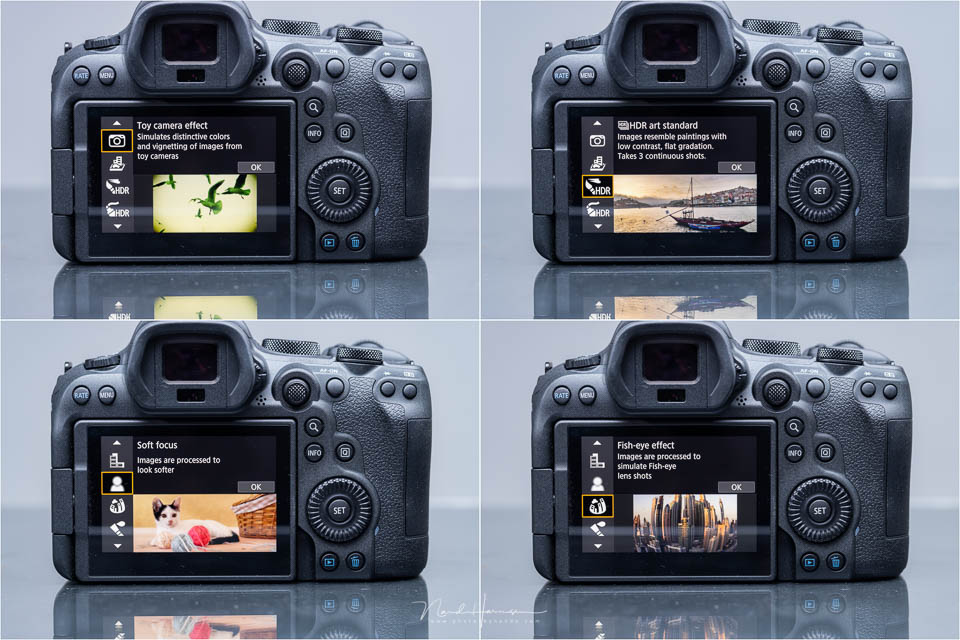
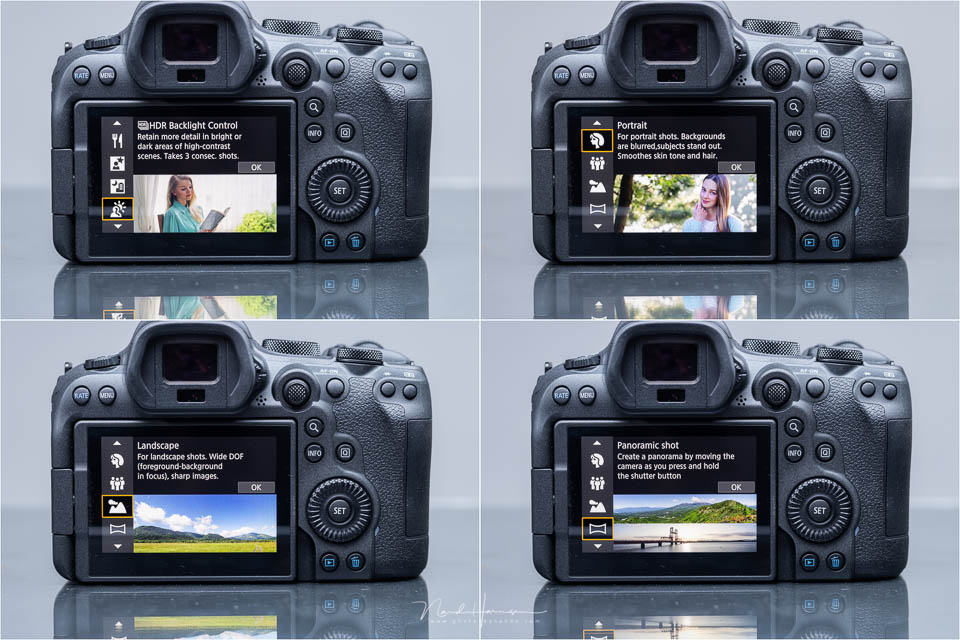
As mentioned, the appearance is almost unchanged. The same applies to the menu. As you can see in the photos of the camera, there is little more to say about it. The EOS R6 Mark II does have the option of a simplified menu, with all image profiles and creative settings.
Settings and autofocus
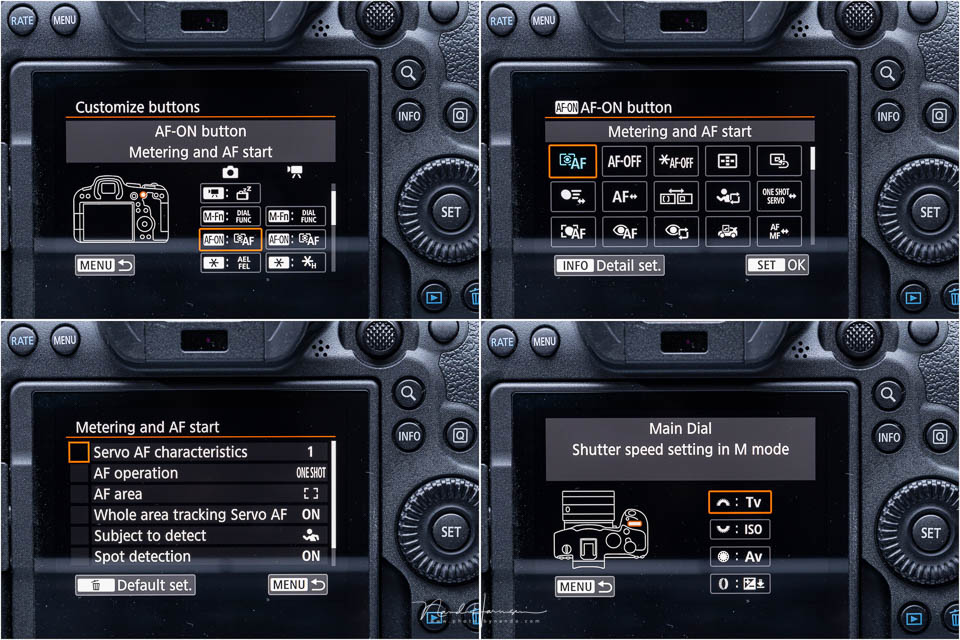
The Canon EOS R6 Mark II has a revised M-Fn menu, putting more options within easy reach. This is separate from the Quick menu, shown on the LCD screen using the Q button. The options in the M-Fn menu and the Q menu can be customised as required.
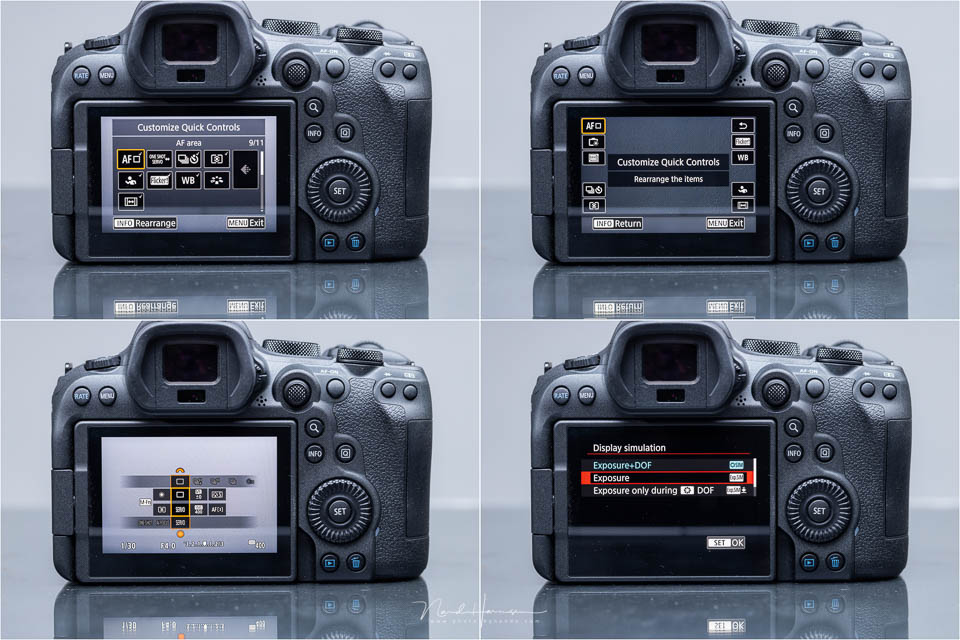
The camera allows you to customise the buttons and control dials. This goes exceptionally far for the autofocus menu. You can define its behaviour in detail.
If you use more than one button for autofocus, for example both the asterisk and AF-ON buttons, the behaviour can be set separately for each button.
The autofocus menu offers many ways to adjust autofocus behaviour during tracking. New is the extended subject recognition. This now includes people, animals, dogs, cats, birds and hoofed animals, as well as vehicles, race cars, motorbikes, aeroplanes and trains.
You can also let the camera choose for itself, which is useful when you often get different subjects in the frame. Eye AF can now also be set with a preference for the left or right eye.
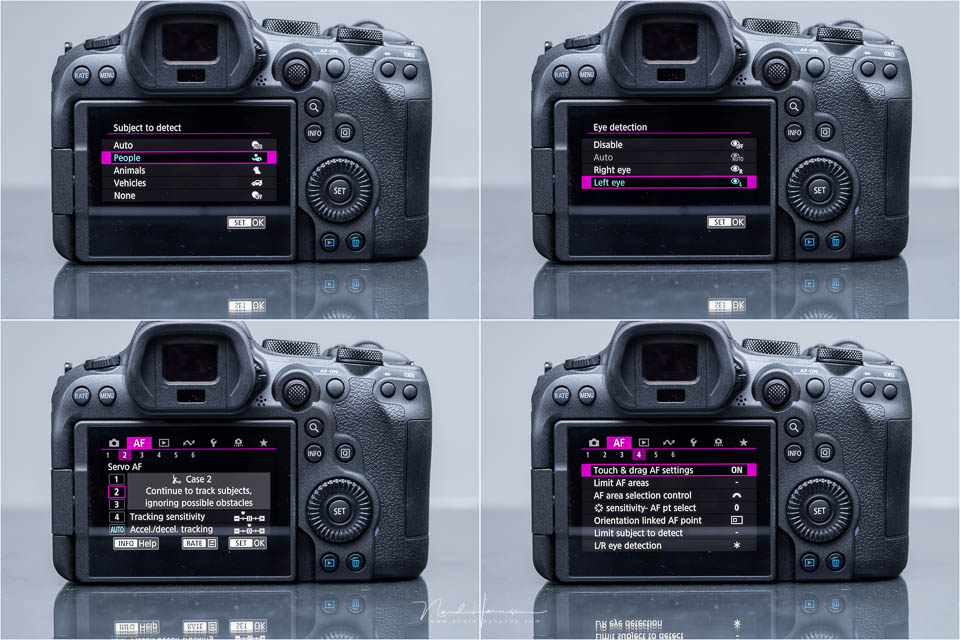
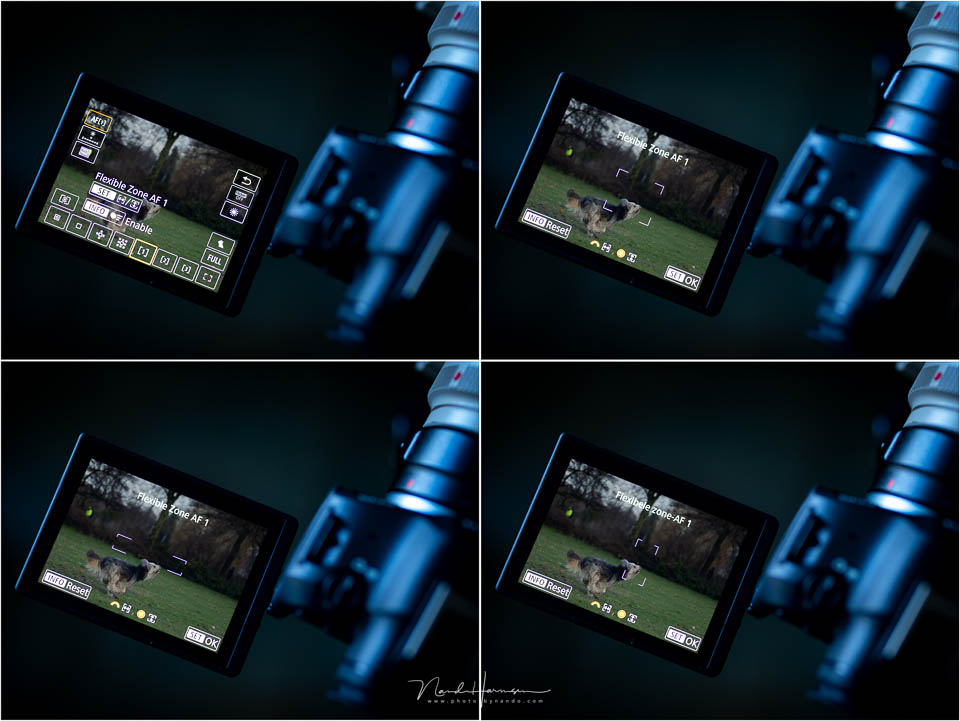
A fantastic option is the ability to set the part of the frame where autofocus operates. By default, this is the entire image, but if you want to use just part of the image, you can choose this yourself.
There are three programmable settings, allowing you to configure the camera fully for the type of action you photograph.
Camera speed
When using the mechanical shutter, the EOS R6 Mark II reaches a respectable 12 frames per second. You can take more than 1,000 shots without filling the buffer. This applies to JPEG and CRAW file formats.
Switch to the electronic shutter and the speed is an impressive 40 frames per second. With the buffer, you can photograph 190 JPEG images in succession, or 100 CRAW images. If you photograph in uncompressed RAW, you can take 75 images.
It is interesting to look at the rolling shutter effect. The sensor readout is so fast that it is barely noticeable. There is some rolling shutter, but very little. This is very impressive, making the camera well suited to action photography.
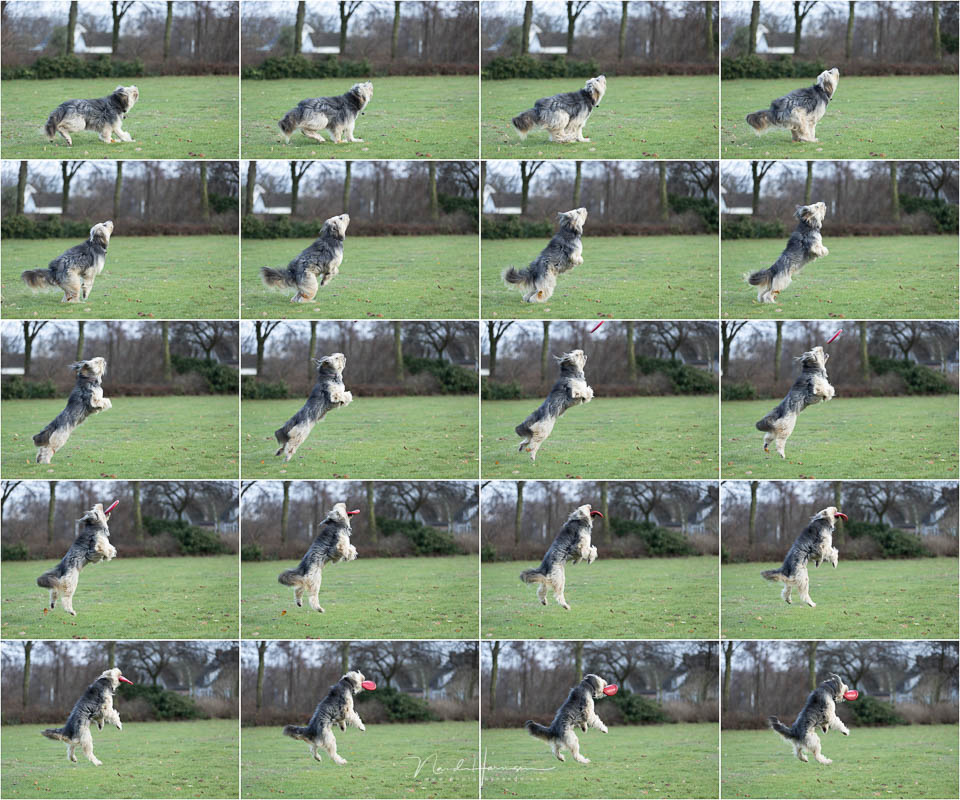
The EOS R6 Mark II also has a RAW burst mode. This saves a series of images in one file, after which you can select them in the camera. The speed is limited to 30 frames per second in this case, and you can photograph up to 190 photos per burst.
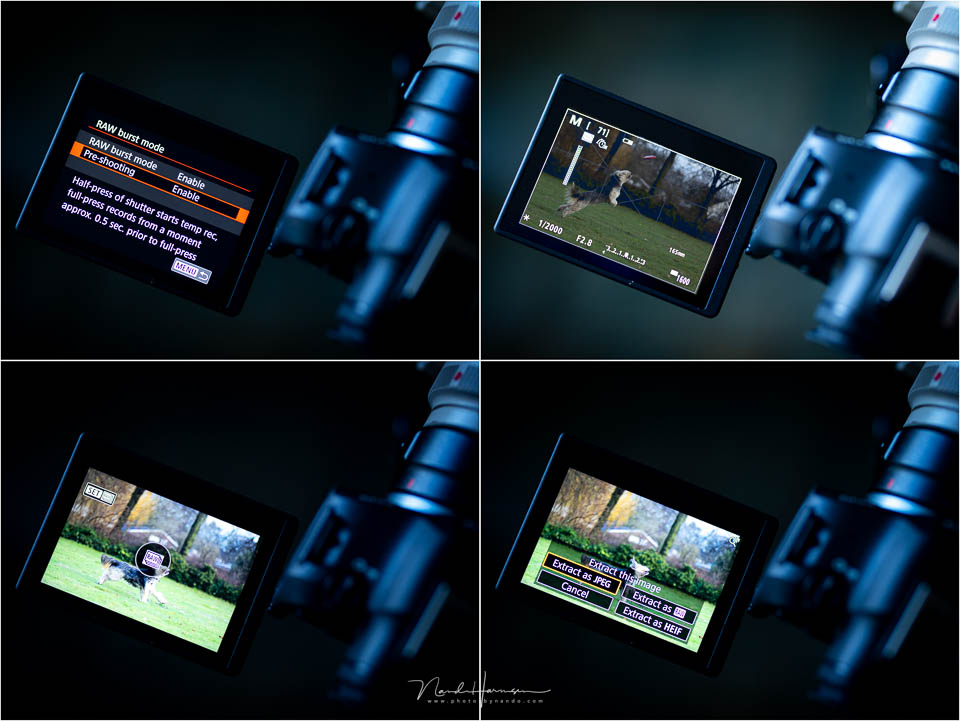
It is even possible to save images from up to half a second before you fully press the shutter button. As long as you keep the shutter button half-pressed, the camera will already start recording. This is a useful option for capturing the action in full.
Images from the RAW burst mode can be extracted from the file as JPEG, HEIF or RAW. You have to do this before you can use the photos from the RAW burst mode.
It is worth knowing that while the camera is saving the images from the burst, you cannot use the camera for a short while.
ISO performance and dynamic range
The first version of the camera was already good when it came to ISO performance and dynamic range. The EOS R6 Mark II is slightly better. The camera does not have a stacked sensor, and it is not backside illuminated.
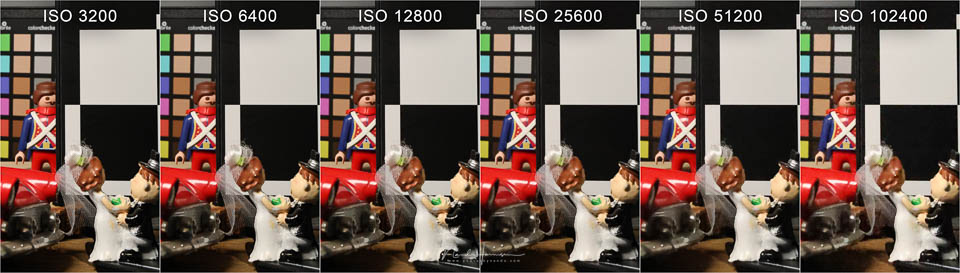
Nevertheless, you can use the camera perfectly well up to ISO 12,800, and even higher if you accept a little noise. The example photos are in-camera JPEG images.
I tested the dynamic range by underexposing RAW images in the camera and then correcting them in Lightroom Classic. I noticed that a photo taken at ISO 400 and underexposed by 5 stops can be corrected well. The noise remains under control.
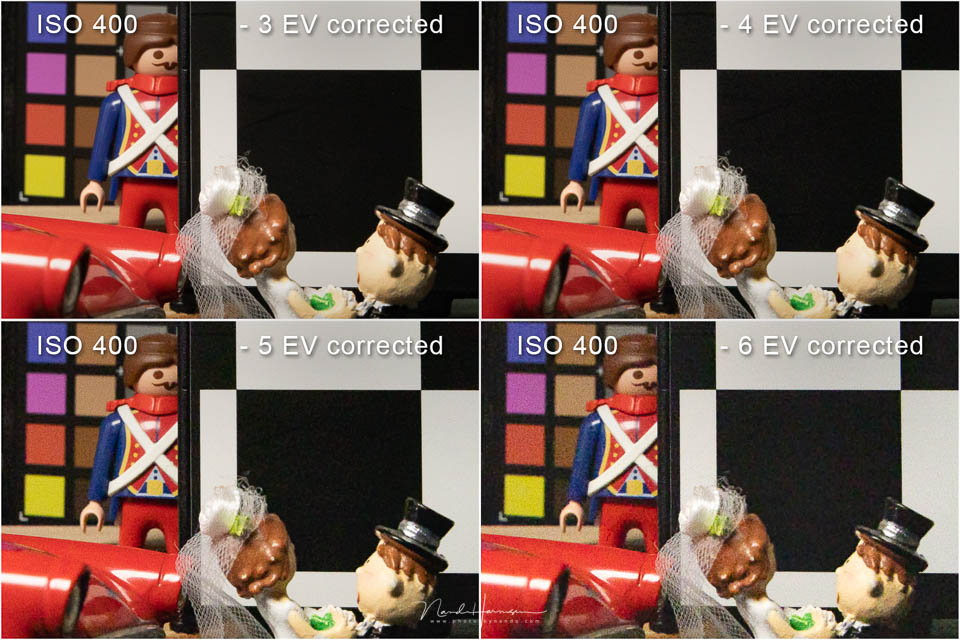
You could go a little higher, for example to 6 stops of underexposure, but the noise then becomes more noticeable. You could possibly remove this with a noise reduction programme.
Using it in practice
I have always found Canon EOS mirrorless cameras comfortable to hold. The buttons and control dials are in logical places, and overall the camera's ergonomics are among the best on the market.
The EOS R6 Mark II is no exception. It takes a little getting used to the main switch being in a new position, but you soon get used to it.
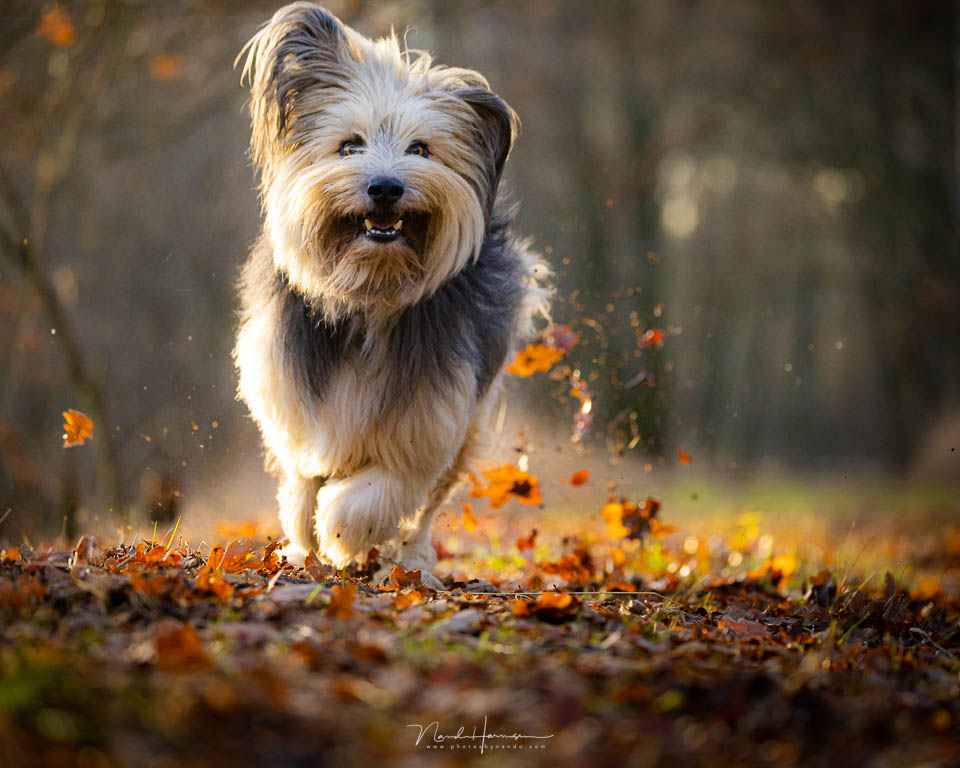
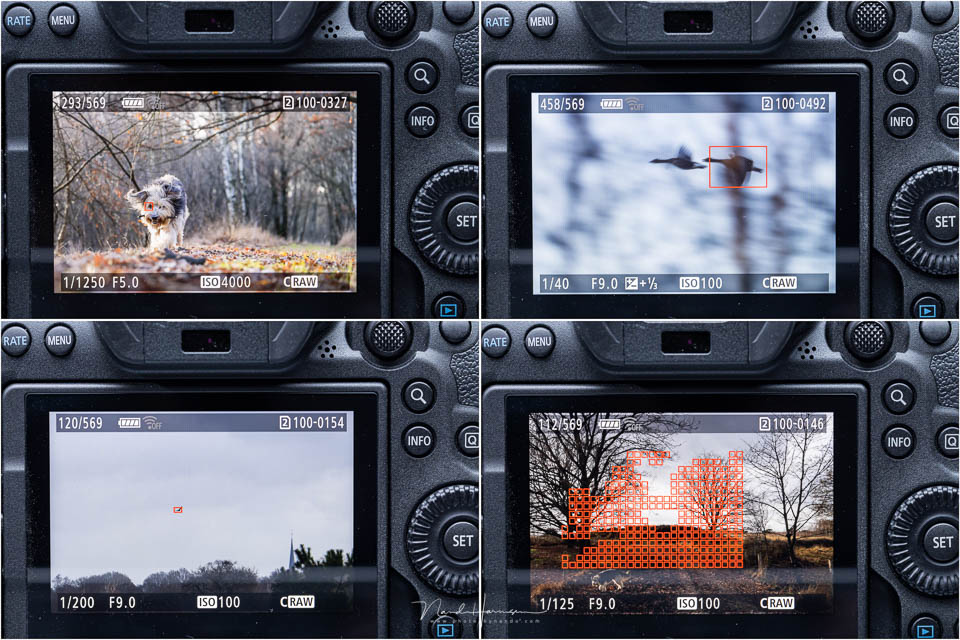
The camera is fast, and the autofocus is accurate and flexible. No action seems too fast. With the electronic shutter, you can even reach 1/16,000 second, provided the light allows it.
My dog Bruc, with all his wild fur, sometimes makes it difficult for the camera to find his eye. Even I cannot see the eye then.
If the camera cannot find an eye, the autofocus automatically and seamlessly switches to head or body autofocus. If an eye is visible, the EOS R6 Mark II picks it up perfectly.
It is useful that the autofocus can be configured in detail for a particular subject using multiple buttons.
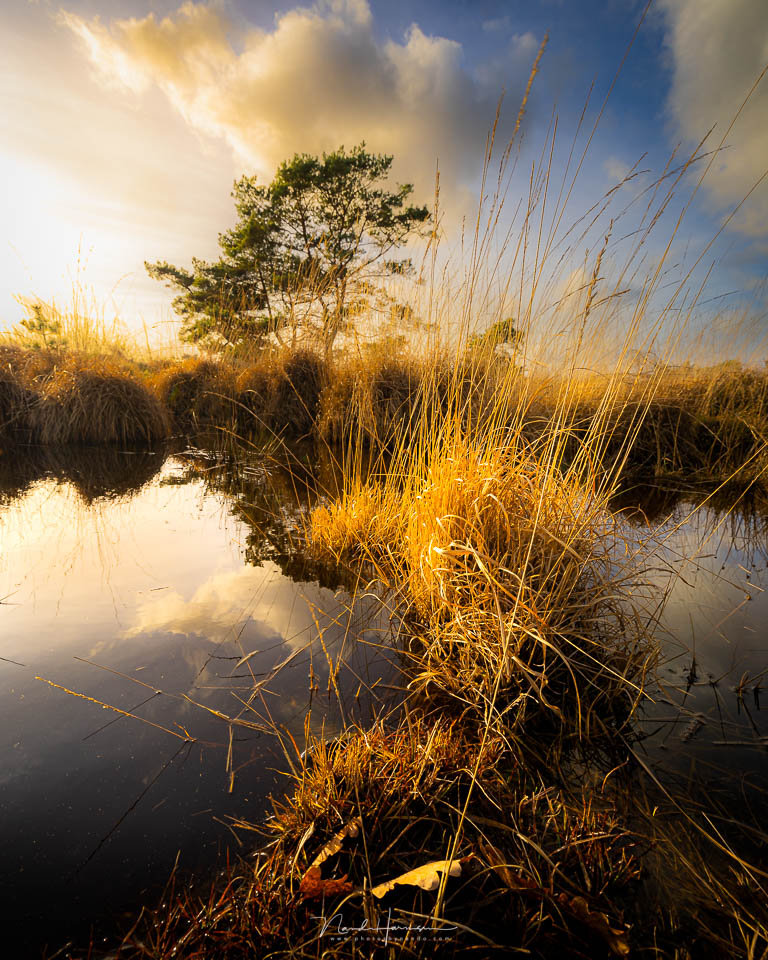
The autofocus also manages to find a subject perfectly in dark situations, something I have seen recent cameras from other brands struggle with. I feel I can trust the autofocus blindly.

One of the great options is the ability to set the autofocus zone. At first, this may seem like merely a nice feature, but it allows you to use autofocus very selectively while retaining tracking and subject recognition.
My conclusion
Photographing with the Canon EOS R6 Mark II actually surprised me. I am used to this type of camera and know what to expect. This camera exceeded my expectations.
It is rightly a mini R3, both in terms of speed and autofocus capabilities. Based on my own experience, I am convinced that the Canon EOS R6 Mark II is currently the best camera in this price segment.
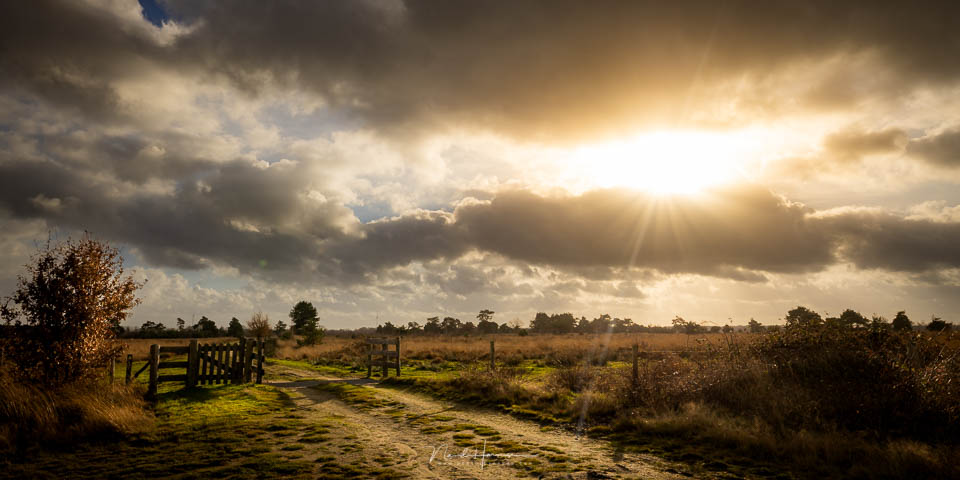
There are still some improvements and options that I have not mentioned, or have only touched on briefly. The focus stacking, which supports up to a maximum of 999 photos and combines the stack into a JPEG in the camera, is ideal, as is the bulb timer. There is timelapse, pre-shooting, and improved Wi-Fi and Bluetooth connectivity.
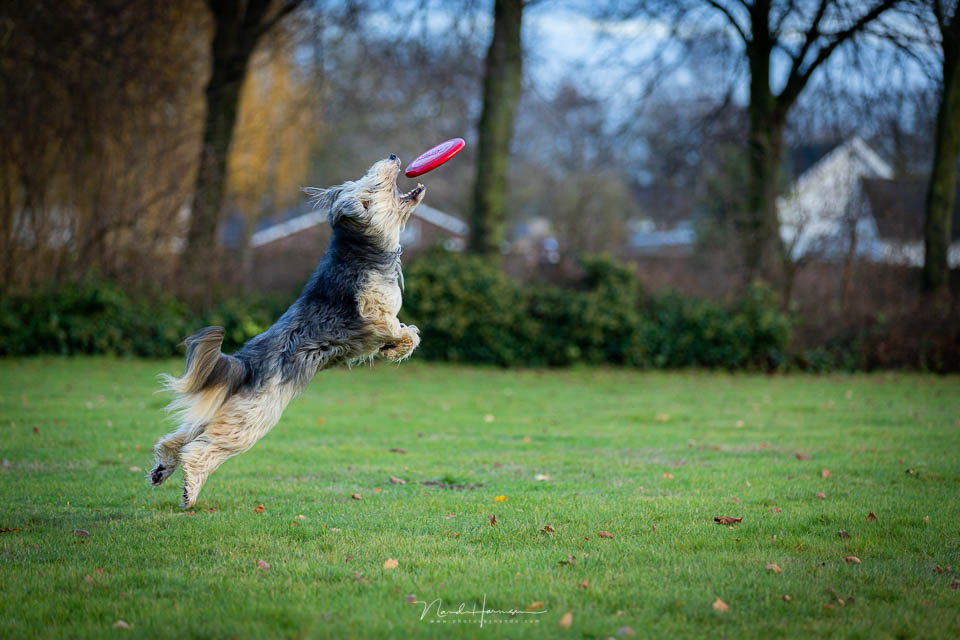
There are still a few things I would like to see done differently. An RS-80N3 remote control instead of the RS-60E3 would be nice. A full-size HDMI port and an AF/MF switch on the body, like on the EOS R7 and EOS R10, would also be welcome.
But what I miss most is an easier way to activate exposure bracketing.
What I like
- Speed of up to 40 frames per second
- Pre-shooting up to 0.5 seconds
- In-camera focus stacking and merging
- Dynamic range and ISO performance
- Autofocus system with subject recognition
- Customisable zone AF, with three presets
- Extensive M-Fn menu options
- New position of the main switch
- 4K 50p video oversampled from 6K
- 180 fps slow motion
- False colour overlay for video
- C-Log3
What could be improved
- Full-size HDMI port
- No AF/MF switch on the body
- Exposure bracketing should be more accessible
- No LCD screen on top of the camera
- The remote control is the RS-60E3 instead of the RS-80N3
- Switch for video/stills may be too prominent
These last points are only minor things I would like to see done differently. All in all, I am certain that the Canon EOS R6 Mark II is a fantastic camera that is more than worth the money. I dare call it the best camera in this price segment.
About the author
Nando Harmsen has been photographing for more than 40 years. He specialises in wedding photography and landscape photography. Nando also gives talks, workshops, masterclasses and photo trips, and regularly reviews new and interesting equipment.
You might also like
-
 Review: Canon EOS R6
by Nando Harmsen
-
 Review of the Canon EOS M50 mark II
by Nando Harmsen
-
 Review: Canon EOS R6 mark III
by Nando Harmsen
-
 Review: Canon EOS R5
by Nando Harmsen
-
 Review: Canon EOS R7
by Nando Harmsen
-
 Review: Canon EOS R3
by Nando Harmsen
12 comments
-
 Edwin wrote on Tuesday 17 January 2023 at 11:14 | reply
I have also had this camera for a short while and take beautiful photos with it.
Translated from Dutch.
I would like someone with a lot of experience to set up the camera in such a way that the photos might look even better. -

 Nando
wrote on Tuesday 17 January 2023 at 15:40
| reply
Nando
wrote on Tuesday 17 January 2023 at 15:40
| reply
Settings can help you take a successful photo. However, settings cannot help make the photo look better. No camera can do that.
Translated from Dutch.
To give an example. It is possible to choose autofocus settings for a certain type of photography so that focusing works as optimally as possible. This increases the chance that photos will be sharp. That does not necessarily mean the photo will look beautiful. That depends on composition, filling the frame, image structure, posture, et cetera.
But perhaps that is what you mean? -
 Paul eos wrote on Tuesday 17 January 2023 at 13:37 | reply
The quick switch between photo and movie mode on the Eos R6 Mark II made me decide to trade in my R6 for the R6 Mark II. I thought my R6 was a very good camera, but the R6 mark II is still a few steps higher, which Nando also described very well. I also film a lot with the camera and the Mark II is very suitable for that too. I mainly photograph and film nature in every respect and this camera gives me a very good feeling about that. The new hot shoe is also a bullseye, I can now attach the new microphone to the camera without batteries for filming, one less worry about your battery unexpectedly running out. The new transmitter (ST-E10) without a battery is also a great added value, I can now use my flashes (430EXIII-RT) anywhere to flash a subject independently of the camera, I can set the flash control entirely according to my wishes via the camera's menu.
Translated from Dutch.
My best camera ever, that R6 mark II -
Edwin wrote on Tuesday 17 January 2023 at 16:07 | reply
But if a setting isn't right, the photo won't have the wow effect, for example if you have the white balance set incorrectly. I have to be honest and say that I'm also not very good at determining the composition in some cases.
Translated from Dutch. -
-
 Martin Smit wrote on Tuesday 17 January 2023 at 21:22 | reply
The camera has wonderful AF capabilities, but even after a lot of tuning it is difficult to use it together with an R5. In particular, I miss the ability to quickly switch to a single autofocus point, without subject recognition. This could be solved by not giving the spot AF point eye or subject AF. Furthermore, the PASM dial could have a lock, it has been turned unintentionally more than once. Otherwise a wonderful all-round camera, also suitable for fast movement or dark environments
Translated from Dutch. -
Nando
wrote on Wednesday 18 January 2023 at 09:32
| reply
You could program the asterisk button for an AF point without subject recognition. Then AF-ON is for the normal cases, and the asterisk for when you need to quickly switch to single-point AF without subject recognition.
Translated from Dutch. -
Edwin Kasteleijns wrote on Tuesday 17 January 2023 at 22:23 | reply
I have saved a number of settings under C1 C2 and C3 so that I can switch a bit faster if needed, but have also sometimes forgotten to adjust them, I had taken some panning photos at 1/30 sec when 2 dogs suddenly passed by, so unfortunately they were a bit blurry.
Translated from Dutch. -
 Frouke Ringenoldus
wrote on Friday 20 January 2023 at 07:48
| reply
Frouke Ringenoldus
wrote on Friday 20 January 2023 at 07:48
| reply
What I keep missing with many cameras nowadays is the GPS. An indispensable tool, especially during travel photography.
Translated from Dutch. -
Nando
wrote on Sunday 22 January 2023 at 14:14
| reply
@Frouke,
Translated from Dutch.
I used to think that too. But a GPS logger is a very handy and versatile alternative that works perfectly. I've found that I actually prefer using it over relying on a camera's GPS. Obviously, that's personal.
In any case, keep in mind that there are more ways to get your location into your photos.
In my course on Lightroom Modules at Photofacts Academy, and particularly the map module, I go into that in great depth. -
 Peter wrote on Thursday 15 June 2023 at 11:03
| reply
Peter wrote on Thursday 15 June 2023 at 11:03
| reply
Hi Nando, another great review. You remain the kind and highly knowledgeable 'master'! I really should come and take a masterclass with you again soon.
Translated from Dutch.
Now that we're talking about a course, I think a course on the R6 II would be really great, especially taught by you. Perhaps there are more photographers who would be interested. Would you be open to that, and how many students could/would you then have? There are already quite a few owners with questions in this discussion alone..
All the best, Nando! -
Nando
wrote on Thursday 15 June 2023 at 13:15
| reply
Thank you for your response, Peter.
Translated from Dutch.
A course on the R6 is very specific, and not easy either. What should it be suitable for? Aimed at the landscape photographer? The action photographer? The model photographer?
Many settings discussed in the responses are not camera-specific. So that could apply to multiple cameras.
But I will think about it.
Have your say
Please note: Articles older than a week can only be commented on by signed-in visitors.Would you still like to comment? sign in or create a free account.
Become a better photographer every week
A practical photography tip in your inbox every week.
38,938 photography enthusiasts already receive the tips! More about the weekly mail. Or keep up to date via  Facebook.

Elja Trum
Photofacts; everything to do with photography!
Would you like to take better photos and keep up with what is happening in photography? Photofacts publishes articles that teach you something about photography — from a product announcement to a practical shooting tip or a look at a website. Photofacts covers photography every day and is a hobby project of Elja Trum's that got out of hand. The articles are written by a team of volunteer authors. If you would enjoy writing one or more articles for Photofacts, do get in touch.More about PhotofactsPhotofacts is made possible in part by
