

Review: Special Photography Techniques, Panoramas, HDR, Virtual Tours and More
Friday 27 September 2019, 15:30 by Michelle Peeters | 7,114 views | 2 commentsThis article was translated from Dutch with the help of AI. Read the original.
In the digital age, taking photos with special photography techniques has become a hot topic. More and more photographers are seeing the added value of a panorama, an HDR image or a photo taken with a special filter.
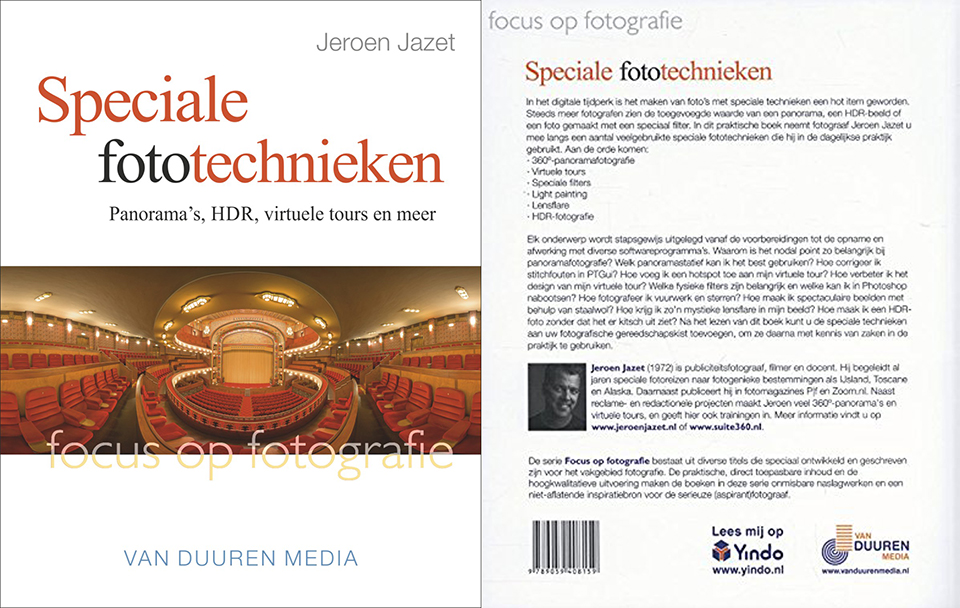
In this practical book, photographer Jeroen Jazet takes you through a number of commonly used special photography techniques that he uses in everyday practice. The following topics are covered:
- 360-degree panoramic photography
- Virtual tours
- Special filters
- Light painting
- Lens flare
- HDR photography
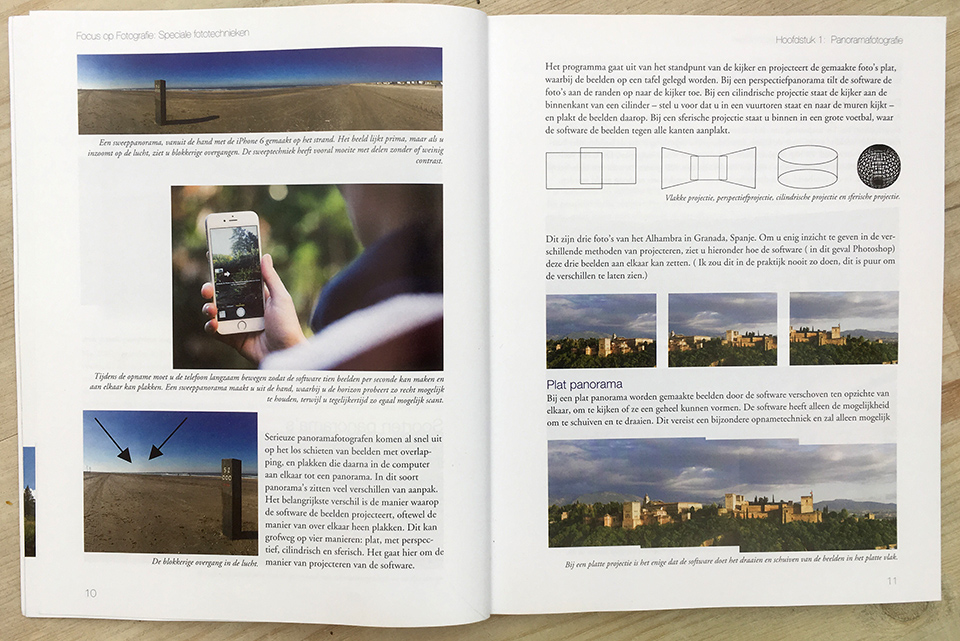
Each subject is explained step by step, from preparation to taking the photo and finishing it with various software programmes. Why is the nodal point so important in panoramic photography? Which panoramic tripod should I use? How do I correct stitching errors in PTGui?
How do I add a hotspot to my virtual tour? How do I improve the design of my virtual tour? Which physical filters are important and which can I recreate in Photoshop? How do I photograph fireworks and stars? How do I create spectacular images using steel wool?
How do I get that mystical lens flare in my image? How do I create an HDR photo without it looking kitsch? After reading this book, you can add these special techniques to your photographic toolbox, and then use them in practice with confidence.
Jeroen Jazet
Jeroen Jazet is a commercial photographer, filmmaker and teacher. For years, he has led special photography trips to photogenic destinations such as Iceland, Tuscany and Alaska. He also publishes in the photography magazines P|f and Zoom.nl.
Alongside commercial and editorial projects, Jeroen creates many 360-degree panoramas and virtual tours, and also provides training in these areas. You can find more information at www.jeroenjazet.nl or www.suite360.nl.
Foreword
None of the techniques covered in the book can be seen with the eye. Our eyes are limited when it comes to seeing the things around us. We can see approximately 120 degrees across when combining the view from both eyes.
The dynamic range of our eyes is also fairly limited. Our eyes can distinguish 10-12 stops of contrast. In an ordinary photo, often only 5-6 stops of contrast can be distinguished. In an HDR photo, however, you can capture as much as 20 stops of contrast, much more than the eye can see. Another limitation of the eye is perceiving movement.
Our eye works, broadly speaking, with a shutter speed of approximately 1/25 of a second. In a photo, you can show faster shutter speeds, and with an ND Big Stopper you can take this even further. You see things you have never seen before, such as moving clouds, and suddenly you can write with light in photos.
The northern lights, for example, are much easier to see in a photo than with the naked eye. The eye also struggles to look into the sun, which is even dangerous. In a photo, however, it creates a beautiful effect. In fact, taking photos with special techniques frees us from a visual limitation.
This introduction shows exactly what this book is about and what the power of these special techniques is, allowing you to really write with light.
Contents
1. Panoramic photography
2. Taking panoramas
3. Finishing panoramas
4. Virtual tours
5. Special filters
6. Lens flare
7. Light painting
8. HDR photography
Author Jeroen Jazet took a long time to master a number of techniques, such as shooting 360-degree panoramas, working with ND filters and creating HDR images. He noticed that there were few 'How to' books on these subjects.
Through plenty of trial and error, he managed to master these techniques. With this book, he now aims to share that knowledge because there is a great need for it, both among professionals and amateur photographers.
Panoramic photography, taking and finishing
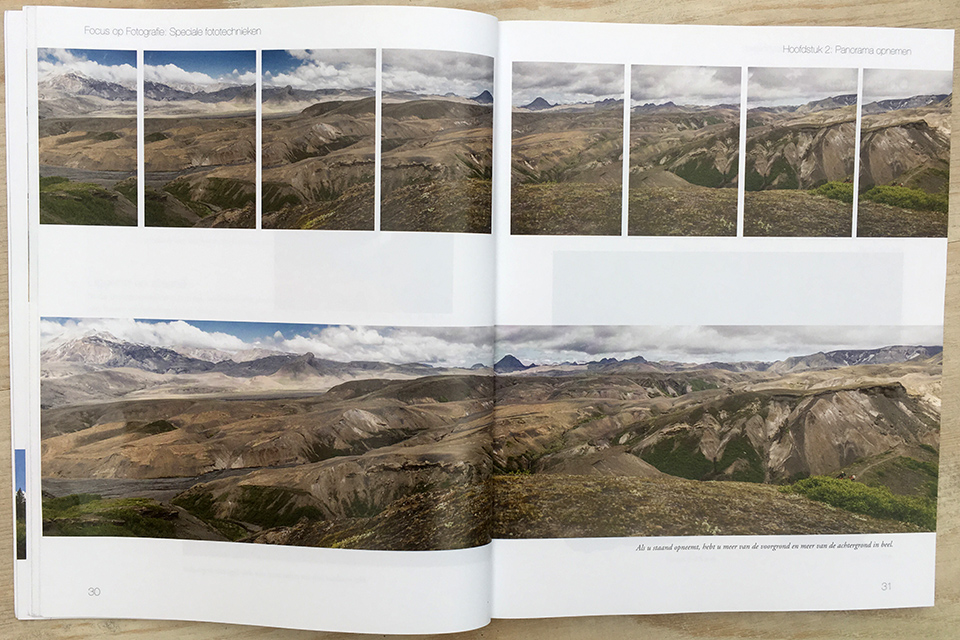
The most special photography technique in this book is probably panoramic photography. If you want to do it properly, there are quite a few pitfalls. The book explains these clearly.
Getting the nodal point right is especially important for a good end result. The pivot point of the tripod must be directly above the aperture of the lens. This never works with a normal tripod head, because it cannot be adjusted backwards, sideways and so on.
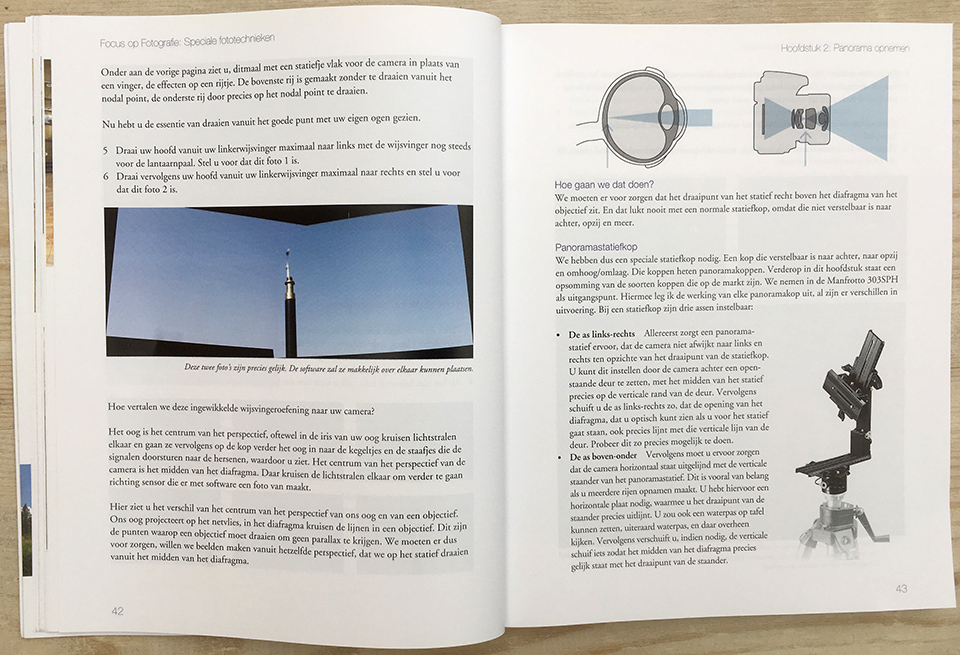
You need to set your camera manually. The camera must be taken off autofocus and you need to focus at the hyperfocal distance, which you can calculate with a DOF calculator. The ISO must also be set manually, as must the white balance. It is also useful to use a self-timer.
The book is written for anyone who wants to progress with their photography. You do not need years of experience as a photographer to understand everything. In principle, everything is described in such a way that everyone can follow it.
For some techniques, you do need some experience and the learning curve can sometimes be steep. You therefore need some perseverance, as well as some special equipment such as a panoramic head and an ND filter set. For light painting, a torch, some colour filters and a whisk with tungsten wire are enough.
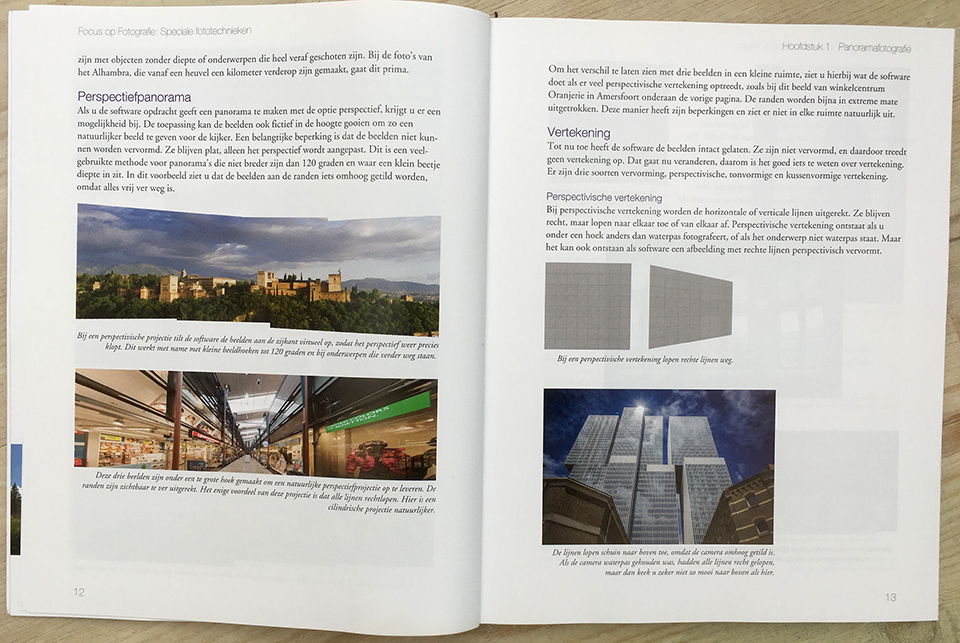
In the chapter 'Finishing panoramas', you will find a complete workflow for finishing a panorama you have shot. How to create a flat, cylindrical and spherical panorama and how to put together a virtual reality film. Finally, how to finish an HDR panorama.
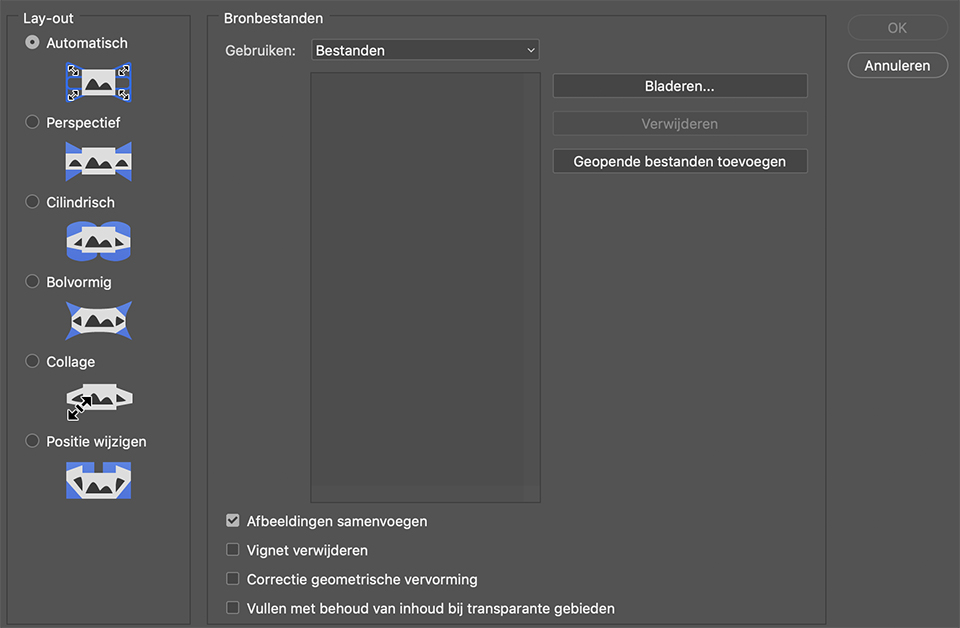
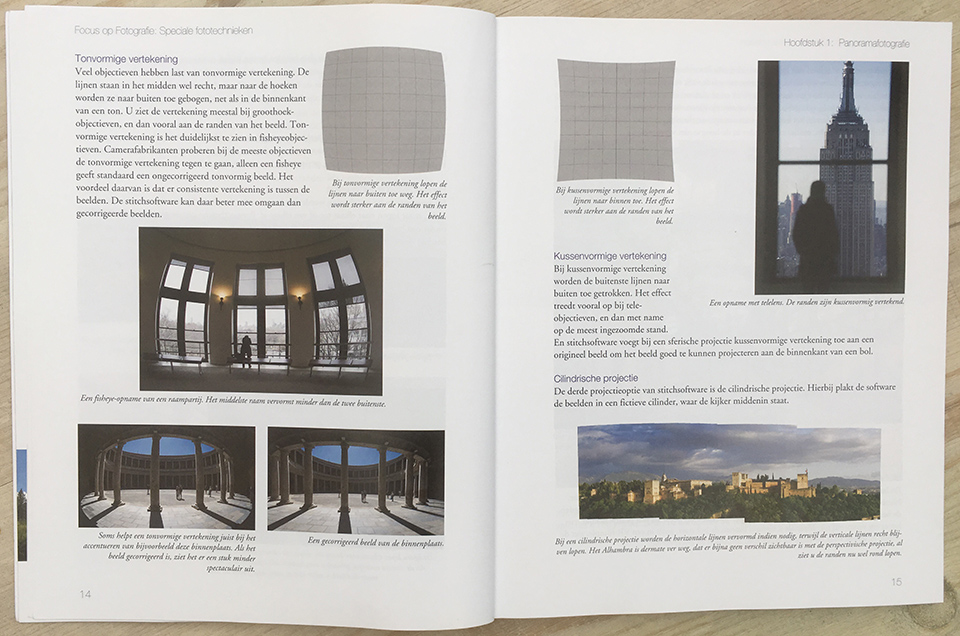
Both the manual and automated workflows present you with a selection screen containing various projection options for panoramas:
- Perspective: with this option, Photoshop also tilts the images virtually, allowing perspective to appear in the images;
- Cylindrical: Photoshop will virtually stick the images to the inside of a cylinder, causing the horizontal lines to distort;
- Spherical: with this option, the images are projected onto the inside of a sphere. Both the horizontal and vertical lines are distorted;
- Automatic: when you choose this option, Photoshop determines the best projection based on the supplied images.
Virtual Tours
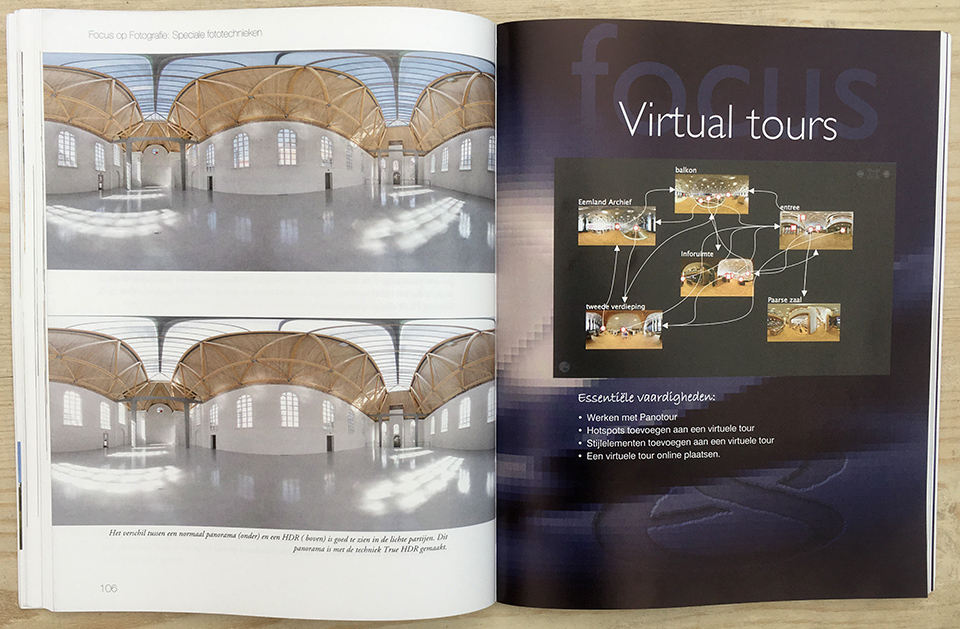
In the chapter 'Virtual Tours', you learn to work with the Panotour programme, how to add hotspots to a virtual tour, how to add stylistic elements to a virtual tour and how to put a virtual tour online.
A panorama is fun for looking around a space, but sometimes it is better, more luxurious and more practical to connect multiple panoramas. This allows you to look around an entire school, hotel or house. You do this by creating a virtual tour.
Special filters
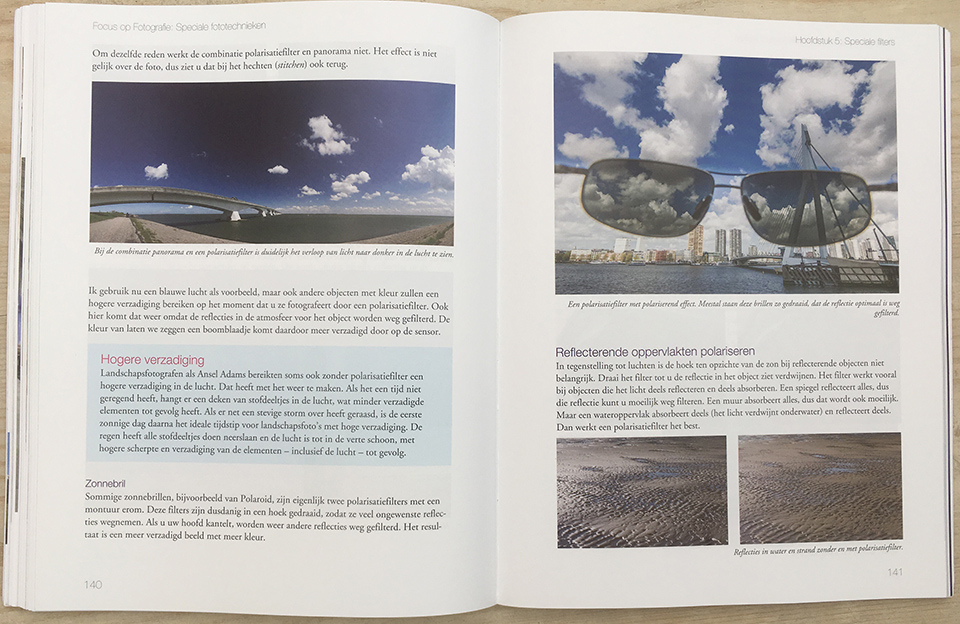
In the chapter 'Special filters', you learn all about analogue filters, polarising filters, ND filters and how to simulate filters in Photoshop. When you place a filter in front of your lens, you know that it will block something. You keep certain types of light out of the camera, or allow the total amount of light in more selectively.
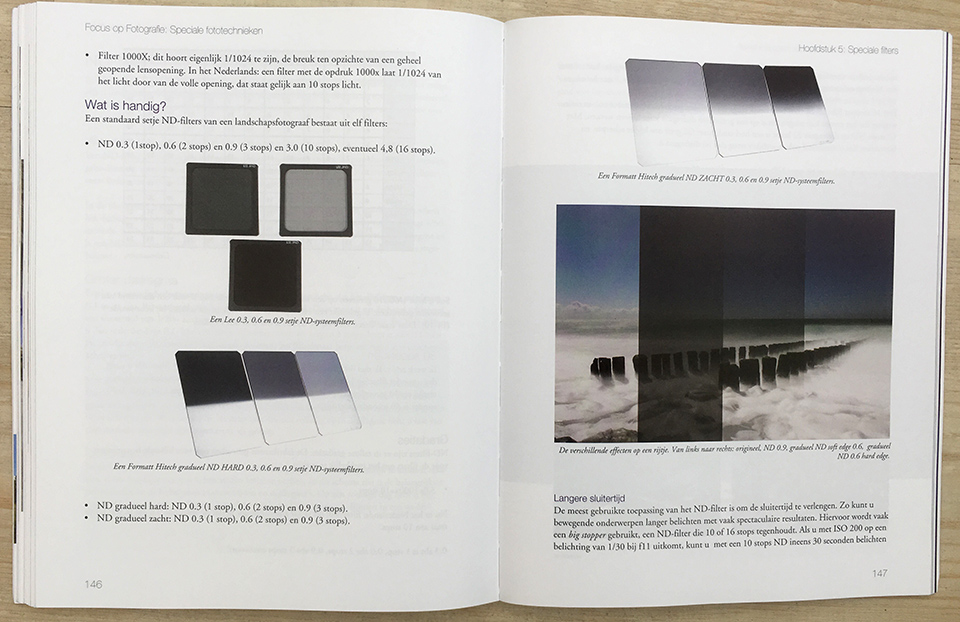
The use of filters has declined considerably since the arrival of the digital camera. Many of these filters can be recreated on a computer, which is why only a few physical filters remain useful to you as a digital photographer: the polarising filter, the ND filter and its graduated family.
Lens flare
In the chapter 'Lens flare', you learn what you need for it, the role of the aperture in lens flare, flashes with a flashgun and post-processing of lens flare.
Lens flare is a fashionable tool. The effect appears in fashion magazines, but you also see lens flare photos in commercial photography. Lens flare photos look a little like snapshots, while you can also see that a lot of attention has gone into them.
Light painting
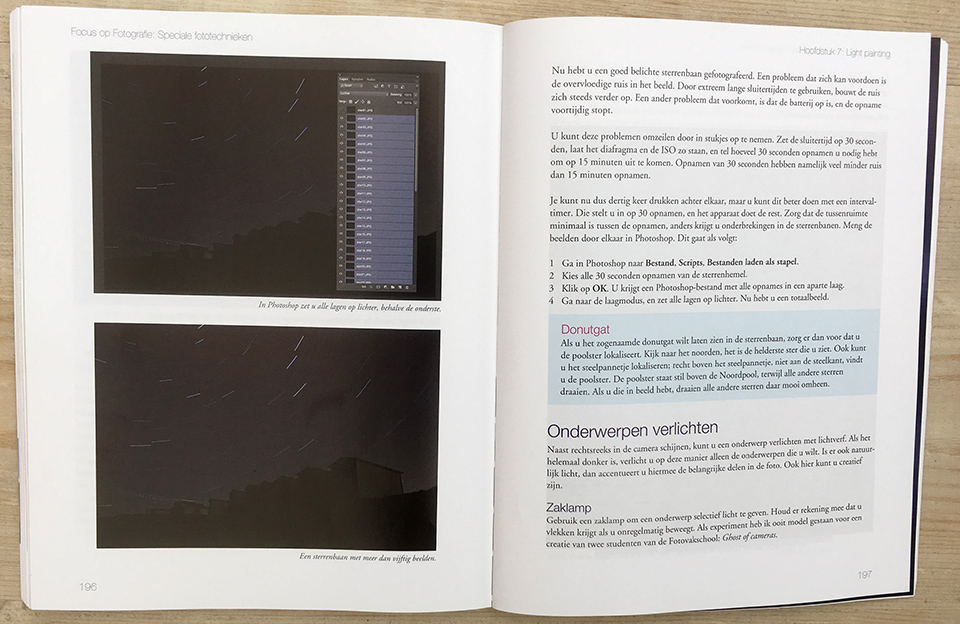
In the final chapter, 'Light Painting', you learn how to do this with objects, how to capture fireworks and fairground rides, how to create light orbs and how to photograph star trails.
What did I think of it?
The book is an excellent guide for photographers who want more than just taking photos. I read tips and information, particularly about panoramic and HDR photography, that you rarely or never find in other literature.
It does not choose just one option, but covers several, and the explanations of the related software are excellent too. The chapters on filters and lens flare are also very well written. Highly recommended!
Price and where to buy it?
The book costs 29.99 euros and is available from, among others, Van Duuren Media.
In October, November and December, the book can be ordered with a special discount! You can find the book at Van Duuren media and use the code: PF25 for 25% off!
About the author
Michelle Peeters is fotografe en oprichter van DeuxBleus Fotografie. Michelle herkent het bijzondere in het gewone en het gewone in het bijzondere. Ze heeft zich nooit willen specialiseren en is daardoor van alle markten thuis.
You might also like
-
 A panorama should add value
by Nando Harmsen
-
 20 photography books you should read!
by Michelle Peeters
-
 Delete separate photos for HDR and panoramas, or not?
by Nando Harmsen
-
 Photographing or cropping a panorama
by Nando Harmsen
-
 Review: HDR and Dynamic Range Course
by Martin van Rooij
-
 HDR: What do you mean?
by Rob IJsselstein
2 comments
-
 guest wrote on Wednesday 2 October 2019 at 14:02 | reply
Quote:In the months of August and September, the book can be ordered at a special discount! You can find the book at Van Duuren media and use the code: PF25 for 25% off! Unquote
Translated from Dutch.
Very useful tip if this message is only sent on October 1! -

 Michelle Peeters wrote on Wednesday 2 October 2019 at 14:11
| reply
Michelle Peeters wrote on Wednesday 2 October 2019 at 14:11
| reply
@Guest: that's right and that's my fault, I was fairly (too) late with finishing the review. There will be another discount promotion from Van Duuren in November/December. I'll ask if this book will be included.
Translated from Dutch.
Have your say
Please note: Articles older than a week can only be commented on by signed-in visitors.Would you still like to comment? sign in or create a free account.
Become a better photographer every week
A practical photography tip in your inbox every week.
38,990 photography enthusiasts already receive the tips! More about the weekly mail. Or keep up to date via  Facebook.

Elja Trum
Photofacts; everything to do with photography!
Would you like to take better photos and keep up with what is happening in photography? Photofacts publishes articles that teach you something about photography — from a product announcement to a practical shooting tip or a look at a website. Photofacts covers photography every day and is a hobby project of Elja Trum's that got out of hand. The articles are written by a team of volunteer authors. If you would enjoy writing one or more articles for Photofacts, do get in touch.More about PhotofactsPhotofacts is made possible in part by
