

How do you recognise a subject in a photo?
Friday 18 March 2022, 20:02 by Nando Harmsen | 4,450 views | 0 commentsThis article was translated from Dutch with the help of AI. Read the original.
Sometimes you look at a photo you have taken and you do not know why it is not appealing. Is it the light, is the photo too busy, or is there something else that means the photo has no wow factor? You could ask Lightroom or Photoshop.
There is one thing a photo almost always needs. That is a subject. Without a subject, there is basically nothing to look at. Barring exceptions, of course. After all, nothing is absolute.
Is a photo not quite what you expected? Then it may be that the subject is not clear. Perhaps there is no subject at all, or it is too hidden in the frame. It can be difficult to see this because, as a photographer, you know very well what you photographed.

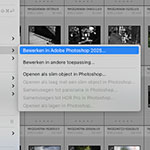
Compared to you, a photo can come across very differently to a viewer. They do not know what you want to show and can therefore judge better what is wrong, and why the photo lacks appeal. With the selection tools in Lightroom and Photoshop, you can ask these programmes whether there is a good subject present.
The new selection masks in Lightroom and Photoshop also offer the option to automatically select a subject. Click that option and the smart software will examine the photo and then select the subject. And that smart software can do this surprisingly well.
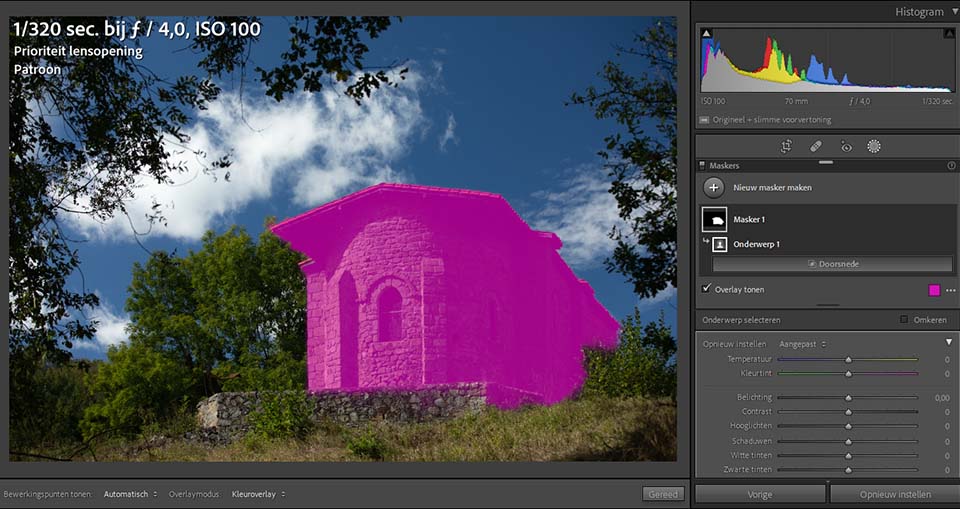
But sometimes it goes wrong. The software cannot find a subject. That is exactly where the trick lies. If Lightroom or Photoshop cannot find a subject, or the software finds a whole range of subjects, this is probably due to... the lack of a clear subject.
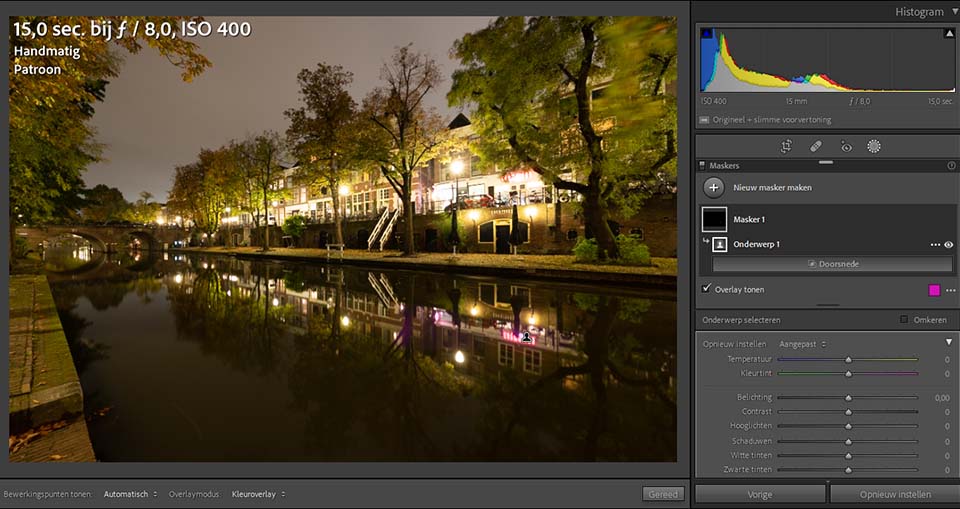
Selecting a subject in Lightroom or Photoshop is of course a tool, and it is far from foolproof. There are many factors that make a subject stand out, and the software does not recognise all of them.
Although it is called AI, artificial intelligence, the software is far from truly intelligent.
It can, however, be seen as a way to help you see through the photo. Ask Lightroom or Photoshop to select a subject and see what happens. Is there a clear subject, and does the programme isolate it from the rest of the photo? Then you are already doing well in that respect.
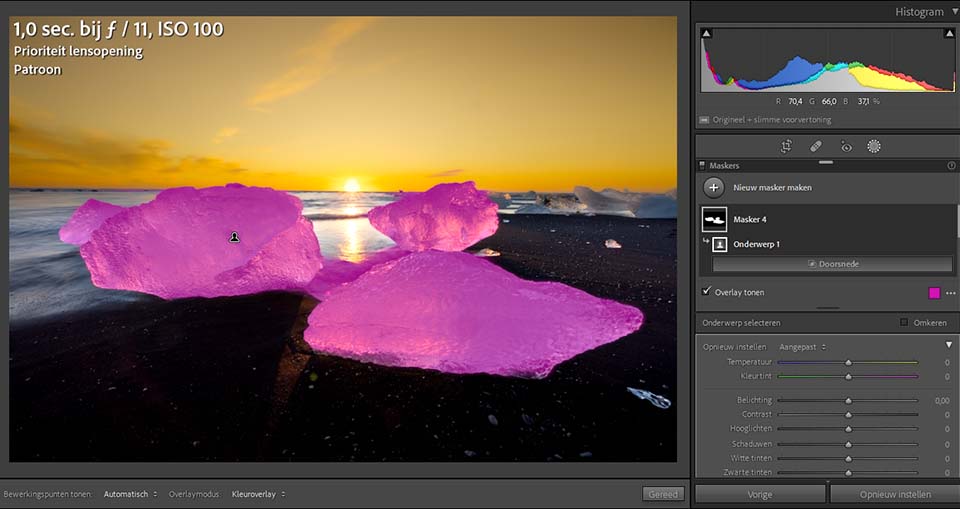
If Lightroom or Photoshop finds too many subjects, or the programme gets it completely wrong, you can ask yourself whether that is what is wrong with the photo. Perhaps that is why the photo does not look so appealing. The photo of the rhododendron is a good example.
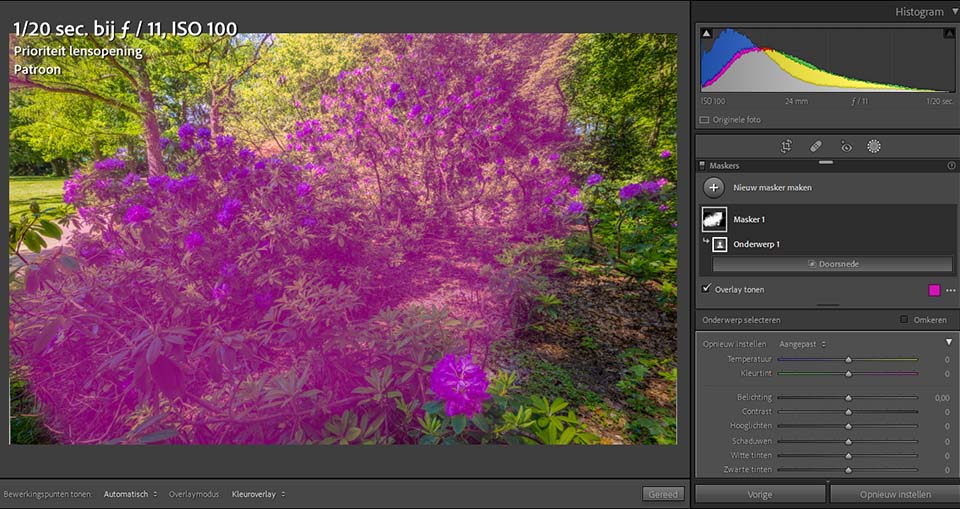
Once again, it is not an absolute truth, but it can be a useful way to look at your photo critically. Give it a try, and who knows, it may help you really see through your photos, without the idea behind the photo that you have as a photographer, or had.
About the author
Nando Harmsen has been photographing for more than 40 years. He specialises in wedding photography and landscape photography. Nando also gives talks, workshops, masterclasses and photo trips, and regularly reviews new and interesting equipment.
You might also like
-
 How much do Lightroom and Photoshop subscriptions really cost?
by Nando Harmsen
-
 Review: Blurb photo books via Lightroom Classic
by Nando Harmsen
-
 Wanneer Lightroom en Photoshop niet meer samenwerken
by Nando Harmsen
-
Does Lightroom make Photoshop redundant?
by Nando Harmsen
-
 Review of the Canon EOS M50 mark II
by Nando Harmsen
-
 Which is better to use? Lightroom or Photoshop?
by Nando Harmsen
0 comments
Be the first to share what you think!
Have your say
Please note: Articles older than a week can only be commented on by signed-in visitors.Would you still like to comment? sign in or create a free account.
Become a better photographer every week
A practical photography tip in your inbox every week.
38,937 photography enthusiasts already receive the tips! More about the weekly mail. Or keep up to date via  Facebook.

Elja Trum
Photofacts; everything to do with photography!
Would you like to take better photos and keep up with what is happening in photography? Photofacts publishes articles that teach you something about photography — from a product announcement to a practical shooting tip or a look at a website. Photofacts covers photography every day and is a hobby project of Elja Trum's that got out of hand. The articles are written by a team of volunteer authors. If you would enjoy writing one or more articles for Photofacts, do get in touch.More about PhotofactsPhotofacts is made possible in part by
