

File names are not important in Lightroom
Tuesday 27 January 2026, 20:02 by Nando Harmsen | 2,120 views | 0 commentsThis article was translated from Dutch with the help of AI. Read the original.
Lightroom gives you complete freedom when using file names for your photos. But sometimes Lightroom adds something to the file name. If you have a system for naming files, this can look like 'clutter'. But nothing could be further from the truth. I'll explain why.
Suppose you have a system for the file names of your photos. For example, I use my initials, followed by the date and time. This means I can always find my files, anywhere. Both inside and outside Lightroom. It looks like this: NH20260120-172033
The photos automatically get this file name when importing them into Lightroom. I don't have to do anything else. It was set up once, and I don't have to give it any more attention. It's convenient, and above all, consistent.
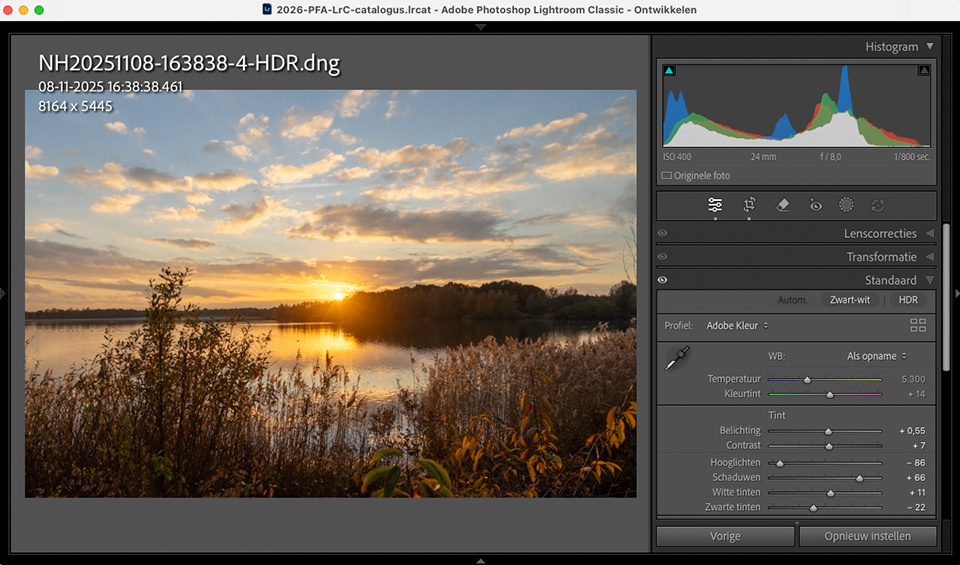
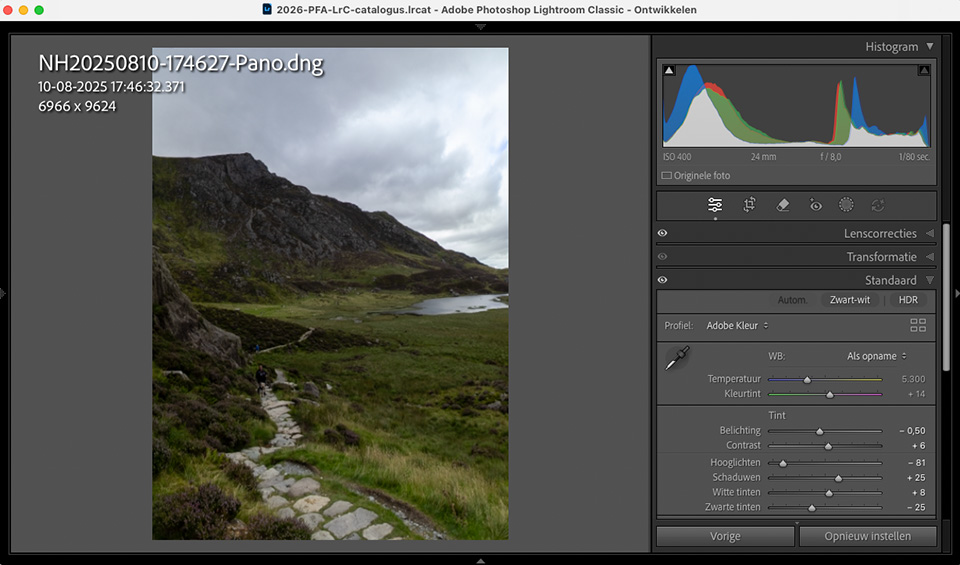
But then I create an HDR from an exposure bracket, and the resulting new DNG file is named 'NH20260120-172033-HDR'. For a panorama created in Lightroom, 'NH20260120-172033-pano' will become the file name.
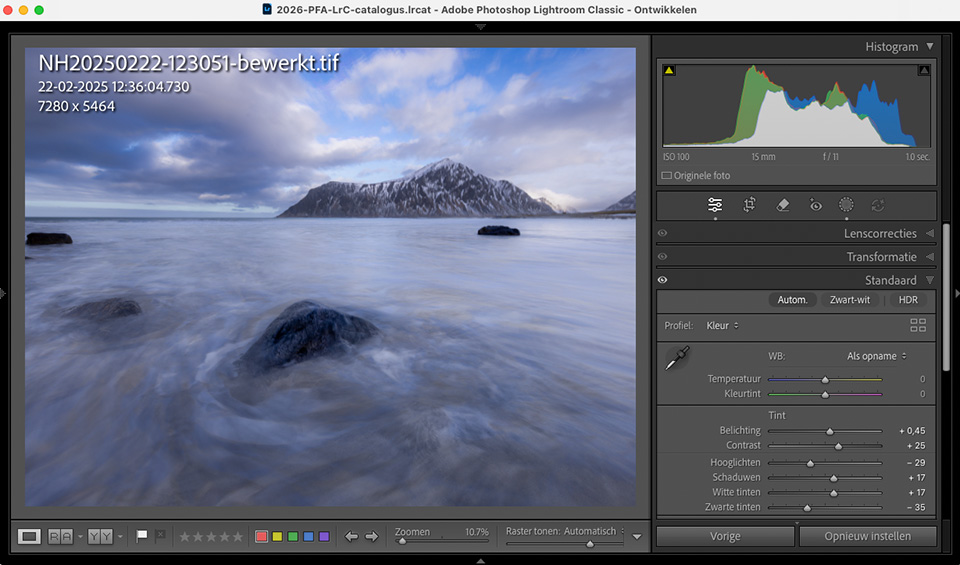
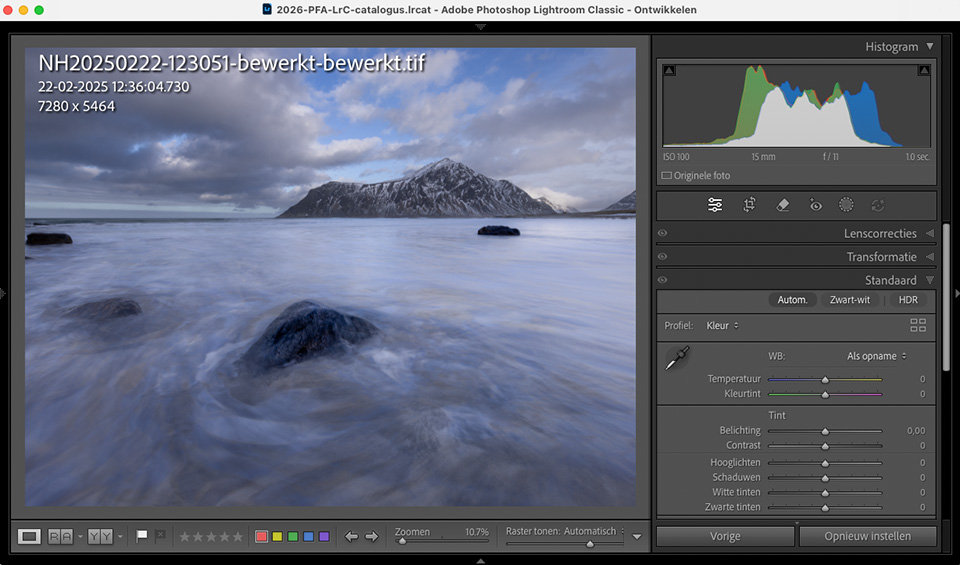
If I edit a photo in Photoshop, the new TIFF file is named 'NH20260120-172033-edited'. If I edit it again as a separate file in Photoshop, the new TIFF file will be named 'NH20260120-172033-edited-edited'.
Suppose you create an HDR for every photo in an exposure bracket, and then merge them into a panorama. Then you edit the photo in Photoshop, and after an edit in Lightroom, open the photo in Photoshop once again.
The file name then looks like this: NH20260120-172033-HDR-Pano-edited-edited. This looks very intimidating, and may seem undesirable. Especially if you then export the photo. Fortunately, there is a reason for it.
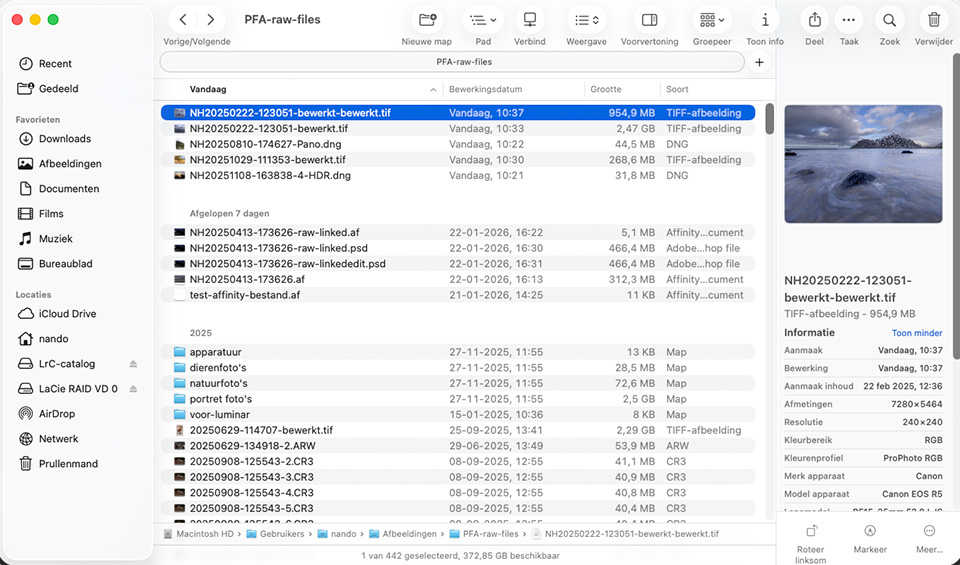
A new file is created for each of these edits. The addition lets you see immediately what type of edit it was. It's an HDR or a panorama, which tells you that it is a merge of multiple photos.
When the photo is then edited in Photoshop, or any other external programme, you can see this because the text '-edited' is added to it. This is useful information for managing your photo database. You can also see it in Finder or Explorer.
When you export to a JPEG to share, print, or use for another purpose, you don't want that long file name. That's logical. So create a file-name preset for use when exporting.
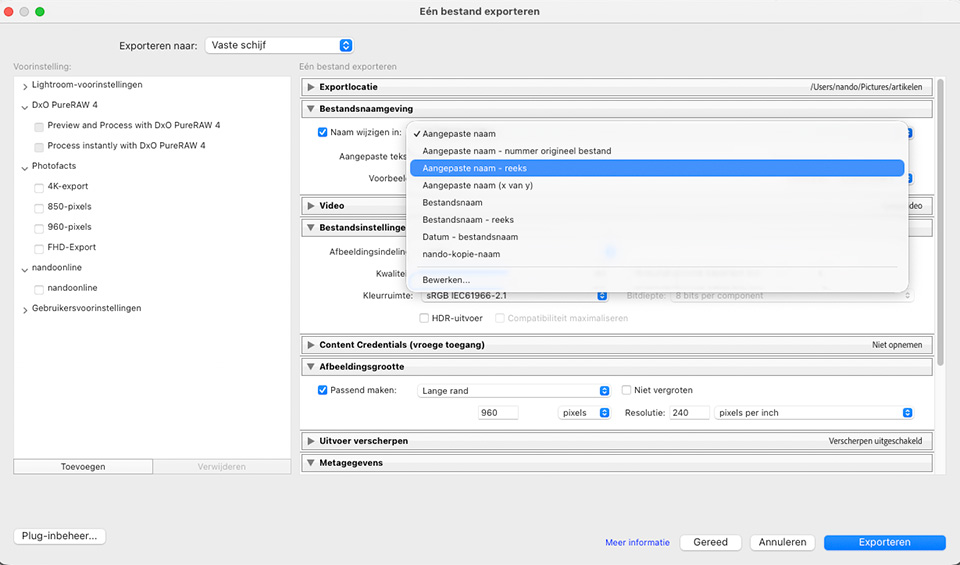
With a preset, you can simply use the original file name again, or a completely different one. That way, you won't be bothered by all those additions. At the same time, you keep all the useful information in your photo database.
About the author
Nando Harmsen has been photographing for more than 40 years. He specialises in wedding photography and landscape photography. Nando also gives talks, workshops, masterclasses and photo trips, and regularly reviews new and interesting equipment.
You might also like
-
 The difference between file size and resolution
by Nando Harmsen
-
 Lightroom updates 2025, with more useful AI features
by Nando Harmsen
-
 Lightroom Tip: Back Up More Than Just Your Photos and Catalogue
by Huub Keulers
-
 Presets in Lightroom Classic
by Nando Harmsen
-
Automate your Lightroom Classic imports
by Nando Harmsen
-
6 Tips for Importing Photos into Lightroom
by Nando Harmsen
0 comments
Be the first to share what you think!
Have your say
Please note: Articles older than a week can only be commented on by signed-in visitors.Would you still like to comment? sign in or create a free account.
Become a better photographer every week
A practical photography tip in your inbox every week.
38,937 photography enthusiasts already receive the tips! More about the weekly mail. Or keep up to date via  Facebook.

Elja Trum
Photofacts; everything to do with photography!
Would you like to take better photos and keep up with what is happening in photography? Photofacts publishes articles that teach you something about photography — from a product announcement to a practical shooting tip or a look at a website. Photofacts covers photography every day and is a hobby project of Elja Trum's that got out of hand. The articles are written by a team of volunteer authors. If you would enjoy writing one or more articles for Photofacts, do get in touch.More about PhotofactsPhotofacts is made possible in part by
