

Playing with black and white contrast in Lightroom Classic
Saturday 14 January 2023, 13:31 by Nando Harmsen | 4,221 views | 0 commentsThis article was translated from Dutch with the help of AI. Read the original.
A black and white photo can be very striking. But you do need to work on it. Simply pressing the black and white button is not enough. You need to play with contrast. In this article, I show you how far you can go in Lightroom Classic.
Sometimes I see a black and white photo on social media and think: they only clicked the black and white button. Often, it isn't a black and white photo, but a grey photo. It only contains grey tones from the midtone range.
What's missing is black and white. In short, contrast. When you start working with black and white, make sure there is actually black and white in the image. In this article, I want to show you how far you can go. How far you want to go with your photo is up to you.
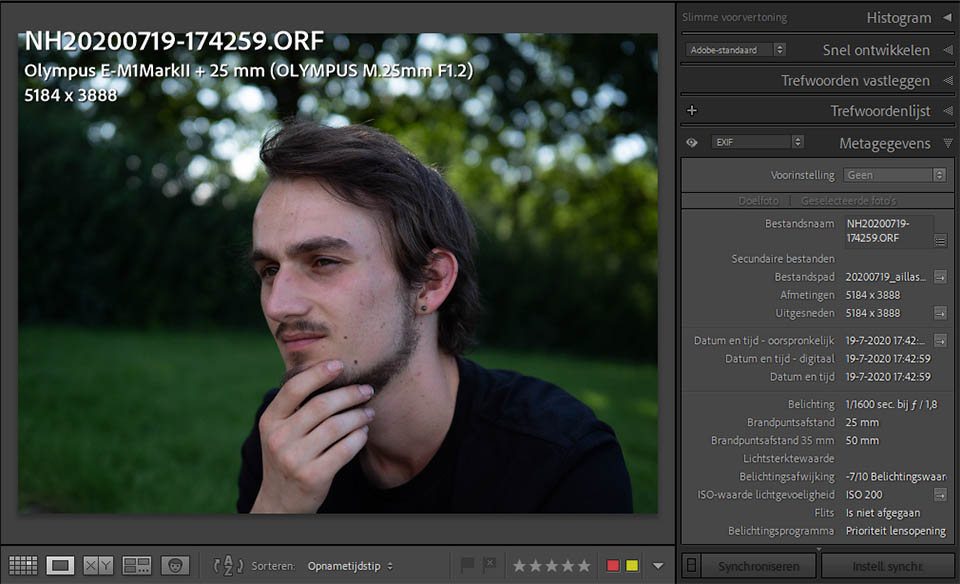
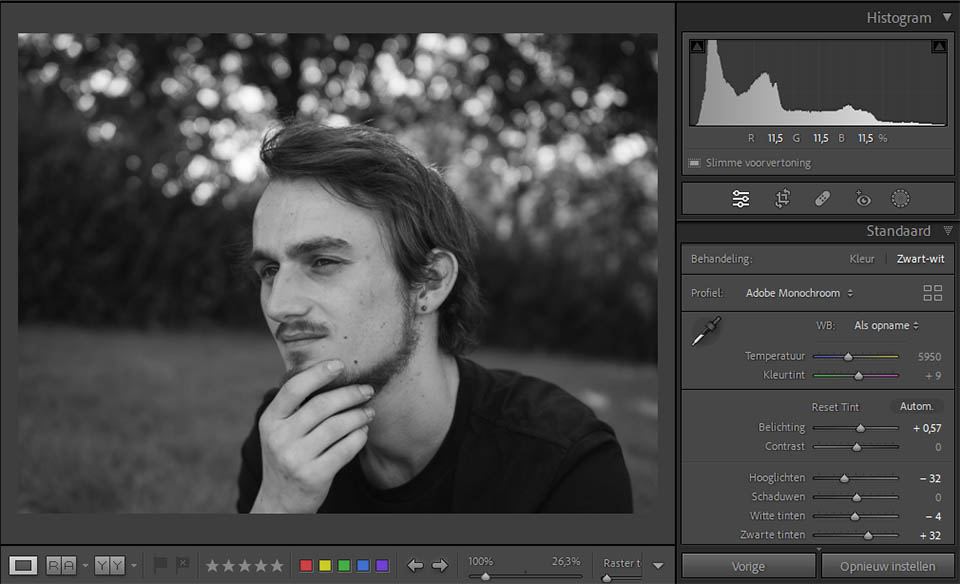
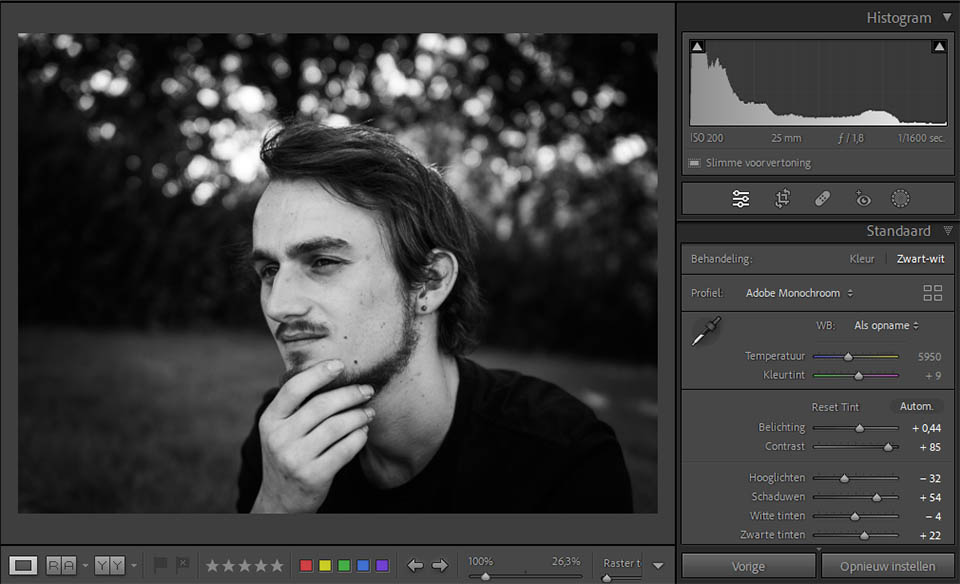
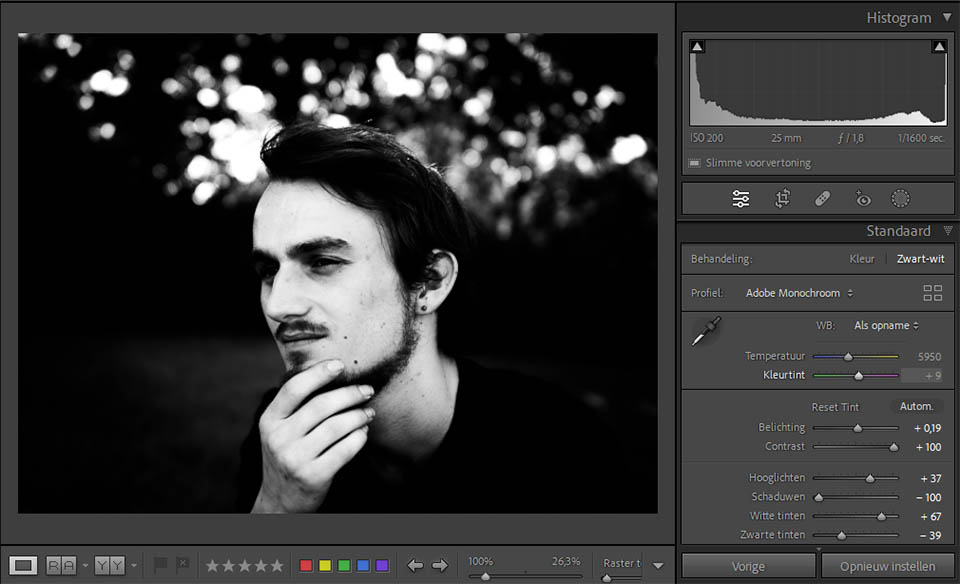
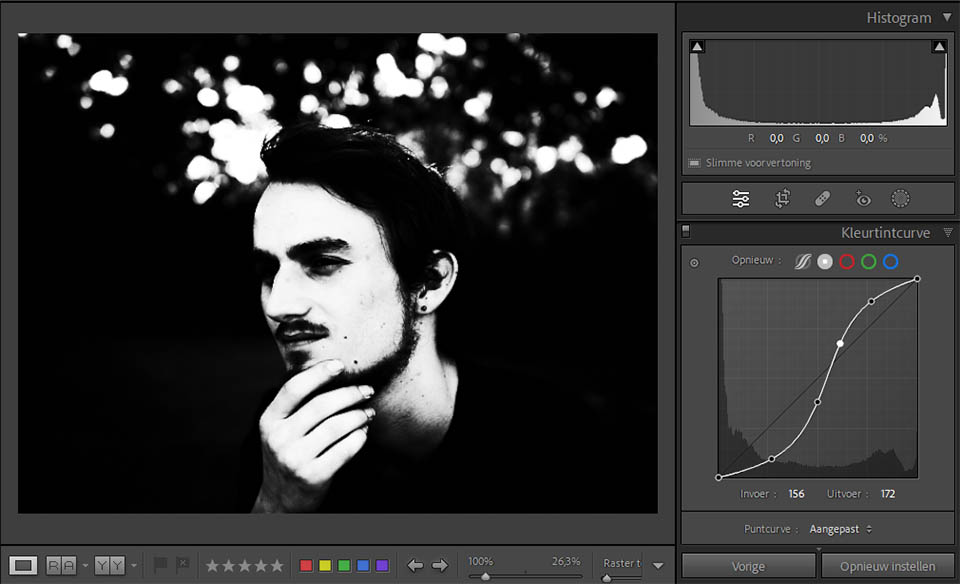
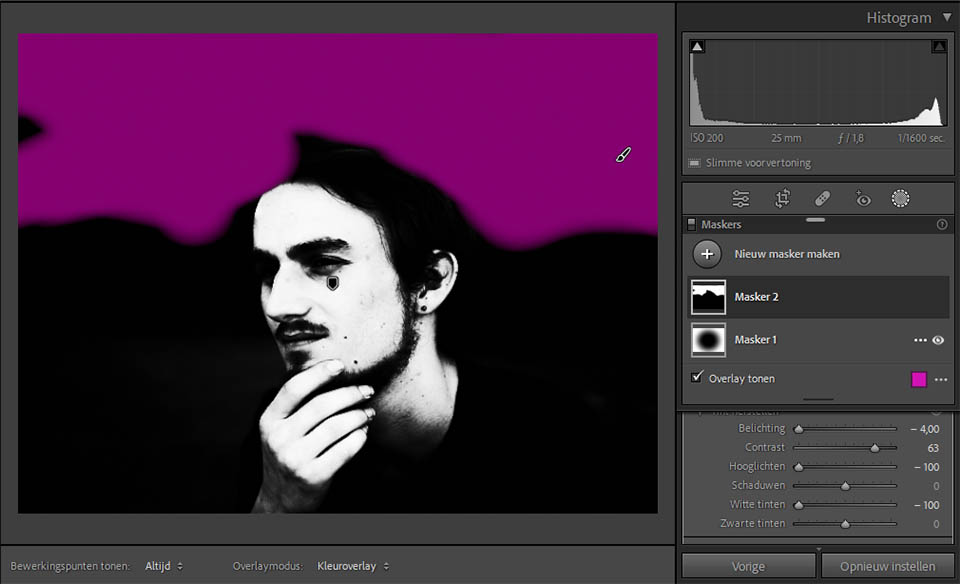
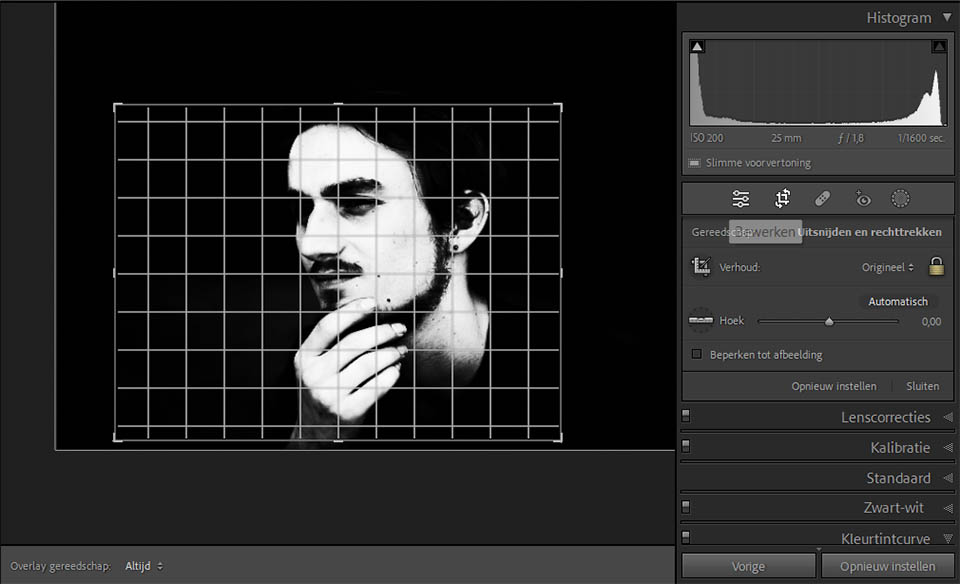

How far you go with your editing is up to you, and it depends on your photo. With this article, I want to show you what's possible. Just don't turn it into a fairground attraction with special effects. Keep it simple, and your image will be much more striking.
There are, of course, exceptions where high contrast simply doesn't work. I’m thinking of a photo of a landscape in the fog, for example. Or a photo with a washed-out appearance. But in the latter case, remember that a black and white photo with good contrast came before that washed-out appearance.
About the author
Nando Harmsen has been photographing for more than 40 years. He specialises in wedding photography and landscape photography. Nando also gives talks, workshops, masterclasses and photo trips, and regularly reviews new and interesting equipment.
You might also like
-
 5 tips to work faster in Lightroom Classic
by Thijs Schouten
-
 4 Lightroom Classic Tips for Experienced Users
by Elja Trum
-
 Review: Blurb photo books via Lightroom Classic
by Nando Harmsen
-
 Presets in Lightroom Classic
by Nando Harmsen
-
 What is the Comments tab in Lightroom Classic for?
by Nando Harmsen

0 comments
Be the first to share what you think!
Have your say
Please note: Articles older than a week can only be commented on by signed-in visitors.Would you still like to comment? sign in or create a free account.
Become a better photographer every week
A practical photography tip in your inbox every week.
39,077 photography enthusiasts already receive the tips! More about the weekly mail. Or keep up to date via  Facebook.

Elja Trum
Photofacts; everything to do with photography!
Would you like to take better photos and keep up with what is happening in photography? Photofacts publishes articles that teach you something about photography — from a product announcement to a practical shooting tip or a look at a website. Photofacts covers photography every day and is a hobby project of Elja Trum's that got out of hand. The articles are written by a team of volunteer authors. If you would enjoy writing one or more articles for Photofacts, do get in touch.More about PhotofactsPhotofacts is made possible in part by
