

Is Adobe Photoshop still focused on photography?
Monday 6 May 2024, 15:30 by Nando Harmsen | 7,038 views | 49 commentsThis article was translated from Dutch with the help of AI. Read the original.
I used Photoshop for years to edit my photos. Until I switched to Lightroom. That was not an easy step, but it was the right decision. When I look at Photoshop now, I wonder whether it is still focused on photo editing.
I edited my raw photos in Canon's raw editor. It was called DPP, Digital Photo Professional. The photos then went to Photoshop for detailed editing. That was a logical workflow. Until I had to edit a lot of photos at once.
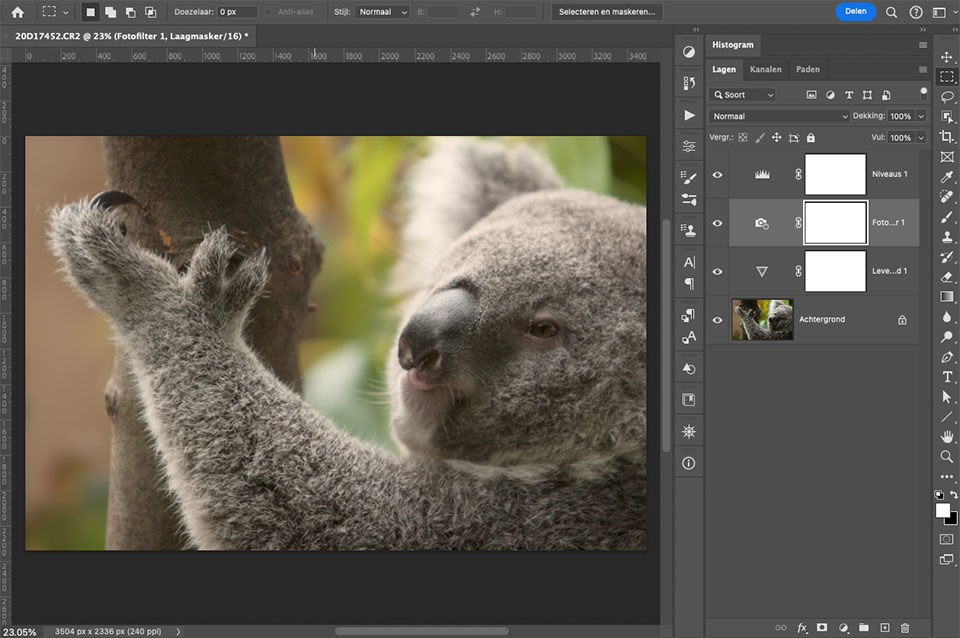
The switch to Lightroom was difficult but a sensible choice for me. I no longer had to open every photo, and no additional photo files were needed. Photoshop was still perfect for complex edits.
Photoshop is not specifically intended for photo editing. It is for graphic work on pixel-based images. You can edit photos too, but as the number of tools and masks in Lightroom increases, the need for it is becoming smaller.
A new update was released recently, in April 2024. Of course, I installed it. But what stood out was the way Adobe encourages you to install and use Photoshop Beta. Even when you open the regular version of Photoshop.
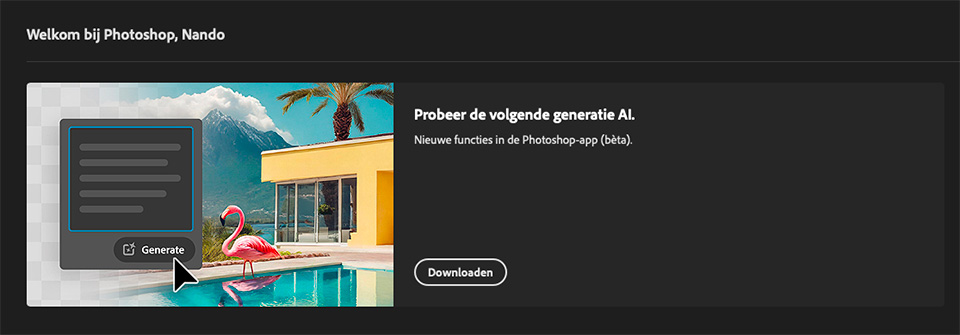
It is all about the AI features found in the Beta version. However, it comes across as so forceful that I wonder whether that Beta version has become more important than the regular version. Beta is supposed to be a version 'that is not ready' and is still in the testing phase, isn't it?
Updates for the Photoshop Beta version now receive more attention than those for regular Photoshop. Everything seems to be focused on AI-generated images. It may have a purpose, but it has nothing to do with photography.
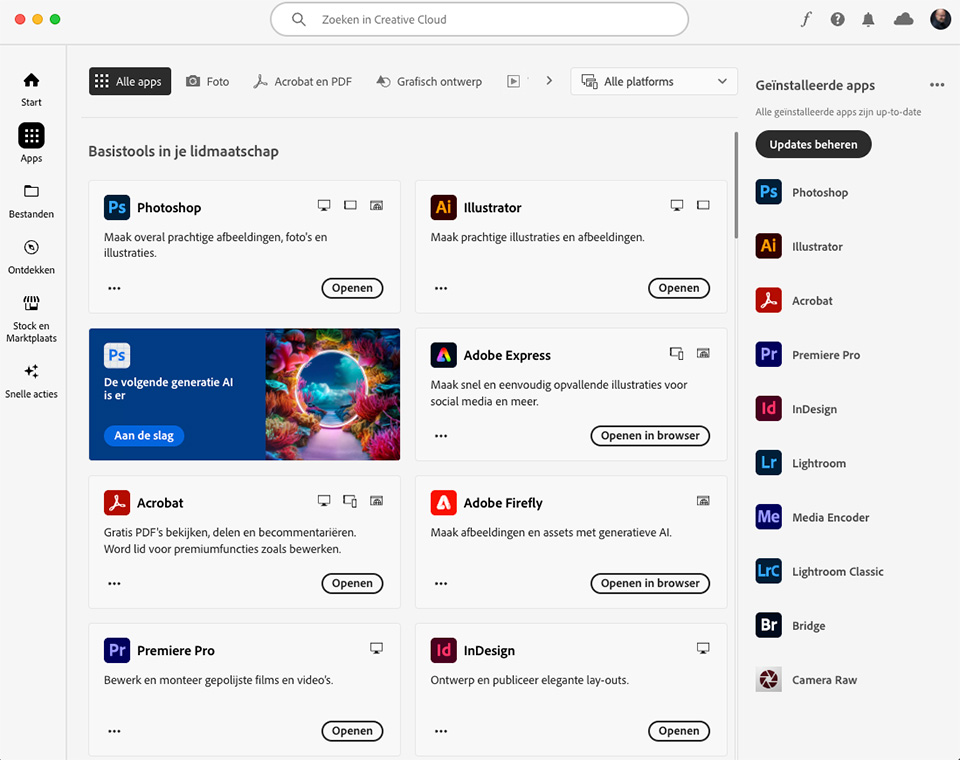
Photoshop has never really been focused on photo editing, except for complex edits. It is more intended for photo manipulation and creating graphic images. Photography is a side issue. This is not a problem, but I wonder why there is now such a strong focus on using the Beta version. As if AI is the only thing that matters anymore.
What do you think? Let us know in a comment below this post.
About the author
Nando Harmsen has been photographing for more than 40 years. He specialises in wedding photography and landscape photography. Nando also gives talks, workshops, masterclasses and photo trips, and regularly reviews new and interesting equipment.
You might also like
-
 Who is Photoshop Beta for?
by Nando Harmsen
-
 Photoshop beta update April 2024
by Nando Harmsen
-
 Generative Expand added to Photoshop Beta
by Elja Trum
-
 New in Photoshop Beta: Generative Fill
by Nando Harmsen
-
 Adobe and the cost of AI generative fill
by Nando Harmsen
-
 Adobe launches beta for Photoshop CC on iPad
by Michelle Peeters
49 comments
-
 marion wrote on Tuesday 7 May 2024 at 10:46 | reply
I'm completely in agreement with you..I'm a huge fan of Lightroom and very very occasionally I still edit something in PS.. I couldn't manage without Lightroom .. but I really don't need PS and certainly not AI .. maybe it's because of my age.. I think a photo should remain a photo and with AI you don't know what's real
Translated from Dutch. -
 Donald Willemsen wrote on Tuesday 7 May 2024 at 10:48 | reply
Nando, for a large part I agree with you. I cannot relate to images generated based on AI. Moreover, if you look very closely, those images are no longer photos, but look more like images from a cartoon generated by a computer. At least, in Photoshop. Adobe is still lagging quite a bit behind compared to other photo editing software that has been using AI for much longer, such as Luminar Neo, for example.
Translated from Dutch.
The reason I still use Photoshop is the fact that you can work with layers and give each edit its own layer. By the way, Adobe Camera Raw (ACR) is 99% the same as Lightroom, there are only a few small differences.
Creating brushes yourself, for example for a watermark or logo, is very easy in Photoshop. Just like using a text layer. In that respect too, Photoshop offers more possibilities.
If you want to work with 'layers' in Lightroom, then that is not possible. The advantage of editing in layers is that you can easily make a correction in a layer afterwards or even delete a layer. You can also easily give layers an opacity to adjust the effect of an edit.
Years ago I started with Photoshop (version CS3) and grew along with it until now that there are subscription versions. Lightroom is included with that, but especially at the beginning there were major differences between Lightroom and ACR and I could not get used to Lightroom. Now that those differences no longer exist, I find it somewhat easier to use Lightroom's Develop module. -
 Marc Schoonackers wrote on Tuesday 7 May 2024 at 11:12 | reply
Hi Nando
Translated from Dutch.
I share your opinion and can also relate well to Donald's opinion. I once started with Photoshop CS and later with Lightroom 3 and then version 5, which was even supplied for free with a Canon camera at the time.
Now I work almost exclusively with Lightroom and with Topaaz where necessary (noise and sharpening). Photoshop still comes into play occasionally when I have to work with multiple layers or a lot needs to be changed in the background or when distracting reflections need to be removed. AI is very useful for this (removing reflections in glasses in portrait photos is now a piece of cake).
What does bother me is that Photoshop refuses to edit photos that, according to Adobe's view, are 'offensive'. Then it suddenly has to be done the traditional way again. A pregnancy photo in lingerie or even covered nudity, for example, is refused for editing with AI. This therefore means that the photos we edit in Photoshop are checked every time. 'Big Brother is watching us ... '
Good luck still -

 mousquito wrote on Tuesday 7 May 2024 at 11:28
| reply
mousquito wrote on Tuesday 7 May 2024 at 11:28
| reply
I was always taught that a good photographer should not do any post-processing. a statement that I have by now relegated to the realm of fables myself. Personally, I am a big user of Lightroom, this is handy for classifying the photos, and the search function based on all kinds of attributes such as camera or settings, as well as the well-chosen keywords, is super handy. But also what I call tweaking the photos is very easy in Lightroom. Adjusting an exposure or removing or adding a dark spot can be done very quickly and easily (easier than PS) but if something needs to be removed, a distracting element or larger edits such as in layers, to merge multiple photos together, then I reach for PS much faster, that is easier, clearer and better there. I hardly use the AI in these programs. Especially when I want to edit, colorize or something similar to an older photo, I certainly dare to enable the AI modules of the beta.
Translated from Dutch. -
 Dirk Eduard wrote on Tuesday 7 May 2024 at 11:30 | reply
Hi Nando, although I haven't used PS since the introduction of the subscription (rental), I started looking for an alternative because you then became dependent on the internet for everything and had nothing left when you cancelled. I have used Silkypix pro as a RAW converter from the beginning and I still do. For PS I searched and tried Luminar and Affinity. Luminar was/is still too fake in my opinion (replacing entire skies etc). You can continue using Luminar afterwards and sometimes there are still tools to use under editing, such as black/white, straightening etc.
Translated from Dutch.
For PS now Affinity 2 and that works fine
. -
 Martin wrote on Tuesday 7 May 2024 at 11:33 | reply
Yes, that is actually a difficult question. I have been working with Lightroom for a very long time. And to my full satisfaction. I don't use Photoshop that often anymore. But still, I can't do without Photoshop either and AI does make many things very easy. The Christmas or birthday card can't be made without Photoshop. And you should use AI for the simple things. Quickly removing something in Photoshop with AI is unbelievably easy and if you understand AI it always works well. Generating a new piece of photo within Photoshop's AI is a disaster and still very imperfect. Maybe that will come soon, but for now it's not much good yet. So I don't use that. And yes, then the key question: when is something photography or not. I try to make a little work of art and if I then invent a new paint or brush, I am still an artist, aren't I. Well, maybe not me, but real artists are. So AI is, in my opinion, simply a new tool for an artist. I am looking forward to the developments with anticipation.
Translated from Dutch. -
 Freddy wrote on Tuesday 7 May 2024 at 11:34 | reply
What is wrong with capture ome pro? I would like a follow-up to the existing course package
Translated from Dutch. -

-
 kok.f@ziggo.nl wrote on Tuesday 7 May 2024 at 11:41
| reply
kok.f@ziggo.nl wrote on Tuesday 7 May 2024 at 11:41
| reply
Yes and no. For me too, LRc is sufficient for about 90% of the photos. Still, I wouldn't want to miss the possibilities PS offers for the other 10%. Besides being a photographer, I also want to be an image maker, and then I like to make use of the whole bag of tricks. Of course, LRc can do a lot nowadays with its masking techniques, but PS's adjustment layers still allow you to do more, and PS has even more tools that aren't in LRc. I do look forward to the moment when Adobe integrates PS and LR into one program.
Translated from Dutch. -
 Patricia Moerenhout wrote on Tuesday 7 May 2024 at 12:34 | reply
Also agree with the others, but I am certainly not anti PS. Although I rarely work with it and certainly not for editing our photos. I work with Lightroom classic AND with ON1 Photoraw. You can also work with layers and effects in it and it is MUCH simpler than PS. To each their own, I always say. For my job I once started working with Coreldraw and I have always found the switch to PS a very difficult one. Corel paint shop pro also has a few graphic +points, but my 2 favourites are LR and ON1.
Translated from Dutch.
Photoshopping is nowadays used more as a verb :-D LOL -
-
 Stefanie
wrote on Tuesday 7 May 2024 at 13:00
| reply
Stefanie
wrote on Tuesday 7 May 2024 at 13:00
| reply
I'm orienting myself towards Affinity Photo as a replacement for PS, Lightroom never really grabbed me and it's part of the same subscription formula that I actually want to get away from right now. From what I've found so far, I should be able to bring my own brushes with me to Affinity and the layout looks comparable, which should make switching easier (or am I wrong?) I have the feeling that Adobe is fully committing to AI, especially AI-generated images, and that's fun of course, but it's not what I want from PS (or any editing program) and you do pay for it ...
Translated from Dutch. -
Nando
wrote on Wednesday 8 May 2024 at 09:54
| reply
That is exactly my idea: it seems to me too that Adobe is putting too much focus on AI. But others will follow, Affinity won't be exempt from that.
Translated from Dutch.
It isn't all bad: AI works incredibly conveniently and efficiently for removing small distracting elements. -
 Fred wrote on Tuesday 7 May 2024 at 13:21 | reply
I agree with you that AI is actually a magic word that everything seems to revolve around. That indeed has nothing to do with photography, that also goes a number of steps too far for me. However, PS does have one major advantage, and that is working with layers. If, for example, I take a portrait photo and I am going to even out the skin, I do that in a separate layer, if I am going to clone away imperfections, I do that in another layer, if I am going to add highlights, I use yet another layer. This ensures that I can easily redo things by deleting 1 layer without losing a whole lot of other edits. So PS is indeed for photo editing, but it just depends on how you use it.
Translated from Dutch. -
Nando
wrote on Wednesday 8 May 2024 at 09:56
| reply
Of course you're absolutely right. I just find it annoying that nowadays they only ever talk about the Beta version, as if it's more important because it has AI generation built in.
Translated from Dutch.
Photoshop is perfect for the complex edits. -
 Ruurd wrote on Tuesday 7 May 2024 at 13:31 | reply
I agree. I've been saying it for years: Photoshop is actually an image manipulation program, NOT a photo editor! So the name was poorly chosen. But Adobe is good at that, judging by the misunderstandings about the different Lightroom versions that still haven't been dispelled... Lightroom is in fact focused on photo editing (and more). A very simple fact that actually makes this immediately clear: with Photoshop you can create a new image file 'from scratch', while with Lightroom you can only work (and that is moreover MUCH more than just editing!!) with existing (photo) files.
Translated from Dutch. -
 Jan Willem wrote on Tuesday 7 May 2024 at 13:45 | reply
I too have worked with PS and Lightroom, but am now thinking about Luminar Neo. But, can someone explain to me what, apart from the price, the main differences are.
Translated from Dutch. -
Nando
wrote on Wednesday 8 May 2024 at 10:03
| reply
My personal opinion about Luminar may be well known: I think it is a terrible program and I don't consider Skylum to be the most reliable. They are very focused on the revenue model and regularly change their approach.
Translated from Dutch.
The biggest difference is that NEO is aimed at quick content with presets and AI-based edits. The library is rudimentary at best and lacks a large number of essential options.
You can also make edits manually. I don't find those streamlined and they are far from user-friendly.
But, that is my opinion. There are also users who are very satisfied with it.
That is why it is good to form your own opinion. Start a trail period and try things out. You can also follow my Luminar NEO course on Photofacts Academy to see what the program looks like and get an idea of how it works. -
Ruurd wrote on Tuesday 7 May 2024 at 13:50 | reply
Photoshop’s layers functionality is increasingly and more extensively being taken over by the Masking capabilities in the latest versions of Lightroom Classic. Moreover, ALL edits in Lightroom are non-destructive, so they can be undone. Layers are no longer an argument for me to make the (for me scarce) excursion from Lightroom Classic to Photoshop. In fact, as Lightroom continues through the evolutionary phase it is currently in, more and more of those arguments are disappearing like snow in the sun...
Translated from Dutch. -
Nando
wrote on Wednesday 8 May 2024 at 10:06
| reply
It of course depends on what kind of edits you need to do. Simple adjustment masks in Photoshop, those can also be done in Lightroom Classic to a certain extent.
Translated from Dutch.
However, if you're going to do complex edits with layers and masks, then that's not possible in Lightroom, and it never will be able to do that to the same extent.
If you only use simple adjustments in masks, then Photoshop isn't necessary and is even overkill. -
 Raphaël De Vos wrote on Tuesday 7 May 2024 at 13:55 | reply
Do bear this in mind, though: Reporter photography strives for pure reality and involves no creativity. Creative photography is first and foremost seeing things, not only as they are, but also as they could have been. Or rather: Good photography is proof against the mistaken notion that this art is merely an imitation of reality.
Translated from Dutch. -
 Murk wrote on Tuesday 7 May 2024 at 14:22 | reply
Photoshop is a graphics program developed for the creative work of advertising agencies.
Translated from Dutch.
Many advertising agencies have by now gone under because of that photo manipulation capability. Lightroom was developed for "the photographer" after they could no longer have their photos printed to their liking and taste at a professional photo lab.
As soon as a photographer switches to Photoshop, they really start manipulating their work. For those creative outbursts, extra AI assistance is now being offered, which will herald the end of "The advertising photographer". Let we as lovers of good photos not concern ourselves with that. -
Raphaël De Vos wrote on Tuesday 7 May 2024 at 14:24 | reply
I agree with a number of things, others are more difficult for me. A fact remains -at least for me-that Photoshop also clearly remains superior for photography. It is indeed true that both that Beta version and part of the AI are being imposed on us rather forcefully. I hardly work with the Beta version, because it mainly operates in an experimental state, which I myself have little use for. AI sometimes offers astonishing performances, but equally very disappointing situations. It is clear and fortunately so that the human brain, although it works much more slowly than AI, on the other hand remains the unique solution for small but not unimportant additions and improvements. As far as I am concerned I use both LR (a very decent program) and PS.LR I mainly use for improvements and adjustments of a general nature. Nearly all my photos are subsequently exported to PS, where more local adjustments are necessary and where selections, and layers, and masks are dreamlike irreplaceable tools, which cannot be found elsewhere, not even in LR. What I do not use in LR is the archiving function: which undeniably has gigantic capacity, but -perhaps because I do not know it sufficiently- in which I have no confidence for fear of losing all my edited photos in the event of an incorrect action, which I have unfortunately experienced with quite a few photographer friends, and of course also because I ultimately export and edit nearly all my photos somewhere in PS anyway and keep them as Tif(so that selections remain preserved) alongside jpg. If you also make Power presentations then you simply cannot do without PS, in case you want to do more as a transition between the photos than classic successive slides flowing into one another. For example cutting out part of your photo (e.g. a waterfall), and by your own intervention replacing that zone with something else (via clone stamp), and subsequently sliding the original photo with falling water over the altered photo seems rather more spectacular to me. Or making three photos from one photo, with a tree cut out at 3 different sizes, projecting them one after another as a growing tree. You cannot do without PS there. In short Lightroom is a very good editing program for me (even somewhat better than the raw editing in PS), as archiving it has inexhaustible possibilities but with inherent risks. PS on the other hand allows the photographer to work out his photo completely according to his own wishes into a little gem. Remember this once and for all: good photography is only possible if you are patient and willing to take all the time for its editing.
Translated from Dutch. -
Donald Willemsen wrote on Tuesday 7 May 2024 at 14:26 | reply
Jan Willem, Luminar Neo is an AI-powered program. It’s fairly easy to use and you can also buy all kinds of things such as presets, skies, creative layers, LUTs, etc. separately. The basic package is already very extensive and when you choose the subscription version, all updates are included in the price.
Translated from Dutch.
I’m not dissatisfied with it. It’s easier to work with than Photoshop. -
Donald Willemsen wrote on Tuesday 7 May 2024 at 14:37 | reply
Quote: 'Keep this in mind: photojournalism strives for pure reality' end quote.
Translated from Dutch.
I can still remember that during the yellow vest protests in France, a photojournalist published a photo of a huge fire that had been set. The photo was taken in such a way that it appeared to be a huge fire, but in fact it was a tiny little fire of nothing. Is that then 'pure reality'? The way in which pure reality is captured can in itself already be manipulative without it having been tampered with in Photoshop or any other editing software. -
Raphaël De Vos wrote on Tuesday 7 May 2024 at 15:03 | reply
Dear Donald, I completely agree with you, but I did not want to go that far, because this deviates somewhat from the intended subject. But indeed even an ordinary photo without any manipulation offers no guarantee of the true reality. With the term "Reporter photographer" I only wanted to debunk the entrenched idea of those who claim that a photo must represent reality. In doing so, you very rightly clarify that even a banal photo may not show the truth. Completely agree.
Translated from Dutch. -
 Jan van der Linden wrote on Tuesday 7 May 2024 at 16:44 | reply
Is there no one who uses GIMP as a replacement for Photoshop?
Translated from Dutch. -
Nando
wrote on Wednesday 8 May 2024 at 10:12
| reply
GIMP is still a Photoshop alternative for the Linux user, right? Linux users are scarce, and for the most part require a lot of computer knowledge.
Translated from Dutch.
I tried it once (Linux and GIMP) but ran away screaming, so to speak. Not because it's bad, but because you have to be a computer hobbyist.
But that was many many many years ago. Things have probably changed a lot there too. -
 Lauran van Schilt Photography wrote on Wednesday 8 May 2024 at 07:28 | reply
Photoshop is and remains the best program after all. You don't have to use it but you can use it. Depending on what you want. For the majority it is the fear because it is often too difficult to learn because it contains countless possibilities. You can also ignore AI. But that is also the case with digital work. With one photo I do use it and with the other I don't.
Translated from Dutch.
I also often enjoy working analogue again but you manipulate in the darkroom too.
We see the world in colour so monochrome is actually already manipulation. Ever since photography began, people have been manipulating. Does AI have a future? Nobody can say. It depends on whether it is accepted by the user themselves. Think of 3D TV. People were lyrical and now you hardly see it anymore. Nothing is as changeable as people themselves. -
 Hans van Sterkenburg wrote on Wednesday 8 May 2024 at 11:06 | reply
Started with a hard drive, no.: 4, now a subscription. Enjoyed private lessons and workshops from Johan Elzenga.
Translated from Dutch.
Everything changes in life and especially the digital world.
Slowly -that for sure- became familiar with Photoshop.
And then the moment came: Hans switches to Lightroom. Partly under the influence of so many who find Photoshop complicated.
But no: back again after 7 months. Wonderful.
I experienced the difference between ACR and Lightroom as negligible.
Obviously, as a photo editor I only use part of the possibilities. So be it.
I leave Beta as it is.
My washing machine has 8 programs, I use 1. So should I start washing by hand?
My car has 4 seats, I only use one, so back to the bicycle?
Dear photo friends, use what you see fit. And enjoy.
And, before I forget: a photo is a cut from reality, and therefore not THE reality. I see beautiful landscape photos, but the corresponding landscape, in our country; ???
Truth and lies, I don't believe in them.
I do believe in people, and our stories.
And I like reading them.
Regards,
Hans -
Donald Willemsen wrote on Wednesday 8 May 2024 at 11:11 | reply
Nando, GIMP can also be used on a Windows platform.
Translated from Dutch. -
-
Donald Willemsen wrote on Wednesday 8 May 2024 at 11:27 | reply
Nando, I know your opinion about Luminar. You are right that it is a revenue model for Skylum. However, Adobe’s subscription model is too. In the past, Photoshop was only accessible to the professional market because of the price. Now, with the subscription model, Photoshop has become accessible to a broad audience and that has certainly paid off for Adobe.
Translated from Dutch.
I generally find Luminar’s AI functionality better than that of Ps. In my opinion, Adobe jumped on the AI bandwagon much too late and is lagging behind in terms of functionality.
I mainly use Luminar to quickly get a photo ready for Facebook. I always do the serious post-processing in Photoshop. -
 Guido Van Belle wrote on Wednesday 8 May 2024 at 11:27 | reply
I have been using Adobe since before the pre-CS era. I am surprised by the quality of Lightroom and by the fact that they also provide Photoshop included, and that they are going down the AI route is fantastic in my opinion. This is an excellent product strategy and increases the chance that Adobe will still be delivering a top product in 10 years. I only use this in its current form exceptionally for my photography.
Translated from Dutch.
After several years of experimenting with Luminar, OnOne, Affinity, Capture One, Gimp, Irfanview and Affinity, I can completely relate to this discussion. The quality of the exchange of ideas is nice to read.
I now mainly use Lightroom Classic, the catalogue feels very natural to me. I find the possibilities for tagging, uploading GPS coordinates, and creating collections very efficient. This way I bring together photos from my travels from years ago to the same places. I can create a history of photos of children and grandchildren alone or together with others. I still have not got the online version under my fingers.
I mainly use Photoshop to remove larger or more complex elements. Lightroom sometimes falls short here. I am happy to rely on Photoshop's AI capabilities for this.
For exceptional situations such as upscaling images that I had to crop too much, I bring in Affinity. Sometimes I can only get the noise the way I want it with Topaz. Those last things use AI and that is okay with me. A tool is a tool.
I support the reservations about Luminar. It is their business model, nice for the photographers who enjoy it. I stopped using it after three versions. But there is certainly a market for such products. I once started using it because there needs to be competition, so Adobe does not fall asleep. Only, at a certain point they started making essential functions paid, even if you had a subscription. That was too much for me. That has since been rectified as Donald indicates.
The masks in LR are also made with AI and I think they are fantastic. The AI from PS will also trickle down into LR and I am happy about that. It is not because I have a hammer that I do not use a screwdriver to tighten screws, but I do dare to start a screw with a tap of the hammer.
What is best? That I now mainly use LR and then add a pinch of Topaz, Affinity and PS is mainly due to the difficulty of using a different ideal program for every edit. -
 Paul van Aken wrote on Wednesday 8 May 2024 at 15:36 | reply
Hi Nando,
Translated from Dutch.
A piece that clearly evokes (various) emotions.
I have been processing my own work since 1963, only b&w, since '97 on the computer, an old Apple my brother gave me, with PS 3.5 on it. with 8 Mb of ram you did need some patience😉, but back then, with my first (Epson) printer, I could also make color photos 'to size'. That old version was very limited, but most of what I needed/need was already in it. Over the years I grew along with it a bit, better PC, better ( read larger) printer (Canon Pro 200 by now), and by now also tried other programs. Lightroom did not appeal to me, the importing and the way of archiving. Nikon's own raw converter NXII ( I had to buy it) was quite good, but 'discontinued', replaced by a free version from Nikon, which does quite well for 90% of cases, but, if there is something disturbing in the image, or a color or opacity needs to be adjusted locally, I always reach back for PS. Although I bought Affinity after rave reviews, I can't make head nor tail of it, unlike my daughter, who uses it often.
In summary: PS still has a right to exist, I know nothing about the AI version, many of the AI I use is that of the Topaz filters, fun and sometimes excellent, but also often just not what you would want, one's own eyes,months and brain are still the only real I. -
Patricia Moerenhout wrote on Wednesday 8 May 2024 at 16:16 | reply
hahaha Nando, that's true too!!
Translated from Dutch. -
 Axel wrote on Wednesday 8 May 2024 at 22:57 | reply
Post-processing has always been around. "Back then" in the analog era, it was done in the darkroom. In the digital era, much more extensive post-processing can be done.
Translated from Dutch. -
 André Verhage wrote on Thursday 9 May 2024 at 01:32 | reply
Been using Photoshop for more than 20 years
Translated from Dutch.
nothing wrong with AI for preprocessing RAW files I do that in the RAW environment and Lightroom is also from Adobe.
I've rarely used Lightroom I prefer having control over my photo work through adjustment layers. Best update in Photoshop I find the remove tool! -
 Jos wrote on Thursday 9 May 2024 at 15:10 | reply
That Adobe emphasizes using their AI functions is, of course, all about the way AI works. We, the users, are the teachers who teach the system how we want to manipulate our photos. Without our input, it is dumber than a toddler, because a toddler can independently study its surroundings. Without us as users, there is no input for the algorithms. Adobe obviously wants to be the best and therefore needs as many users as possible. It does seem a bit like toddler behavior again.
Translated from Dutch. -
Donald Willemsen wrote on Thursday 9 May 2024 at 16:05 | reply
@Jos, there's something to that, what you're writing there. In that respect, I can agree with that.
Translated from Dutch. -
Andre Verhage wrote on Thursday 9 May 2024 at 17:29 | reply
fortunately, most users are no longer toddlers.
Translated from Dutch.
You don't have to use Photoshop, no one is stopping you. -
 Ton Spaninks wrote on Thursday 9 May 2024 at 19:40 | reply
In the comments I don't hear Paint Shop Pro mentioned even once. Is there a reason for that? I'm not a heavy user but I can do quite a bit with it.
Translated from Dutch. -
-
Patricia Moerenhout wrote on Thursday 9 May 2024 at 20:54 | reply
Yet it is mentioned in my comment
Translated from Dutch. see Tuesday 7 May....
 -
 Vanhorenbeke Johan wrote on Friday 10 May 2024 at 10:21 | reply
Hi everyone, for the sake of clarity, I am not professionally involved in photography and even less so with PS. I do follow the videos and articles on your site. Sometimes I miss the clarity of the publication date there. I have to honestly admit that for a layperson like me, LRc is quite understandable and seems easier for a layperson to tackle small things such as a skin problem, pimples etc. The AI in Photoshop has helped me with photos my mum had and wanted to see restored. As far as I’m concerned, that is where the AI is really strong. I had a large black-and-white photo from the 1930s that had suffered water damage at the top around the hair and forehead, with mold formation. I spent a long time fiddling with it in LRC and PS until I let the AI loose on it. The result was impressively good for me and especially for my mum. She also had a photo of herself from when she was 6 years old in a playground and in B&W. Her sister had torn that photo in two because she was in the second part. I was able to fix that photo without her sister in it, of course, via AI. It wasn’t top top, but quite acceptable. Then also a few very old photos from the early 1900s, which I had restored via AI and then put into color.
Translated from Dutch. -
 Paul wrote on Saturday 11 May 2024 at 12:10 | reply
The Remove tool is also the reason I use Photoshop. But I usually still have to use the clone stamp because Remove fills the selection with strange pixel patterns
Translated from Dutch. -
 Hochzeitsfotograf wrote on Sunday 12 May 2024 at 17:32 | reply
A long time ago I switched from Photoshop to Lightroom and I haven't regretted it for a minute. Lightroom is especially useful for wedding photography.
Translated from Dutch. -
 luc.vc@icloud.com wrote on Wednesday 15 May 2024 at 11:00
| reply
luc.vc@icloud.com wrote on Wednesday 15 May 2024 at 11:00
| reply
Hi Nando,
Translated from Dutch.
Why was the step to LR so difficult? Was it learning to master LR ? -
Nando
wrote on Wednesday 15 May 2024 at 11:13
| reply
Learning a new workflow, getting used to the user interface. Letting go of a way of working that you have done for years.
Translated from Dutch.
That was difficult for me.
But it was just a sour apple I had to bite through. It turned out that that sour apple wasn't as sour as I thought.
Have your say
Please note: Articles older than a week can only be commented on by signed-in visitors.Would you still like to comment? sign in or create a free account.
Become a better photographer every week
A practical photography tip in your inbox every week.
38,886 photography enthusiasts already receive the tips! More about the weekly mail. Or keep up to date via  Facebook.

Elja Trum
Photofacts; everything to do with photography!
Would you like to take better photos and keep up with what is happening in photography? Photofacts publishes articles that teach you something about photography — from a product announcement to a practical shooting tip or a look at a website. Photofacts covers photography every day and is a hobby project of Elja Trum's that got out of hand. The articles are written by a team of volunteer authors. If you would enjoy writing one or more articles for Photofacts, do get in touch.More about PhotofactsPhotofacts is made possible in part by
